If you need to enable online payments in your OpenCart online store, there are many options available. You can work directly with your bank, separately connect to the Fast Payment System (FPS), handle online receipts separately, or use a payment service that brings it all together.
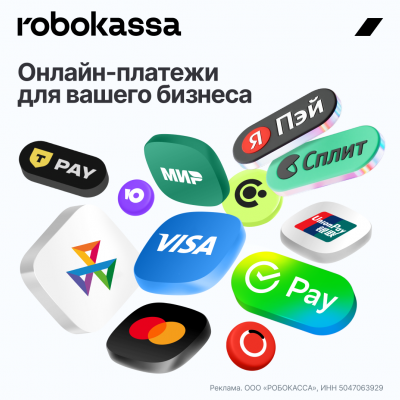
One such option is Robokassa. It allows you to accept card payments, FPS payments, Pay services, and also enable installment payments.
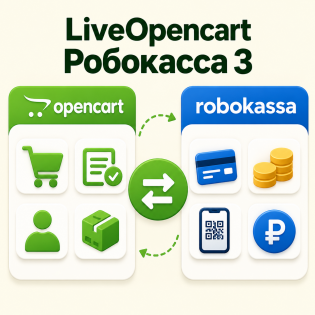
For OpenCart, there is a ready-made RoboKassa 20 Payment Methods Module for OpenCart, which is sold by us.
What payment methods does Robokassa support?
You can offer several payment options to your customers:
-
Bank cards (including foreign ones);
-
Fast Payment System;
-
SberPay;
-
T-Pay;
-
Alfa Pay;
-
MTS Pay;
-
Mir Pay;
-
Yandex Pay;
-
YuMoney;
-
payment in installments;
-
installments and credit.
This means there's no need to install a separate module for each bank or payment service. Everything works through one system.
Special rate for OpenCart users
If you register with Robokassa using our affiliate link, a special rate applies for the first three months:
3.3% for Russian bank cards.
After that, the commission depends on the store's turnover.
Register with Robokassa with a 3.3% interest rate
If you want these exact terms, register using the link above.
Online receipts
Robokassa can be used not only for accepting cash but also for processing receipts. OpenCart transfers order data—products, quantity, prices, delivery, and other parameters. Based on this, an electronic receipt is generated and the data is sent for fiscal processing. This is convenient because you don't have to set up several services separately just to accept payments and send receipts.
When setting up, it's important to check that the following are correctly transferred to the receipt:
-
product names;
-
quantity;
-
prices;
-
discounts;
-
delivery;
-
VAT;
-
Payment method and subject matter.
Payment by installments
If the store sells expensive items, payment by installments or installments may be useful. It's easier for the buyer to make a purchase if they don't have to pay the full amount upfront. This is especially true for appliances, furniture, equipment, auto parts, and other items with a high average order value.
Payment by foreign cards
Robokassa allows you to accept some foreign bank cards. This is useful for stores that actually have customers from other countries. However, the commission for such payments is higher, so enabling this method is just "just in case." Usually, it doesn't make sense.
Robokassa Module for OpenCart
To connect the payment system to your store, you can use Robokassa 20 Methods Module for OpenCart, which is available on LiveOpenCart. ItThis is needed to connect OpenCart with Robokassa without developing the integration yourself. After installation, you need to enter your Robokassa store details, configure order statuses, and payment options.
After installation, check several options:
-
Normal successful payment;
-
Payment cancellation;
-
Order status change;
-
Transfer discounts and shipping;
-
Receipt accuracy;
-
Refund;
-
All included payment methods work.
If your store uses Simple Registration and Ordering, oCheckout, a custom checkout, or a heavily customized template, testing is especially important.
Who will benefit
Robokassa is worth considering for those who need not only standard card payments, but also the Fast Payment System (FPS), Pay Services, installment payments, and receipts in a single system. This is especially convenient for small and medium-sized stores on OpenCart, where you don't want to collect payments from several separate solutions. And if you register using the LiveOpenCart affiliate link, you'll receive a 3.3% interest rate for Russian bank cards for the first three months. ...


 09.10.2026