Your shopping cart is empty!

Quick order

Price: free
Author: Tom
Write to the author
Need paid help? Contact the site administration
Opencart version:
Need paid help? Contact the site administration
Opencart version:
LiveStore 3.*OCStore 3.*
Main advantages:
- Checkout in 1 click: The buyer no longer needs to go through
through a long standard ordering procedure (entering address,
choice of delivery/payment methods, etc.).
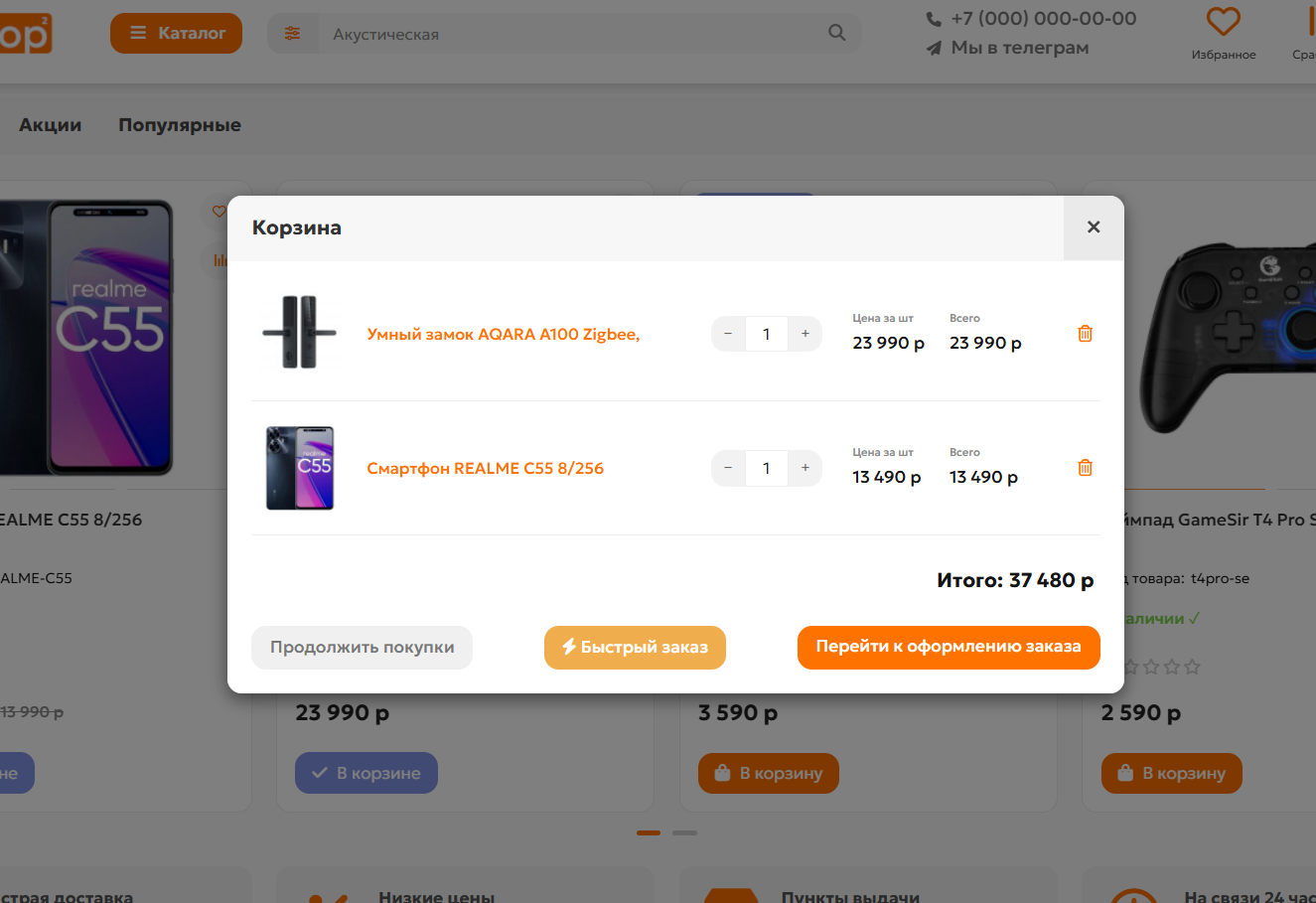
- Work directly from the cart: The order is placed instantly through a convenient
modal window when you click on the “Quick order” button in the cart.
- Auto-fill data: If the client is already authorized, the module itself
will substitute his name, email and phone number from his profile.
- Full compatibility: Integrates correctly with the standard shopping cart
OpenCart 3 and the popular UniShop2 template.
- Security and standards: Does not affect system files (works via OCMOD), saves orders using the standard method with display in the admin panel.
The main difference from modules of the “One-click” type is that the module allows you to place several products at once in one click.
For example, you have a store of very small, piece goods, which generally does not require large descriptions, attributes, options, etc. And the buyer will add to the cart any quantity of goods he needs and, without specifying delivery types and payment options, will essentially send you a request on his behalf for certain goods.
What it looks like in the store
For buyer:
- The buyer adds items to the cart.
- Opens a mini-cart in the site header.
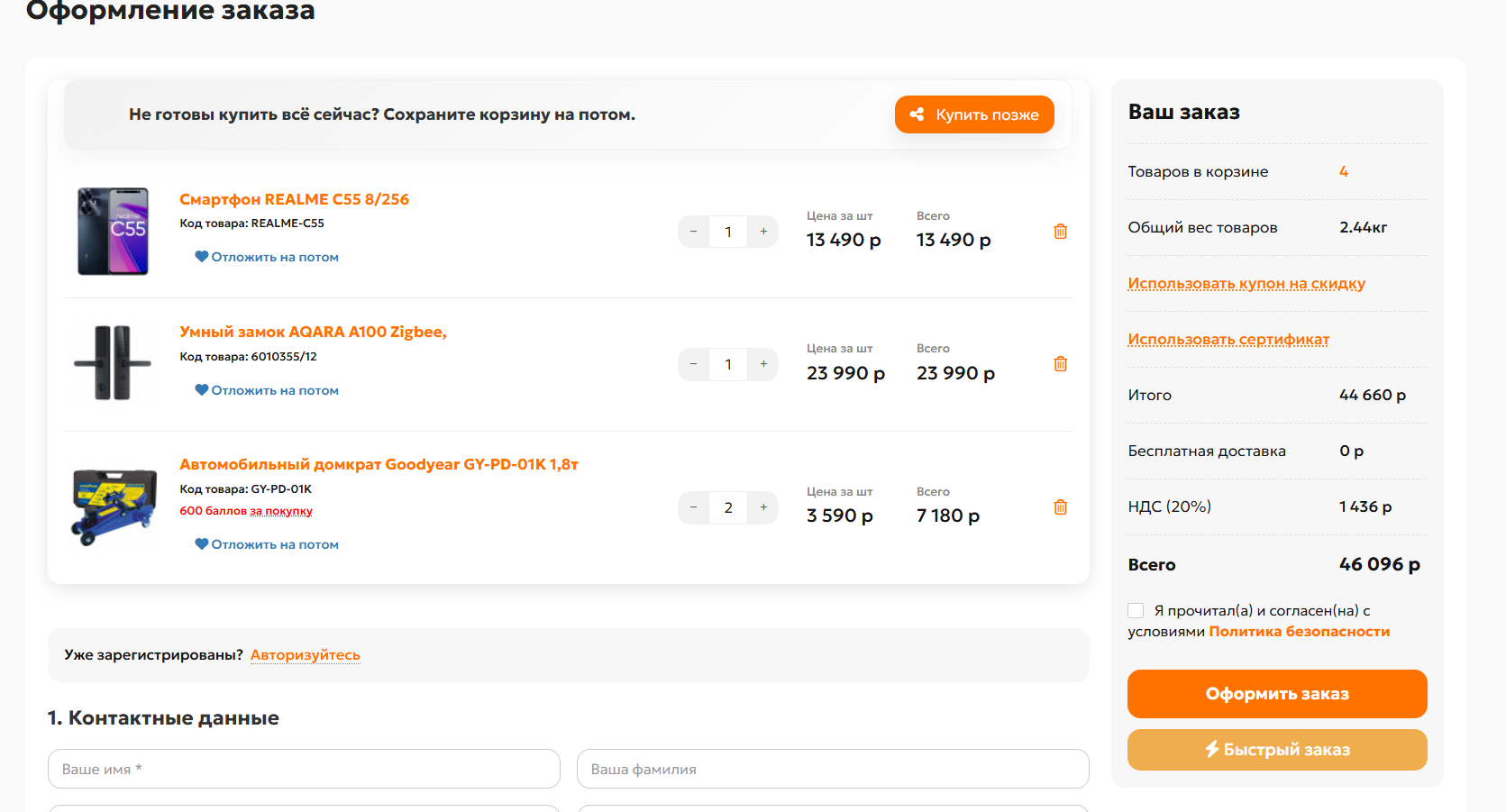
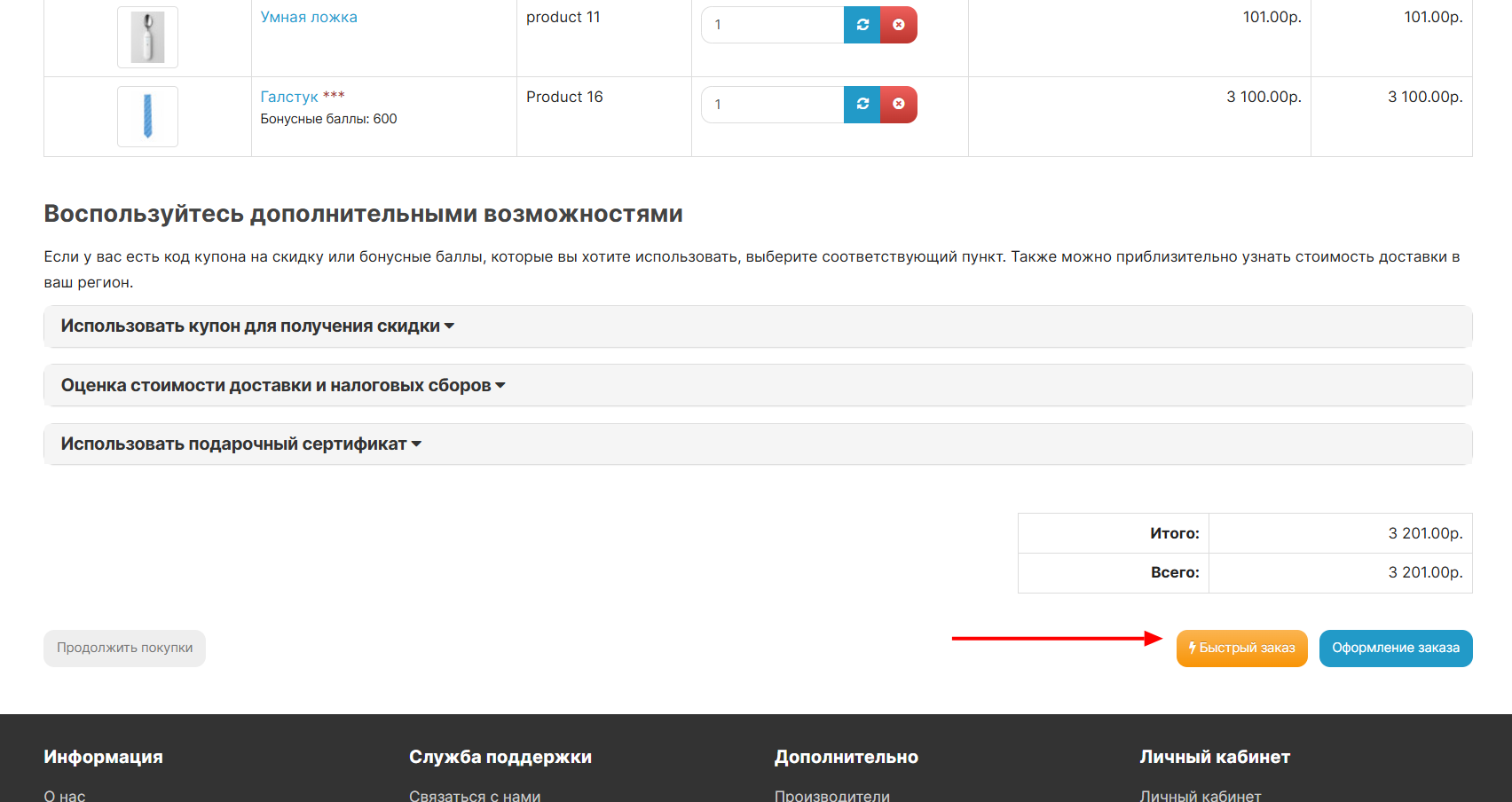
- Instead of the standard transition to registration, clicks on the button
"Quick order"(lightning icon).
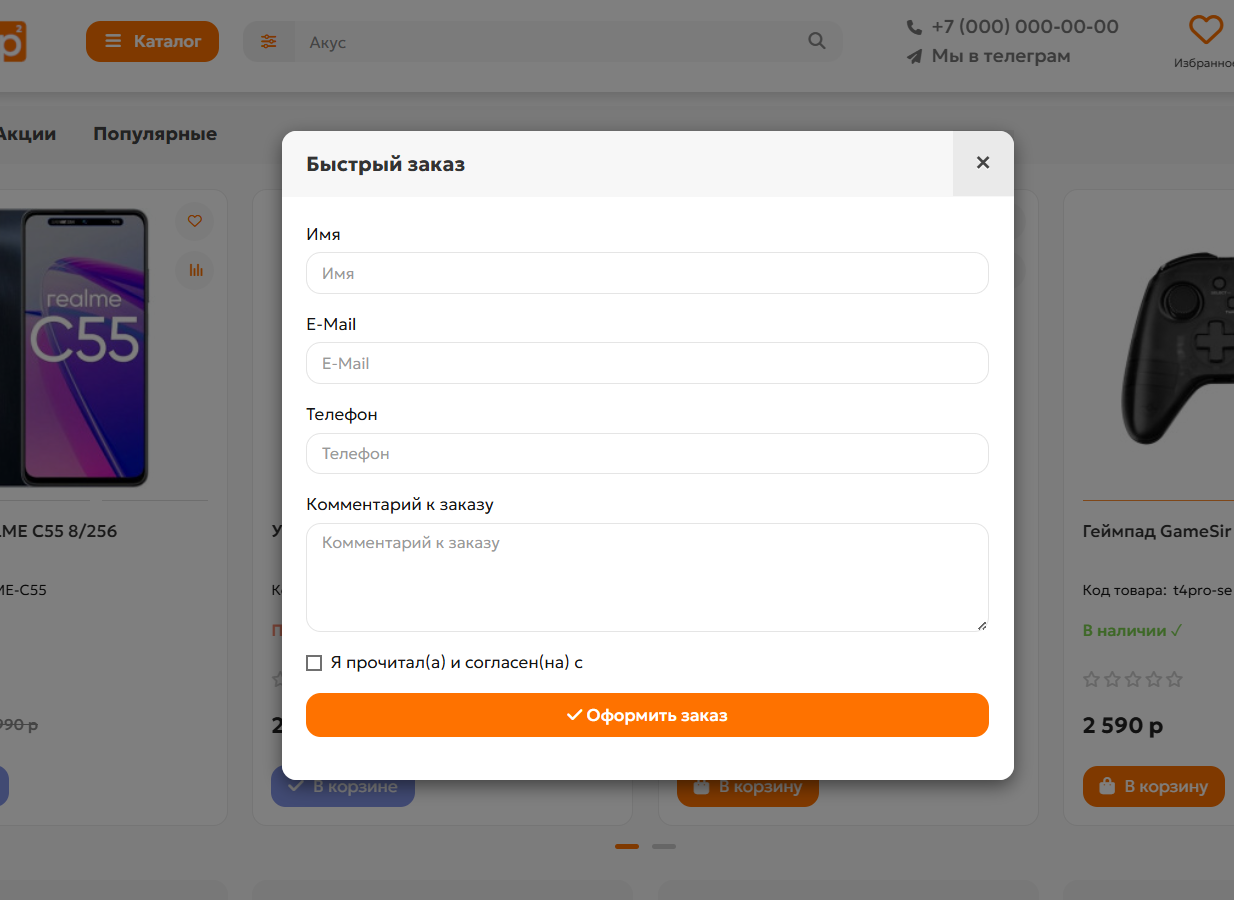
- In the modal window that appears, fill in the Name, E-mail, Phone and comment on the order.
- Clicks “Place an order”. The trash bin is emptied and appears on the screen.
message with order number and thanks.
For store administrator:
- All quick orders are saved in the database in a standard way.
- You can see them in the “Sales” → “Orders” section.
- In the “Payment Method” and “Delivery Method” fields, such orders will have
"Quick order" is indicated, which makes it easy to filter them.
- Buyer's contact details and comments are displayed inside the order.
Where and why is it convenient?
This module is indispensable for online stores with a small or related assortment, where customersorder several products at once:
Installation:
Standard from the admin panel Extensions - Install extensions, after which be sure to update the modifier cache.
Distributed asThere is.
The extension is fully adapted only for Unishop 2 and default Opencart / LiveStore
For coffee!
- Checkout in 1 click: The buyer no longer needs to go through
through a long standard ordering procedure (entering address,
choice of delivery/payment methods, etc.).
- Work directly from the cart: The order is placed instantly through a convenient
modal window when you click on the “Quick order” button in the cart.
- Auto-fill data: If the client is already authorized, the module itself
will substitute his name, email and phone number from his profile.
- Full compatibility: Integrates correctly with the standard shopping cart
OpenCart 3 and the popular UniShop2 template.
- Security and standards: Does not affect system files (works via OCMOD), saves orders using the standard method with display in the admin panel.
The main difference from modules of the “One-click” type is that the module allows you to place several products at once in one click.
For example, you have a store of very small, piece goods, which generally does not require large descriptions, attributes, options, etc. And the buyer will add to the cart any quantity of goods he needs and, without specifying delivery types and payment options, will essentially send you a request on his behalf for certain goods.
What it looks like in the store
For buyer:
- The buyer adds items to the cart.
- Opens a mini-cart in the site header.
- Instead of the standard transition to registration, clicks on the button
"Quick order"(lightning icon).
- In the modal window that appears, fill in the Name, E-mail, Phone and comment on the order.
- Clicks “Place an order”. The trash bin is emptied and appears on the screen.
message with order number and thanks.
For store administrator:
- All quick orders are saved in the database in a standard way.
- You can see them in the “Sales” → “Orders” section.
- In the “Payment Method” and “Delivery Method” fields, such orders will have
"Quick order" is indicated, which makes it easy to filter them.
- Buyer's contact details and comments are displayed inside the order.
Where and why is it convenient?
This module is indispensable for online stores with a small or related assortment, where customersorder several products at once:
- Customers choose dozens of little things (ribbons, buttons, paper, stickers, stamps).
- Ordering each item separately is inconvenient, and the standard shopping cart with 5 steps is intimidating. A quick order of the entire cart saves sales.
- The buyer needs to take 10 bolts, 10 nuts, washers and a drill.
- Nobody wants to enter a delivery address for the sake of ordering a small check. A quick phone order solves this problem in seconds.
- When purchasing oil, oil filter and windshield wiper blades, the client wants to order the kit in one click directly from the cart without specifying an address, choosing delivery types, etc.
- Gathered the desired product in the cart. Fill out the minimum contact fields. We sent an application. The seller will contact you himself.
Installation:
Standard from the admin panel Extensions - Install extensions, after which be sure to update the modifier cache.
Distributed asThere is.
The extension is fully adapted only for Unishop 2 and default Opencart / LiveStore
For coffee!
Distribution method:
Free
Opencart version:
LiveStore 3.*OCStore 3.*
PHP verision:
PHP 7.3PHP 7.4
Activation:
Not required
Getting files:
On site, in the personal account
Protection system:
No
VQmod:
No
Ocmod:
Yes
Events:
No
Uploaded:
23.06.2026
Updated:
06.07.2026
Viewed:
943
Write a review
Your Name:Your Review: Note: HTML is not translated!
Rating: Bad Good
Enter the code in the box below:
To download this free product, you do not need to order it, just log in.


