Your shopping cart is empty!

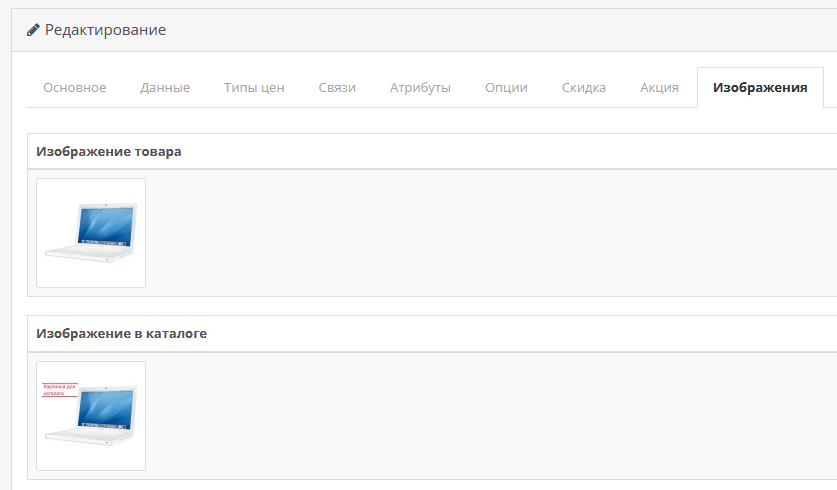
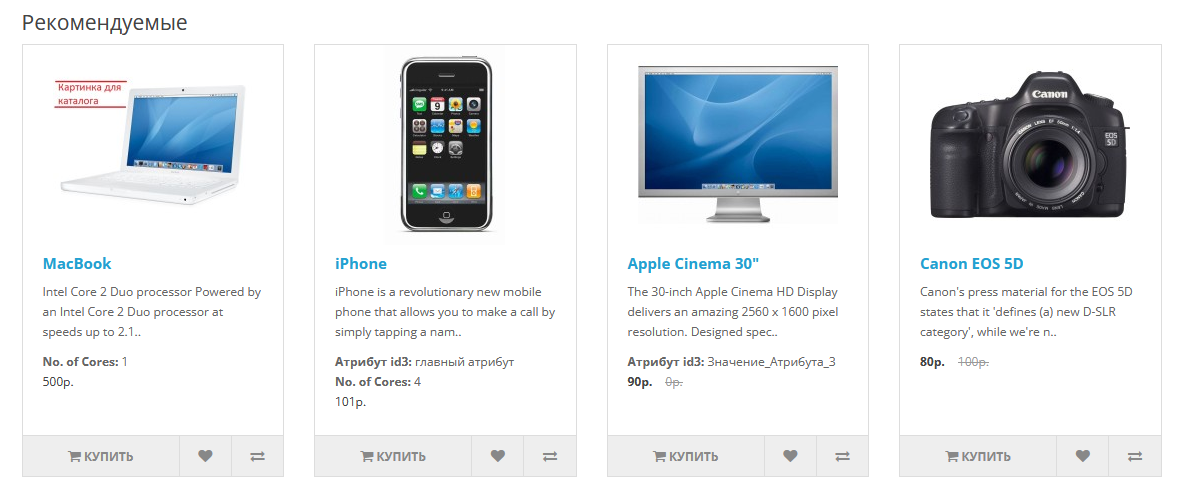
Product image for catalog/category

Price: 300 ₽
Author: Blast
Write to the author
Need paid help? Contact the site administration
Opencart version:
Need paid help? Contact the site administration
Opencart version:
LiveStore 3.*OCStore 3.*OpenCart 3.*
This module allows you to display an alternative product image when displaying it in the catalog, categories, and modules.
This can be useful for demonstrating differences in size, color, etc. between related products within the same model/line, and for overlaying icons and stickers.
You can also use this image (with minor modifications) to upload to various feeds, marketplaces, and other third-party systems.
Installation:
1. Log in to your online store's admin panel.
2. In the Modules/Extensions tab, select Install Extensions.
3. Click the Upload button and select the product_image_for_catalog.ocmod.zip archive.
4. Go to the Modules/Extensions tab - Modules/Extensions.
5. From the drop-down list, select the extension type - Modules.
6. In the list of modules, find[AppDevStudio]Product image in catalog/category and activate the module.
7. Click the Edit button next to[AppDevStudio]Product image in catalog/category, enable the module, and click Save.
8. Go to the Modules/Extensions - Modifiers tab and update the modifiers.
This module does not replace standard files.
IonCube is not required.
Terms of use:
1 purchase = 1 domain name.
If you have any installation/configuration issues, please contact me - I'll help.
Demo:https://oc302.appdevstudio.ru/
The module was tested on OpenCart / OcStore / Opencart Club edition / Russian build 3.0. The module should work on all templates without adaptation, as it requires additional support. replaces the image in the controller.
This can be useful for demonstrating differences in size, color, etc. between related products within the same model/line, and for overlaying icons and stickers.
You can also use this image (with minor modifications) to upload to various feeds, marketplaces, and other third-party systems.
Installation:
1. Log in to your online store's admin panel.
2. In the Modules/Extensions tab, select Install Extensions.
3. Click the Upload button and select the product_image_for_catalog.ocmod.zip archive.
4. Go to the Modules/Extensions tab - Modules/Extensions.
5. From the drop-down list, select the extension type - Modules.
6. In the list of modules, find[AppDevStudio]Product image in catalog/category and activate the module.
7. Click the Edit button next to[AppDevStudio]Product image in catalog/category, enable the module, and click Save.
8. Go to the Modules/Extensions - Modifiers tab and update the modifiers.
This module does not replace standard files.
IonCube is not required.
Terms of use:
1 purchase = 1 domain name.
If you have any installation/configuration issues, please contact me - I'll help.
Demo:https://oc302.appdevstudio.ru/
The module was tested on OpenCart / OcStore / Opencart Club edition / Russian build 3.0. The module should work on all templates without adaptation, as it requires additional support. replaces the image in the controller.
Distribution method:
Paid
Opencart version:
LiveStore 3.*OCStore 3.*OpenCart 3.*
PHP verision:
PHP 7.1PHP 7.2PHP 7.3PHP 7.4PHP 8.0PHP 8.1PHP 8.2
Activation:
Automatic
Getting files:
On site, in the personal account
Protection system:
No
VQmod:
No
Ocmod:
Yes
Events:
No
Uploaded:
25.08.2026
Updated:
25.08.2026
Viewed:
534
Write a review
Your Name:Your Review: Note: HTML is not translated!
Rating: Bad Good
Enter the code in the box below:
Файлы будут доступны после покупки


