Your shopping cart is empty!

Bulk adding images

Price: free
Author: Tom
Write to the author
Need paid help? Contact the site administration
Opencart version:
Need paid help? Contact the site administration
Opencart version:
LiveStore 3.*OCStore 3.*OpenCart 3.*
Bulk adding of images
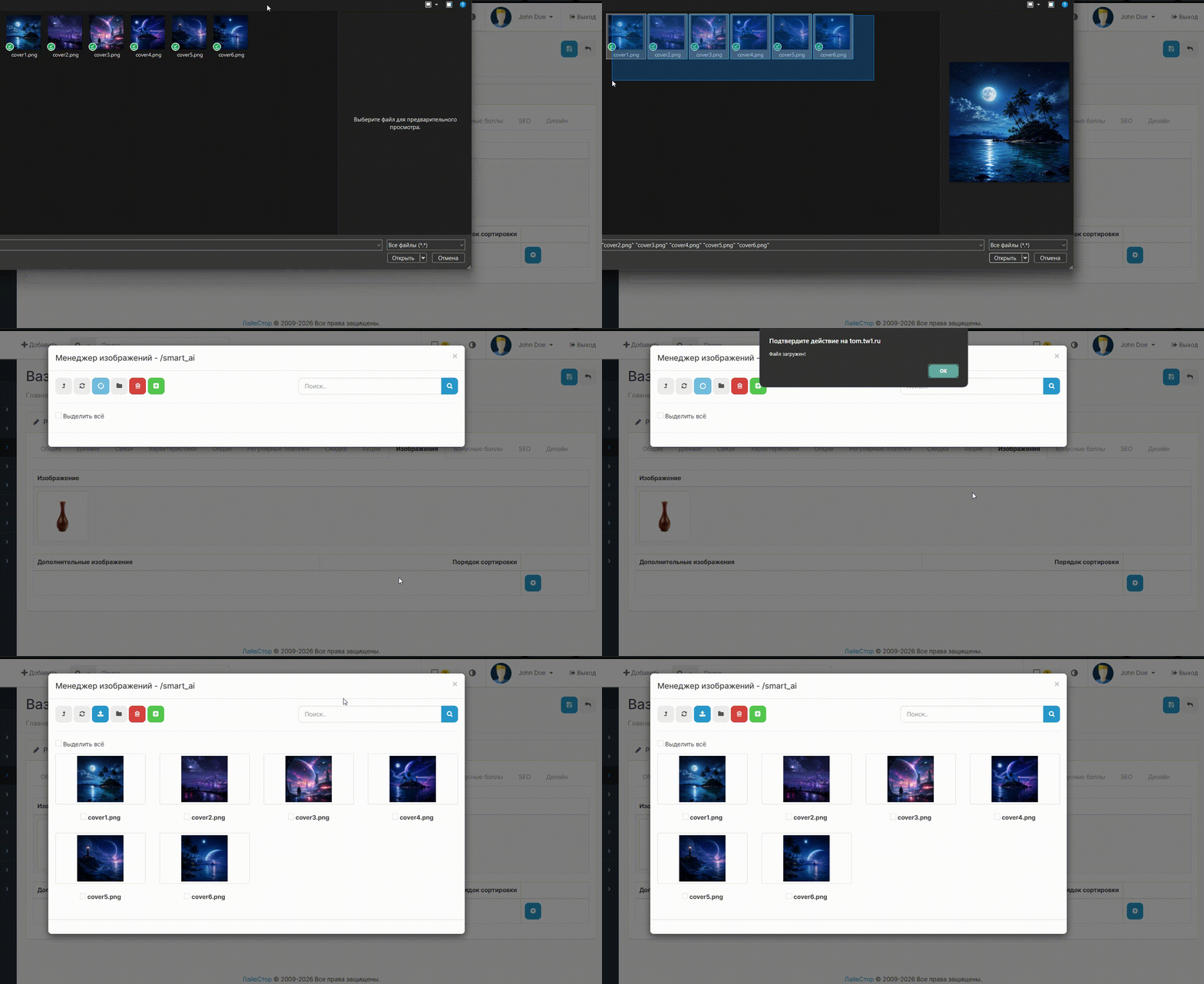
The extension adds to the file manager the ability to select several images at once for downloading from a local device and add any number of images selected in the manager to products, etc., with one click.
You no longer need to add pictures one by one.
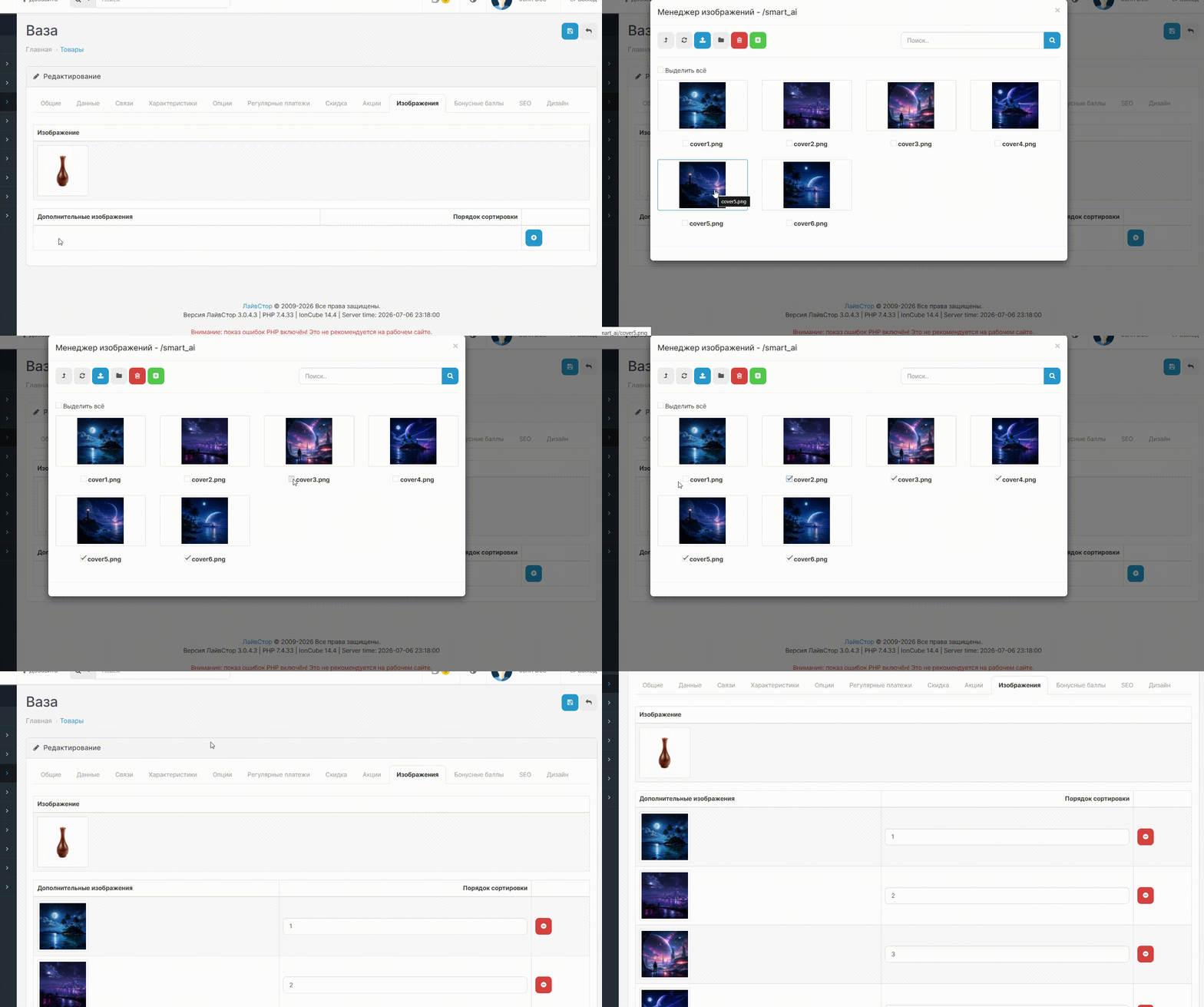
How it works:
- Open the file manager in the admin panel
- Mark the required images with checkboxes
- Click the green “Insert Selected” button
- All selected images instantly fill empty fields
Features:
- Multiple selection of images in the file manager
- Automatic creation of additional rows if more images are selected than there are empty fields
-Automatic continuous numbering sort order
- The button is automatically hidden on pages where there are no multiple image fields
- EN + RU localization
Installation:
1. Extensions → Install extensions → multiple_image_selection.ocmod.zip
2. Extensions → Modifiers → Update
3. Done
For coffee!
The extension adds to the file manager the ability to select several images at once for downloading from a local device and add any number of images selected in the manager to products, etc., with one click.
You no longer need to add pictures one by one.
How it works:
- Open the file manager in the admin panel
- Mark the required images with checkboxes
- Click the green “Insert Selected” button
- All selected images instantly fill empty fields
Features:
- Multiple selection of images in the file manager
- Automatic creation of additional rows if more images are selected than there are empty fields
-Automatic continuous numbering sort order
- The button is automatically hidden on pages where there are no multiple image fields
- EN + RU localization
Installation:
1. Extensions → Install extensions → multiple_image_selection.ocmod.zip
2. Extensions → Modifiers → Update
3. Done
For coffee!
Distribution method:
Free
Opencart version:
LiveStore 3.*OCStore 3.*OpenCart 3.*
PHP verision:
PHP 7.3PHP 7.4
Activation:
Not required
Getting files:
On author's site, after purchase
Protection system:
No
VQmod:
No
Ocmod:
Yes
Events:
No
Uploaded:
07.07.2026
Updated:
07.07.2026
Viewed:
1441
Write a review
Your Name:Your Review: Note: HTML is not translated!
Rating: Bad Good
Enter the code in the box below:
To download this free product, you do not need to order it, just log in.


