Your shopping cart is empty!

Finding and hiding nested fields in modules
Price: free
Author: Testarea
Write to the author
Opencart version:
The product author has not visited the site for more than 1 month. Replies and support may take longer.
Need paid help? Contact the site administration
Opencart version:
OpenCart 3.*LiveStore 3.*OCStore 3.*
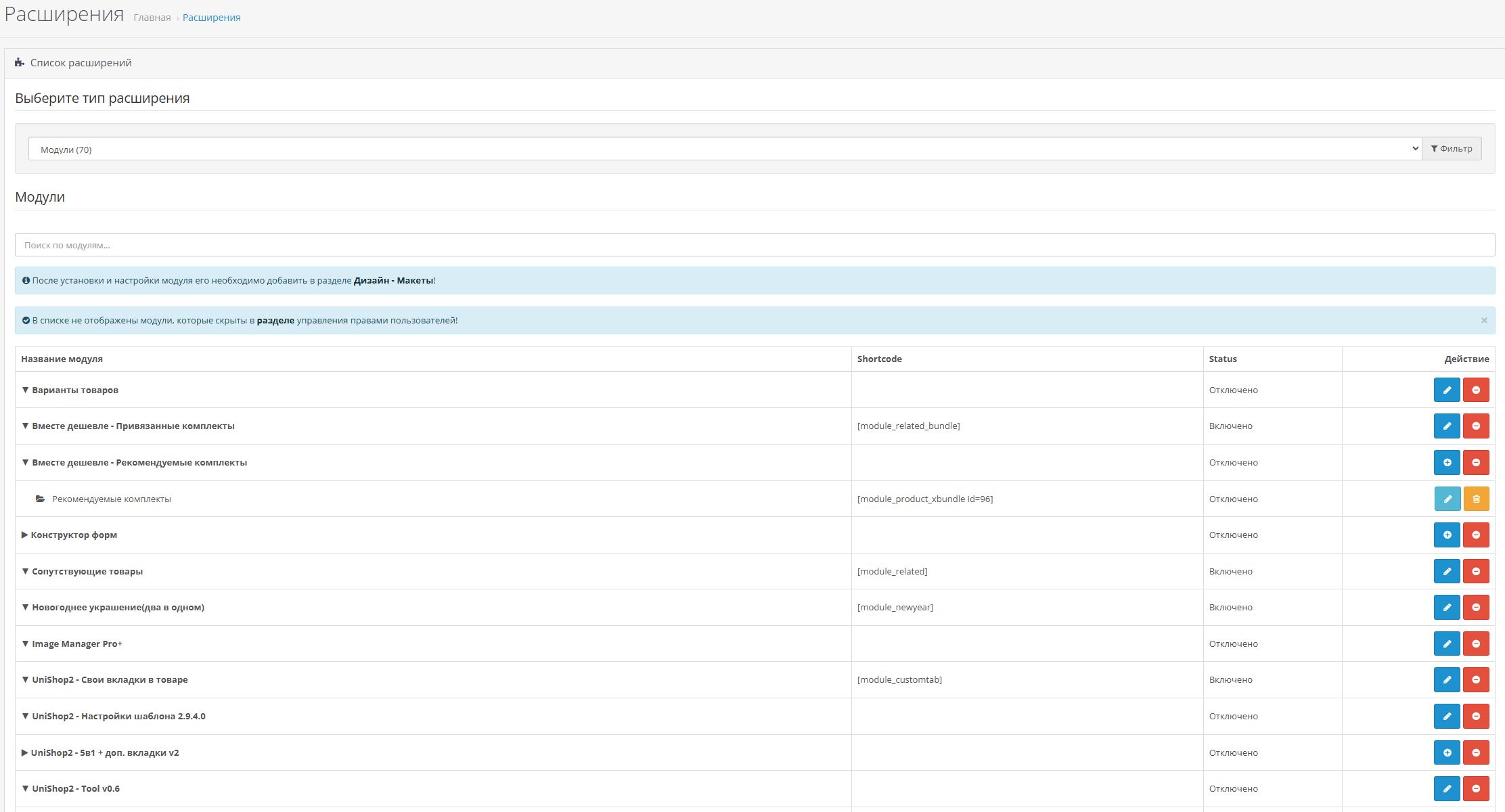
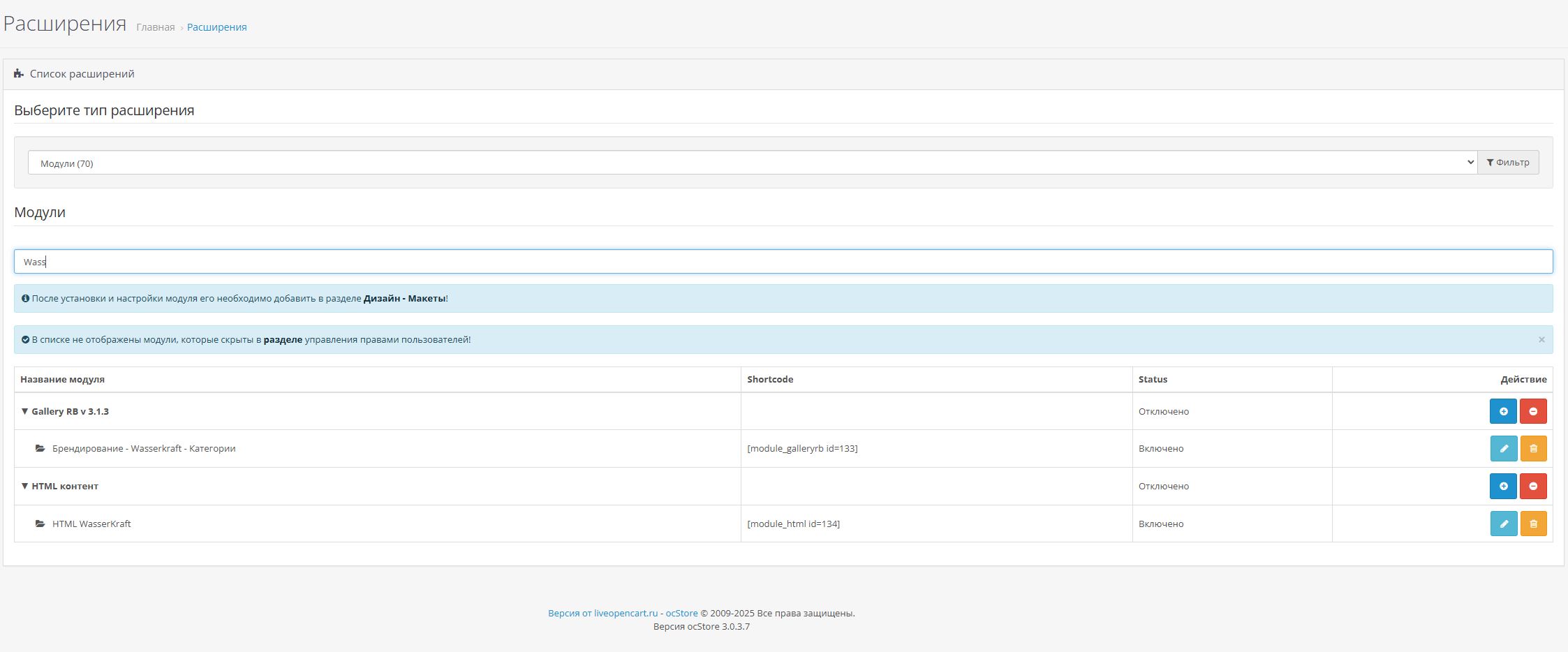
The module changes the "Modules/Extensions" page in the admin panel, adding grouping and search to the "Modules" section. The logic of only one section changes, since most often this is where nested module structures appear (specific filters in filtering modules, html inserts, etc.).
During installation, it adds a new file view: module_custom.twig to the standard admin template and replaces the connection of the standard view module.twig with the added one.
Compatible with Shortcodes/Shortcodes Pro module.
To keep tab groups open/closed during updates, the browser's local storage is used.
Setting:
1. In the Extensions -> Install extensions section, download the archive: module_table_search_toggle.ocmod.zip
2. Go to Extensions-> Modifications and click update button
Removal:
1. In the section Extensions -> Installing extensions in the installation history, find and click to delete the archive: module_table_search_toggle.ocmod.zip
2. Go to Extensions -> Modifications and click the update button
The module is distributed "as is". There is no technical support provided.
During installation, it adds a new file view: module_custom.twig to the standard admin template and replaces the connection of the standard view module.twig with the added one.
Compatible with Shortcodes/Shortcodes Pro module.
To keep tab groups open/closed during updates, the browser's local storage is used.
Setting:
1. In the Extensions -> Install extensions section, download the archive: module_table_search_toggle.ocmod.zip
2. Go to Extensions-> Modifications and click update button
Removal:
1. In the section Extensions -> Installing extensions in the installation history, find and click to delete the archive: module_table_search_toggle.ocmod.zip
2. Go to Extensions -> Modifications and click the update button
The module is distributed "as is". There is no technical support provided.
Distribution method:
AllFree
Opencart version:
OpenCart 3.*LiveStore 3.*OCStore 3.*
Activation:
Not required
Getting files:
On site, in the personal account
Protection system:
No
VQmod:
No
Ocmod:
Yes
Events:
No
Uploaded:
18.06.2025
Updated:
18.06.2025
Viewed:
3632
Write a review
Your Name:Your Review: Note: HTML is not translated!
Rating: Bad Good
Enter the code in the box below:
To download this free product, you do not need to order it, just log in.


