Your shopping cart is empty!

Search for products by SKU in the OpenCart 3 admin panel
Price: 150 ₽ 300 ₽
Author: Владимир
Write to the author
Need paid help? Contact the site administration
Opencart version:
Need paid help? Contact the site administration
Opencart version:
LiveStore 3.*OCStore 3.*OpenCart 3.*
Search for products by SKU / manufacturer code in the OpenCart admin panel 3
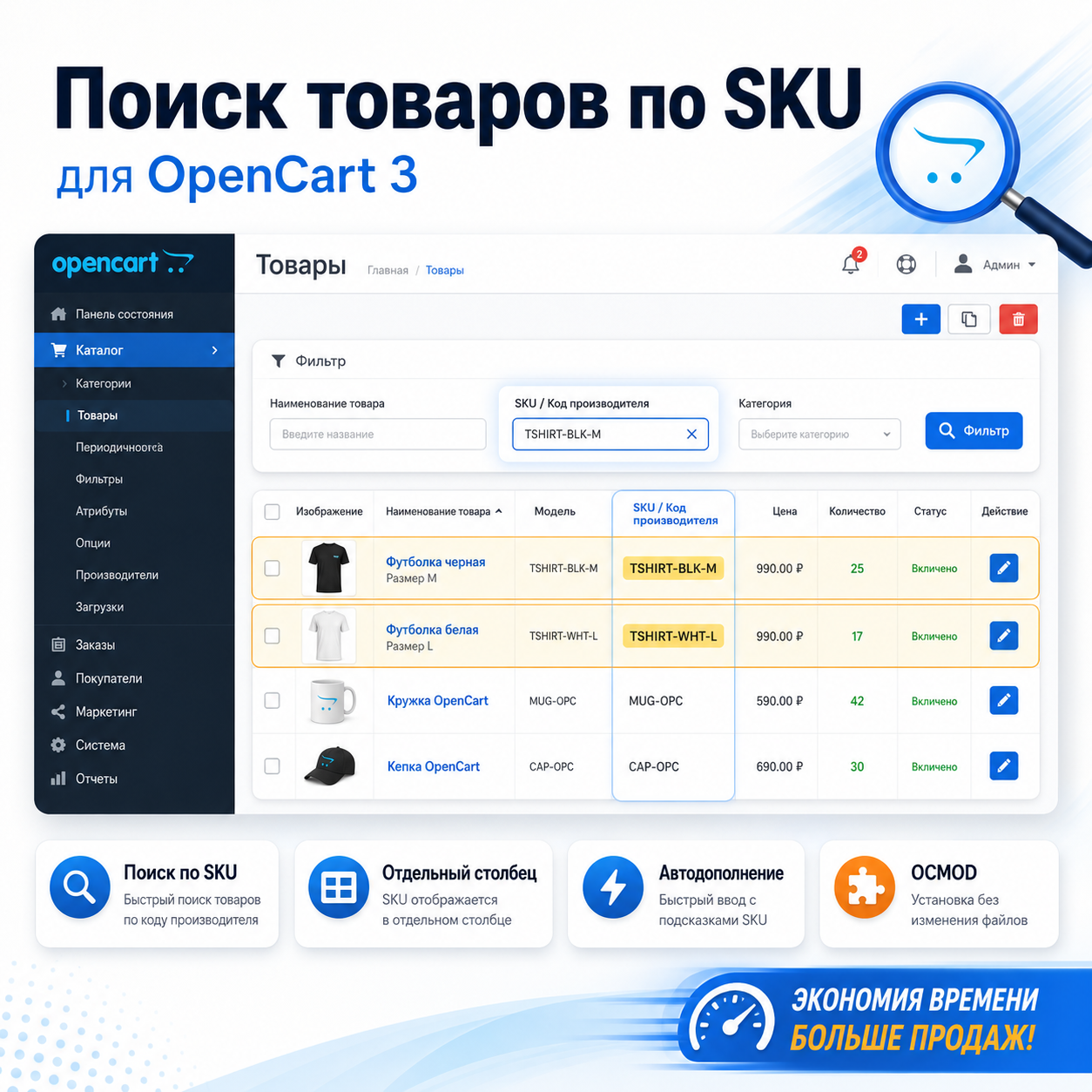
The module adds an additional field for filtering products by SKU or manufacturer code to the OpenCart 3 administrative panel.
After installation, the administrator will be able to quickly find the necessary products not only by name or product code, but also by SKU value, which is often used as a supplier SKU, manufacturer code, internal warehouse code or additional product identifier.
This is a convenient improvement for stores with a large catalog, where a standard search by name and model is not enough.
If products are imported from 1C, supplier price lists, Excel files, CRM or warehouse systems, the SKU field often becomes an important reference point for searching and checking items.
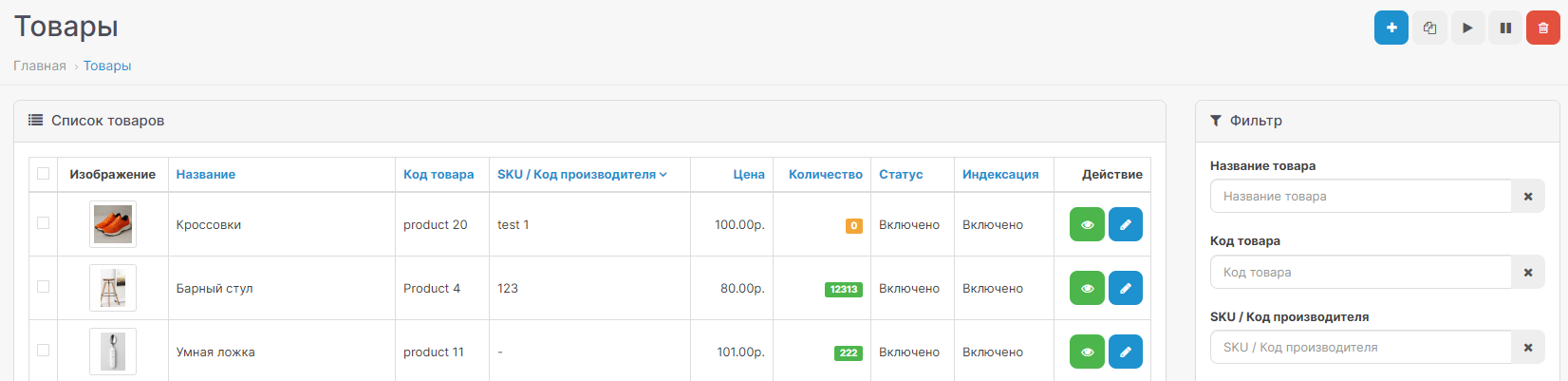
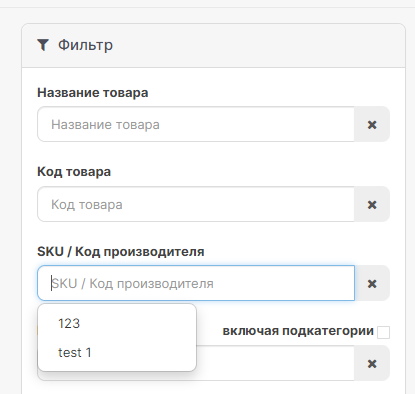
Afterinstallation, a separate field SKU / Manufacturer code appears in the product filter.
The field is located next to the standard OpenCart filters and works in the usual logic of the administrative panel.
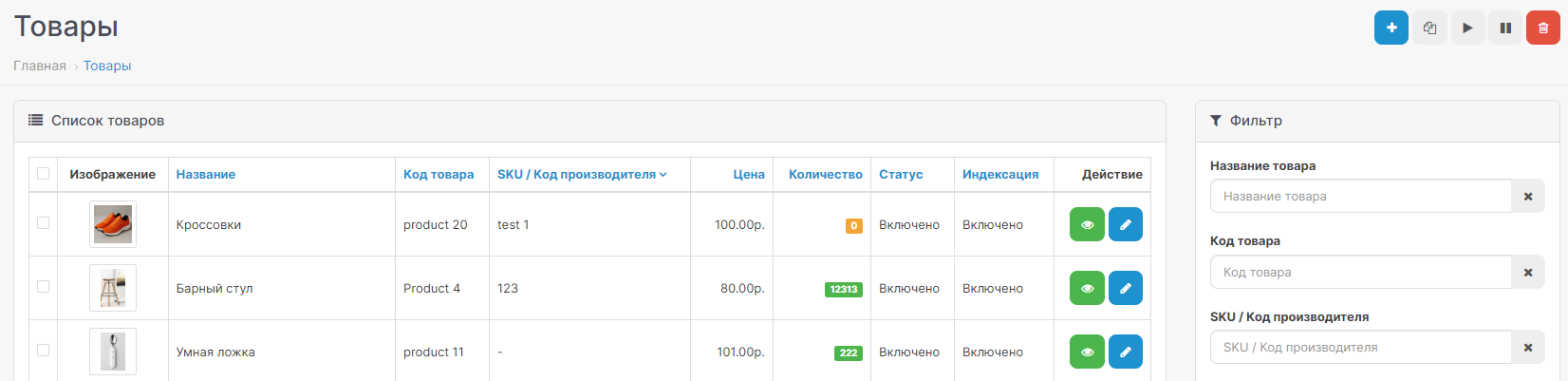
* Adding a search by SKU, displaying the column
Advantages of the module:
— adds search for products by SKU in the OpenCart 3 admin panel;
— allows you to search for products by manufacturer code or supplier article number;
— displays a separate filtering field in the list of products;
— supports auto-completion for SKUs;
— does not create additional tables in the database;
- does not replace system files;
— installed as an OCMOD modifier.Installation:
1. Go to the Extensions section in the OpenCart administrative panel → Install extension.
2. Upload the modifier file.
3. Go to Extensions → Modifiers.
4. Click Update modifiers.
5. If necessary, clear the template cache.
6. Open the section Catalogue → Products and check the appearance of the search field by SKU / manufacturer code.
If the changes are not displayed, refresh your browser cache using Ctrl + F5, and also clear the cache of OpenCart modifiers and templates.
Additional improvements orfunctionality extensions are carried out - PAID.
The module adds an additional field for filtering products by SKU or manufacturer code to the OpenCart 3 administrative panel.
After installation, the administrator will be able to quickly find the necessary products not only by name or product code, but also by SKU value, which is often used as a supplier SKU, manufacturer code, internal warehouse code or additional product identifier.
This is a convenient improvement for stores with a large catalog, where a standard search by name and model is not enough.
If products are imported from 1C, supplier price lists, Excel files, CRM or warehouse systems, the SKU field often becomes an important reference point for searching and checking items.
Afterinstallation, a separate field SKU / Manufacturer code appears in the product filter.
The field is located next to the standard OpenCart filters and works in the usual logic of the administrative panel.
* Adding a search by SKU, displaying the column
Advantages of the module:
— adds search for products by SKU in the OpenCart 3 admin panel;
— allows you to search for products by manufacturer code or supplier article number;
— displays a separate filtering field in the list of products;
— supports auto-completion for SKUs;
— does not create additional tables in the database;
- does not replace system files;
— installed as an OCMOD modifier.Installation:
1. Go to the Extensions section in the OpenCart administrative panel → Install extension.
2. Upload the modifier file.
3. Go to Extensions → Modifiers.
4. Click Update modifiers.
5. If necessary, clear the template cache.
6. Open the section Catalogue → Products and check the appearance of the search field by SKU / manufacturer code.
If the changes are not displayed, refresh your browser cache using Ctrl + F5, and also clear the cache of OpenCart modifiers and templates.
Additional improvements orfunctionality extensions are carried out - PAID.
Distribution method:
Free
Opencart version:
LiveStore 3.*OCStore 3.*OpenCart 3.*
PHP verision:
PHP 7.1PHP 7.2PHP 7.3PHP 7.4
Activation:
Automatic
Getting files:
On site, in the personal account
Protection system:
No
VQmod:
No
Ocmod:
Yes
Events:
No
Uploaded:
07.05.2026
Updated:
29.07.2026
Viewed:
1818
Write a review
Your Name:Your Review: Note: HTML is not translated!
Rating: Bad Good
Enter the code in the box below:




Файлы будут доступны после покупки


