Your shopping cart is empty!

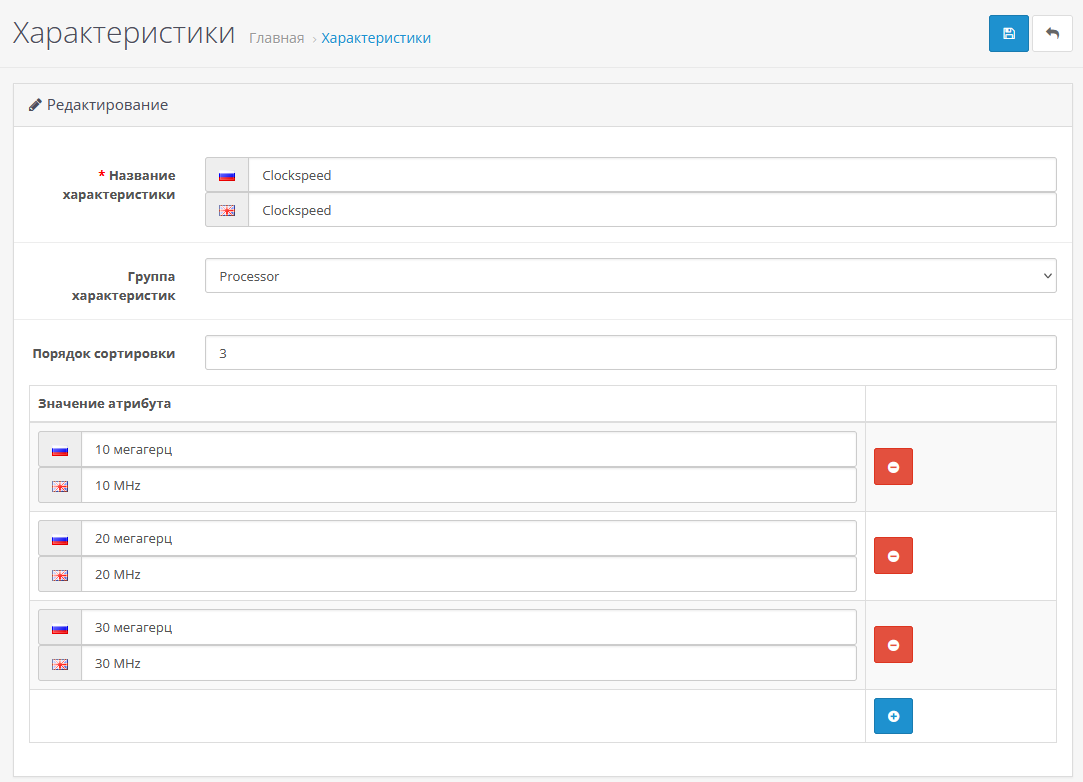
List of attribute values. Predefined stat values
5 sales

Price: 350 ₽

Author: Blast
Write to the author
Sales: 7 (Average rating 0 на основании 0 отзывов)
Need paid help? Contact the site administration
Opencart version:
Sales: 7 (Average rating 0 на основании 0 отзывов)
Need paid help? Contact the site administration
Opencart version:
OpenCart 2.3OpenCart 3.*OCStore 2.3LiveStore 3.*OCStore 3.*
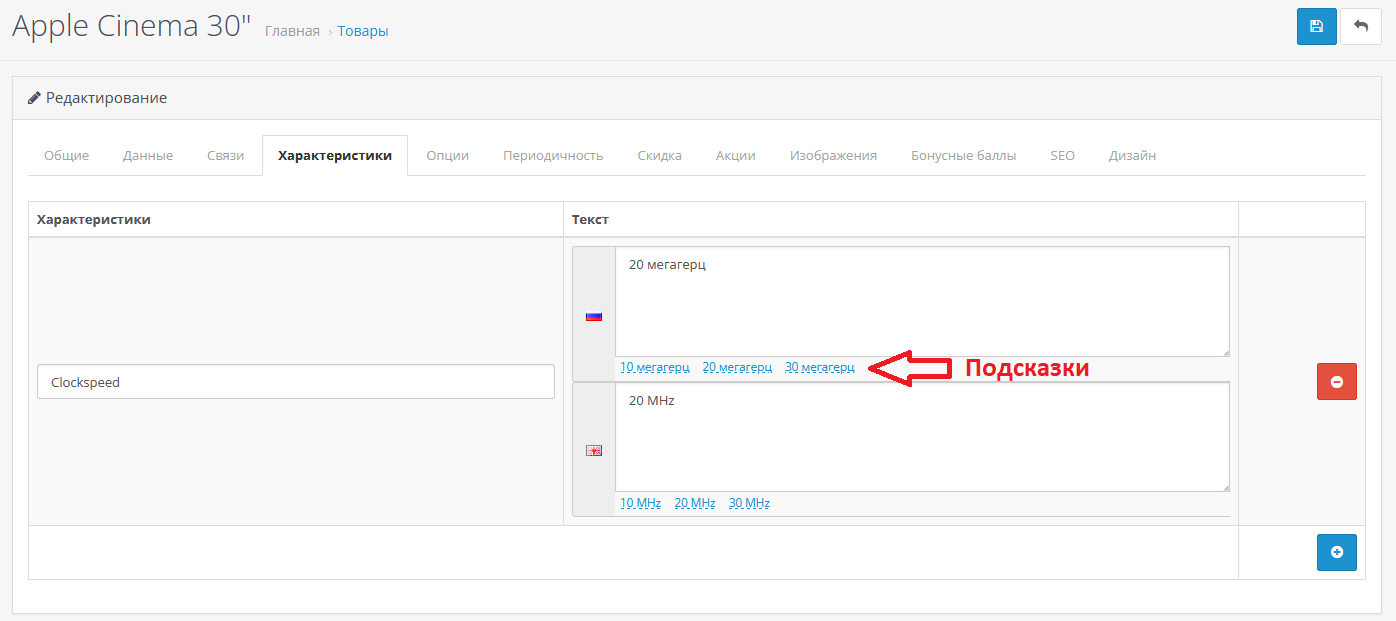
The module allows you to create individual variants of their values for each characteristic/attribute. Then, when editing a product, select values from a predefined list with one click. This allows the content manager to save time on entering attribute values for products using ready-made hints/presets.
Installation:
No IonCube required.
Includes Russian, Ukrainian and English languages
If you have problems with installation/configuration, write to me and I will help.
Demo:
https://oc302.appdevstudio.ru/admin
The module was tested on OpenCart / OcStore / Opencart Club edition / Russian assembly 2.3 and 3.0 on a standard template. But should work on other OC2 andOC3
Adaptation due to non-standard templates and conflicts with other modules for an additional fee.
Installation:
- Go to the administrative panel of your online store.
- On the Modules/Extensions tab, select Install extensions.
- Click on the Download button and select the archive attribute_list_values.ocmod.zip.
- After the process installation, go to the Modules/Extensions - Modifiers tab and update the modifiers.
- Go to the Modules/Extensions tab - Modules/Extensions.
- In the drop-down list, select the extension type - Modules.
- In the list of modules, find the module [AppDevStudio] List of attribute values and click on the + button on the right.
- Module has no settings, this completes the installation.
No IonCube required.
Includes Russian, Ukrainian and English languages
If you have problems with installation/configuration, write to me and I will help.
Demo:
https://oc302.appdevstudio.ru/admin
The module was tested on OpenCart / OcStore / Opencart Club edition / Russian assembly 2.3 and 3.0 on a standard template. But should work on other OC2 andOC3
Adaptation due to non-standard templates and conflicts with other modules for an additional fee.
Distribution method:
AllPaid
Opencart version:
OpenCart 2.3OpenCart 3.*OCStore 2.3LiveStore 3.*OCStore 3.*
PHP verision:
PHP 5.6PHP 7.0PHP 7.1PHP 7.2PHP 7.3PHP 7.4PHP 8.0PHP 8.1PHP 8.2
Activation:
Not required
Getting files:
On site, in the personal account
Protection system:
No
VQmod:
No
Ocmod:
Yes
Events:
No
Uploaded:
29.03.2025
Updated:
29.03.2025
Viewed:
4101
Sales:
7
Write a review
Your Name:Your Review: Note: HTML is not translated!
Rating: Bad Good
Enter the code in the box below:
Файлы будут доступны после покупки


