Your shopping cart is empty!

SMS notifications from TeraSMS

Price: free
Author: Terasms
Write to the author
Opencart version:
The product author has not visited the site for more than 1 month. Replies and support may take longer.
Need paid help? Contact the site administration
Opencart version:
OpenCart 1.5.3.1OpenCart 1.5.4.1OpenCart 1.5.5.1OpenCart 1.5.6OpenCart 1.5.6.1OpenCart 1.5.6.2OpenCart 1.5.6.3OpenCart 1.5.6.4OpenCart 2.0OpenCart 2.1OpenCart 2.2OpenCart 2.3OpenCart 3.*OpenCart 4.0OpenCart 4.1OCStore 1.5.3.1OCStore 1.5.4.1OCStore 1.5.5.1OCStore 1.5.5.1.1OCStore 1.5.5.1.2OCStore 2.1OCStore 2.3LiveStore 3.*OCStore 3.*
SMS notification module via Terasms for OpenCart.
The module integrates your online store on OpenCart with the Terasms.ru service and allows you to send SMS notifications to customers and administrators when the order status changes, as well as manually - directly from the admin panel.
Why do we need the module
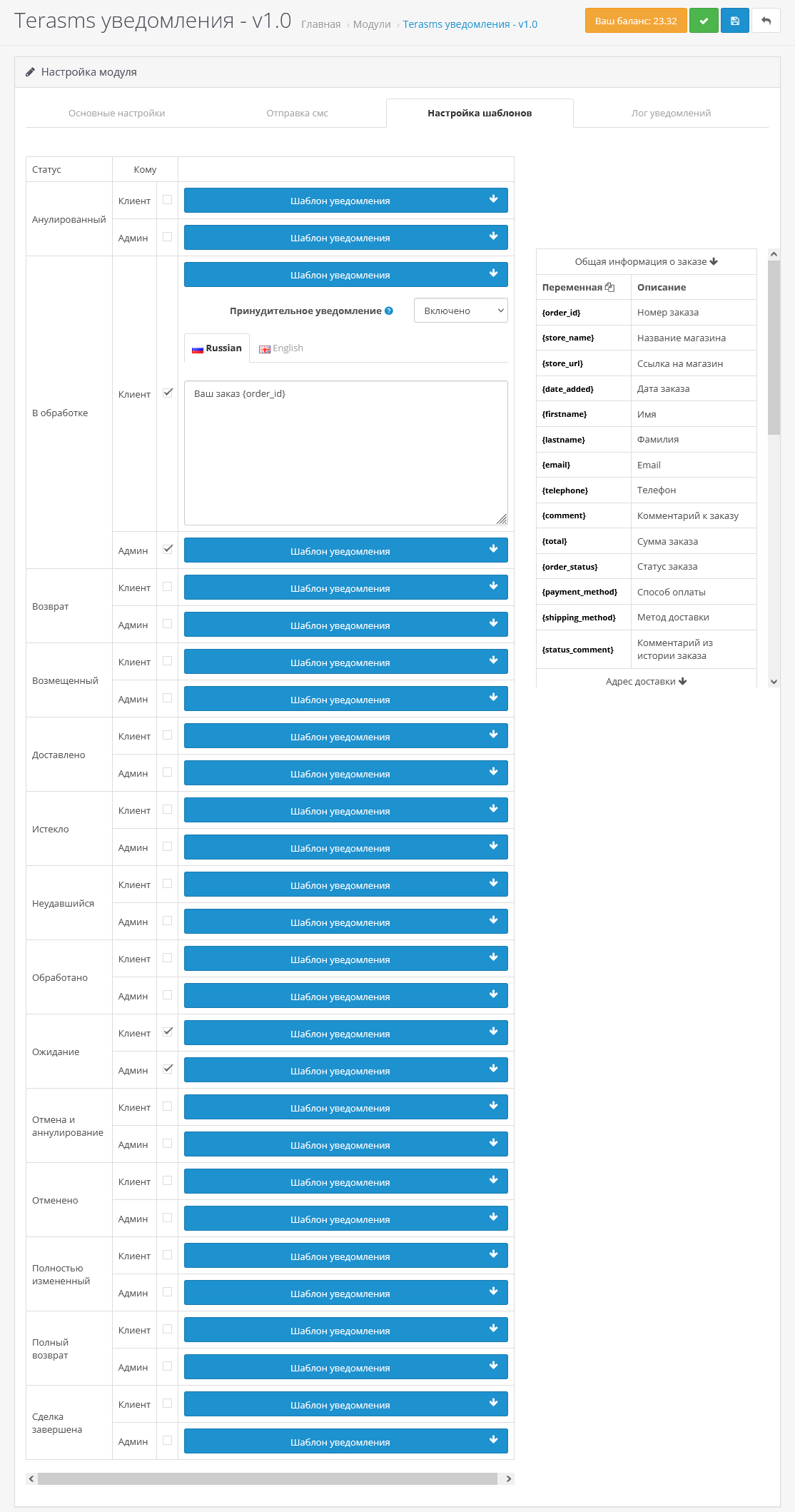
Setting up SMS templates
Setting instructions:
Step 1:
- PHP 5.3 or higher;
- Сurl;
The module integrates your online store on OpenCart with the Terasms.ru service and allows you to send SMS notifications to customers and administrators when the order status changes, as well as manually - directly from the admin panel.
Why do we need the module
- Increases customer loyalty - instantly notifies about a change in order status (for example, “Shipped”, “Ready for pickup”).
- Saves time - the administrator also receives notifications without the need to constantly check orders in the admin panel.
- Works without unnecessary settings - standard OpenCart functionality is used(addOrderHistory), which ensures compatibility with most themes and modules.
Setting up SMS templates
- for each order status you can set your own notification template:
- both for the buyer,
- and for the administrator.
- you can set separate SMS message templates for each store language.
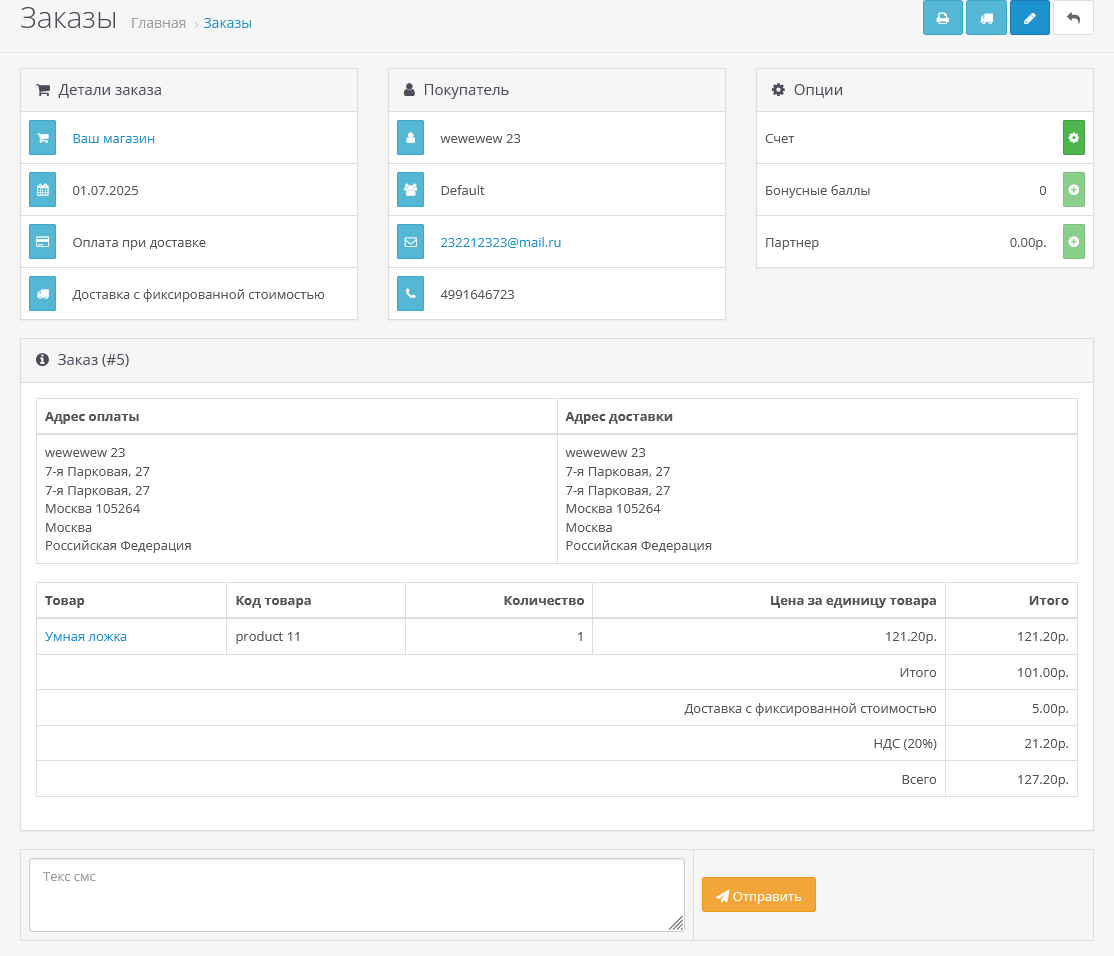
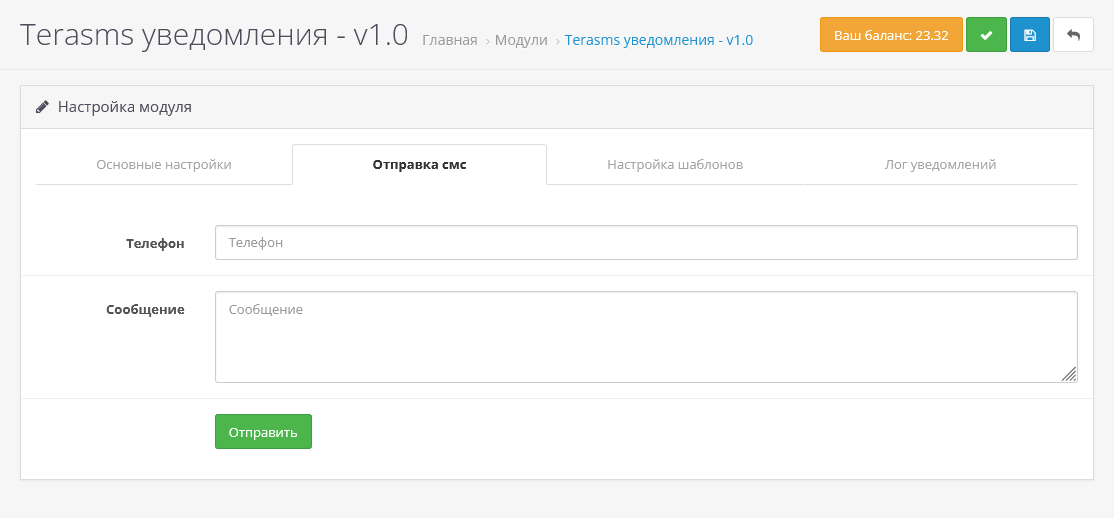
- from the module settings you can manually send any message to any number.
- SMS from the cardorder
- you can send an SMS to the buyer manually directly from the order, for example, for individual clarification or reminder.
- you can use SMS sending from any native module through a simple call:
$this->load->library('terasms');
$this->terasms->send($phone, $message);
Setting instructions:
Step 1:
- Register in https://terasms.ru/;
- Log into your personal account in the “Profile” section and generate an “Authorization TokenAPI"
- Select the desired version of the module depending on your version of opencart;
- For OC 1.5.x: Upload the contents of the archive of the upload folder to the server - vqmod
- For 2.0.x-4.1: Install the module (the archive must be *.ocmod.zip) through the standard add-on manager.
- Update modifiers
- Then go to extensions->modules and find “Terasms notifications” and activate it;
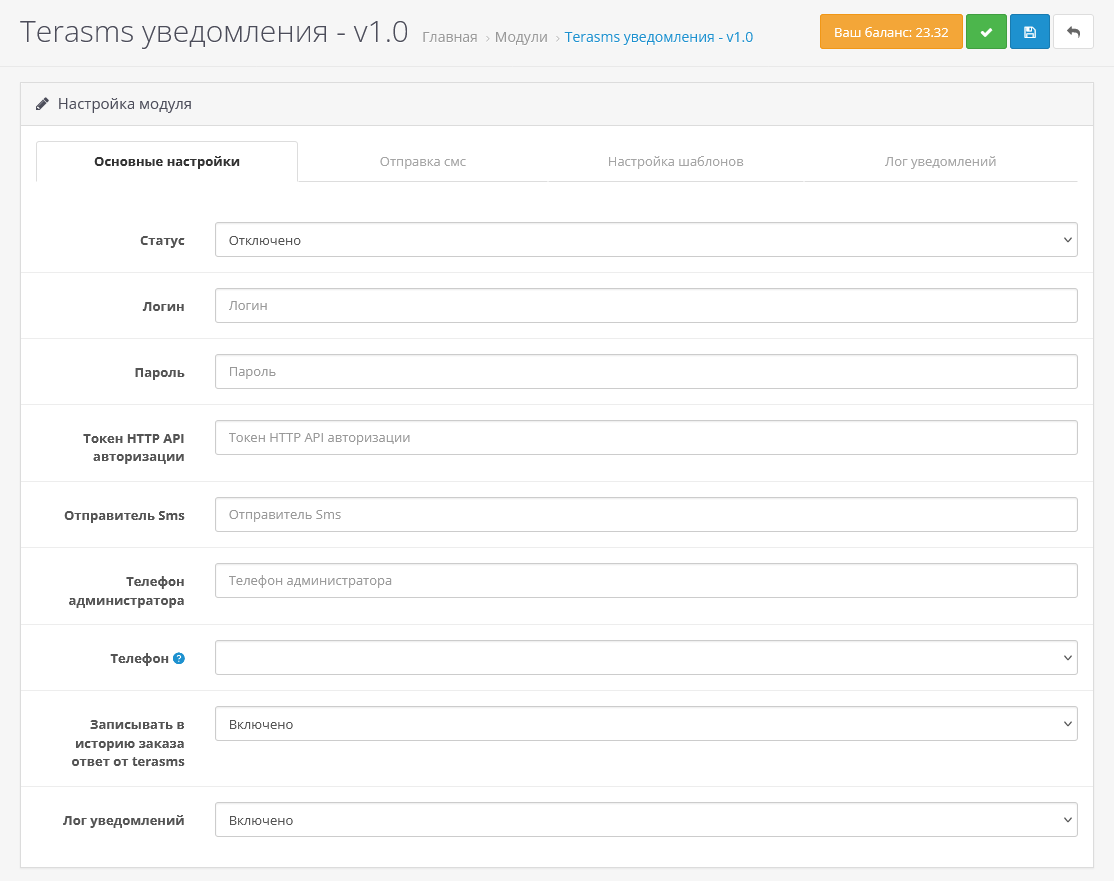
- Go to the module settings;
- Specify “Login”, “Password” from the service account (you don’t have to specify a password,if you do not want to view your account balance)
- Specify "HTTP API Authorization Token", "SMS Sender"
- If you want to receive notifications as an admin, in the "Administrator Phone" field, indicate the phone number (if you need to specify more than one, then separate it with a comma)
- If the buyer's phone number is not stored in the default field, then in the “Phone” field you can select another field from where to get the phone number
- If you want to see in the order history all the messages that were sent according to the order, then on. "Record response from terasms to order history"
- Open the "Settings" tabtemplates"
- Set your template to the required order statuses using variables from the proposed list (table on the right)
- If notifications should be sent to the client, regardless of whether you noted when changing the order status whether to notify the client or not, then select "Forced notification" inside the order template for client.
- Click save.
- PHP 5.3 or higher;
- Сurl;
Distribution method:
AllFree
Opencart version:
OpenCart 1.5.3.1OpenCart 1.5.4.1OpenCart 1.5.5.1OpenCart 1.5.6OpenCart 1.5.6.1OpenCart 1.5.6.2OpenCart 1.5.6.3OpenCart 1.5.6.4OpenCart 2.0OpenCart 2.1OpenCart 2.2OpenCart 2.3OpenCart 3.*OpenCart 4.0OpenCart 4.1OCStore 1.5.3.1OCStore 1.5.4.1OCStore 1.5.5.1OCStore 1.5.5.1.1OCStore 1.5.5.1.2OCStore 2.1OCStore 2.3LiveStore 3.*OCStore 3.*
PHP verision:
PHP 5.4PHP 5.5PHP 5.6PHP 7.0PHP 7.1PHP 7.2PHP 7.3PHP 7.4PHP 8.0PHP 8.1PHP 8.2
Activation:
Not required
Getting files:
On site, in the personal account
Uploaded:
09.07.2025
Updated:
09.07.2025
Viewed:
3267
Write a review
Your Name:Your Review: Note: HTML is not translated!
Rating: Bad Good
Enter the code in the box below:
To download this free product, you do not need to order it, just log in.


