Your shopping cart is empty!

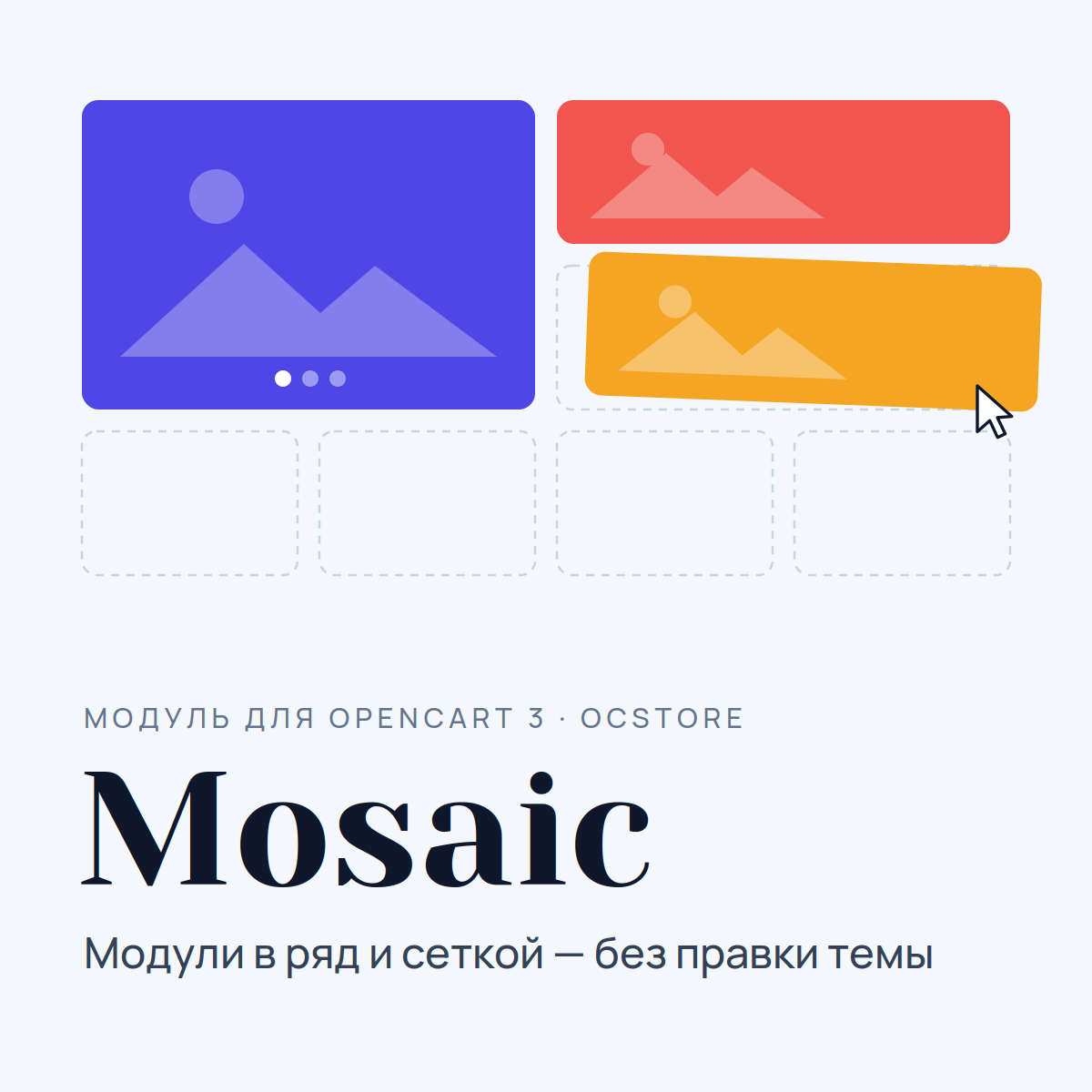
Mosaic - modules in a row and in a grid, without theme editing


Price: 1 490 ₽ 2 490 ₽

Author: openguru
Write to the author
Sales: 4 (Average rating 0 на основании 0 отзывов)
Need paid help? Contact the site administration
Opencart version:
Sales: 4 (Average rating 0 на основании 0 отзывов)
Need paid help? Contact the site administration
Opencart version:
LiveStore 3.*OCStore 3.*OpenCart 3.*
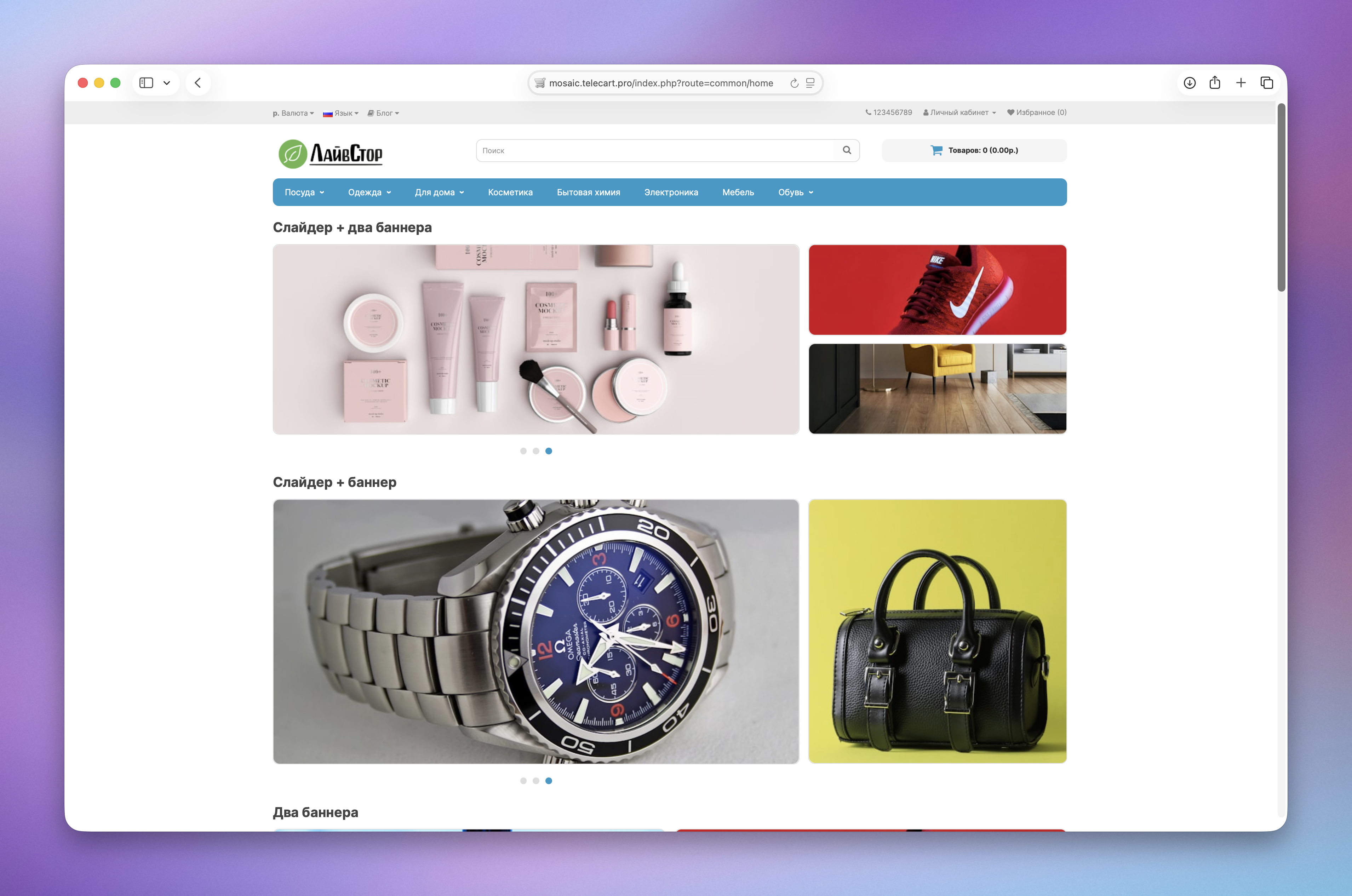
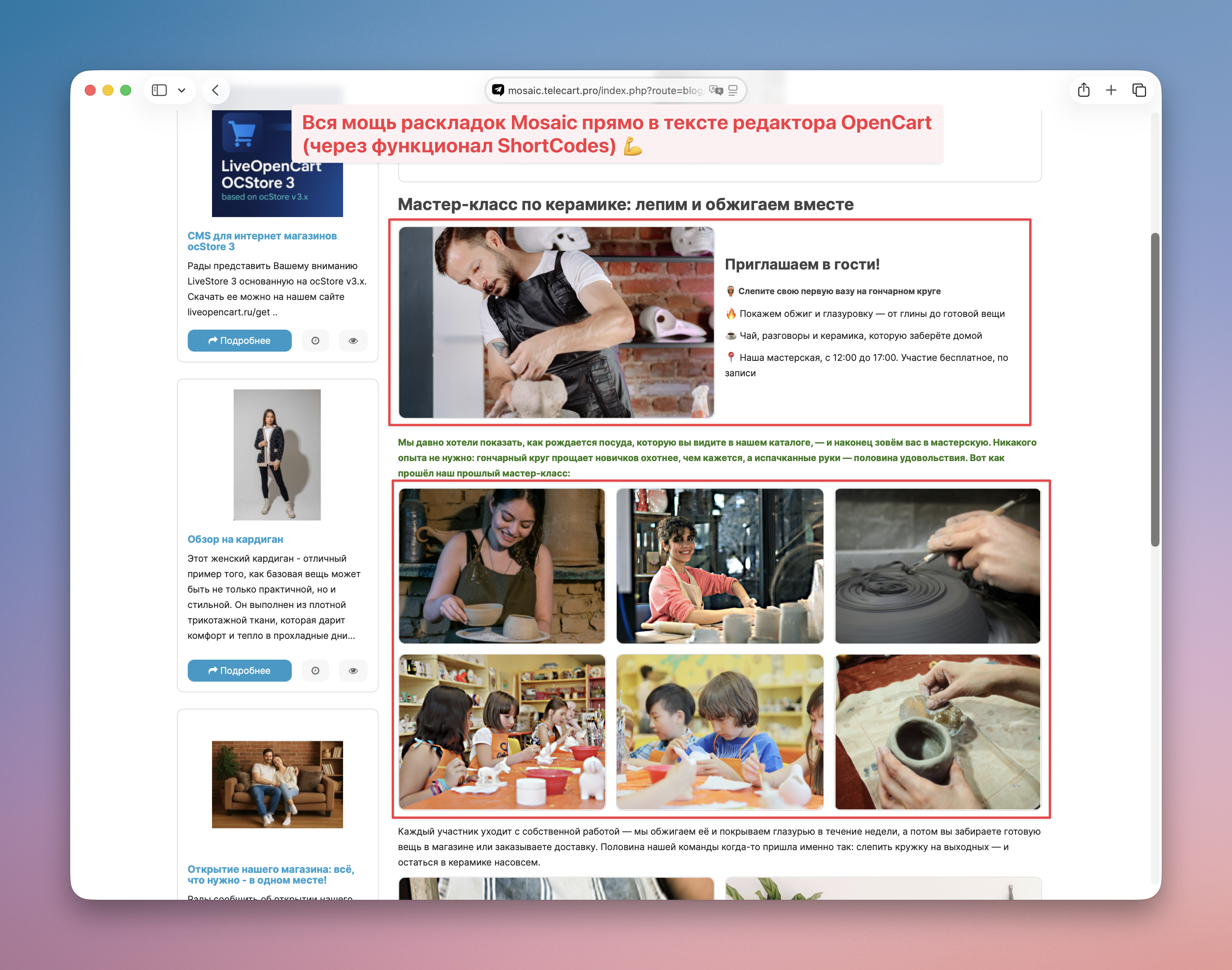
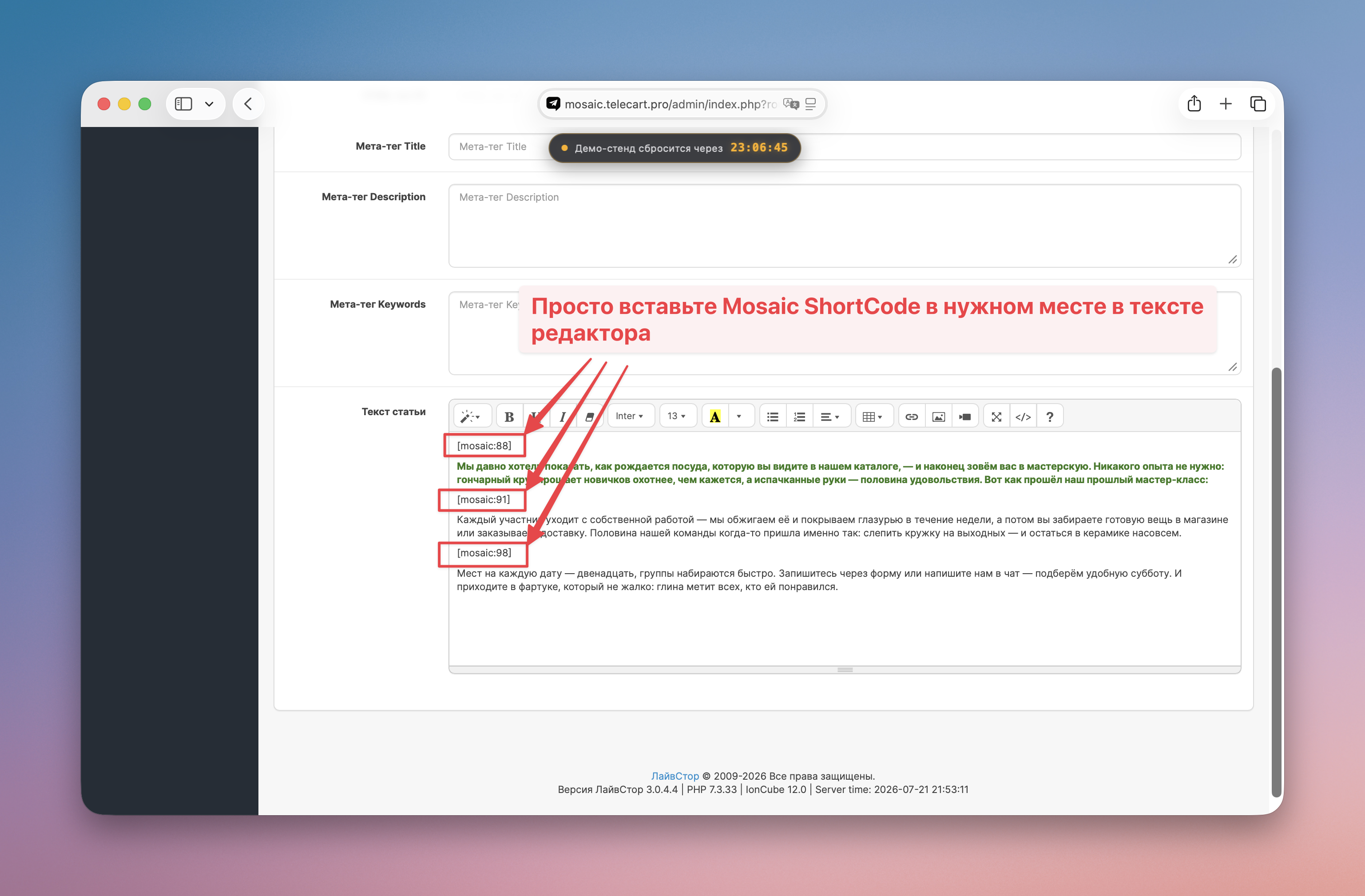
In OpenCart, modules are arranged only in a column: a slider, banners under it, and everything else under them. You cannot place blocks side by side—slider on the left, banners on the right—using standard tools. Usually this is a theme edit or the work of a layout designer.
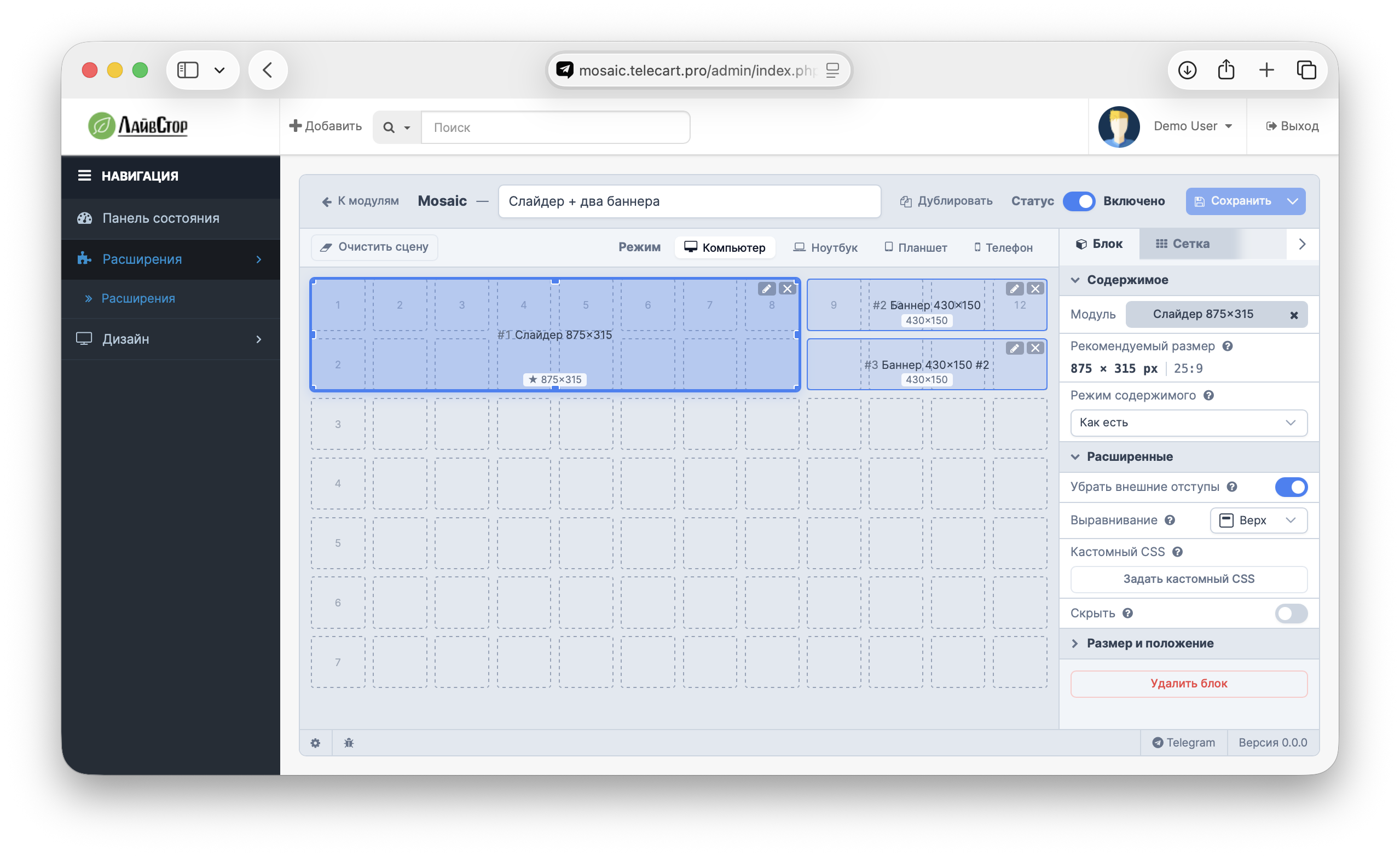
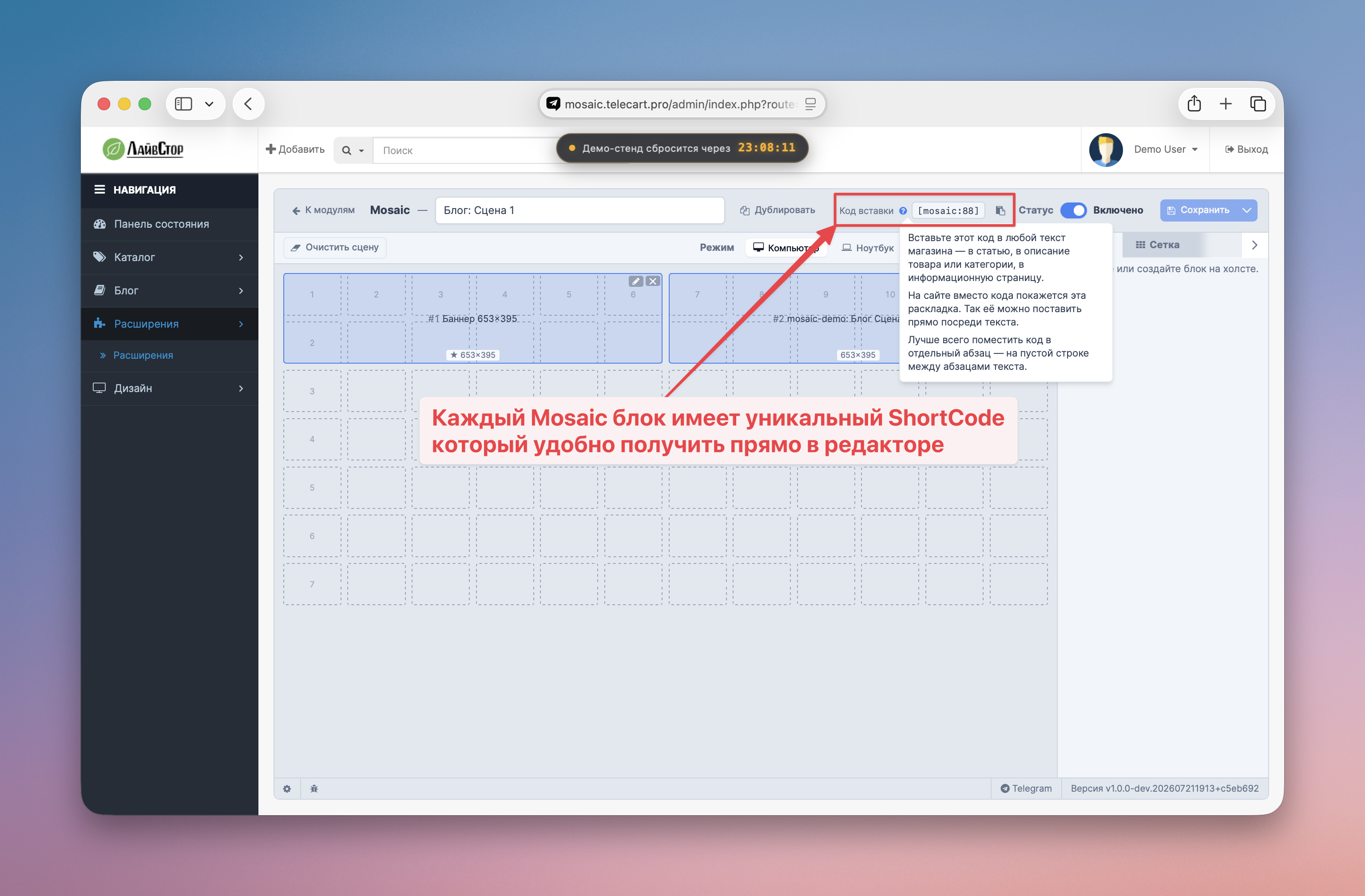
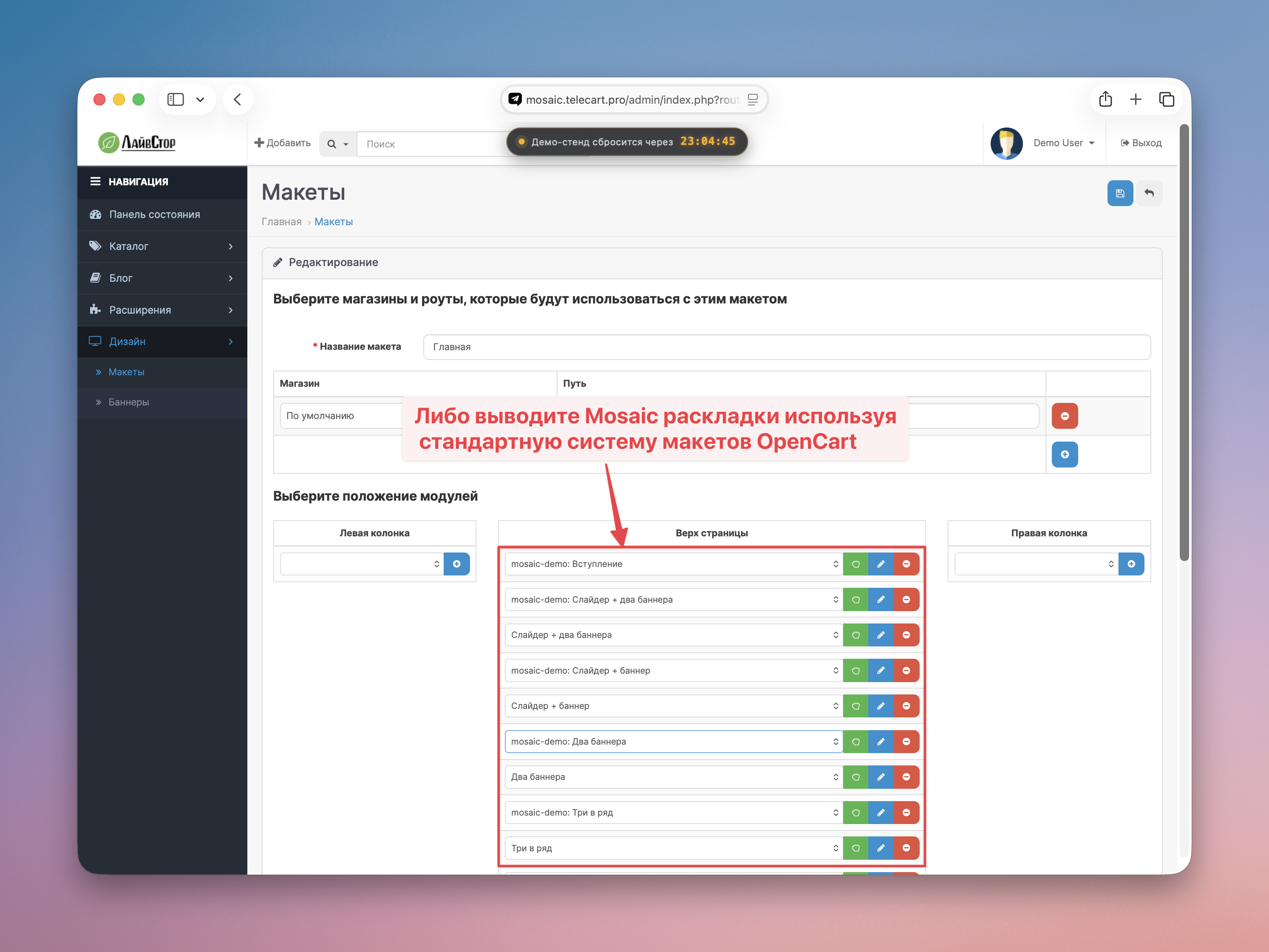
Mosaic solves this problem visually: you select a ready-made layout, assign your modules to cells - the scene is assembled in a minute.
Mosaic builds a grid - does not remake modules. It is responsible for the size, position and trimming of each cell, but inserts modules as they are, without changing anything inside them. This is a conscious choice: any intervention in someone else’s layout works on one topic and breaks on another - and a grid that does not affect anything works the same everywhere. Therefore, the result depends not only on Mosaic, but also onthe modules themselves.
Demo: https://mosaic.telecart.pro (demo/demo)
What Mosaic does
How it works
There is no need to edit theme files, a programmer or serious layout skills.
Don’t guess with the size of the pictures
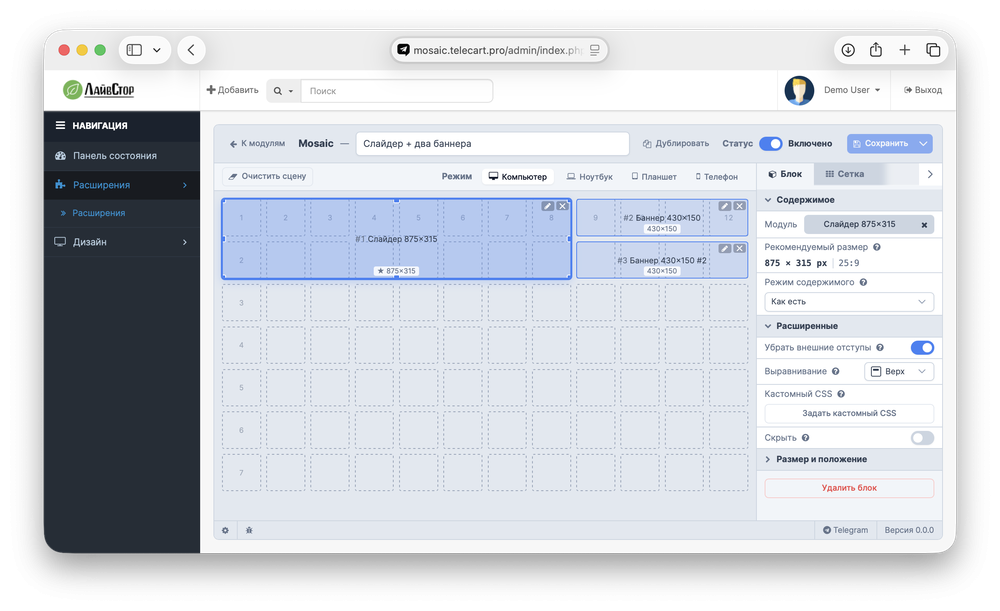
One of the main reasons why a hand-assembled layout looks crooked isdifferent proportions of slider and banners. Mosaic immediately shows the exact size of each cell - prepare the picture according to the prompt, and it will stand up straight, without white margins or cropping.
Works with your theme
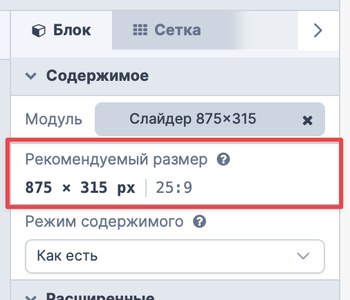
Mosaic builds its own grid and does not touch the template layout - therefore it works the same on the default theme, ocStore, LiveStore and third-party themes. Tested on several popular free and paid themes.

Ready layouts inside
Gallery - 7 scenes to choose from, each with already configured proportions:

Mobile version - out of the box
Each layout itself is assembled into a neat column on the phone. Nothing moves, nothing disappears.
Fine tuning - for those who need
If your theme adds its own indents or design to modules, in the block settings there is a field for targeted CSS edits for this particular cell. Most users won't need this field at all.
Compatibility
OpenCart 3.x, ocStore 3.x, LiveStore. Works with any theme; list of topics on which the moduletested:
The list will be expanded.
Support
Support includes the release of security updates and correction of module errors.
Individual adaptation to the design of your theme is not included in the price of the module and is available as a separate service (from 1000 rubles).
Price 2490 ₽. At launch - 1490 ₽ (40% discount, limited time).
Frequentquestions
Q: Why can’t I just “fit any picture to a cell” automatically?
A: Technically, this would mean that Mosaic looks inside someone else’s module and changes its contents - and each theme has its own layout of banners and sliders, and the rule that works for one breaks down for another (we tested it on several themes and received either cropped frames, white margins, or completely ignored styles). Therefore, Mosaic is responsible only for the cell - its size, position and precise fit to the overall grid - and does not argue with the contents. In return, the module itself suggests the exact size for each cell: we prepared a picture of the required size according to the prompt - it fits perfectly, on any topic and in any layout, without surprises.
Q: My theme banner still has some indentationedges - what to do?
A: Some themes add internal fields to their own banners. For a precise fit, use the CSS edits field in the block settings.
Q: Can I install the module not only on the main page?
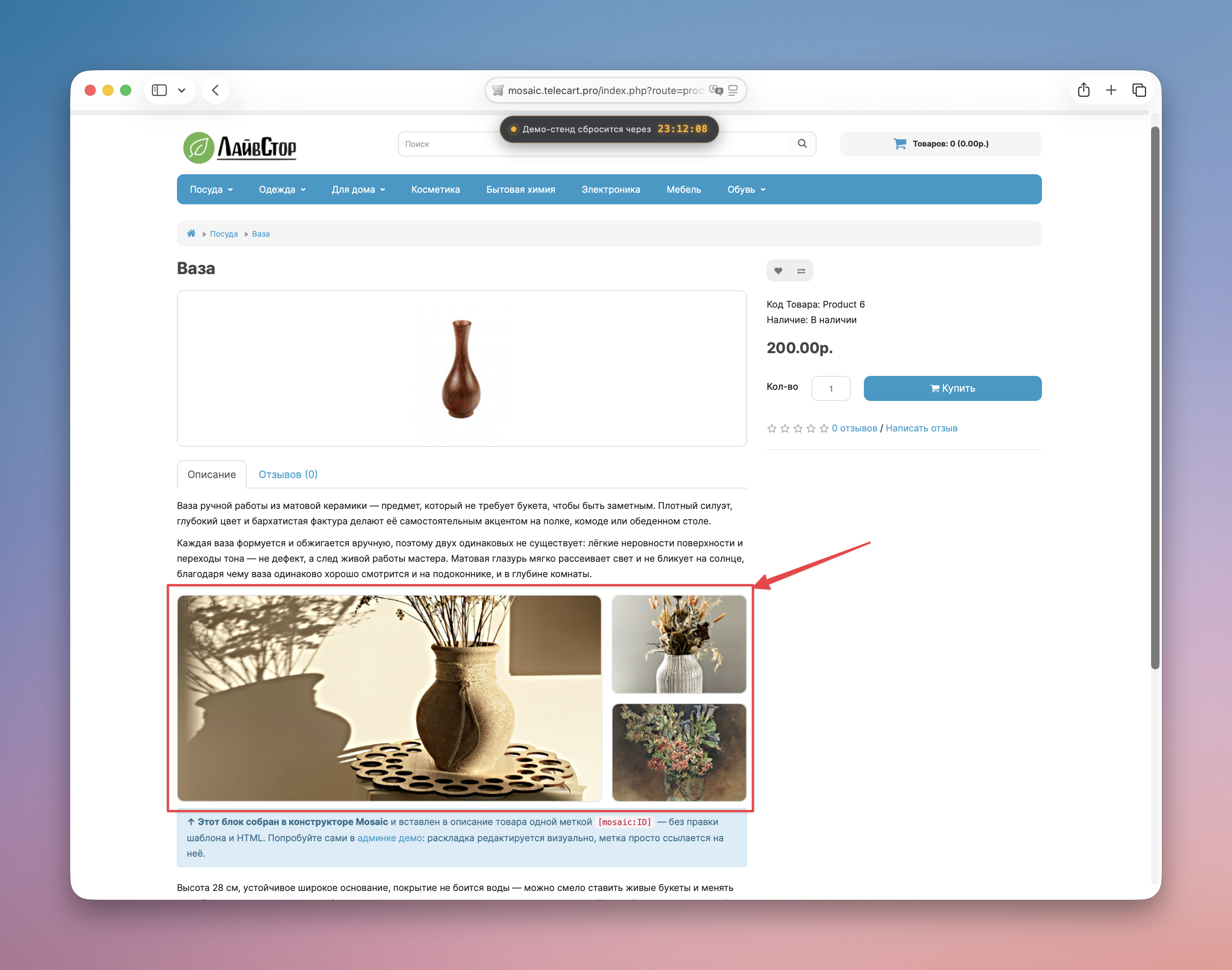
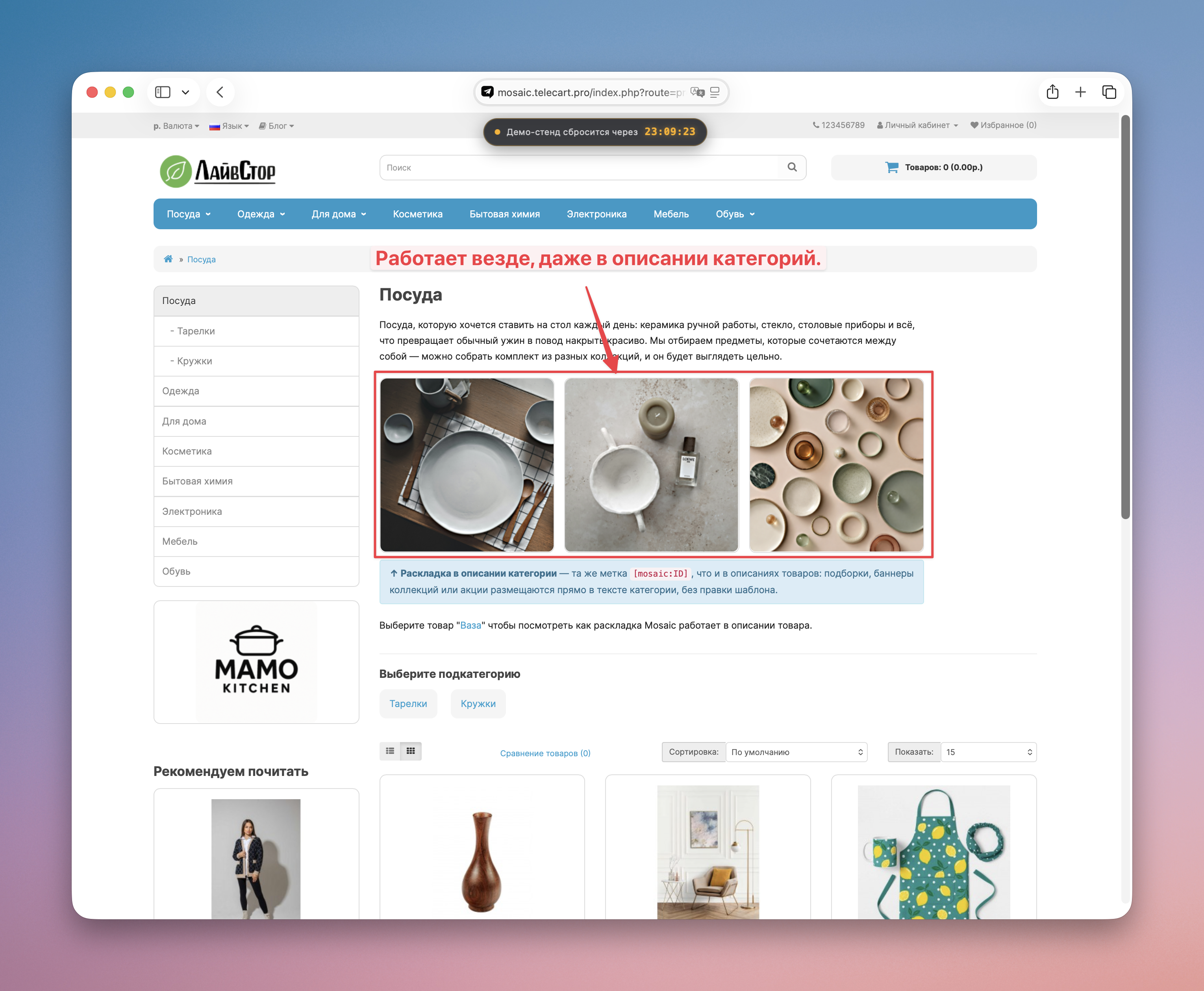
A: Yes, Mosaic works in the standard OpenCart position system - on a category, product, information pages, anywhere.
Q: What will happen to my current main page after installing the module?
A: Nothing until you put Mosaic in the desired position instead of the existing layout. The installation doesn't break anything.
Q: The theme itself limits the height of the image in the banner - is it possible to bypass this?
A: If a theme strictly limits the height of its banners, this is its own limitation - Mosaic does not override someone else's default layout. The solution is to use the "Custom CSS" functionality in the properties of suchblock to override the theme's behavior.
Mosaic solves this problem visually: you select a ready-made layout, assign your modules to cells - the scene is assembled in a minute.
Mosaic builds a grid - does not remake modules. It is responsible for the size, position and trimming of each cell, but inserts modules as they are, without changing anything inside them. This is a conscious choice: any intervention in someone else’s layout works on one topic and breaks on another - and a grid that does not affect anything works the same everywhere. Therefore, the result depends not only on Mosaic, but also onthe modules themselves.
Demo: https://mosaic.telecart.pro (demo/demo)
What Mosaic does
- Arranges existing OpenCart modules (sliders, banners, any others) side by side, in a grid - without editing the theme template.
- Ready layouts: selected -> assigned modules -> working.
- The exact size of each cell - you can immediately see what size to prepare the pictures for, so that everything looks perfectly even.
- Any layout can be adjusted with the mouse: blocks move and stretch.
- Own adaptive version for mobile -out of the box.
How it works
- Create a Mosaic module and select a ready-made layout from the gallery.
- Assign your modules to cells.
- Adjust the settings if necessary.
- Save and place the module in the desired position through the OpenCart layout editor.
There is no need to edit theme files, a programmer or serious layout skills.
Don’t guess with the size of the pictures
One of the main reasons why a hand-assembled layout looks crooked isdifferent proportions of slider and banners. Mosaic immediately shows the exact size of each cell - prepare the picture according to the prompt, and it will stand up straight, without white margins or cropping.
Works with your theme
Mosaic builds its own grid and does not touch the template layout - therefore it works the same on the default theme, ocStore, LiveStore and third-party themes. Tested on several popular free and paid themes.
Ready layouts inside
Gallery - 7 scenes to choose from, each with already configured proportions:
- Slider + two banners - home page classic.
- Slider + banner - also a classic.
- Two banners - promo split.
- Three in a row —three modules in a row with the same width.
- Four in a row - the same as the previous one, only 4 modules.
- Banner grid 2×3 - on the tablet it is automatically rearranged into 2 columns × 3 rows.
- Large banner + four small ones - a showcase in the spirit of marketplaces.
Mobile version - out of the box
Each layout itself is assembled into a neat column on the phone. Nothing moves, nothing disappears.
Fine tuning - for those who need
If your theme adds its own indents or design to modules, in the block settings there is a field for targeted CSS edits for this particular cell. Most users won't need this field at all.
Compatibility
OpenCart 3.x, ocStore 3.x, LiveStore. Works with any theme; list of topics on which the moduletested:
- Standard OpenCart 3 theme.
- Standard OcStore 3 theme.
- Standard theme LiveStore 3.
- Unishop2 Free.
The list will be expanded.
Support
Support includes the release of security updates and correction of module errors.
Individual adaptation to the design of your theme is not included in the price of the module and is available as a separate service (from 1000 rubles).
Price 2490 ₽. At launch - 1490 ₽ (40% discount, limited time).
Frequentquestions
Q: Why can’t I just “fit any picture to a cell” automatically?
A: Technically, this would mean that Mosaic looks inside someone else’s module and changes its contents - and each theme has its own layout of banners and sliders, and the rule that works for one breaks down for another (we tested it on several themes and received either cropped frames, white margins, or completely ignored styles). Therefore, Mosaic is responsible only for the cell - its size, position and precise fit to the overall grid - and does not argue with the contents. In return, the module itself suggests the exact size for each cell: we prepared a picture of the required size according to the prompt - it fits perfectly, on any topic and in any layout, without surprises.
Q: My theme banner still has some indentationedges - what to do?
A: Some themes add internal fields to their own banners. For a precise fit, use the CSS edits field in the block settings.
Q: Can I install the module not only on the main page?
A: Yes, Mosaic works in the standard OpenCart position system - on a category, product, information pages, anywhere.
Q: What will happen to my current main page after installing the module?
A: Nothing until you put Mosaic in the desired position instead of the existing layout. The installation doesn't break anything.
Q: The theme itself limits the height of the image in the banner - is it possible to bypass this?
A: If a theme strictly limits the height of its banners, this is its own limitation - Mosaic does not override someone else's default layout. The solution is to use the "Custom CSS" functionality in the properties of suchblock to override the theme's behavior.
Distribution method:
Paid
Opencart version:
LiveStore 3.*OCStore 3.*OpenCart 3.*
PHP verision:
PHP 7.4PHP 8.0PHP 8.1PHP 8.2PHP 8.3
Activation:
Automatic
Getting files:
On site, in the personal account
Protection system:
Custom
VQmod:
No
Ocmod:
No
Events:
Yes
Uploaded:
11.07.2026
Updated:
08.08.2026
Viewed:
1094
Sales:
4
Write a review
Your Name:Your Review: Note: HTML is not translated!
Rating: Bad Good
Enter the code in the box below:
Файлы будут доступны после покупки


