Your shopping cart is empty!

Quick options

Inline Option
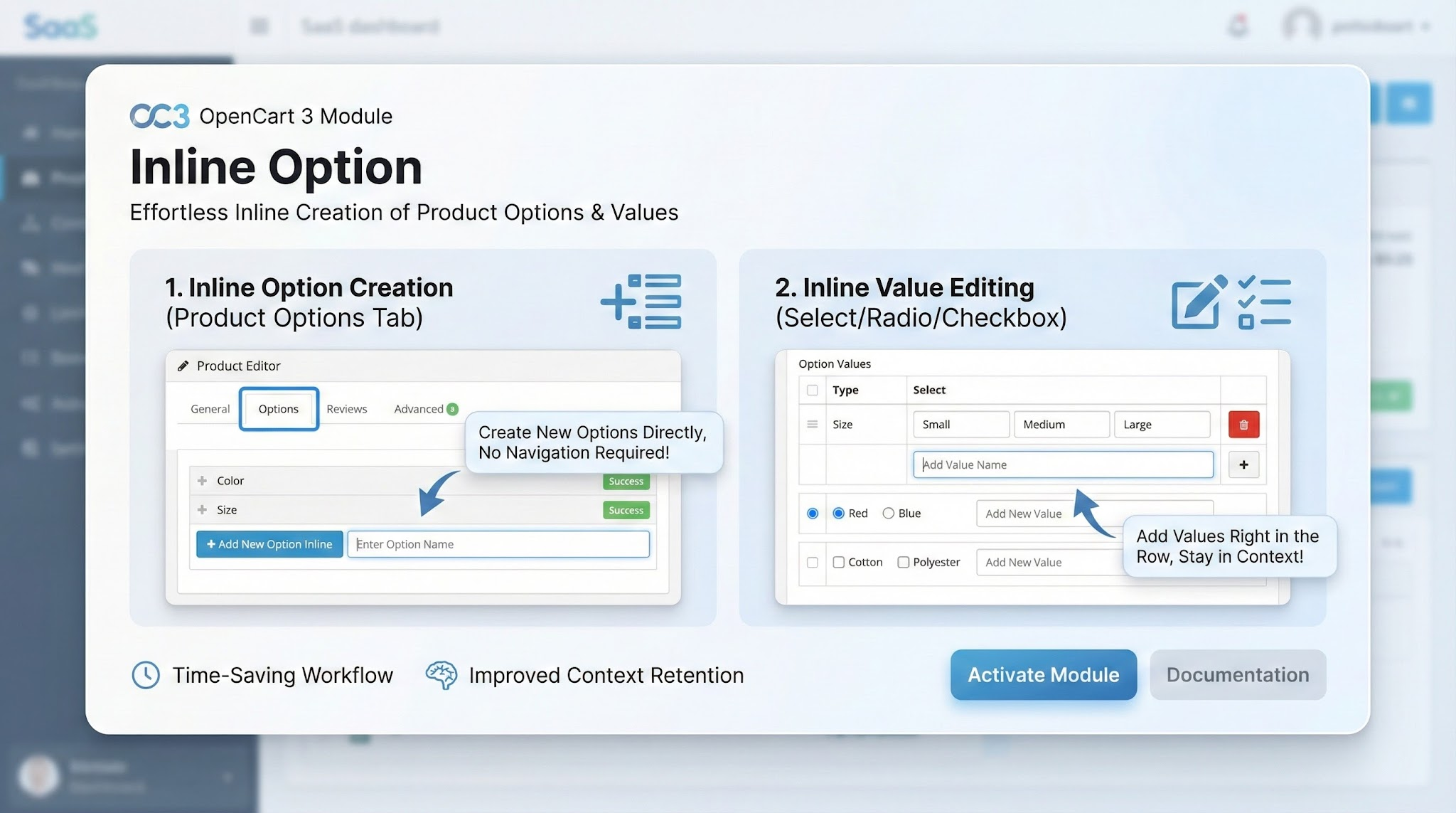
Module for the OpenCart 3 admin panel, which adds inline creation:
- new **option** directly in the “Options” tab of the product;
- new **option value** directly in the value line (for any options like select/radio/checkbox).
The goal is not to go to “Catalog → Options” and not to lose context when filling out the product card.
Features
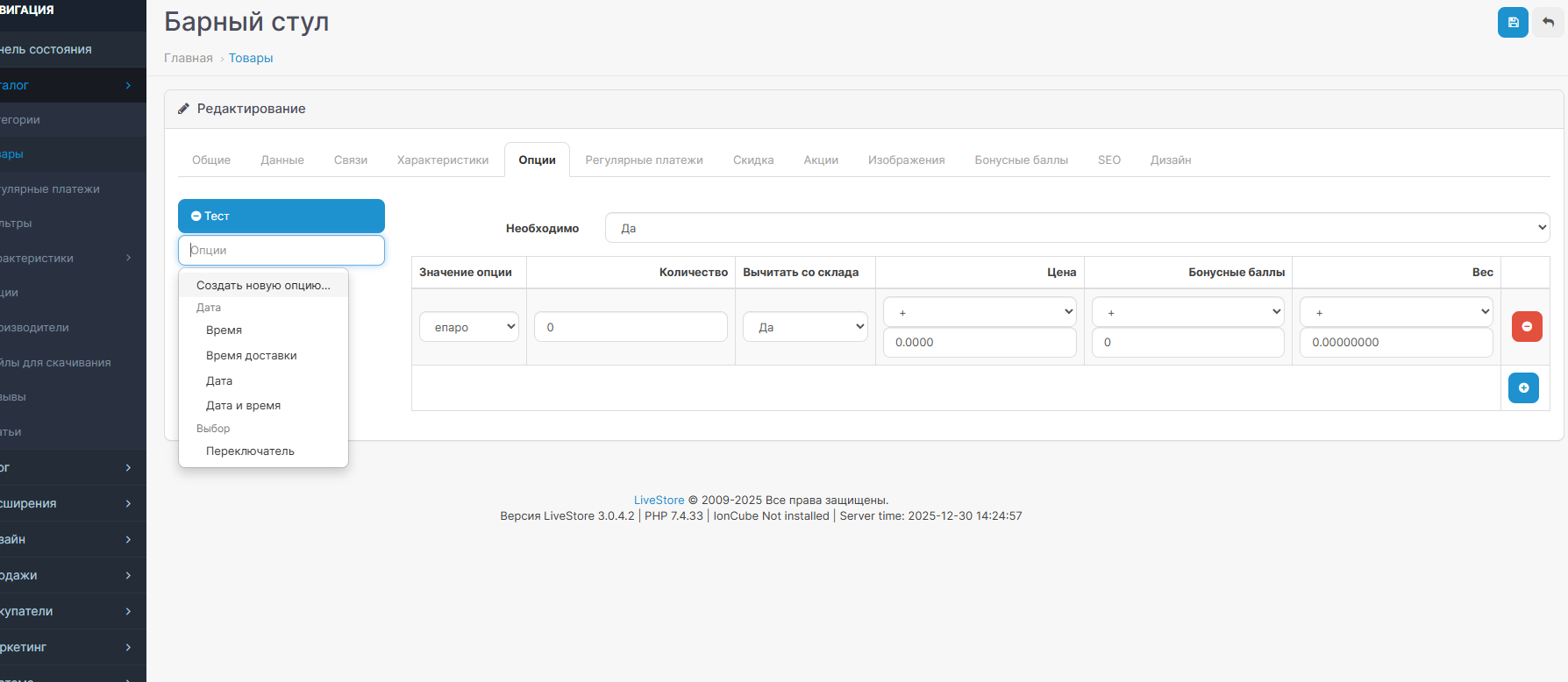
- “Create a new option...” in the auto-completion of options on a product.
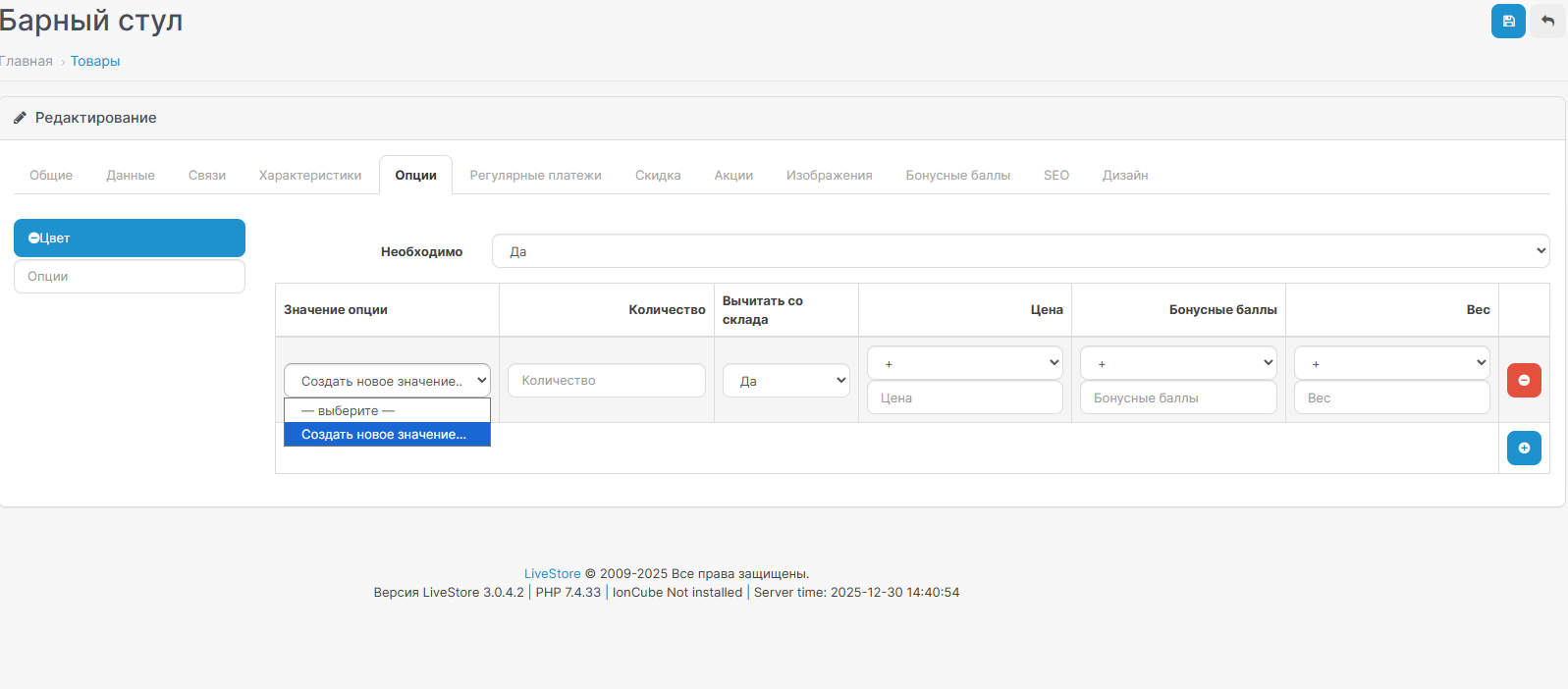
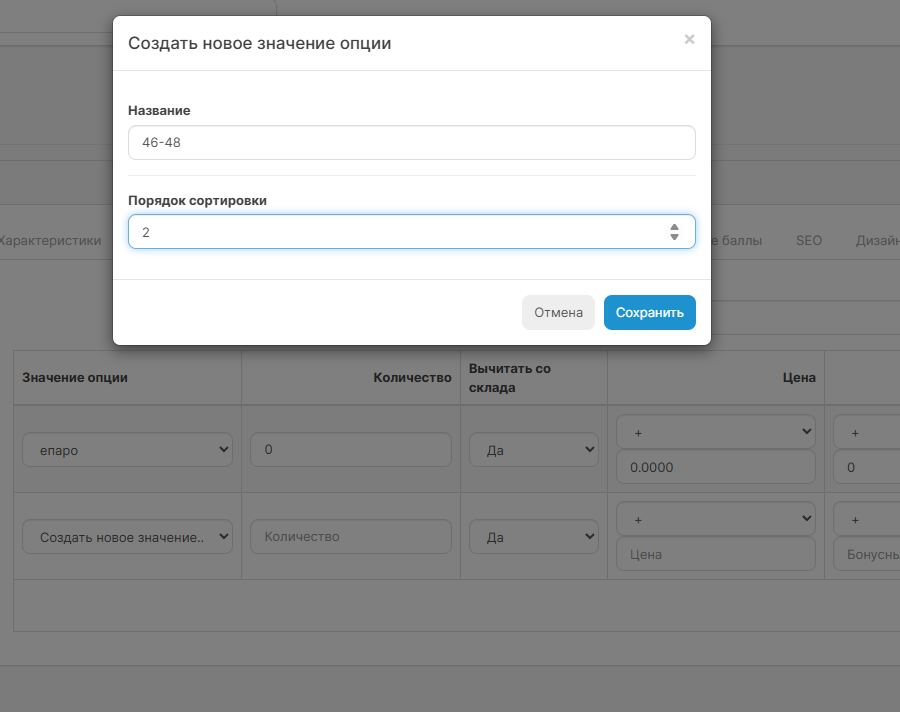
- “Create a new value...” in the drop-down list of option values **in each line**.
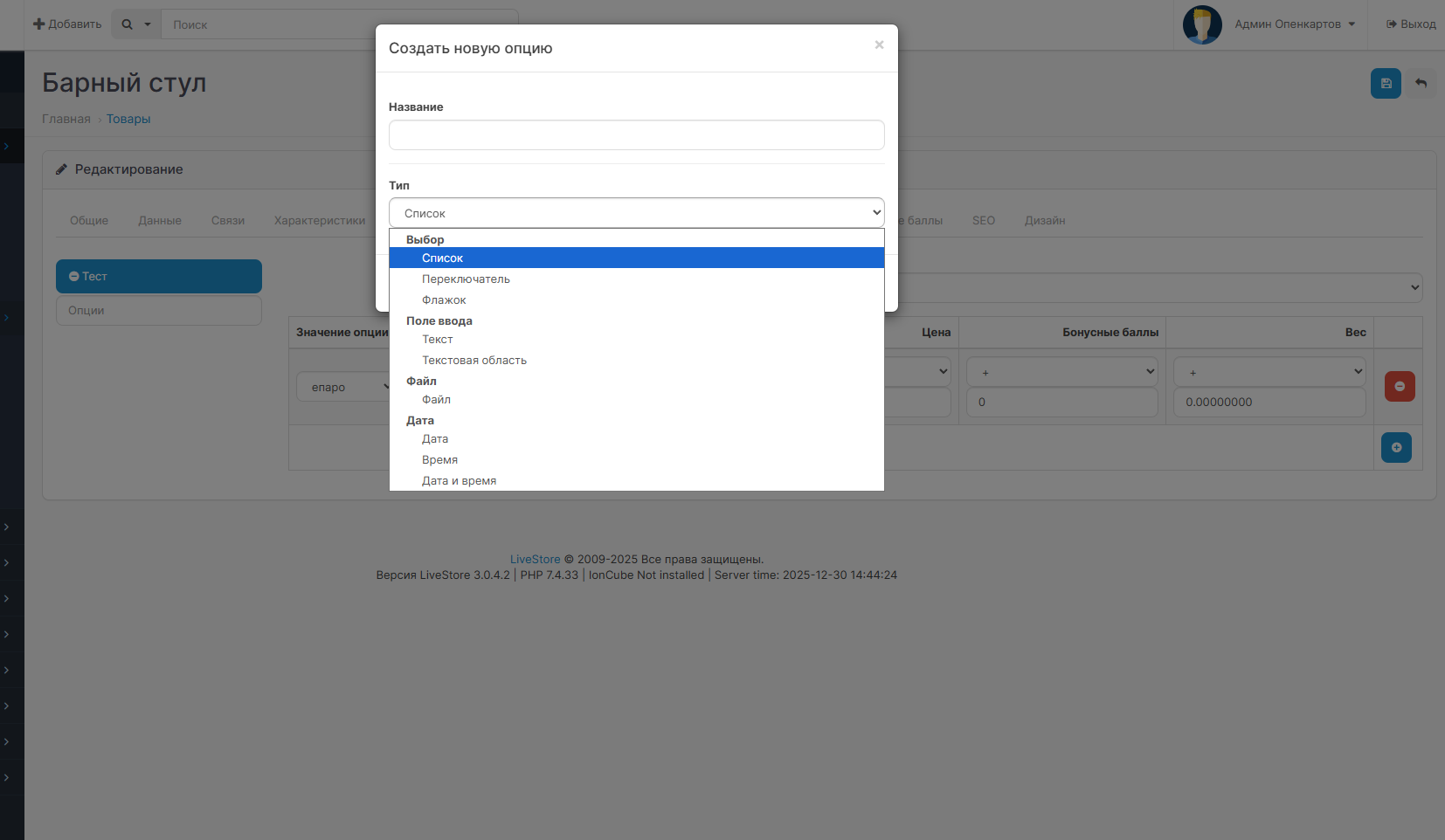
- Modal creation windows (option/value name, option type, sort_order).
- After creation - automatic substitution of a new option/value in the current product form.
- Module settings page (enable/disable) and setting rights during installation.
Compatibility
- OpenCart / ocStore / LiveStore 3.0.x (admin panel on Twig).
- Requires OCMOD enabled.
Setting
1. Open: Add-ons → Extension Installer.
2. Download the `inline_option_OC3.0.ocmod.zip` archive.
3. Open: Add-ons → Modifiers and click Update.
4. (Recommended) Clear the modifications/templates cache in the admin panel.
5. Open: Add-ons → Modules → Inline Option and enable the status.
How to use
Create a new option
- Product → Options tab
- In the add option field, start typing the name
- Select “Create a new option...”
- In the modal window, specify the Title and Type → Save
Create a new option value
- In the table of option values, in the “Option value” field, select “Create a new value...”
- In the modal window, specify the Title and Sort Order → Save
If the option does not yet have any value, the first item will be “— select —”, then “Create a new value...”.
Settings
Status - enables/disables functionality and AJAX endpoints.
Important / typical problems
- After installation, be sure to click “Update” in Modifiers, otherwise changes to templates will not be applied.
- If the modal/items do not appear:
- check that the modifier is enabled and applied;
- make sure that the correct product admin template is used (in OC3 there are two template paths).
- If you receive a JSON error when you click “Save”, check:
- that the module is turned on;
- user rights to the route `extension/module/inline_option`.
Module for the OpenCart 3 admin panel, which adds inline creation:
- new **option** directly in the “Options” tab of the product;
- new **option value** directly in the value line (for any options like select/radio/checkbox).
The goal is not to go to “Catalog → Options” and not to lose context when filling out the product card.
Features
- “Create a new option...” in the auto-completion of options on a product.
- “Create a new value...” in the drop-down list of option values **in each line**.
- Modal creation windows (option/value name, option type, sort_order).
- After creation - automatic substitution of a new option/value in the current product form.
- Module settings page (enable/disable) and setting rights during installation.
Compatibility
- OpenCart / ocStore / LiveStore 3.0.x (admin panel on Twig).
- Requires OCMOD enabled.
Setting
1. Open: Add-ons → Extension Installer.
2. Download the `inline_option_OC3.0.ocmod.zip` archive.
3. Open: Add-ons → Modifiers and click Update.
4. (Recommended) Clear the modifications/templates cache in the admin panel.
5. Open: Add-ons → Modules → Inline Option and enable the status.
How to use
Create a new option
- Product → Options tab
- In the add option field, start typing the name
- Select “Create a new option...”
- In the modal window, specify the Title and Type → Save
Create a new option value
- In the table of option values, in the “Option value” field, select “Create a new value...”
- In the modal window, specify the Title and Sort Order → Save
If the option does not yet have any value, the first item will be “— select —”, then “Create a new value...”.
Settings
Status - enables/disables functionality and AJAX endpoints.
Important / typical problems
- After installation, be sure to click “Update” in Modifiers, otherwise changes to templates will not be applied.
- If the modal/items do not appear:
- check that the modifier is enabled and applied;
- make sure that the correct product admin template is used (in OC3 there are two template paths).
- If you receive a JSON error when you click “Save”, check:
- that the module is turned on;
- user rights to the route `extension/module/inline_option`.
Uploaded:
30.12.2025
Updated:
05.02.2026
Viewed:
410
Write a review
Your Name:Your Review: Note: HTML is not translated!
Rating: Bad Good
Enter the code in the box below:
email: help@liveopencart.ru • telegram: opencart • max: max • viber • wa • vk • telegram chat • max chat • max channel


