Your shopping cart is empty!

Simple variables in the template
Price: free
Author: Webeks
Write to the author
Need paid help? Contact the site administration
Opencart version:
Need paid help? Contact the site administration
Opencart version:
LiveStore 3.*OpenCart 3.*
Sometimes it is necessary for the user to edit data in the admin panel that is not provided for in the template settings.
This module was created for such purposes.
The installation process and example of use are shown in detail in the screenshots
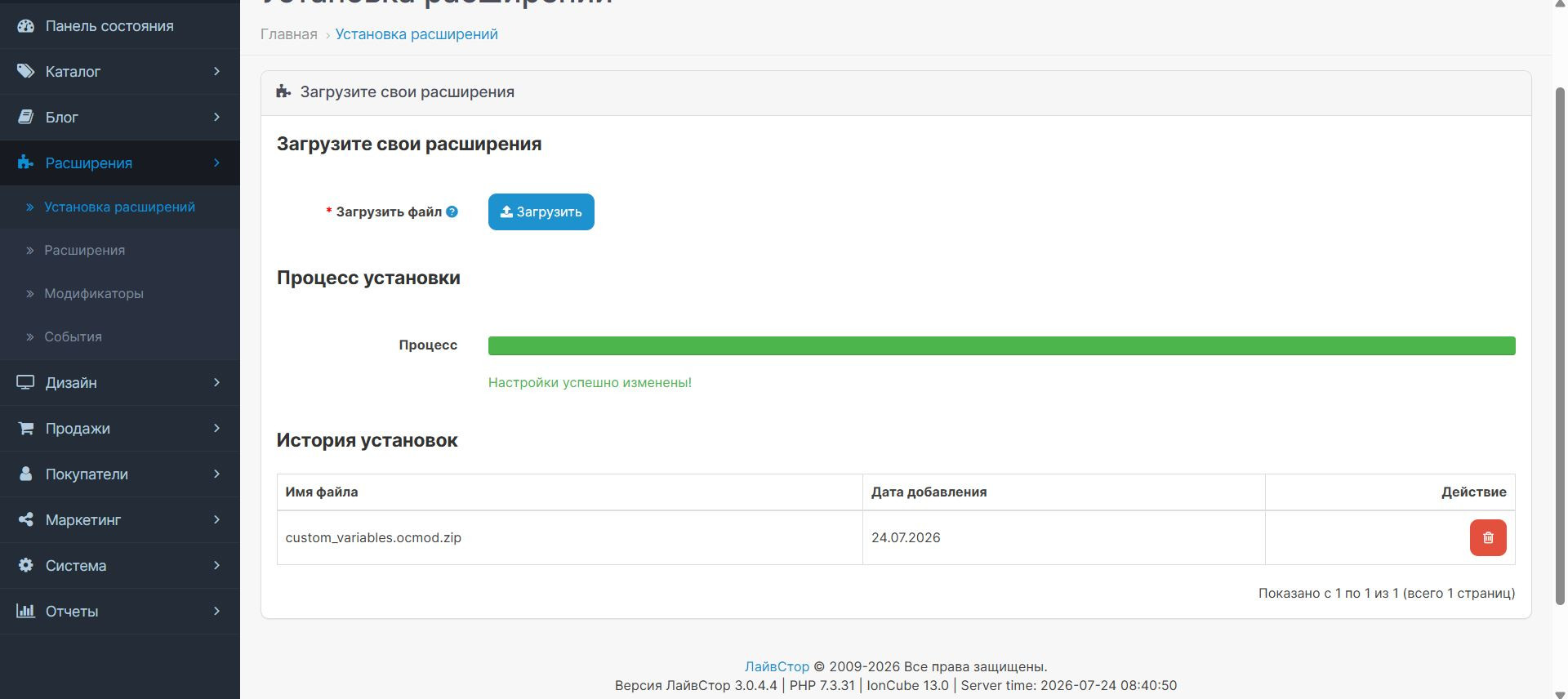
First, go to extensions -> install extensions, click download and wait for the installation to complete.
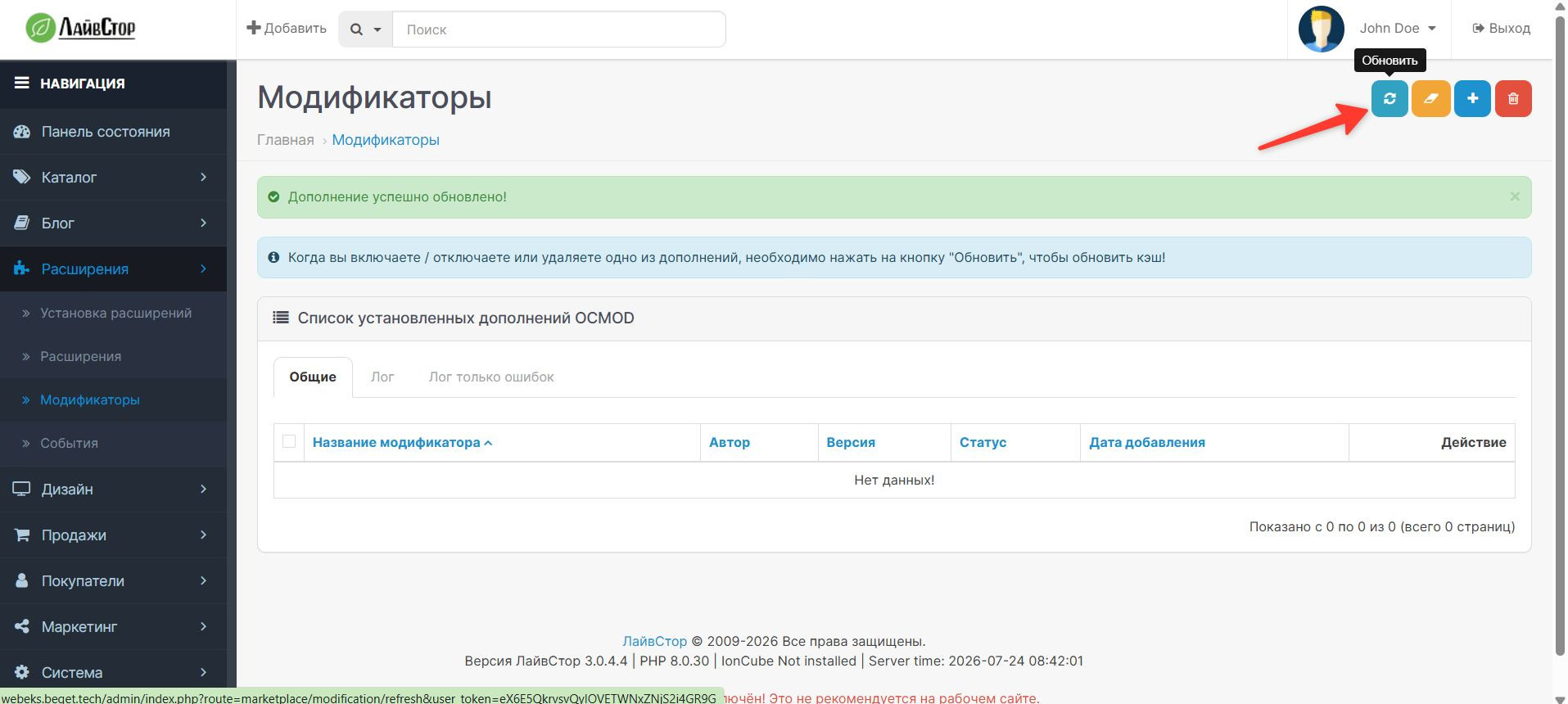
Next, go to extensions->modifiers and reset the cache as shown in the image
Then go to extensions->extensions, find the module Arbitrary variables. Click on the install button.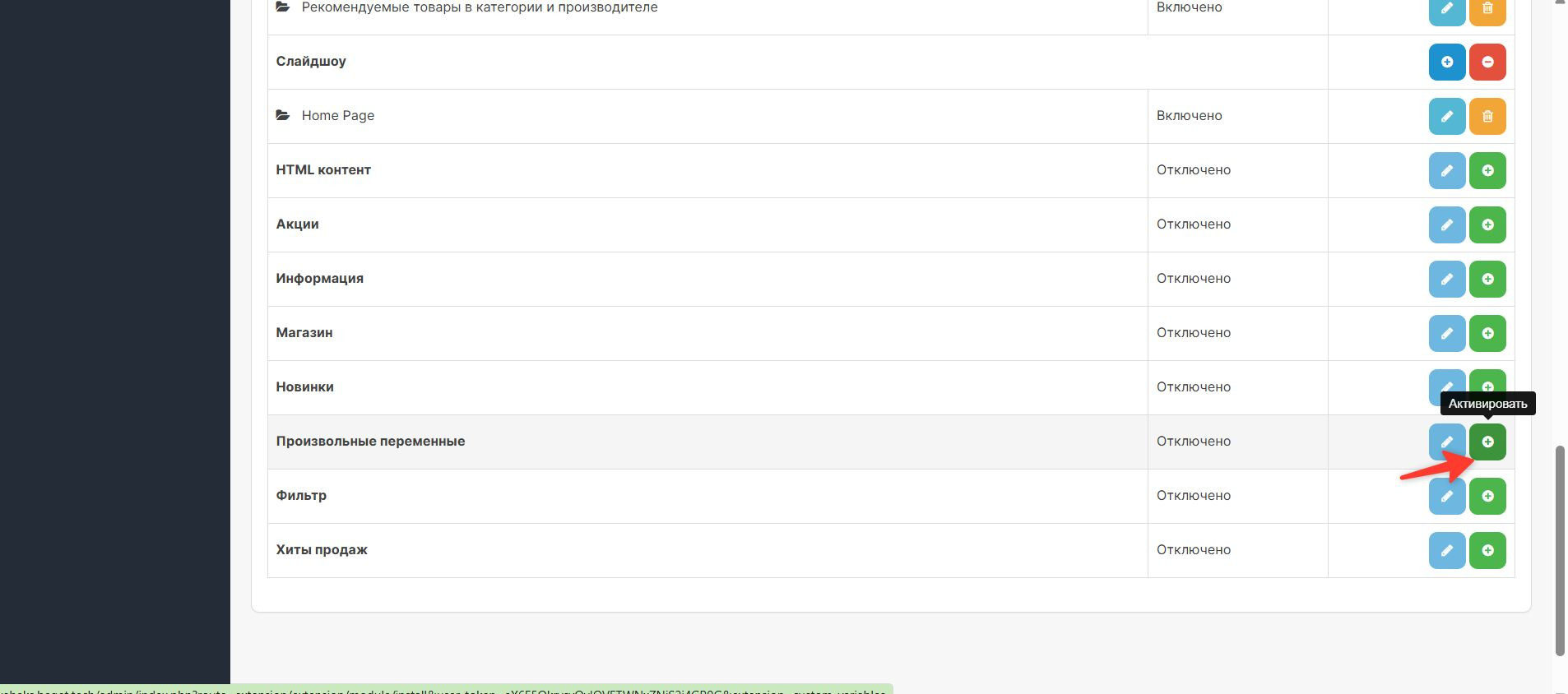
After going nowhere, click edit module as shown in the image.
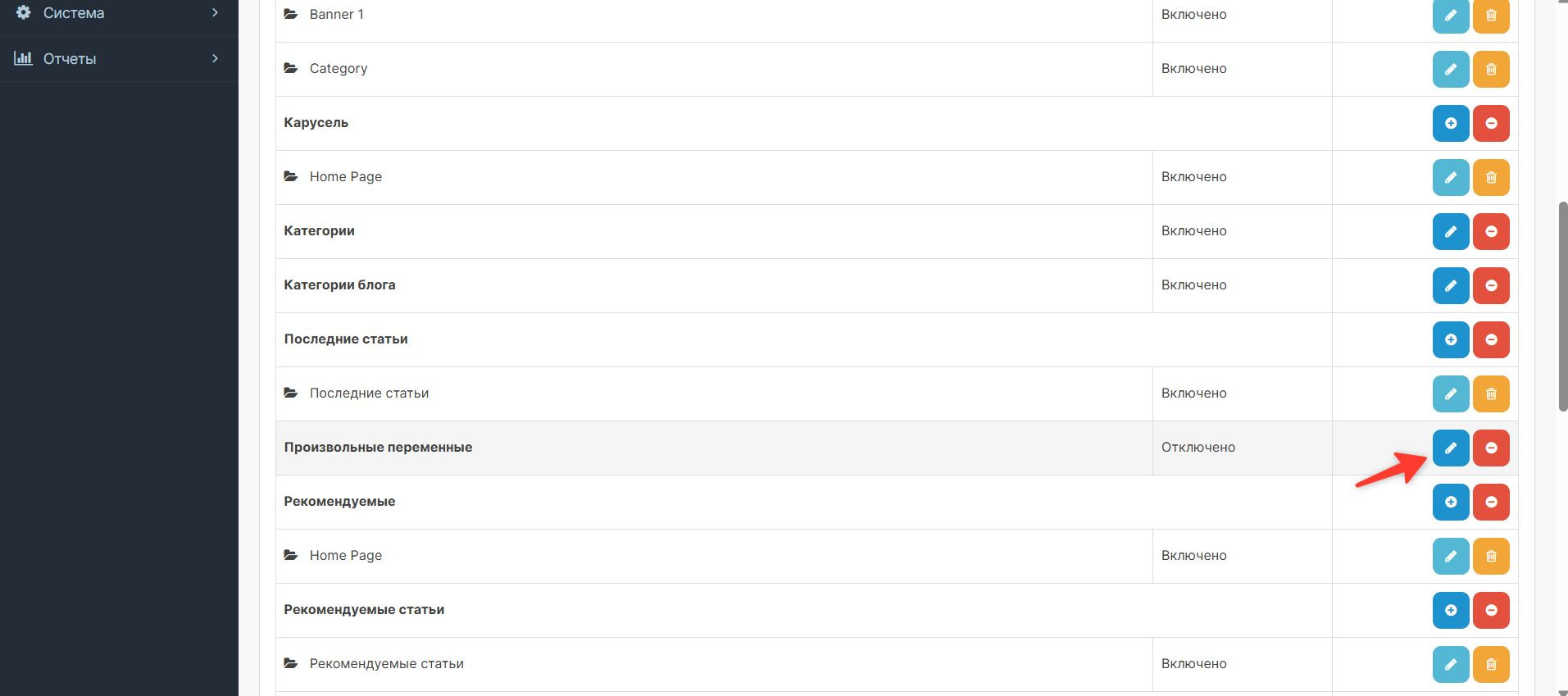
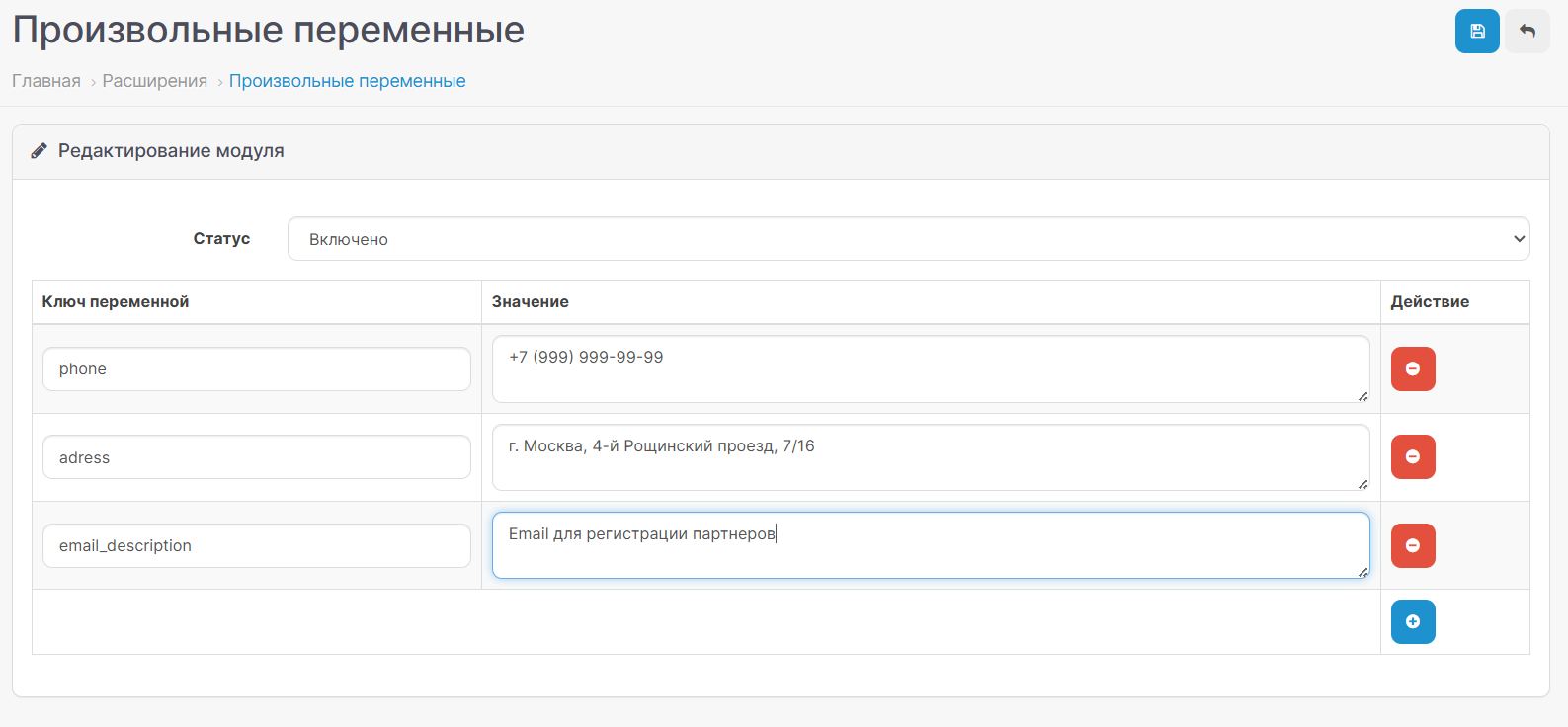
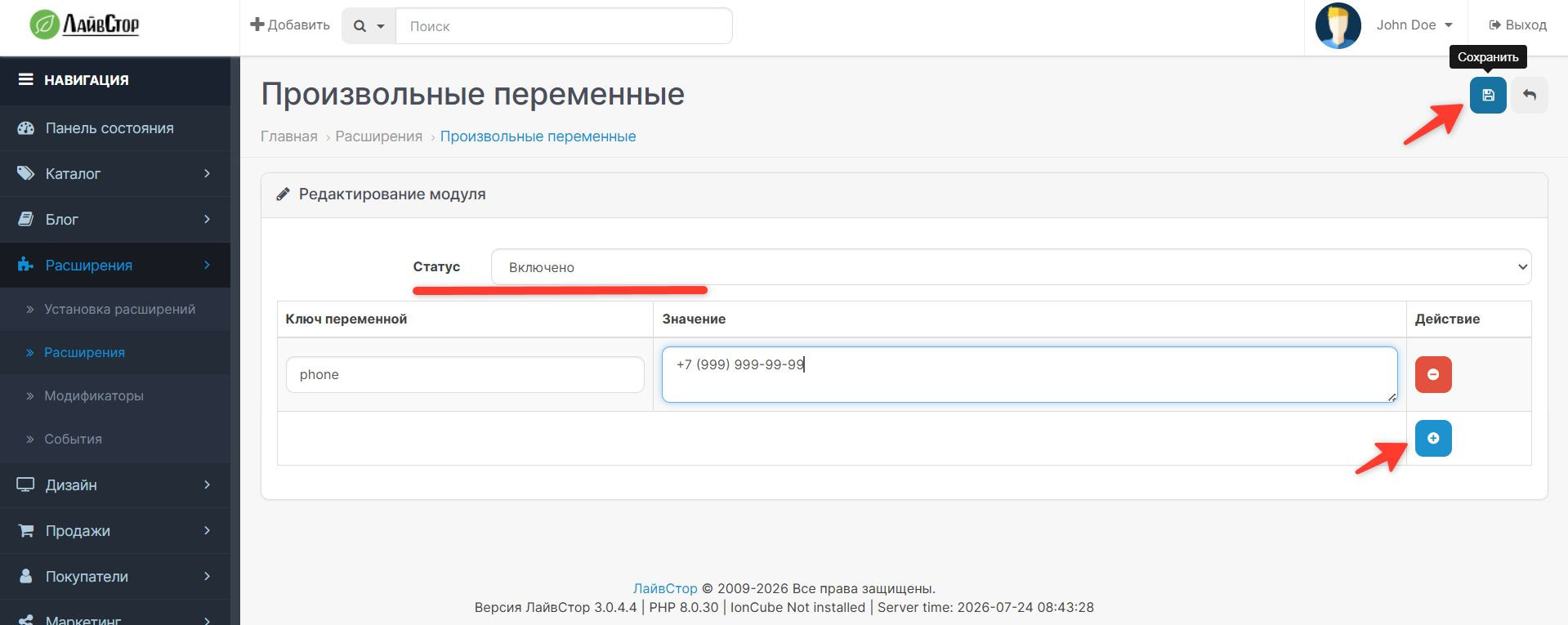
Next, you need to make the module settings, add variables, be sure to enable it and click the save button.
For example, I added the phone variable. You can add any variable keys in the Latin layout.
Next, we display the variable in the template. For example, I output it in footer.twig
I have this file located at public_html/catalog/view/theme/default/template/common.
Variables can be displayed anywhere in your template.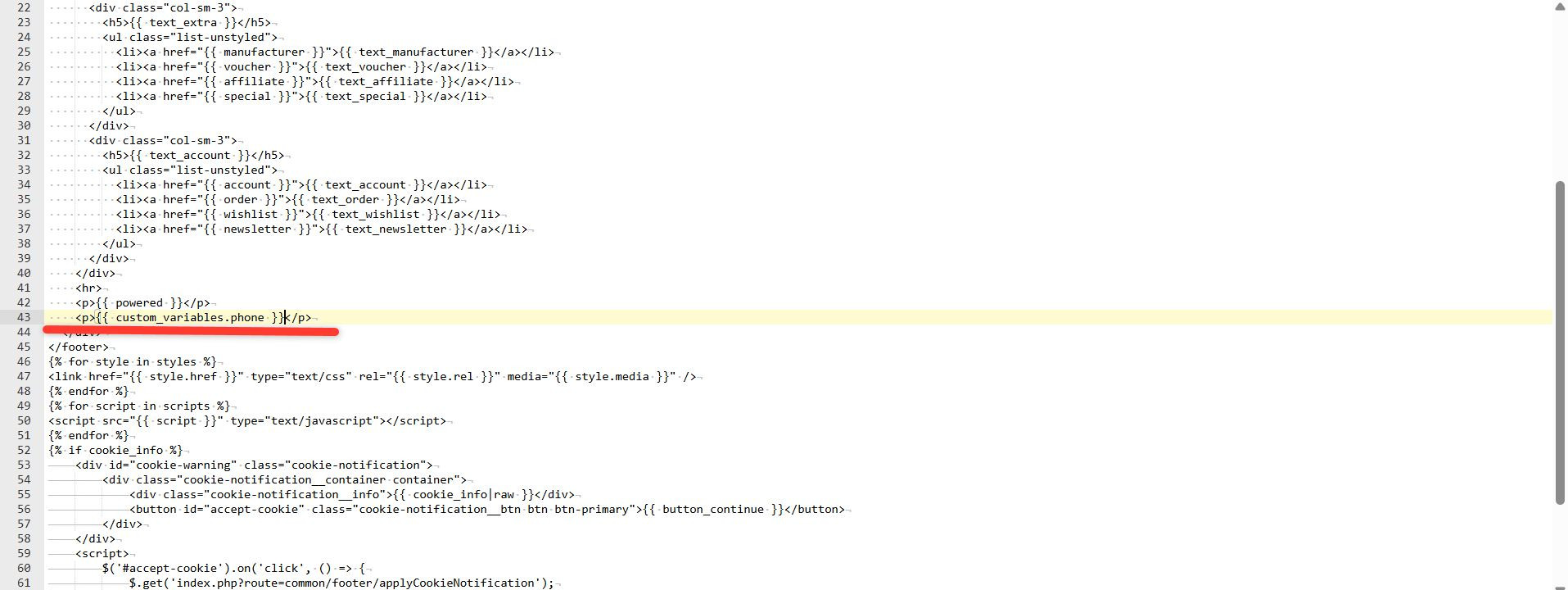
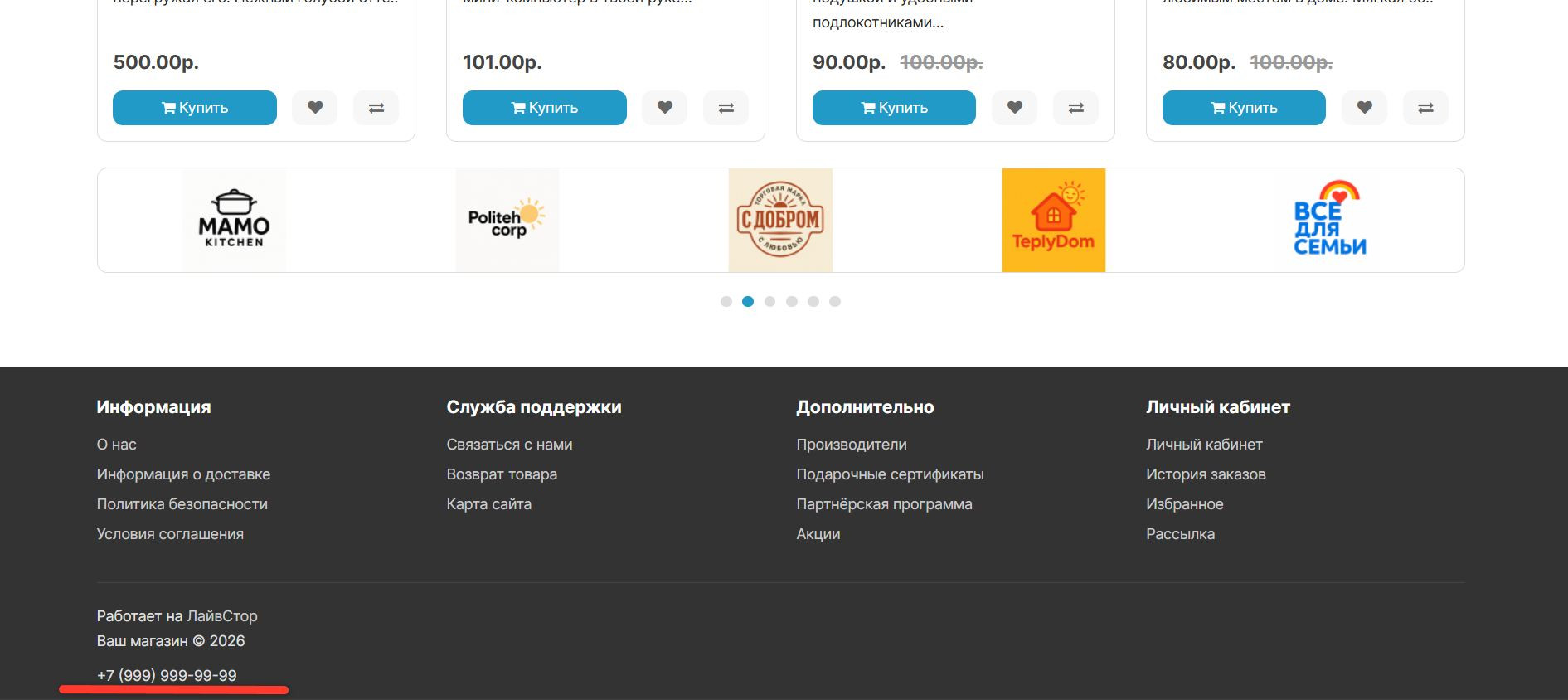
Next we check the result. The value of the variable should appear in the place where you added it.
This module was created for such purposes.
The installation process and example of use are shown in detail in the screenshots
First, go to extensions -> install extensions, click download and wait for the installation to complete.
Next, go to extensions->modifiers and reset the cache as shown in the image
Then go to extensions->extensions, find the module Arbitrary variables. Click on the install button.
After going nowhere, click edit module as shown in the image.
Next, you need to make the module settings, add variables, be sure to enable it and click the save button.
For example, I added the phone variable. You can add any variable keys in the Latin layout.
Next, we display the variable in the template. For example, I output it in footer.twig
I have this file located at public_html/catalog/view/theme/default/template/common.
Variables can be displayed anywhere in your template.
Next we check the result. The value of the variable should appear in the place where you added it.
Distribution method:
Free
Opencart version:
LiveStore 3.*OpenCart 3.*
PHP verision:
PHP 7.3PHP 7.4
Activation:
Not required
Getting files:
On site, in the personal account
Protection system:
No
VQmod:
No
Ocmod:
Yes
Events:
No
Uploaded:
24.07.2026
Updated:
24.07.2026
Viewed:
930
Write a review
Your Name:Your Review: Note: HTML is not translated!
Rating: Bad Good
Enter the code in the box below:
To download this free product, you do not need to order it, just log in.


