Your shopping cart is empty!

Accordion (FAQ)
Price: 300 ₽
Author: Limerok
Write to the author
Need paid help? Contact the site administration
Opencart version:
The product author has not visited the site for more than 1 month. Replies and support may take longer.
Sales: 2 (Average rating 0 на основании 0 отзывов)Need paid help? Contact the site administration
Opencart version:
OCStore 2.3
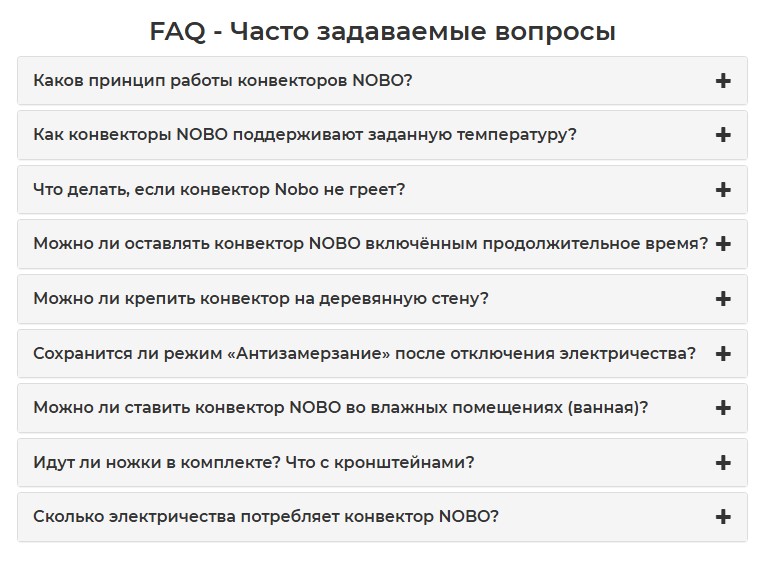
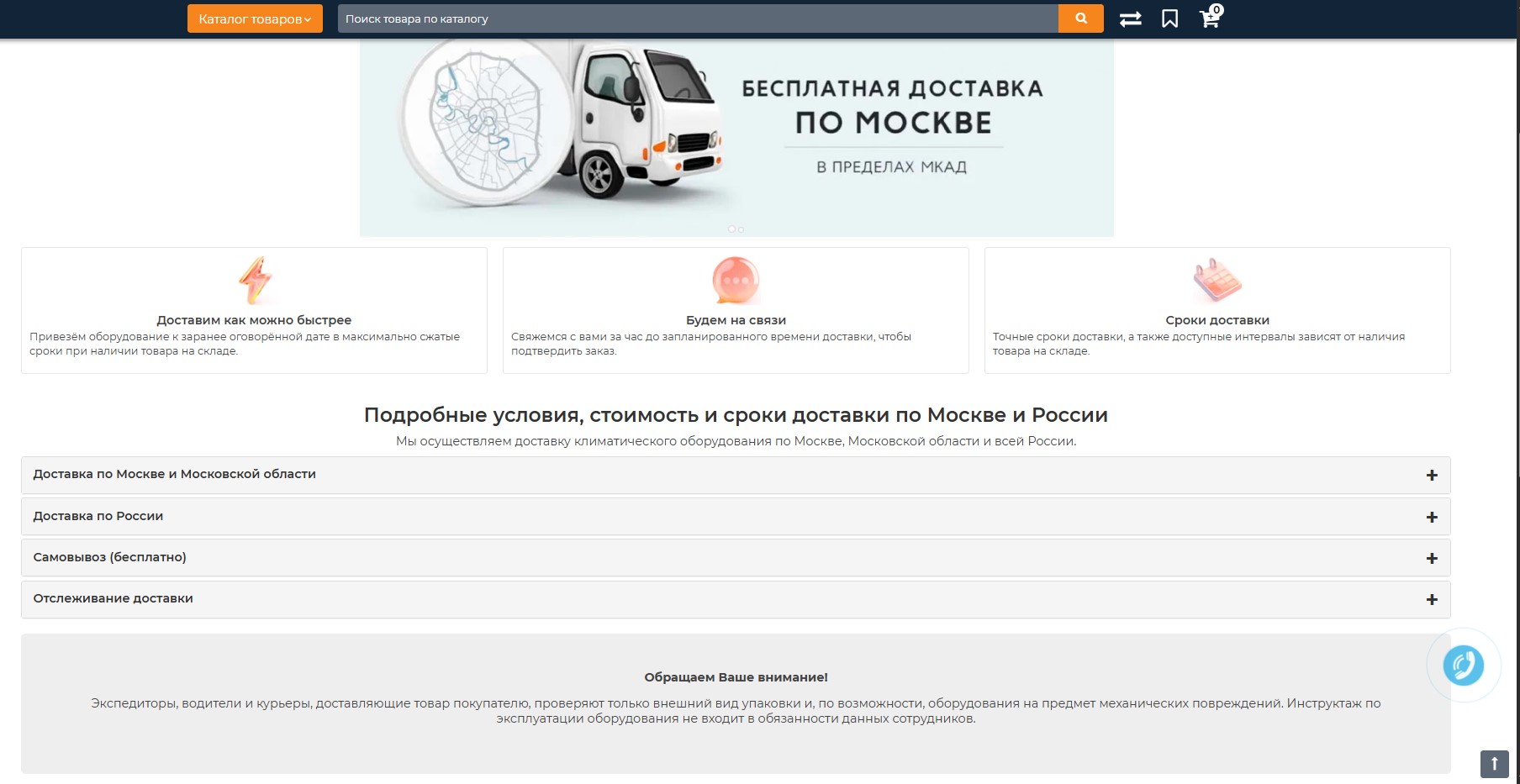
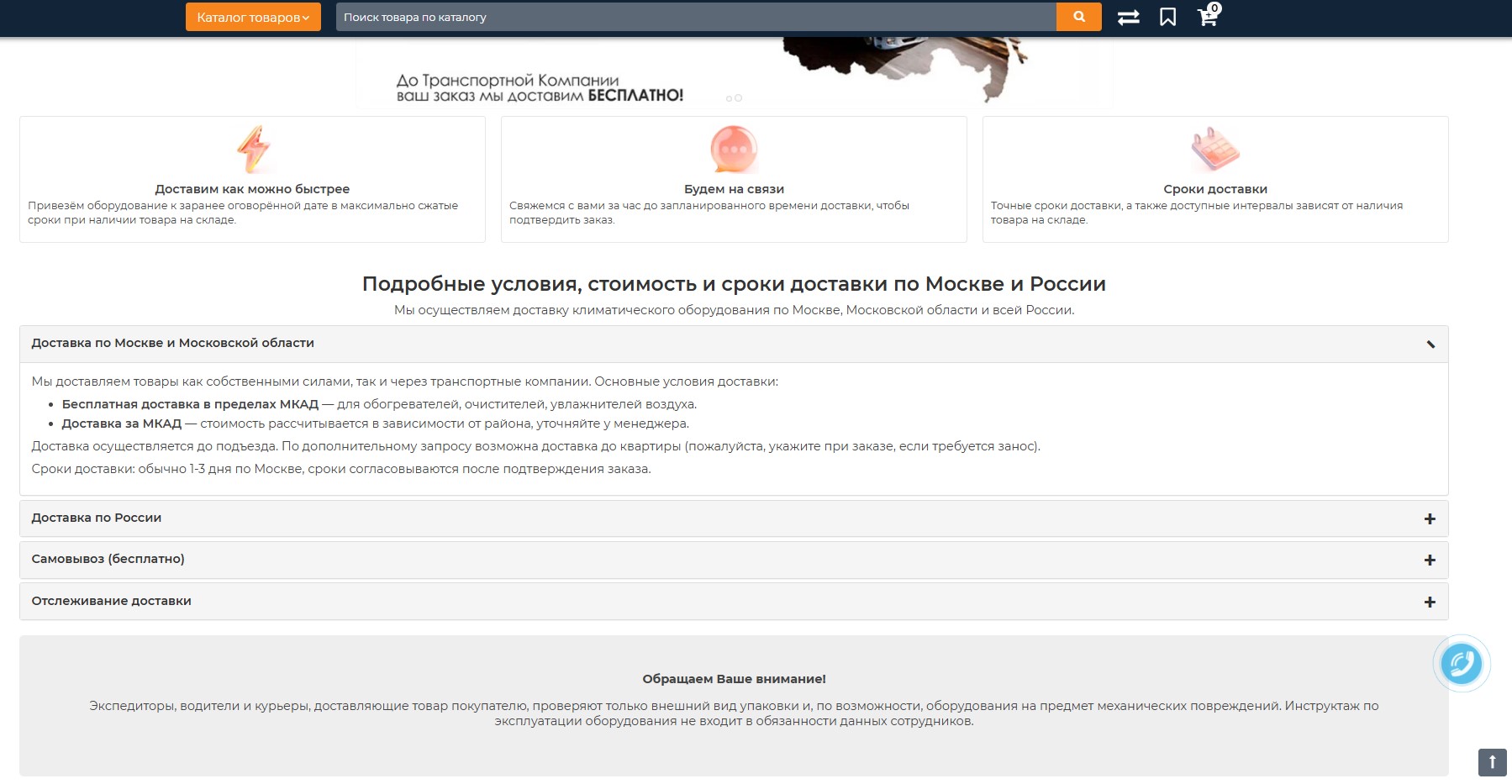
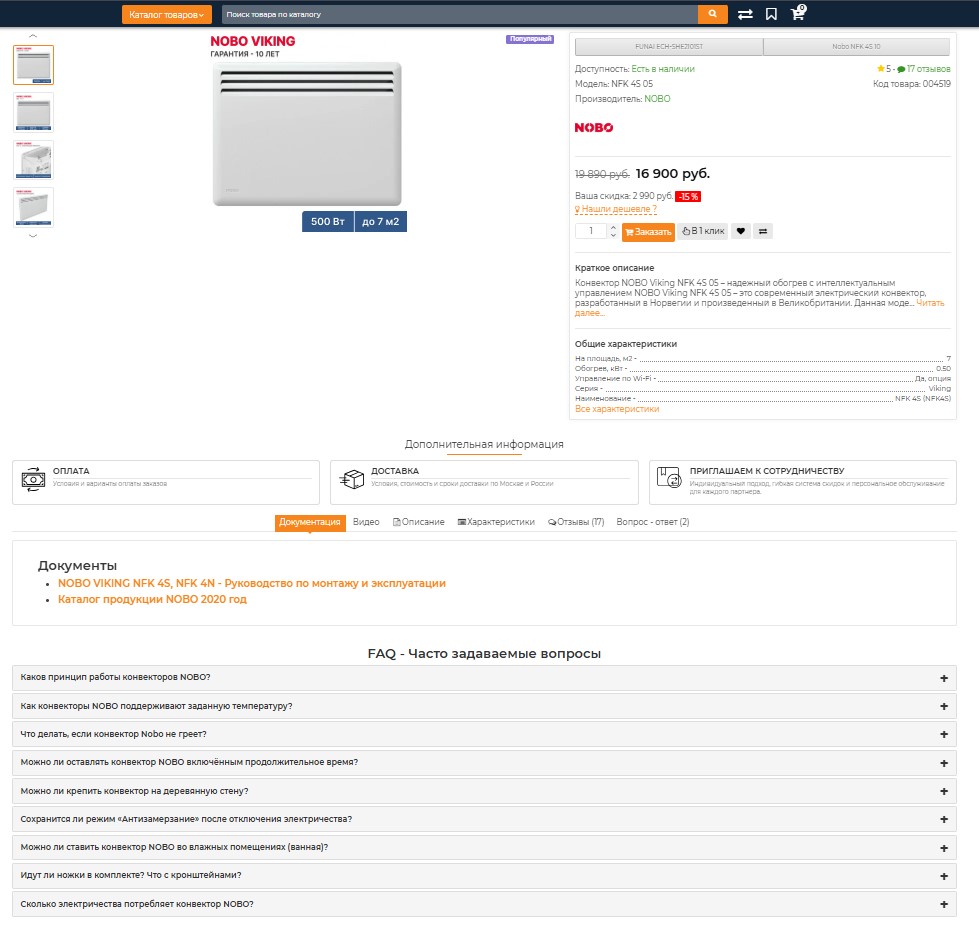
Adds an accordion widget to the storefront with customizable titles and descriptions to compactly display FAQs, delivery terms, or other blocks of text.
Compatible with ocStore 2.3x (so far only tested on this version). Uses the standard structure admin/controller/..., admin/view/..., catalog/controller/..., catalog/view/... of this distribution.
Compatible with ocStore 2.3x (so far only tested on this version). Uses the standard structure admin/controller/..., admin/view/..., catalog/controller/..., catalog/view/... of this distribution.
- What can the module do?
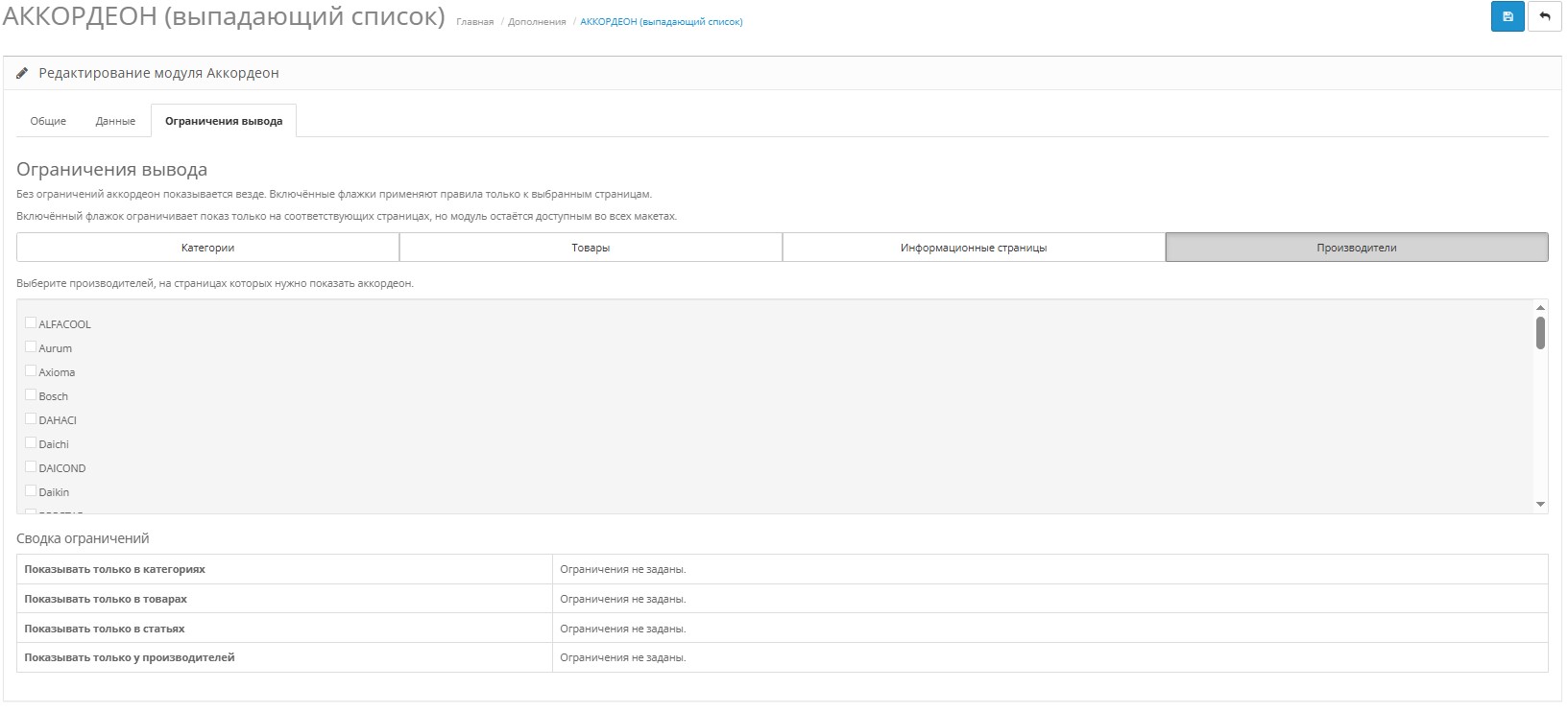
Shows drop-down lists with headings and text: FAQ, delivery conditions, tips. Each accordion can have its own width, behavior (one is open or all at once) and display restrictions. - How to display on the site?
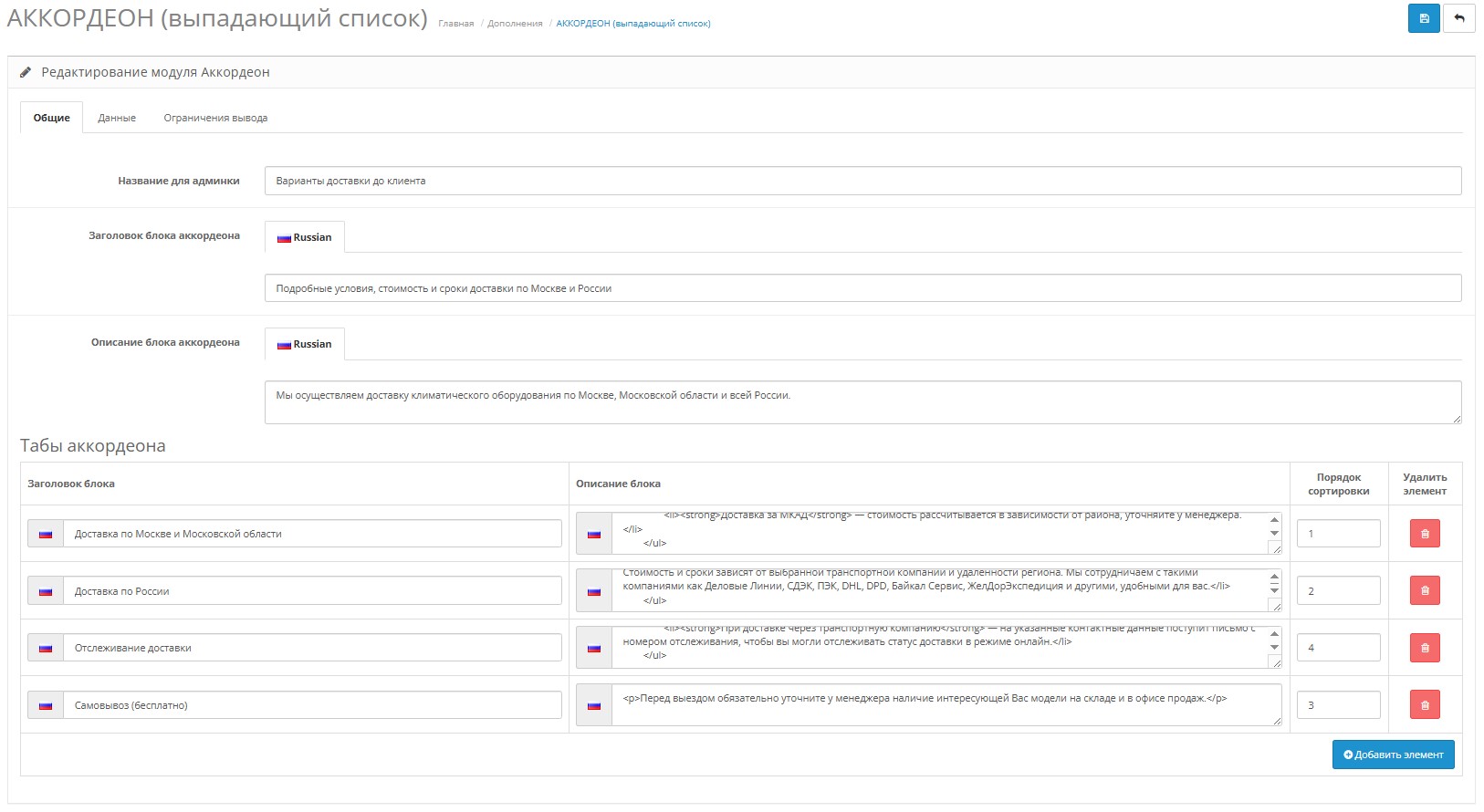
- In the admin panel, fill in “Title in the admin panel”, “Title on the storefront” and “Description”.
- Create accordion tabs: enter titles and descriptions,specify sorting.
- Enable the module and add the newly created “Accordion” to the desired layouts (Design → Schemes/Layouts). He will choose where to show up and where not to show up according to your restrictions.
- What can be customized in the text?
- HTML is supported in tab descriptions (lists, links, highlights, etc.).
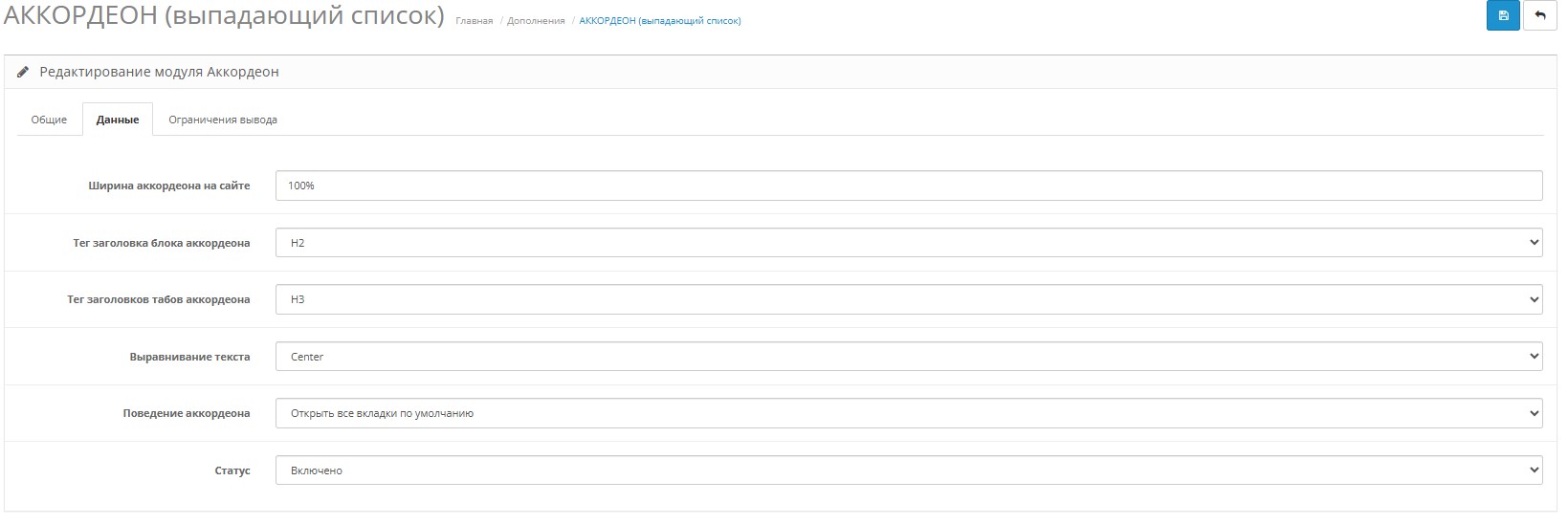
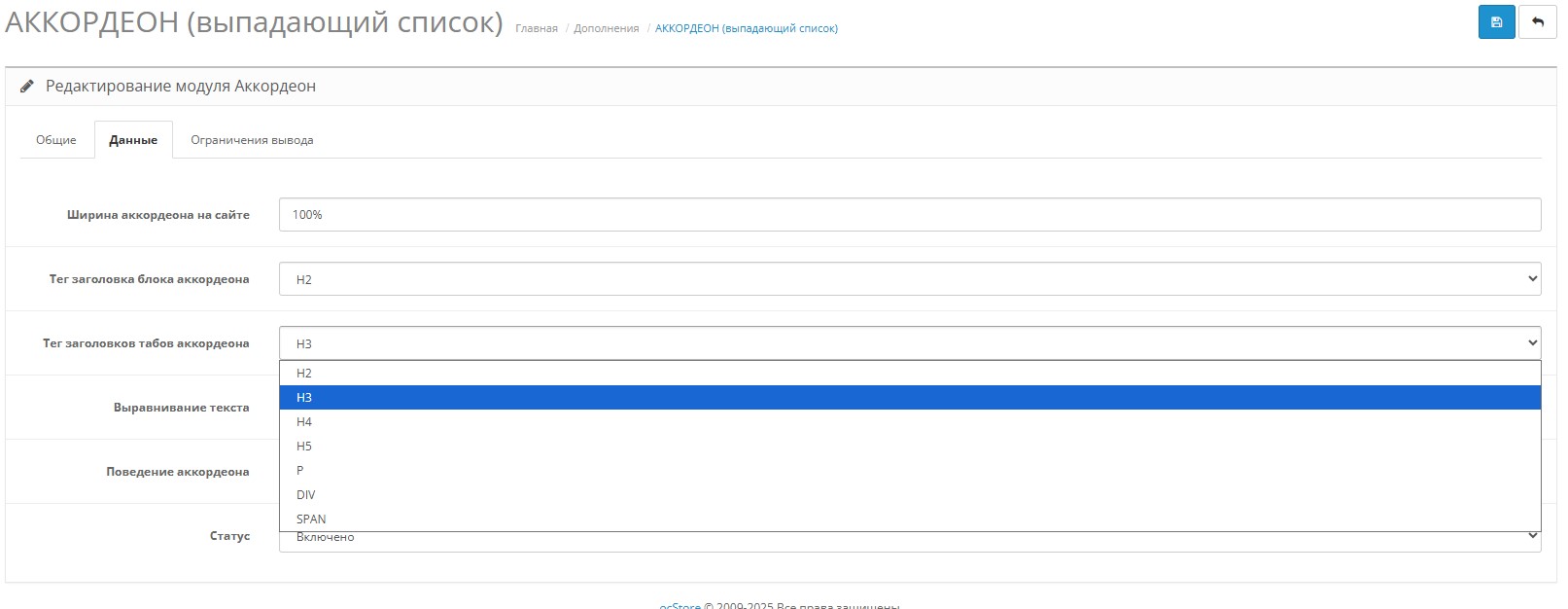
- For the title of the entire block and for the tab titles, you can select different tags (H2–H5, p, div, span) to adjust the semantics to the page.
- Title/description text alignment - left, center or right. - Appearance.
You can choose the width of the accordion yourself (for example, 100% or 600px).
Expansion behavior: only one is open (collapse), several can be opened (expand) or all at once (all_open). - Multilingual (supported).
Fill out the titles and descriptions of the tabs for each store language: the text of the active localization will automatically be displayed on the storefront.
- Where to show.
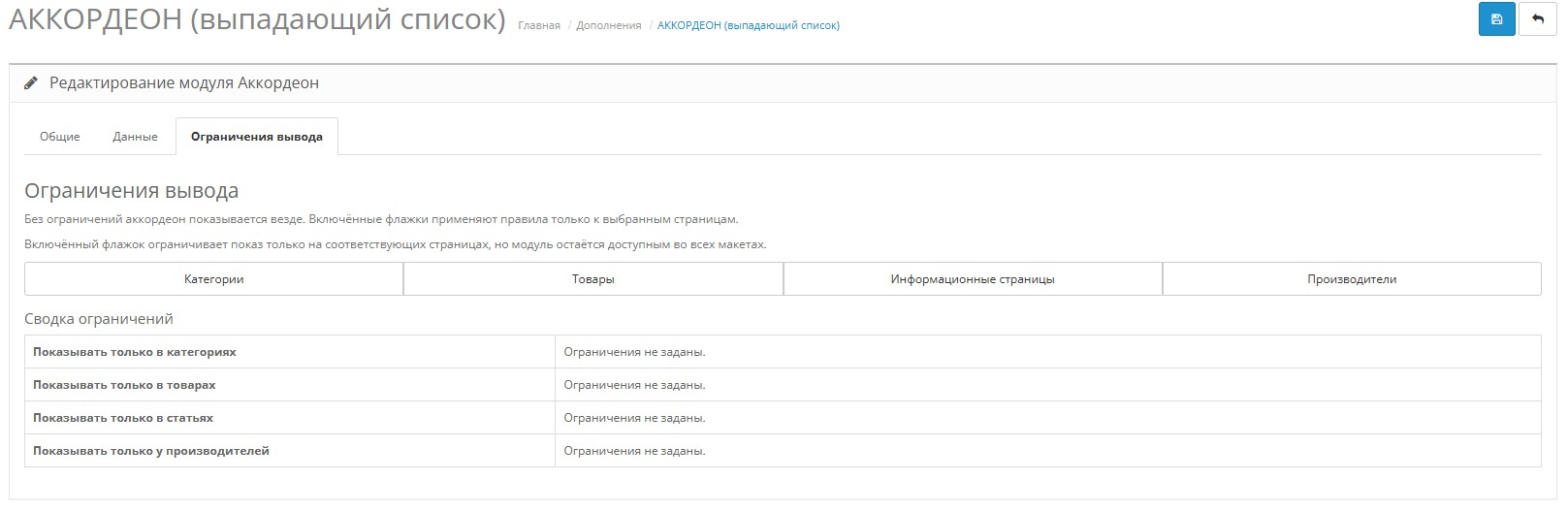
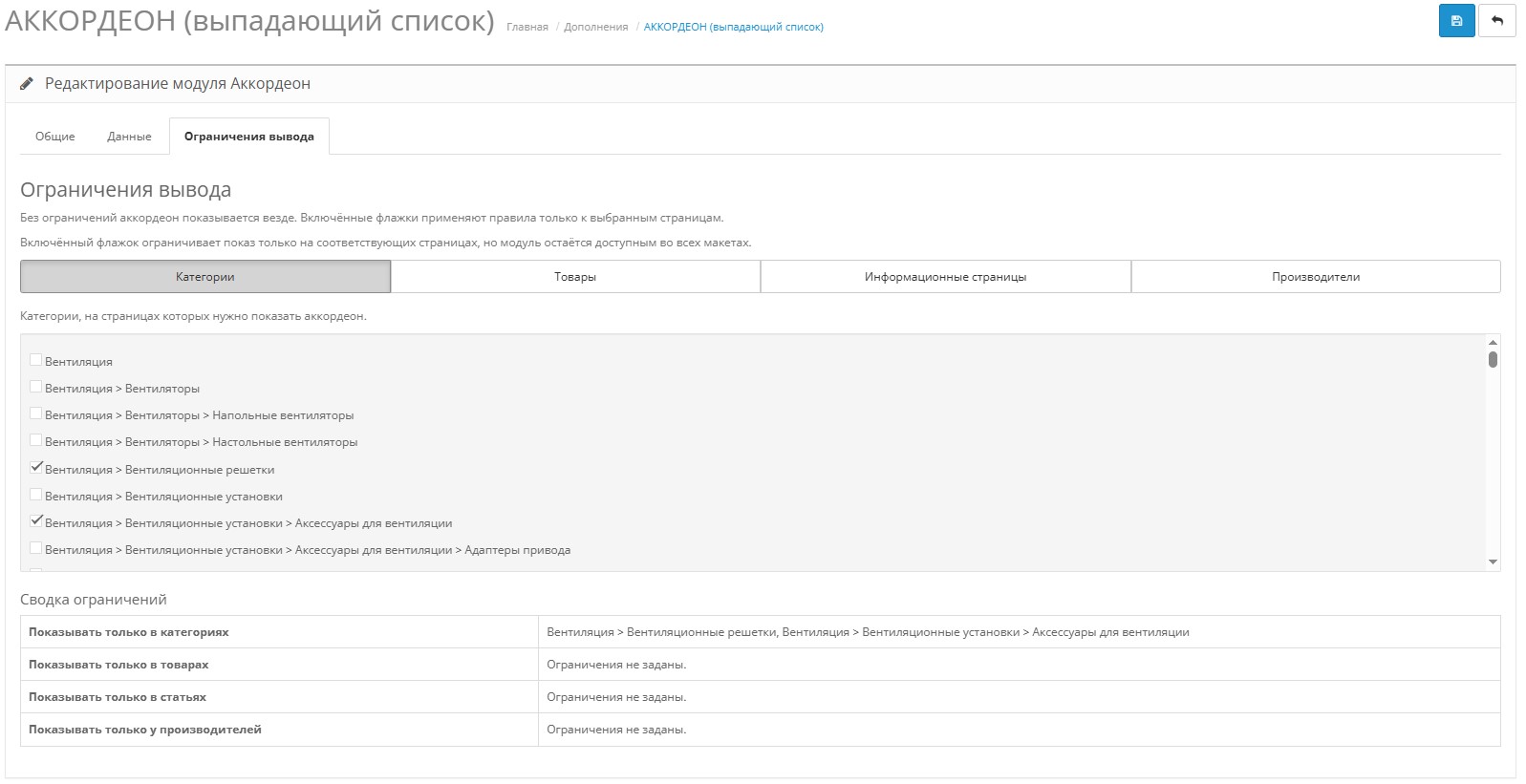
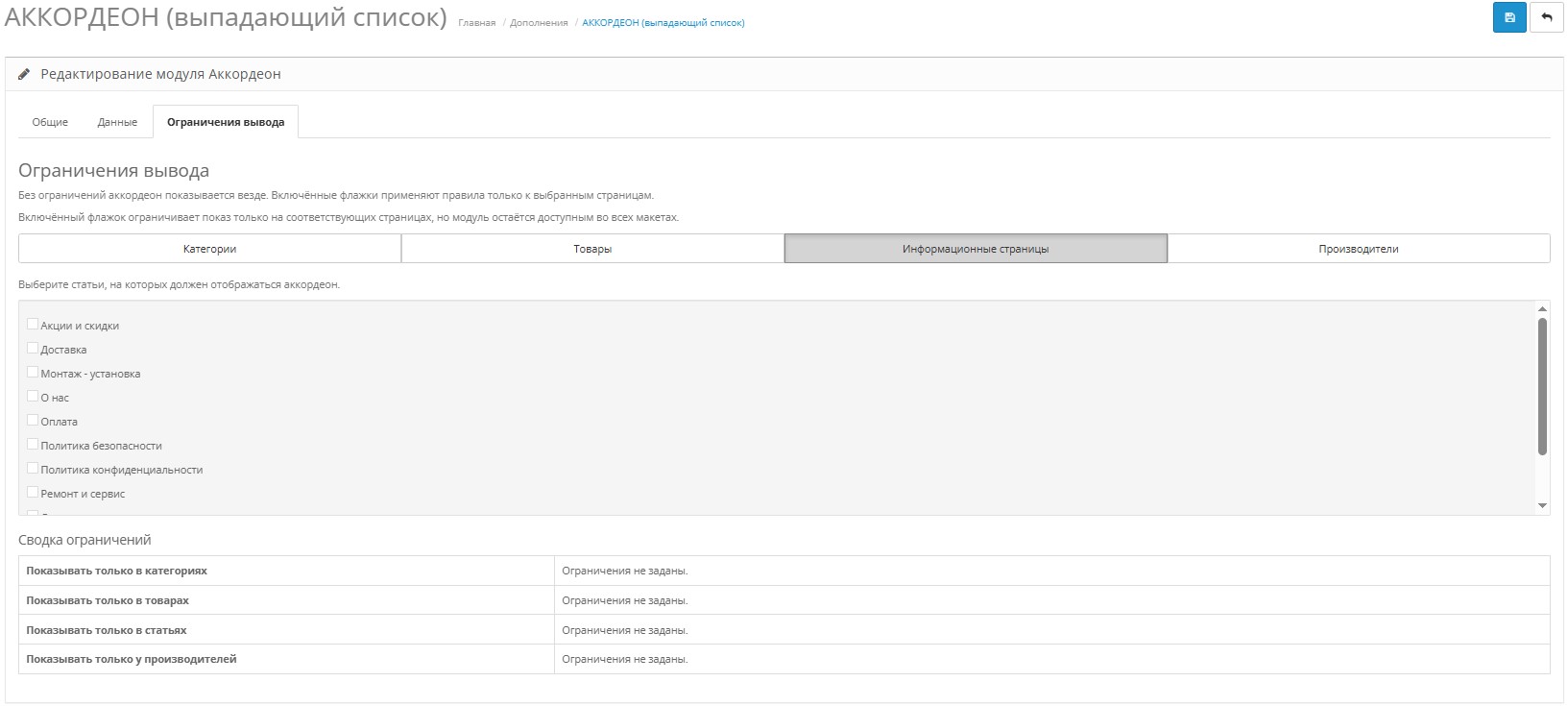
Restrictions help to display the module only where needed: by category, product, manufacturer, information page, or through a separate list of exceptions. Enable the necessary tabs in the “Output Limitation” section so as not to spawn an accordion on unnecessary pages.
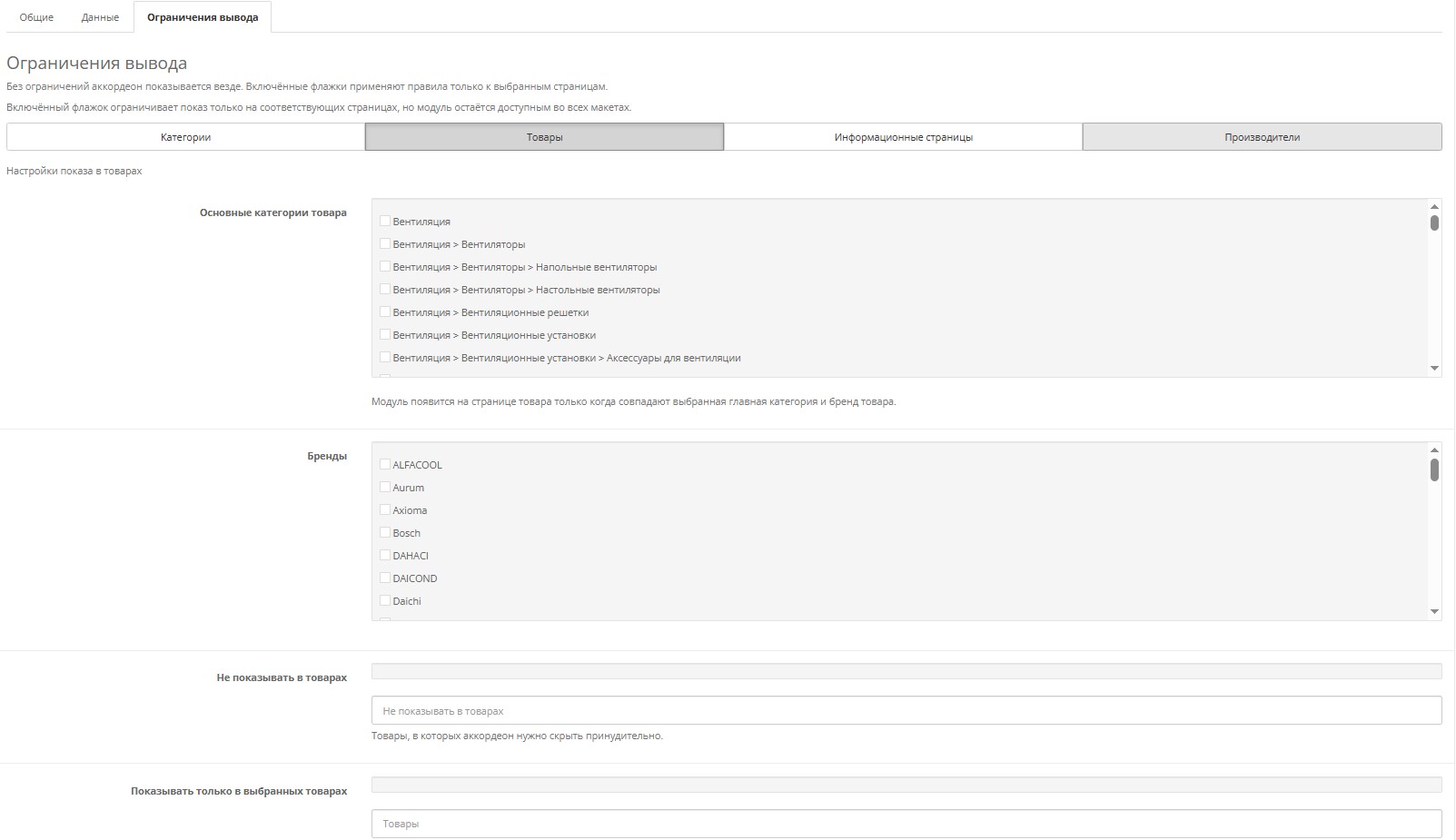
For example: You can create an accordion “FAQ - How to choose a Samsung TV” and add it to the product (Products) scheme, but it must be shown in products that belong only to the “TV” category (which is the main category) and only for the Samsung brand. ForTo do this, we simply set the limit for this accordion in the settings. We limit the display only to the “TV” category and additionally limit the display only to the “Samsung” brand. The module will automatically check all the conditions when loading the page and will be displayed only in the necessary products.
Distribution method:
Paid
Opencart version:
OCStore 2.3
PHP verision:
PHP 5.4PHP 5.5PHP 5.6PHP 7.0PHP 7.1PHP 7.2PHP 7.3PHP 7.4PHP 8.0PHP 8.1PHP 8.2
Activation:
Not required
Getting files:
On site, in the personal account
Protection system:
No
VQmod:
Yes
Ocmod:
Yes
Events:
No
Uploaded:
24.11.2025
Updated:
27.12.2025
Viewed:
2407
Sales:
2
Write a review
Your Name:Your Review: Note: HTML is not translated!
Rating: Bad Good
Enter the code in the box below:
Файлы будут доступны после покупки


