Your shopping cart is empty!

Layout Pro: modules in a row
5 sales

Price: 1 000 ₽
Модуль устарел, используйте Mosaic https://liveopencart.ru/opencart-moduli-shablony/moduli/vneshniy-vid/mosaic-%E2%80%94-moduli-v-ryad-i-setkoy-bez-pravki-temyi
Author: openguru
Write to the author
Sales: 9 (Average rating 0 на основании 0 отзывов)
Need paid help? Contact the site administration
Opencart version:
Sales: 9 (Average rating 0 на основании 0 отзывов)
Need paid help? Contact the site administration
Opencart version:
LiveStore 3.*OCStore 3.*OpenCart 3.*


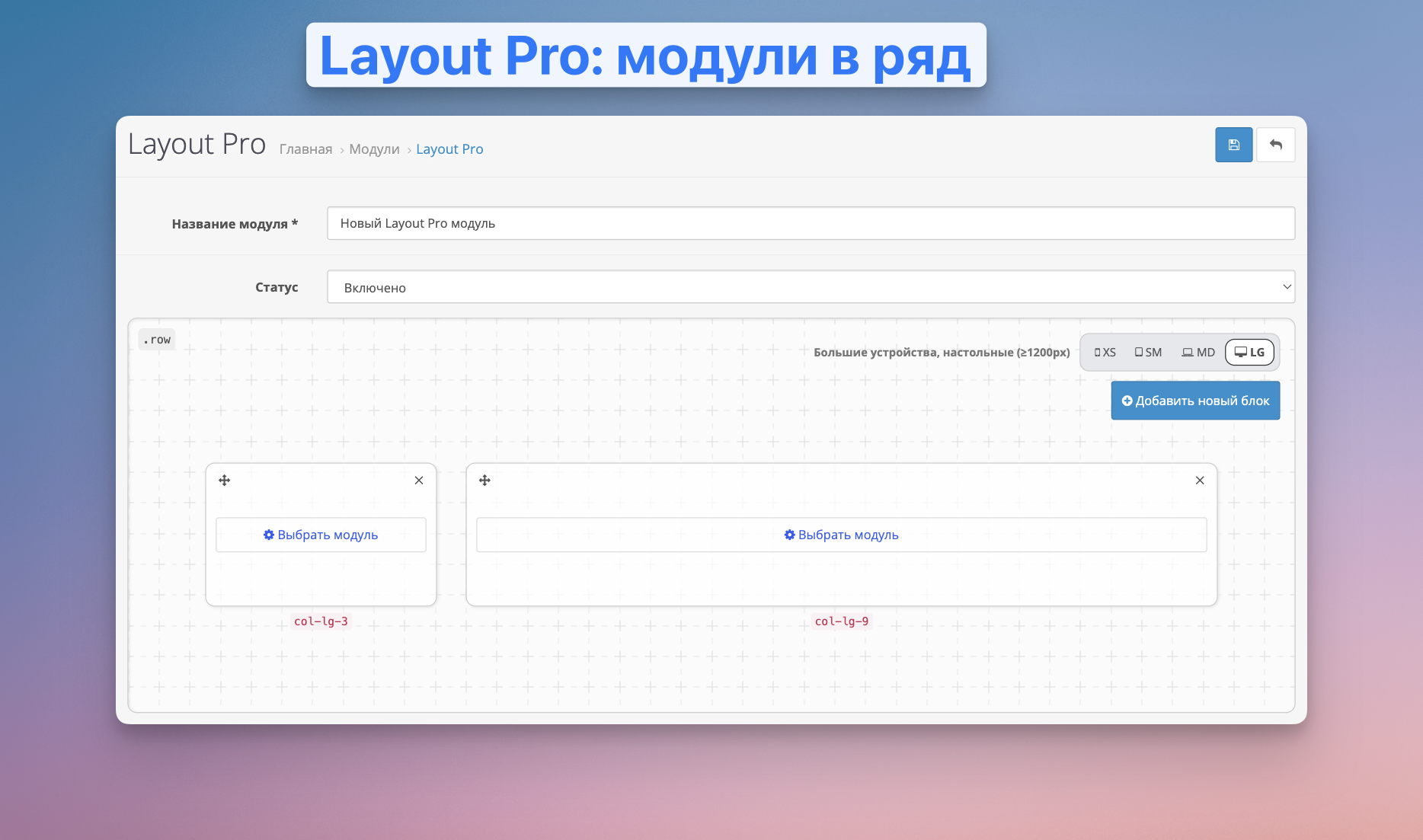
The extension adds functionality to display any existing OpenCart modules in a convenient and flexible Bootstrap 3 grid using a simple and intuitive visual editor. You can configure the output of modules horizontally, vertically or in combination.
The module is actively being developed. We are constantly working on improvements and support.
 Videoreview.
In the review, I showed the installation process and talked about the main capabilities of the module.
 System requirements.
 Module features.
 Installation.
The installation is standard and does not require modification of OpenCart files.
 Module update.
Updating a module is similar to installing it.
 Support and improvements.
The module uses the standard CSS grid of the Twitter Bootstrap 3 framework, which is built into OpenCart (documentation).
You can always contact me in the following ways:

The extension adds functionality to display any existing OpenCart modules in a convenient and flexible Bootstrap 3 grid using a simple and intuitive visual editor. You can configure the output of modules horizontally, vertically or in combination.
The module is actively being developed. We are constantly working on improvements and support.
Videoreview.In the review, I showed the installation process and talked about the main capabilities of the module.
System requirements.- OpenCart (OcStore) 3 versions
- PHP 7+
- PHP extensions: ext-json
Module features.- Placing OpenCart modules in a row or column, following the gridBootstrap 3 with its adaptive breakpoints.
- Manage block sizes down to the grid columns and change their ratio depending on the width of the device screen.
- Easily drag and drop blocks with full control over their placement.
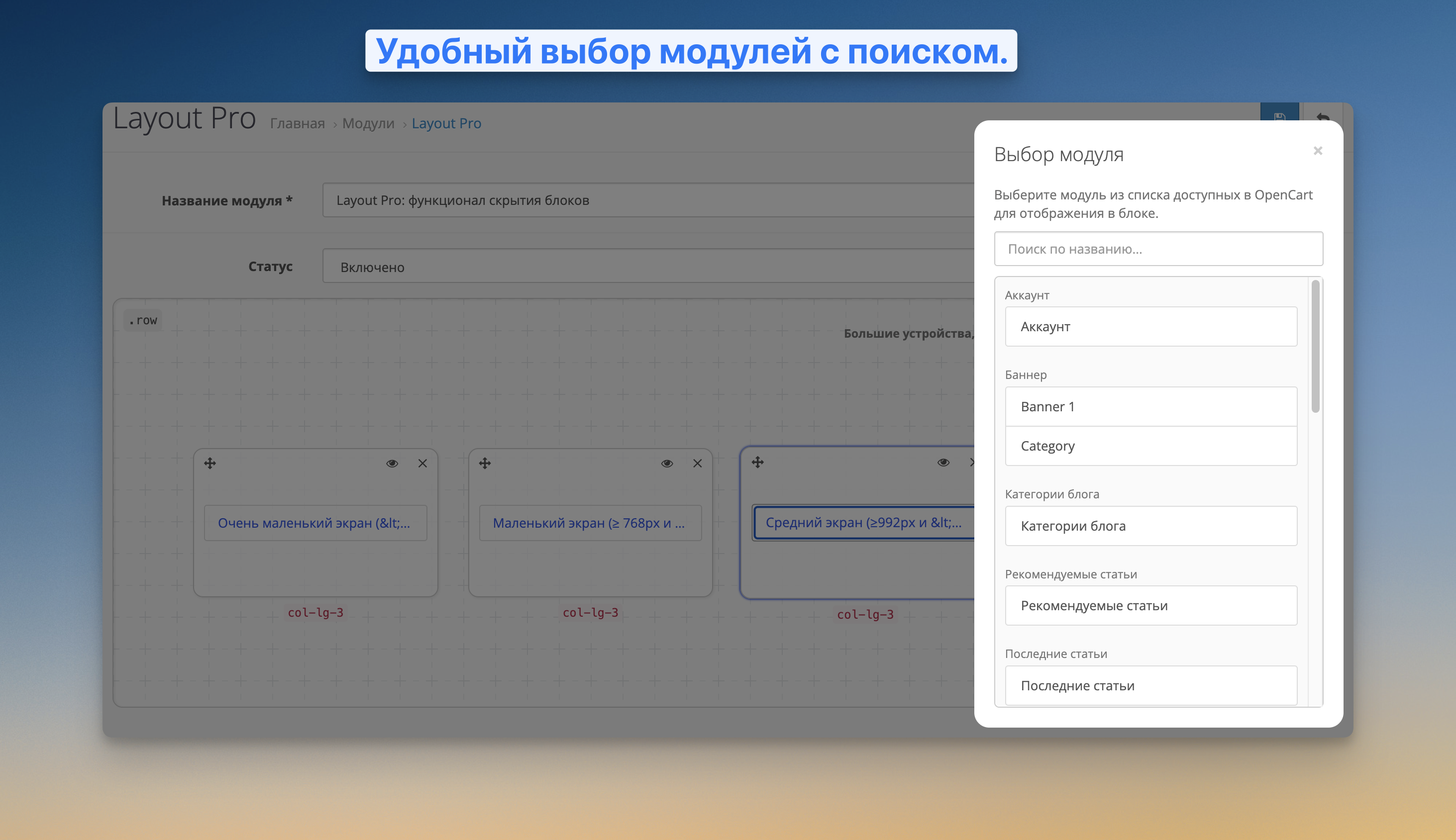
- Any existing OpenCart module can be inserted into each block.
- Lines and blocks have unique CSS classes that can be used to adjust the styles to suit the specifics of the theme used.
- An important feature is the ability to nest a module inside itself. This means that you can build complex multi-level meshes and create flexible interfaces without restrictions. For example, the slider is 70% width, andon the right is a block at 30%, in which there will be another instance of the module for additional division horizontally or vertically.
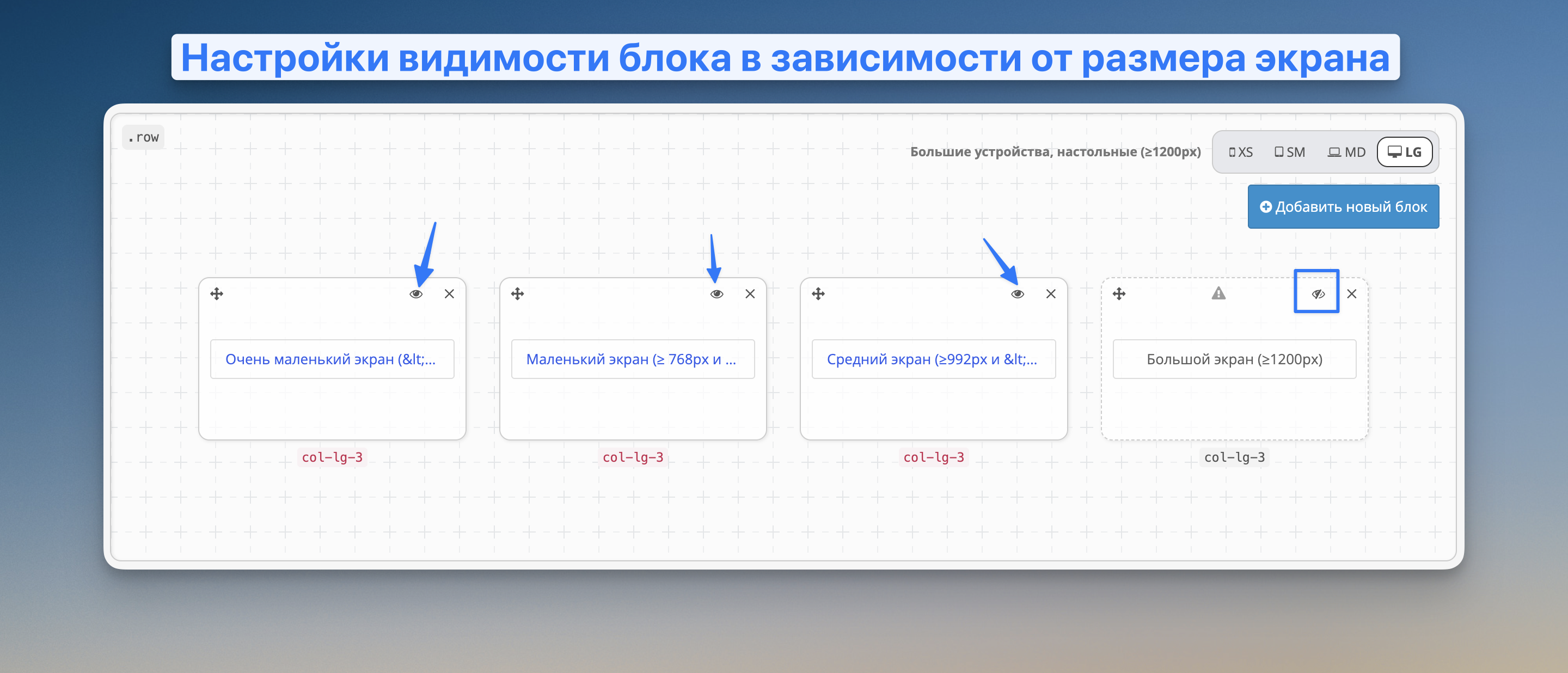
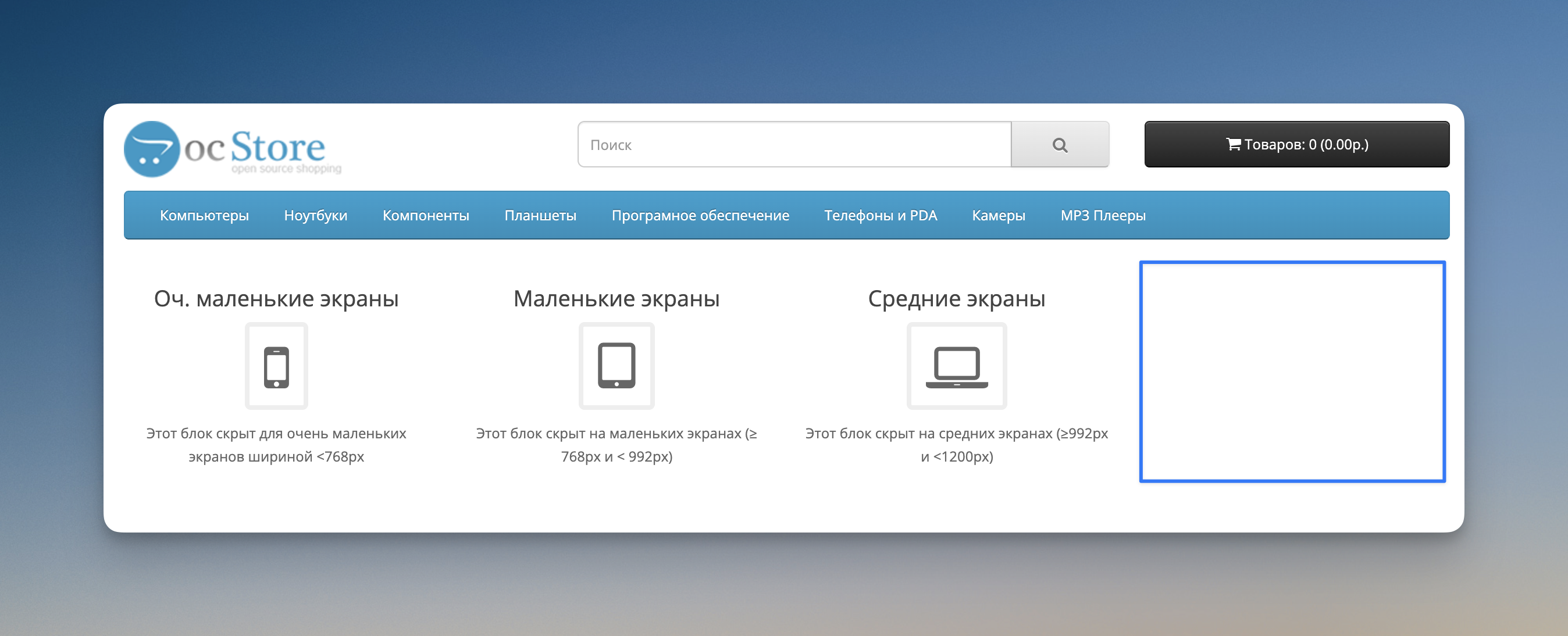
- Ability to hide blocks on different screens using the logic hidden-* in Twitter Bootstrap 3 (more)
Installation.The installation is standard and does not require modification of OpenCart files.
- Download the archive with the latest version of the module oc_layout_pro_vX.Y.Z.ocmod.zip
- Log in to the OpenCart admin panel.
- Go to the "Extensions" section -> Installing extensions".
- Click "Download", select the downloaded module and wait for the installation process to complete.
- Go to the section"Extensions -> Extensions" and activate the "Layout Pro" module.
- After activation, click the "Edit" button for the "Layout Pro" module, a page with the Layout Pro visual editor will open.
Module update.Updating a module is similar to installing it.
- Download the archive with the new version of the module oc_layout_pro_vX.Y.Z.ocmod.zip
- Log in to the OpenCart admin panel.
- Go to the section "Extensions -> Install extensions".
- Click"Download", select the downloaded module and wait for the installation process to complete.
Support and improvements. The module uses the standard CSS grid of the Twitter Bootstrap 3 framework, which is built into OpenCart (documentation).
You can always contact me in the following ways:
- E-mail: kiselev2008@gmail.com
- Private messages in liveopencart
- Official group in Telegram:@ocstore3
Distribution method:
Paid
Opencart version:
LiveStore 3.*OCStore 3.*OpenCart 3.*
PHP verision:
PHP 7.0PHP 7.1PHP 7.2PHP 7.3PHP 7.4PHP 8.0PHP 8.1PHP 8.2
Activation:
Automatic
Getting files:
On site, in the personal account
Protection system:
Custom
VQmod:
No
Ocmod:
No
Events:
No
Uploaded:
05.07.2025
Updated:
11.07.2026
Viewed:
4087
Sales:
9
Write a review
Your Name:Your Review: Note: HTML is not translated!
Rating: Bad Good
Enter the code in the box below:
Файлы будут доступны после покупки


