Your shopping cart is empty!

Simple Shortcoder (simple shortcodes)
Price: 980 ₽ 1 390 ₽

Author: Venter
Write to the author
Sales: 3 (Average rating 0 на основании 0 отзывов)
Need paid help? Contact the site administration
Opencart version:
Sales: 3 (Average rating 0 на основании 0 отзывов)
Need paid help? Contact the site administration
Opencart version:
LiveStore 3.*OCStore 3.*OpenCart 3.*
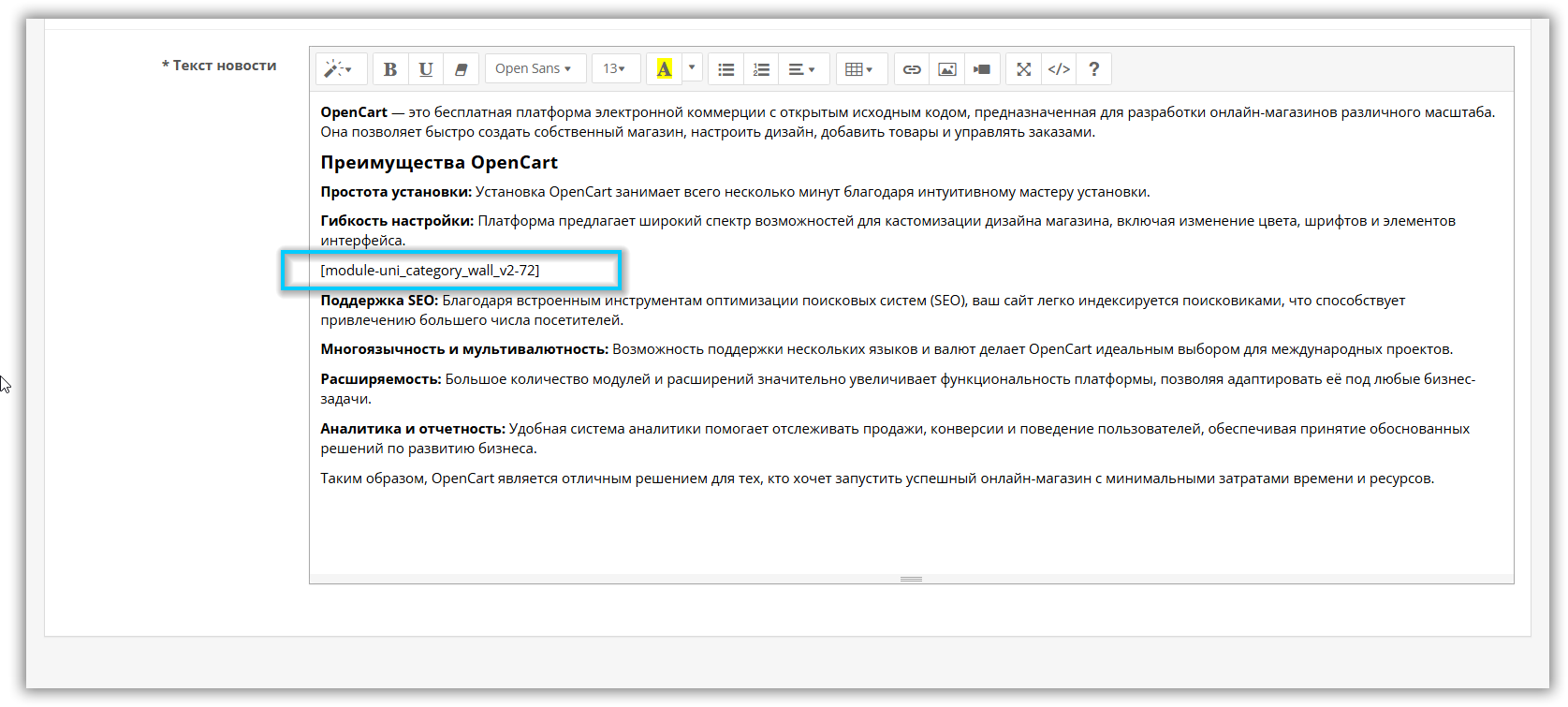
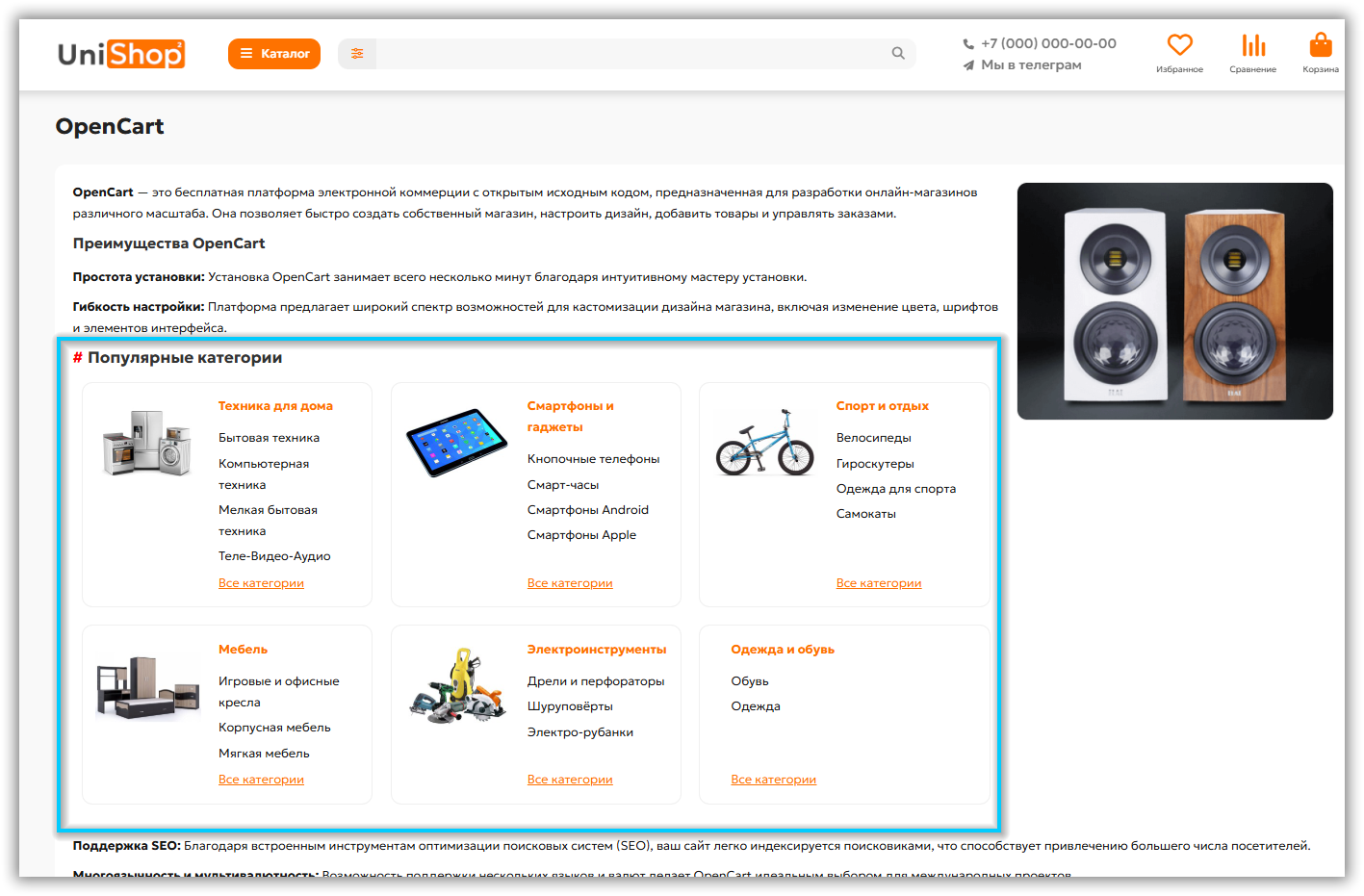
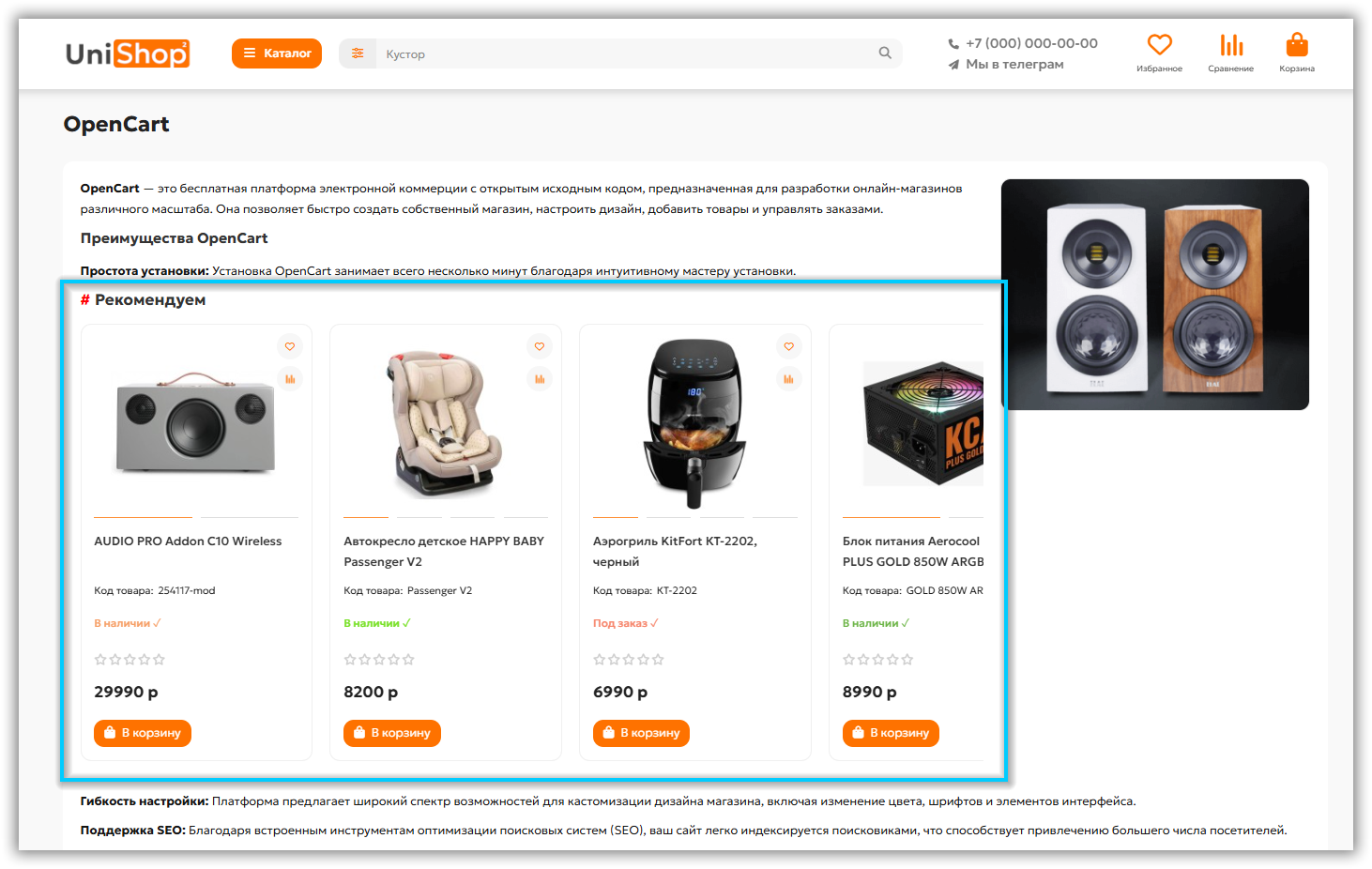
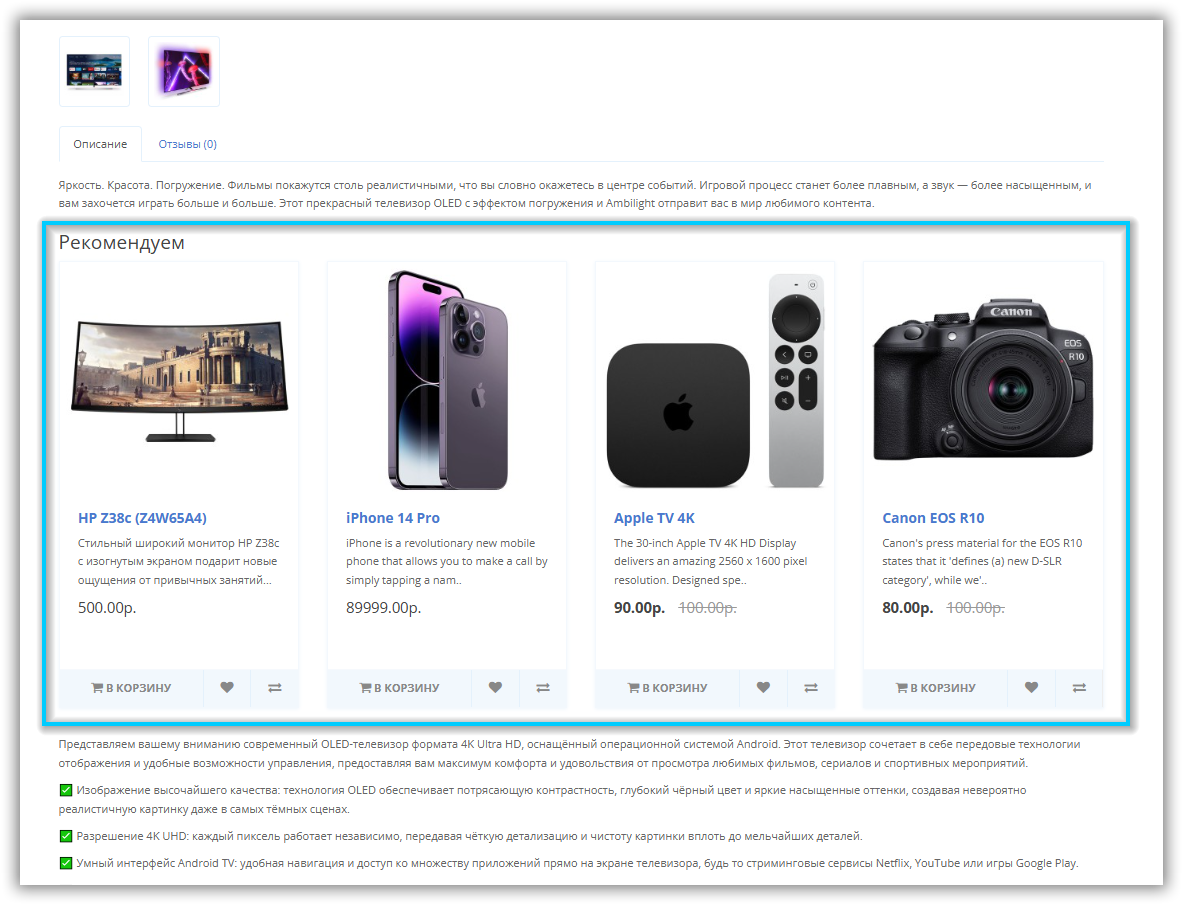
Simple Shortcoder is a tool for easily adding content to website pages by inserting shortcodes.
A shortcode is a concise piece of code that is automatically replaced with specified content or functionality when the page is rendered.
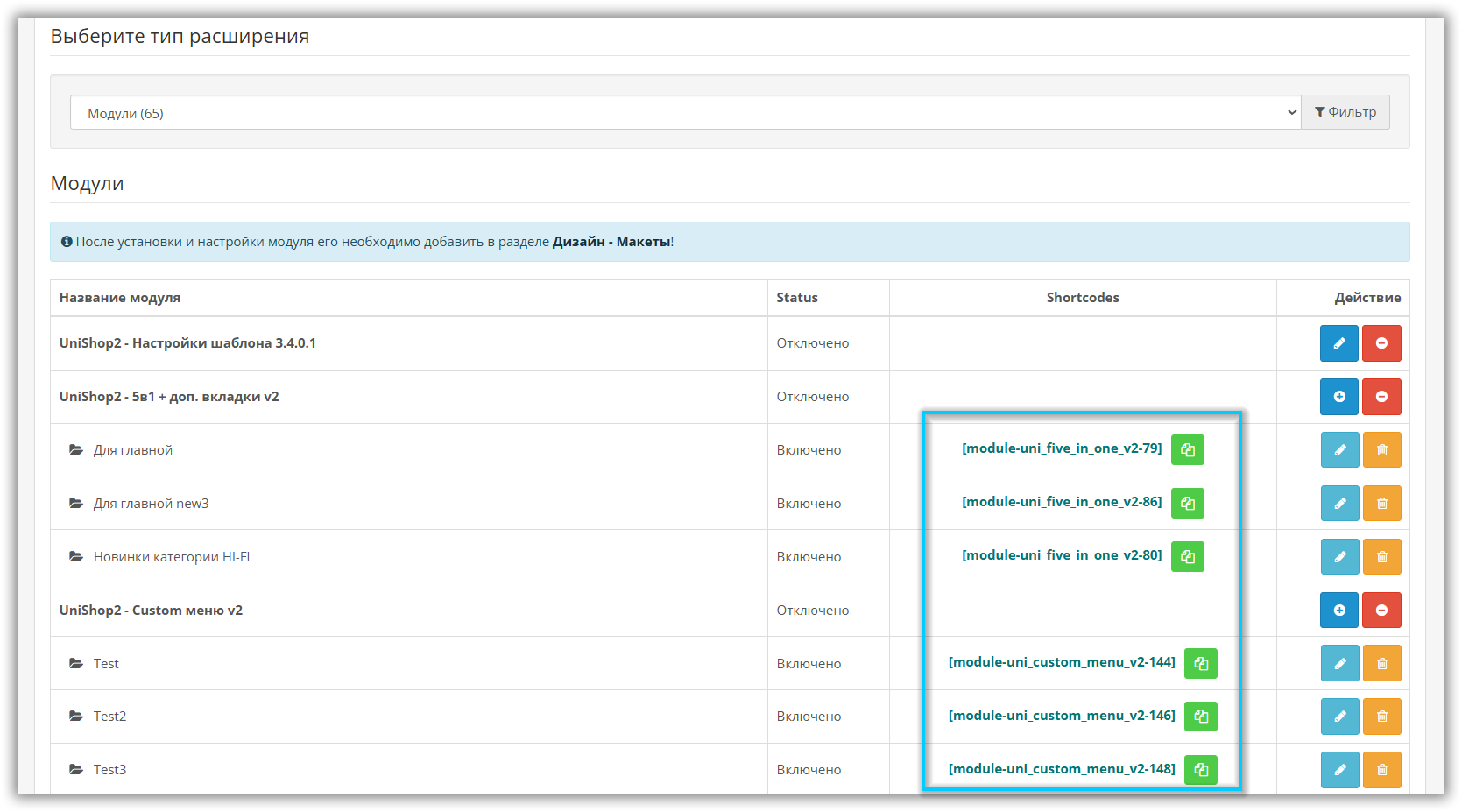
Thanks to Simple Shortcoder, site administrators can easily add their own elements (feedback forms, image galleries, other useful components) and other modules to site pages.
Read the description carefully!!!
--------------------------------------------------------------------------------------------
The module is distributed as-is.
Module for Opencart/ocStore 2.3 version only upon request
------------------------------------------------------------------------------------------------------------
Main features of the module:
1. Easy to add elements
Using shortcodes allows you to quickly create websites and keep them up to date, saving developer time and reducing the likelihood of errors.
2. Minimizing manual work
Using shortcodes allows you to quickly change/create website pages, saving developer time
3. Extensibility
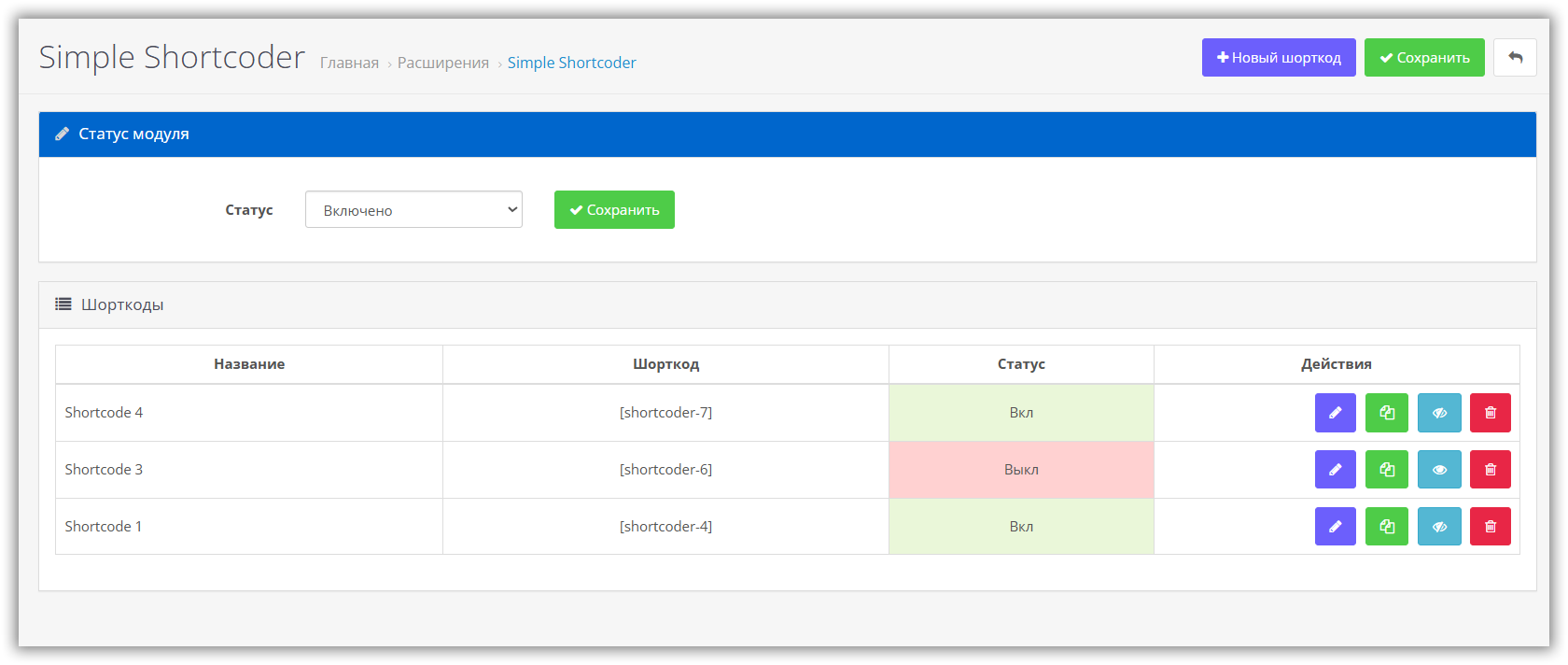
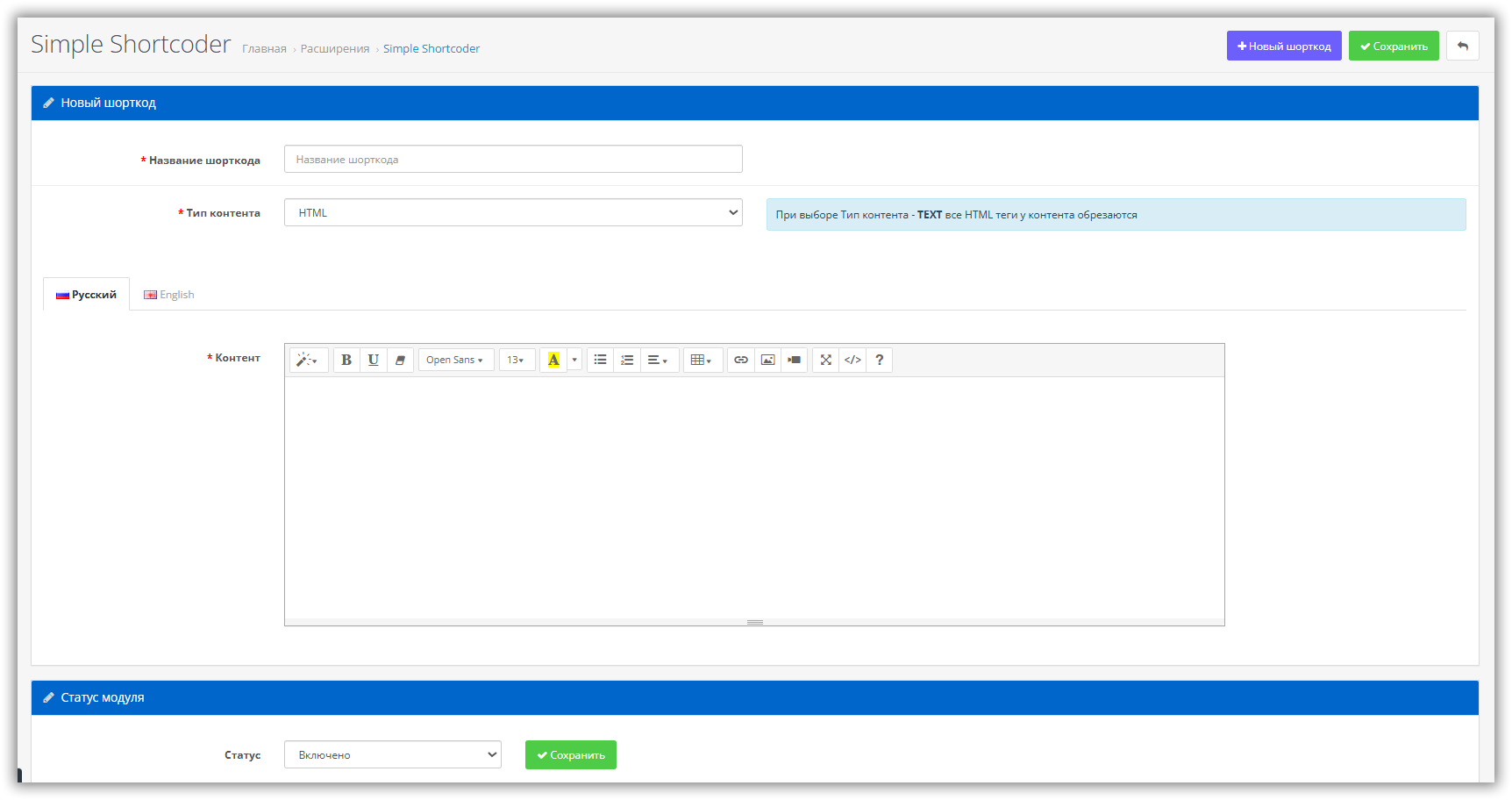
Allows you to create your own shortcodes
4. Works with pages:
Installation instructions via the admin panel:
License:
Each copy of the module acts on 1 domain and its subdomain, i.e. 1 domain + all subdomains = 1 payment.
If you want to install the module on another domain, you must purchase another copy of the module.
For the module version for Opencart/ocStore 2.3, write either by email or private message
I will be glad to see your wishes and suggestions.
For any questions you can write here venter84@mail.ru

A shortcode is a concise piece of code that is automatically replaced with specified content or functionality when the page is rendered.
Thanks to Simple Shortcoder, site administrators can easily add their own elements (feedback forms, image galleries, other useful components) and other modules to site pages.
Read the description carefully!!!
--------------------------------------------------------------------------------------------
The module is distributed as-is.
Module for Opencart/ocStore 2.3 version only upon request
------------------------------------------------------------------------------------------------------------
Main features of the module:
1. Easy to add elements
Using shortcodes allows you to quickly create websites and keep them up to date, saving developer time and reducing the likelihood of errors.
2. Minimizing manual work
Using shortcodes allows you to quickly change/create website pages, saving developer time
3. Extensibility
Allows you to create your own shortcodes
4. Works with pages:
- article description (Catalog / Articles),
- product description,
- category description,
- manufacturer description,
- OcStore blog description, template Unishop 2,
- the ability to create your own shortcodes with your own content
Installation instructions via the admin panel:
- Download the file simple_shortcoder_v1.1.ocmod.zip
- Go to the admin panel in Extensions (Add-ons) > Install extensions
- Download downloaded module archive
- Go to Extensions (Add-ons) > Modifiers - update modifiers
- Go to Extensions (Add-ons) > Extensions and activate the module (click on the green button with the plus icon opposite the module)
- Go into the module and enable it
- Done!Now you can freely configure and use the module
- Download the file for_ftp_oc3.x
- Unpack the archive
- Open your FTP client
- Load everything from the folder for_ftp to the root of the site
- Go to Extensions (Add-ons) > Modifiers - update modifiers
- Go to Extensions (Add-ons) > Extensions and activate the module (click on the green button with the plus icon opposite the module)
- Go to the module and enable it
- Ready!
License:
Each copy of the module acts on 1 domain and its subdomain, i.e. 1 domain + all subdomains = 1 payment.
If you want to install the module on another domain, you must purchase another copy of the module.
For the module version for Opencart/ocStore 2.3, write either by email or private message
I will be glad to see your wishes and suggestions.
For any questions you can write here venter84@mail.ru
Distribution method:
Paid
Opencart version:
LiveStore 3.*OCStore 3.*OpenCart 3.*
PHP verision:
PHP 7.2PHP 7.3PHP 7.4
Activation:
Automatic
Getting files:
On site, in the personal account
Protection system:
No
VQmod:
No
Ocmod:
Yes
Events:
No
Uploaded:
21.06.2025
Updated:
16.06.2026
Viewed:
3988
Sales:
3
Write a review
Your Name:Your Review: Note: HTML is not translated!
Rating: Bad Good
Enter the code in the box below:
Файлы будут доступны после покупки


