Your shopping cart is empty!

IMCanSaleZeroProduct (OC 2.3) - Product pre-order
Price: 1 200 ₽

Author: devimirochnik
Write to the author
Need paid help? Contact the site administration
Opencart version:
Need paid help? Contact the site administration
Opencart version:
OCStore 2.3OpenCart 2.3
Until the situation normalizes, modules are sold only in the Russian Federation and friendly countries. As the situation returns to normal, sales and technical support will recover. Does not apply to the CP, ZO, LPR, DPR, since this is part of the Russian Federation.
Please note that my modules do not contain any “hard-wired nasty things”. Keys do not require an Internet connection. Therefore, those who purchased the module earlier will not have problems with the license (etc.)
-------------------------------------------------------------------------------------------------
IMCanSaleZeroProduct (OC 2.3) - Pre-order product
Version for OpenCart and ocStore 3 can be foundhere:
https://liveopencart.ru/opencart-moduli-shablony/moduli/zakaz/imcansalezeroproduct-oc-3-predzakaz-tovara
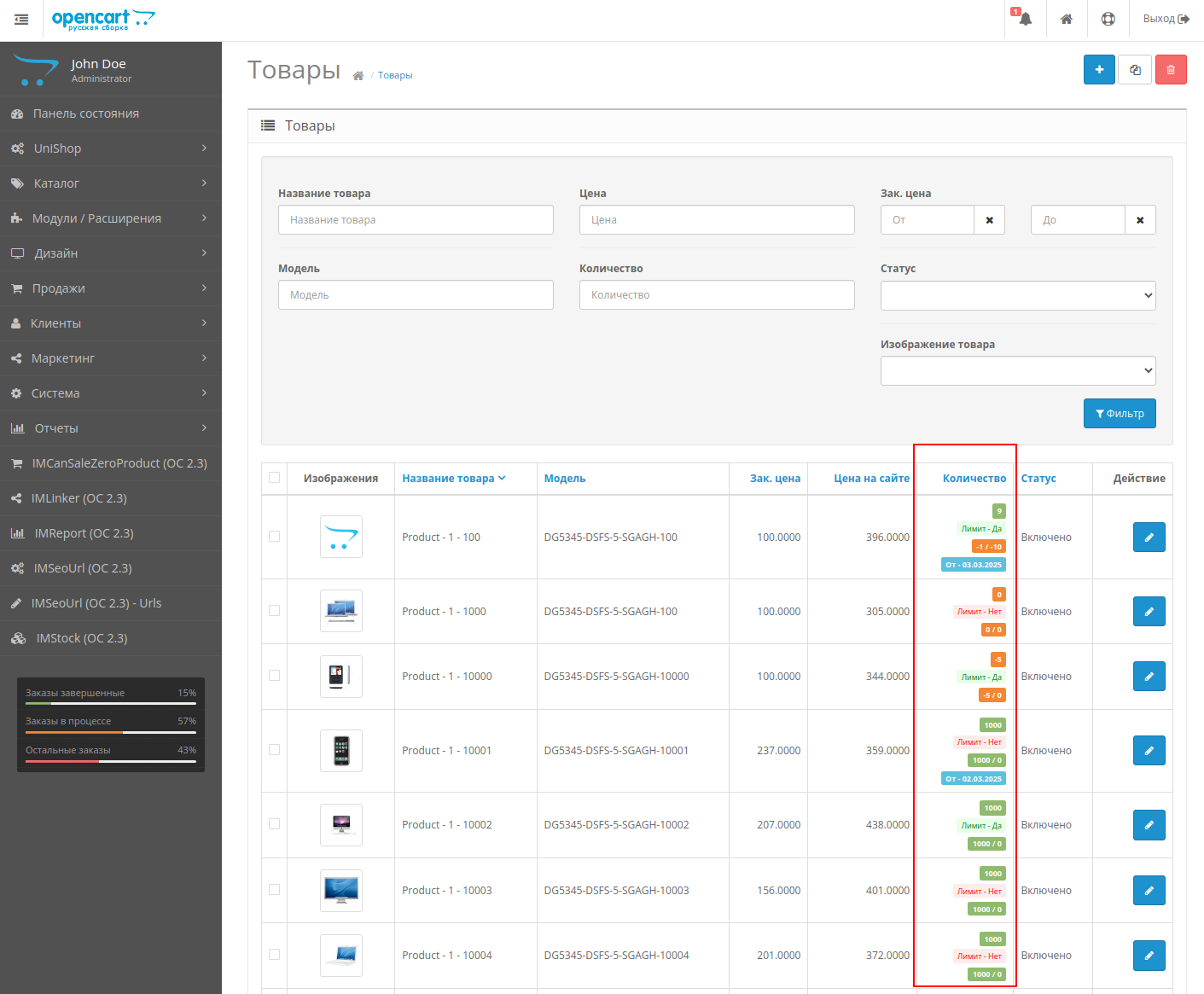
By default, in OpenCart you can either completely enable product pre-ordering or completely disable it. However, this is not very convenient in cases where you need to hold back a certain part of the product or, on the contrary, sell more than you have in stock. You have to manually adjust the quantity of goods or use some other trick.
The good news is that the "IMCanSaleZeroProduct - Product Pre-Order" module allows you to solve this problem in a simple and elegant way by specifying limits.
A simple example. Let's say you have a hardware store. You want to hold back some computers - to do this, simply specify a negative limit value andOpenCart will not let you sell this part of the computers.
Or, let's say, you know that you can always quickly get keyboards and other small equipment. Then, in order not to store more than necessary in the warehouse, simply specify a positive limit value. They'll order more - great. Then you can quickly obtain the required quantity from the supplier. If they don’t order it, that’s great. Excess equipment will not gather dust in the warehouse.
Tested with Simple and in the UniShop template.
Features:
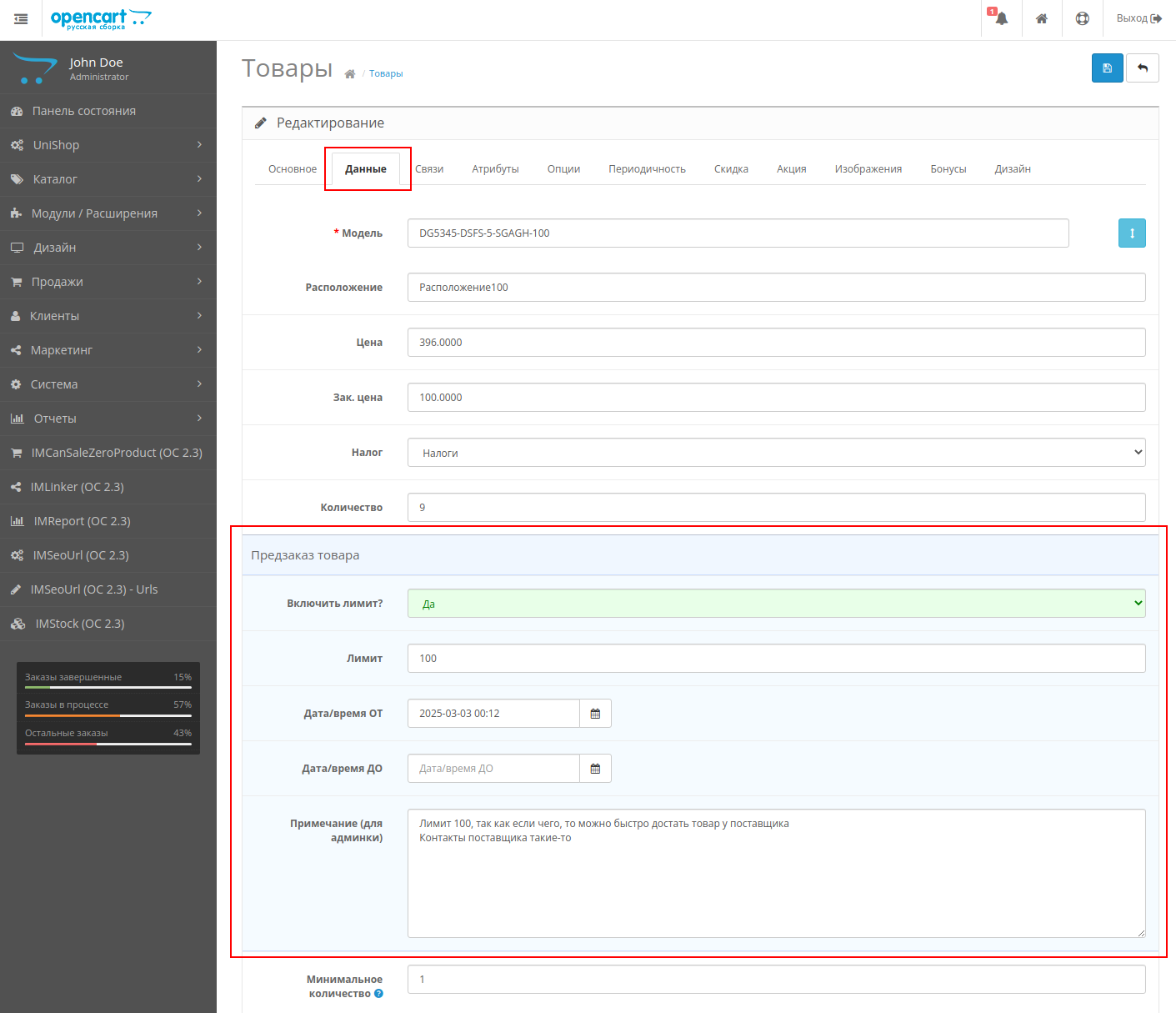
- Ability to set limits for each product separately (both for creating stock and for selling missing ones)
- Ability to enable or disable limits for each product separately
- Ability to set dates and times of limits for each product inseparately
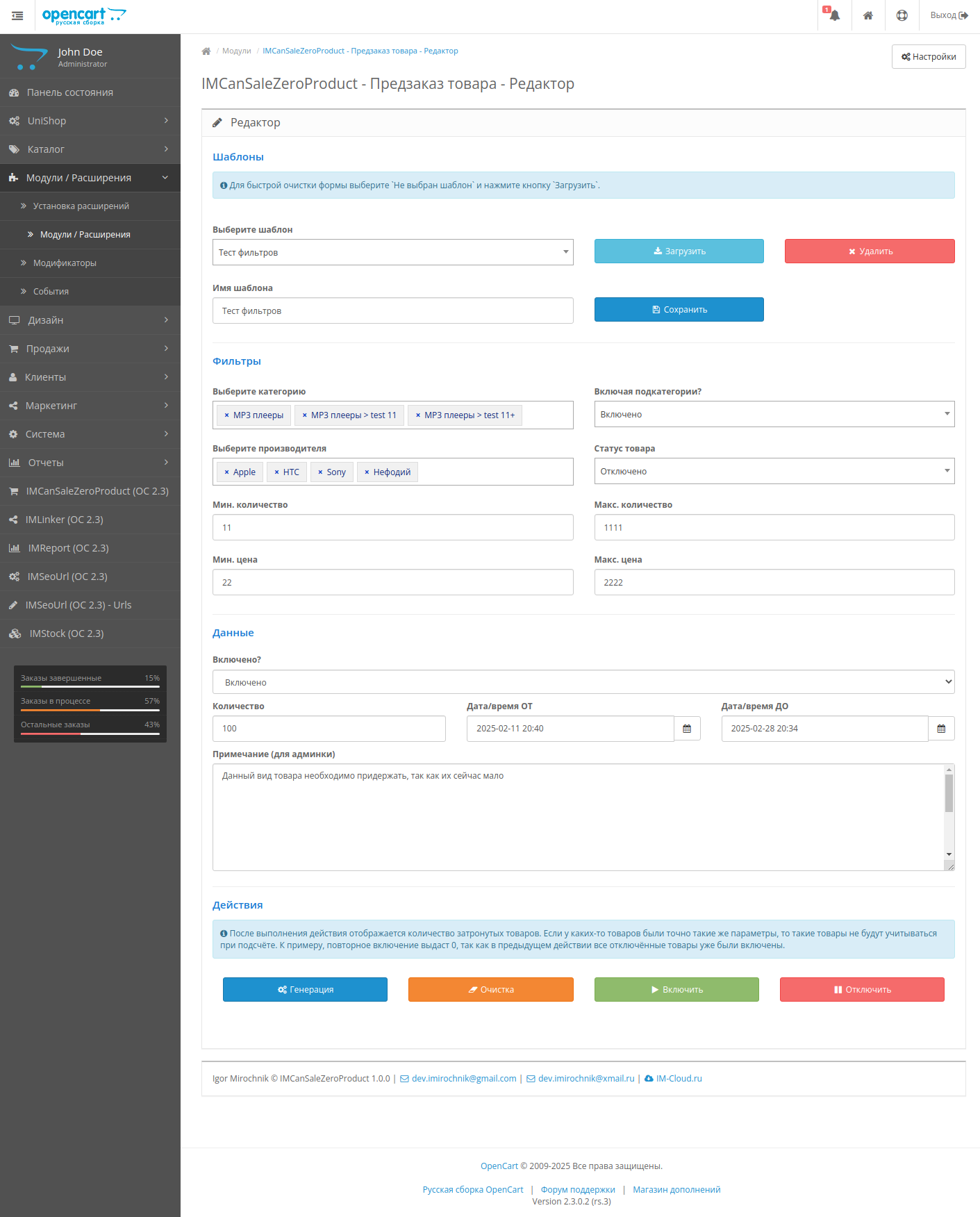
- Editor for quickly filling product limits
OpenCart 2.3 demo (demo / demo)
Link to the editor - http://oc2302rs.im-cloud.ru/admin/index.php?route=extension/module/IMCanSaleZeroProduct
List of products - http://oc2302rs.im-cloud.ru/admin/index.php?route=catalog/product
Features and limitations
1. In order for limits to be applied, you must disable the ability to order with a negative quantity of goods in the store settings.
2. It is required that mbstring.func_overload be set to 0 in the site settings. If you don’t know how to do this, thencheck with your hosting. In most cases, the default value is 0 (you, as a client, do not need to do anything), but some hosting sites set the value to 2. This is relevant in cases where you have problems with keys and module activation.
3. Requires boostrap and jquery
Installation, next versions and use
1. Make a backup of the site
2. Unpack the archive and copy the admin, catalog and system directories to the root of the site.
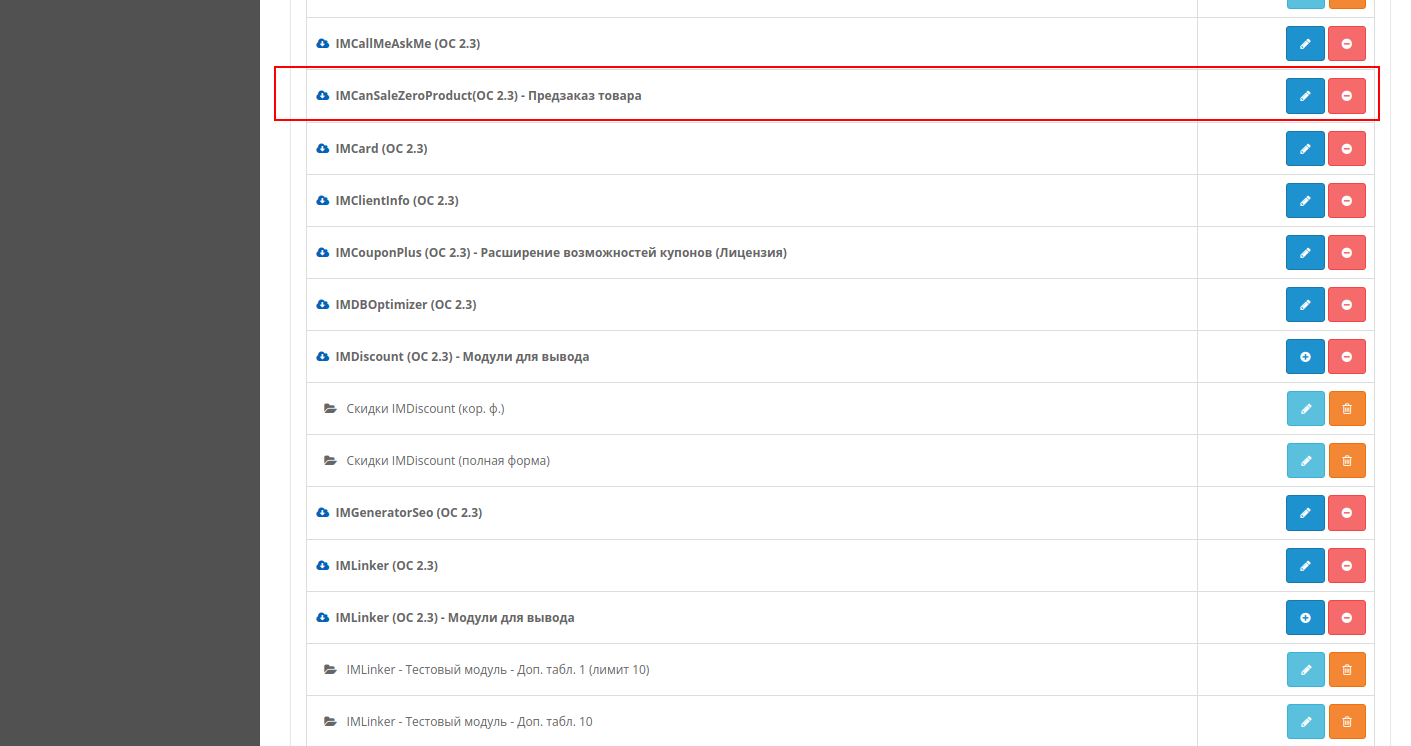
3. Open the admin panel and install the IMCanSaleZeroProduct module (if this is the next version, then reinstall) so that the necessary tables, etc. are created.
4. Install modifiers imcszp.adm.fastlink.ocmod.xml, imcszp.adm.product.list.ocmod.xml,imcszp.adm.product.ocmod.xml, imcszp.cat.ocmod.xml
5. Update modifiers
License and Use
Made for versions OpenCart 2.3.0.2, ocStore 2.3.0.2, 2.3.0.2.1-2.3.0.2.3
The license applies only to one website (one online store). Those. 1 domain + all subdomains = 1 payment. The license is not issued for TLDs and other domains that allow users to create subdomains. For example, you cannot specify RU or COM.RU as a domain.
A license for a test domain is issued only if it is clear that this test domain cannot be used for a real website (online store).
By purchasing the module, you automatically agree to the textlicenses.
The module has the principle of distribution "as is" ("As is").
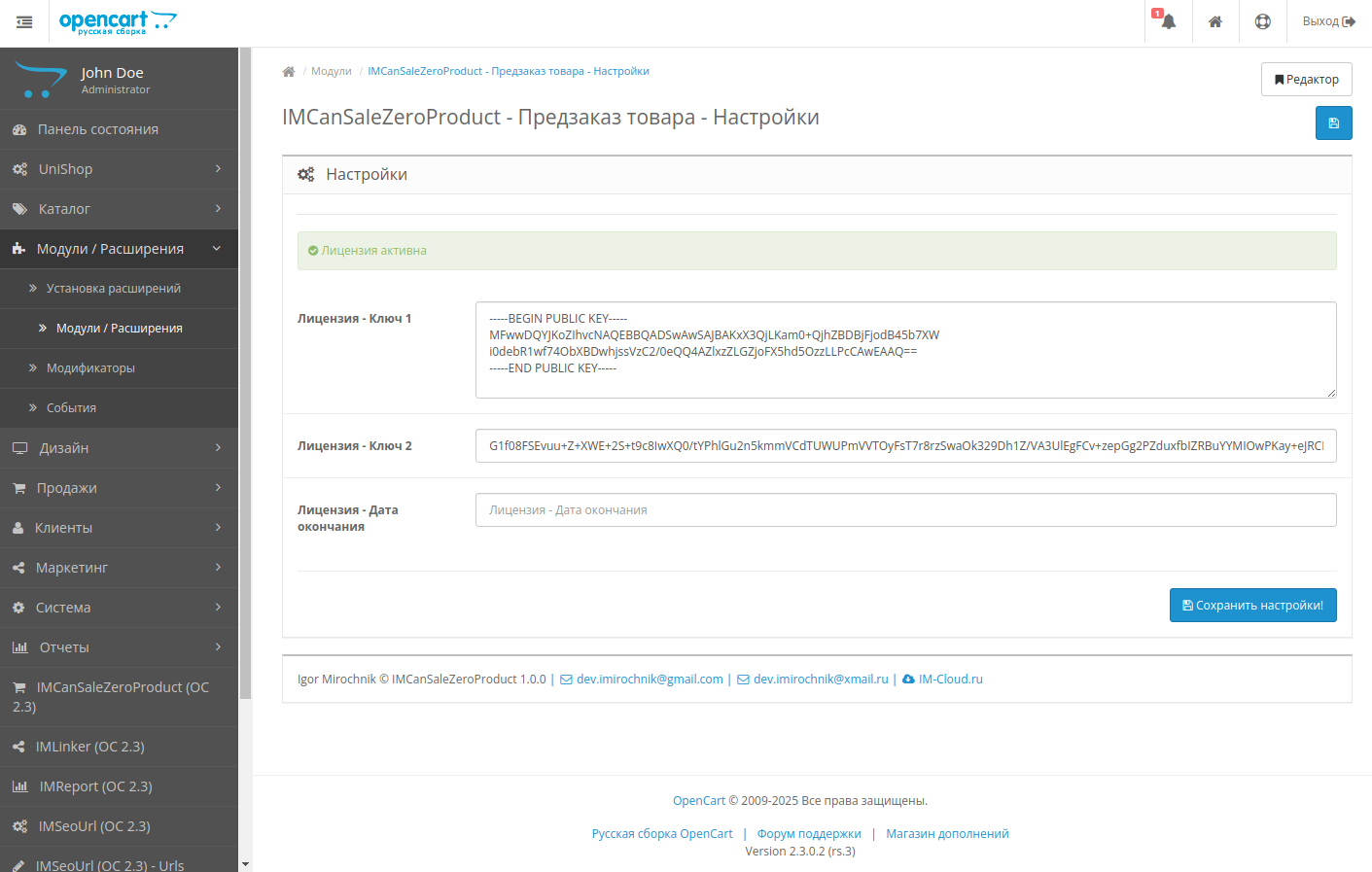
The license key must be entered within 5 days after installing the module. The license key consists of two parts.
Keys must be entered as they were sent, without extra spaces or symbols.
Unauthorized use, copying, resale, transfer of the module to third parties, as well as other methods of distribution, including for informational purposes, are prohibited.
If you have a Russian domain, then you must specify the name that is specified in config.php in the root of the site.
Please note that my modules do not contain any “hard-wired nasty things”. Keys do not require an Internet connection. Therefore, those who purchased the module earlier will not have problems with the license (etc.)
-------------------------------------------------------------------------------------------------
IMCanSaleZeroProduct (OC 2.3) - Pre-order product
Version for OpenCart and ocStore 3 can be foundhere:
https://liveopencart.ru/opencart-moduli-shablony/moduli/zakaz/imcansalezeroproduct-oc-3-predzakaz-tovara
By default, in OpenCart you can either completely enable product pre-ordering or completely disable it. However, this is not very convenient in cases where you need to hold back a certain part of the product or, on the contrary, sell more than you have in stock. You have to manually adjust the quantity of goods or use some other trick.
The good news is that the "IMCanSaleZeroProduct - Product Pre-Order" module allows you to solve this problem in a simple and elegant way by specifying limits.
A simple example. Let's say you have a hardware store. You want to hold back some computers - to do this, simply specify a negative limit value andOpenCart will not let you sell this part of the computers.
Or, let's say, you know that you can always quickly get keyboards and other small equipment. Then, in order not to store more than necessary in the warehouse, simply specify a positive limit value. They'll order more - great. Then you can quickly obtain the required quantity from the supplier. If they don’t order it, that’s great. Excess equipment will not gather dust in the warehouse.
Tested with Simple and in the UniShop template.
Features:
- Ability to set limits for each product separately (both for creating stock and for selling missing ones)
- Ability to enable or disable limits for each product separately
- Ability to set dates and times of limits for each product inseparately
- Editor for quickly filling product limits
OpenCart 2.3 demo (demo / demo)
Link to the editor - http://oc2302rs.im-cloud.ru/admin/index.php?route=extension/module/IMCanSaleZeroProduct
List of products - http://oc2302rs.im-cloud.ru/admin/index.php?route=catalog/product
Features and limitations
1. In order for limits to be applied, you must disable the ability to order with a negative quantity of goods in the store settings.
2. It is required that mbstring.func_overload be set to 0 in the site settings. If you don’t know how to do this, thencheck with your hosting. In most cases, the default value is 0 (you, as a client, do not need to do anything), but some hosting sites set the value to 2. This is relevant in cases where you have problems with keys and module activation.
3. Requires boostrap and jquery
Installation, next versions and use
1. Make a backup of the site
2. Unpack the archive and copy the admin, catalog and system directories to the root of the site.
3. Open the admin panel and install the IMCanSaleZeroProduct module (if this is the next version, then reinstall) so that the necessary tables, etc. are created.
4. Install modifiers imcszp.adm.fastlink.ocmod.xml, imcszp.adm.product.list.ocmod.xml,imcszp.adm.product.ocmod.xml, imcszp.cat.ocmod.xml
5. Update modifiers
License and Use
Made for versions OpenCart 2.3.0.2, ocStore 2.3.0.2, 2.3.0.2.1-2.3.0.2.3
The license applies only to one website (one online store). Those. 1 domain + all subdomains = 1 payment. The license is not issued for TLDs and other domains that allow users to create subdomains. For example, you cannot specify RU or COM.RU as a domain.
A license for a test domain is issued only if it is clear that this test domain cannot be used for a real website (online store).
By purchasing the module, you automatically agree to the textlicenses.
The module has the principle of distribution "as is" ("As is").
The license key must be entered within 5 days after installing the module. The license key consists of two parts.
Keys must be entered as they were sent, without extra spaces or symbols.
Unauthorized use, copying, resale, transfer of the module to third parties, as well as other methods of distribution, including for informational purposes, are prohibited.
If you have a Russian domain, then you must specify the name that is specified in config.php in the root of the site.
Distribution method:
Paid
Opencart version:
OCStore 2.3OpenCart 2.3
PHP verision:
PHP 5.6PHP 7.0PHP 7.1PHP 7.2PHP 7.3
Activation:
Manually, upon request via private messages
Getting files:
On site, in the personal account
Protection system:
Custom
VQmod:
No
Ocmod:
Yes
Events:
No
Uploaded:
07.03.2025
Updated:
23.07.2026
Viewed:
3684
Write a review
Your Name:Your Review: Note: HTML is not translated!
Rating: Bad Good
Enter the code in the box below:
Файлы будут доступны после покупки
Articles about the product
How to reserve part of the stock and set additional pre-order limits in OpenCart using IMCanSaleZeroProduct


