Your shopping cart is empty!

Smart product blocks

Price: 900 ₽ 1 400 ₽

Author: nikifalex
Write to the author
Sales: 3 (Average rating 0 на основании 0 отзывов)
Need paid help? Contact the site administration
Opencart version:
Sales: 3 (Average rating 0 на основании 0 отзывов)
Need paid help? Contact the site administration
Opencart version:
LiveStore 3.*OCStore 3.*OpenCart 3.*
Blocks of recommendations with selection for a specific visitor and a report that shows how much money each block brought. Many algorithms, A/B test of algorithms, accounting for impressions, clicks and revenue.
Why is it needed
The standard “Recommended Products” must be filled out manually, and no one does this in a large catalogue. Modules for similar products cover this part, but show all visitors the same thing and do not answer the question of whether the block pays off at all.
Here the selection comes from behavior: what they watch together, what they buy together, what this visitor personally watched. And next to the block, the revenue that it brought is calculated - based on clicks and orders, and not based on feelings.
Eight algorithms
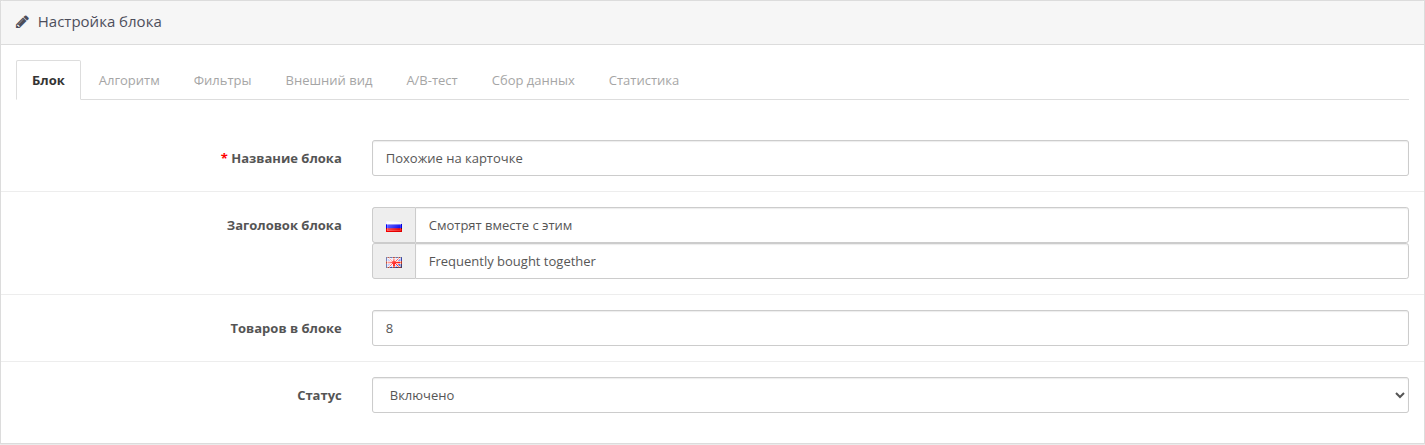
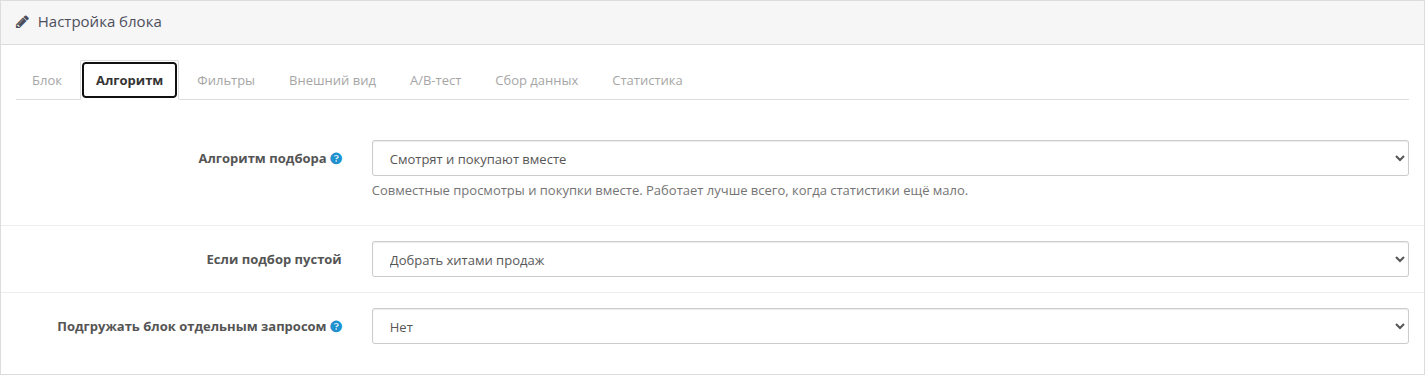
Each block works one at a timealgorithm. You can create as many blocks as you like and arrange them on different pages.
Revenue report
The module remembers clicks on products in the block. When such an item is included in the order and the order reaches the credit status, its amount is credited to the block account.
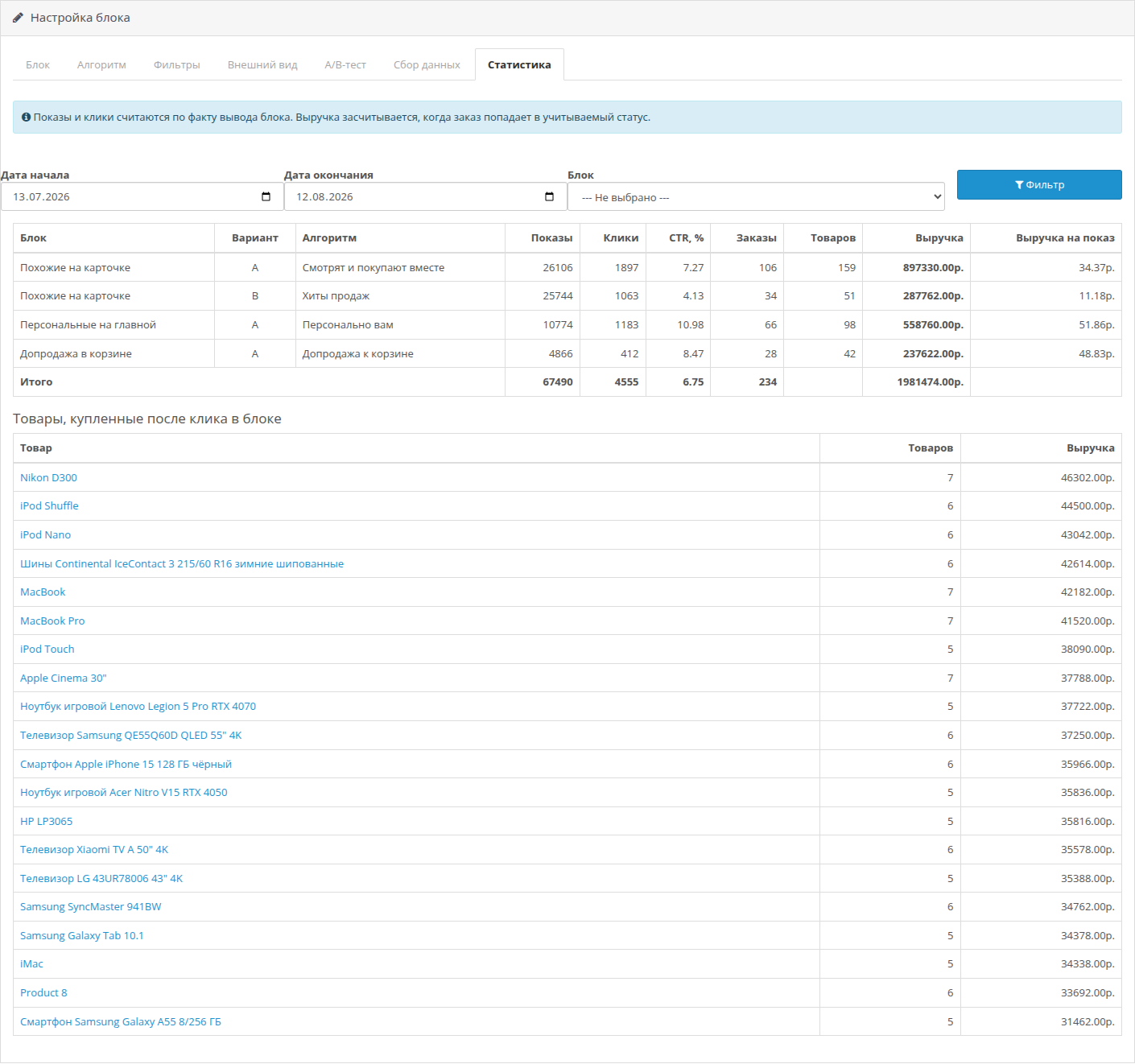
In the report for each block you can seeimpressions, clicks, CTR, orders, number of items sold, revenue and revenue per impression:
A separate table shows products that are most often purchased after a click in the block, with a link to the card in the admin panel.
The amount of a specific order line is counted, not the entire receipt. If a buyer came to buy a refrigerator and added an extension cord from the block, the extension cord will be counted towards the block. Such a report can be used to decide whether to leave the block or remove it; a completely assigned basket is not suitable for this.
The attribution window is configurable, the default is 14 days. Canceled and unfinished orders do not count towards revenue:the list of credit statuses is set in the settings, and when the order status changes, the amount automatically appears in the report or leaves it.
A/B-test of algorithms
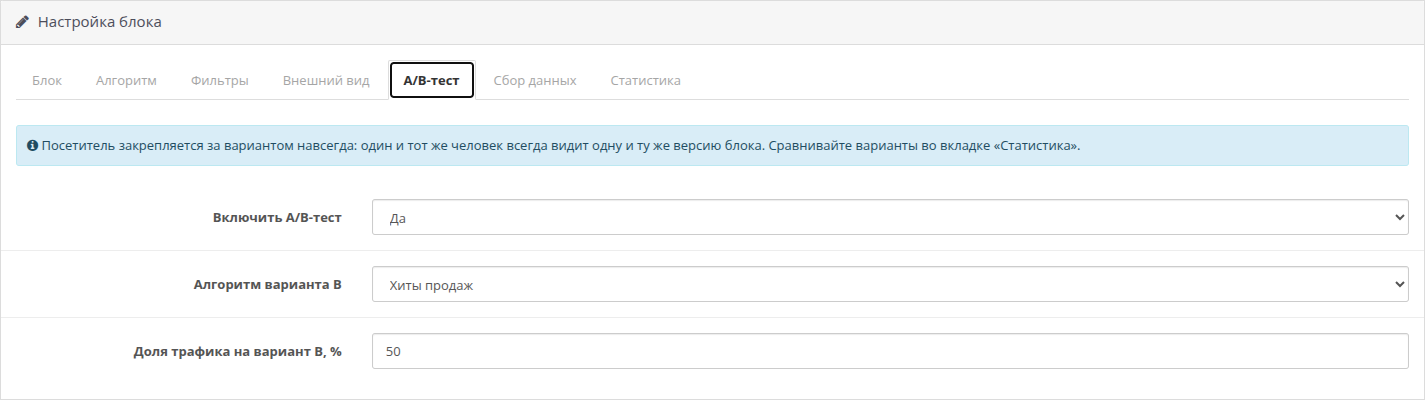
The block has a second algorithm and the share of traffic that will see it. Then all that remains is to wait and compare the two lines in the report.
The visitor is assigned to his version: today, tomorrow and in a month he sees the same version of the block. This is important because otherwise the comparison means nothing.
Most often, this is how they check whether personalization is needed: option A - “Personally for you”, option B - “Bestsellers”. After a couple of weeks, you can see from the revenue whether it was worth the hassle.
How personalization works
The module maintains the visitor’s profile: category and manufacturer weights, familiarprice range, history of interactions with products.
Viewing, adding to cart, and purchasing have different weights—the default is 1, 3, and 5. The weights are customizable.
Interest wanes: after a half-life (default 14 days), the event weighs half as much. A product that was looked at yesterday pulls its ties stronger than the one that was opened a month ago.
Guest and registered buyer - one person. After logging into the account, the history accumulated before registration is tied to the buyer and is not lost.
What goes into the block
If there are fewer suitable products than needed, the block is filled with bestsellers, and if there are not enough sales - with new products. A half-empty row on the storefront looks like a layout failure, so the addition is enabled by default. You can switch it to new items or turn it off completely - then the block simply won’t appear.
Output on the website
Visitor data
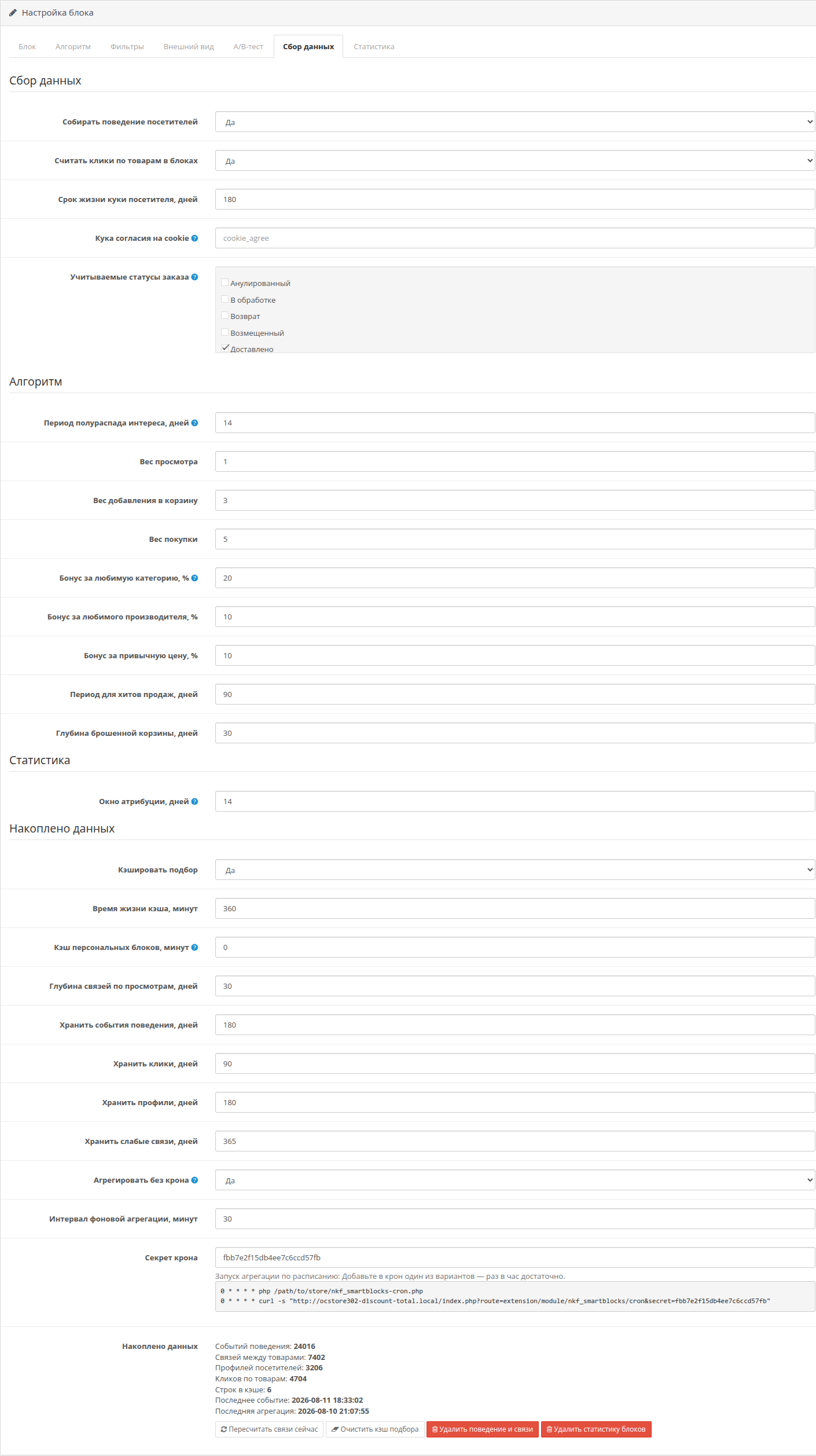
The module stores an anonymized browser identifier in a cookie and the history of browsing, carts and purchases. Names, phone numbers, addresses andE-mails are not collected or transmitted anywhere.
If the site has a cookie consent banner, specify the name of its cookie in the module settings. Until consent is received, the module will not set its cookie and will not record any events, and the blocks will continue to work on algorithms that do not need the visitor’s history.
Retention periods are set separately for events, clicks and profiles. Outdated records are deleted automatically; there is no need to manually clean the database.
Load
Heavy calculations are taken out of the display case. Relationships between products and visitor profiles are recalculated in batches according to a schedule, and only a selection of the finished result with caching remains on the page.
Cron is configured either by a CLI script or by requesting an address with a secret key - both options are shown directly in the settingsmodule, you can copy it to the terminal as is. If there is no crown, the module can catch up with calculations in the background on the display case in small portions.
In the admin panel you can see how much data has been accumulated and when the last aggregation was, there are also recalculation and clearing buttons.
Installation without kernel changes
The module does not modify OpenCart files and does not use modifiers (ocmod). It is installed normally via “Installing extensions”, then the block is added to the layout of the desired page. There is no need to update modifiers or clear their cache.
Specifications
Why is it needed
The standard “Recommended Products” must be filled out manually, and no one does this in a large catalogue. Modules for similar products cover this part, but show all visitors the same thing and do not answer the question of whether the block pays off at all.
Here the selection comes from behavior: what they watch together, what they buy together, what this visitor personally watched. And next to the block, the revenue that it brought is calculated - based on clicks and orders, and not based on feelings.
Eight algorithms
Each block works one at a timealgorithm. You can create as many blocks as you like and arrange them on different pages.
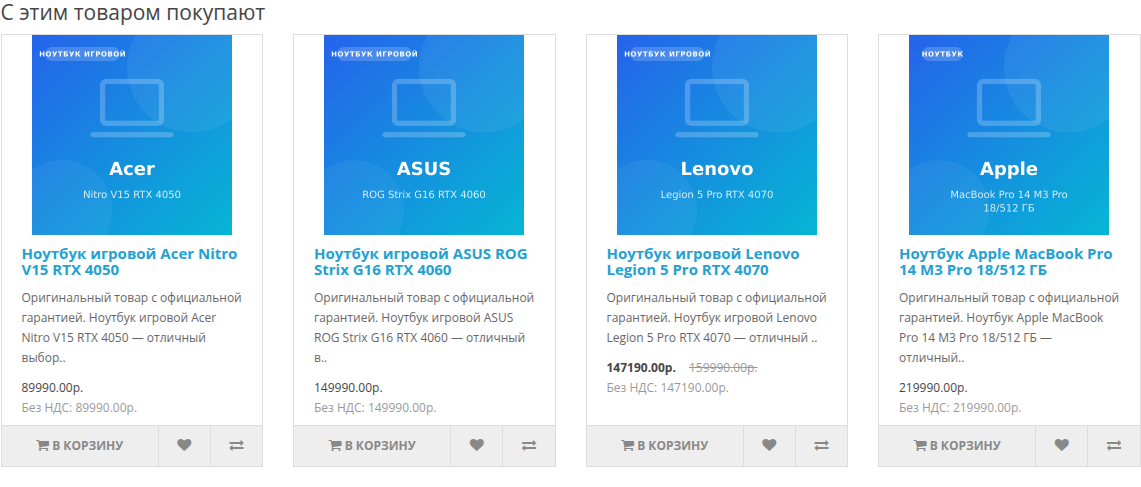
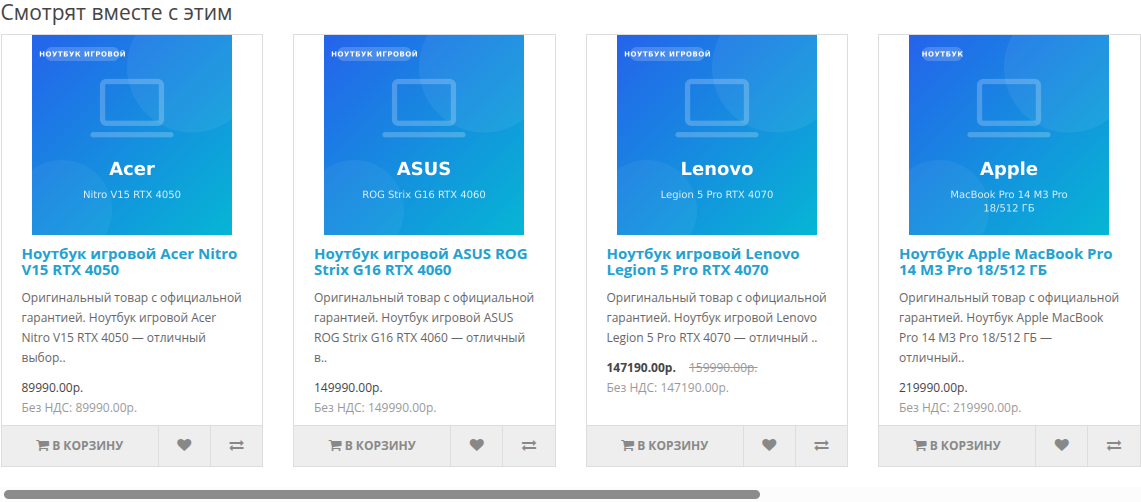
- They look at this. Products that visitors open along with the current one. Works on any store with traffic, even if there have been no sales yet.
- They buy with this. Products from the same orders. It is calculated based on the store’s entire order history, including those accumulated before installing the module.
- They look and buy together. Both signals at once. It makes sense to start with this algorithm.
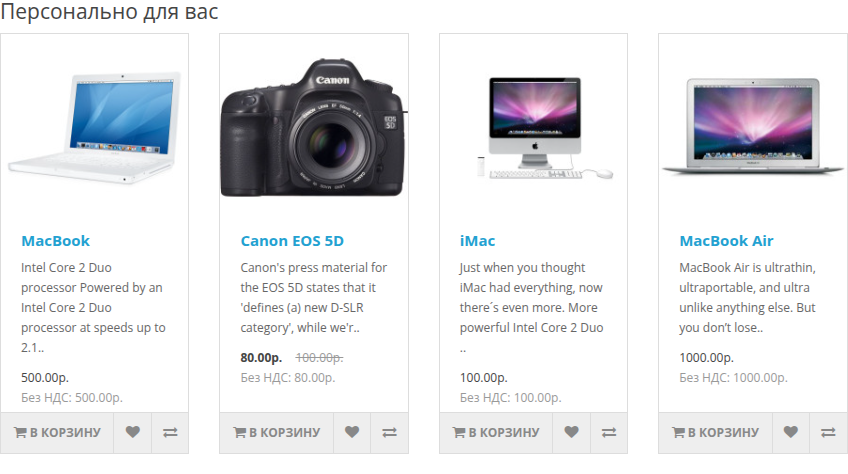
- Personally for you. Selection based on the behavior of a specific visitor. For the main page and personal account.
- Youviewed. Recently viewed. The simplest block and usually the most clickable.
- Abandoned cart. Items that were placed in the cart and not purchased. What is currently in the basket is removed from the block.
- Upsell to cart. Match to the current contents of the cart. For cart and checkout page.
- Best sellers. Best sellers for the period, by default 90 days.
Revenue report
The module remembers clicks on products in the block. When such an item is included in the order and the order reaches the credit status, its amount is credited to the block account.
In the report for each block you can seeimpressions, clicks, CTR, orders, number of items sold, revenue and revenue per impression:
Similar to card A 4,210 impressions 320 clicks 7.6% 18 orders RUB 96,400
Personal on the main page A 1,870 impressions 204 clicks 10.9% 11 orders RUB 71,250
A separate table shows products that are most often purchased after a click in the block, with a link to the card in the admin panel.
The amount of a specific order line is counted, not the entire receipt. If a buyer came to buy a refrigerator and added an extension cord from the block, the extension cord will be counted towards the block. Such a report can be used to decide whether to leave the block or remove it; a completely assigned basket is not suitable for this.
The attribution window is configurable, the default is 14 days. Canceled and unfinished orders do not count towards revenue:the list of credit statuses is set in the settings, and when the order status changes, the amount automatically appears in the report or leaves it.
A/B-test of algorithms
The block has a second algorithm and the share of traffic that will see it. Then all that remains is to wait and compare the two lines in the report.
The visitor is assigned to his version: today, tomorrow and in a month he sees the same version of the block. This is important because otherwise the comparison means nothing.
Most often, this is how they check whether personalization is needed: option A - “Personally for you”, option B - “Bestsellers”. After a couple of weeks, you can see from the revenue whether it was worth the hassle.
How personalization works
The module maintains the visitor’s profile: category and manufacturer weights, familiarprice range, history of interactions with products.
Viewing, adding to cart, and purchasing have different weights—the default is 1, 3, and 5. The weights are customizable.
Interest wanes: after a half-life (default 14 days), the event weighs half as much. A product that was looked at yesterday pulls its ties stronger than the one that was opened a month ago.
Guest and registered buyer - one person. After logging into the account, the history accumulated before registration is tied to the buyer and is not lost.
The personal block does not start working right away: while the visitor does not have a story, he sees a selection from the collection. This is normal and applies to any recommendation engine.
What goes into the block
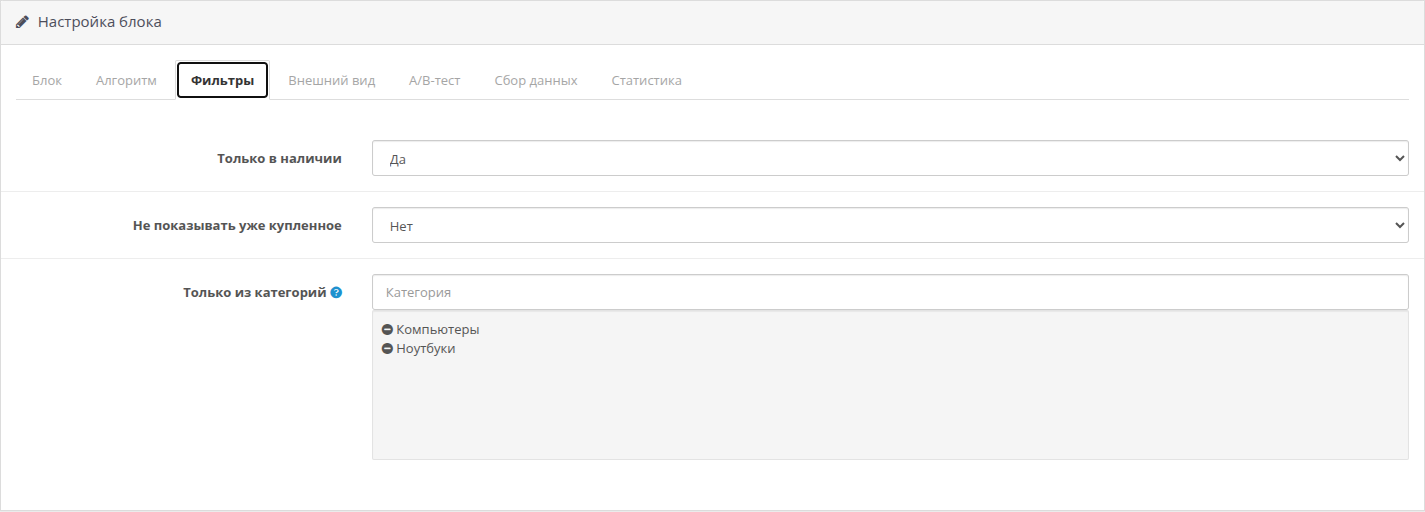
- Only includedproducts of the current store with the current availability date.
- Optional - only items in stock.
- Optional - restriction by category.
- Optional - hide what the visitor has already purchased.
- The current product and what is in the cart are automatically removed from the selection.
If there are fewer suitable products than needed, the block is filled with bestsellers, and if there are not enough sales - with new products. A half-empty row on the storefront looks like a layout failure, so the addition is enabled by default. You can switch it to new items or turn it off completely - then the block simply won’t appear.
Output on the website
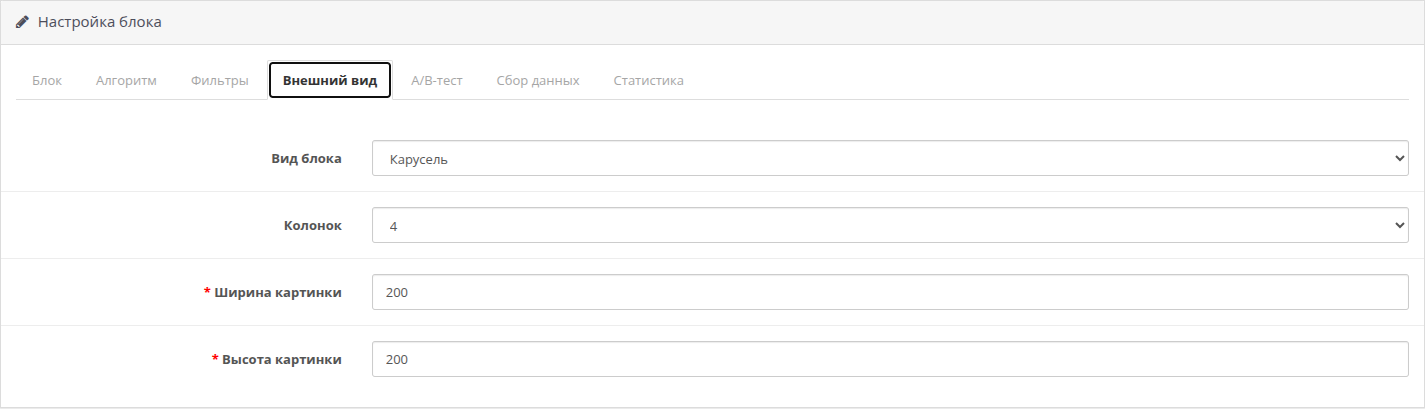
- Grid withcustomizable number of columns or horizontal scrolling.
- Custom block header for each store language.
- The size of pictures and the number of products are customizable.
- The markup coincides with the standard “Recommended Products” block, so the theme design is picked up without changes.
- Separate mode for loading a block by request after loading a page - for stores where pages are served from the cache. Without it, the personal selection of the first visitor would have ended up in the general cache and gone to everyone else.
Visitor data
The module stores an anonymized browser identifier in a cookie and the history of browsing, carts and purchases. Names, phone numbers, addresses andE-mails are not collected or transmitted anywhere.
If the site has a cookie consent banner, specify the name of its cookie in the module settings. Until consent is received, the module will not set its cookie and will not record any events, and the blocks will continue to work on algorithms that do not need the visitor’s history.
Retention periods are set separately for events, clicks and profiles. Outdated records are deleted automatically; there is no need to manually clean the database.
Load
Heavy calculations are taken out of the display case. Relationships between products and visitor profiles are recalculated in batches according to a schedule, and only a selection of the finished result with caching remains on the page.
Cron is configured either by a CLI script or by requesting an address with a secret key - both options are shown directly in the settingsmodule, you can copy it to the terminal as is. If there is no crown, the module can catch up with calculations in the background on the display case in small portions.
In the admin panel you can see how much data has been accumulated and when the last aggregation was, there are also recalculation and clearing buttons.
Installation without kernel changes
The module does not modify OpenCart files and does not use modifiers (ocmod). It is installed normally via “Installing extensions”, then the block is added to the layout of the desired page. There is no need to update modifiers or clear their cache.
Specifications
- Module version: 1.0
- Compatibility: OpenCart 3.0.x, ocStore 3.0.x
- VersionPHP: 7.0 and later, including PHP 8
- Database: MySQL, MariaDB
- Kernel edits: not required
- Modifiers (ocmod): are not used
- Interface languages: Russian, English
- Multi-store: is supported, statistics are kept for each store separately
- Multilingual: supported, title set for each language
- Number of blocks: is not limited, each has its own algorithm and its place inlayout
- CZK: preferred, but not required
- Installation: standard, via “Installing extensions”
- Source code: open, without encryption and domain binding
Distribution method:
Paid
Opencart version:
LiveStore 3.*OCStore 3.*OpenCart 3.*
PHP verision:
PHP 7.0PHP 7.1PHP 7.2PHP 7.3PHP 7.4PHP 8.0PHP 8.1PHP 8.2PHP 8.3
Activation:
Automatic
Getting files:
On site, in the personal account
Protection system:
Custom
VQmod:
No
Ocmod:
Yes
Events:
Yes
Uploaded:
10.08.2026
Updated:
16.09.2026
Viewed:
799
Sales:
3
Write a review
Your Name:Your Review: Note: HTML is not translated!
Rating: Bad Good
Enter the code in the box below:
Файлы будут доступны после покупки


