Your shopping cart is empty!

Popup Cart Popup

Price: 1 500 ₽

Author: Ягуша
Write to the author
Sales: 3 (Average rating 0 на основании 0 отзывов)
Need paid help? Contact the site administration
Opencart version:
Sales: 3 (Average rating 0 на основании 0 отзывов)
Need paid help? Contact the site administration
Opencart version:
OpenCart 3.*LiveStore 3.*OCStore 3.*
The “Popup Cart” module is an innovative solution for your online store!
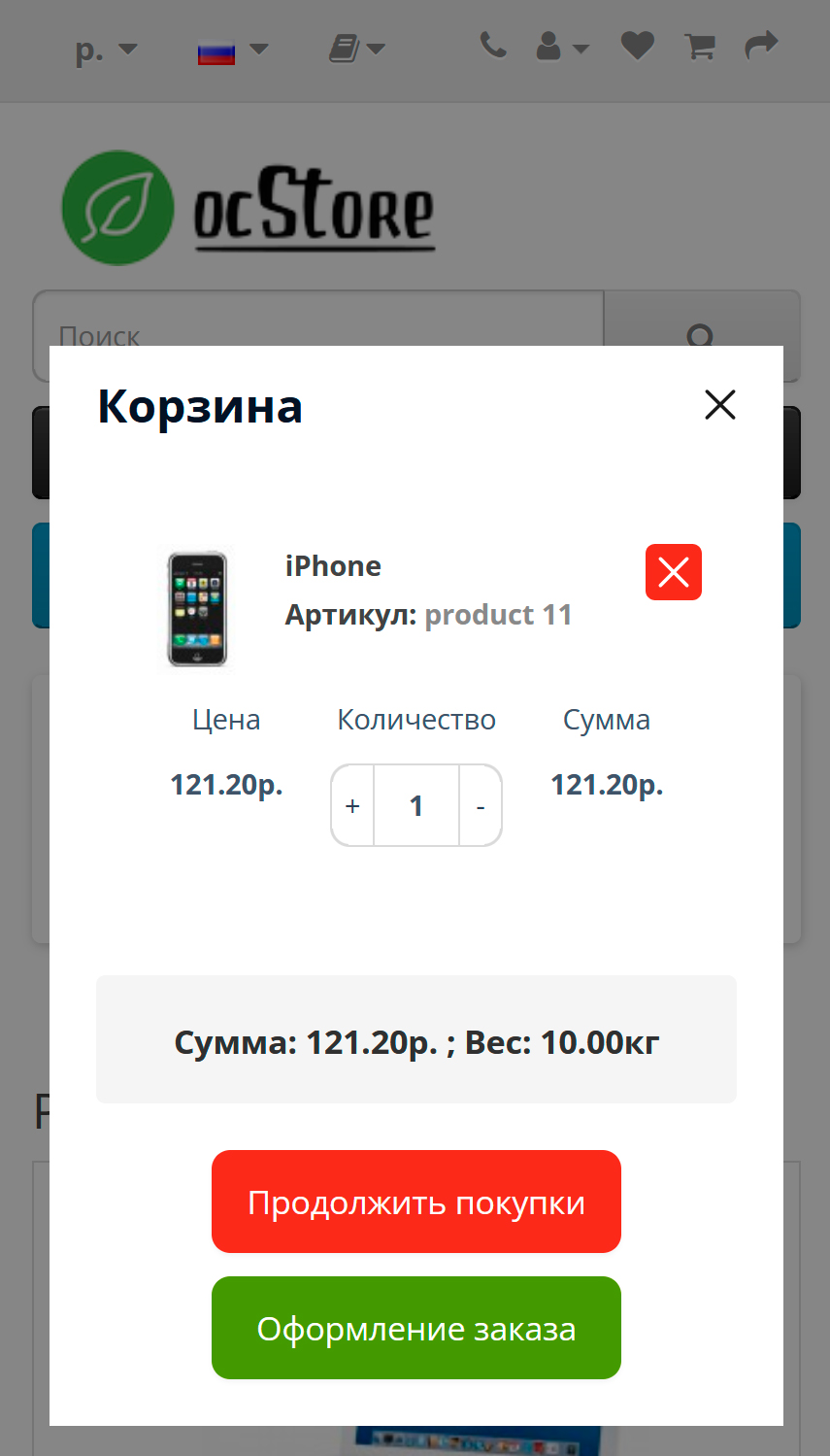
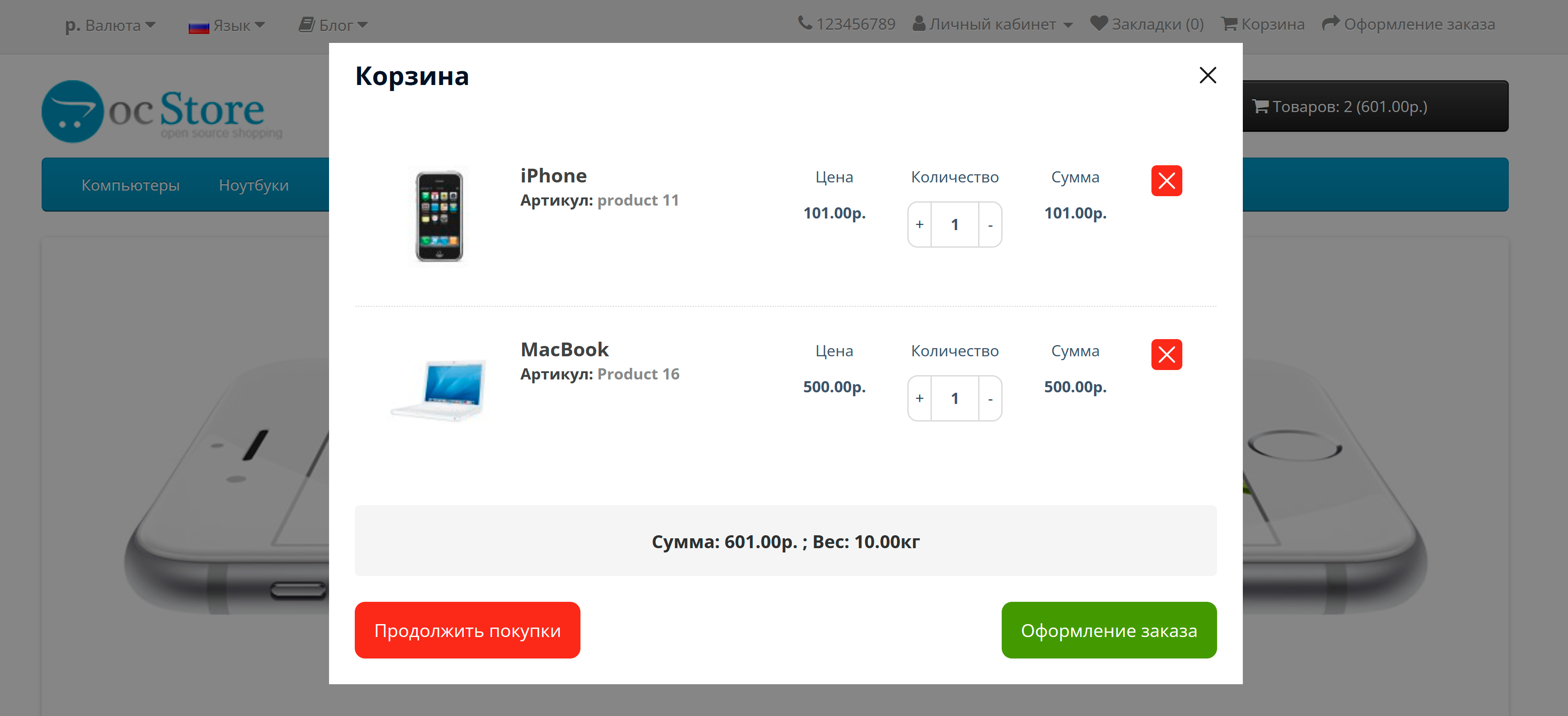
This module allows customers to quickly and conveniently add, view, edit products in the shopping cart, proceed to checkout, or continue shopping. After adding a product to the cart, the "Buy" button in the catalog and on the product page are automatically replaced with the text "Already in the cart". This allows customers to easily and quickly identify which products they have already selected to purchase, making the shopping experience even more convenient.
In the module settings, you can set selectors for the “Buy” button. To flexibly adapt the module to the specific needs of your store, various options for displaying the order basket are provided. You can choosedisplay with product image, article number (model), options and cart weight.
Module installation:
1. Upload the module via the admin panel - in the Installing extensions section, select the module archive.
2. Update the cache in the Modifications section
3. Go to the Extensions section, enable the Pop-up cart module and make the necessary settings.
I will adapt it to your design professionally, efficiently and quickly.
A demo of the module can be viewed here
Don't miss the opportunity to make shopping even more comfortable and enjoyable! Install the Pop-up Cart module right now and enjoy
convenience and simplicity of the process!
This module allows customers to quickly and conveniently add, view, edit products in the shopping cart, proceed to checkout, or continue shopping. After adding a product to the cart, the "Buy" button in the catalog and on the product page are automatically replaced with the text "Already in the cart". This allows customers to easily and quickly identify which products they have already selected to purchase, making the shopping experience even more convenient.
In the module settings, you can set selectors for the “Buy” button. To flexibly adapt the module to the specific needs of your store, various options for displaying the order basket are provided. You can choosedisplay with product image, article number (model), options and cart weight.
Module installation:
1. Upload the module via the admin panel - in the Installing extensions section, select the module archive.
2. Update the cache in the Modifications section
3. Go to the Extensions section, enable the Pop-up cart module and make the necessary settings.
I will adapt it to your design professionally, efficiently and quickly.
A demo of the module can be viewed here
Don't miss the opportunity to make shopping even more comfortable and enjoyable! Install the Pop-up Cart module right now and enjoy
convenience and simplicity of the process!
Distribution method:
AllPaid
Opencart version:
OpenCart 3.*LiveStore 3.*OCStore 3.*
Getting files:
On site, in the personal account
Ocmod:
Yes
Uploaded:
18.12.2024
Updated:
19.12.2024
Viewed:
4426
Sales:
3
Write a review
Your Name:Your Review: Note: HTML is not translated!
Rating: Bad Good
Enter the code in the box below:
Файлы будут доступны после покупки


