Your shopping cart is empty!

Unishop2 Category Wall - Custom category names and images

Price: free
Author: Tom
Write to the author
Need paid help? Contact the site administration
Opencart version:
Need paid help? Contact the site administration
Opencart version:
LiveStore 3.*OCStore 3.*OpenCart 3.*
Unishop2 Category wall - Custom category names and images
Modifier for module Category wall v2 in template Unishop 2.
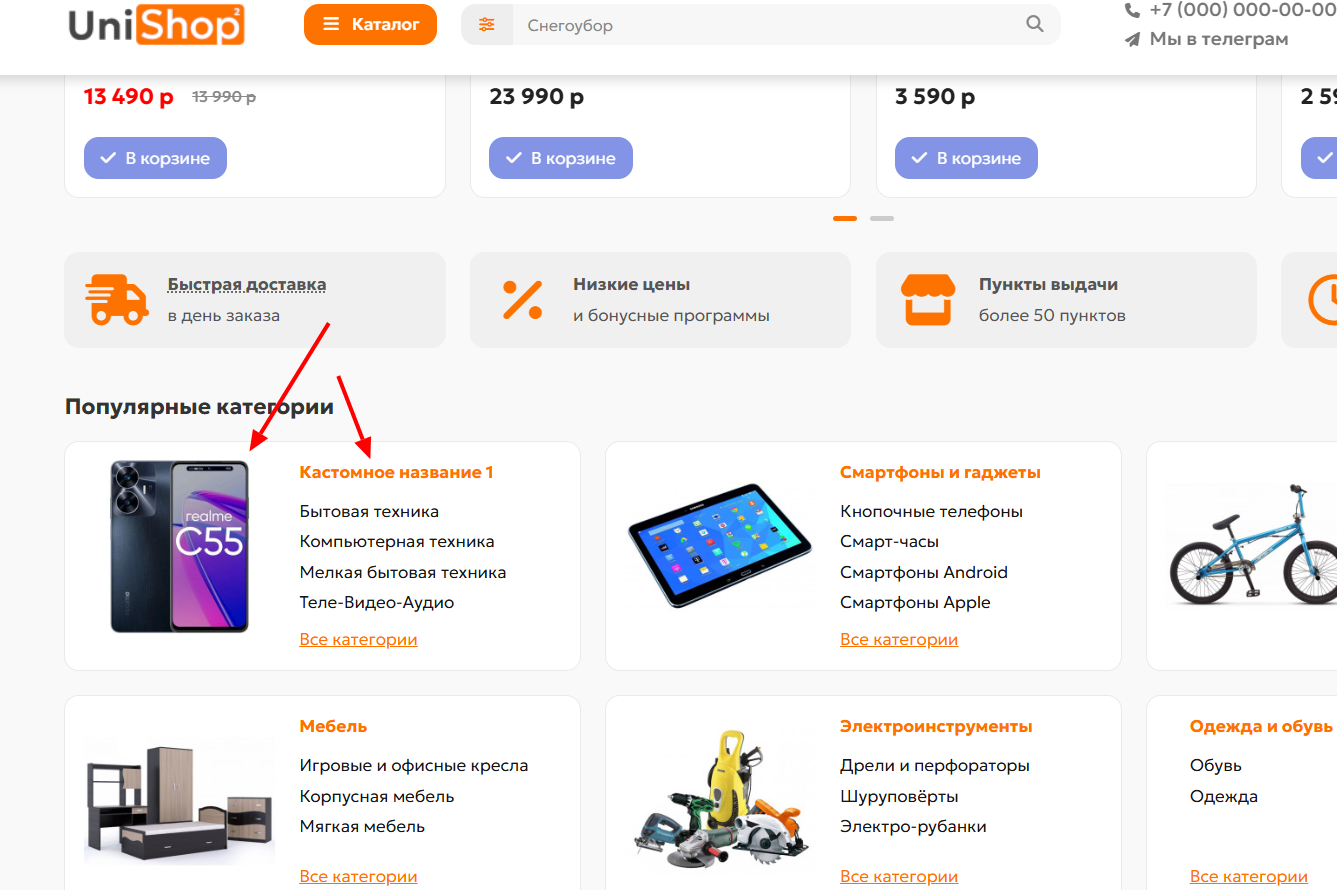
By default, in the module, the names for categories and their images are taken from the data of the categories themselves; the modifier allows you to use both a name and an image different from those specified in the categories themselves.
Detailed description:
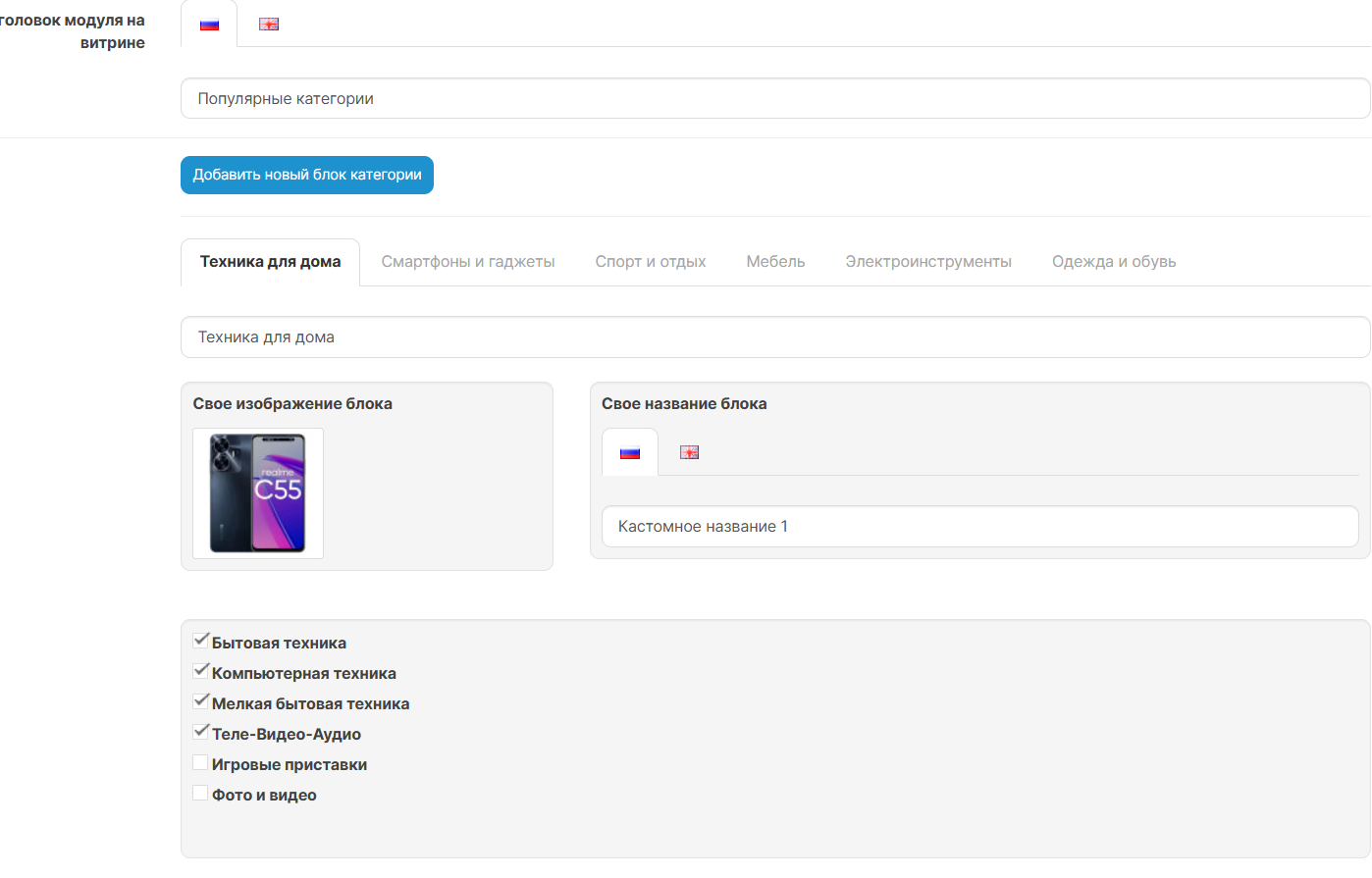
The extension adds two additional features for each category wall block:
What the modifier can do
Logic of operation
Advantages
Installation:
Standardly through the admin panel Extensions - Install extensions.
After installation, update the modifier cache.
04/23/2026 UPD
Added a function with the ability to add arbitrary blocks, with any name, links and sub-links.
Archive name - UniCategoryWallCustomNameCustomBlock.ocmod.zipIMPORTANT! You do not need to put both modifiers.
For coffee!
Modifier for module Category wall v2 in template Unishop 2.
By default, in the module, the names for categories and their images are taken from the data of the categories themselves; the modifier allows you to use both a name and an image different from those specified in the categories themselves.
Detailed description:
The extension adds two additional features for each category wall block:
- Custom multilingual block name
- Your block image
What the modifier can do
- Adds a separate field Custom block name for each main category in the module
- The title field works on language tabs, on the same principle as the standard parameter Module title on the storefront
- Adds a separate field Your block image with the usual OpenCart image selection
- Separatesblock settings into 2 parts: left image, right name
- Does not change the logic of child categories, links, sorting and general module settings
Logic of operation
- If the custom name is filled in, it will be displayed on the storefront
- If the custom name is not filled in, the usual category name is displayed
- If you select your own block image, it is used on the storefront
- If your image is not selected,the standard image of the category
Advantages
- Allows you to set more understandable and selling block names without renaming the categories themselves
- Allows you to use separate images for the category wall without changing the main category image
- Works as standalone OCMOD modifier
- Does not require manual editing of template files
- OpenCart / ocStore 3.x
- Template Unishop 2
- Module Category wall v2
Installation:
Standardly through the admin panel Extensions - Install extensions.
After installation, update the modifier cache.
04/23/2026 UPD
Added a function with the ability to add arbitrary blocks, with any name, links and sub-links.
Archive name - UniCategoryWallCustomNameCustomBlock.ocmod.zipIMPORTANT! You do not need to put both modifiers.
For coffee!
Distribution method:
Free
Opencart version:
LiveStore 3.*OCStore 3.*OpenCart 3.*
PHP verision:
PHP 7.3PHP 7.4
Activation:
Not required
Getting files:
On site, in the personal account
Protection system:
No
VQmod:
No
Ocmod:
Yes
Events:
No
Uploaded:
19.04.2026
Updated:
05.10.2026
Viewed:
1839
Write a review
Your Name:Your Review: Note: HTML is not translated!
Rating: Bad Good
Enter the code in the box below:
To download this free product, you do not need to order it, just log in.


