Your shopping cart is empty!

Sticky notes for the control panel
Price: 350 ₽
Author: Tom
Write to the author
Sales: 1 (Average rating 0 на основании 0 отзывов)
Need paid help? Contact the site administration
Opencart version:
Sales: 1 (Average rating 0 на основании 0 отзывов)
Need paid help? Contact the site administration
Opencart version:
LiveStore 3.*OCStore 3.*
BRIEF ABOUT THE MODULE
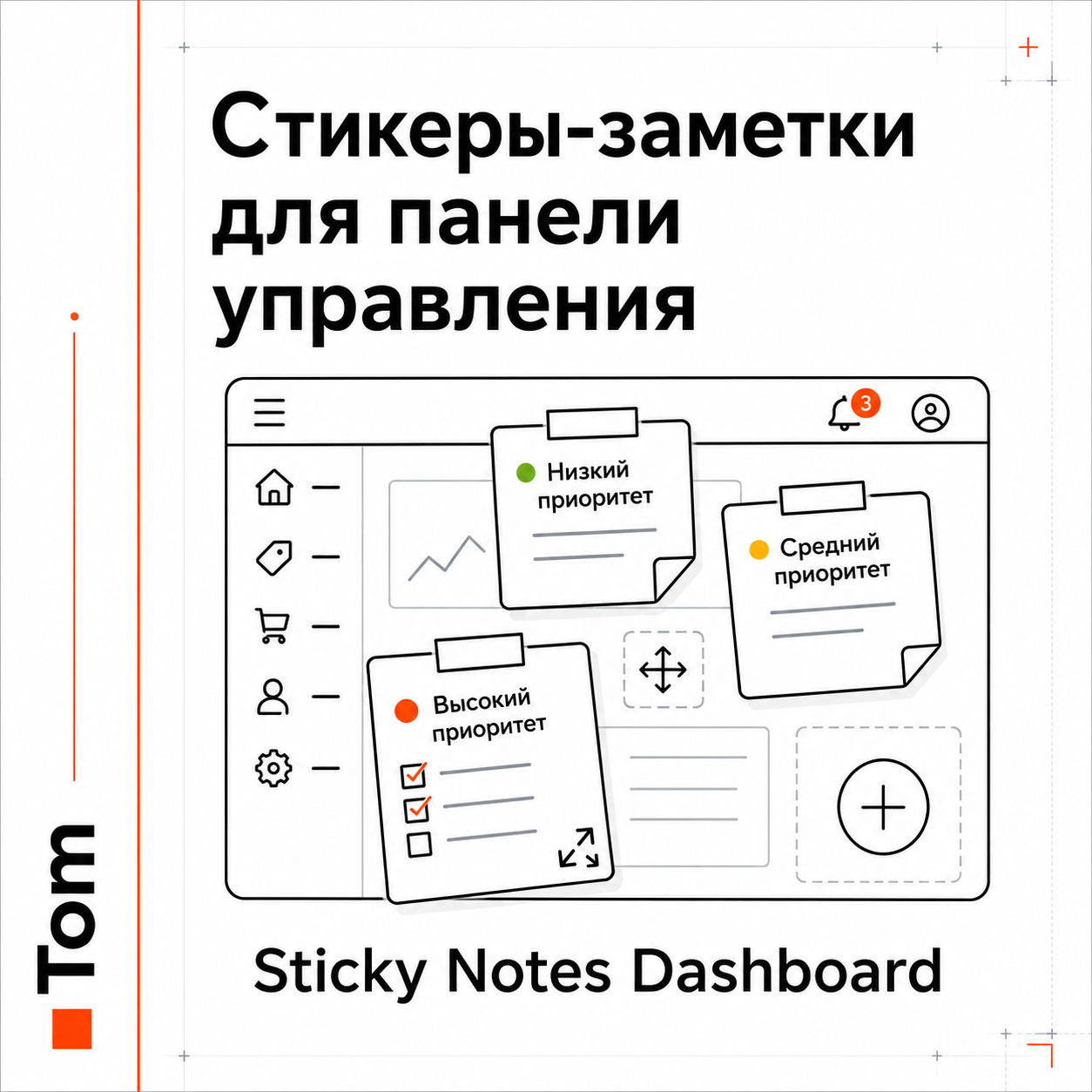
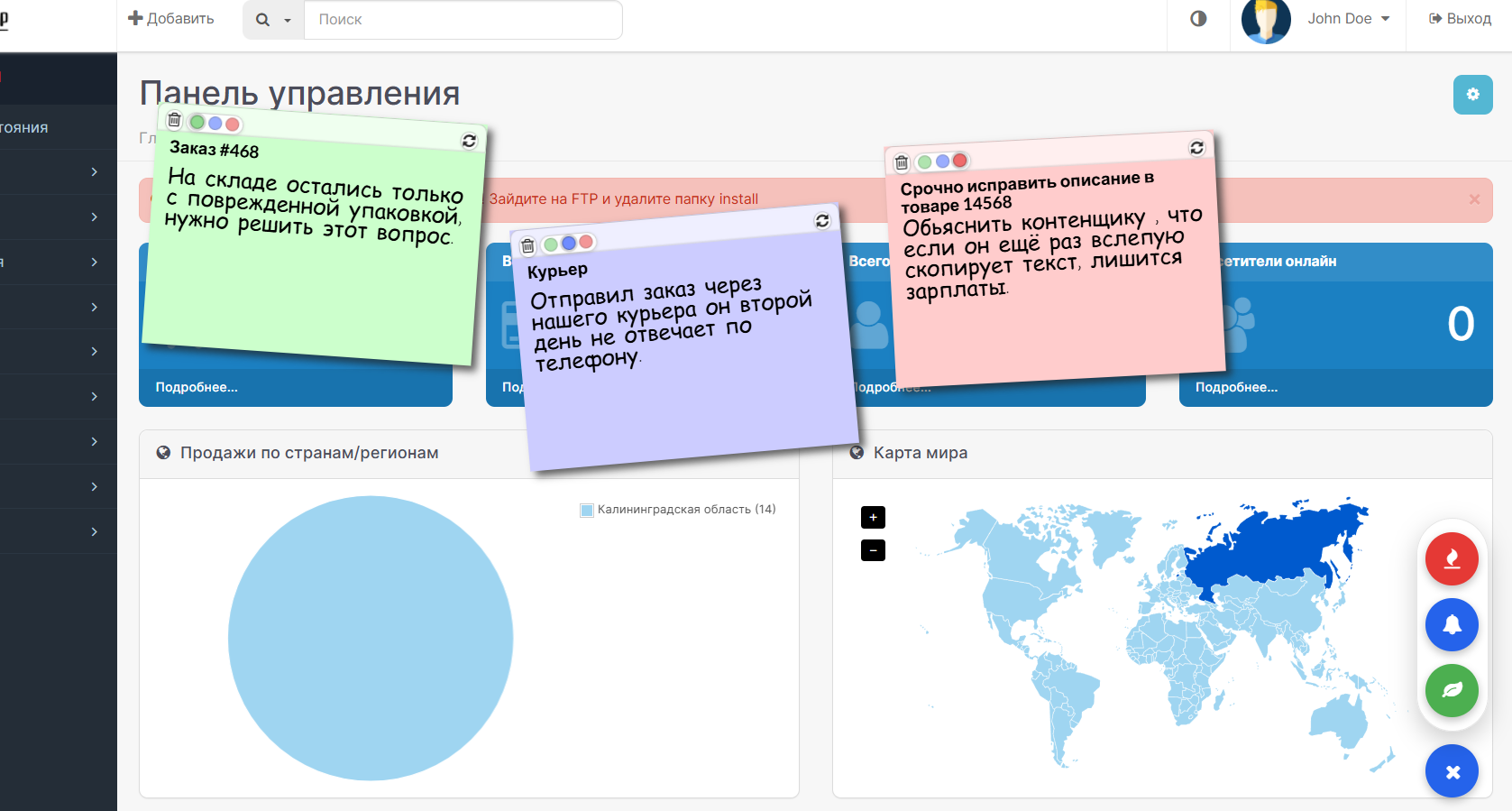
Virtual reminder stickers directly on the control panel of your
store. It's like real paper stickers on a monitor - only
inside the OpenCart admin panel. Write down tasks, ideas and reminders,
and they will always be before your eyes.
Notes are seen only by the store team. Buyers never see them.
WHY IS THIS NEEDED
- Write down the task so you don’t forget.
- Leave a message to a work colleague.
- Mark an urgent matter with a bright color.
- Keep a list of ideas at hand.
- Remind yourself about the promotion, order or call to the supplier.
OPPORTUNITIES
- Drag and drop. Take the sticker by the top strip and place it
anywhere on the screen. The note will remain where you put it.
- Changesize. Pull the corner of the sticker - make it
more for long text or less for short notes.
- Three levels of importance (by color):
* Green - low importance (can wait);
* Blue - medium importance (normal task);
* Red - high importance (urgent matter).
- Autosave. Everything you write is saved on its own.
There is no need to look for the “Save” button.
- Common board for all administrators. Everyone sees and edits
the same notes - it’s convenient to leave messages to each other.
- Counter in the header. On other admin pages it appears at the top
a small icon with the number of notes and one click takes you back
on the board. The color of the icon depends on the most important note.
- Unlimited number of notes.
- Two interface languages: Russian andEnglish.
HOW TO USE
1. Open the “Control Panel” - stickers are shown on top of it.
2. Click the round “+” button in the lower right corner of the screen.
3. Select note importance (high / medium / low) -
A new sticker of the desired color will appear.
4. Click on the sticker and enter the title and text.
5. Move the sticker by the top strip, change the size by the corner.
6. Colored dots change importance, the trash can icon deletes the note.
INSTALLATION
1. Download the file sticky_note.ocmod.zip (no need to unpack).
2. Administrator: “Extensions” → “Install extensions” → download the zip file.
3. “Extensions” → “Modifications” → click “Update” (button with
arrows at top right).
4. “Extensions” → “Modules” → find “Sticky Notes”→ “Install”.
5. Click “Edit” → in the “Status” field, select “Enabled” →
"Save."
6. Open the “Control Panel” - the sticker board is ready.
COMPATIBILITY AND TECHNICAL DETAILS
- Compatibility: OpenCart 3.x.
- Installed from the admin panel.
- Where it is shown: only in the admin panel (control panel and icon
in the hat). Nothing appears on the store window.
- Does not include third-party CSS/JS libraries.
- Interacts neatly with the engine and is easily turned off.
- Notes are stored in a separate database table. When disconnected
module they are not deleted: turn it on again - the stickers will return
to their places.
Virtual reminder stickers directly on the control panel of your
store. It's like real paper stickers on a monitor - only
inside the OpenCart admin panel. Write down tasks, ideas and reminders,
and they will always be before your eyes.
Notes are seen only by the store team. Buyers never see them.
WHY IS THIS NEEDED
- Write down the task so you don’t forget.
- Leave a message to a work colleague.
- Mark an urgent matter with a bright color.
- Keep a list of ideas at hand.
- Remind yourself about the promotion, order or call to the supplier.
OPPORTUNITIES
- Drag and drop. Take the sticker by the top strip and place it
anywhere on the screen. The note will remain where you put it.
- Changesize. Pull the corner of the sticker - make it
more for long text or less for short notes.
- Three levels of importance (by color):
* Green - low importance (can wait);
* Blue - medium importance (normal task);
* Red - high importance (urgent matter).
- Autosave. Everything you write is saved on its own.
There is no need to look for the “Save” button.
- Common board for all administrators. Everyone sees and edits
the same notes - it’s convenient to leave messages to each other.
- Counter in the header. On other admin pages it appears at the top
a small icon with the number of notes and one click takes you back
on the board. The color of the icon depends on the most important note.
- Unlimited number of notes.
- Two interface languages: Russian andEnglish.
HOW TO USE
1. Open the “Control Panel” - stickers are shown on top of it.
2. Click the round “+” button in the lower right corner of the screen.
3. Select note importance (high / medium / low) -
A new sticker of the desired color will appear.
4. Click on the sticker and enter the title and text.
5. Move the sticker by the top strip, change the size by the corner.
6. Colored dots change importance, the trash can icon deletes the note.
INSTALLATION
1. Download the file sticky_note.ocmod.zip (no need to unpack).
2. Administrator: “Extensions” → “Install extensions” → download the zip file.
3. “Extensions” → “Modifications” → click “Update” (button with
arrows at top right).
4. “Extensions” → “Modules” → find “Sticky Notes”→ “Install”.
5. Click “Edit” → in the “Status” field, select “Enabled” →
"Save."
6. Open the “Control Panel” - the sticker board is ready.
COMPATIBILITY AND TECHNICAL DETAILS
- Compatibility: OpenCart 3.x.
- Installed from the admin panel.
- Where it is shown: only in the admin panel (control panel and icon
in the hat). Nothing appears on the store window.
- Does not include third-party CSS/JS libraries.
- Interacts neatly with the engine and is easily turned off.
- Notes are stored in a separate database table. When disconnected
module they are not deleted: turn it on again - the stickers will return
to their places.
Distribution method:
Paid
Opencart version:
LiveStore 3.*OCStore 3.*
PHP verision:
PHP 7.3PHP 7.4
Activation:
Not required
Getting files:
On author's site, after purchase
Protection system:
No
VQmod:
No
Ocmod:
Yes
Events:
No
Uploaded:
06.07.2026
Updated:
19.07.2026
Viewed:
846
Sales:
1
Write a review
Your Name:Your Review: Note: HTML is not translated!
Rating: Bad Good
Enter the code in the box below:
Файлы будут доступны после покупки


