Your shopping cart is empty!

Dark theme for admin panel
Price: 250 ₽
Author: Tom
Write to the author
Sales: 4 (Average rating 0 на основании 0 отзывов)
Need paid help? Contact the site administration
Opencart version:
Sales: 4 (Average rating 0 на основании 0 отзывов)
Need paid help? Contact the site administration
Opencart version:
LiveStore 3.*OpenCart 3.*
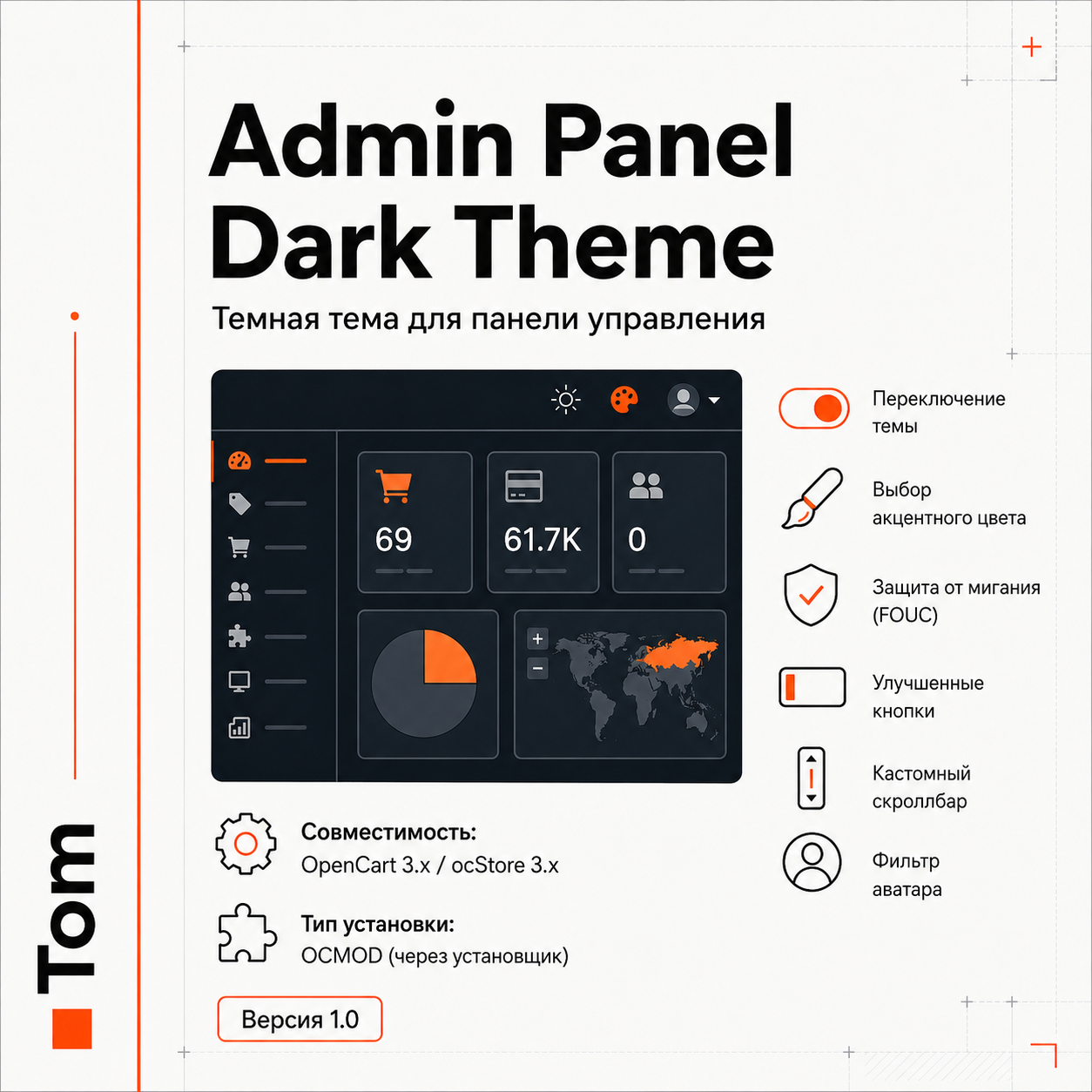
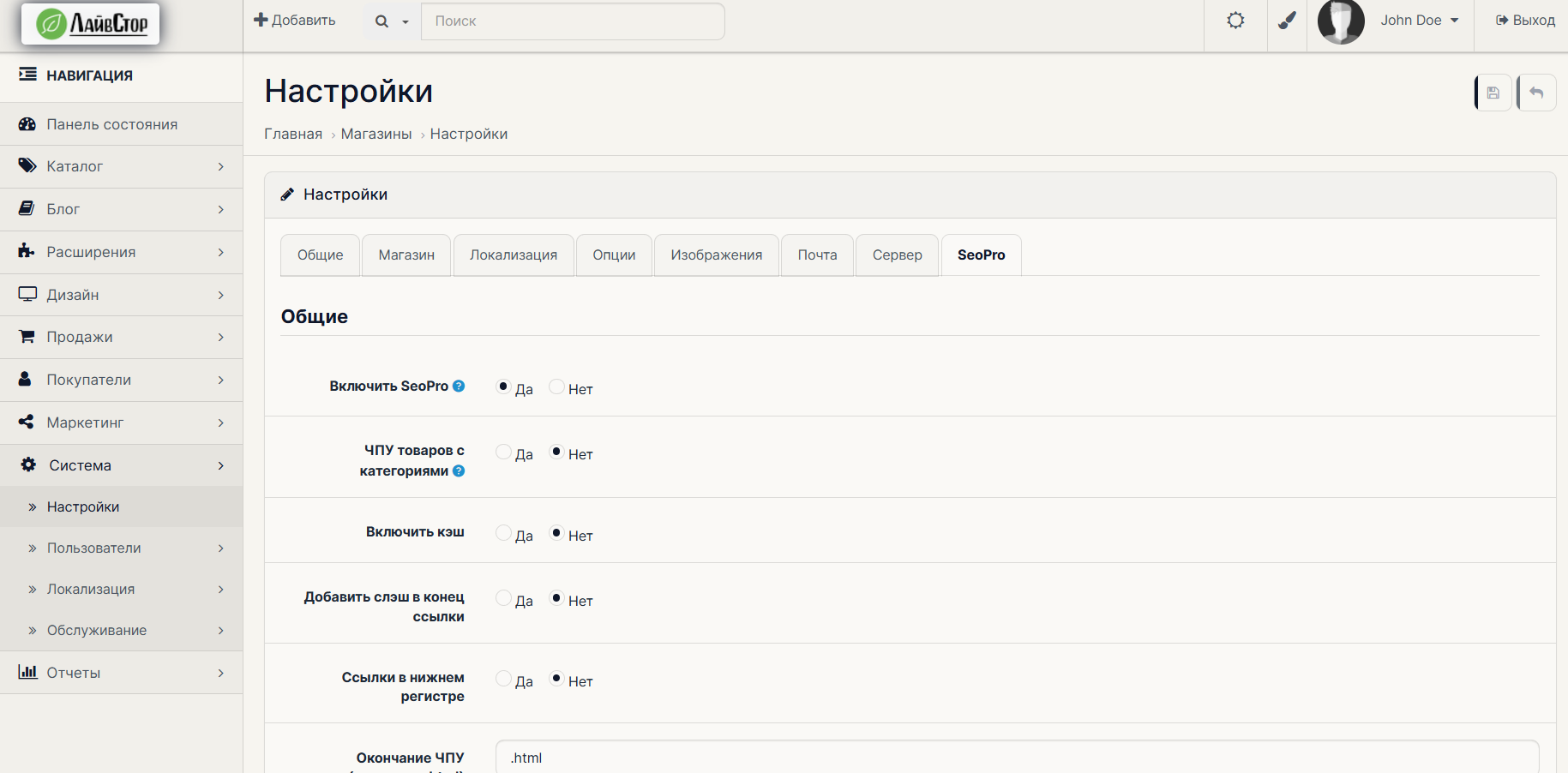
The modifier adds a full-fledged and thoughtful dark theme for the OpenCart 3.x admin panel. Switching between light and dark themes is done using the toggle button (contrast/sun icon) right in the top navigation bar.
The selected theme is remembered at the browser level and is automatically restored the next time you visit.
=== Main features and features ===
1. Dynamic change of accent colors:
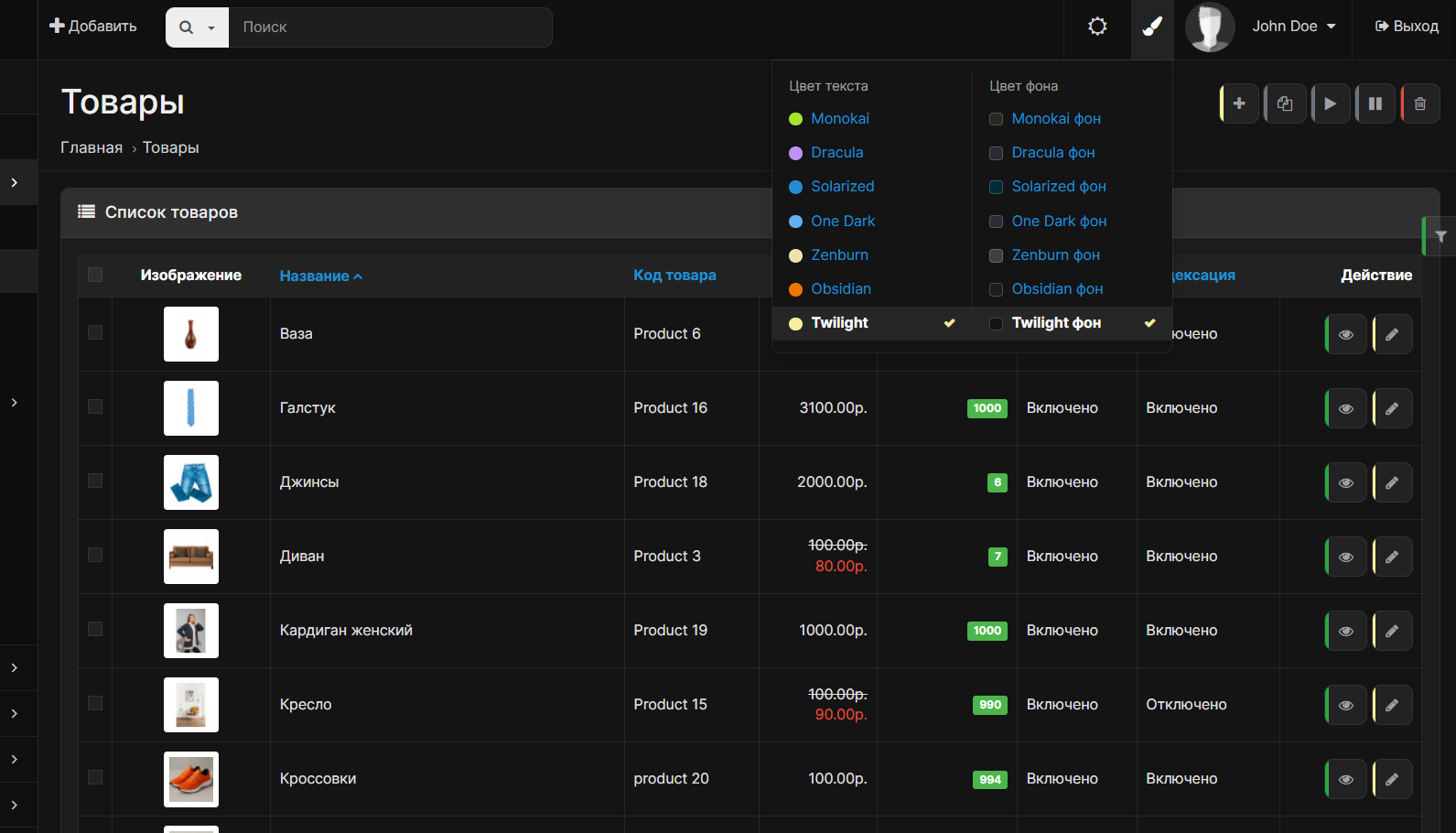
When the dark theme is activated, a brush icon appears in the header, opening a drop-down list (Bootstrap Dropdown). You can select the main accent color of the interface in one click:
- Blue (standard OpenCart)
- Orange
- Yellow
- Green
- Purple
- Red
- Gray (neutral)
The selected color changesdesign of active menu items, icons, tabs, pagination, buttons and logo glow on the fly. When switching to the light theme, the accents are reset to standard.
2.Flashing protection (FOUC prevention):
The theme is initialized by an inline script in the of the document instantly based on data from localStorage. This completely eliminates flickering (when the page first loads light and then suddenly darkens).
3. Visual improvements to controls:
- For all main buttons (btn-primary, btn-danger, btn-warning, etc.) a noble, muted style is implemented at rest, and a thin vertical strip is displayed on the left side, the color of which corresponds to the value of the button (for small buttons in lists, this rule is disabled for a clean interface).
- AvatarThe user receives a neat black and white filter (grayscale).
- The logo in the upper left corner has a permanent soft light backing with an accent color glow, ensuring excellent visibility even for clear dark logos on a dark header.
4. Custom scrollbar (Webkit):
The sidebar and main content scrollbars are stylized in a dark theme with a neat rounding.
5. Safety and cleanliness:
- The extension does not make any external network requests.
- Does not create new tables in the database and does not change the logic of PHP controllers or models.
- Styles are tied to the html.dark-theme class, which completely eliminates any visual distortion or regression in the standard light mode of the admin panel.
=== Installation instructions ===
1. Log in to the admin panel Extensions -> Install extensions.
2. Download the `admin-panel-theme.ocmod.zip` archive.
3. Go to the Modifiers section and click the “Refresh” button in the upper right corner.
4. Go to any page of the admin panel and use the switches in the upper right corner of the header.
UPD 07/05/2026 - Added the ability to change the background as well. Based on the 7 most popular topics in the Notepad++ text editor
The selected theme is remembered at the browser level and is automatically restored the next time you visit.
=== Main features and features ===
1. Dynamic change of accent colors:
When the dark theme is activated, a brush icon appears in the header, opening a drop-down list (Bootstrap Dropdown). You can select the main accent color of the interface in one click:
- Blue (standard OpenCart)
- Orange
- Yellow
- Green
- Purple
- Red
- Gray (neutral)
The selected color changesdesign of active menu items, icons, tabs, pagination, buttons and logo glow on the fly. When switching to the light theme, the accents are reset to standard.
2.Flashing protection (FOUC prevention):
The theme is initialized by an inline script in the of the document instantly based on data from localStorage. This completely eliminates flickering (when the page first loads light and then suddenly darkens).
3. Visual improvements to controls:
- For all main buttons (btn-primary, btn-danger, btn-warning, etc.) a noble, muted style is implemented at rest, and a thin vertical strip is displayed on the left side, the color of which corresponds to the value of the button (for small buttons in lists, this rule is disabled for a clean interface).
- AvatarThe user receives a neat black and white filter (grayscale).
- The logo in the upper left corner has a permanent soft light backing with an accent color glow, ensuring excellent visibility even for clear dark logos on a dark header.
4. Custom scrollbar (Webkit):
The sidebar and main content scrollbars are stylized in a dark theme with a neat rounding.
5. Safety and cleanliness:
- The extension does not make any external network requests.
- Does not create new tables in the database and does not change the logic of PHP controllers or models.
- Styles are tied to the html.dark-theme class, which completely eliminates any visual distortion or regression in the standard light mode of the admin panel.
=== Installation instructions ===
1. Log in to the admin panel Extensions -> Install extensions.
2. Download the `admin-panel-theme.ocmod.zip` archive.
3. Go to the Modifiers section and click the “Refresh” button in the upper right corner.
4. Go to any page of the admin panel and use the switches in the upper right corner of the header.
UPD 07/05/2026 - Added the ability to change the background as well. Based on the 7 most popular topics in the Notepad++ text editor
Distribution method:
Paid
Opencart version:
LiveStore 3.*OpenCart 3.*
PHP verision:
PHP 7.3PHP 7.4
Activation:
Not required
Getting files:
On author's site, after purchase
Protection system:
No
VQmod:
No
Ocmod:
Yes
Events:
No
Uploaded:
01.07.2026
Updated:
25.07.2026
Viewed:
996
Sales:
4
Write a review
Your Name:Your Review: Note: HTML is not translated!
Rating: Bad Good
Enter the code in the box below:
Файлы будут доступны после покупки


