02.10.2026
Частенько за плюшками для опенкарта заглядяывал сюда)




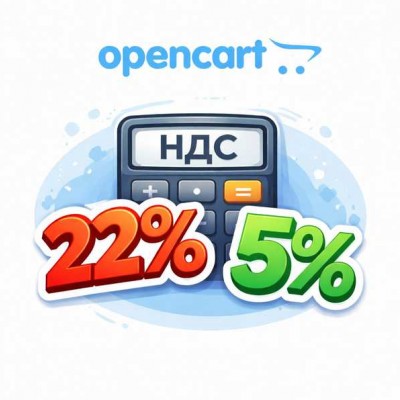
From 2026, the rules for applying VAT in Russia are changing in such a way that the topic becomes relevant not only for large online stores, but also for small businesses. It is important for OpenCart stores to prepare in advance: learn how to correctly calculate and display VAT in orders, as well as transfer tax data to payment systems (acquiring), so that there are no discrepancies between the order, payment, and reporting.
We are not lawyers, and this text is not an official legal opinion. Everything you read below is our opinion based on personal experience and open sources. We tried to explain the essence as simply and clearly as possible so that online store owners can better navigate the VAT topic. Be sure to verify information and consult accountants and lawyers.
Base VAT rate - 22%
From 2026, the base VAT rate increases to 22%. This means that online stores working with VAT must be ready to use the new rate without reworking store logic, prices, and orders.
More online stores fall under VAT
It is planned to lower turnover thresholds at which a business is required to apply VAT. As a result, even relatively small online stores that previously operated without tax will fall under VAT. Under these conditions, flexible and correct VAT implementation in OpenCart becomes a mandatory part of the store infrastructure.
The standard OpenCart tax mechanism is not sufficient. In the standard OpenCart implementation:
As turnover grows and VAT obligations appear, these limitations begin to create real problems.
VAT accounting in orders: support for 5%, 10%, 22%
To solve these tasks, the following module is used:
VAT (Full version) 5%, 7%, 20%, 22% - the module extends the standard OpenCart tax system and allows flexible management of VAT rates in real business scenarios.
Main features of the module
Correct VAT calculation in an order is only part of the task. It is important that the payment system receives the same data, otherwise the following are possible:
Therefore, payment modules must correctly work with VAT rates, including 22% as the base rate and 5% as the reduced rate.
Payment modules for OpenCart 3 with VAT support (paid customization by the author is possible for OpenCart 2):
YuKassa - Fast Payments System (SBP) - the module supports VAT operation, including reduced rates, and correctly accepts data from the order.
YuKassa Pro (extended protocol) - suitable for stores with multiple VAT rates and advanced requirements for data transfer to the payment system.
T-Bank Acquiring Pro - supports the transfer of tax parameters, including different VAT rates, and is suitable for stores with increased reporting requirements.
T-Bank Acquiring Lite - a simplified module for quick acquiring integration with VAT support.
T-Bank (Tinkoff) Acquiring for Opencart + SBP - allows easy integration of bank card payments and SBP payments in your online store.
How to build a correct VAT scheme in OpenCart
From 2026, VAT becomes mandatory for a significantly larger number of online stores, be prepared for this.