Your shopping cart is empty!

OrderStatusGroup 2.x - grouping order statuses

Price: free
Additional from the author:
Author: Serbulenko
Write to the author
Sales: 1 (Average rating 0 на основании 0 отзывов)
Need paid help? Contact the site administration
Opencart version:
Sales: 1 (Average rating 0 на основании 0 отзывов)
Need paid help? Contact the site administration
Opencart version:
OCStore 2.3OpenCart 2.3
The "OrderStatusGroup 2.x - grouping of order statuses" module for OpenCart 2 is designed to group order statuses into certain groups with the ability to further filter by these groups in the default list of orders.
Grouping order statuses has several advantages:
Overall, grouping order statuses helps make order management more systematic, transparent and efficient, which has a positive impact on business performance.
Module capabilities:
Technical support:
Technical support is provided to all users who legally purchased the module on official websites or from the author himself.
License:
Each copy of the module affects 1 domain and its subdomain.
Therefore, if you want to install the module on another domain, you must purchase anotherone copy of the module.
For all questions and suggestions write to serfbots@gmail.com
Grouping order statuses has several advantages:
- Easy data analysis: Grouping allows you to quickly and easily analyze large volumes of order data, identify trends, identify problem areas and make more informed decisions.
- Improved order management: Since order statuses are aggregated based on certain criteria, it simplifies the order management process. It's easier for managerstrack and control the status of orders in accordance with their grouping.
- More efficient planning and resource management: Grouping order statuses helps optimize planning and resource allocation processes. For example, prioritizing high-priority orders is important for prompt fulfillment of urgent orders.
- Improved customer feedback: Systematic grouping of order statuses can help improve customer communication. For example, order status change notifications keep customers up to date with their orders and improve customer satisfaction with service.
- Best organizationprocesses: Grouping order statuses contributes to a clearer organization of business processes. This reduces the likelihood of errors and improves the overall efficiency of the company.
Overall, grouping order statuses helps make order management more systematic, transparent and efficient, which has a positive impact on business performance.
Module capabilities:
- Create an unlimited number of order groups;
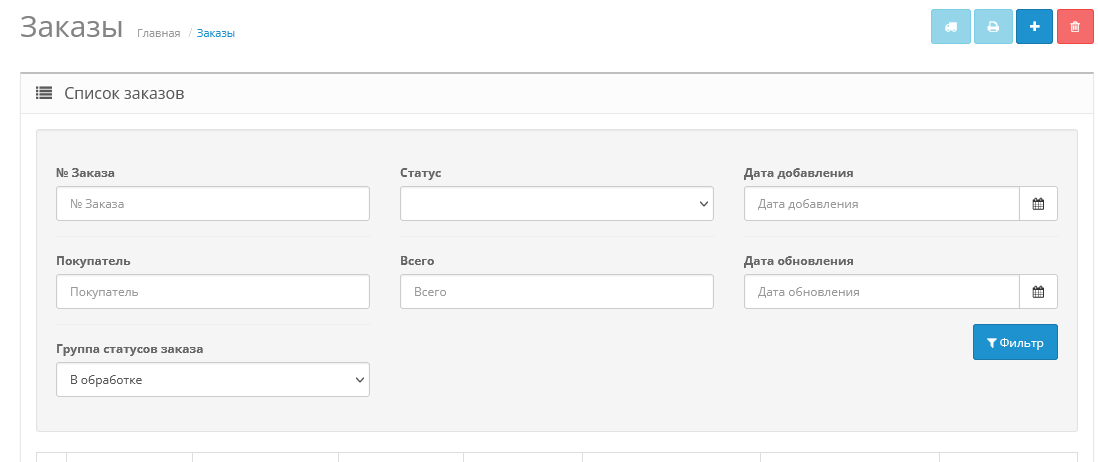
- Filter created groups in the default list of orders;
- Install the archive order_status_group.ocmod.zipthrough the standard add-on manager;
- Update OCMOD cache;
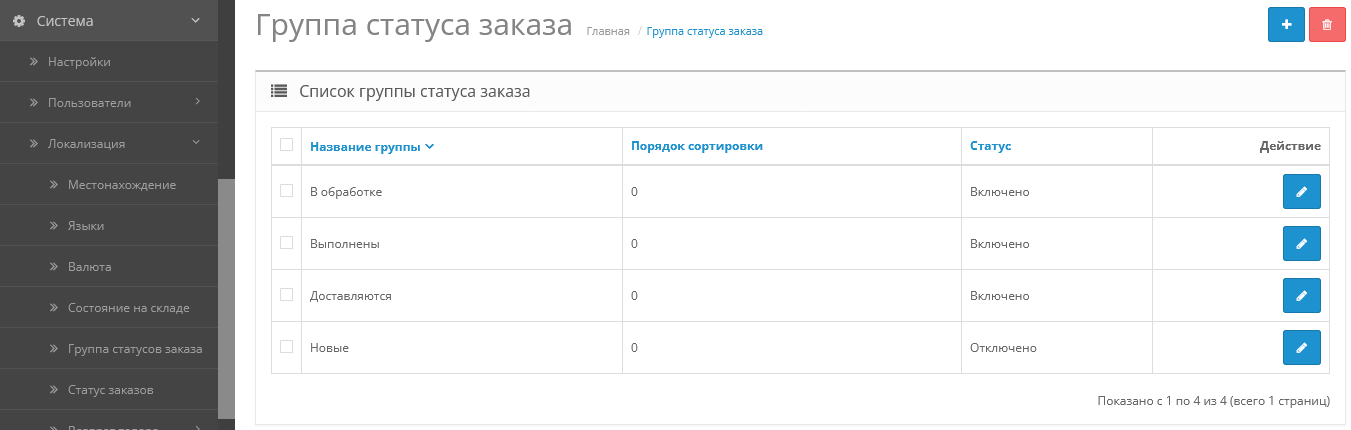
- Go to the section "System->Localization->Order Status Group";
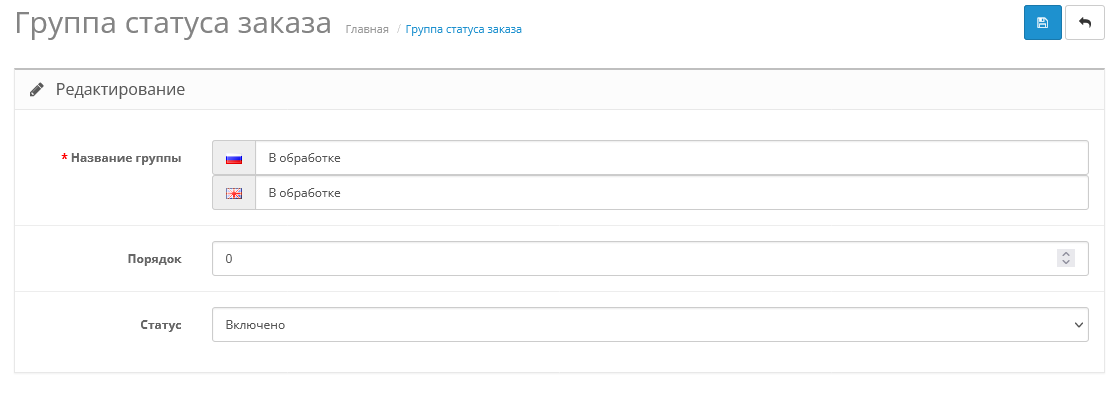
- Create your own groups;
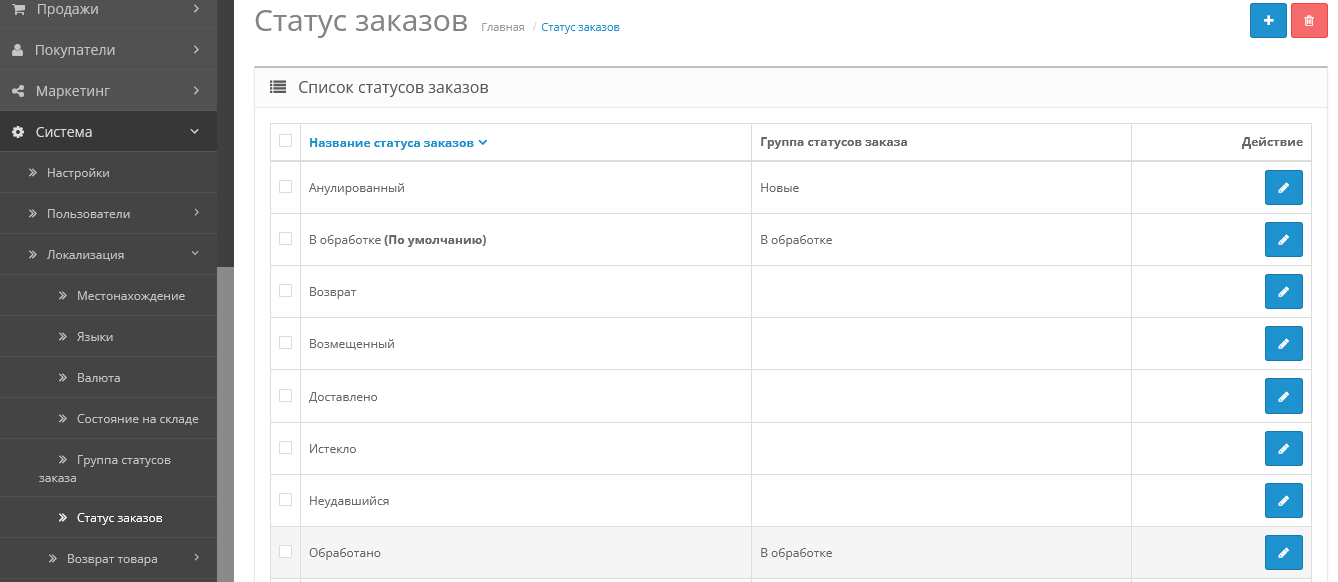
- Go to the section "System->Localization->Order Status"
- Assign groups to order statuses.
Technical support:
Technical support is provided to all users who legally purchased the module on official websites or from the author himself.
License:
Each copy of the module affects 1 domain and its subdomain.
Therefore, if you want to install the module on another domain, you must purchase anotherone copy of the module.
For all questions and suggestions write to serfbots@gmail.com
Distribution method:
Free
Opencart version:
OCStore 2.3OpenCart 2.3
PHP verision:
PHP 5.4PHP 5.5PHP 5.6PHP 7.0PHP 7.1PHP 7.2PHP 7.3PHP 7.4PHP 8.0PHP 8.1PHP 8.2
Activation:
Automatic
Getting files:
On site, in the personal account
Protection system:
No
VQmod:
No
Ocmod:
Yes
Events:
No
Uploaded:
23.03.2024
Updated:
27.06.2026
Viewed:
3944
Sales:
1
Write a review
Your Name:Your Review: Note: HTML is not translated!
Rating: Bad Good
Enter the code in the box below:












To download this free product, you do not need to order it, just log in.


