Your shopping cart is empty!

Checking SMTP in OpenCart 3 settings
5 sales






Price: 150 ₽ 300 ₽
Author: Владимир
Write to the author
Sales: 7 (Average rating 5 на основании 2 отзывов)
Need paid help? Contact the site administration
Opencart version:
Sales: 7 (Average rating 5 на основании 2 отзывов)
Need paid help? Contact the site administration
Opencart version:
LiveStore 3.*OCStore 3.*OpenCart 3.*
Checking SMTP in OpenCart settings 3
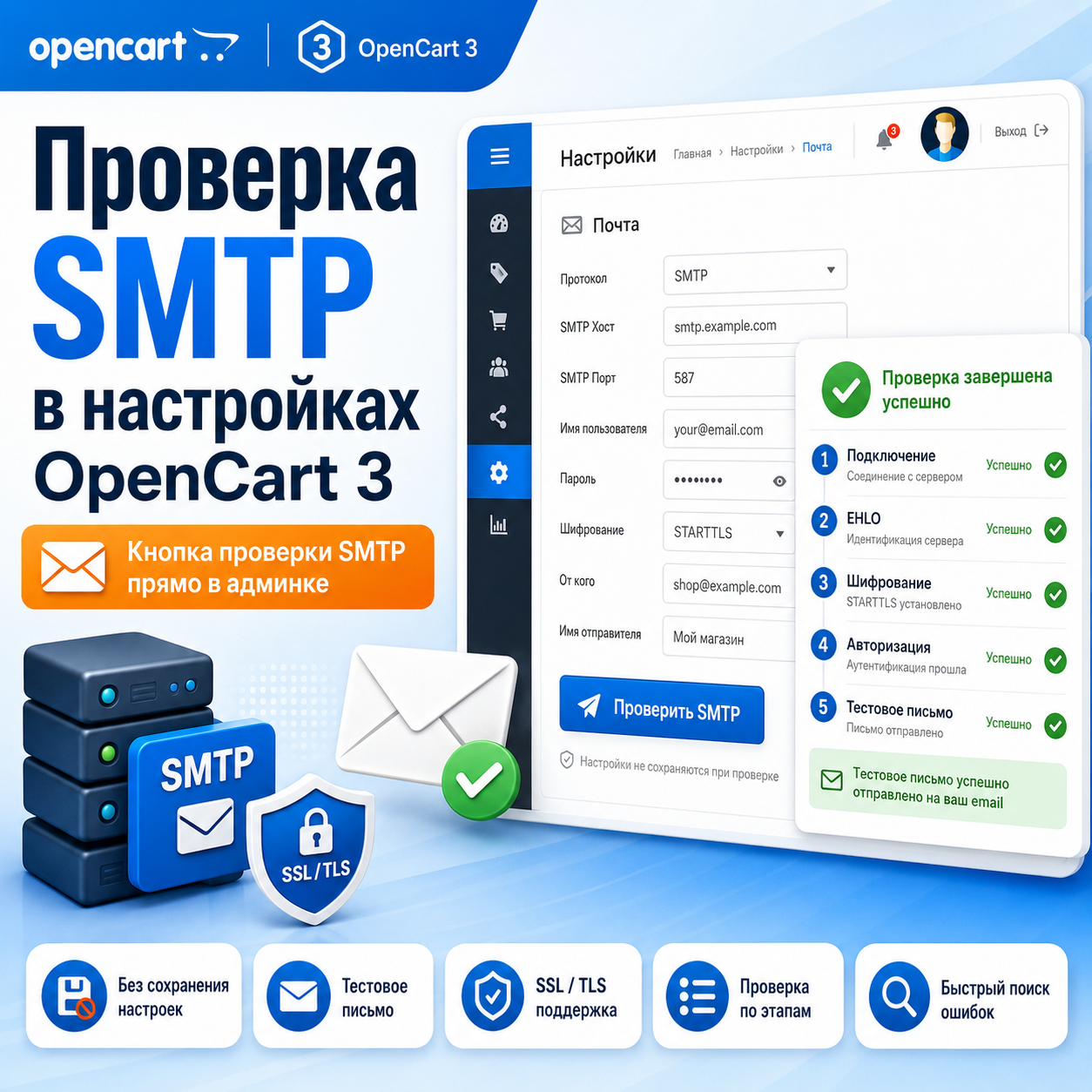
The module adds a convenient button to the OpenCart 3 administrative panel for checking SMTP settings directly on the store settings page.
After installation, the administrator will be able to check the connection to the SMTP server, authorization and sending a test letter without having to save settings, wait for the actual order to be sent, or look for the cause of the error in the logs.
The module is especially useful when setting up store mail for the first time, changing the SMTP server, moving a site to another hosting, connecting corporate mail, setting up mail through Yandex, Mail.ru, Gmail, Beget, Timeweb, Reg.ru and other mail services.
A verification button is added to the store's mail settings tab. The administrator can enter the SMTP host, login, password, port,timeout and immediately check if the connection is working. If necessary, you can specify an email to send a test letter.
The main task of the module is to quickly understand whether sending mail via SMTP is configured correctly.
This will be especially useful when emails from the site are not received, orders are not sent to customers, administrator notifications do not work, or you need to check new SMTP data before saving the settings.
The module shows the test result in stages: connecting to the server, EHLO request, encryption, authorization and sending a test letter. This helps to quickly understand where exactly the error occurs: in the host, port, encryption type, login, password, or the sending of the letter itself.
If the email for the test letter is not specified, the module only checks the connection andauthorization.
If an email is specified, an additional test email is sent to the selected address.

* Result of successful operation check

* Display authorization error

* Displays server connection error

* Sending a test letter
* Letter of success
Advantages of the module:
— SMTP check directly in the store settings;
— no need to save settings before testing;
— checking the connection to the SMTP server;
— checking authorization using login and password;
— checking SSL / TLS connection;
— the ability to send a test letter;
— displaying the result by stages;
— helps to quickly find the cause of problems with mail;
— does not create additional tables in the database;
— does not require a separate settings page.
Installation:
1. Go to the OpenCart administrative panel to the sectionExtensions → Install extension.
2. Upload the modifier file.
3. Go to Extensions → Modifiers.
4. Click Update Modifiers.
5. Be sure to go to System → Users → User Groups. Open the admin group and enable permissions and changes for setting/smtp_test. Save your changes.
6. Open System → Settings → change store → Mail tab.
7. Check your SMTP settings using the “Check SMTP” button.
If the button does not appear, update the modifiers, clear the OpenCart template cache and refresh the admin page using Ctrl + F5.
Additional improvements or expansion of functionality are being carried out -PAID.
The module adds a convenient button to the OpenCart 3 administrative panel for checking SMTP settings directly on the store settings page.
After installation, the administrator will be able to check the connection to the SMTP server, authorization and sending a test letter without having to save settings, wait for the actual order to be sent, or look for the cause of the error in the logs.
The module is especially useful when setting up store mail for the first time, changing the SMTP server, moving a site to another hosting, connecting corporate mail, setting up mail through Yandex, Mail.ru, Gmail, Beget, Timeweb, Reg.ru and other mail services.
A verification button is added to the store's mail settings tab. The administrator can enter the SMTP host, login, password, port,timeout and immediately check if the connection is working. If necessary, you can specify an email to send a test letter.
The main task of the module is to quickly understand whether sending mail via SMTP is configured correctly.
This will be especially useful when emails from the site are not received, orders are not sent to customers, administrator notifications do not work, or you need to check new SMTP data before saving the settings.
The module shows the test result in stages: connecting to the server, EHLO request, encryption, authorization and sending a test letter. This helps to quickly understand where exactly the error occurs: in the host, port, encryption type, login, password, or the sending of the letter itself.
If the email for the test letter is not specified, the module only checks the connection andauthorization.
If an email is specified, an additional test email is sent to the selected address.
* Result of successful operation check
* Display authorization error
* Displays server connection error
* Sending a test letter
* Letter of success
Advantages of the module:
— SMTP check directly in the store settings;
— no need to save settings before testing;
— checking the connection to the SMTP server;
— checking authorization using login and password;
— checking SSL / TLS connection;
— the ability to send a test letter;
— displaying the result by stages;
— helps to quickly find the cause of problems with mail;
— does not create additional tables in the database;
— does not require a separate settings page.
Installation:
1. Go to the OpenCart administrative panel to the sectionExtensions → Install extension.
2. Upload the modifier file.
3. Go to Extensions → Modifiers.
4. Click Update Modifiers.
5. Be sure to go to System → Users → User Groups. Open the admin group and enable permissions and changes for setting/smtp_test. Save your changes.
6. Open System → Settings → change store → Mail tab.
7. Check your SMTP settings using the “Check SMTP” button.
If the button does not appear, update the modifiers, clear the OpenCart template cache and refresh the admin page using Ctrl + F5.
Additional improvements or expansion of functionality are being carried out -PAID.
Distribution method:
Free
Opencart version:
LiveStore 3.*OCStore 3.*OpenCart 3.*
PHP verision:
PHP 7.1PHP 7.2PHP 7.3PHP 7.4
Activation:
Automatic
Getting files:
On site, in the personal account
Protection system:
No
VQmod:
No
Ocmod:
Yes
Events:
No
Uploaded:
08.05.2026
Updated:
15.07.2026
Viewed:
2113
Sales:
7
Write a review
Your Name:Your Review: Note: HTML is not translated!
Rating: Bad Good
Enter the code in the box below:





Файлы будут доступны после покупки


Спасибо большое за ваш отзыв!