Your shopping cart is empty!

Drag and drop sorting of additional images

Price: free
Author: Tom
Write to the author
Need paid help? Contact the site administration
Opencart version:
Need paid help? Contact the site administration
Opencart version:
OCStore 3.*
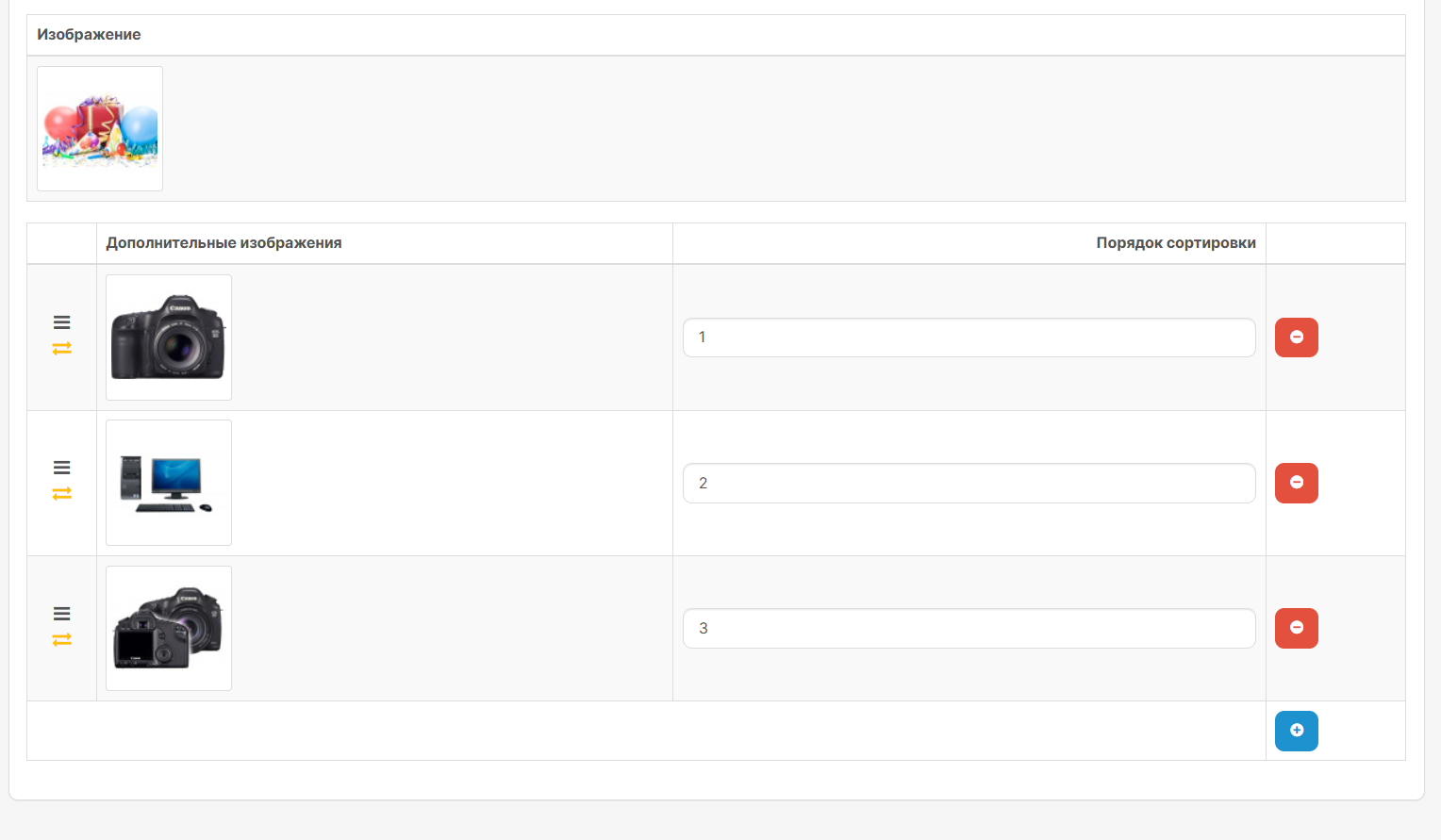
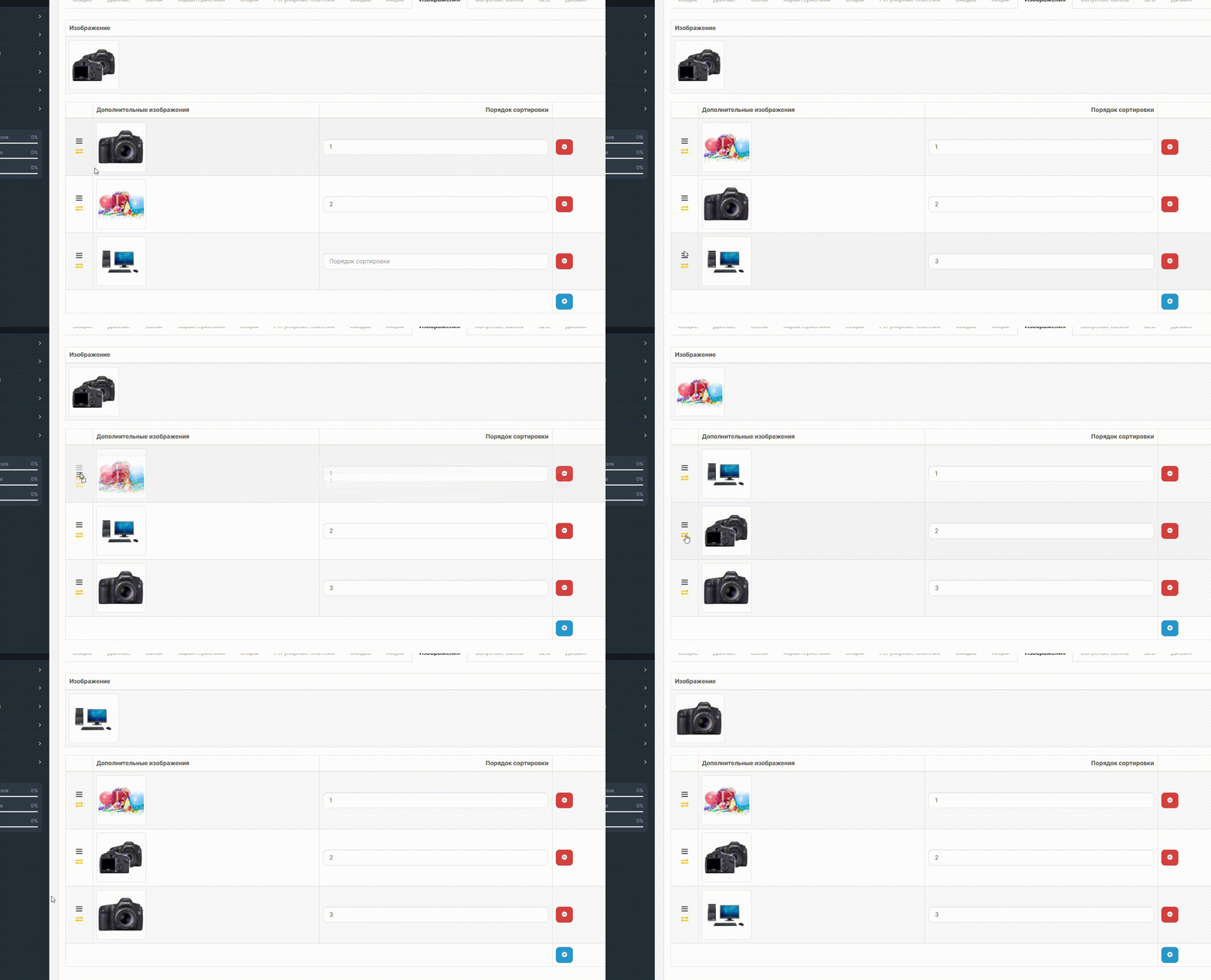
This modifier adds the ability to sort product images by dragging and dropping and exchanging additional images with the main product image in the OpenCart admin panel.
BASIC FUNCTIONS
1. Drag and drop images to change the sort order
2. Exchange additional images with the main image
3. Automatic update of sort values
4. Visual effects when dragging
Installation
The modifier adds the following changes to the product editing template:
The image sharing feature uses JavaScript to exchange values and sourcesimages between the main and additional images.
For coffee!
BASIC FUNCTIONS
1. Drag and drop images to change the sort order
2. Exchange additional images with the main image
3. Automatic update of sort values
4. Visual effects when dragging
Installation
- Install the modifier through the admin panel
- Update the modifier cache
- Go to edit the product (Catalogue > Products > Edit)
- Open the tab "Images"
- To change the order of imagesdrag them using the drag icon ☰
- To exchange an additional image with the main one, click on the icon exchange ⇄
- The modifier automatically hides the sort order input field, since sorting is done by dragging
- Sorting values are updated automatically when drag and drop
- The modifier requires jQuery UI
- The modifier uses the error="skip" attribute, which allows it to work even with changes in the template
- When adding a new image, it automatically receives a sequence number at the endlist
The modifier adds the following changes to the product editing template:
- Adds IDs to images for access via JavaScript
- Adds a column with drag and drop and share icons
- Hides the sort order input field
- Adds JavaScript code to handle drag and drop and exchange
- Adds styles for visual design
The image sharing feature uses JavaScript to exchange values and sourcesimages between the main and additional images.
For coffee!
Distribution method:
Free
Opencart version:
OCStore 3.*
PHP verision:
PHP 7.3PHP 7.4
Activation:
Not required
Getting files:
On site, in the personal account
Protection system:
No
VQmod:
No
Ocmod:
Yes
Events:
No
Uploaded:
02.05.2025
Updated:
31.07.2026
Viewed:
2959
Write a review
Your Name:Your Review: Note: HTML is not translated!
Rating: Bad Good
Enter the code in the box below:
To download this free product, you do not need to order it, just log in.


Спасибо большое! Полезный и удобный модуль
После полного удаления данного модуля и очистки кеша, все заработало вновь как и прежде. Т.е. по сути данный модуль довольно таки сыроват, хотя и полезен.