Your shopping cart is empty!

Modern file manager
Price: 650 ₽

Author: Nash
Write to the author
Sales: 3 (Average rating 0 на основании 1 отзывов)
Need paid help? Contact the site administration
Opencart version:
Sales: 3 (Average rating 0 на основании 1 отзывов)
Need paid help? Contact the site administration
Opencart version:
LiveStore 3.*OCStore 3.*OCStore 2.3OpenCart 2.3
Modern File Manager - modern multi-module file manager for OpenCart 2.3 - 3
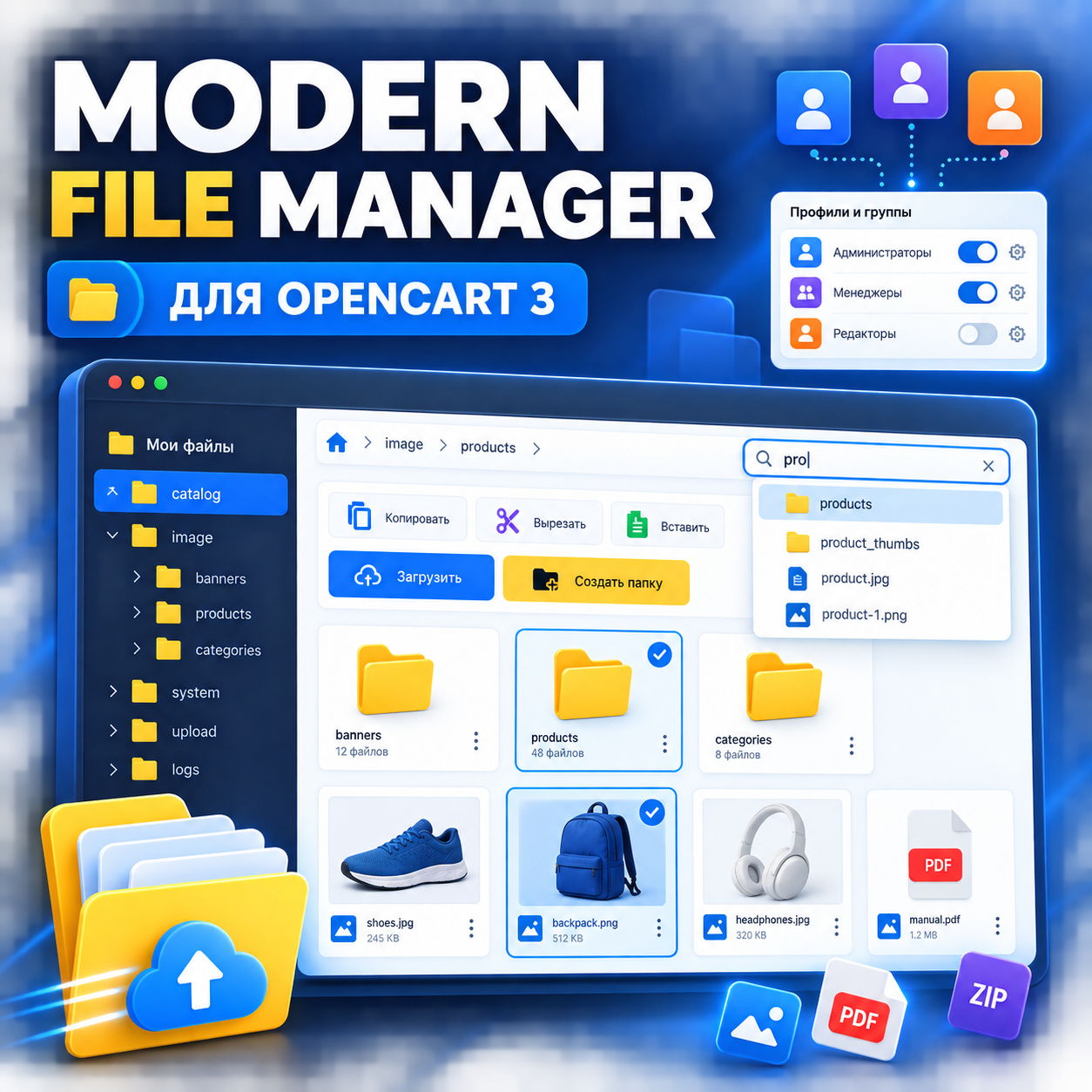
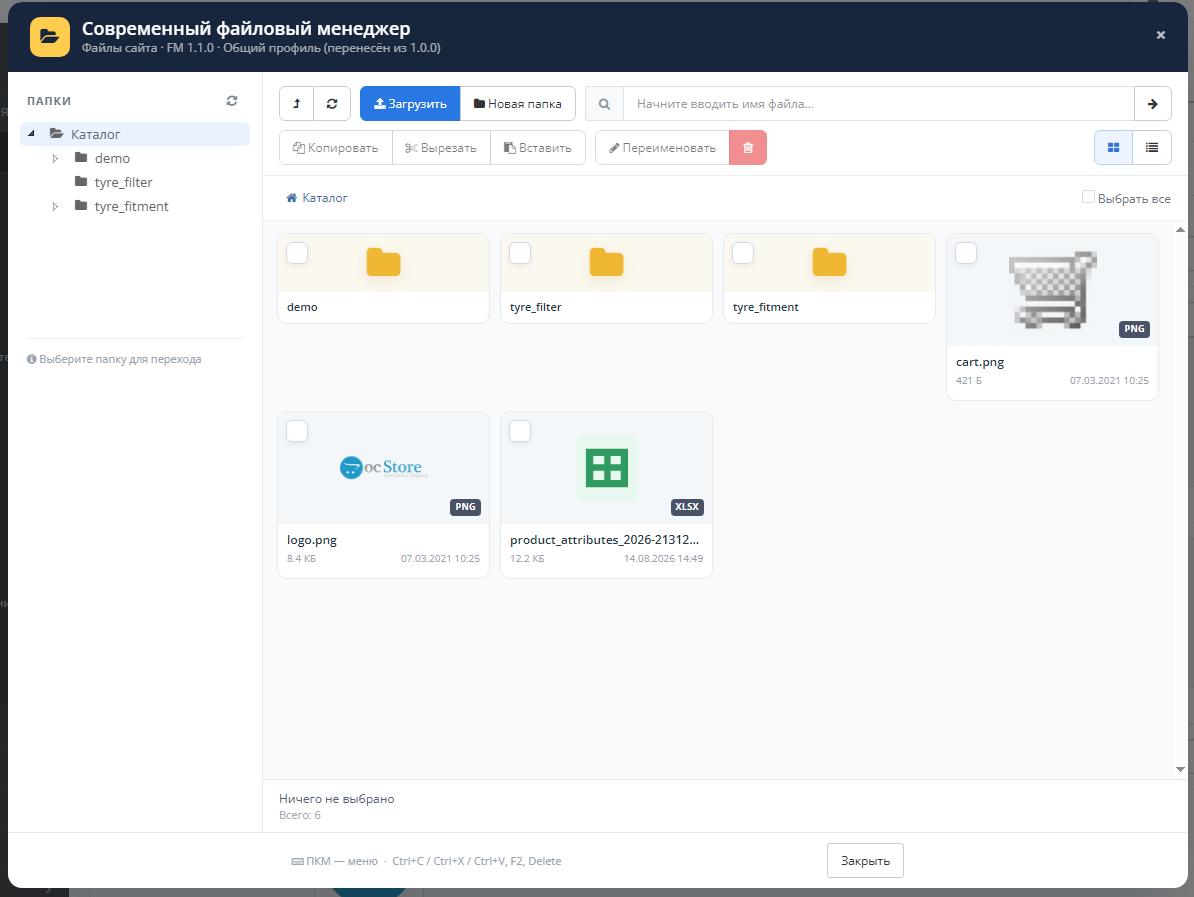
Modern File Manager completely transforms the standard OpenCart file manager: adds a directory tree, quick search, autocomplete, context menu, copying and moving files, Drag & Drop, convenient cards and individual settings for users and groups.
The module does not remove or replace the standard file manager. If the extension is disabled or a suitable profile is not found for the administrator, OpenCart automatically opens the standard file manager.
Modern and user-friendly interface
The file manager interface has been redesigned taking into account the daily work of administrators, content managers and editorsstore.
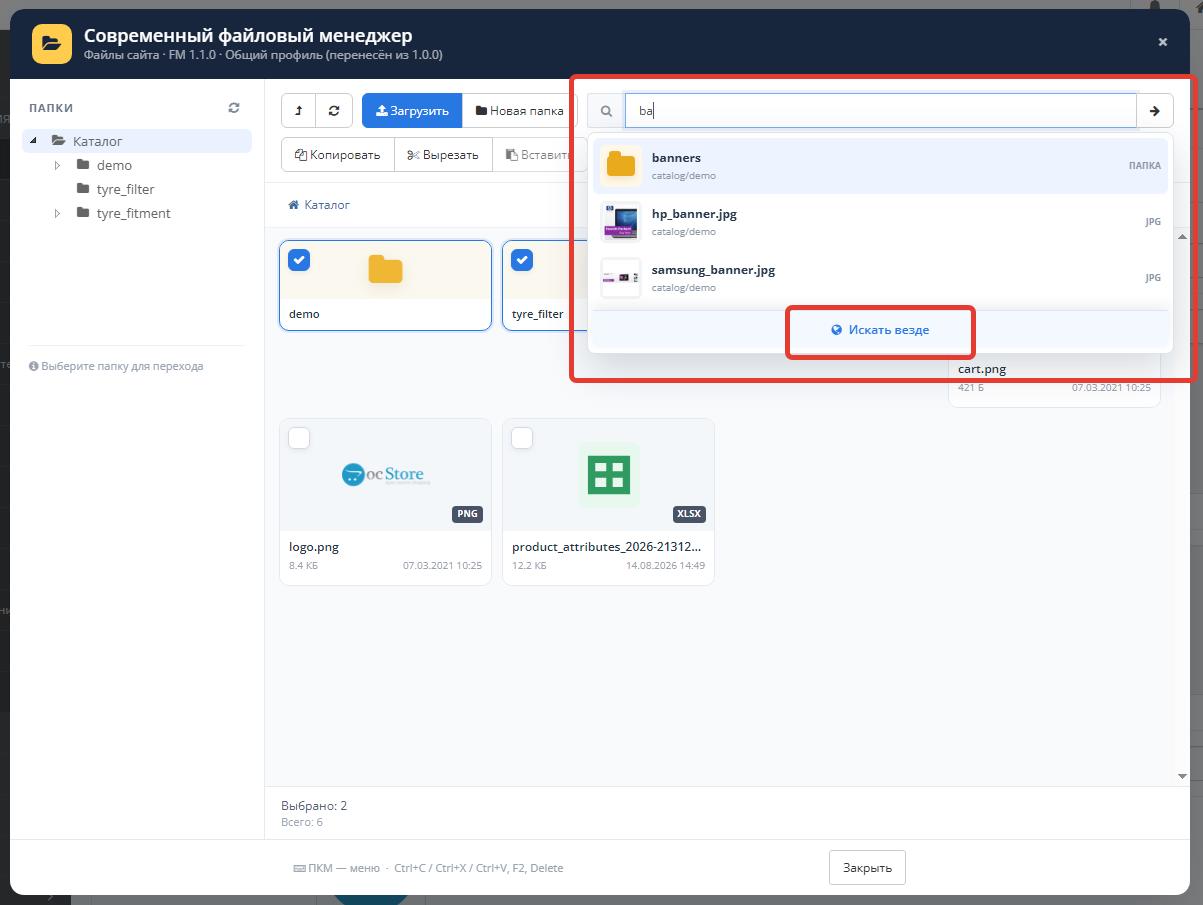
Search files and folders
The module contains two independent search modes.
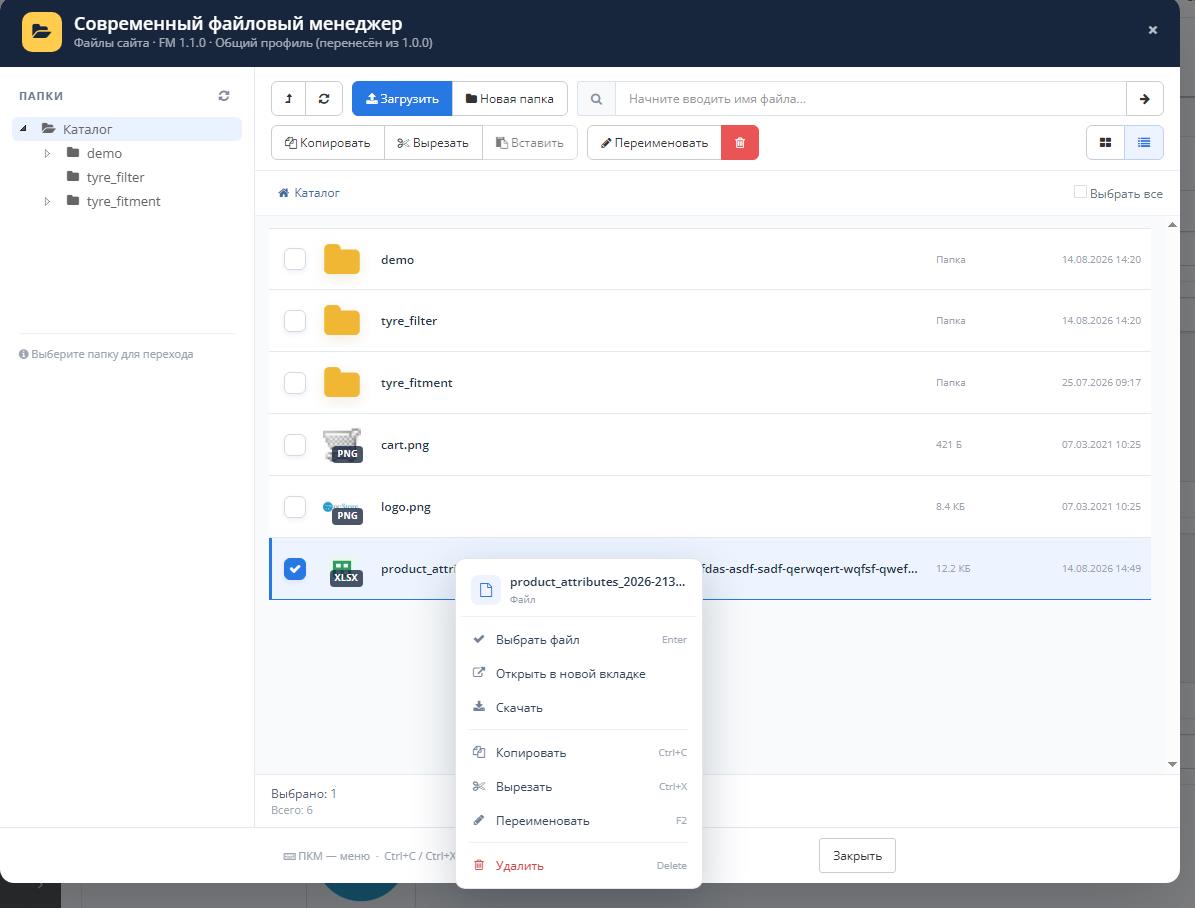
Context menu
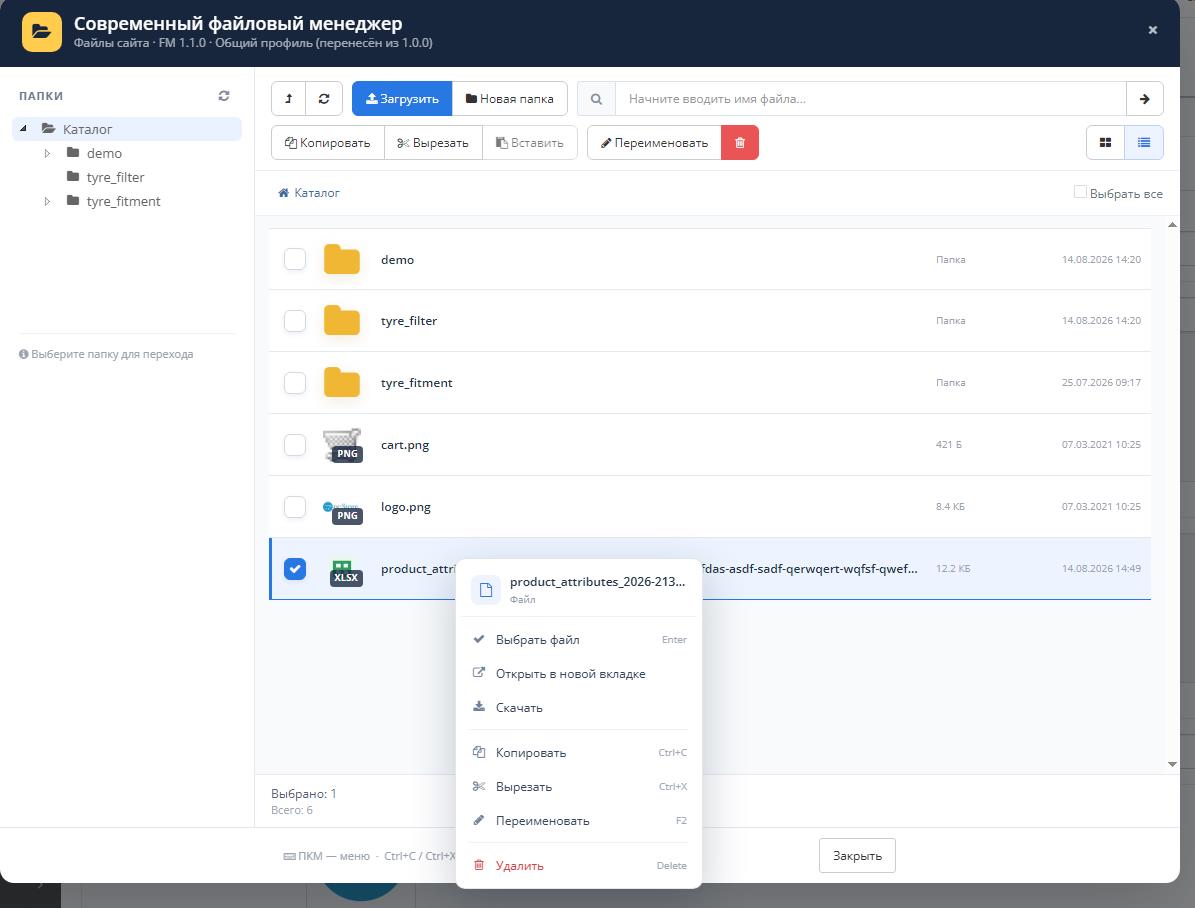
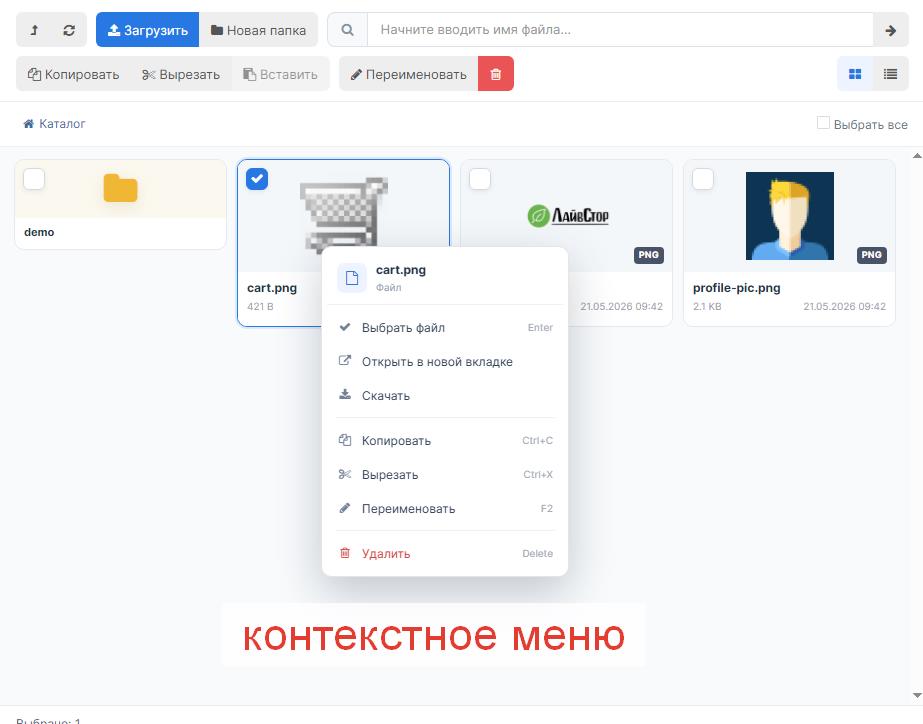
The context menu opens with the right mouse button and adapts to the selected object.
Basic operations withfiles
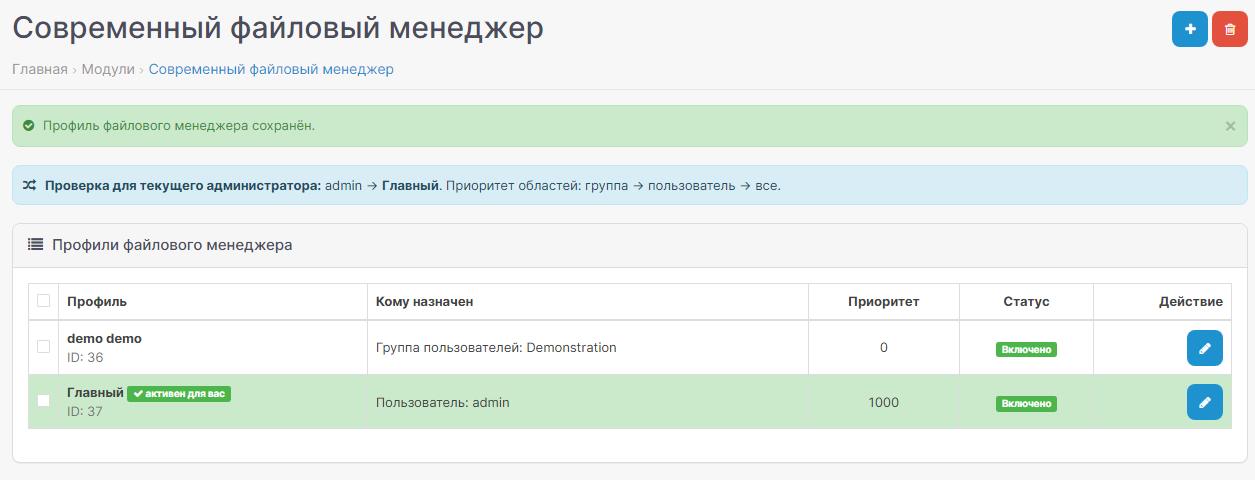
Multimodularity and access profiles
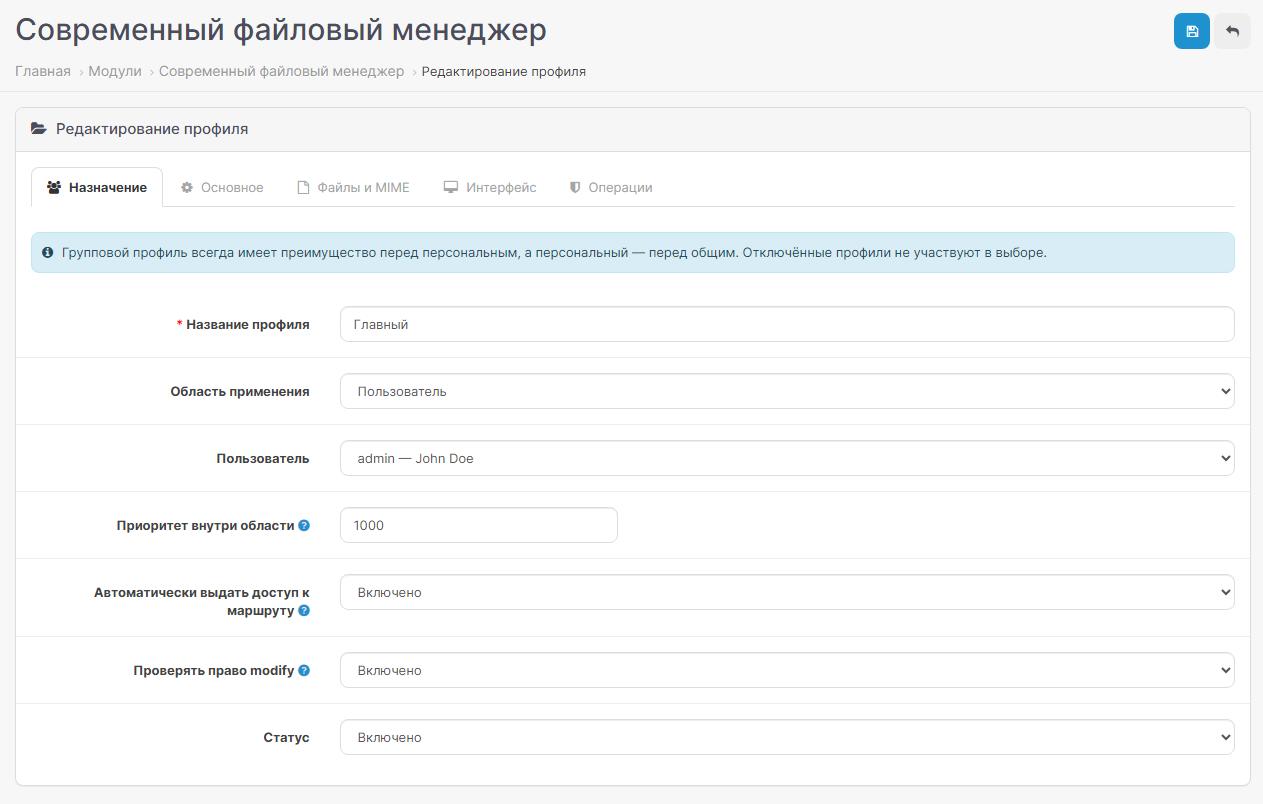
Each copy of the moduleis a separate file manager profile. For different administrators, you can create your own root folders, restrictions, allowed file types and a set of available operations.
A group profile always has an advantage over a personal one. A personal profile has an advantage over a general one.
If multiple active profiles are created for the same group or user, numeric priority is used. The higher the value, the higher the priority. If the value is the same, the profile created earlier is selected.
Examples of using profiles
File and MIME type settings
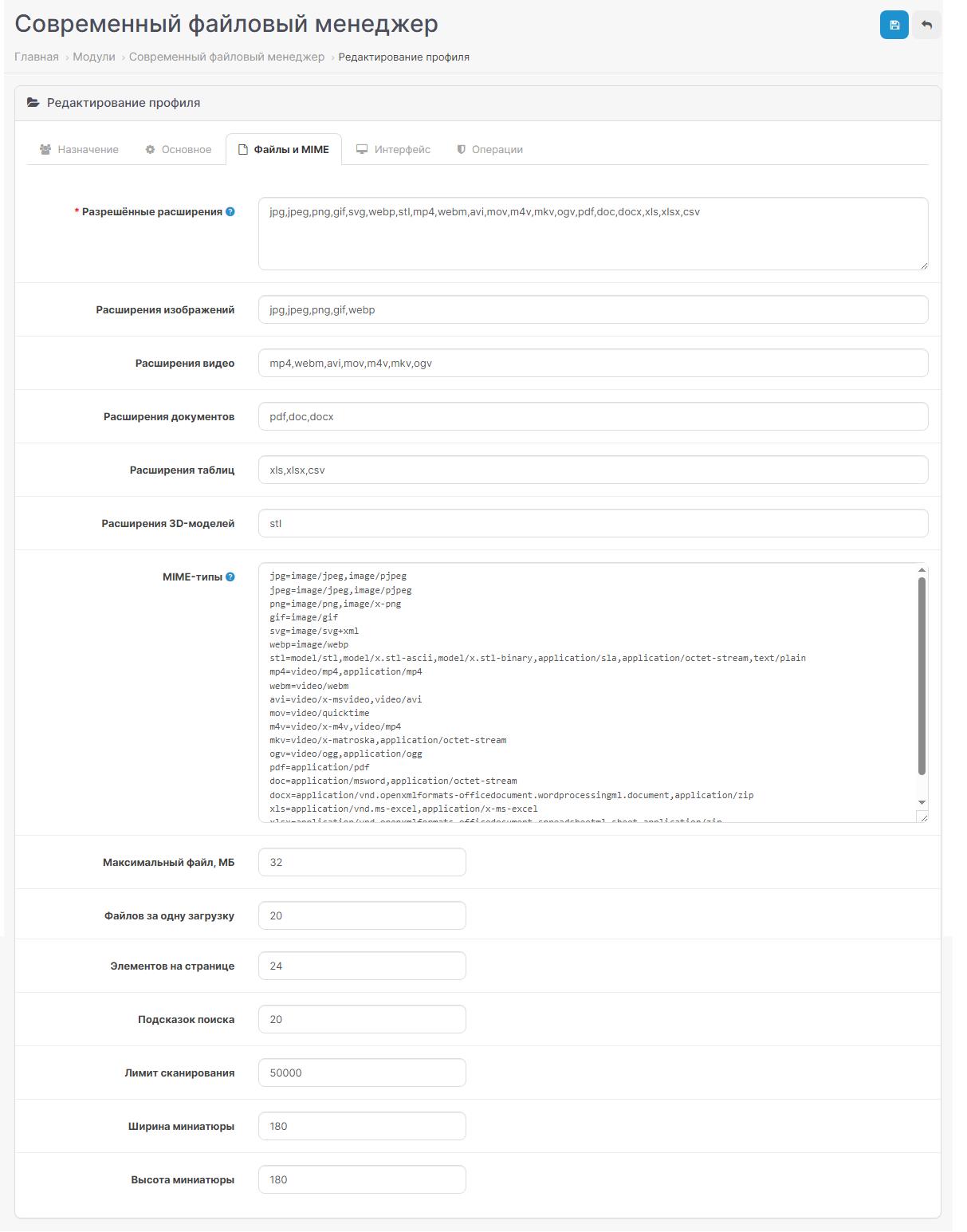
The list of allowed extensions is not hardwired into the controller. All file types and MIME mappings are changed in each profile's settings.
You can add your own extensions and MIME types without changing the module's PHP files.
For each extension, you can specify multiple MIME types:
Load control
Each profile can have its own file manager display.
Separate operations management
The administrator can enable or disable each operation independently:
User rights
Integration with OpenCart
The module supports standard ways to open the OpenCart 3 file manager:
Without replacing the standard file manager
Modern File Manager connects via OCMOD and checks for an active profile for the currentadministrator.
Advantages of the module
Requirements
Before installation, it is recommended to restore the original admin/controller/common/filemanager.php if it was previously changed manually.
Modern File Manager completely transforms the standard OpenCart file manager: adds a directory tree, quick search, autocomplete, context menu, copying and moving files, Drag & Drop, convenient cards and individual settings for users and groups.
The module does not remove or replace the standard file manager. If the extension is disabled or a suitable profile is not found for the administrator, OpenCart automatically opens the standard file manager.
Modern and user-friendly interface
The file manager interface has been redesigned taking into account the daily work of administrators, content managers and editorsstore.
| Opportunity | Description |
| Directory tree | Folder navigation via jsTree on the left side of the file manager |
| Breadcrumbs | Shows the current path and allows you to quickly navigate to the parent directory |
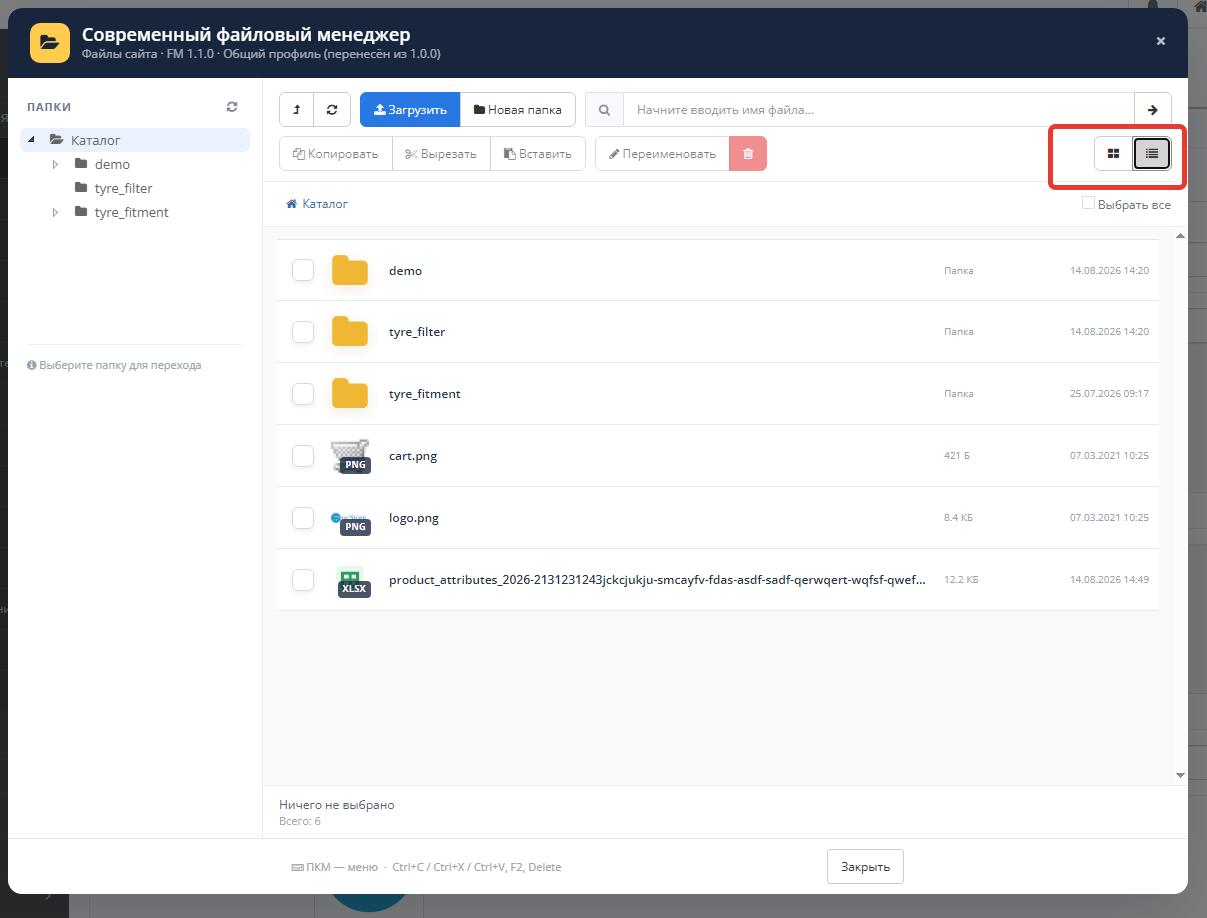
| Tile and List | Two modes for displaying files and folders |
| Adaptive grid | The number of columns, height of folders and files can be configured separately |
| Miniatures | Images are shown with a preview, other file types are shown with clear icons |
| Multiple choice | You can select several files and folders at once for a group operation |
| Drag & Drop | Files can be dragged directly into the open folder |
| Download progress | The percentage complete is displayed during loading |
| Memorizing folder | Manager can open the last used directory |
| Memorizing the type | Tile or List mode is saved separately for user and profile |
Search files and folders
The module contains two independent search modes.
| Mode | How it works |
| Search in the current folder | Shows matches only within the open directory |
| Global search | Searches files and folders throughout the profile root directory |
| Autocomplete | Shows results while entering a query |
| Preview in tips | A thumbnail is shown for images, a corresponding icon is shown for folders and documents |
| Go to folder | When you select a folder in autocomplete, the manager immediately opens it |
| Select file | When you select a file, it is immediately inserted into the OpenCart | field
| Go to result | After a global search, you can open the locationfound file or folder |
| Scan limit | The number of viewed objects and results is adjusted to protect against unnecessary load |
Context menu
The context menu opens with the right mouse button and adapts to the selected object.
| Object | Available actions |
| Free area | Create a folder, upload files, insert, update, change display mode |
| Folder | Open, go to location, paste inside, copy, cut, rename, delete |
| File | Select, go to location, open in new tab, download, copy, cut, rename, delete |
| Multiple objects | Copy, cut or delete selected files and folders |
| Directory tree | Open directory, create subfolder, insert objects, update tree |
Basic operations withfiles
- automatically creating a unique name when copying.
| Ctrl+C | Copy selected objects |
| Ctrl+X | Cut selected objects |
| Ctrl+V | Insert objects |
| F2 | Rename the selected file or folder |
| Delete | Delete selected objects |
| Right mouse button | Open context menu |
Multimodularity and access profiles
Each copy of the moduleis a separate file manager profile. For different administrators, you can create your own root folders, restrictions, allowed file types and a set of available operations.
| Profile type | Purpose | Priority |
| User group | Applies to all administrators of the selected group | 1 — maximum |
| User | Personal settings for a specific administrator | 2 |
| All users | General backup profile | 3 |
A group profile always has an advantage over a personal one. A personal profile has an advantage over a general one.
If multiple active profiles are created for the same group or user, numeric priority is used. The higher the value, the higher the priority. If the value is the same, the profile created earlier is selected.
Examples of using profiles
| User or group | Examplesettings |
| Administrators | Full access to the entire catalog image/catalog |
| Content managers | Download, create folders and rename without deleting |
| Blog Editors | Access only to image/catalog/blog |
| Product Managers | Access only to image/catalog/products |
| Individual employee | Personal root folder, own extensions and limits |
File and MIME type settings
The list of allowed extensions is not hardwired into the controller. All file types and MIME mappings are changed in each profile's settings.
| Group | Default extensions |
| Images | JPG, JPEG, PNG, GIF, SVG, WEBP |
| Video | MP4, WEBM, AVI, MOV, M4V, MKV, OGV |
| Documents | PDF, DOC, DOCX |
| Tables | XLS, XLSX, CSV |
| 3D models | STL |
You can add your own extensions and MIME types without changing the module's PHP files.
For each extension, you can specify multiple MIME types:
jpg=image/jpeg,image/pjpeg
webp=image/webp
pdf=application/pdf
xlsx=application/vnd.openxmlformats-officedocument.spreadsheetml.sheet,application/zip
Load control
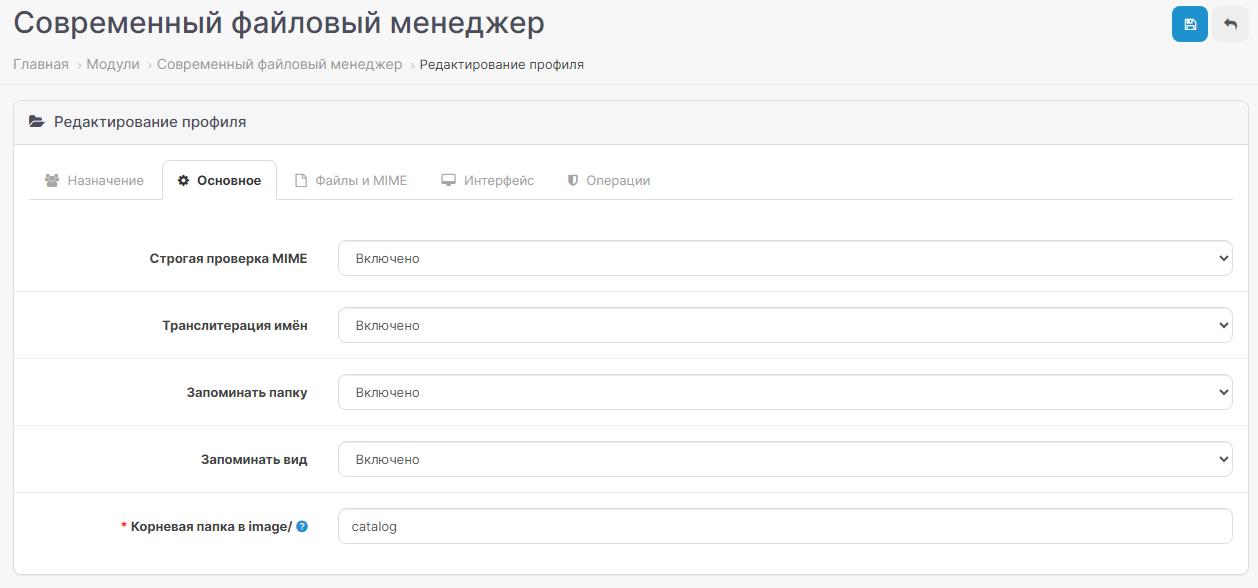
- []extension whitelist;[]separate MIME type map;[]strict MIME checking;[]customizable maximum sizefile;[]limiting the number of files per download;[]limiting the number of search results;[]limiting the directory scanning depth;[]checking the existence of a file before downloading;[]protecting against going above the root folder;[]prohibiting transitions through ../;[]check administrator permissions;[]optional transliteration of names.
Each profile can have its own file manager display.
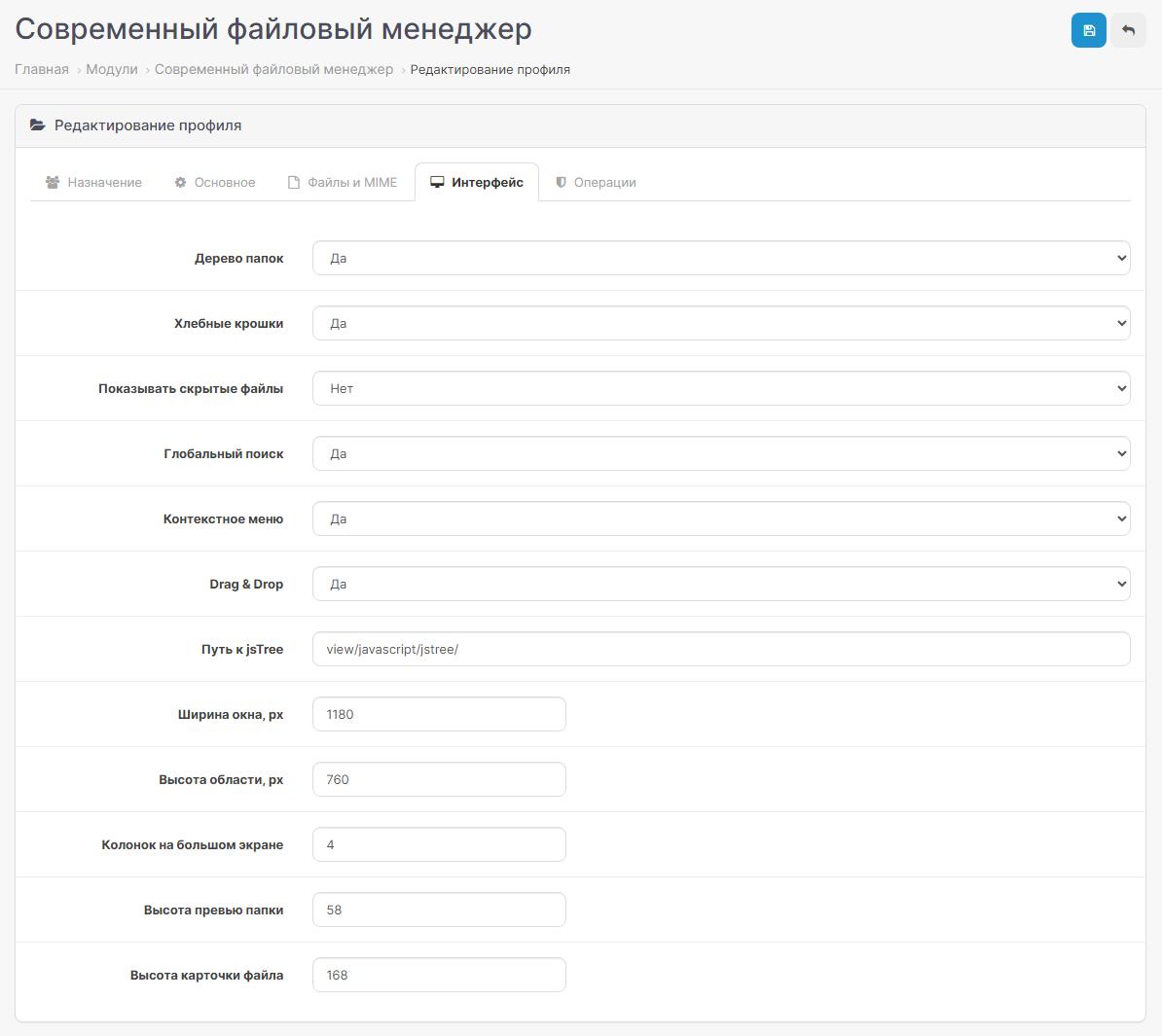
| Settings | Description |
| Treefolder | Enable or disable side directory tree |
| Breadcrumbs | Display current path |
| Hidden files | Ability to show or hide objects starting with dot |
| Global search | Enable search across the entire root directory |
| Context menu | Enable actions on the right mouse button |
| Drag & Drop | Permissiondrag and drop uploads |
| Window width | Custom modal window width |
| Window height | Customizable work area height |
| Number of columns | Number of cards per line on the big screen |
| Folder height | Compactness of catalog cards |
| File height | Size of previews and file cards |
| Path tojsTree | The path to the library is set separately for each profile |
Separate operations management
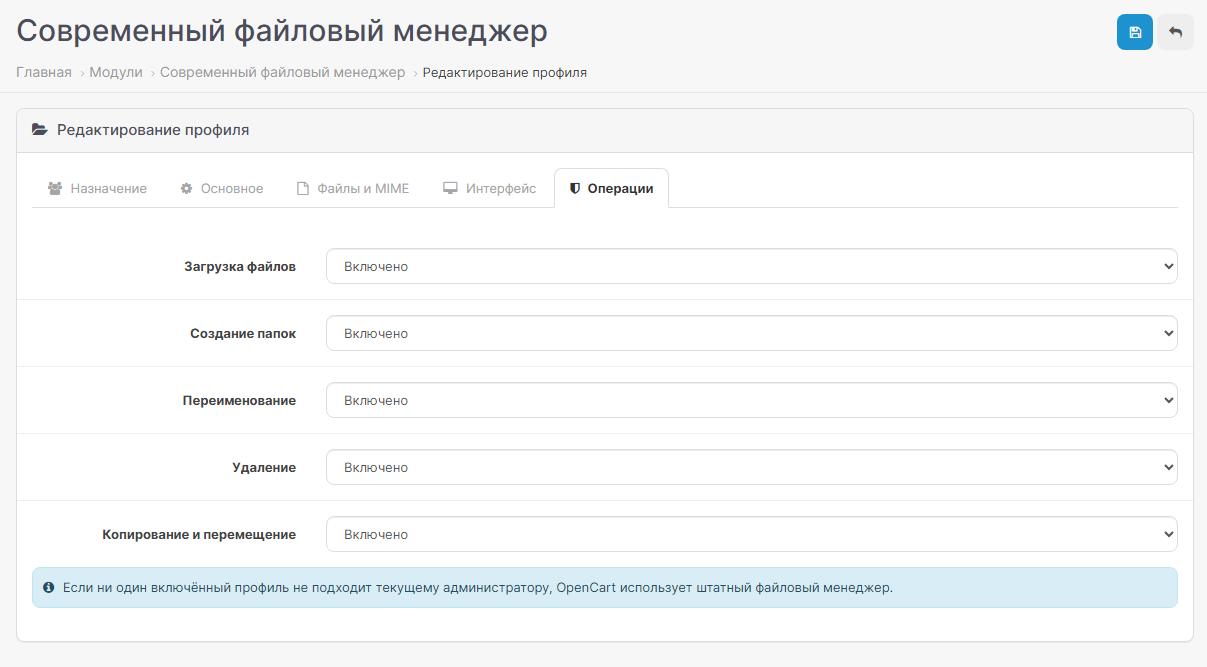
The administrator can enable or disable each operation independently:
- []upload files;[]create folders;[]rename;[]delete;[]copy and move;[]Drag & Drop;[]global search;[]contextual menu.
User rights
| Settings | Purpose |
| Automatic issuance of access | When saving a profile, the module can automatically add the selected group the right to access the file manager route |
| Check modify | Modifying operations can only be performed if you have the appropriate right |
| Profile status | A disabled profile does not participate in the selection of settings |
| Rootfolder | The user will not be able to go above the assigned directory |
Integration with OpenCart
The module supports standard ways to open the OpenCart 3 file manager:
- []selecting the main product image;[]selecting additional images;[]target and thumb fields;[]CKEditor;[]fast editors that use the standard call to the file manager;[]other modules that open common/filemanager in the standard way.
Without replacing the standard file manager
Modern File Manager connects via OCMOD and checks for an active profile for the currentadministrator.
| Situation | Result |
| Active profile found | Modern File Manager opens with the settings of this profile |
| Profile disabled | He does not participate in the selection |
| No suitable profile | The standard OpenCart file manager opens |
| Module disabled or removed | OpenCart continues to use the standard filemanager |
Advantages of the module
- - significantly speeds up daily work with images and documents; - does not require manual replacement of system files; - suitable for stores with several administrators; - allows you to limit each employee to their own folder; - reduces the risk of accidentally deleting other people's files; - supports images, documents, videos, tables and 3D models; - retains the usual way of selecting images in OpenCart; - allows you to fully manage the capabilities through the settings; - automatically returns to the standard manager in the absence profile; - supports Russian and English interface.
| 1 | Download archive via add-on installer |
| 2 | Go to the modifiers section and click “Update” |
| 3 | Install Modern File Manager in the list of modules |
| 4 | Create the first profile for a user, group or all administrators |
| 5 | Clear administrative panel Twig cache |
Requirements
- -jsTree library in the administrative part (comes with the module); - default path: admin/view/javascript/jstree/; - write permissions to used directories image/.
Before installation, it is recommended to restore the original admin/controller/common/filemanager.php if it was previously changed manually.
Distribution method:
Paid
Opencart version:
LiveStore 3.*OCStore 3.*OCStore 2.3OpenCart 2.3
PHP verision:
PHP 7.0PHP 7.1PHP 7.2PHP 7.3PHP 7.4PHP 8.0PHP 8.1PHP 8.2PHP 8.3
Activation:
Not required
Getting files:
On site, in the personal account
Protection system:
No
VQmod:
No
Ocmod:
Yes
Events:
No
Uploaded:
14.08.2026
Updated:
14.09.2026
Viewed:
942
Sales:
3
Write a review
Your Name:Your Review: Note: HTML is not translated!
Rating: Bad Good
Enter the code in the box below:
Файлы будут доступны после покупки
fadeivv / купил товар / 20 October 2026 20:14:23 #
Хороший модуль, не хватает встроенного редактора фото внутри, а так все очень хорошо.
Войдите, чтобы ответить
Showing 1 to 1 of 1 (1 Pages)


