Your shopping cart is empty!

Shield - protection of the OpenCart admin panel

Price: 999 ₽ 1 999 ₽

Additional from the author:
Author: opencart-cms.ru
Write to the author
Sales: 3 (Average rating 5 на основании 1 отзывов)
Need paid help? Contact the site administration
Opencart version:
Sales: 3 (Average rating 5 на основании 1 отзывов)
Need paid help? Contact the site administration
Opencart version:
LiveStore 3.*OpenCart 2.0OpenCart 2.1OpenCart 2.2OpenCart 2.3OpenCart 3.*OCStore 2.1OCStore 2.3OCStore 3.*
Shield - protection of the admin panel (OpenCart)
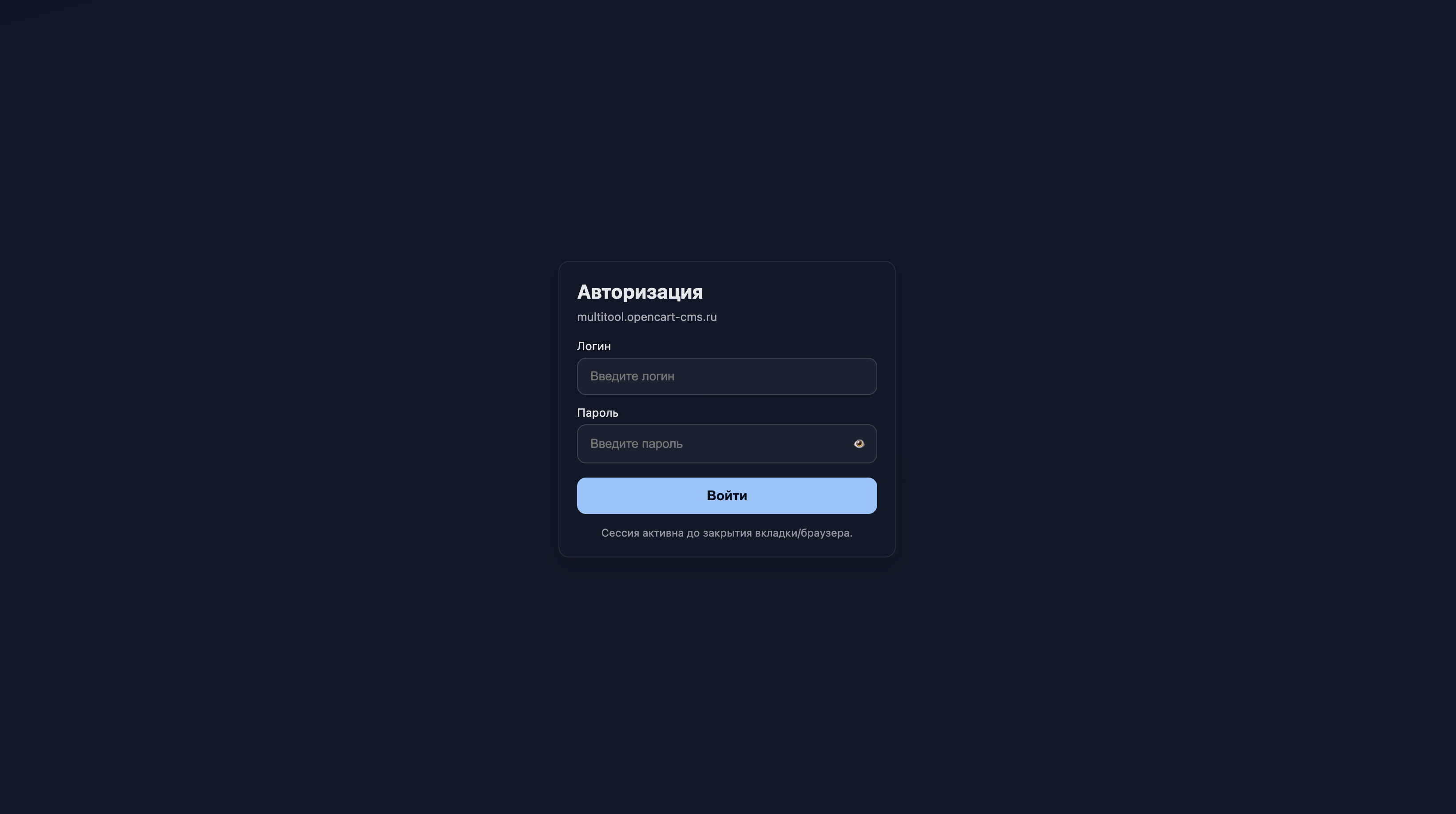
Additional authorization form for admin panel, additional layer of protection (double authentication).
Stop screen with login and password in front of the admin area. Works even in incognito.
What does “Shield” do
“Shield” adds an additional authorization screen in front of the admin panel and checks the login/password before executing the rest of the code, thereby even if bots try to brute force passwords, it creates a much smaller load on the server than with the standard authorization form .
Enabled - the admin panel is closed. Turned it off - the system returned to its original state, leaving no garbage.
Who might find it useful
- An additional layer of protection for the workerwebsite.
- Closed access to dev / stage during edits.
- Quick “private” for a demo showcase or B2B account.
Safety under the hood
- Timing-secure login and password checks, eliminating response time leaks.
- CSRF token in the form.
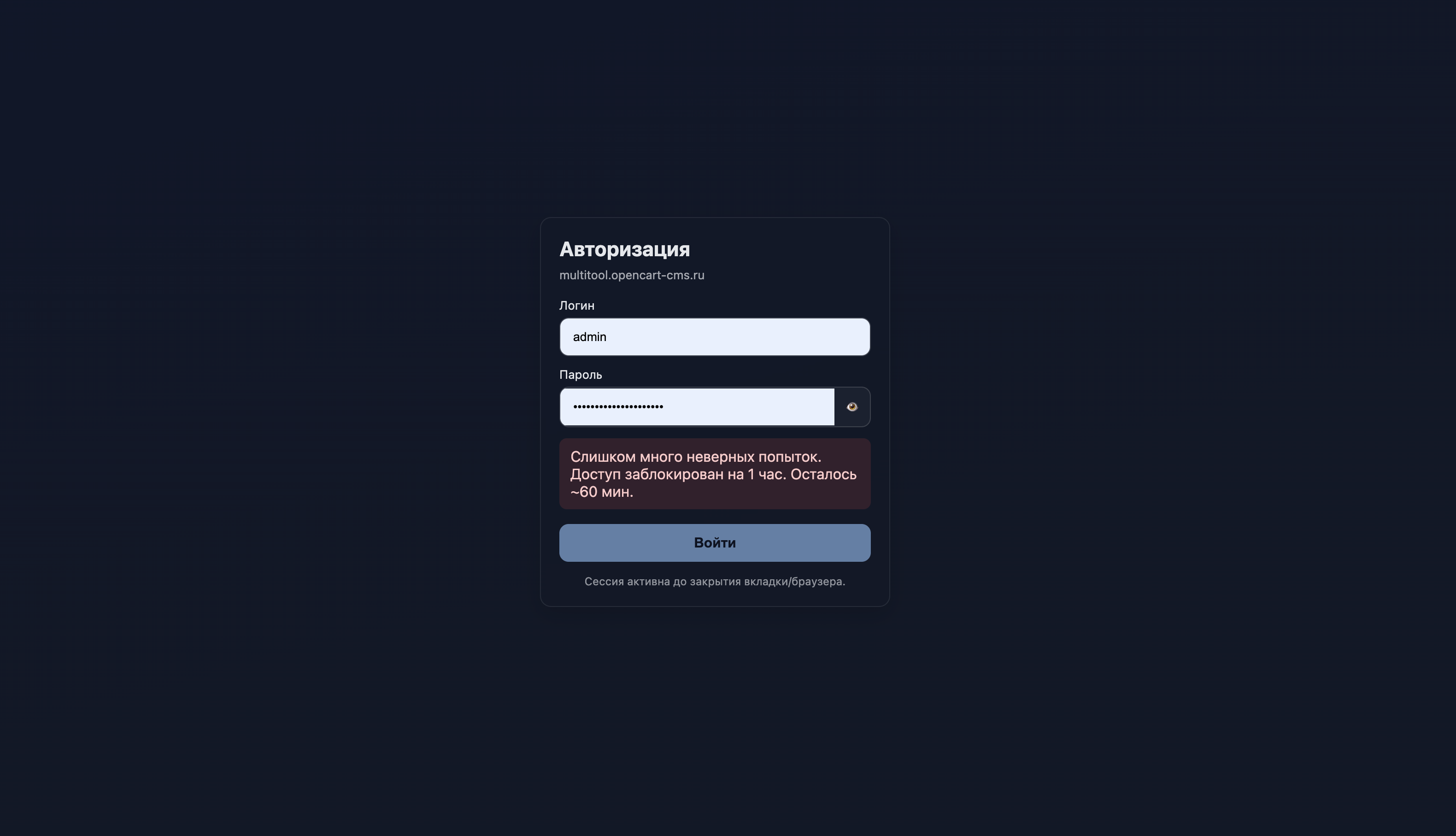
- Anti-brute force: after 3 errors, the IP is blocked for 1 hour (threshold and time can be changed).
- Detailed logs of successful and unsuccessful logins + block list in JSON format.
- A direct attempt to open an auth file gives a 404.
Administration
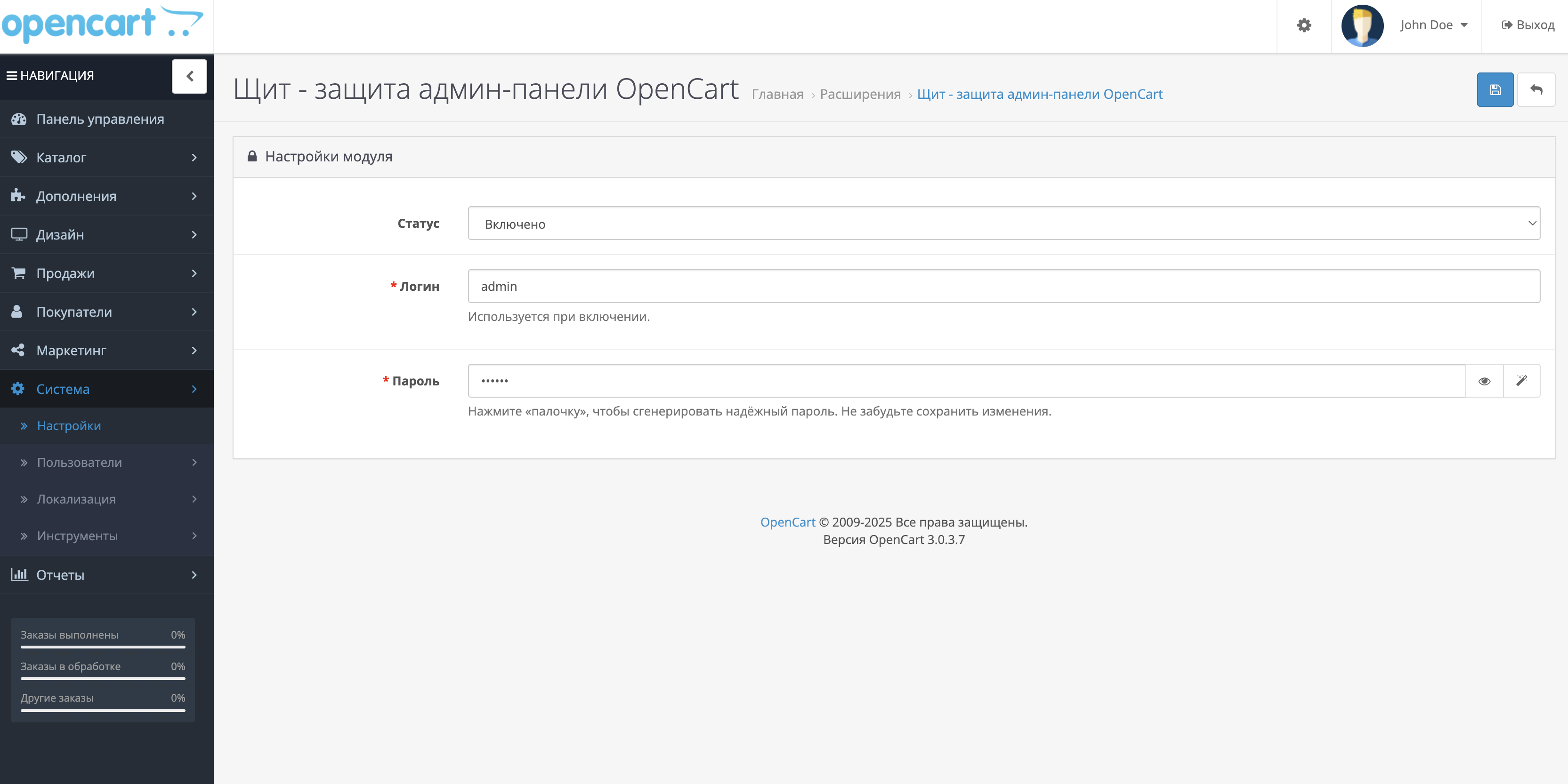
- Enabling and disabling is done from the module settings.
- The login and password fields are equipped with a “show” button and a reliable value generator.
- When the password is changed, a notification is automatically sent to the administrator’s e-mail.Advantages
- Fires before loading the admin panel and all modifications.
- Does not require .htaccess, custom nginx rules and third-party libraries - pure PHP.
- Compatible with incognito mode, does not conflict with cache and SEO modules.
- Full rollback of changes with one button when the module is disabled.
Installation
Download the OCMOD archive via the standard installer.
In “Extensions → Modules” find “Shield”, enable it and set a login/password - the protection is active immediately.
Demo version
Link - https://schit.opencart-cms.ru/admin/
Login and password for the first authorization form - demo1 and demo1
Login and password for the second authorization form - demo and demo
FAQIs incognito supported?
Yes, thanks to secure cookies and strict sessions.
Does it affect SEO or cache?
No, the logic is isolated and does not touch the core.
How to rollback changes?
Turn off the module: the insert and file will be deleted, and the screen sessions will be cleared.
Where can I look at the logs?
In storage/logs (or system/storage/logs) there is a file auth_admin_access.log and a JSON block list.
License and support
One license - one domain.
Support and modification are provided on a paid basis.
Additional authorization form for admin panel, additional layer of protection (double authentication).
Stop screen with login and password in front of the admin area. Works even in incognito.
What does “Shield” do
“Shield” adds an additional authorization screen in front of the admin panel and checks the login/password before executing the rest of the code, thereby even if bots try to brute force passwords, it creates a much smaller load on the server than with the standard authorization form .
Enabled - the admin panel is closed. Turned it off - the system returned to its original state, leaving no garbage.
Who might find it useful
- An additional layer of protection for the workerwebsite.
- Closed access to dev / stage during edits.
- Quick “private” for a demo showcase or B2B account.
Safety under the hood
- Timing-secure login and password checks, eliminating response time leaks.
- CSRF token in the form.
- Anti-brute force: after 3 errors, the IP is blocked for 1 hour (threshold and time can be changed).
- Detailed logs of successful and unsuccessful logins + block list in JSON format.
- A direct attempt to open an auth file gives a 404.
Administration
- Enabling and disabling is done from the module settings.
- The login and password fields are equipped with a “show” button and a reliable value generator.
- When the password is changed, a notification is automatically sent to the administrator’s e-mail.Advantages
- Fires before loading the admin panel and all modifications.
- Does not require .htaccess, custom nginx rules and third-party libraries - pure PHP.
- Compatible with incognito mode, does not conflict with cache and SEO modules.
- Full rollback of changes with one button when the module is disabled.
Installation
Download the OCMOD archive via the standard installer.
In “Extensions → Modules” find “Shield”, enable it and set a login/password - the protection is active immediately.
Demo version
Link - https://schit.opencart-cms.ru/admin/
Login and password for the first authorization form - demo1 and demo1
Login and password for the second authorization form - demo and demo
FAQIs incognito supported?
Yes, thanks to secure cookies and strict sessions.
Does it affect SEO or cache?
No, the logic is isolated and does not touch the core.
How to rollback changes?
Turn off the module: the insert and file will be deleted, and the screen sessions will be cleared.
Where can I look at the logs?
In storage/logs (or system/storage/logs) there is a file auth_admin_access.log and a JSON block list.
License and support
One license - one domain.
Support and modification are provided on a paid basis.
Distribution method:
Paid
Opencart version:
LiveStore 3.*OpenCart 2.0OpenCart 2.1OpenCart 2.2OpenCart 2.3OpenCart 3.*OCStore 2.1OCStore 2.3OCStore 3.*
PHP verision:
PHP 5.6PHP 7.0PHP 7.1PHP 7.2PHP 7.3PHP 7.4PHP 8.0PHP 8.1PHP 8.2
Activation:
Automatic
Getting files:
On site, in the personal account
Protection system:
Custom
Ocmod:
Yes
Uploaded:
13.08.2025
Updated:
26.12.2025
Viewed:
3739
Sales:
3
Write a review
Your Name:Your Review: Note: HTML is not translated!
Rating: Bad Good
Enter the code in the box below:
Файлы будут доступны после покупки
wel / купил товар / 16 November 2025 15:15:10 #
Простой, но нужный модуль
Войдите, чтобы ответить
Showing 1 to 1 of 1 (1 Pages)
Articles about the product

Do you want to remove the default /admin/ in OpenCart and reduce junk login attempts? We’ll explain in simple terms two ways to change the admin URL - renaming the folder or using a “virtual” URL via rewrite, with ready-made rules for Apache and Nginx.


