Your shopping cart is empty!

Site Defender Protecting your site from spam\DDOS\SQL injections, parsers, price monitoring
Price: free

Author: sanya
Write to the author
Need paid help? Contact the site administration
Opencart version:
Need paid help? Contact the site administration
Opencart version:
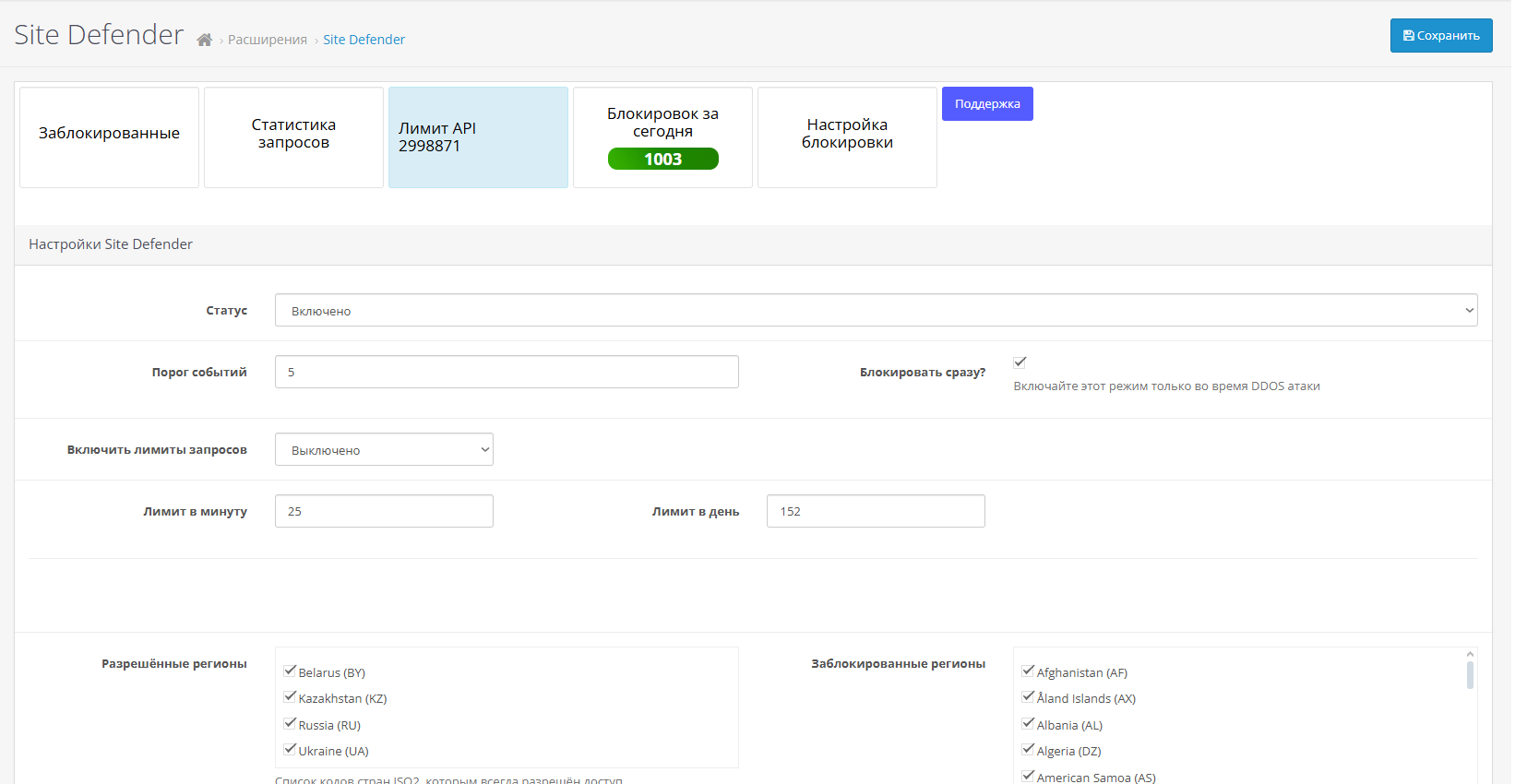
LiveStore 3.*OCStore 3.*OpenCart 3.*OCStore 2.3OpenCart 2.3
The module protects the site from any spam traffic.
This is a free version; when installed, it gives an API limit of 10,000 requests (if you reinstall, the limit will not be replenished).
Additional API requests can be purchased here...
When the requests run out, you are given 100 every day, which is enough for a small site that has just been launched.
Most of the module's functionality does not require a license and will work even if the API has ended.
The API is only used to block junk traffic
Main Functionality
1 Spam traffic
Bots that pretend to be people and crawl around the site, they can create a significant load on the server, the site will work slower, these bots crawl the site HEADqueries in search of vulnerabilities, they simply parse the content and update it, try to log into the admin panel and much more, they are of no use, they are not visible in the metric counters.
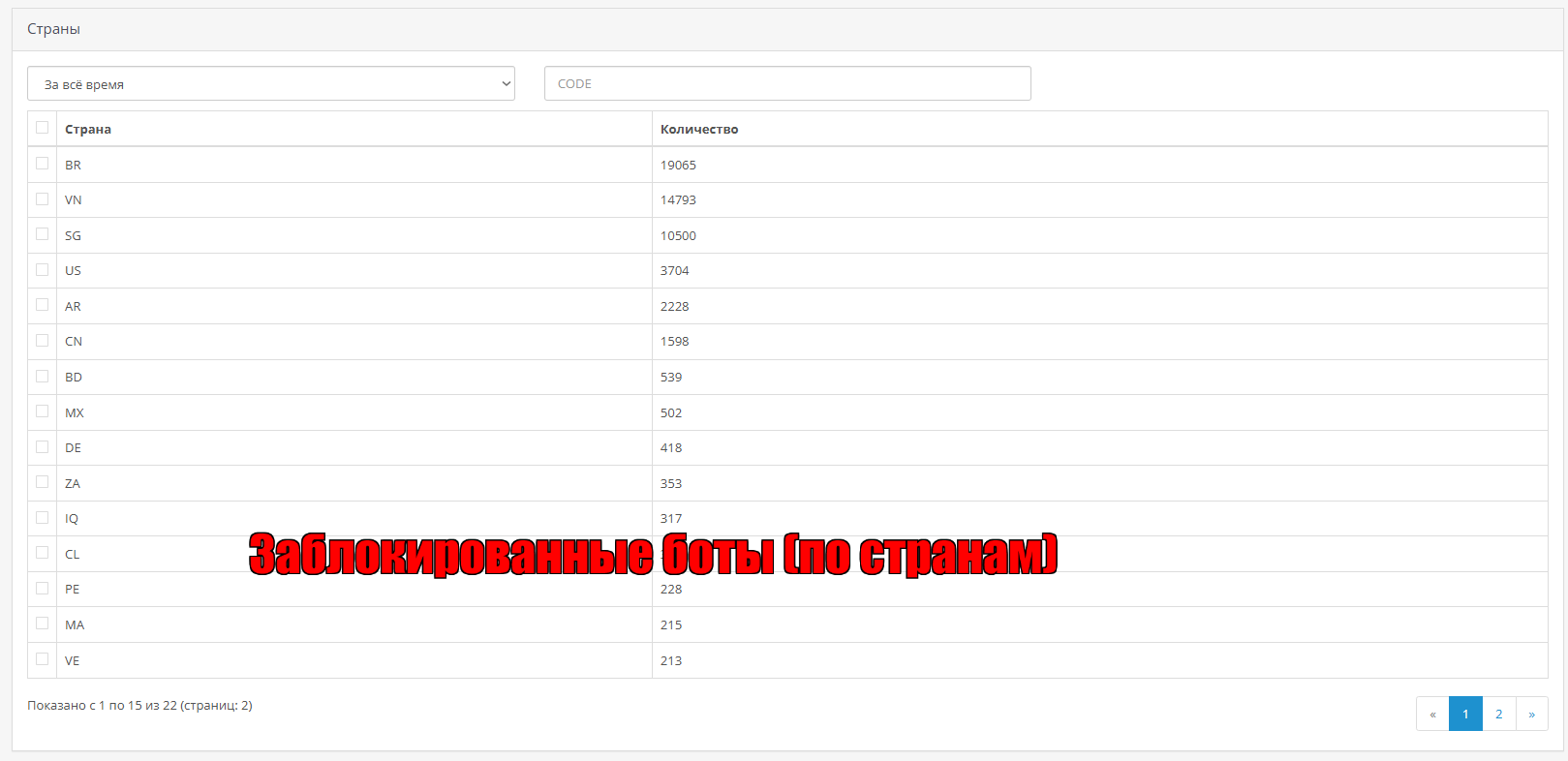
To block bots you need to select countries that you do not need and the module will block them.
2 DDOS attacks, parsers, price monitoring
The module has a function to limit requests per minute and per day.
If you are under a severe DDOS attack from a small number of addresses, enable this function and it will block the attacker.
To protect against parsers, price monitoring and other bots you don’t need, you need to set a limit per day; an ordinary person will not look at 100 pages a day, but the parser will and will block him.
3 SQL injections and other spam in queries
Filtering links ifIn the links there are words that are used in SQL injections - for example select+from+update = the module will not allow such a request.
The list of such words is small; you can find it on the Internet or ask it from an AI.
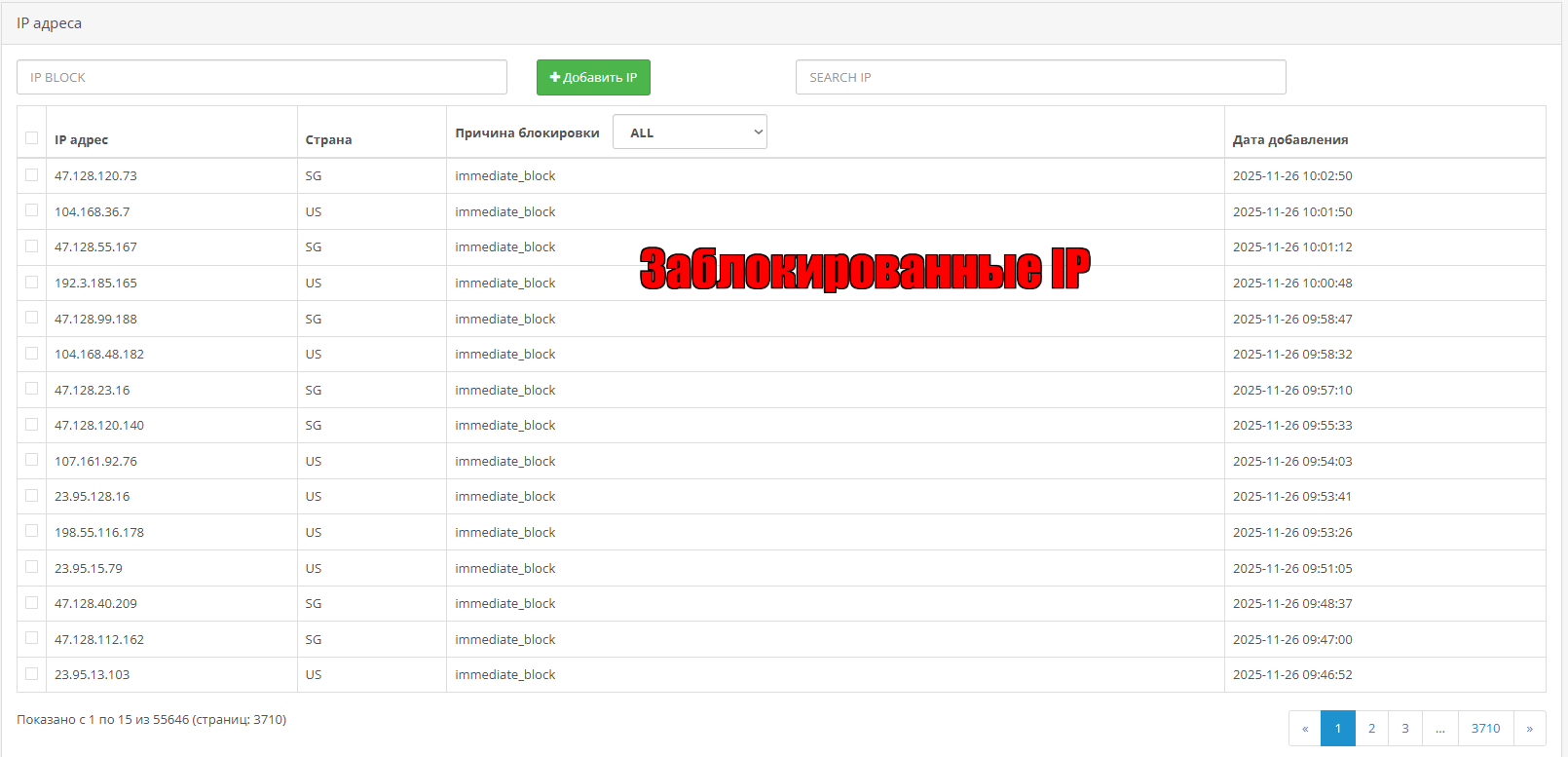
4 Manual blocking - In the blocked section you can add IP addresses that you want to block, and you can unblock them there
Installation and configuration instructions
1 Install the module and update modifiers
2 Go to the modules - site defender should appear there (conrl+f and enter site defender to quickly find it)
3 You will get 10,000 requests to the API (if it doesn’t, write to support, there is a button in the module).
4 Either immediately block all countries you don’t need, or wait 1 day and you will see from which countries spam traffic is coming from in the sectionstatistics (even if you block them immediately, you will still see where the spam is coming from).
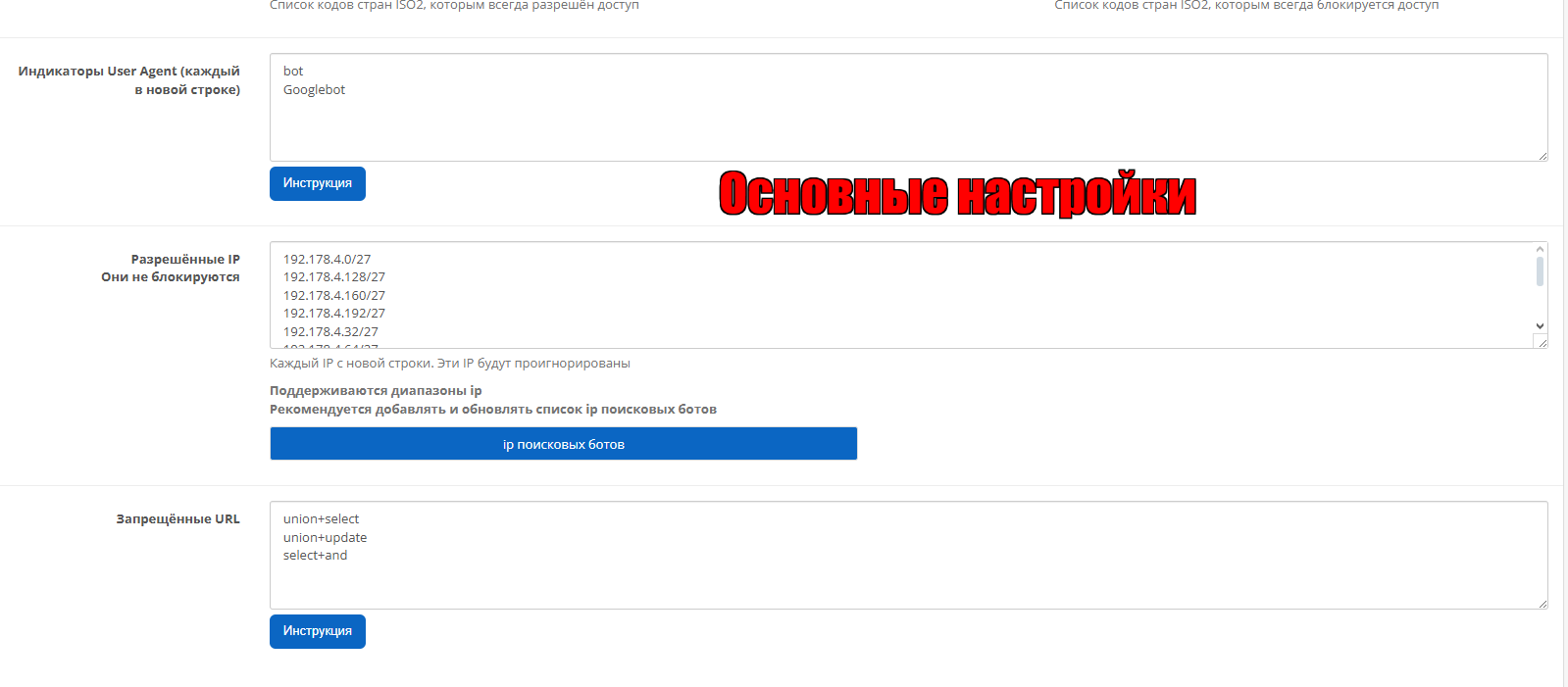
5 Get a list of IP addresses of Google and Yandex bots (there is a button for this in the module) - and set them to allowed IPs, these lists sometimes change and you need to update it from time to time (not often).
6 set prohibited urls like this
union+select
union+update
select+and
A more complete list will tell you, and if there are several words they are written with +, if all words are found in the query line - the module will block the visitor.
7 in the User Agent Indicators field (each in a new line) - bot must be specified (so that Api does not eat up its limit on bots) - if bot is entered in this field - bots are completely ignored by the module, spam bots are not signed by bots, their module will still befilter.
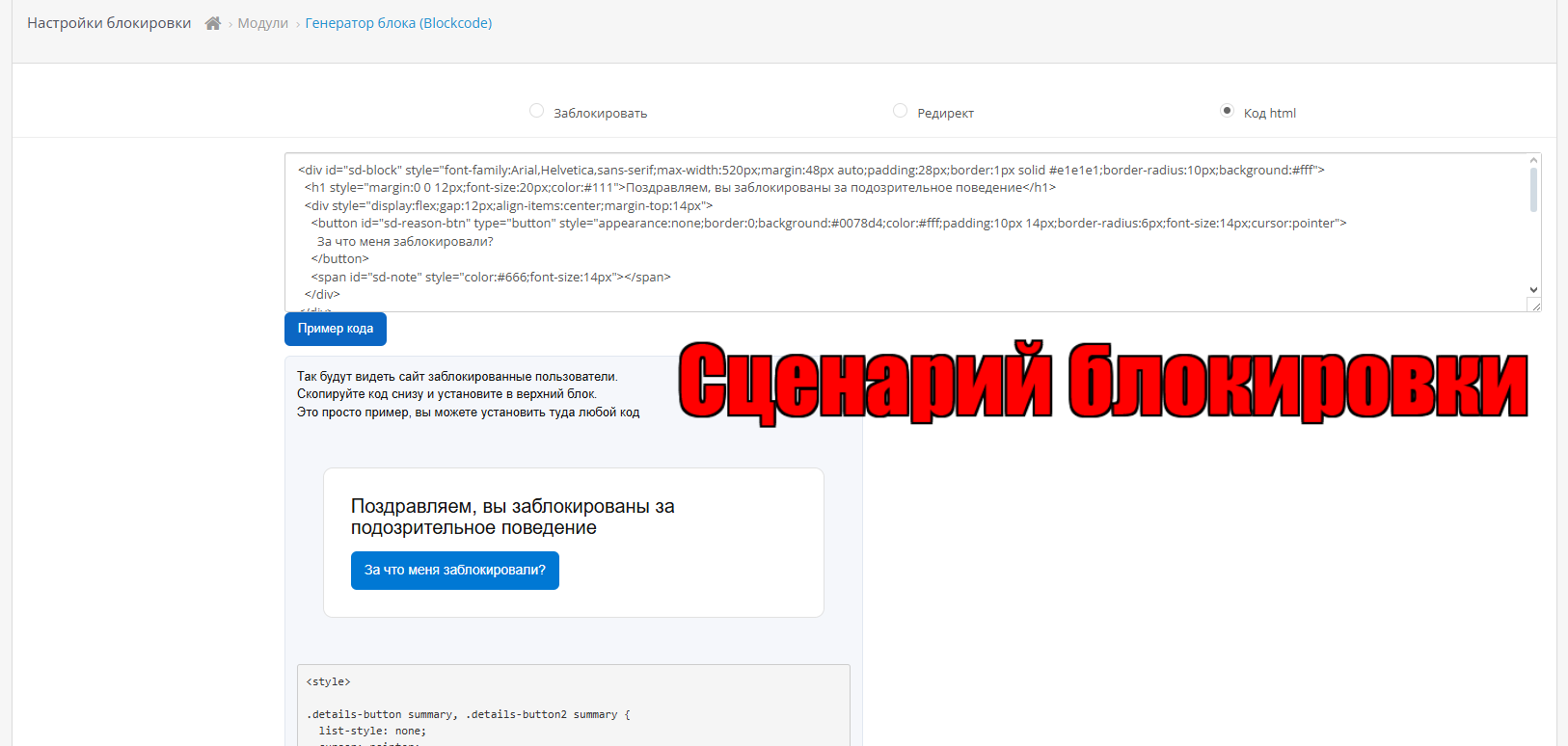
8 Go to the blocking settings section and choose what to do with blocked users, simply block (by default), redirect (it is not recommended to send them to other sites, they will see where they came from), or HTML code (you can install a beautiful form with contacts).
=====
9 - The event threshold is the number of requests before blocking, you can not use it, but check the box - block immediately, this reduces the consumption of API requests, but if a real person from Brazil, for example, wants to go to your site, he will not be able to. (it’s better to enable it, because spam bots have hundreds of thousands of addresses)
10 The request limit should be enabled only to protect against DDOS attacks or price and content parsers, you just don’t need it, it will block youradministrators and managers (their IP addresses must be added to the allowed list).
===
If you have the OpenCart Lightning module installed
You need to add its ip to the exclusion list - 178.62.216.127 (or don't block the Netherlands).
Other modules that send requests to your site also need to be added there with a list of their ip (there are very few such modules, I don’t know any others besides lighting).
The ip exception list supports address ranges.
=====
Removal
It can be removed like a regular module, but you need to manually remove these lines from the index.php file
// SiteDefender immediate check
require_once(DIR_SYSTEM . 'library/site_defender_boot.php');
siteDefenderBootCheck();
They are used to block the visitor before calling any other code.
Distribution method:
Free
Opencart version:
LiveStore 3.*OCStore 3.*OpenCart 3.*OCStore 2.3OpenCart 2.3
PHP verision:
PHP 5.4PHP 5.5PHP 5.6PHP 7.0PHP 7.1PHP 7.2PHP 7.3PHP 7.4PHP 8.0PHP 8.1PHP 8.2
Activation:
Automatic
Getting files:
On site, in the personal account
Protection system:
Custom
VQmod:
No
Ocmod:
Yes
Events:
No
Uploaded:
26.11.2025
Updated:
31.08.2026
Viewed:
3000
Write a review
Your Name:Your Review: Note: HTML is not translated!
Rating: Bad Good
Enter the code in the box below:
To download this free product, you do not need to order it, just log in.


Ошибка при установке, куда копать где разрешение добавить
Этот каталог site_def.php не доступен для записи!
https://liveopencart.ru/pm/?contact_id=18484
Либо в тг напишите если так удобнее @OFICIAL_FSB