Your shopping cart is empty!

Automatic tracking of deliveries


Price: 1 490 ₽ 1 990 ₽

Additional from the author:
Author: Serbulenko
Write to the author
Sales: 2 (Average rating 0 на основании 1 отзывов)
Need paid help? Contact the site administration
Opencart version:
Sales: 2 (Average rating 0 на основании 1 отзывов)
Need paid help? Contact the site administration
Opencart version:
LiveStore 3.*OCStore 3.*OpenCart 3.*
The module automatically checks the location of parcels and updates order statuses in the store. You no longer need to manually enter tracking numbers on delivery service websites: everything is updated automatically according to a schedule.
Flexible settings — track only what you need:
What it can do:
Delivery services:
What you need:
Compatibility with Delivery Modules:
Installation:
Flexible settings — track only what you need:
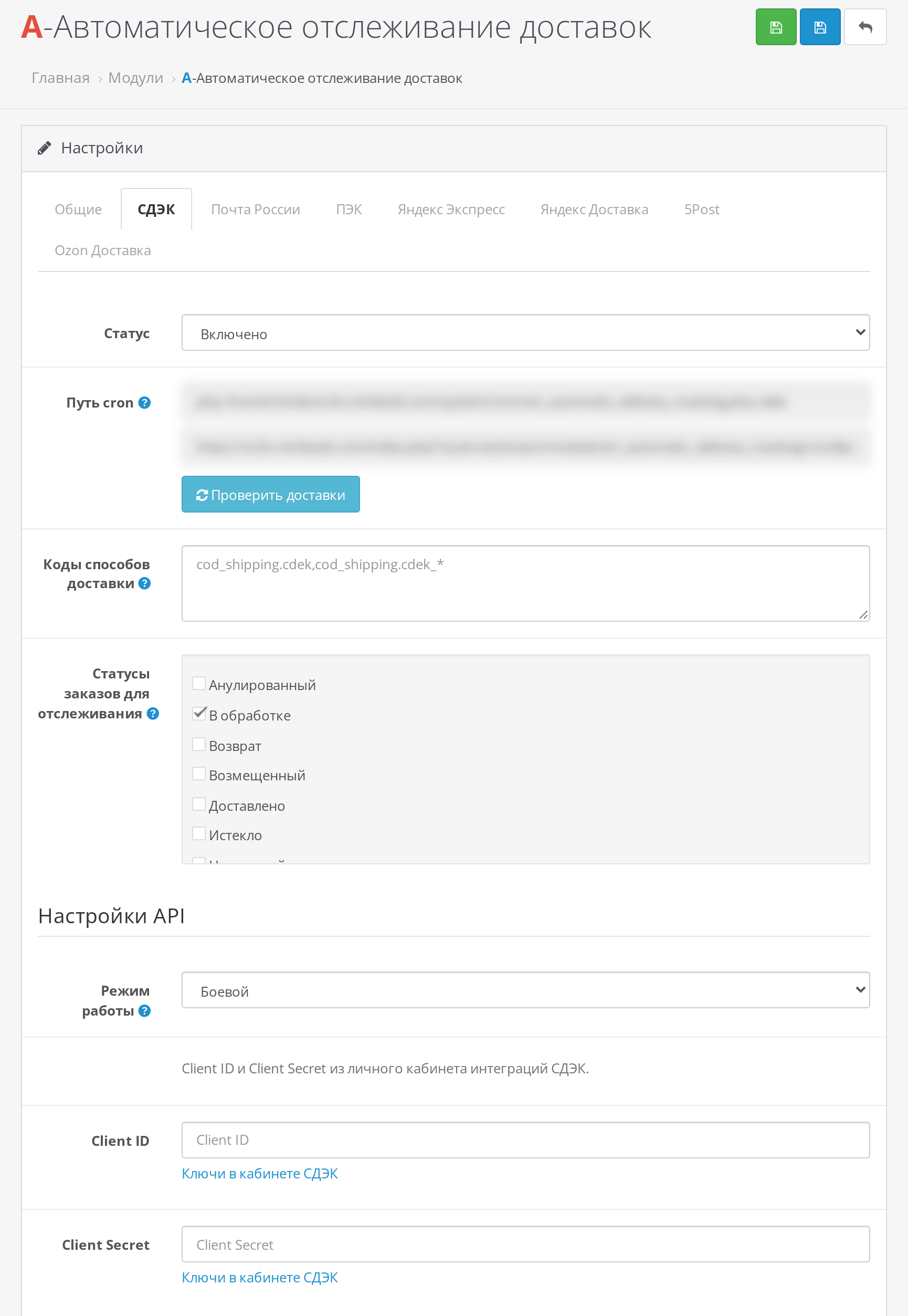
- Each delivery service is enabled and configured separately: its own keys, its own mode (test or production)
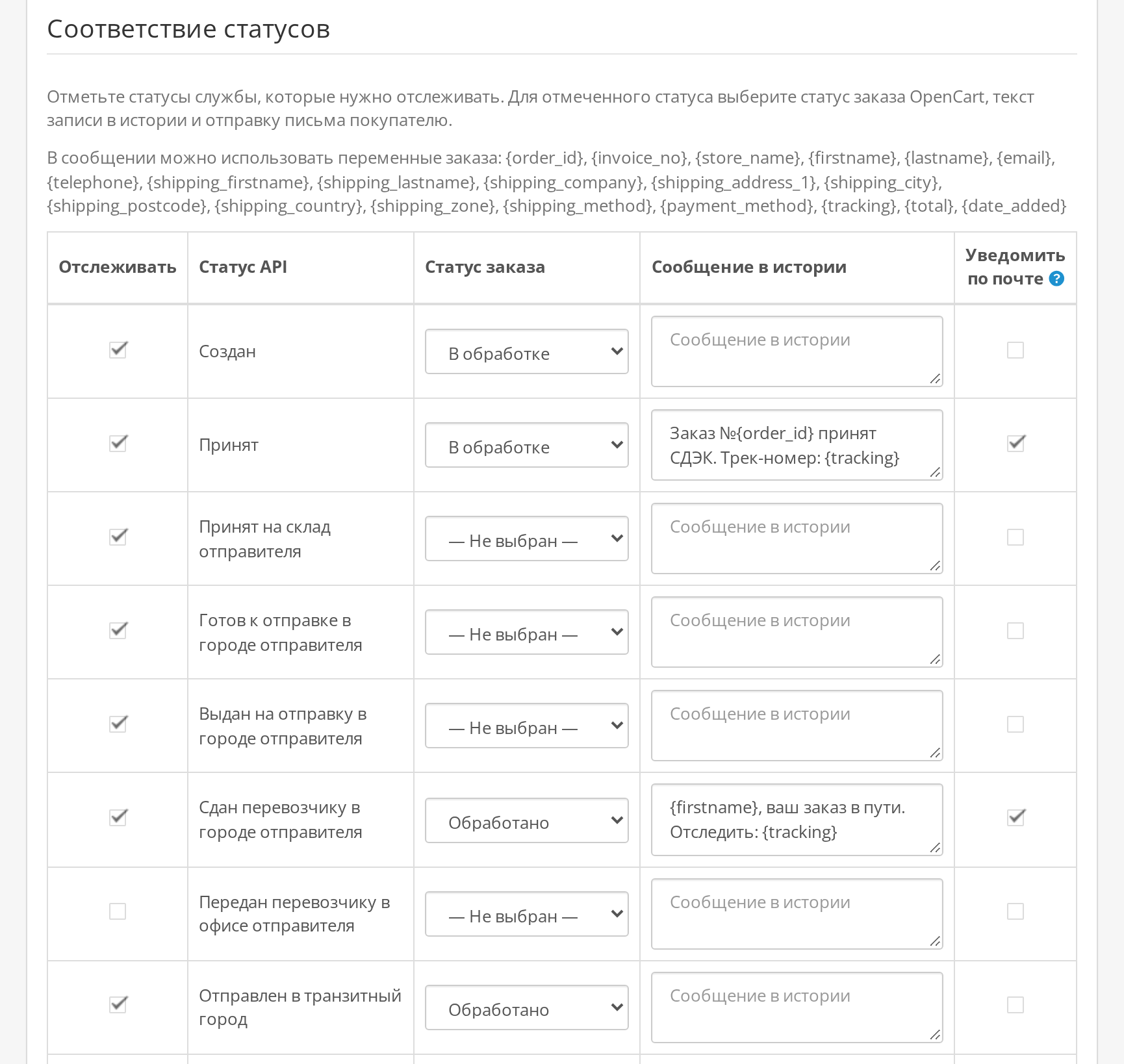
- Each service has its own status table: you decide which carrier status translates into which order status
- You can choose which delivery methods to track and which not
- You can choose which orders with which statuses to check so you don't waste requests on already closed ones
- For each status, you can enable or disable a customer email
- Custom comment text in the order history, with the order number and name inserted Buyer
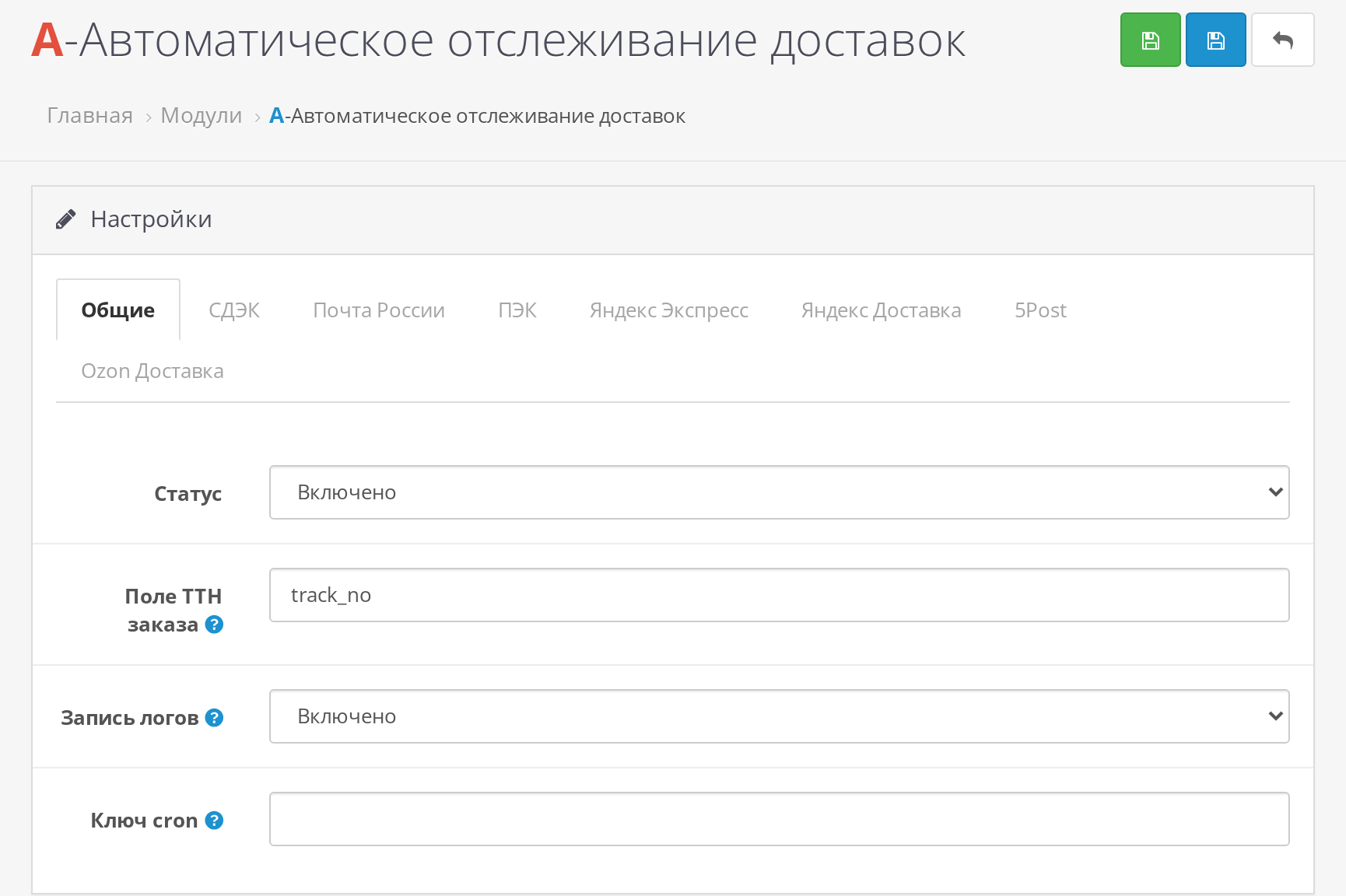
- The tracking number field is customizable for your store
What it can do:
- Automatically checks tracking numbers via cron (PHP command or link with a secret key)
- Changes the order status when the parcel is in transit, has arrived at the pickup point, or has been delivered
- Sends an email to the buyer when the status changes
- Russian Post offers two modes: your own shipments via "Sending" or any tracking numbers via "Tracking"
- Manual check button to avoid waiting for cron
- Work log: can be viewed, downloaded, and cleared
Delivery services:
- SDEK
- Russian Post
- PEC
- Yandex Delivery and Yandex Express
- 5Post
- Ozon Delivery
What you need:
- Order field with tracking number. If your store doesn't have it, we recommend theOrder Tracking Number
- API Keys for the Required Delivery Services
- Cron on Hosting
Compatibility with Delivery Modules:
- Fully Compatible withEasyShip
- Works with ApiShip and Other Delivery Modules
- The main thing is that the order has a tracking number, and in the settings The required delivery method codes were specified for the module
Installation:
- Upload the contents of the upload folder from the automatic_delivery_tracking.zip archive to the website root
- If you renamed the admin folder, upload the contents of upload/admin to your admin folder
- Go to System → Users → User Groups, select the desired group, and check the "Viewing Permitted" and "Editing Permitted" boxes next to extension/module/art_automatic_delivery_tracking
- Enable the module in the Modules section and configure the required services Delivery
- Add a cron job on the hosting (the command is specified in the module settings)
Distribution method:
Paid
Opencart version:
LiveStore 3.*OCStore 3.*OpenCart 3.*
PHP verision:
PHP 5.4PHP 5.5PHP 5.6PHP 7.0PHP 7.1PHP 7.2PHP 7.3PHP 7.4PHP 8.0PHP 8.1PHP 8.2PHP 8.3
Activation:
Automatic
Getting files:
On author's site, after purchase
Protection system:
Custom
VQmod:
No
Ocmod:
No
Events:
No
Uploaded:
14.10.2026
Updated:
15.10.2026
Viewed:
354
Sales:
2
Write a review
Your Name:Your Review: Note: HTML is not translated!
Rating: Bad Good
Enter the code in the box below:





Файлы будут доступны после покупки
aleksey7800 / купил товар / 27 October 2026 14:05:22 #
Полезный модуль, с установкой проблем не возникло
Войдите, чтобы ответить
Showing 1 to 1 of 1 (1 Pages)


