Your shopping cart is empty!

Page Builder - OpenCart 3
Price: 4 999 ₽

Author: knzv
Write to the author
Need paid help? Contact the site administration
Opencart version:
Need paid help? Contact the site administration
Opencart version:
LiveStore 3.*OCStore 3.*OpenCart 3.*
Page builder for OpenCart 3
Landing page inside the store. In one evening, without a coder
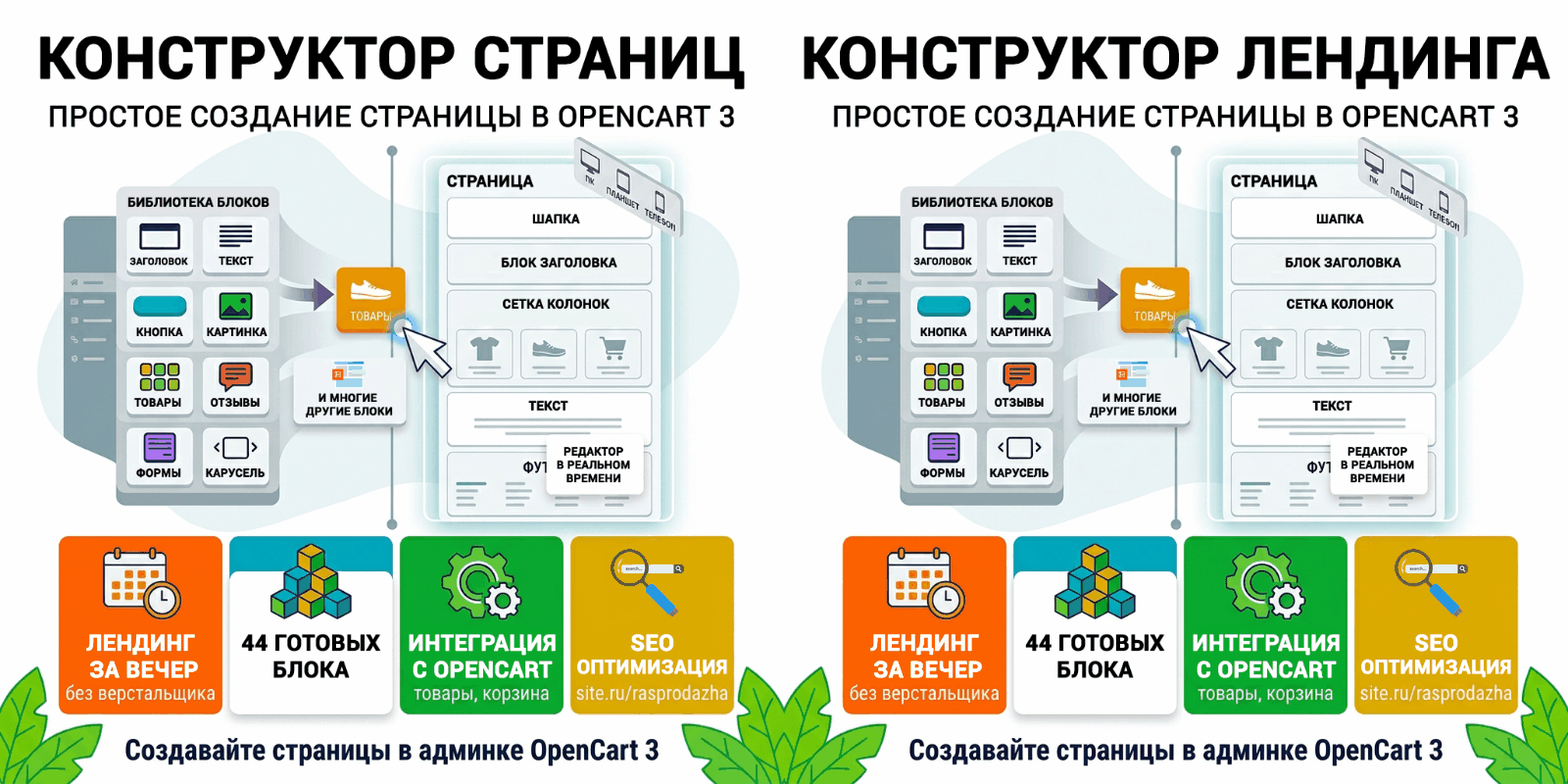
Visual builder for landing pages, pages, and storefront blocks. The page is built in the admin panel, lives on the store domain, and can display products, modules, and requests.
A separate website for advertising quickly takes on a life of its own: different prices, a different shopping cart, and orders in someone else's account. The page builder is installed in the store. You assemble the page yourself from ready-made blocks and preview it before publishing. The buyer remains yours.
Who needs this
Three ways to display the same page Page
The editor displays the page as the customer will see it
The builder opens full screen. On the left is the block library with a preview, in the center is the page, and on the right are the settings for the block you clicked. Text can be edited in-place: click the title and type. The panel includes bold, italic, lists, links, pixel size, and color. Images are taken from the OpenCart file manager.
Blocks can be copied, hidden, moved up or down. Undo and redo are available. The width switches between tablet and phone, and the layout is visible before publishing. You can add custom CSS to the entire page.
Each block has its own top and bottom padding, background, background image, text color, and width: normal, fullscreen, or narrow column. The block can be hidden only on a phone or only on a computer. An anchor is specified for the menu item. The font can be left as in the theme or selected.
What the page is made of
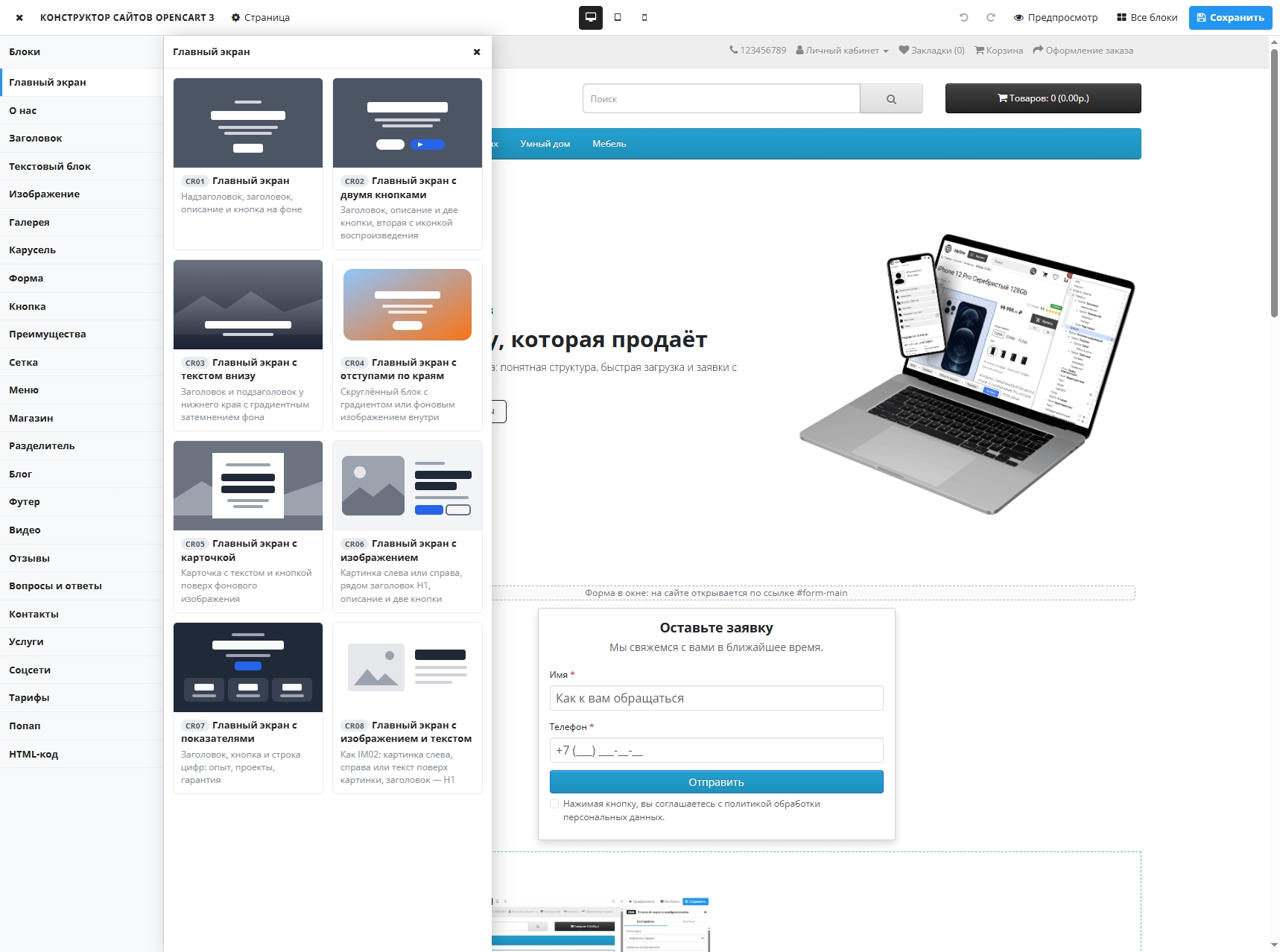
There are 44 blocks in the library. You don't need to layout them: just choose the appropriate one and fill them in.
First screen— eight layouts for what a user sees without scrolling. Background with a button, two buttons, text at the bottom, block with margins on the edges, card over background, image on the left or right, text over image, a line of up to six numbers. The title on these screens is displayed as the main page heading.
Text and Structure— Section heading, largeHeadline, plain text, text on a card, text over a photo or video, white card background, author quote, "About Us" section. The column grid creates its own layout: half, third, wide and narrow columns. On a phone, the columns are combined into one. Next to it is a divider, one to three buttons, a menu with a logo and links throughout the page, and a footer.
Trust— benefits with checkboxes, numbers, or icons, services with prices, plans with a list of what's included, reviews with photos and ratings, a grid or scrolling gallery, a slide carousel with a button on each slide. Videos are linked to YouTube, VK Video, or Rutube and launched by clicking on the cover.
Contact— contacts and map: the entire link or map code is inserted into the field. Icons for VK, Telegram, WhatsApp, YouTube, Instagram, Facebook, Odnoklassniki, TikTok, X, email, phone, and website. A window overlaying the page can be triggered by a timer or a button. A form on the page and a form in such a window.
Blog— a feed of cards or a single selected card. Source: builder pages, LiveStore blog, or Information articles. The feed reads the database with each display, and a new article appears automatically.
Custom code— an HTML block, if you need a widget or markup that isn't in the library.
Store products on the page
Form Request
The form is located on the page or opens with a button in a pop-up window. You choose the fields yourself: text, email, phone number, comment, and checkbox. Each field has its own signature and "required" flag. The consent text is enabled in the settings: until the checkbox is selected, the request is not sent. After submitting, the user sees your text; the page does not reload.
The request is entered into the "Requests" section: page it came from, date, sender's address, and all other fields. The list is filtered by page and date; requests can be opened and deleted. The same message is sent via OpenCart email—to the store's email address or to the address specified in the block. A hidden field filters out bots, so this type of submission isn't logged. If the page is later deleted, already received requests remain in the list.
SEO page url
Each page has its own SEO URL, for example, site.ru/rasprodazha. The title, description, and search keywords are also filled in. OpenCart's built-in SEO is enabled.
The "Questions and Answers" block provides FAQ microdata: search engines read several such blocks on a single page as a single list of questions.
DEMO
Demo inside the template
Landing page demo
Admin panel demodemo demo
Compatibility and installation
Installation procedure: Extensions → Install Extensions — upload the archive. Extensions → Modifiers — update. Extensions → Modules — install "Page Builder." Enter the license key in the "License" tab.
The "Page Builder" section appears in the left menu: pages, requests, settings. When deleting a module, the tables are not deleted; pages and requests remain in the database.
License
The key is issued for the store's domain. One key is valid for one domain.
Support
Support is provided via private messages and other communication methods. New modules may be added (depending on their profitability).
What you should know before purchasing
Landing page inside the store. In one evening, without a coder
Visual builder for landing pages, pages, and storefront blocks. The page is built in the admin panel, lives on the store domain, and can display products, modules, and requests.
44 blocks. 3 ways to display a page. An editor that makes the page look the same as the buyer's page. Form, request log, and email. Short address, your own homepage."It's better to see oncethan read the description a hundred times —the demo will answer all your questions."
A separate website for advertising quickly takes on a life of its own: different prices, a different shopping cart, and orders in someone else's account. The page builder is installed in the store. You assemble the page yourself from ready-made blocks and preview it before publishing. The buyer remains yours.
Who needs this
- A store owner who needs a page for advertising, promotions, or services, without having to customize the layout for each campaign.
- Someone who wants to put a catalog, shopping cart, and store design on their homepage and keep it.
- Studios and freelancers who deliver a page to a client within an already working OpenCart.
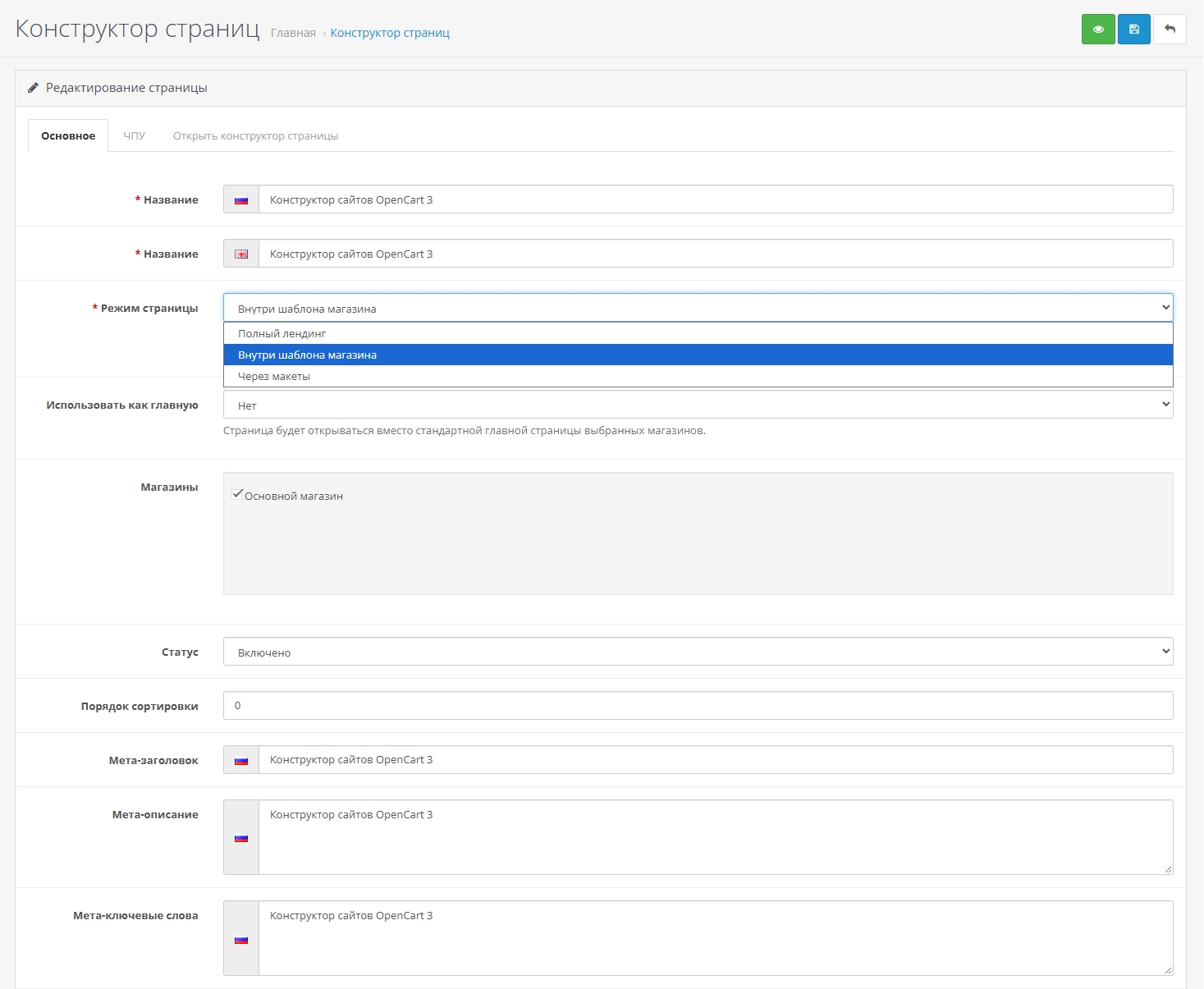
Three ways to display the same page Page
- Full landing page.A separate page without a header or footer. Nothing extra around the offer. This is the link they provide in advertising.
- Inside the store template.Your header and menu are at the top, your footer is at the bottom, and the designer blocks are in between. This is how you assemble "About Us," "Delivery," and "Partnership." The designer styles remain within the page and don't override the theme's design.
- Via layouts.The assembly doesn't have its own URL. After saving, it appears in the module list as "Page Builder → Page Name." It can be placed in Design → Layouts: on the homepage, in a category, on a product page, or in any layout.
The editor displays the page as the customer will see it
The builder opens full screen. On the left is the block library with a preview, in the center is the page, and on the right are the settings for the block you clicked. Text can be edited in-place: click the title and type. The panel includes bold, italic, lists, links, pixel size, and color. Images are taken from the OpenCart file manager.
Blocks can be copied, hidden, moved up or down. Undo and redo are available. The width switches between tablet and phone, and the layout is visible before publishing. You can add custom CSS to the entire page.
Each block has its own top and bottom padding, background, background image, text color, and width: normal, fullscreen, or narrow column. The block can be hidden only on a phone or only on a computer. An anchor is specified for the menu item. The font can be left as in the theme or selected.
What the page is made of
There are 44 blocks in the library. You don't need to layout them: just choose the appropriate one and fill them in.
First screen— eight layouts for what a user sees without scrolling. Background with a button, two buttons, text at the bottom, block with margins on the edges, card over background, image on the left or right, text over image, a line of up to six numbers. The title on these screens is displayed as the main page heading.
Text and Structure— Section heading, largeHeadline, plain text, text on a card, text over a photo or video, white card background, author quote, "About Us" section. The column grid creates its own layout: half, third, wide and narrow columns. On a phone, the columns are combined into one. Next to it is a divider, one to three buttons, a menu with a logo and links throughout the page, and a footer.
Trust— benefits with checkboxes, numbers, or icons, services with prices, plans with a list of what's included, reviews with photos and ratings, a grid or scrolling gallery, a slide carousel with a button on each slide. Videos are linked to YouTube, VK Video, or Rutube and launched by clicking on the cover.
Contact— contacts and map: the entire link or map code is inserted into the field. Icons for VK, Telegram, WhatsApp, YouTube, Instagram, Facebook, Odnoklassniki, TikTok, X, email, phone, and website. A window overlaying the page can be triggered by a timer or a button. A form on the page and a form in such a window.
Blog— a feed of cards or a single selected card. Source: builder pages, LiveStore blog, or Information articles. The feed reads the database with each display, and a new article appears automatically.
Custom code— an HTML block, if you need a widget or markup that isn't in the library.
Store products on the page
- Specific products in the order you selected them. These can include special offers, new arrivals, bestsellers, or popular items.
- Products in the same category, sorted.
- Price including tax and the store's currency. The "Add to Cart" button adds the product to the store's cart. If purchasing is not possible without the option, the product card opens.
- The appearance of the product card in the block is customizable: padding, rounding, background, border, shadow, size, and color of the title, description, price, and button.
- Product carousel for Swiper 3.4.2 or 5.4.5 and Owl Carousel 2.3.4. The library is taken from your theme. For Swiper, you can specify the version manually or include one selected from the CDN; the theme script remains in place.
- Any already installed OpenCart module is inserted as a separate block, including a specific instance from the module list.
Form Request
The form is located on the page or opens with a button in a pop-up window. You choose the fields yourself: text, email, phone number, comment, and checkbox. Each field has its own signature and "required" flag. The consent text is enabled in the settings: until the checkbox is selected, the request is not sent. After submitting, the user sees your text; the page does not reload.
The request is entered into the "Requests" section: page it came from, date, sender's address, and all other fields. The list is filtered by page and date; requests can be opened and deleted. The same message is sent via OpenCart email—to the store's email address or to the address specified in the block. A hidden field filters out bots, so this type of submission isn't logged. If the page is later deleted, already received requests remain in the list.
SEO page url
Each page has its own SEO URL, for example, site.ru/rasprodazha. The title, description, and search keywords are also filled in. OpenCart's built-in SEO is enabled.
The "Questions and Answers" block provides FAQ microdata: search engines read several such blocks on a single page as a single list of questions.
DEMO
Demo inside the template
Landing page demo
Admin panel demodemo demo
Compatibility and installation
- OpenCart 3.0.x, ocStore 3, LiveStore 3. PHP 7.4–8.3.
- Archive installation. The modifier adds a menu item, a homepage substitution, and short URLs.
- Block templates are supported by any theme. A custom block type is added as a template copy to the theme.
Installation procedure: Extensions → Install Extensions — upload the archive. Extensions → Modifiers — update. Extensions → Modules — install "Page Builder." Enter the license key in the "License" tab.
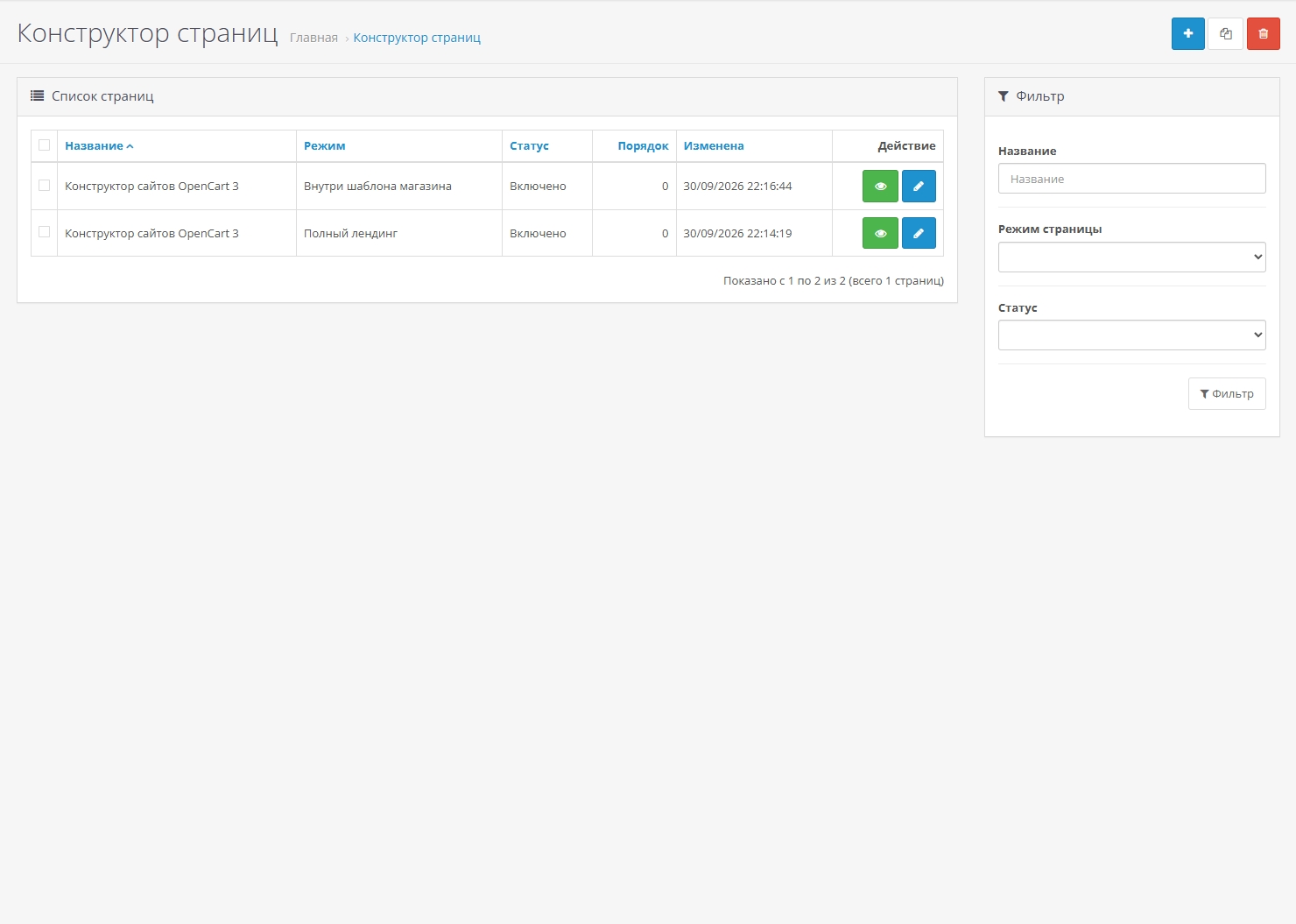
The "Page Builder" section appears in the left menu: pages, requests, settings. When deleting a module, the tables are not deleted; pages and requests remain in the database.
License
The key is issued for the store's domain. One key is valid for one domain.
Support
Support is provided via private messages and other communication methods. New modules may be added (depending on their profitability).
What you should know before purchasing
- The "Save" button immediately saves the page. There is no separate draft: if the page is enabled, buyers see the saved version.
- The finished page cannot be exported to a file and uploaded to another store.
- Videos are accepted from YouTube, VK Video, and Rutube. The editor will not save any other link.
- The full landing page does not contain theme scripts. The custom code in the HTML block should work automatically. The product carousel on this landing page is launched if the library is already included in the theme or CDN loading is enabled for Swiper.
Демо-сайт:
https://knzv.tech/opencart/page-builder-ru/
Демо-сайт:
https://knzv.tech/opencart/landing-builder-ru/
Админка демо-сайта:
https://knzv.tech/opencart/admin/
Логин: demo, пароль: demo
Distribution method:
Paid
Opencart version:
LiveStore 3.*OCStore 3.*OpenCart 3.*
PHP verision:
PHP 7.3PHP 7.4PHP 8.0PHP 8.1PHP 8.2
Activation:
Manually, upon request via private messages
Getting files:
On site, in the personal account
Protection system:
Custom
VQmod:
No
Ocmod:
Yes
Events:
Yes
Uploaded:
01.10.2026
Updated:
01.10.2026
Viewed:
57
Write a review
Your Name:Your Review: Note: HTML is not translated!
Rating: Bad Good
Enter the code in the box below:



Файлы будут доступны после покупки


