Your shopping cart is empty!

MAX notifications
15 sales
Price: 900 ₽
From 3 purchase of this product, the price is: 750 ₽

Additional from the author:
Author: Serbulenko
Write to the author
Sales: 19 (Average rating 0 на основании 1 отзывов)
Need paid help? Contact the site administration
Opencart version:
Sales: 19 (Average rating 0 на основании 1 отзывов)
Need paid help? Contact the site administration
Opencart version:
LiveStore 3.*OCStore 3.*OpenCart 3.*OCStore 2.3OpenCart 2.3
Receive instant notifications in the MAX messenger about important events in your online store:
Upon request in PM, I will make versions for opencart 2.x versions
Before purchasing the module, please readrequirements for creating a bot - https://dev.max.ru/help/chatbots
Setting instructions:
Step 1:
Minimum system requirements:
Technical support:
Technical support is provided to all users who legally purchased the module on official websites or from the author himself.
License:
Each copy of the module affects 1 domain and its subdomain.
Therefore, if you want to install the module on another domain, you must purchase another copy of the module.
For all questions and suggestions write to serfbots@gmail.com
My Telegram channel with news and updates on modules @minilarek
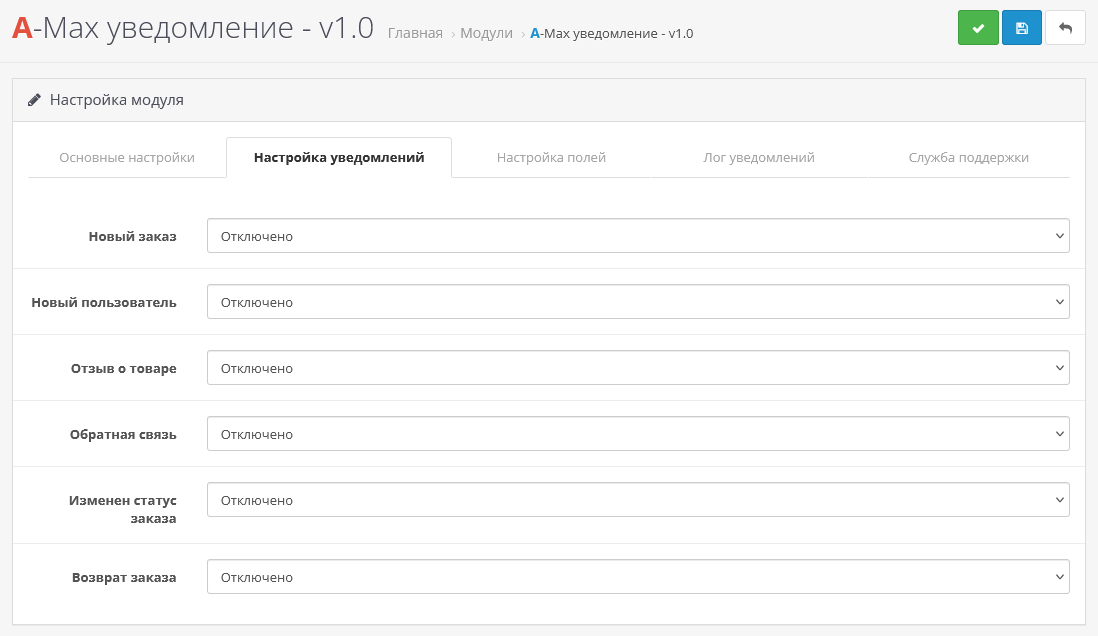
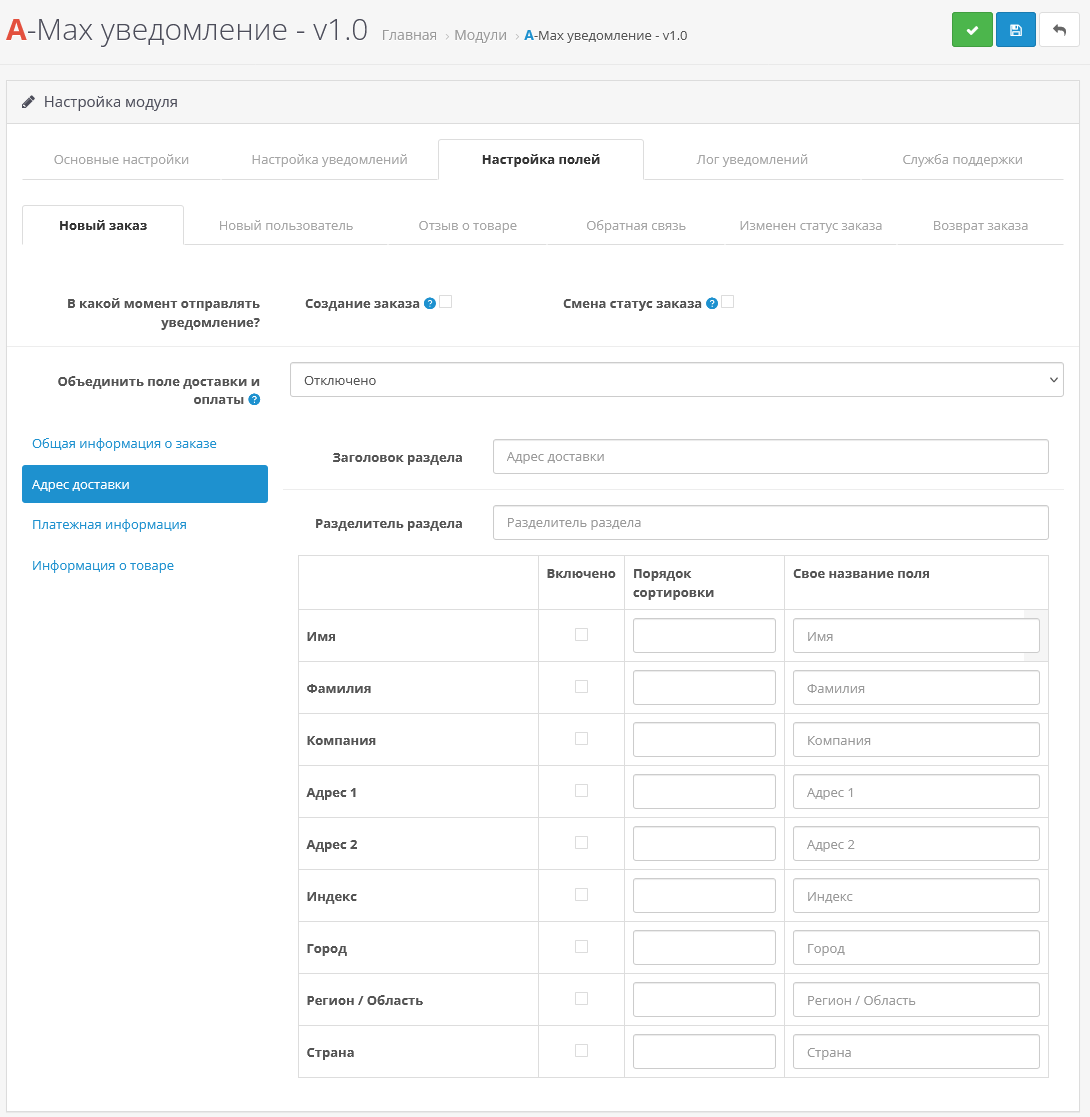
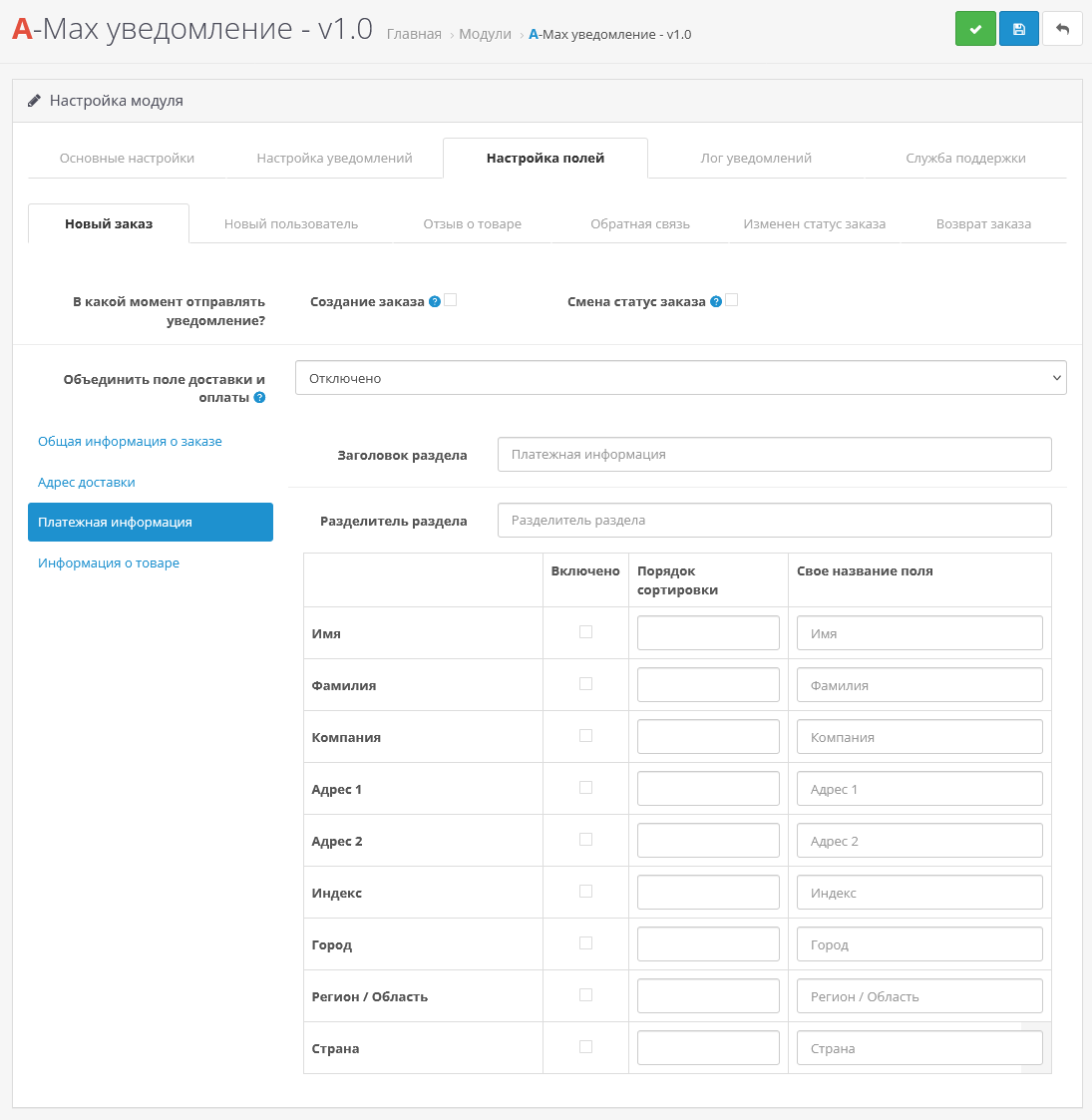
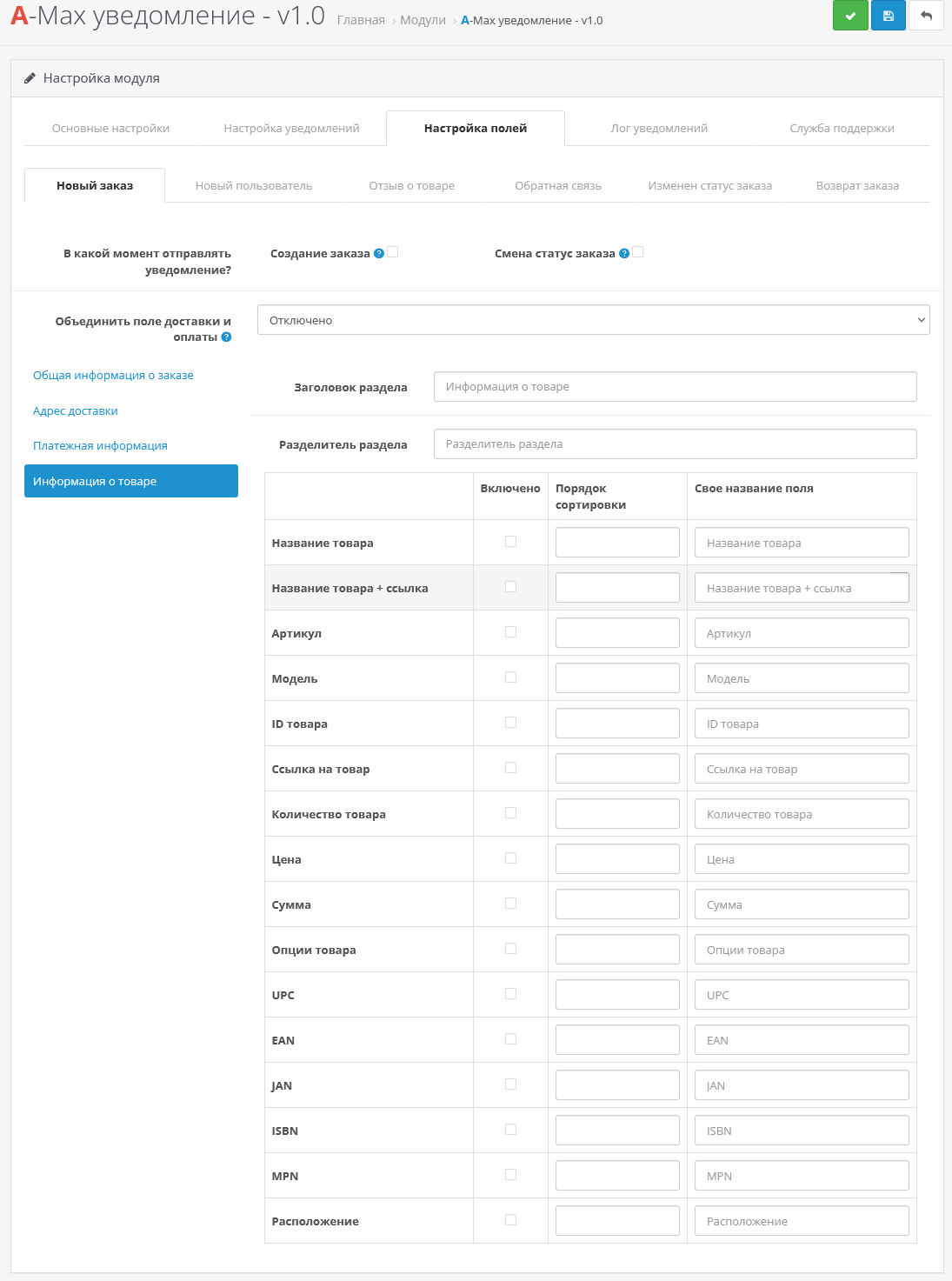
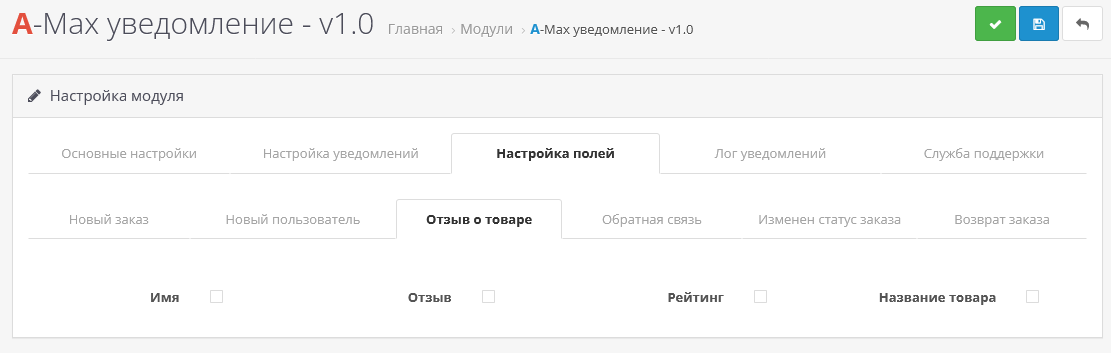
- New orders and reviews
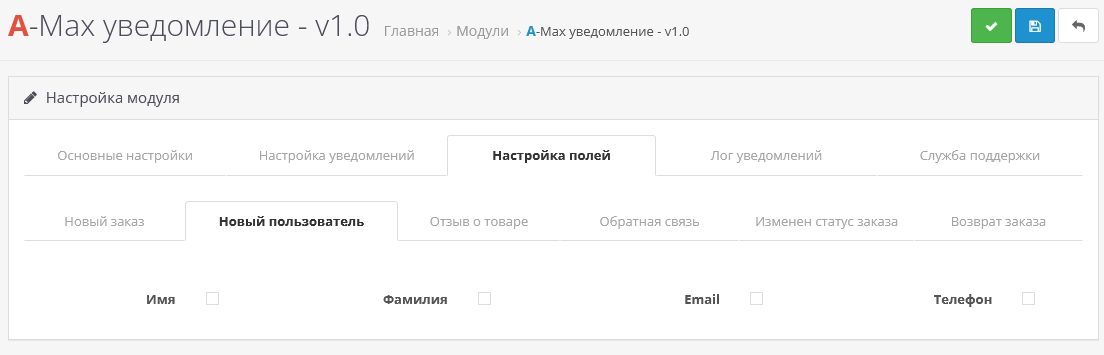
- Registration of new users
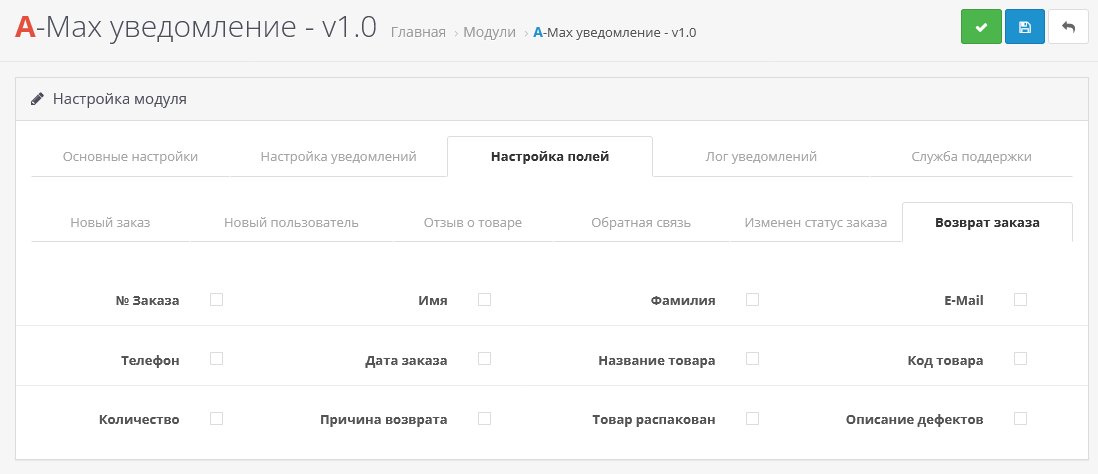
- Requests for product returns
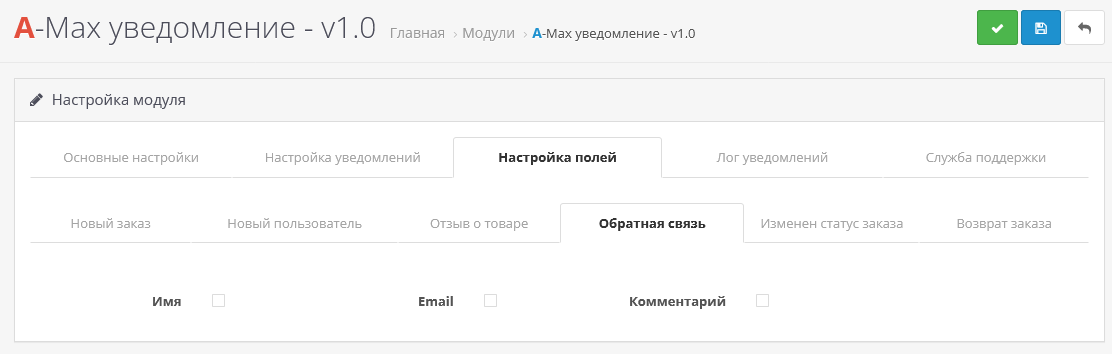
- Messages from the feedback form
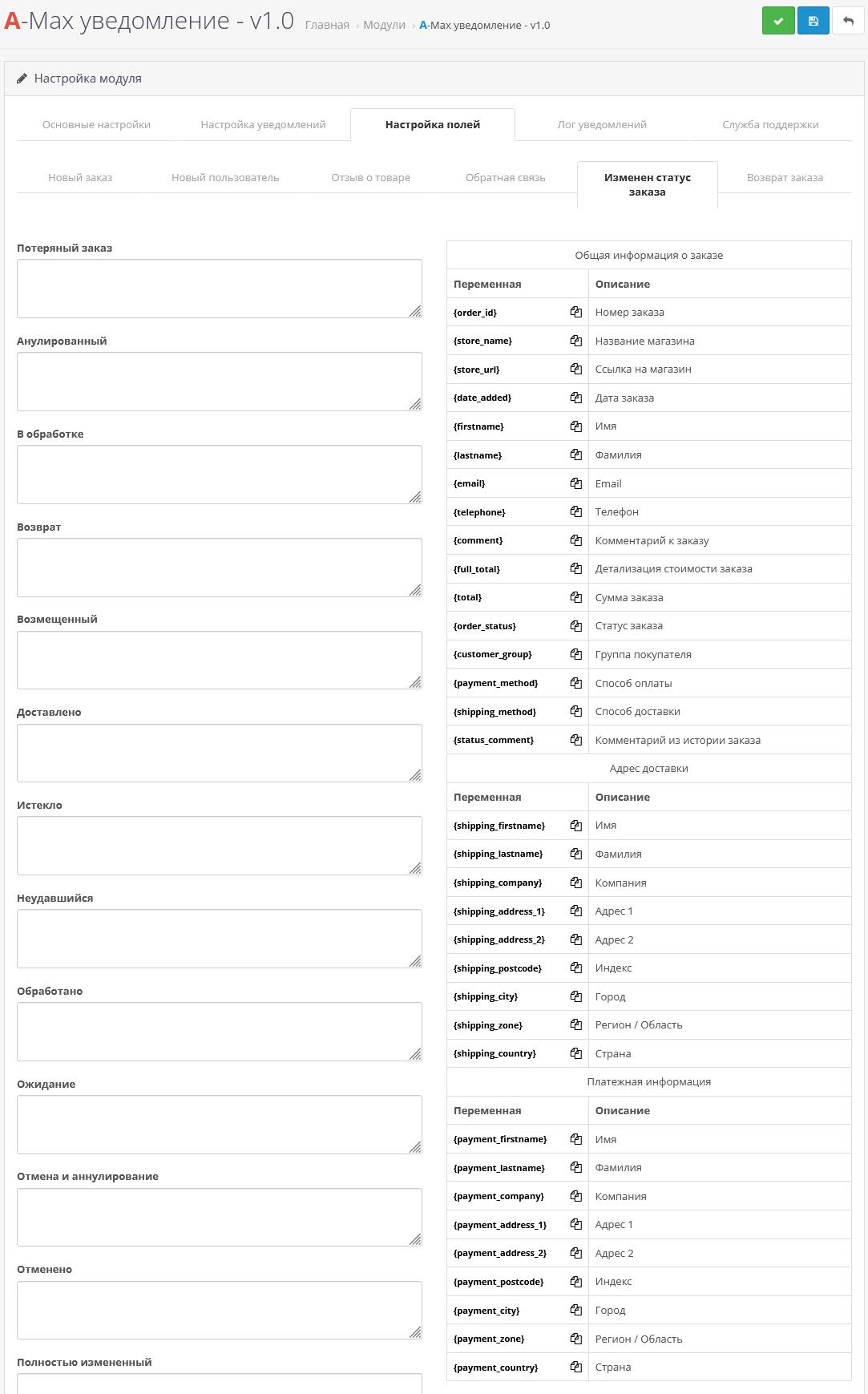
- Changing order status
- And you can also connect any form on the site to a notification in max
Upon request in PM, I will make versions for opencart 2.x versions
Before purchasing the module, please readrequirements for creating a bot - https://dev.max.ru/help/chatbots
Setting instructions:
Step 1:
- Create a bot on https://business.max.ru/;
- Go to https://business.max.ru/self;
- Get the bot token "Integration → Get token - the token is in the field with the same name" - will be needed in step 3;
- Write to your bot - this is necessary so that the bot can write to you. Without this, you will not be able to receive notifications.
- Install the archive art_max_notification_3.x.ocmod.zip via the standard add-on manager;
- Update OCMOD cache;
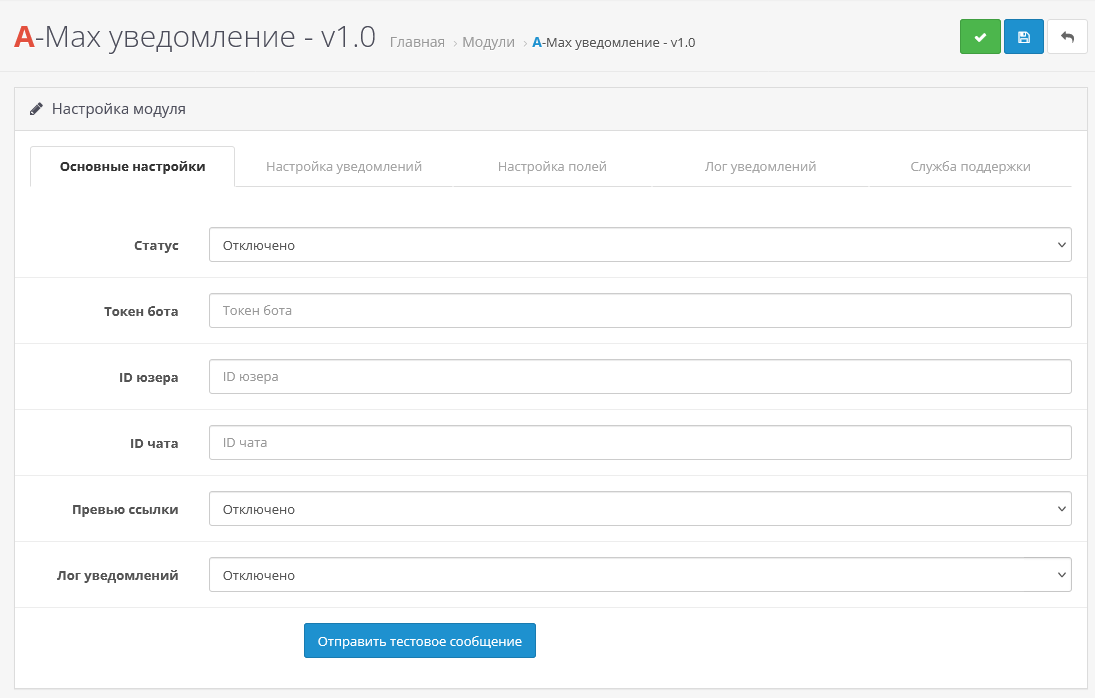
- Then go to extensions->modules and find "A-MAX notification" activate it;
- Go to the module settings;
- Indicate the token (in the "Bot token" field) that you received in the first step
- Specify the user ID/chat ID to whom notifications should be sent. If you need it to be sent to several recipients, specify these IDs separated by commas (For example: 12222222222,22222223333,333333333);
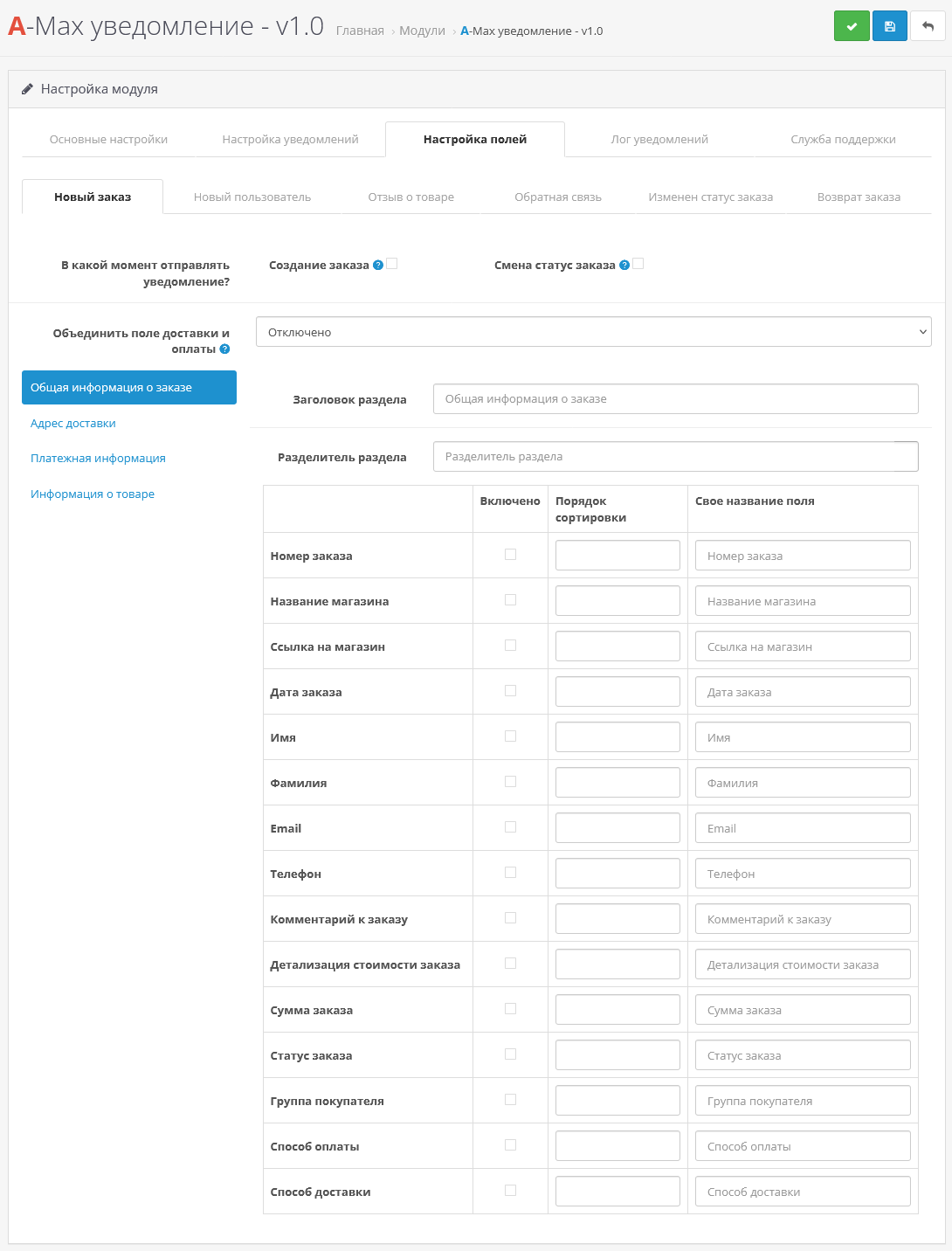
- Next, tick the fields that should come innotification and click save.
- That's it, the bot is configured and ready to use.
Minimum system requirements:
- Сurl;
Technical support:
Technical support is provided to all users who legally purchased the module on official websites or from the author himself.
License:
Each copy of the module affects 1 domain and its subdomain.
Therefore, if you want to install the module on another domain, you must purchase another copy of the module.
For all questions and suggestions write to serfbots@gmail.com
My Telegram channel with news and updates on modules @minilarek
Distribution method:
Paid
Opencart version:
LiveStore 3.*OCStore 3.*OpenCart 3.*OCStore 2.3OpenCart 2.3
PHP verision:
PHP 5.4PHP 5.5PHP 5.6PHP 7.0PHP 7.1PHP 7.2PHP 7.3PHP 7.4PHP 8.0PHP 8.1PHP 8.2PHP 8.3
Activation:
Automatic
Getting files:
By email, after a request to the author
Protection system:
Custom
VQmod:
No
Ocmod:
Yes
Events:
No
Uploaded:
23.03.2026
Updated:
30.09.2026
Viewed:
3052
Sales:
19
Write a review
Your Name:Your Review: Note: HTML is not translated!
Rating: Bad Good
Enter the code in the box below:






Файлы будут доступны после покупки
Mr.Web / купил товар / 25 March 2026 13:34:02 #
Отличный модуль! Автор полностью помогает в адаптации модуля под шаблон, быстро решает поставленные задачи, всегда на связи! Рекомендую!
Войдите, чтобы ответить
Showing 1 to 1 of 1 (1 Pages)
Articles about the product

A basic set of proven solutions, without which it is hard to imagine a convenient, stable, and sales-driven online store

Modules for the Max messenger allow you to establish quick and convenient contact with customers, automate notifications and simplify authorization, increasing ...


