Your shopping cart is empty!

Sending SMS to customers about orders and order statuses via your Android phone
Price: free
Author: kotus2002
Write to the author
Opencart version:
The product author has not visited the site for more than 1 month. Replies and support may take longer.
Need paid help? Contact the site administration
Opencart version:
Не указана
Sending SMS to customers about orders and order statuses via your Android phone
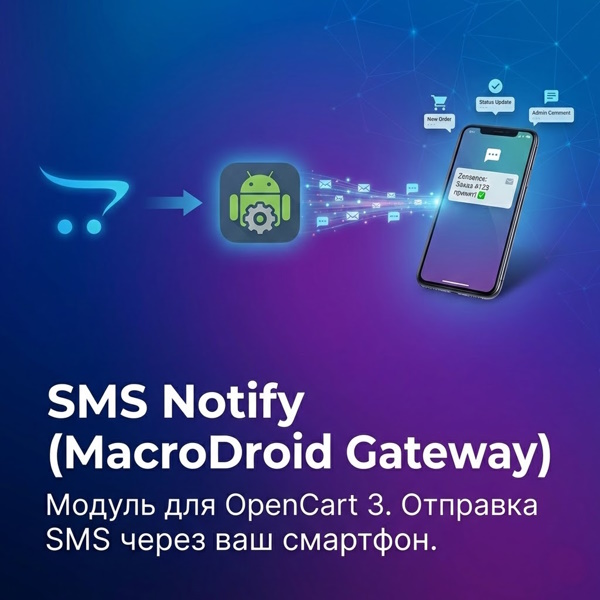
Purpose: The module is designed to automatically send SMS notifications to online store customers using your own Android smartphone as a gateway. This allows you to send messages at your mobile operator's rates (often free as part of a package), bypassing expensive SMS messaging services. In the files, download instructions for setting up the MacroDroid application on your smartphone.
Main functionality:
1. New order notification
o Automatically sends an SMS to the client immediately after placing an order on the website.
o Allows the client to instantly verify that the order has been accepted.
2. Notification when order status changes
o Sends an SMS when the status changes (for example: “Processing” → “Sent”).
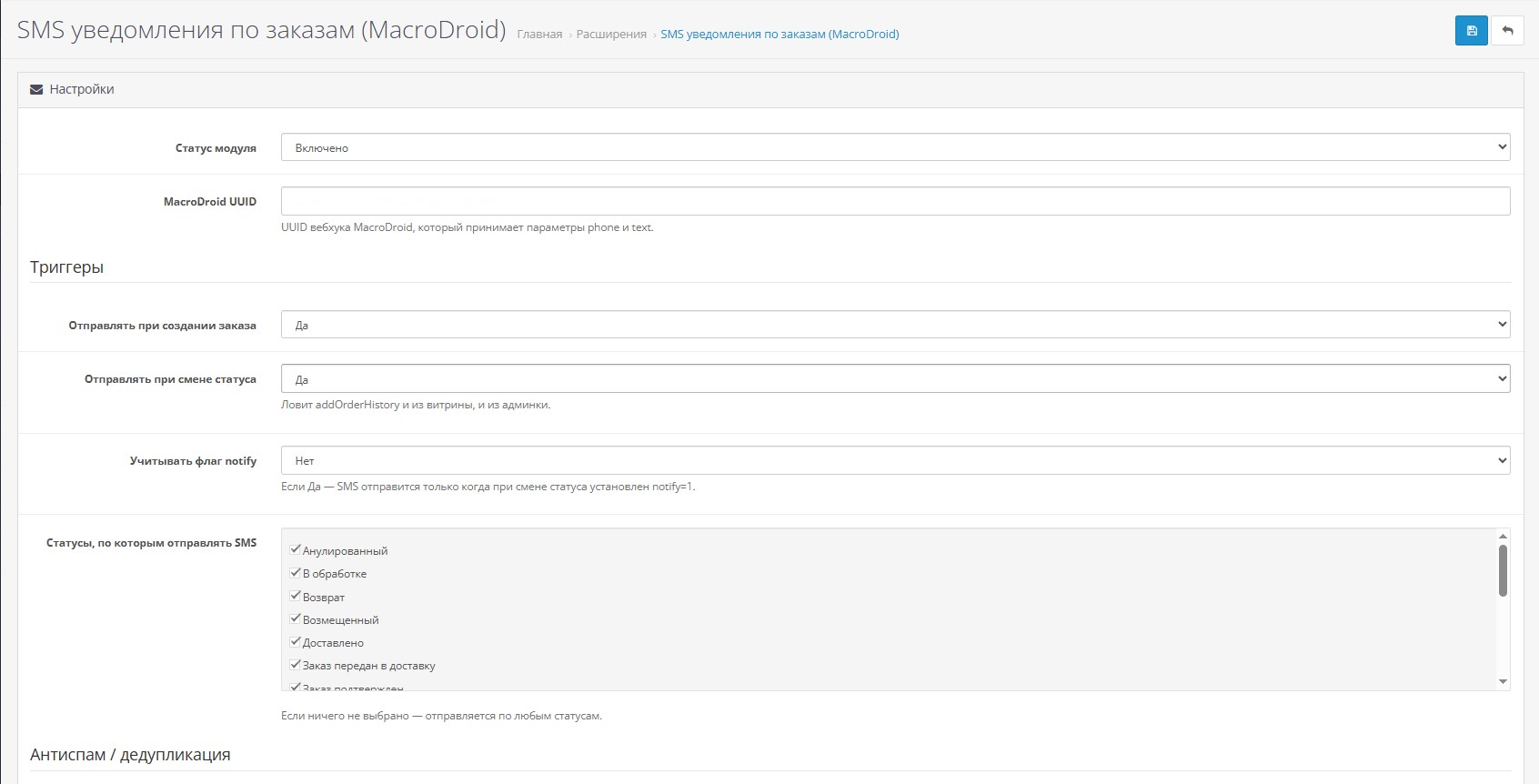
oSupports flexible settings: you can select specific statuses under which you need to send SMS (for example, only when sending, but not when canceling).
3. Passing the administrator's comment
o If the manager writes a comment on the order status (for example, the tracking number of the package or the reason for cancellation), this text is added to the SMS template (in the module settings).
o If there is no comment, only the standard template is sent.
4. Smart filtering of sending (Notify flag)
o The module can look at the “Notify buyer” checkbox in the order history.
o You can configure the SMS to be sent only if the manager has checked this box. This gives you complete control: send it quietly if you want, send it with notification if you want.
5. Message template engine
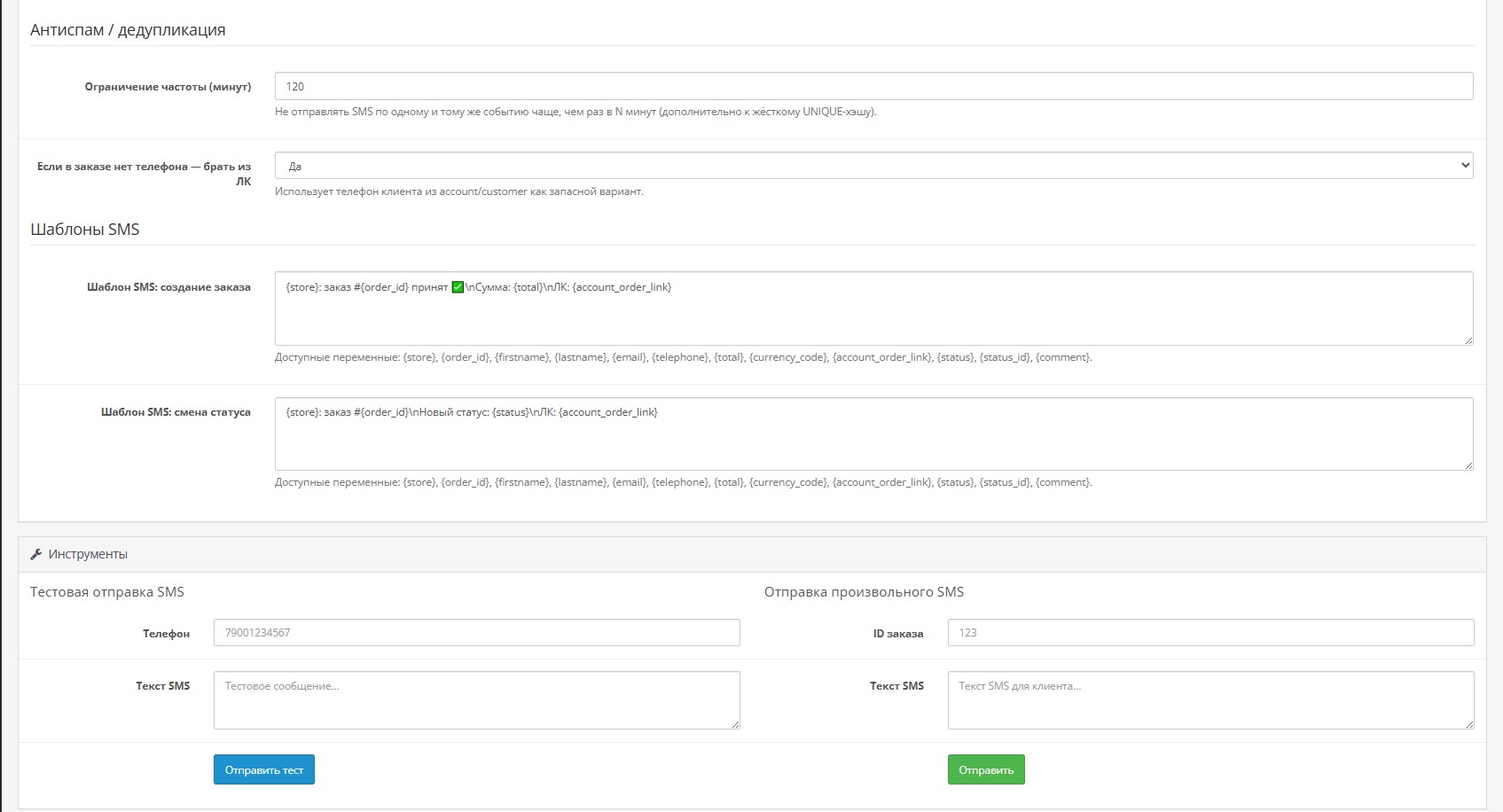
o You configure the SMS text yourself using variables:
{order_id} - numberorder.
{status} — new status (for example, “Paid”).
{total} — order amount.
{account_order_link} - link to your personal account with the order.
{store} — store name.
?️ Technical advantages and “Foolproof”
1. Budget savings:
o Unlike services (where an SMS costs 3-5 rubles), here you only pay a subscription fee for the phone tariff.
2. Smart number search:
o The module cleans the number from extra characters (+, (, -, spaces).
o Automatically changes 8 to 7 at the beginning of the number.
o Fallback: If the buyer made a mistake when entering a phone number in the order, the module will try to find his correct number in the client’s profile (if he is registered).
3. Protection against duplicates (Deduplication):
o If the manager accidentally clicks the “Add Story” button twice or refreshes the page,the module will block repeated sending of the same message for a few seconds (configurable). The client will not receive two identical SMS.
4. Logging:
o All sent messages are recorded in the store database. You always see: to which client, to which number, what text was sent and whether it was delivered to the gateway phone (/storage/logs/sms_notify.log).
5. Manual submission:
o In the module settings there are tools for testing and manually sending arbitrary text to any number directly from the admin panel.
?Use Scenario (Example)
1. The client makes an order. He immediately gets:
"My store: order #105 accepted. Amount: 5500 rubles. Wait for a call."
2. The manager collects the order and sends it.
3. The manager in the admin panel changes the status to “Sent”, checks the “Notify” box and writes tocomment: "Track number: 123456789."
4. The client receives an SMS:
"My store: order #105. New status: Sent. Link: myshop.ru/order/105 Track number: 123456789"
This creates a feeling of quality service and keeps the client informed without unnecessary calls.
Purpose: The module is designed to automatically send SMS notifications to online store customers using your own Android smartphone as a gateway. This allows you to send messages at your mobile operator's rates (often free as part of a package), bypassing expensive SMS messaging services. In the files, download instructions for setting up the MacroDroid application on your smartphone.
Main functionality:
1. New order notification
o Automatically sends an SMS to the client immediately after placing an order on the website.
o Allows the client to instantly verify that the order has been accepted.
2. Notification when order status changes
o Sends an SMS when the status changes (for example: “Processing” → “Sent”).
oSupports flexible settings: you can select specific statuses under which you need to send SMS (for example, only when sending, but not when canceling).
3. Passing the administrator's comment
o If the manager writes a comment on the order status (for example, the tracking number of the package or the reason for cancellation), this text is added to the SMS template (in the module settings).
o If there is no comment, only the standard template is sent.
4. Smart filtering of sending (Notify flag)
o The module can look at the “Notify buyer” checkbox in the order history.
o You can configure the SMS to be sent only if the manager has checked this box. This gives you complete control: send it quietly if you want, send it with notification if you want.
5. Message template engine
o You configure the SMS text yourself using variables:
{order_id} - numberorder.
{status} — new status (for example, “Paid”).
{total} — order amount.
{account_order_link} - link to your personal account with the order.
{store} — store name.
?️ Technical advantages and “Foolproof”
1. Budget savings:
o Unlike services (where an SMS costs 3-5 rubles), here you only pay a subscription fee for the phone tariff.
2. Smart number search:
o The module cleans the number from extra characters (+, (, -, spaces).
o Automatically changes 8 to 7 at the beginning of the number.
o Fallback: If the buyer made a mistake when entering a phone number in the order, the module will try to find his correct number in the client’s profile (if he is registered).
3. Protection against duplicates (Deduplication):
o If the manager accidentally clicks the “Add Story” button twice or refreshes the page,the module will block repeated sending of the same message for a few seconds (configurable). The client will not receive two identical SMS.
4. Logging:
o All sent messages are recorded in the store database. You always see: to which client, to which number, what text was sent and whether it was delivered to the gateway phone (/storage/logs/sms_notify.log).
5. Manual submission:
o In the module settings there are tools for testing and manually sending arbitrary text to any number directly from the admin panel.
?Use Scenario (Example)
1. The client makes an order. He immediately gets:
"My store: order #105 accepted. Amount: 5500 rubles. Wait for a call."
2. The manager collects the order and sends it.
3. The manager in the admin panel changes the status to “Sent”, checks the “Notify” box and writes tocomment: "Track number: 123456789."
4. The client receives an SMS:
"My store: order #105. New status: Sent. Link: myshop.ru/order/105 Track number: 123456789"
This creates a feeling of quality service and keeps the client informed without unnecessary calls.
Opencart version:
Не указана
Uploaded:
13.02.2026
Updated:
18.02.2026
Viewed:
1886
Write a review
Your Name:Your Review: Note: HTML is not translated!
Rating: Bad Good
Enter the code in the box below:
To download this free product, you do not need to order it, just log in.


Отличный модуль, идея супер.
Нов от хотел спросить у автора.
Интерфейс приложения обновленный и те параметры что написаны в инструкции там не отображаются.
В общем настраивал по аналогии с итнструкцией, смс формируются но не отправляются (Пример тестового смс phone=телефон&text=текст сообщения)
Можно попросить у автора помощи в данном вопаросе?