Your shopping cart is empty!

Product Preorder
Price: 990 ₽ 1 500 ₽

Additional from the author:
Author: Serbulenko
Write to the author
Sales: 2 (Average rating 0 на основании 0 отзывов)
Need paid help? Contact the site administration
Opencart version:
Sales: 2 (Average rating 0 на основании 0 отзывов)
Need paid help? Contact the site administration
Opencart version:
LiveStore 3.*OCStore 3.*OpenCart 3.*OCStore 2.3OpenCart 2.3OCStore 2.1OpenCart 2.1OpenCart 2.0
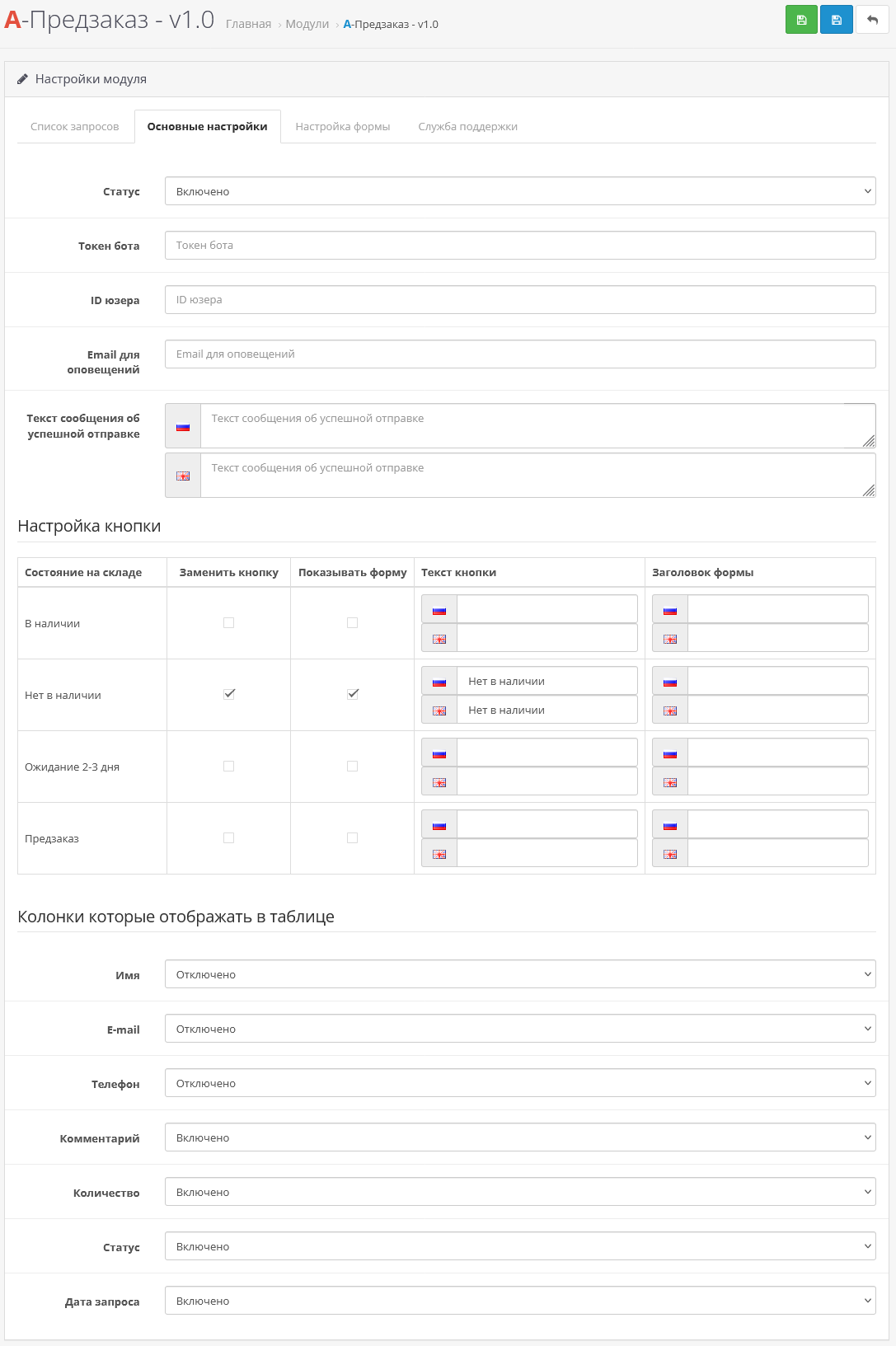
The module allows you to replace the “Buy” button in the absence of a product with its own button for each product status. For each status, you can set the text of the button, the title of the form and choose whether to display the application form or use the button without it. All form fields are configured once and are used for all statuses.
DEMO - pre-order
DEMO - out of stock (no form, just button replacement)
Module capabilities
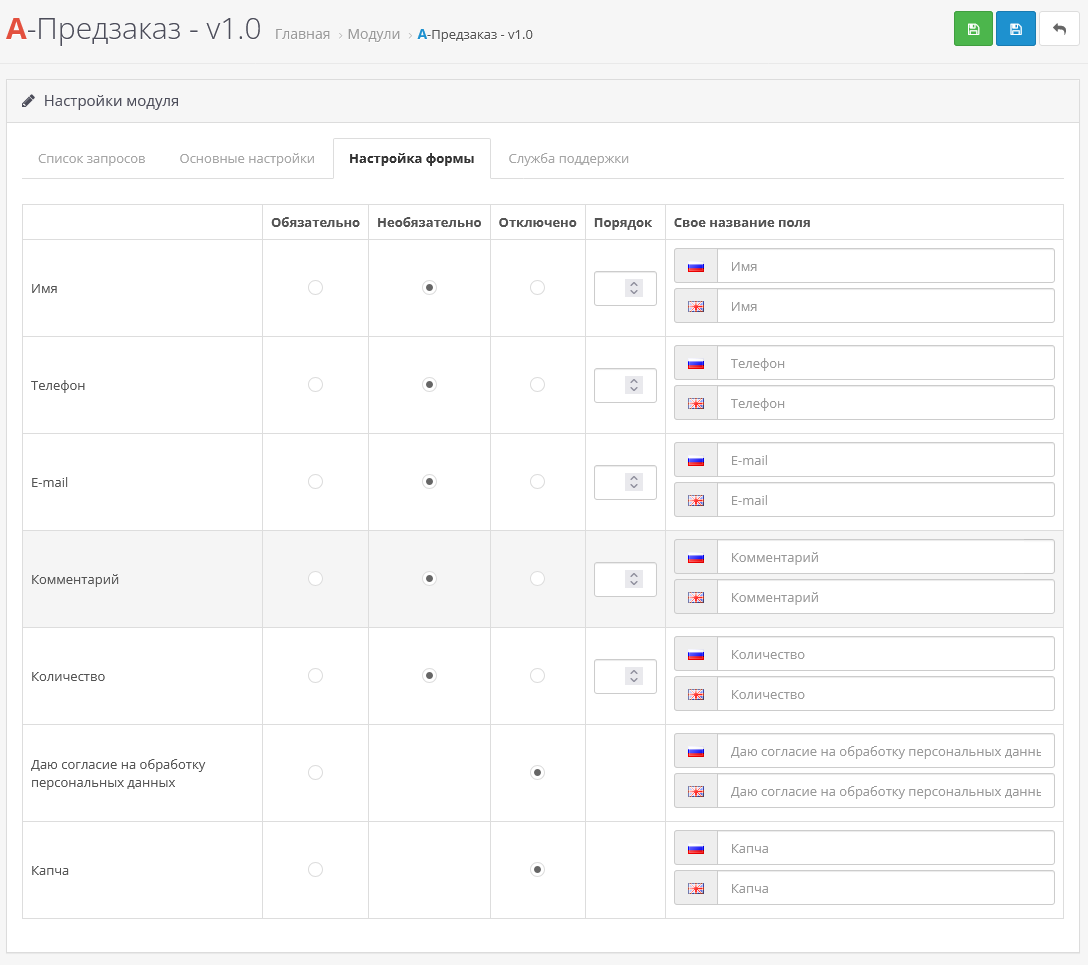
Form fields
The following fields can be included:
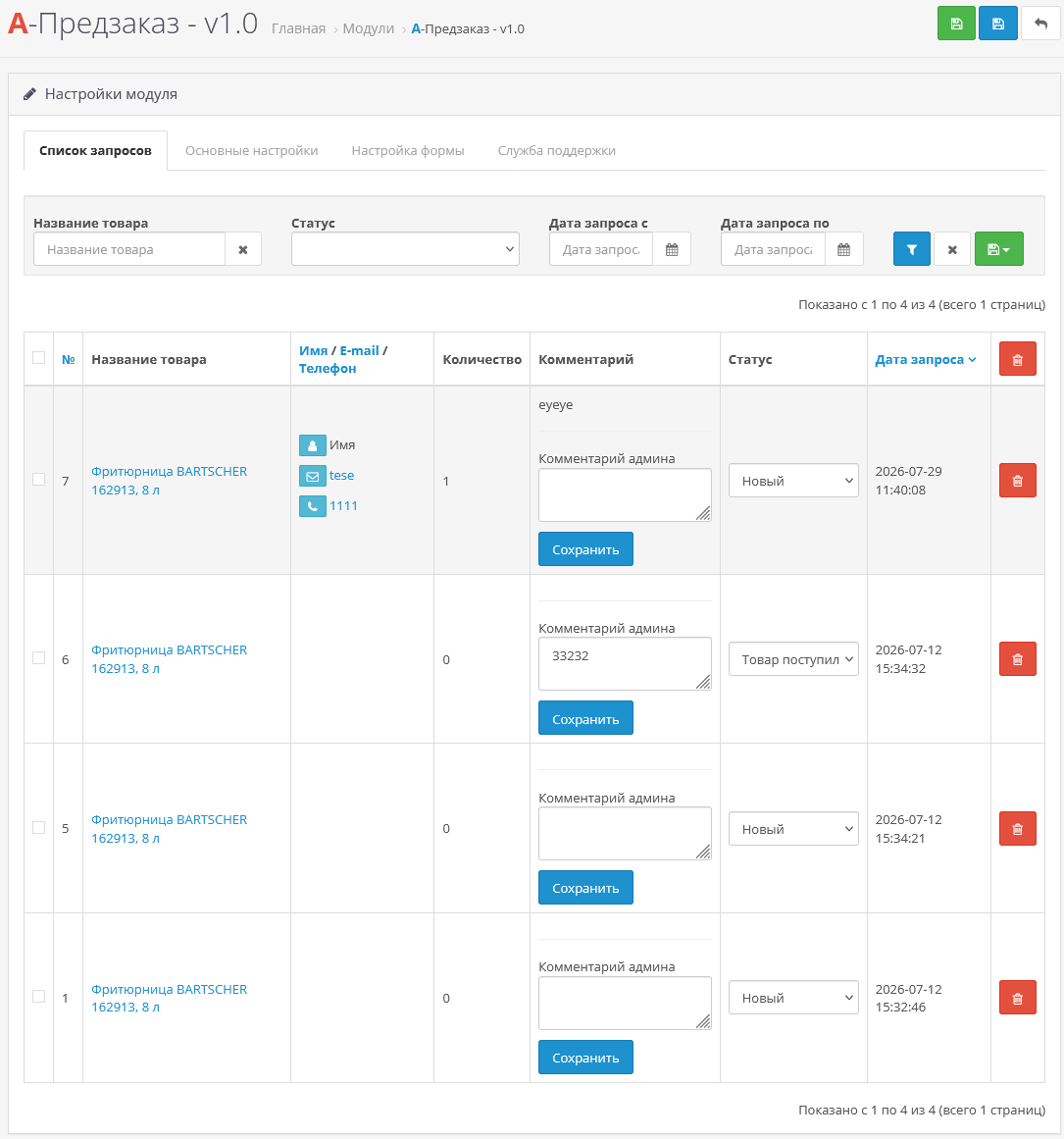
Processing of applications
Important:
If you are using a non-default theme, you may need adaptation to your theme (adaptation is paid for from 1000 rubles);
Installation instructions:
Technical support:
Technical support is provided to all users who legally purchased the module on official websites or from the author himself.
License:
Each copy of the module affects 1 domain and its subdomain.
Therefore, if you want to install the module on another domain, you must purchase another copy of the module.
For all questions and suggestions, write to serfbots@gmail.com
My Telegram channel with news and updates on modules @minilarek
DEMO - pre-order
DEMO - out of stock (no form, just button replacement)
Module capabilities
- Replacement of the button “Buy” in the absence of goods.
- Individual button settings for each product status.
- Ability to display the application form or use a button without a form.
- Custom button text and form title for each status.
- One general form with flexible field settings.
- Configure required, optional and disabled fields.
- Changing the display order of fields.
- Own field names for each language.
Form fields
The following fields can be included:
- Name
- Phone
- Quantity
- Comment
- Consent toprocessing of personal data
- CAPTCHA
Processing of applications
- Administrator notifications via E-mail.
- Sending applications to Telegram.
- Configuring the message text after successful sending.
- List of all applications in the administrative panel.
- Filtering and searching for applications.
- Changing the status of an application.
- Administrator's comments on applications.
Important:
- The module works based on the quantity of goods in the warehouse and notsupports checking balances by options.
- Automatic sending of notifications to customers about the arrival of goods is not yet available and is planned to be added in future versions.
- The module does not change the standard ordering logic and only works for out-of-stock products
If you are using a non-default theme, you may need adaptation to your theme (adaptation is paid for from 1000 rubles);
Installation instructions:
- Install the art_product_preorder.ocmod archive via the standard add-on manager;
- Then go to extensions->modulesand find "A-Pre-Order" activate it;
- Go to the module settings and customize it for yourself;
Technical support:
Technical support is provided to all users who legally purchased the module on official websites or from the author himself.
License:
Each copy of the module affects 1 domain and its subdomain.
Therefore, if you want to install the module on another domain, you must purchase another copy of the module.
For all questions and suggestions, write to serfbots@gmail.com
My Telegram channel with news and updates on modules @minilarek
Distribution method:
Paid
Opencart version:
LiveStore 3.*OCStore 3.*OpenCart 3.*OCStore 2.3OpenCart 2.3OCStore 2.1OpenCart 2.1OpenCart 2.0
PHP verision:
PHP 5.4PHP 5.5PHP 5.6PHP 7.0PHP 7.1PHP 7.2PHP 7.3PHP 7.4PHP 8.0PHP 8.1PHP 8.2PHP 8.3
Activation:
Automatic
Getting files:
By email, after a request to the author
Protection system:
Custom
VQmod:
No
Ocmod:
Yes
Events:
No
Uploaded:
29.07.2026
Updated:
07.08.2026
Viewed:
979
Sales:
2
Write a review
Your Name:Your Review: Note: HTML is not translated!
Rating: Bad Good
Enter the code in the box below:



Файлы будут доступны после покупки


