Your shopping cart is empty!

Attribute Templates for OpenCart
Price: free
Author: Tom
Write to the author
Need paid help? Contact the site administration
Opencart version:
Need paid help? Contact the site administration
Opencart version:
LiveStore 3.*OCStore 3.*OpenCart 3.*
Effectively manage product attributes through reusable templates
Main features
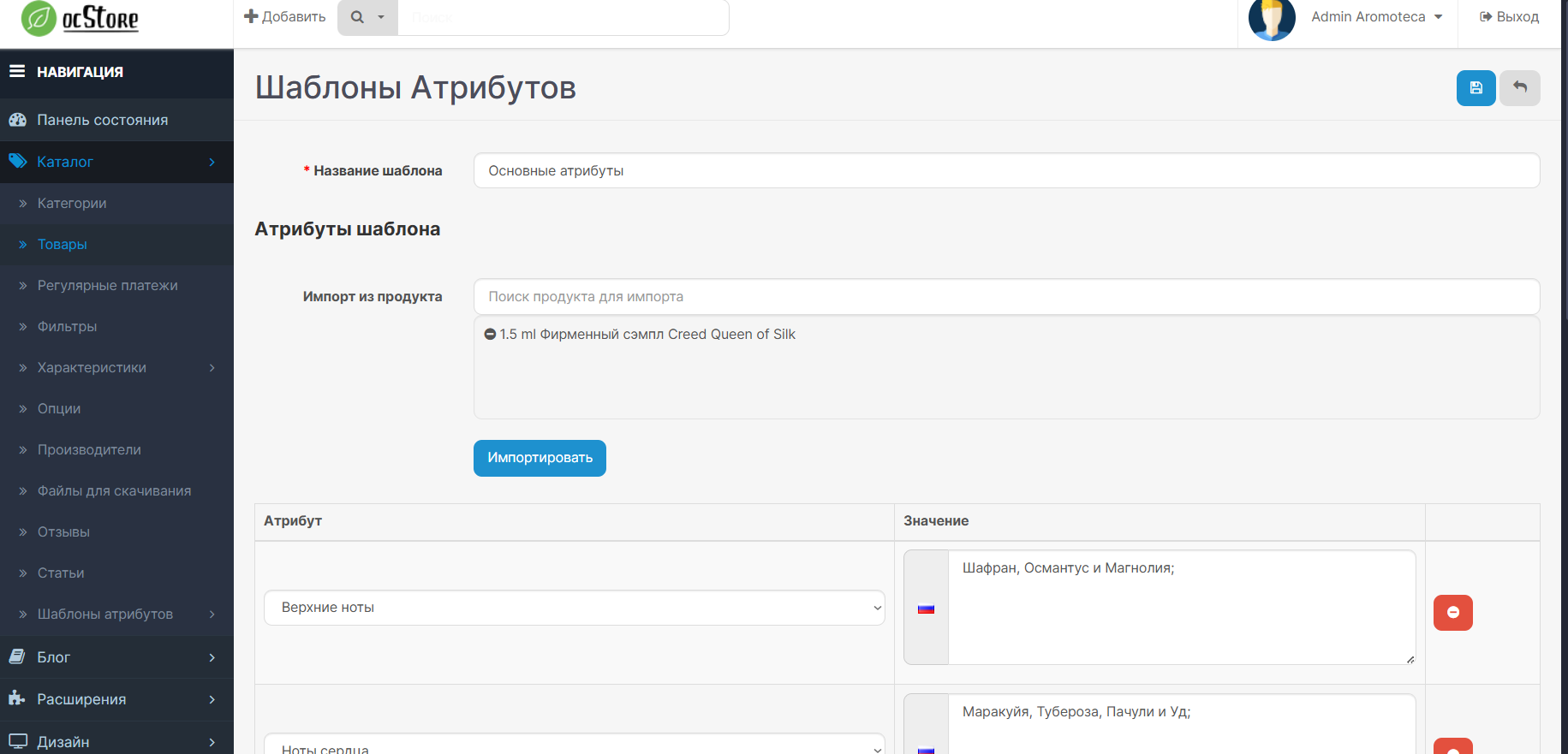
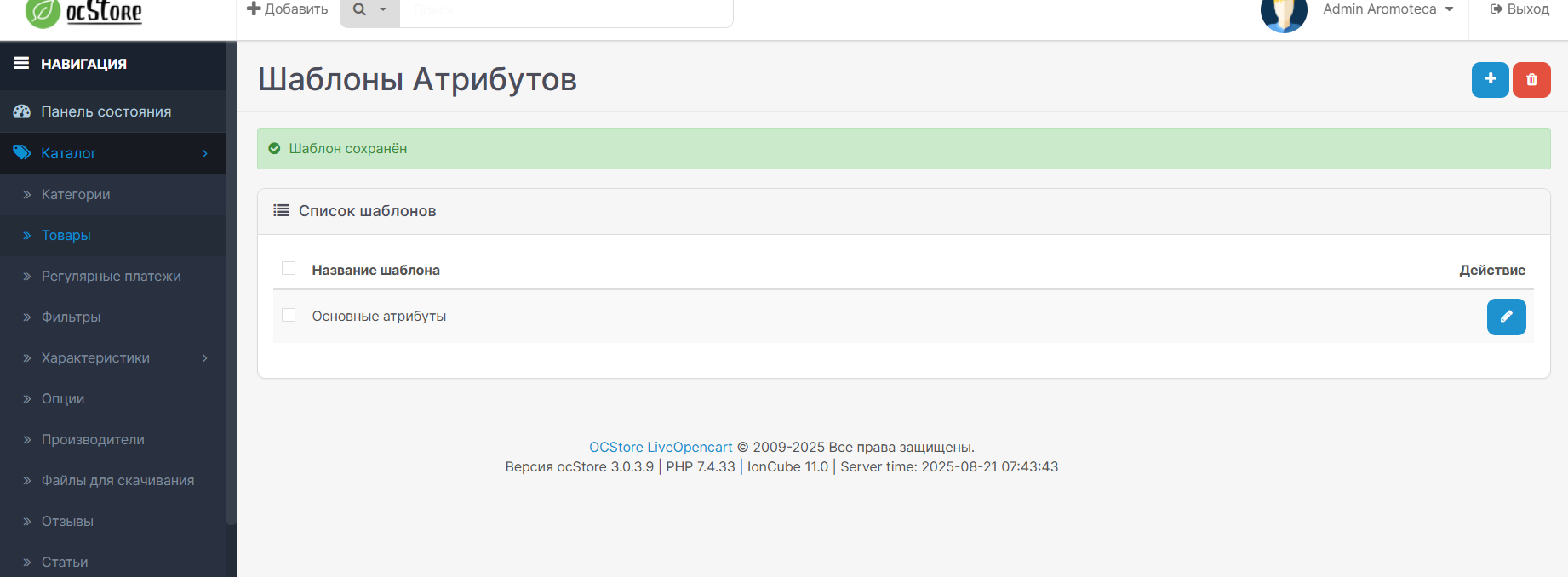
Creating a template
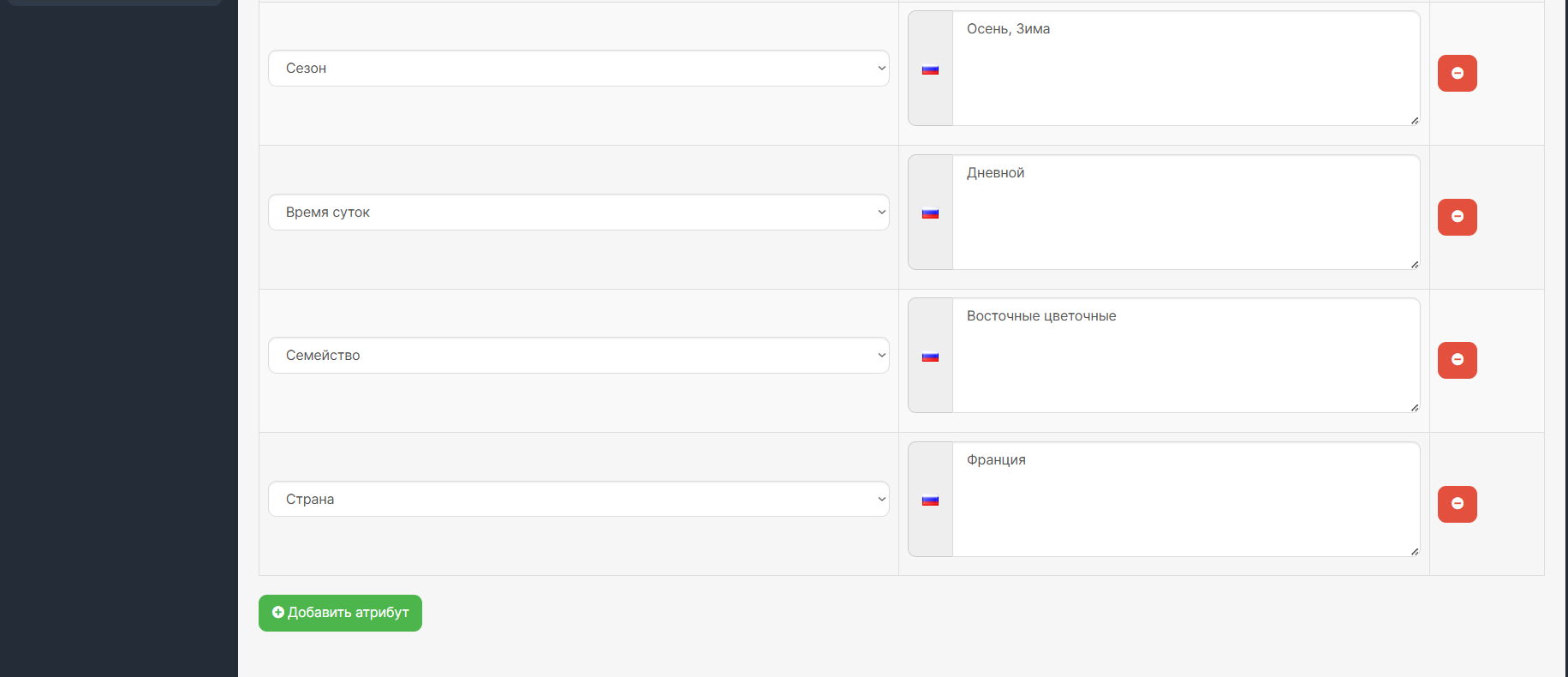
Attribute template creation interface
Compatibility:
Standard installation from the admin panel
- Extensions - Installing extensions
- Update modifier cache
- Users - User groups (give all rights)
- Install the module in the list of modules (Attribute Template Manager)
- After these steps, you will see a new section Catalog - Attribute Templates in the left column.
Advantages of using
Attribute templates are an indispensable tool for online stores with a large number of products and a complex attribute structure.
Attention ! If at the time of installation, you received a warning "This directory admin/controller/catalog is not writable!" (standard Opencart behavior), use the free modifier opencart3.0extensioninstallerfix.ocmod.zip
After installing it, refresh the modifier cache and install the attribute templates again.
There is no need to install it without such a problem.
Main features
- Import and export of templates
Export templates to a file or import them back for quick transfer between stores.
- Creating templates
Create attribute templates with predefined values for various product categories.
- Import from products
Import existing attributes from products to quickly create templates.
- Quick application
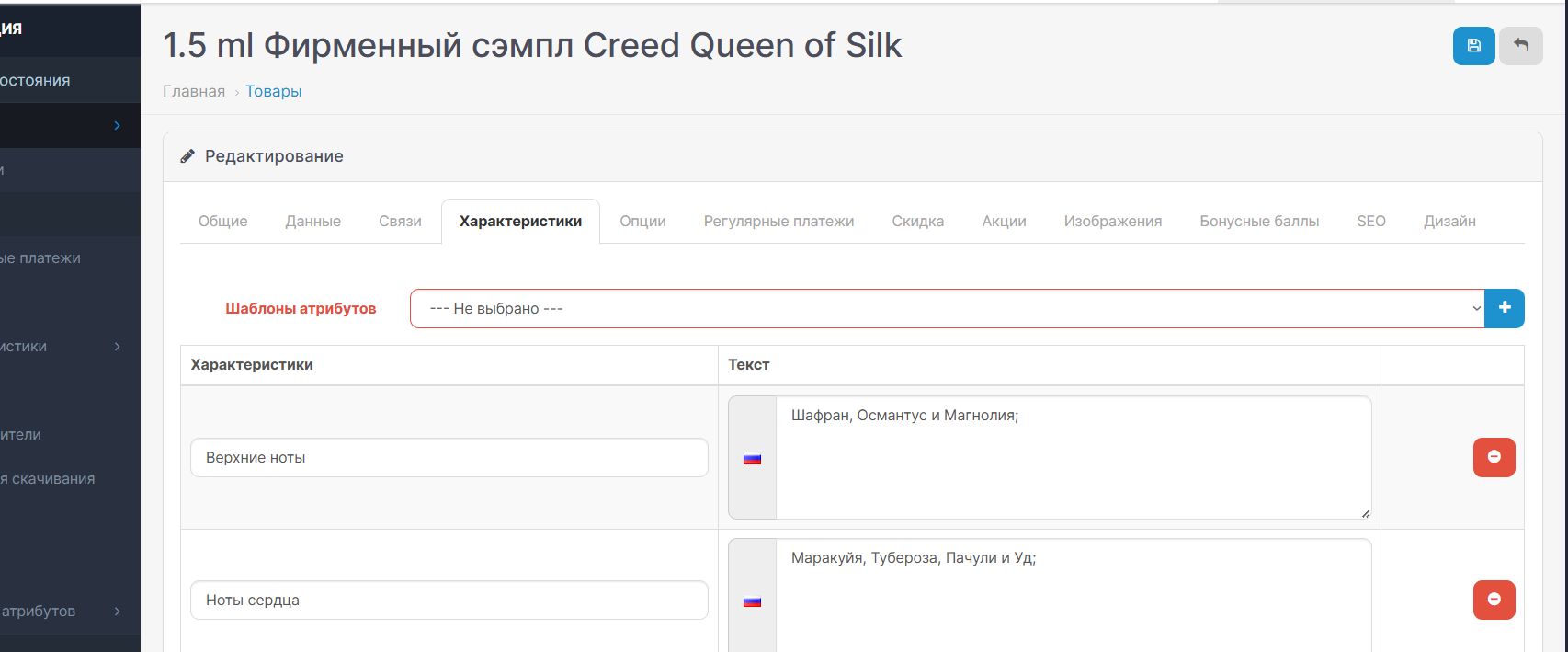
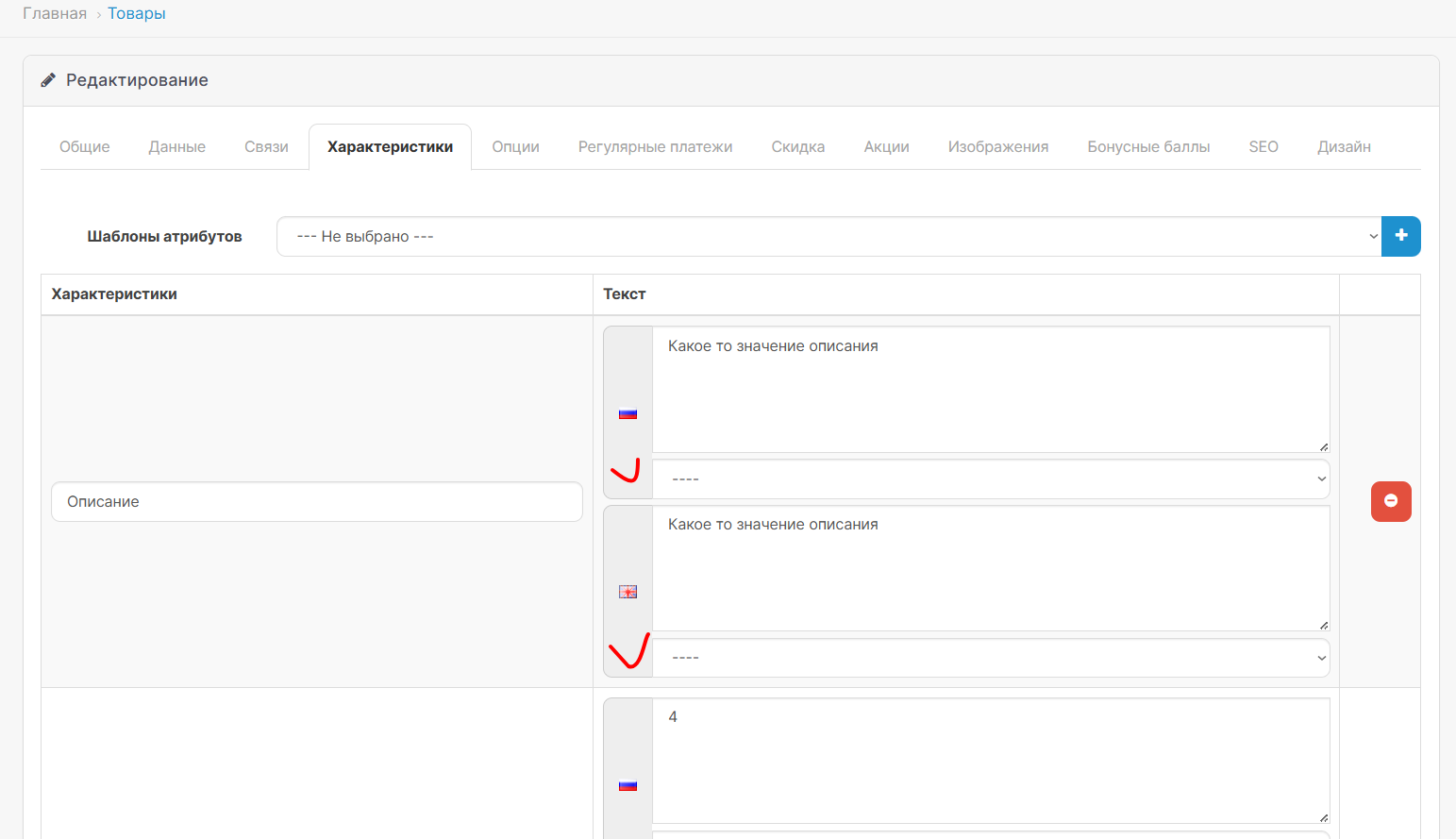
Apply templates to products with one click directly in the product editing form.
- Template management
Create, edit and delete attribute templates through a convenient page in the admin panel.
- Multilingual
Support for multilingual attribute values in templates for international stores.
- Import from existing products
Ability to import attributes from existing products to create templates.
- Quick application to products
Template selector directly in the product editing form for instant application of attributes.
- Data verification
Built-in checks for unique names, required fields and duplicatesattributes.
- Adaptive interface
Modern, responsive interface, compatible with mobile devices.
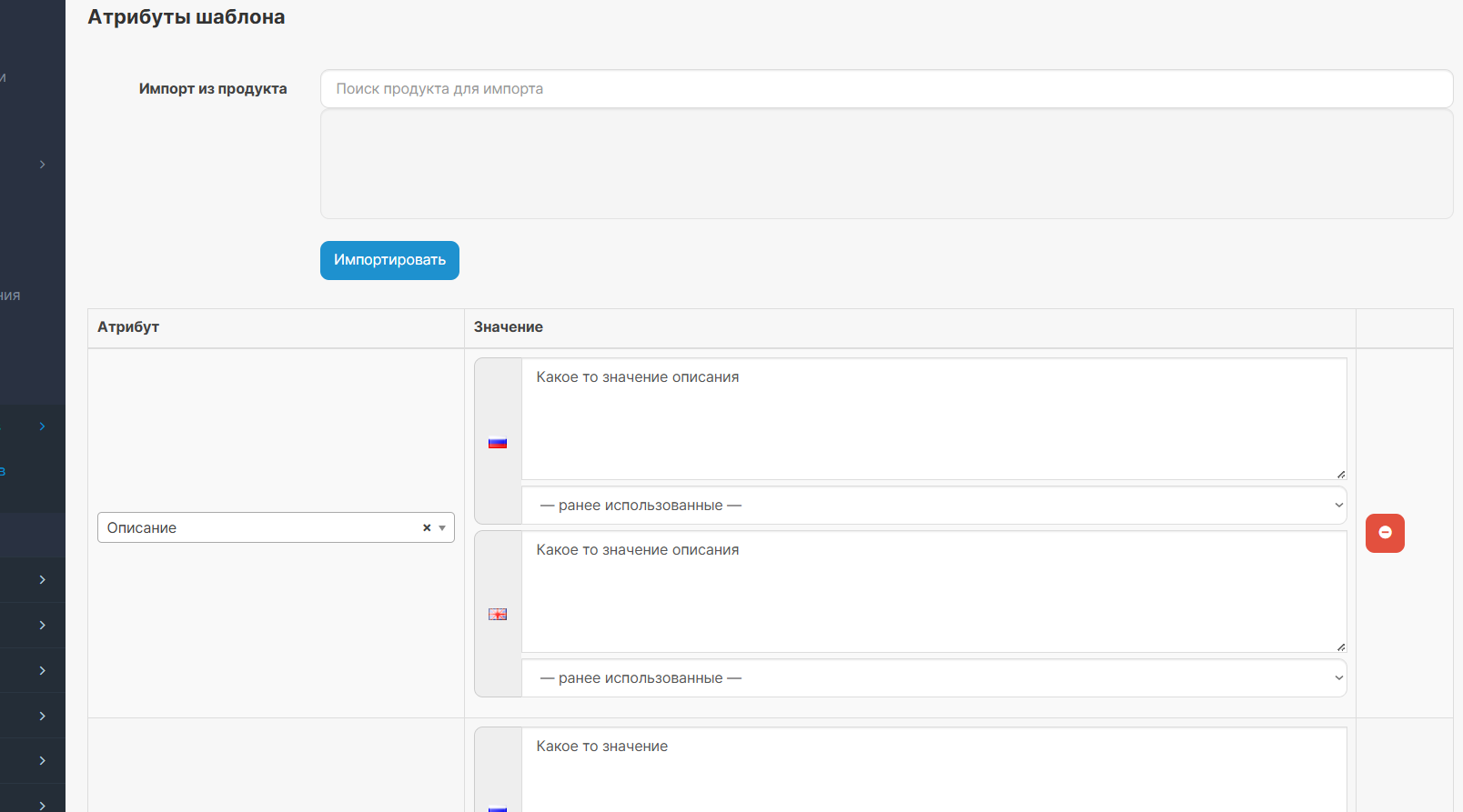
Creating a template
Attribute template creation interface
- Set the template name
- Add the required attributes
- Fill in the values for each language
- Or import attributes from an existing one product
- Select a template from the drop-down list
- Click the “Add” button
- Attributes will be automatically added toproduct
- If necessary, edit the values
Compatibility:
- OpenCart 2.3 - 3.x
Standard installation from the admin panel
- Extensions - Installing extensions
- Update modifier cache
- Users - User groups (give all rights)
- Install the module in the list of modules (Attribute Template Manager)
- After these steps, you will see a new section Catalog - Attribute Templates in the left column.
Advantages of using
- Saving time
No need to manually fill in attributes of the same type
Quickly adding products with the same characteristics
Massapplying attributes to products
Attribute templates are an indispensable tool for online stores with a large number of products and a complex attribute structure.
Attention ! If at the time of installation, you received a warning "This directory admin/controller/catalog is not writable!" (standard Opencart behavior), use the free modifier opencart3.0extensioninstallerfix.ocmod.zip
After installing it, refresh the modifier cache and install the attribute templates again.
There is no need to install it without such a problem.
Distribution method:
Free
Opencart version:
LiveStore 3.*OCStore 3.*OpenCart 3.*
PHP verision:
PHP 7.3PHP 7.4
Activation:
Not required
Getting files:
On author's site, after purchase
Protection system:
No
VQmod:
No
Ocmod:
Yes
Events:
No
Uploaded:
11.08.2025
Updated:
06.07.2026
Viewed:
3201
Write a review
Your Name:Your Review: Note: HTML is not translated!
Rating: Bad Good
Enter the code in the box below:
To download this free product, you do not need to order it, just log in.


