Your shopping cart is empty!

Grouping modules
5 sales
Price: 450 ₽

Author: Blast
Write to the author
Sales: 6 (Average rating 5 на основании 7 отзывов)
Need paid help? Contact the site administration
Opencart version:
Sales: 6 (Average rating 5 на основании 7 отзывов)
Need paid help? Contact the site administration
Opencart version:
OpenCart 3.*LiveStore 3.*OCStore 3.*
The module allows you to group different modules, combining them into tabs or into a common container.
It can be useful for creating groups of New Products/Promotions/Hits or simply for sequential display of various blocks that are logically or by design located together, and for example, having a common background, multilingual stylized heading, text.
Features:
Installation:
1. Log into the administrative panel of your online store.
2. On the Modules/Extensions tab, select Install extensions.
3. Click the Download button and select the group-modules.ocmod.zip archive.
4. Go to the Modules/Extensions - Modules/Extensions tab.
5. In the drop-down list, select the extension type - Modules.
6. In the list of modules, find [AppDevStudio] Grouping of modules and activate the module.
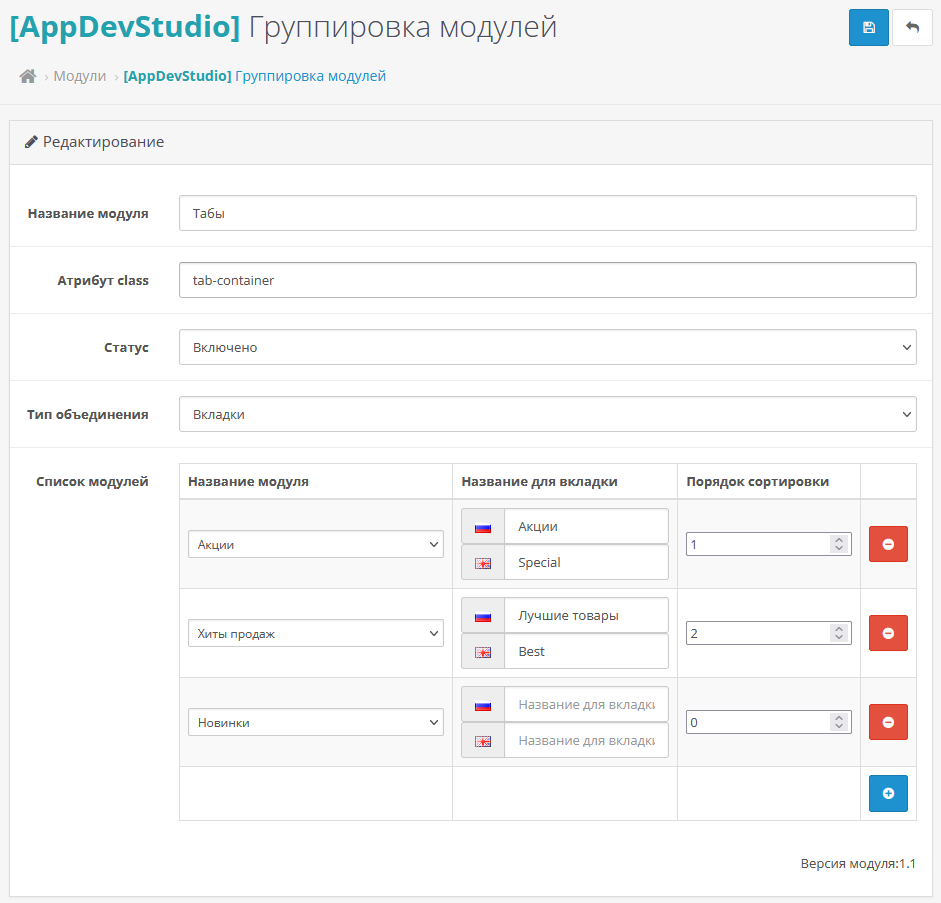
7. Click on the Add (+) button opposite [AppDevStudio] Grouping of modules, fill in the fields andselect the modules to be merged and click Save.
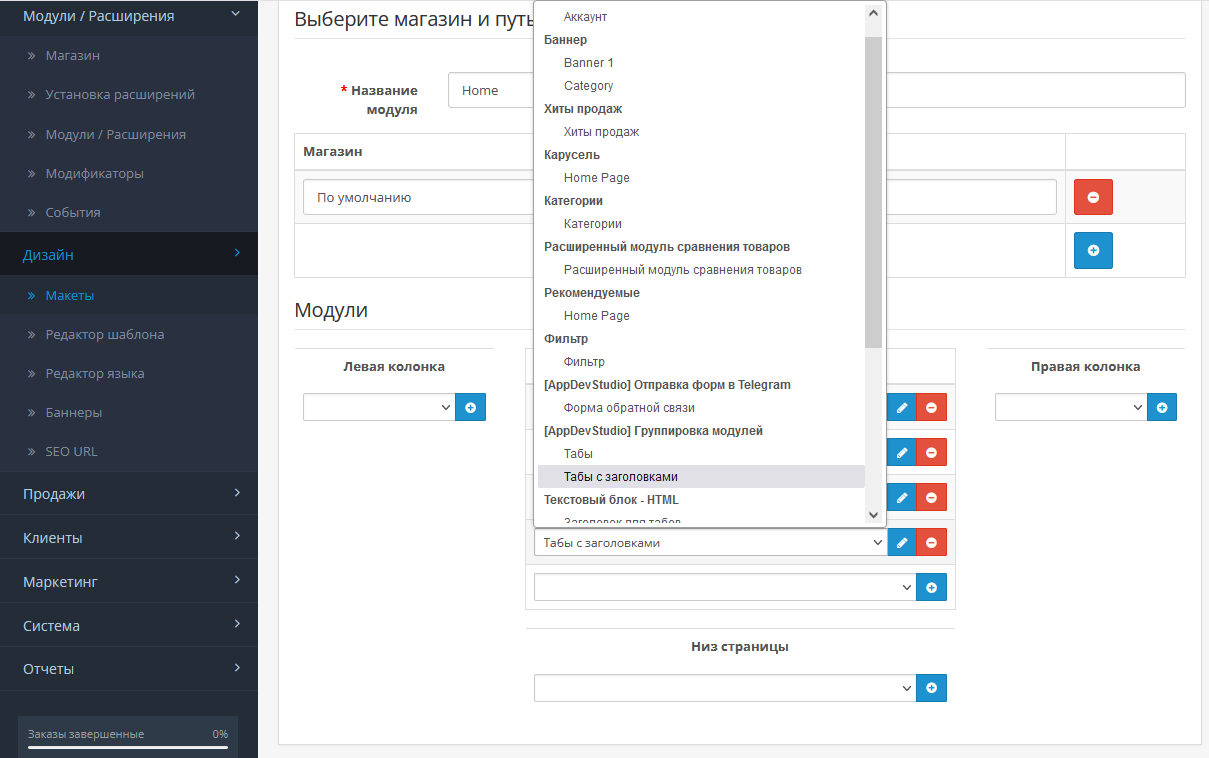
8. In the Design/Layouts menu, display the created module on any page.
Usage example in screenshots and demo link.
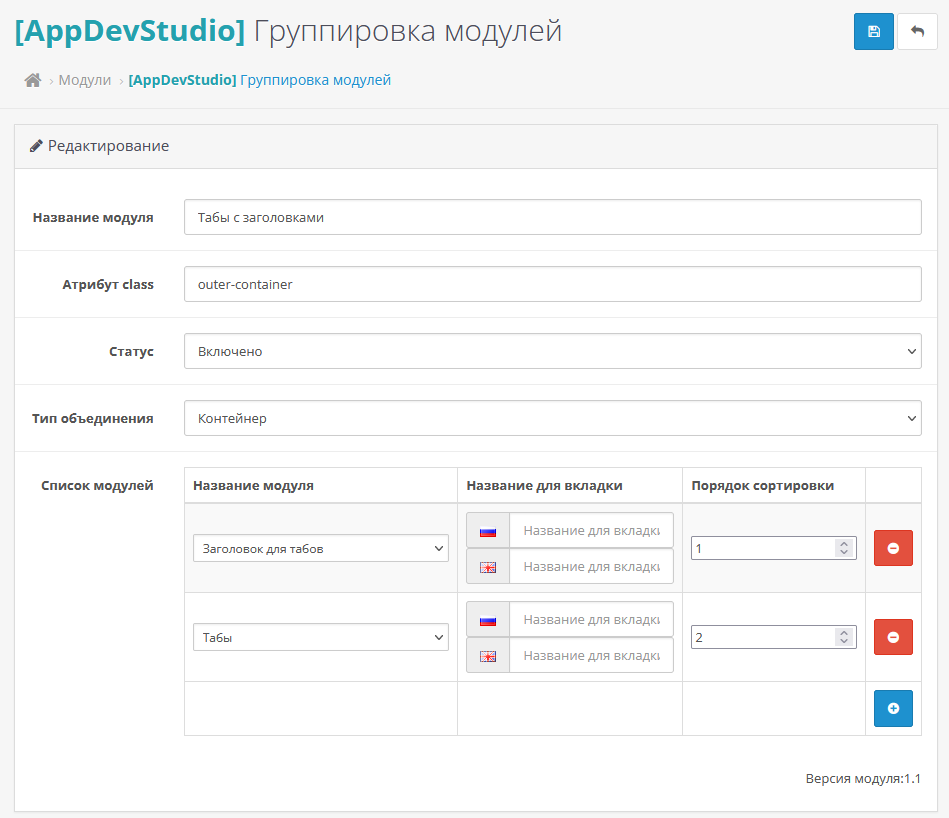
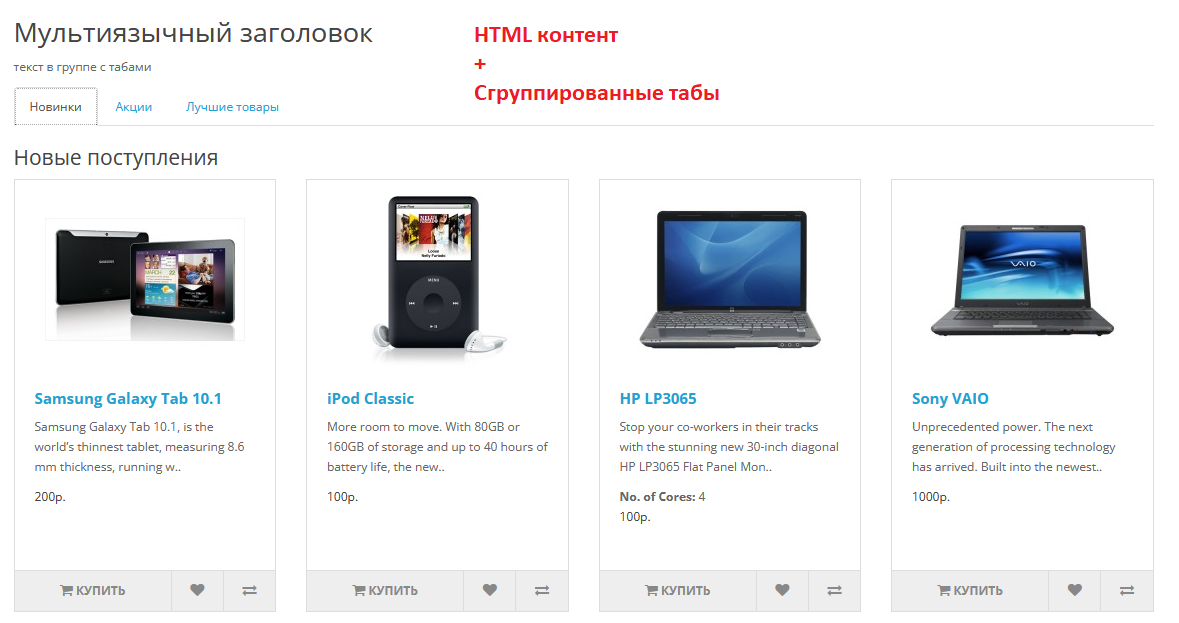
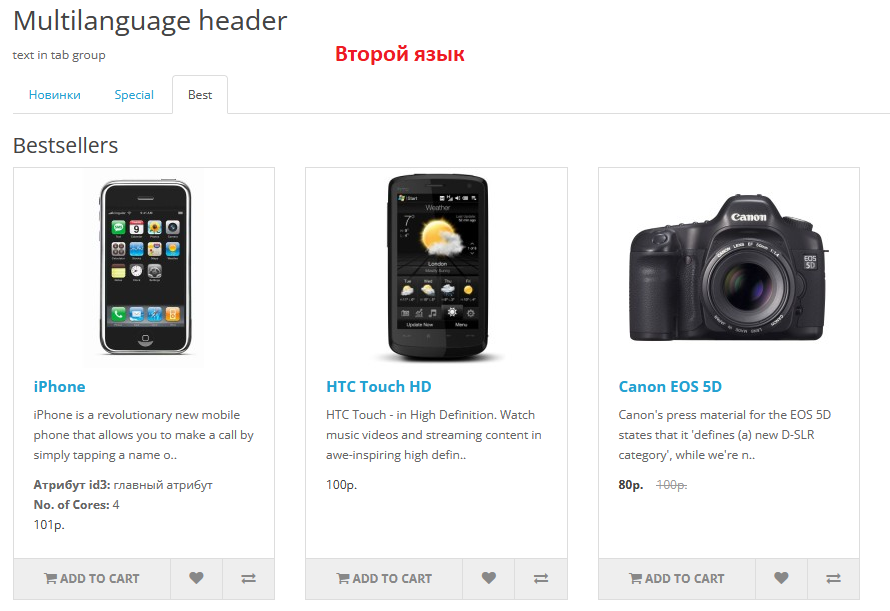
The Tabs module was first created, where the standard modules Hits, New Products and Promotions were combined using tabs. Next, using the standard HTML Content module, a header with text was created. Then, using this module, the header and the previously created Tabs module were again combined into a common container.
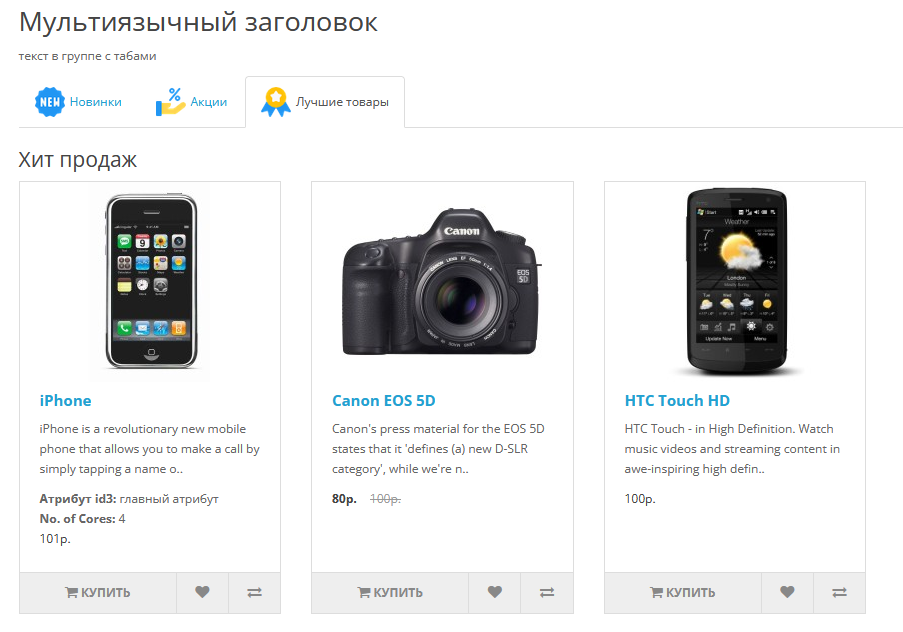
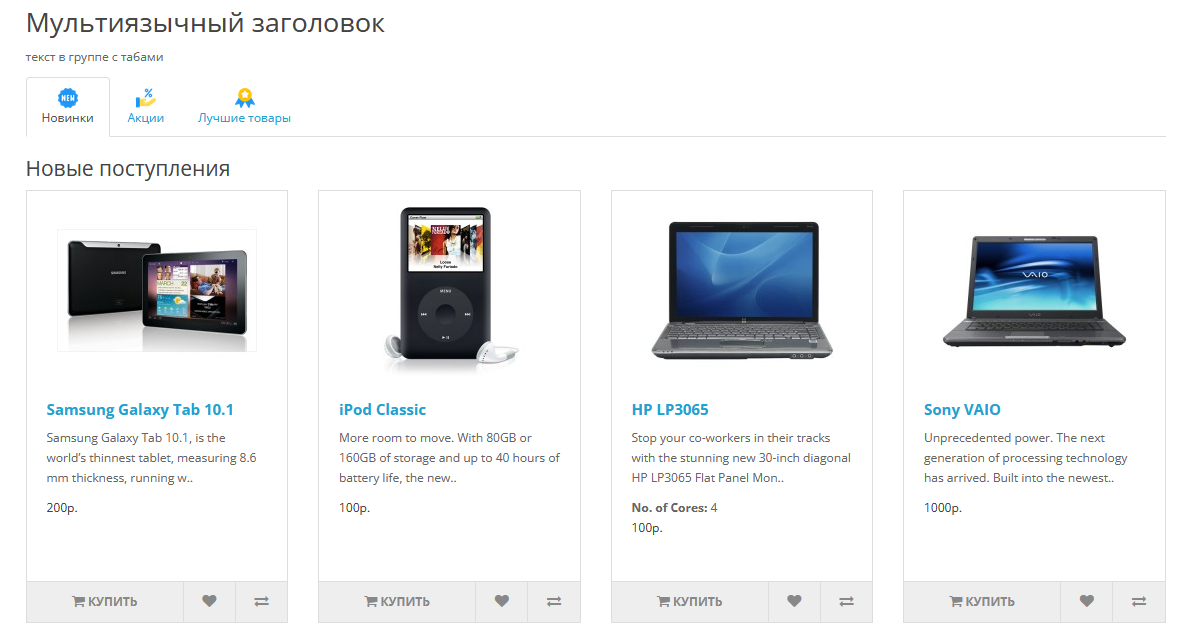
The location of the image in the tab, depending on the module settings, is regulated by the styles in the module view. By default, the image is to the left of the title, height maximum 30px. In top display mode, the image height is maximum 20px.
The module does not replace standard files.
NotIonCube required.
Terms of use:
1 purchase = 1 domain name.
If you have problems with installation/configuration, write to me and I will help.
Demo:
Front https://oc302.appdevstudio.ru/
Administrator https://oc302.appdevstudio.ru/admin/
demo / demo
The module was tested on OpenCart / OcStore / Opencart Club edition / Russian assembly 3.0 on a standard template. Adaptation may be required for other templates, because... there may be a different tab design.
It can be useful for creating groups of New Products/Promotions/Hits or simply for sequential display of various blocks that are logically or by design located together, and for example, having a common background, multilingual stylized heading, text.
Features:
- Combining modules into a common container
- Combining modules into tabs
- Set a container class for subsequent layout convenience
- Indicate tab names in different languages
- Add an image for the tab.
- Change the position of the picture duringtab.
- Form the order of output of grouped modules
- Output in any layout/scheme of the site
- Ability to change the hash in the url when clicking on tabs
Installation:
1. Log into the administrative panel of your online store.
2. On the Modules/Extensions tab, select Install extensions.
3. Click the Download button and select the group-modules.ocmod.zip archive.
4. Go to the Modules/Extensions - Modules/Extensions tab.
5. In the drop-down list, select the extension type - Modules.
6. In the list of modules, find [AppDevStudio] Grouping of modules and activate the module.
7. Click on the Add (+) button opposite [AppDevStudio] Grouping of modules, fill in the fields andselect the modules to be merged and click Save.
8. In the Design/Layouts menu, display the created module on any page.
Usage example in screenshots and demo link.
The Tabs module was first created, where the standard modules Hits, New Products and Promotions were combined using tabs. Next, using the standard HTML Content module, a header with text was created. Then, using this module, the header and the previously created Tabs module were again combined into a common container.
The location of the image in the tab, depending on the module settings, is regulated by the styles in the module view. By default, the image is to the left of the title, height maximum 30px. In top display mode, the image height is maximum 20px.
The module does not replace standard files.
NotIonCube required.
Terms of use:
1 purchase = 1 domain name.
If you have problems with installation/configuration, write to me and I will help.
Demo:
Front https://oc302.appdevstudio.ru/
Administrator https://oc302.appdevstudio.ru/admin/
demo / demo
The module was tested on OpenCart / OcStore / Opencart Club edition / Russian assembly 3.0 on a standard template. Adaptation may be required for other templates, because... there may be a different tab design.
Distribution method:
AllPaid
Opencart version:
OpenCart 3.*LiveStore 3.*OCStore 3.*
PHP verision:
PHP 7.0PHP 7.1PHP 7.2PHP 7.3PHP 7.4PHP 8.0PHP 8.1PHP 8.2
Activation:
Not required
Getting files:
On site, in the personal account
Protection system:
No
VQmod:
No
Ocmod:
No
Events:
No
Uploaded:
03.04.2024
Updated:
19.12.2024
Viewed:
4162
Sales:
6
Write a review
Your Name:Your Review: Note: HTML is not translated!
Rating: Bad Good
Enter the code in the box below:
Файлы будут доступны после покупки


Вот еще пример для вдохновения)) - vmeste.wildberries.ru
в примере для вдохновления не нашел вкладок))
Спасибо!
версия модуля обновлена до 1.2.