Your shopping cart is empty!

Icons for attributes
Price: 550 ₽

Additional from the author:
Author: ТГ @Stas_Clear
Write to the author
Sales: 2 (Average rating 0 на основании 0 отзывов)
Need paid help? Contact the site administration
Opencart version:
Sales: 2 (Average rating 0 на основании 0 отзывов)
Need paid help? Contact the site administration
Opencart version:
LiveStore 3.*OCStore 3.*OpenCart 3.*
What the module does
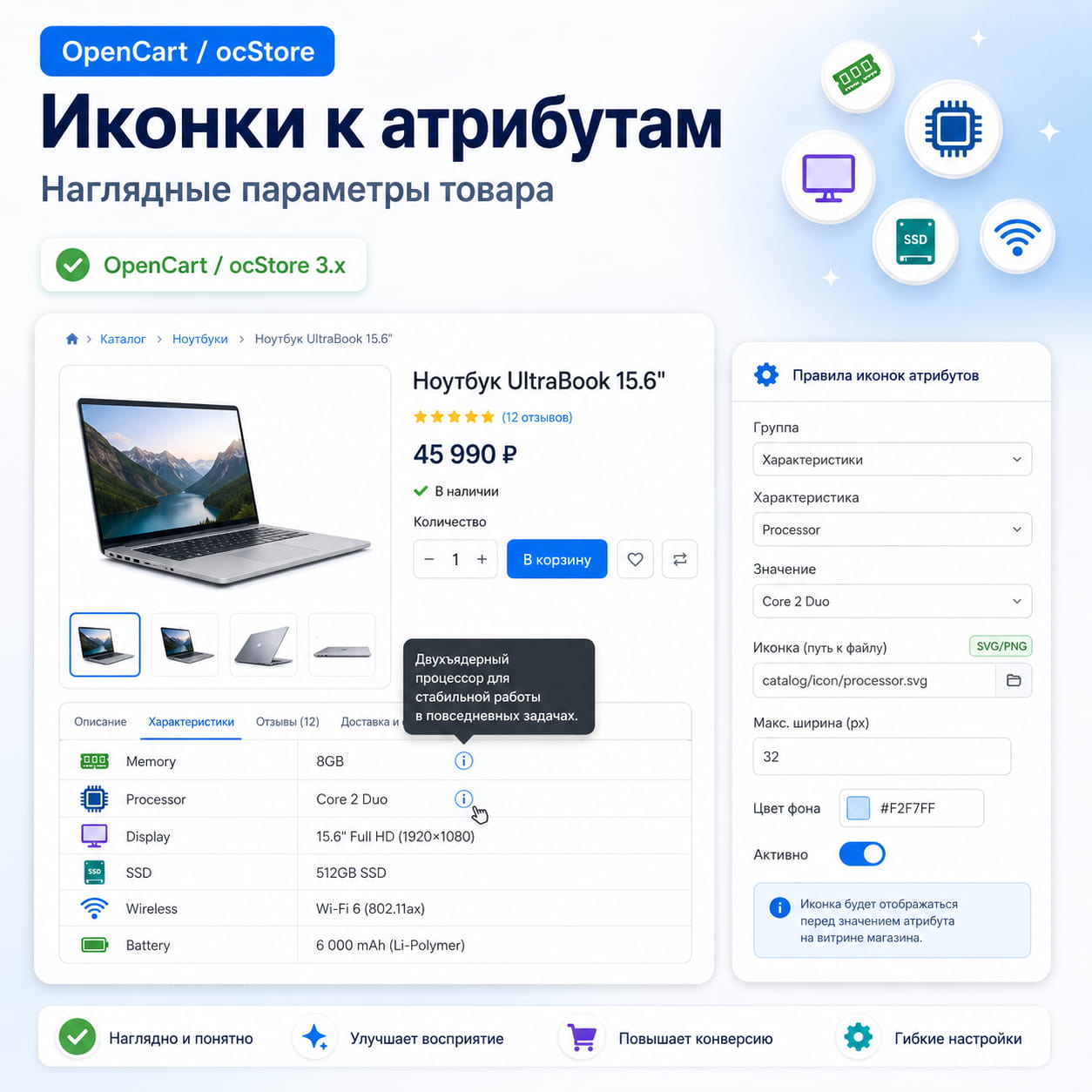
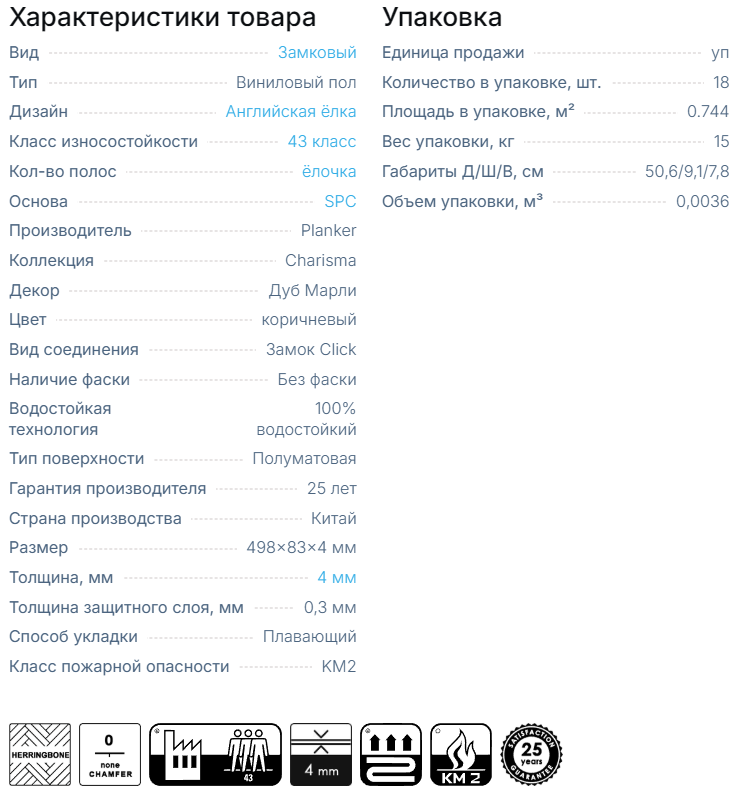
Icons for attributes help make the characteristics block clearer and more visually noticeable. Rules are created in the admin panel: an existing group of characteristics, a characteristic is selected, the value and path to the icon are indicated. If a product contains such a characteristic, the module displays the required icon on the characteristics tab.
The module does not directly modify OpenCart/ocStore core files and does not create separate database tables.
Main features
Installation
How to configure the rule
Compatibility
Third-party themes and custom builds are not claimed to be supported unless tested separately. But this can be done through the service Adaptation to the template
Support includes advice on installation and correction of module errors on declared compatible versions. Modifications for third-party templates, custom assemblies and conflicting modifiers are discussed separately.
Icons for attributes help make the characteristics block clearer and more visually noticeable. Rules are created in the admin panel: an existing group of characteristics, a characteristic is selected, the value and path to the icon are indicated. If a product contains such a characteristic, the module displays the required icon on the characteristics tab.
The module does not directly modify OpenCart/ocStore core files and does not create separate database tables.
Main features
- Selecting a group of characteristics from existing store data.
- Select a characteristic from the selected group.
- Manually enter a value for a match.
- Universal value comparison: does not take into account case, spaces, dots, dashes, underscores and other delimiters.
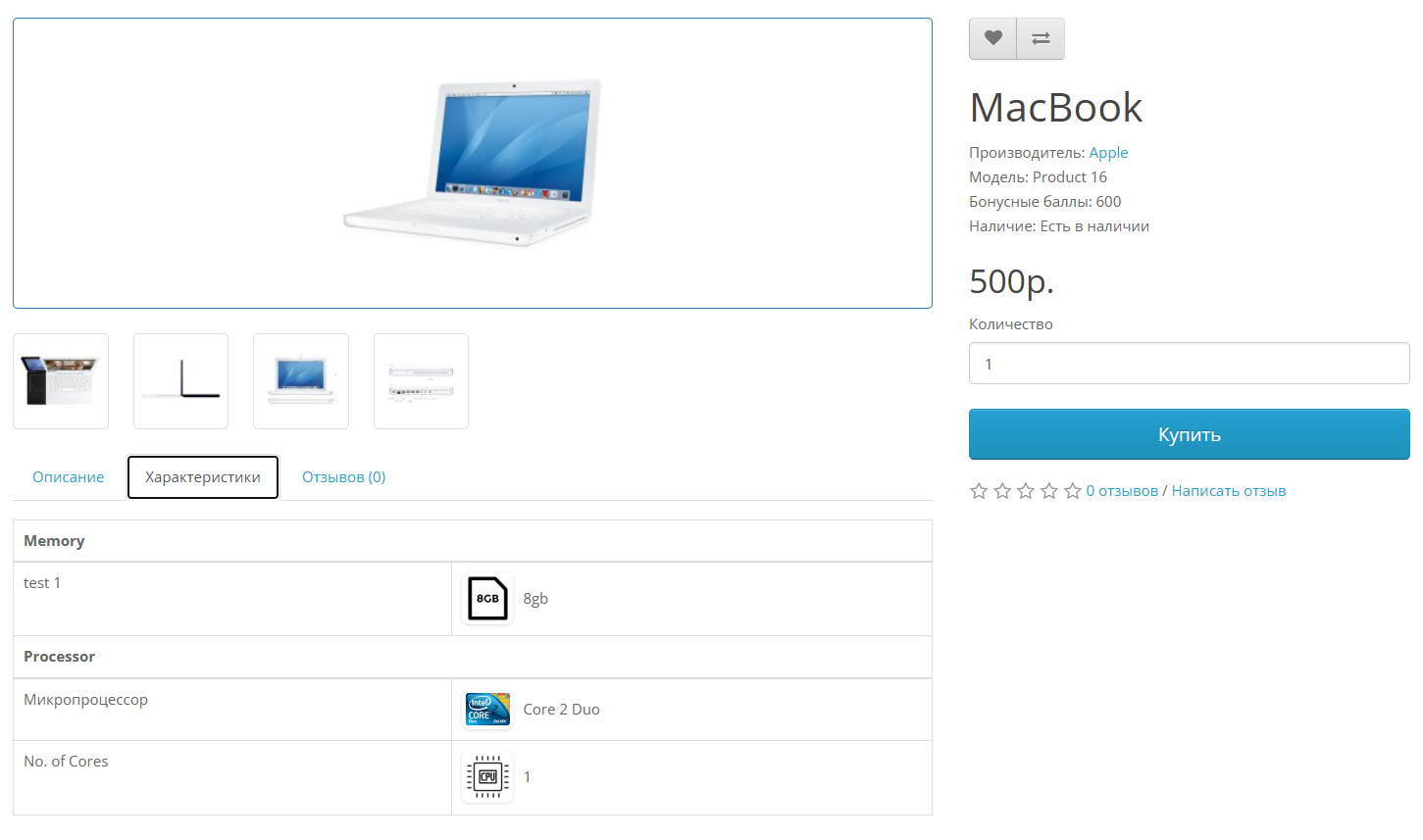
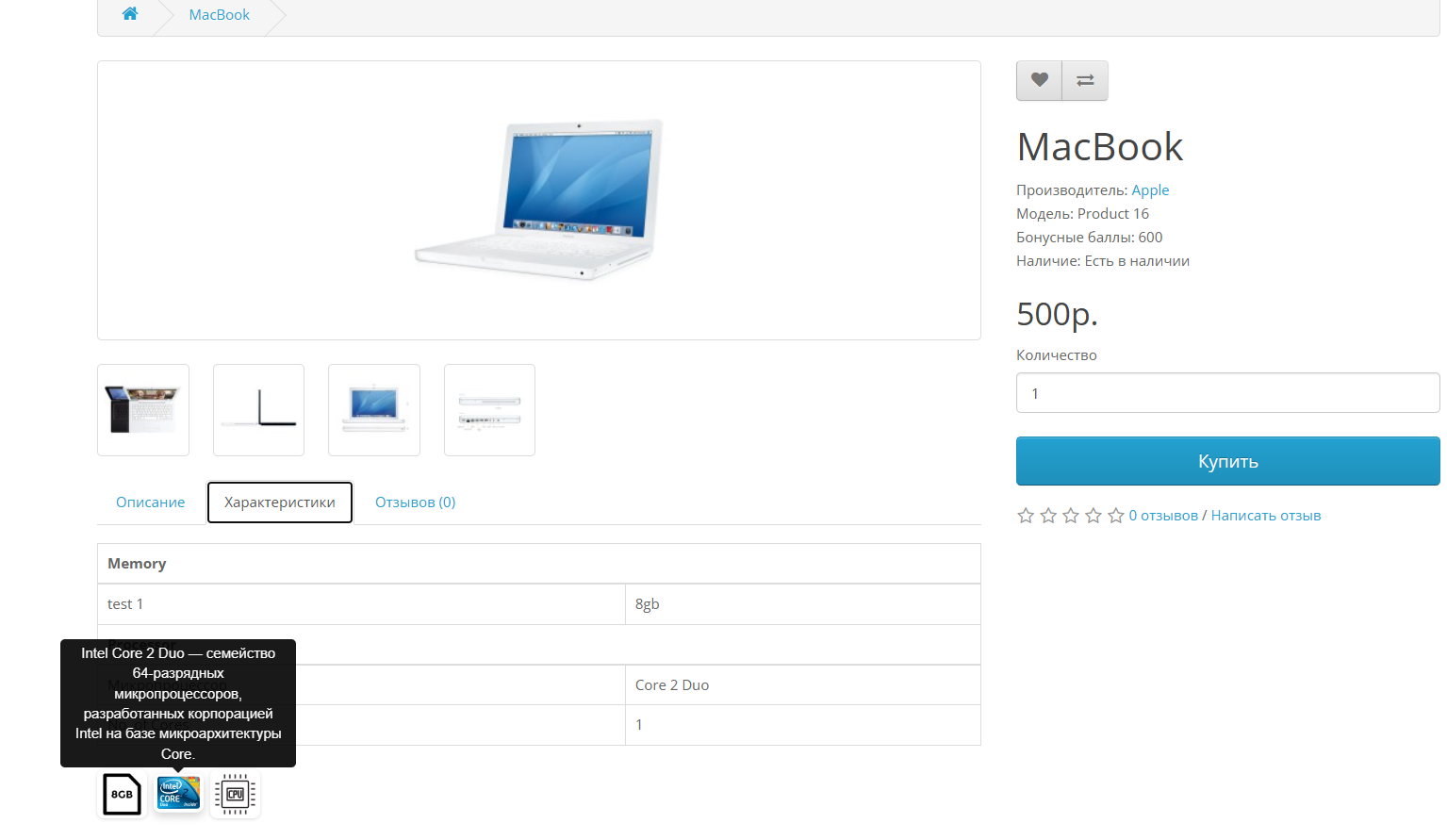
- Display an icon before the characteristic value or a separate block under the characteristics table.
- Support PNG, JPEG and SVG via direct relative path from the image/ folder without image/cache.
- Setting the maximum icon width.
- Optional icon background with the ability to leave a completely transparent background.
- Help text when hovering over the icon.
- Neat design of icons: rounding, soft shadow and slight hover effect.
- Indexing rules on the storefront for normal work with largenumber of rules.
Installation
- Download the archive ".ocmod.zip" through the section "Extensions -> Installing extensions".
- Open "Extensions -> Modifiers" and click update modifiers.
- Open "Extensions -> Extensions -> Modules".
- Install and configure "Icons for attributes".
- If there are no rights when saving, check the access in "System ->Users -> User groups".
- Clear the theme/modifier cache if the changes do not appear immediately.
How to configure the rule
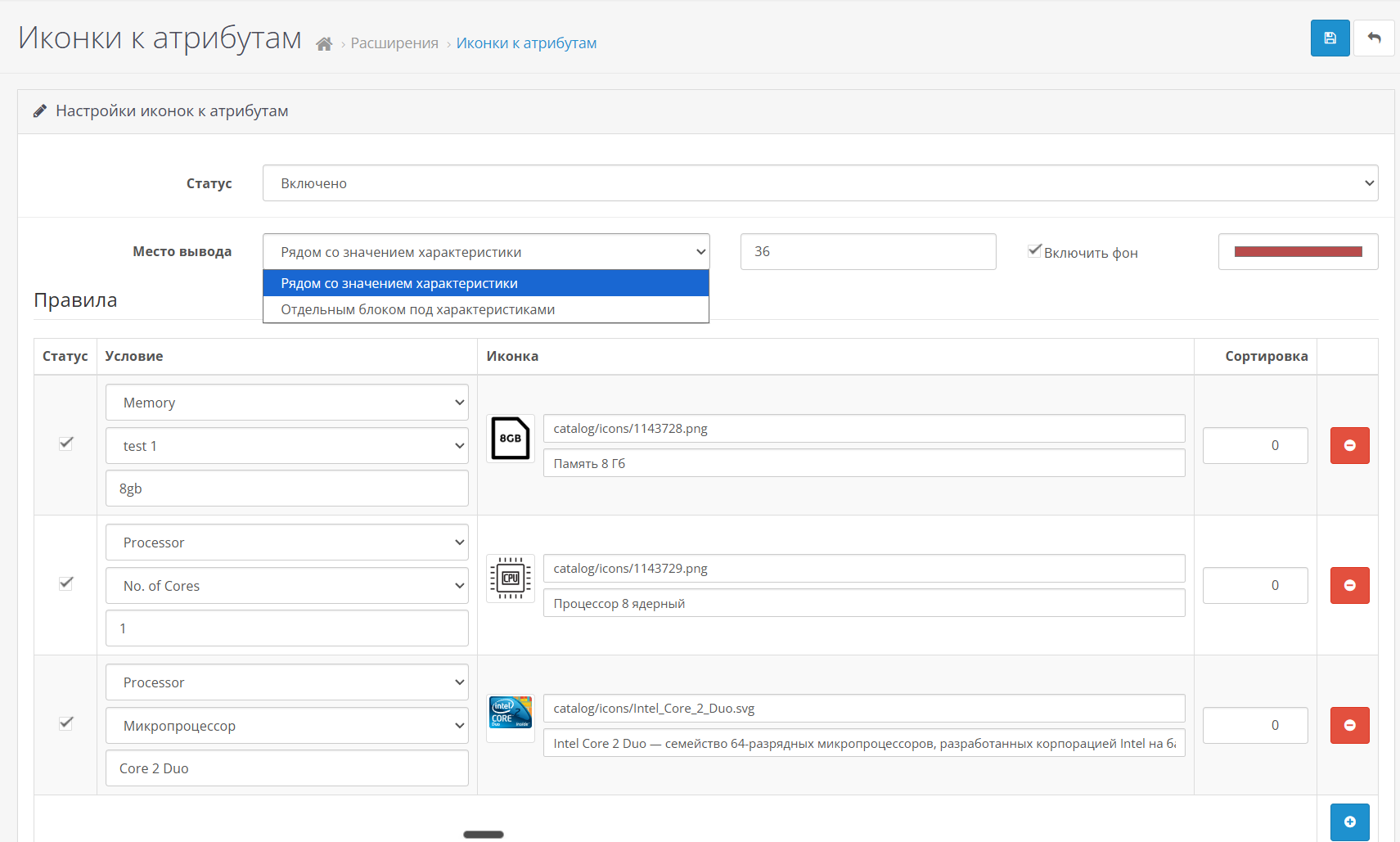
- Select a group of characteristics.
- Select a characteristic from this group.
- Enter a value, for example "8GB". The values "8 gb", "8-gb" and "8_gb" will be considered the same.
- Upload an image or specify the path to the icon inside the image/ folder, for example "catalog/icons/memory.svg".
- If necessary, specify the tooltip text,sorting, size and background of the icon.
Compatibility
Third-party themes and custom builds are not claimed to be supported unless tested separately. But this can be done through the service Adaptation to the template
Support includes advice on installation and correction of module errors on declared compatible versions. Modifications for third-party templates, custom assemblies and conflicting modifiers are discussed separately.
Distribution method:
Paid
Opencart version:
LiveStore 3.*OCStore 3.*OpenCart 3.*
PHP verision:
PHP 7.2PHP 7.3PHP 7.4PHP 8.0PHP 8.1PHP 8.2
Activation:
Automatic
Getting files:
On site, in the personal account
Protection system:
No
VQmod:
No
Ocmod:
Yes
Events:
No
Uploaded:
14.06.2026
Updated:
11.10.2026
Viewed:
1426
Sales:
2
Write a review
Your Name:Your Review: Note: HTML is not translated!
Rating: Bad Good
Enter the code in the box below:
Файлы будут доступны после покупки


