Your shopping cart is empty!

Info block on the product page for opencart 3.x
Price: 750 ₽ 900 ₽

Additional from the author:
Author: Serbulenko
Write to the author
Sales: 4 (Average rating 0 на основании 0 отзывов)
Need paid help? Contact the site administration
Opencart version:
Sales: 4 (Average rating 0 на основании 0 отзывов)
Need paid help? Contact the site administration
Opencart version:
LiveStore 3.*OCStore 3.*OpenCart 3.*
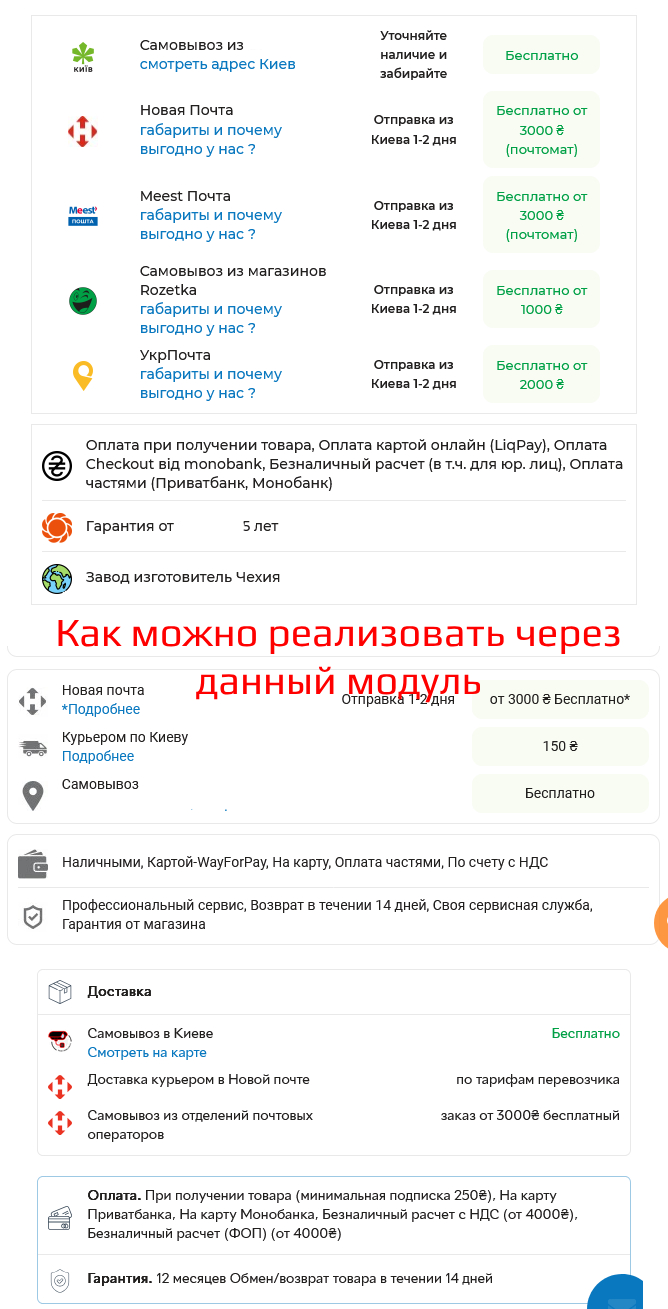
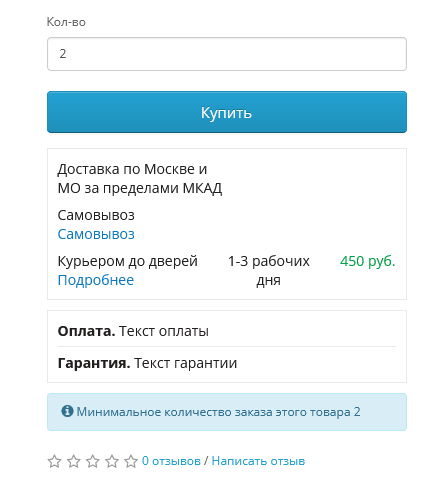
The module adds an information block to the product page with data about delivery, payment, warranty, services, etc. Allows you to structure important information and increase buyer confidence.
Consists of two blocks:
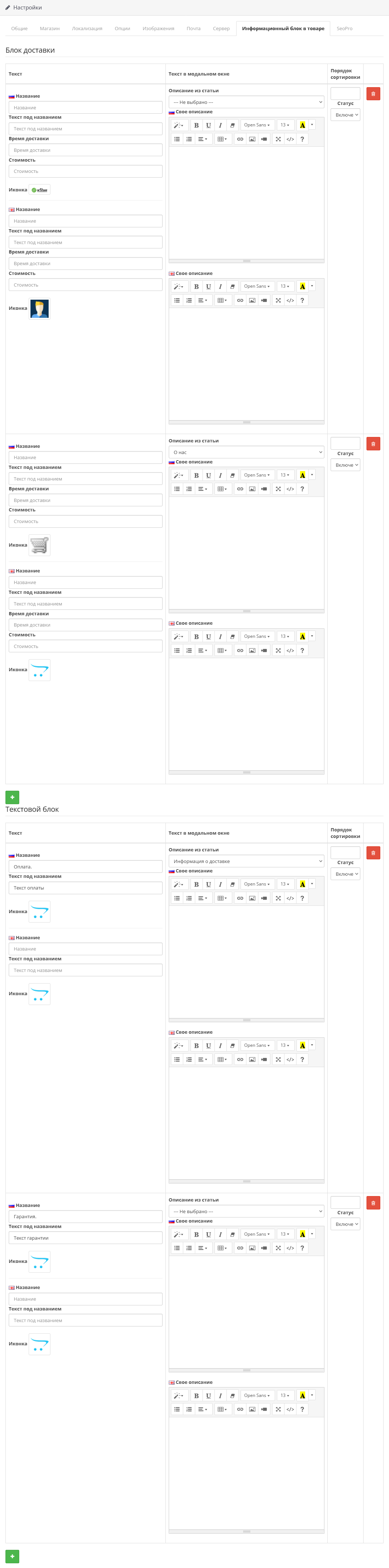
1. Delivery block
A universal block where you can add:
Ideal for information about payment, warranty, returns and other conditions.
Available fields:
Important:
The design presented in the examples demonstrates one of the possible options for designing and adapting the module to the visual style of the store.
This appearance is not included with the default module.
Your theme may look different, and if necessary, the module can be styled individually to suit your design.
Please note:
The cost of module adaptation is a paid service and depends on the complexity of your theme and the number of installed modules.
We are ready to help with adaptation - to clarify the cost and timing, please contact us.
Instructions forinstallation:
Technical support is provided to all users who legally purchased the module on official websites or from the author himself.
License:
Each copy of the module is valid for 1domain and its subdomain.
Therefore, if you want to install the module on another domain, you must purchase another copy of the module.
For all questions and suggestions, write to serfbots@gmail.com
Consists of two blocks:
1. Delivery block
A universal block where you can add:
- Name (for example, “SDEK”, “Courier”, etc.)
- Text called
- Icon
- Delivery time
- Cost
- you can specify expanded text,which will open in a modal window;
- or select an existing article, which will be displayed in the same modal window (for example, the general “Delivery” page).
Ideal for information about payment, warranty, returns and other conditions.
Available fields:
- Name
- Text next to the title
- Icon
- opportunity to specify expanded text in a modal window;
- orconnect existing article, which will open when clicked.
Important:
The design presented in the examples demonstrates one of the possible options for designing and adapting the module to the visual style of the store.
This appearance is not included with the default module.
Your theme may look different, and if necessary, the module can be styled individually to suit your design.
Please note:
The cost of module adaptation is a paid service and depends on the complexity of your theme and the number of installed modules.
We are ready to help with adaptation - to clarify the cost and timing, please contact us.
Instructions forinstallation:
- Unzip the archive art_product_info_block_3.x.zip;
- Upload the contents of the archive folder upload to the server;
- Update the OCMOD cache;
- Go to section "System->Settings";
- Go to the settings of the main store and click on the "Information block in the product" tab;
- Create the required fields;
- Save the settings.
Technical support is provided to all users who legally purchased the module on official websites or from the author himself.
License:
Each copy of the module is valid for 1domain and its subdomain.
Therefore, if you want to install the module on another domain, you must purchase another copy of the module.
For all questions and suggestions, write to serfbots@gmail.com
Distribution method:
Paid
Opencart version:
LiveStore 3.*OCStore 3.*OpenCart 3.*
PHP verision:
PHP 5.4PHP 5.5PHP 5.6PHP 7.0PHP 7.1PHP 7.2PHP 7.3PHP 7.4PHP 8.0PHP 8.1PHP 8.2PHP 8.3
Activation:
Automatic
Getting files:
On site, in the personal account
Protection system:
Custom
VQmod:
No
Ocmod:
Yes
Events:
No
Uploaded:
19.04.2025
Updated:
30.09.2026
Viewed:
4594
Sales:
4
Write a review
Your Name:Your Review: Note: HTML is not translated!
Rating: Bad Good
Enter the code in the box below:




Файлы будут доступны после покупки


