Your shopping cart is empty!

Telegram Shop Poster - publishing products in Telegram for opencart 3.x
10 sales
Price: 1 500 ₽ 2 000 ₽

Additional from the author:
Author: Serbulenko
Write to the author
Sales: 10 (Average rating 5 на основании 2 отзывов)
Need paid help? Contact the site administration
Opencart version:
Sales: 10 (Average rating 5 на основании 2 отзывов)
Need paid help? Contact the site administration
Opencart version:
LiveStore 3.*OCStore 3.*OpenCart 3.*
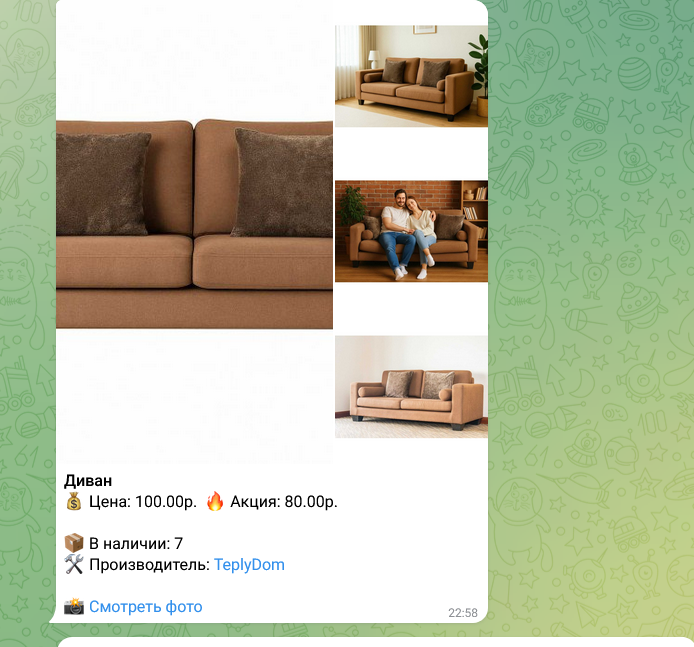
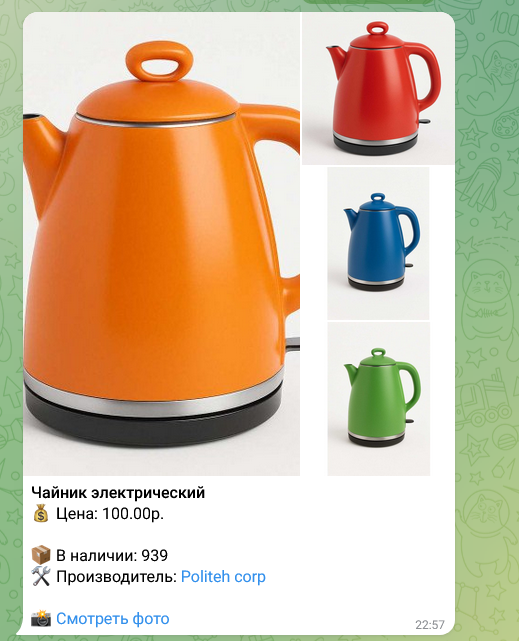
Telegram Shop Poster is a convenient module for online stores on OpenCart, which allows you to manually send selected products directly to Telegram. You choose which product to post and control every message, from text to images.
The module supports full formatting of messages: product name, price, promotion, stock availability, manufacturer, description, main image, product gallery and the “Open on website” button.
Main features:
Technical support is provided to all users who legally purchased the module on official websites or from the author himself.
License:
Each copy of the module acts on 1 domain and itssubdomain
Therefore, if you want to install the module on another domain, you must purchase another copy of the module.
For all questions and suggestions write to serfbots@gmail.com
The module supports full formatting of messages: product name, price, promotion, stock availability, manufacturer, description, main image, product gallery and the “Open on website” button.
Main features:
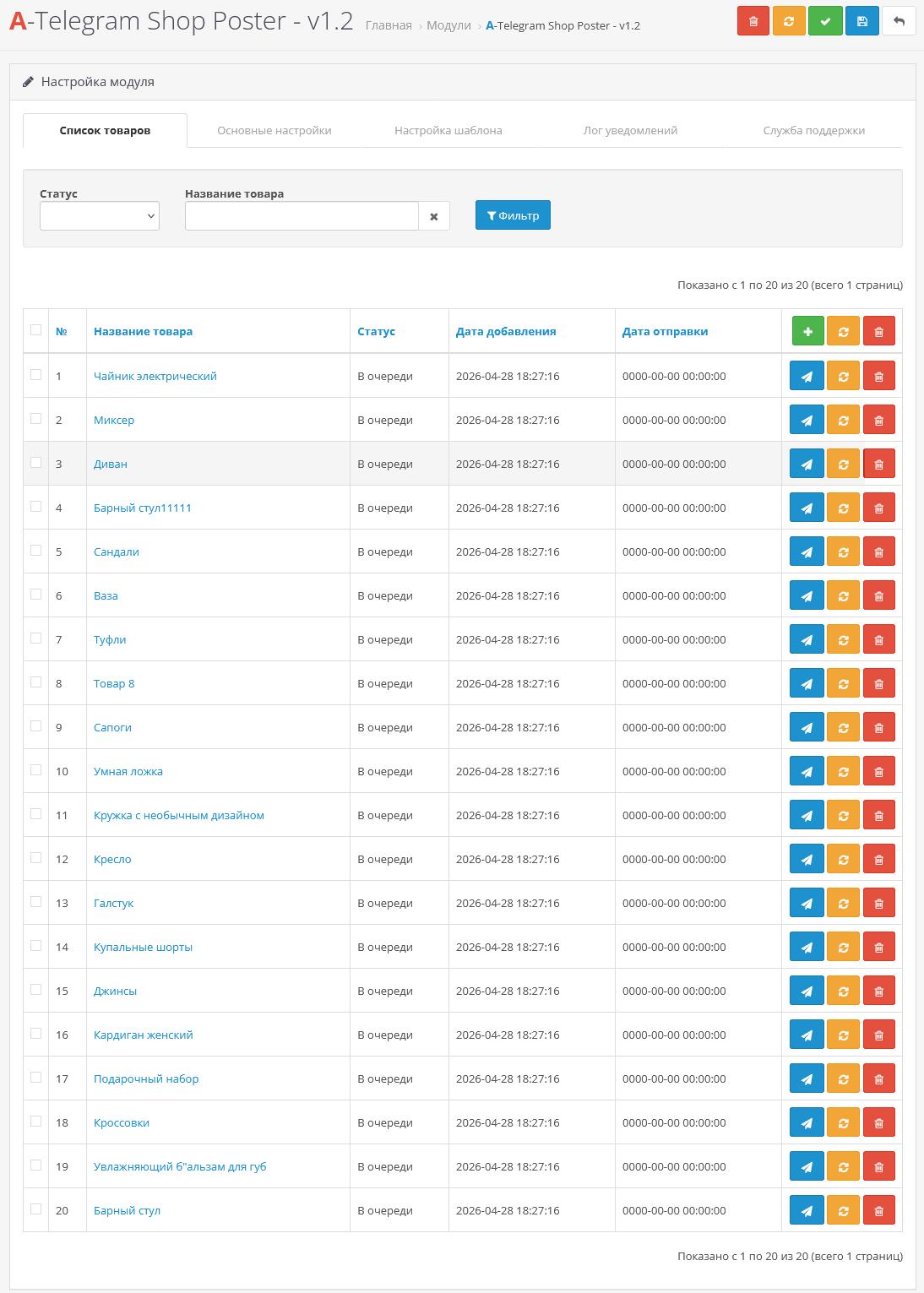
- Manual publishing mode: you yourself click on the desired product and send it to subscribers.
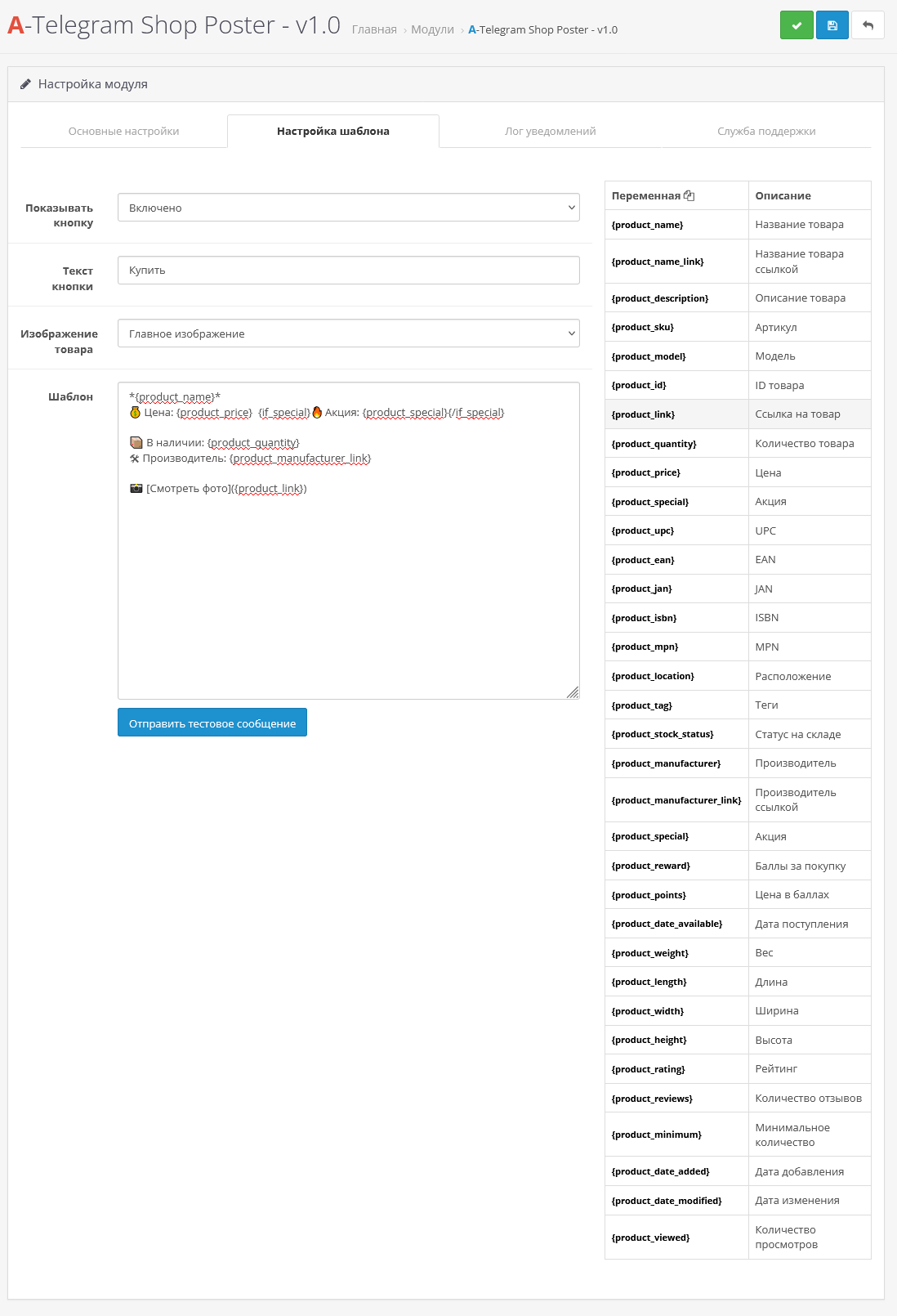
- Custom message template: you can create your own text with variable support{product_name}, {product_price}, {product_special}, {product_quantity}, {product_manufacturer}, {product_description}, {product_name_link} and other basic product fields.
- MarkdownV2: beautiful and readable messages with support for formatting, emoji and links.
- Image support: main product photo and gallery, the ability to include the “Buy” or “Open on the site” button.
- Simple integration: the module works without complex settings and is immediately ready for use in any Telegram channel or chat.
- promotion of goods in Telegram;
- informing subscribers about new products and promotions;
- increasing sales without unnecessary automation, when control over the dispatch of a specific product is important.
- You can customize the template to match the style of your store or channel;
- Easy to add or remove any product fields in the message;
- Support for text, links, images and galleries in one message;
- Fast sending without unnecessary clicks and settings.
- The step to create a bot and get the channel/chat ID has been skipped in the hope that youand so you know it.
- Install the archive telegram_shop_poster_3.x.ocmod.zip through the standard add-on manager;
- Update the OCMOD cache;
- Then go to extensions->modules and find "A-Telegram Shop Poster" activate it;
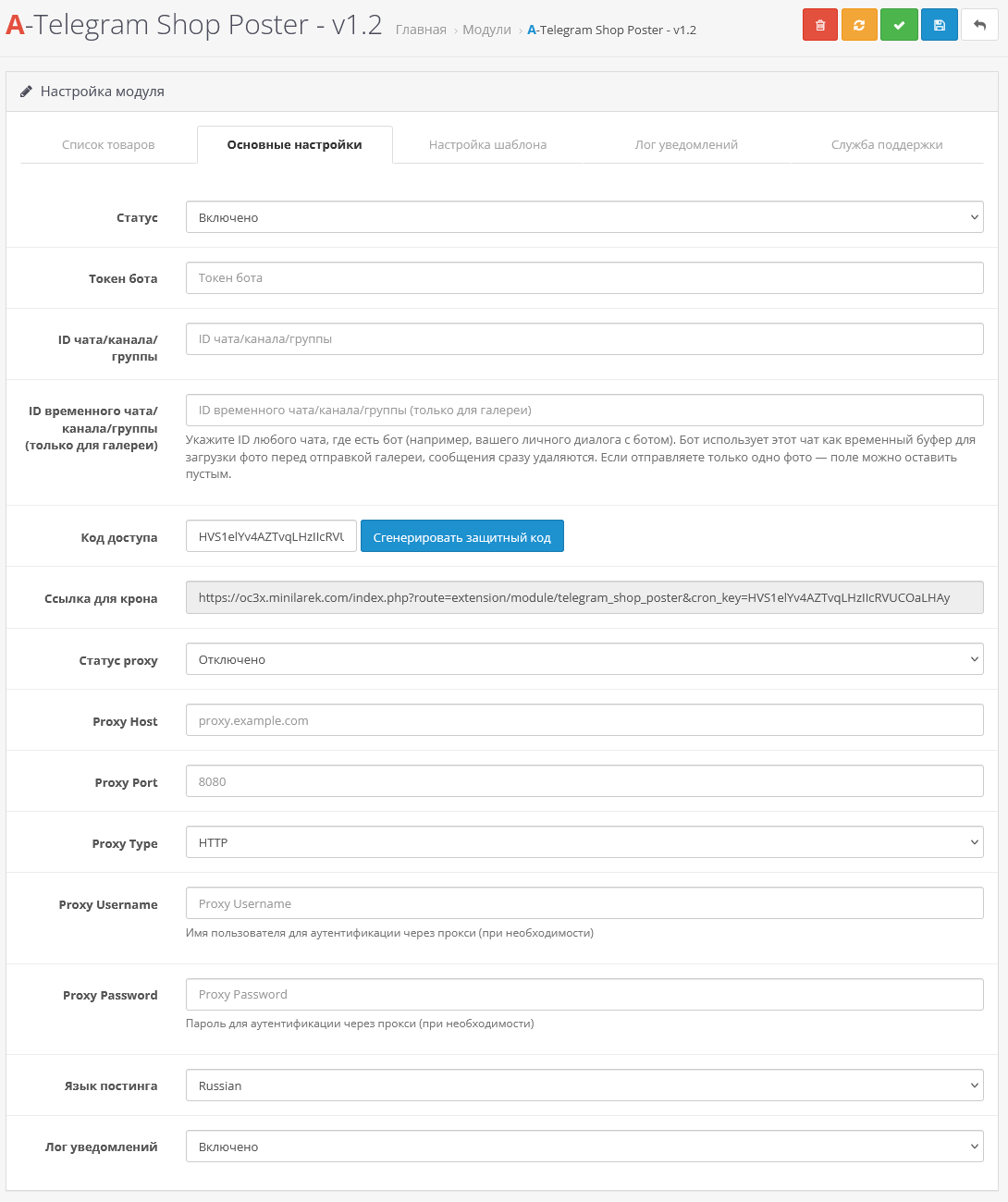
- Go to the module settings and configure it.
- On the page yourdomain/admin/index.php?route=catalog/product, each product will have a button for posting in telegram
Technical support is provided to all users who legally purchased the module on official websites or from the author himself.
License:
Each copy of the module acts on 1 domain and itssubdomain
Therefore, if you want to install the module on another domain, you must purchase another copy of the module.
For all questions and suggestions write to serfbots@gmail.com
Distribution method:
Paid
Opencart version:
LiveStore 3.*OCStore 3.*OpenCart 3.*
PHP verision:
PHP 5.4PHP 5.5PHP 5.6PHP 7.0PHP 7.1PHP 7.2PHP 7.3PHP 7.4PHP 8.0PHP 8.1PHP 8.2
Activation:
Automatic
Getting files:
By email, after a request to the author
VQmod:
No
Ocmod:
Yes
Events:
No
Uploaded:
15.09.2025
Updated:
28.04.2026
Viewed:
3825
Sales:
10
Write a review
Your Name:Your Review: Note: HTML is not translated!
Rating: Bad Good
Enter the code in the box below:


Файлы будут доступны после покупки


НО К сожалению, в рамках нашего запроса адаптация модуля под работу через прокси реализована не была, из-за чего задача не была доведена до рабочего состояния с вашей стороны.
В итоге нам пришлось привлечь стороннего разработчика, который выполнил доработки на данный момент модуль работает стабильно, включая работу через прокси и отправку товаров с изображениями.
Оценку всё же оставим +2 за отклик и участие, однако хотели бы отметить, что ключевая задача адаптация под прокси решена не была, в целом модуль достойный