Your shopping cart is empty!

oFilter - fast, convenient, functional product filter with automatic SEO
10 sales

Price: 1 900 ₽ 3 900 ₽

Author: pikitos
Write to the author
Sales: 11 (Average rating 5 на основании 4 отзывов)
Need paid help? Contact the site administration
Opencart version:
Sales: 11 (Average rating 5 на основании 4 отзывов)
Need paid help? Contact the site administration
Opencart version:
LiveStore 3.*OCStore 3.*OpenCart 3.*
* price for the first 10 buyers - 1900 ₽.
* help with installation and configuration for free.
Brief description:
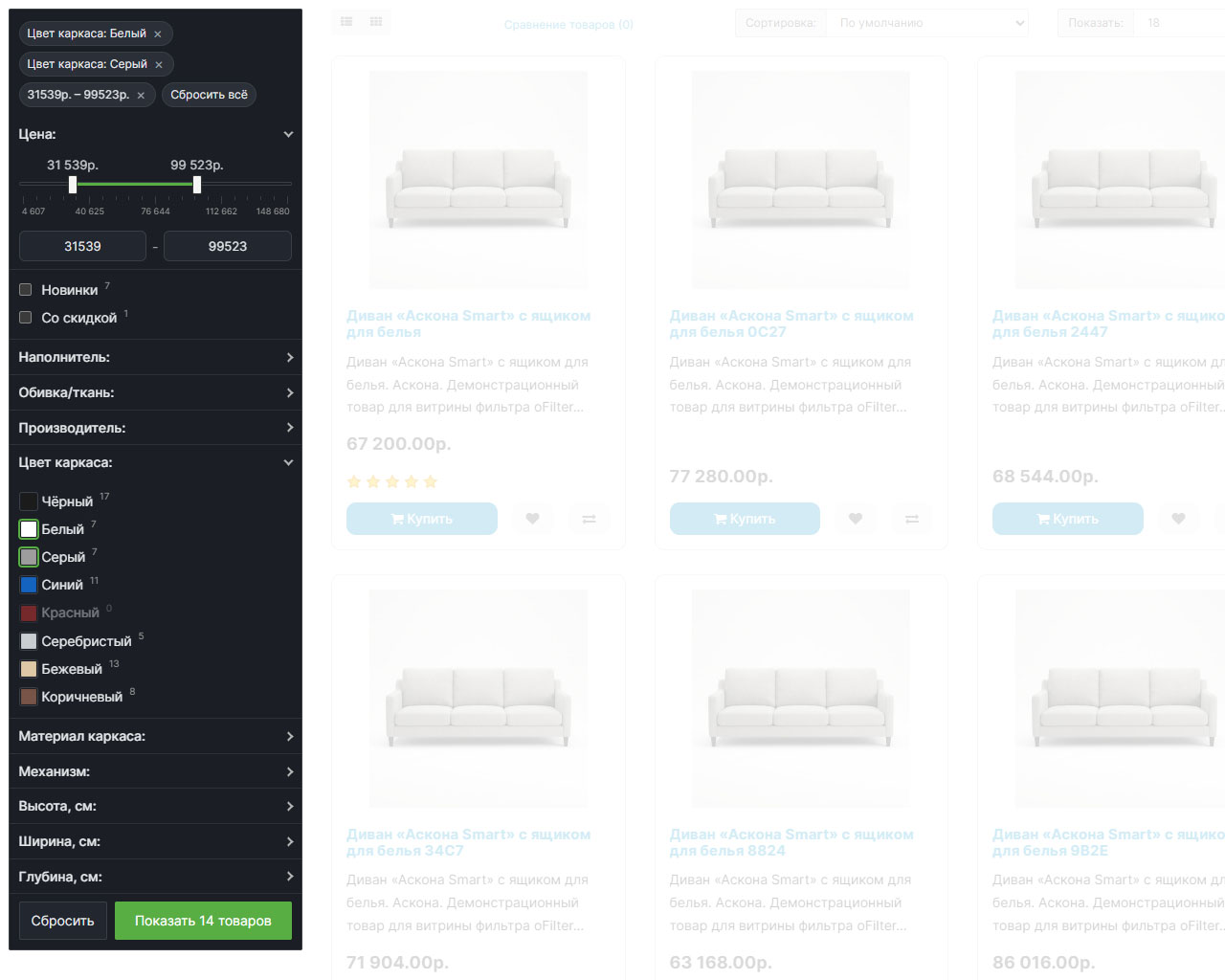
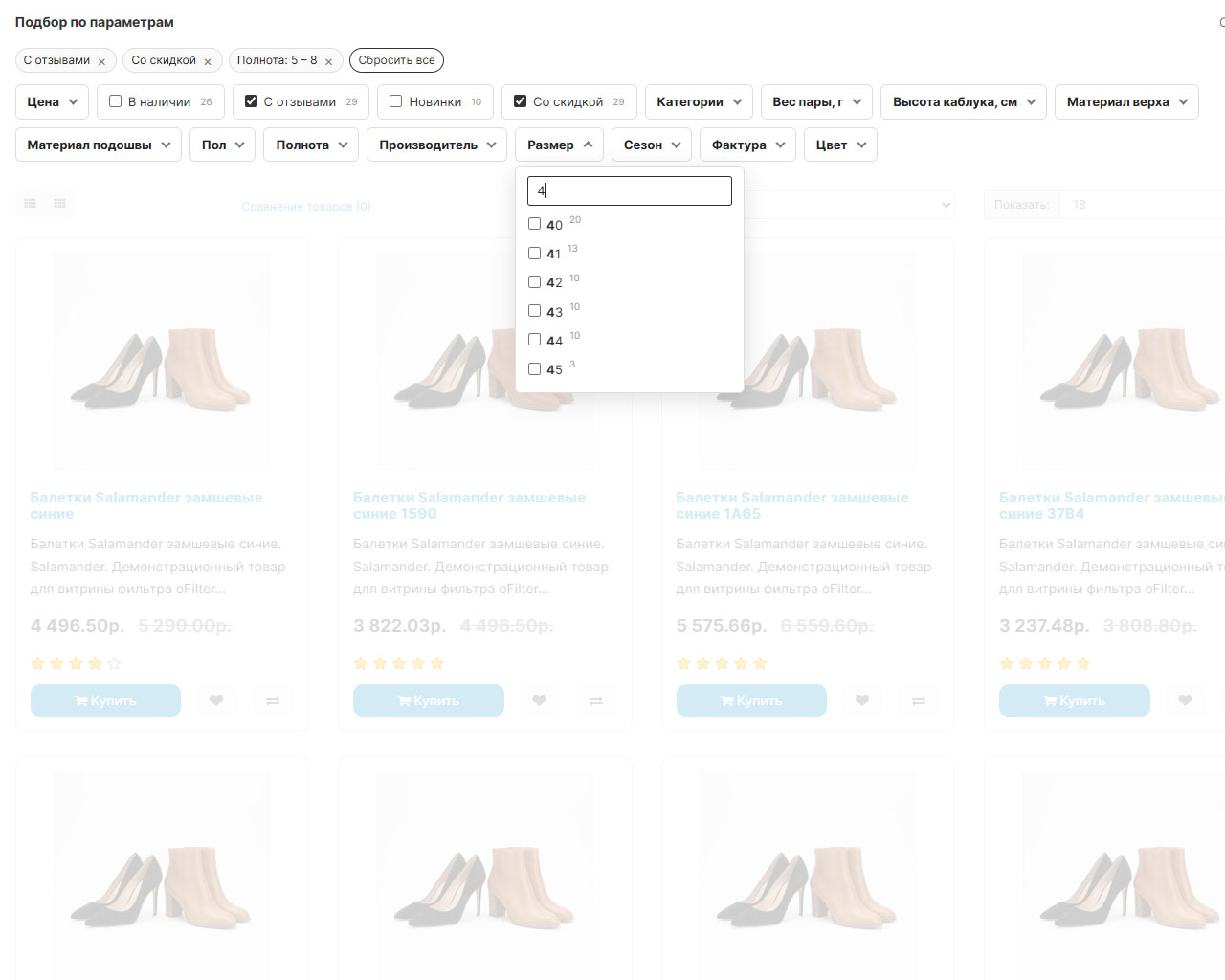
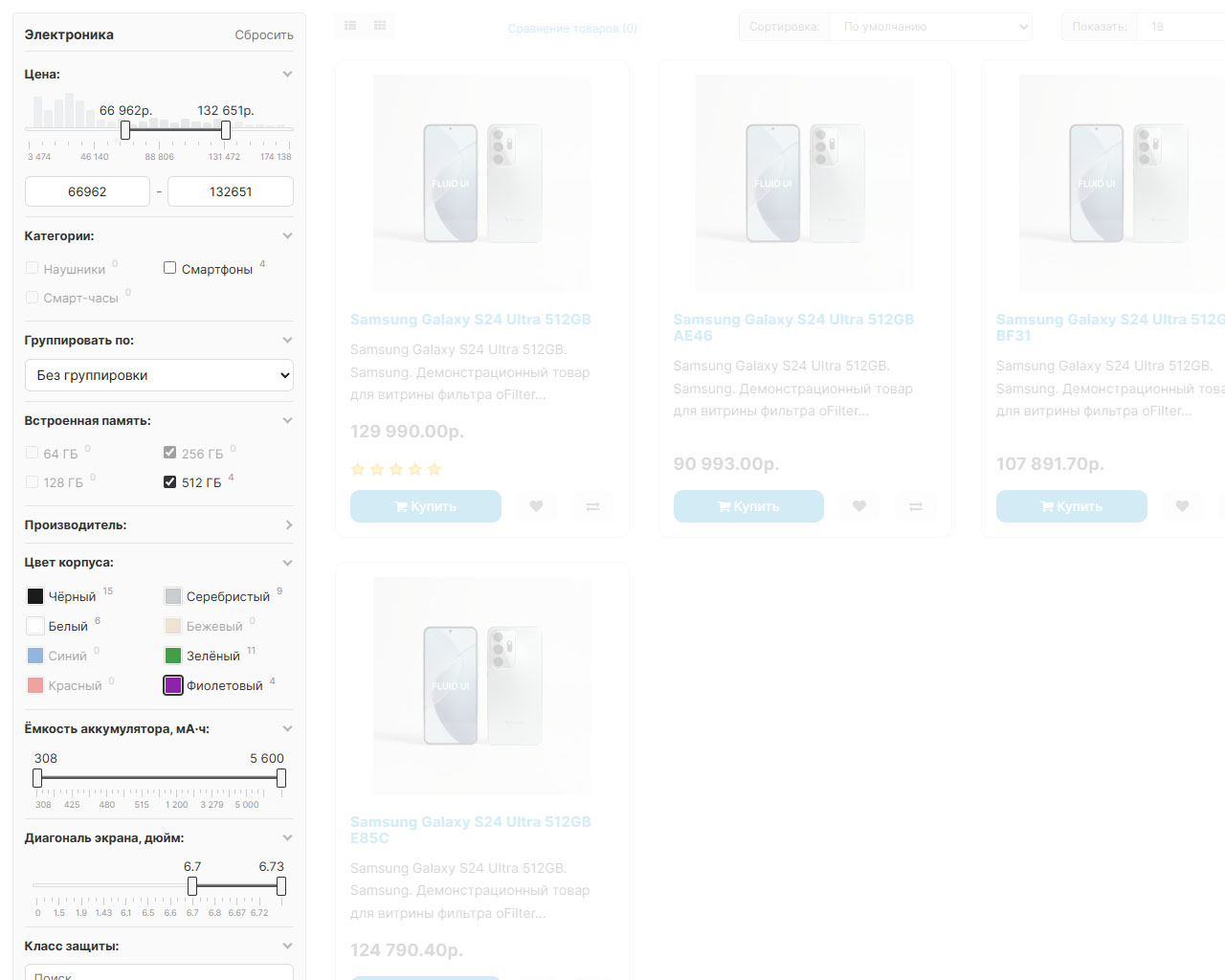
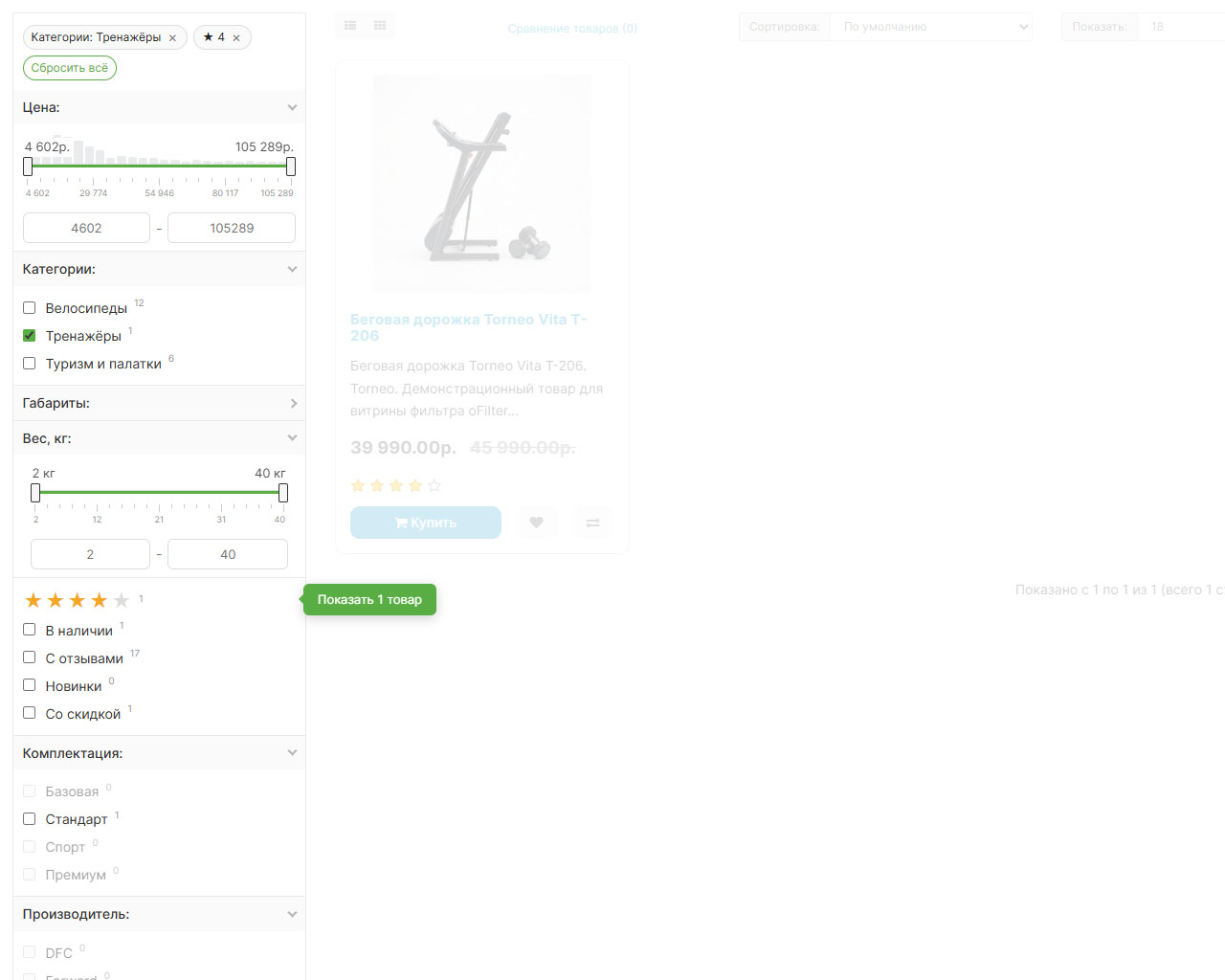
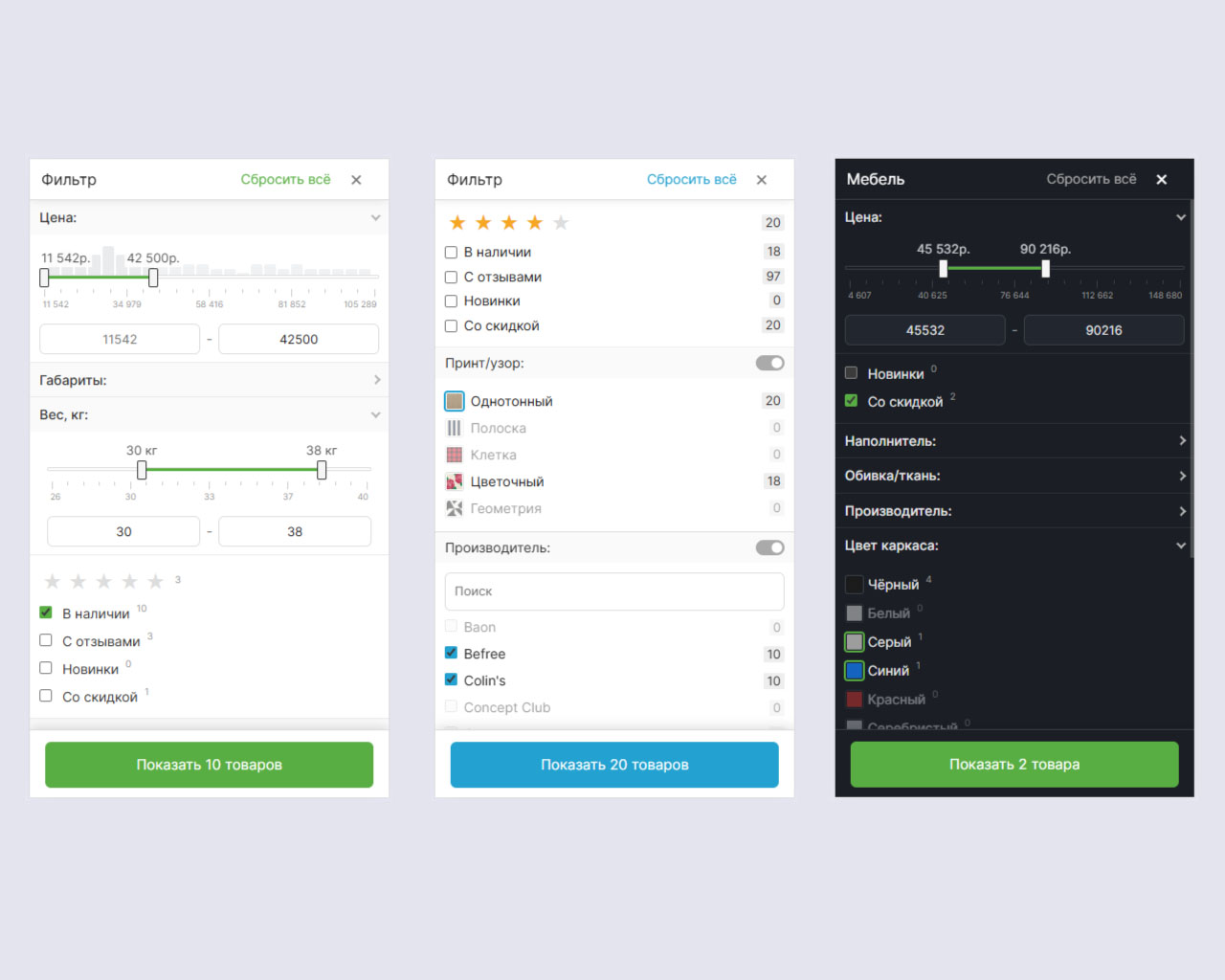
oFilter is a ready-made product filter for a store on OpenCart 3.x. The buyer selects products without reloading the page: the list is updated on the fly, and the counters for the values are recalculated for the current selection. Facets are built automatically from options, attributes (characteristics), price, manufacturer, subcategories, ratings and reviews. Works on category pages, and optionally on brand and search pages. 5 ready-made styles, dark theme, custom colors, mobile sliding panel, SEO CNC and accelerating index for large catalogs.
=== WATCH MODULE DEMO ( Different categories have their own filter settings ) ====== WATCH DEMO ADMIN KEY ===
Filtering:
Appearance:
Speed:
SEO:
Tools:
Other:
* help with installation and configuration for free.
Brief description:
oFilter is a ready-made product filter for a store on OpenCart 3.x. The buyer selects products without reloading the page: the list is updated on the fly, and the counters for the values are recalculated for the current selection. Facets are built automatically from options, attributes (characteristics), price, manufacturer, subcategories, ratings and reviews. Works on category pages, and optionally on brand and search pages. 5 ready-made styles, dark theme, custom colors, mobile sliding panel, SEO CNC and accelerating index for large catalogs.
=== WATCH MODULE DEMO ( Different categories have their own filter settings ) ====== WATCH DEMO ADMIN KEY ===
Filtering:
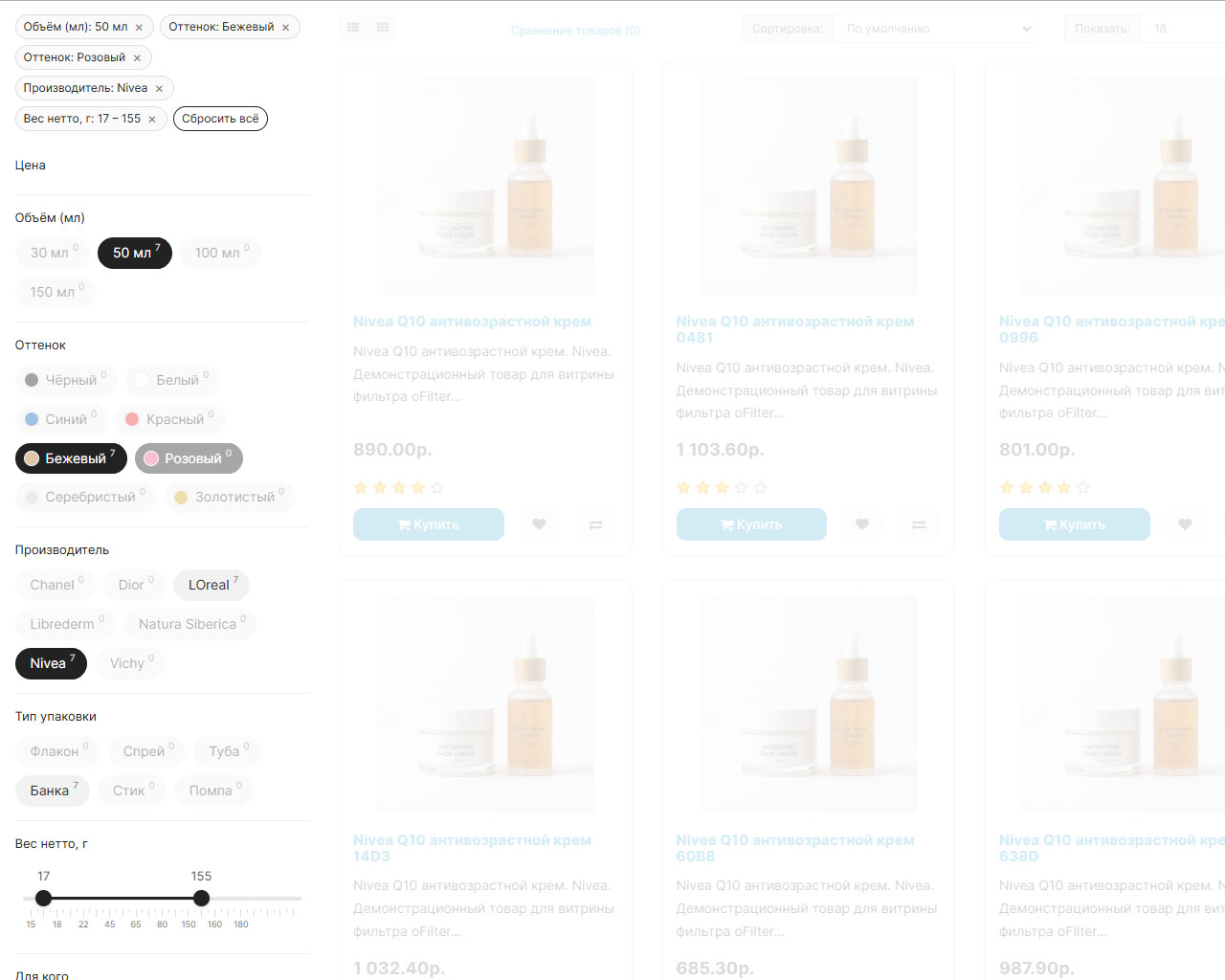
- Filter by product options: turns OpenCart options into facets; type to choose from - checkboxes, switch, list, slider or pictures.
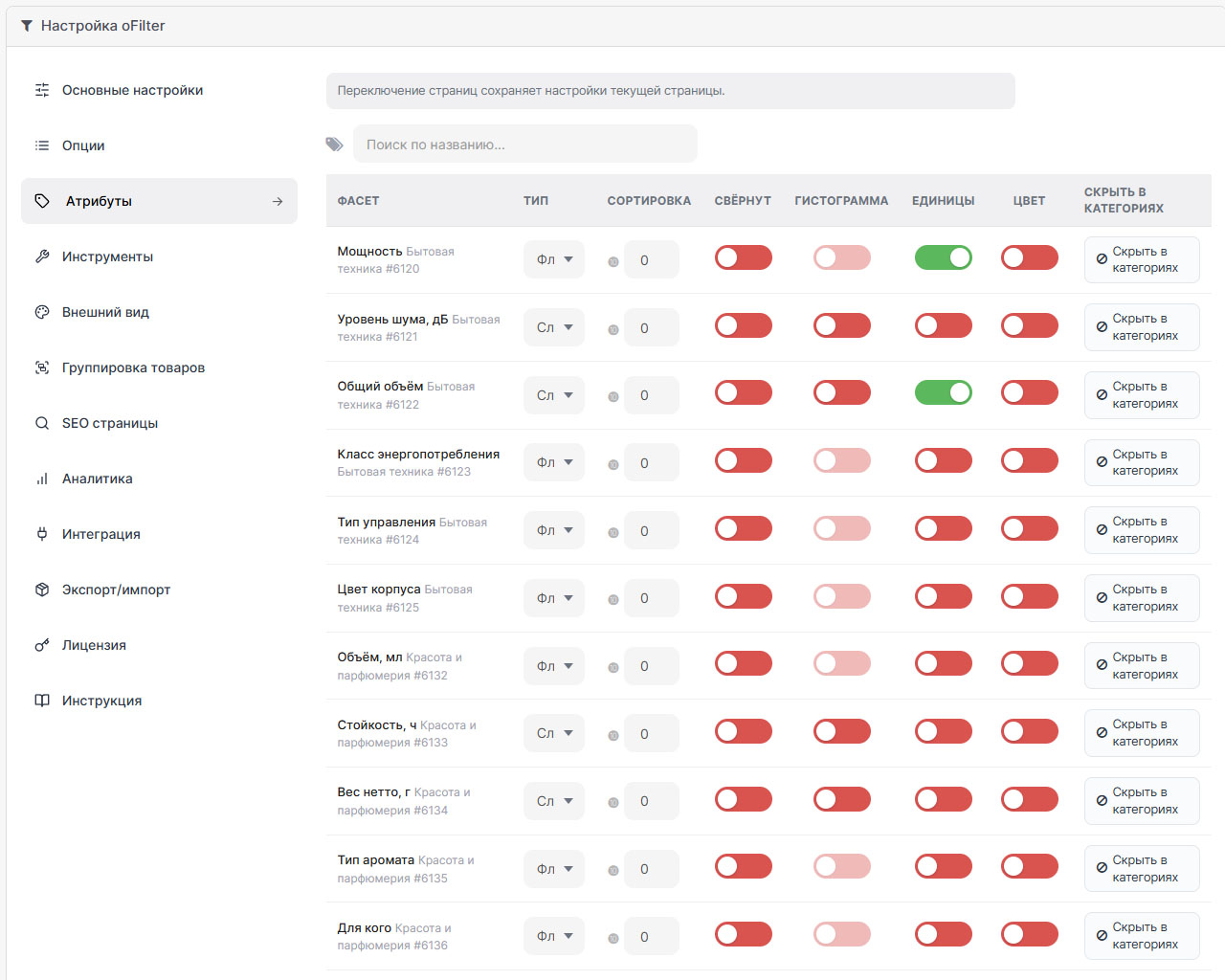
- Filter by attributes (characteristics): facets from product attributes; the text can be divided into values using a separator;types checkboxes, switch, list, slider.
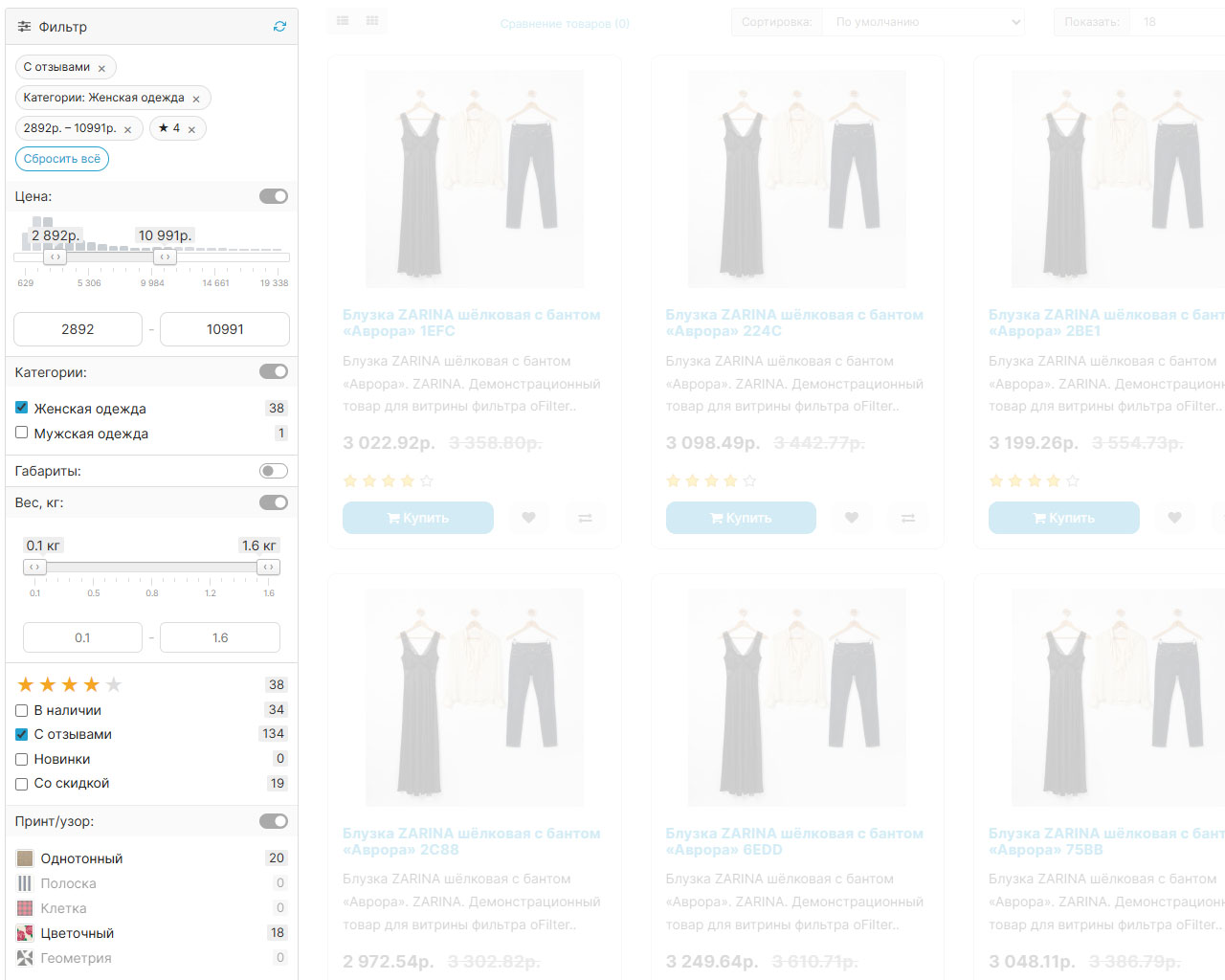
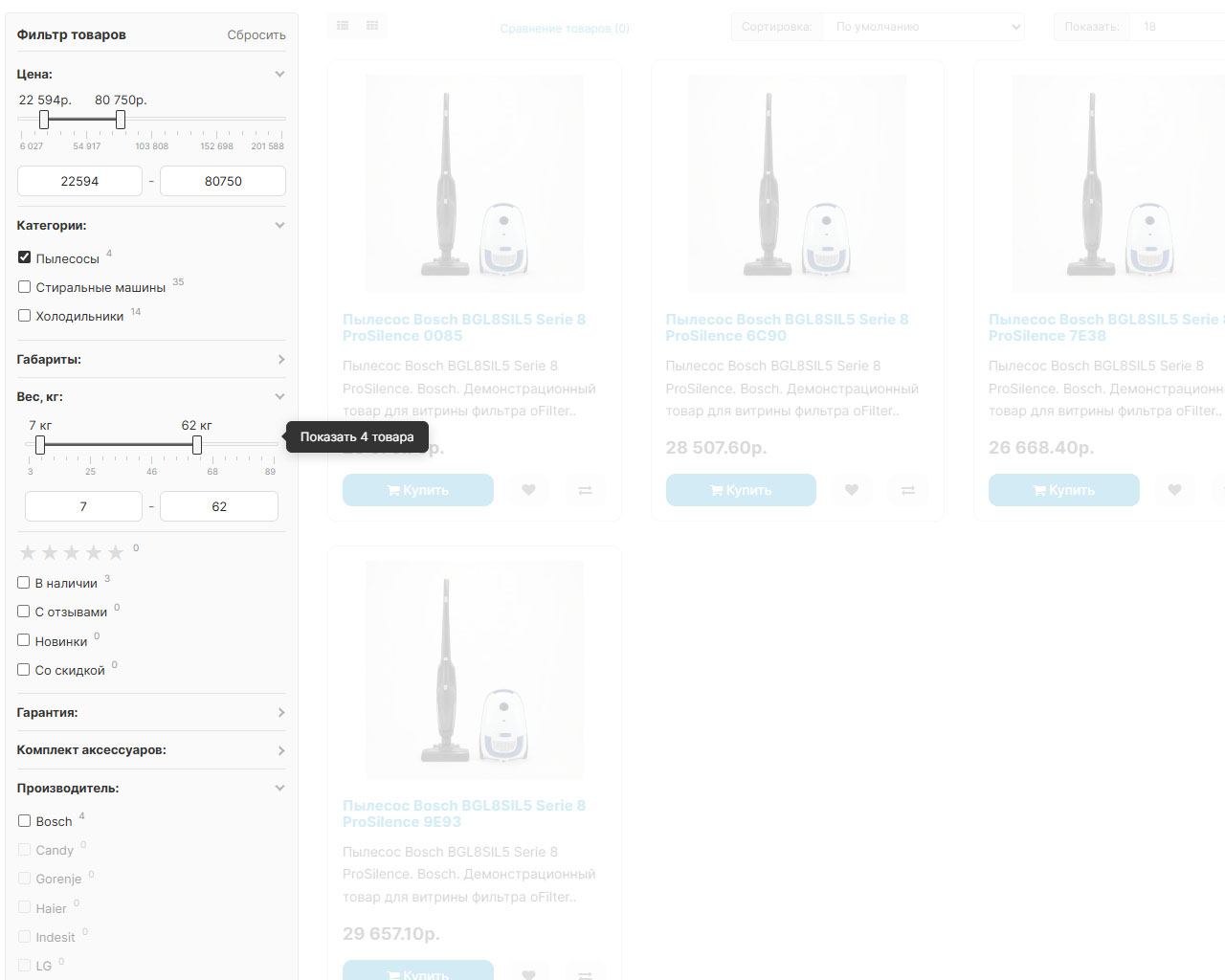
- Filter by price (slider): range slider based on the actual price, taking into account discounts and the buyer’s tax zone.
- From/to price fields: numerical manual entry of minimum and maximum, synchronized with the slider.
- Price slider step: step in currency (0 - auto, otherwise the price “sticks” to round numbers).
- Price histogram: columns of distribution of goods by prices behind the slider that fall within the range are highlighted.
- Narrowing the price range in Wildberries style: with any choice, the borders of the slider are tightened to fit the remaining products.
- Filter by availability and take into account in options only goods in stock, so that those that are out of stockvalues did not inflate lists and counters.
- Filter by subcategories: built-in navigation facet in child categories (checkboxes, radio button, list).
- Filter by manufacturer (brand): built-in facet by brand (checkboxes, switch, list).
- Filter by rating: star widget by rounded average rating.
- Filter “With reviews”: only products with at least one approved review.
- Recalculation of the number of goods and the counter (N) for each value: values are recalculated for the current selection, leading to 0 are extinguished.
- Multiple selection in a group (OR): several values of the same group are combined by OR, your choice does not reset to zeroneighbors.
- Chips of active filters: tiles of selected conditions with a cross and a “Reset all” button.
- Collapse of long lists and search by values: limit of values up to the “Show all” button, search appears in such groups (0 - disabled).
- Method of application: recalculation immediately after clicking (Auto) or only on the button.
- Separator in attributes: symbol for splitting one text value into several (default “;”, up to 8 characters).
- Filter on brand and search results pages, not just categories.
Appearance:
- 5 ready-made showcase styles.
- Theme (Light / Auto / Dark): dark filter theme via CSS tokens, does not affect the rest of the page; “Auto” - according to the browser system theme.
- Primary colors: override 8 brand colors (accent, text, borders, background, etc.); empty field = skin color.
- Floating filter block (sticky): the sidebar remains on the screen when scrolling.
- Mobile filter list: full-screen filter on the phone with the “Show N products” button and a live counter.
- Facets collapsed by default: the starting state of any block is collapsed under its header.
- Mini histogram facet: distribution bars by values behind the slider, type only"Slider".
- Auto-swatches of colors: a color square next to the value, recognized from the name (“Red”, “Dark Blue”); enable only for color facets.
- Grid under the price slider: divisions-scale under the slider.
- Reset button: under the facets or in the block header.
- Loading of products: page by page, by clicking the “Show more” button or by scrolling.
Speed:
- Accelerator for large catalogs.
- Caching facet counters: caches server recalculation; reset when catalog changes, price states - separately by tax zone.
- Lazycounters: goods are given immediately, counters are loaded with a second request; the numbers are the same, only the moment of appearance changes.
- DB indexes (acceleration package): composite indexes.
SEO:
- noindex for filter states: blocks category pages with applied parameters from indexing (noindex, follow); selections remain open.
- Automatic SEO links (clean URLs): paths like /category/brand/value instead of ?of_; require a built CNC index.
- Price in URL path: encodes the range with the price-min-max segment in the clean URL; works when CNC facets are enabled.
- JSON-LD micromarking: Schema.org BreadcrumbList + ItemList on categories, landing pages and filter; noindex pages do not display a list of products.
- SEO collections (landing pages) and generator: curated indexed “category + filter” pages with their own meta tags and text.
- “Popular collections” block: linking to created category collections, built into its description.
Tools:
- Configuration Wizard: looks at the catalog and suggests which options and attributes to make facets and what type; does not apply anything without confirmation.
- Filter by category (profiles - you can configure the filter for different categoriesin different ways): its own composition, order, type and headings for a separate category with inheritance from the parent.
- Gluing values / synonyms: combines different spellings of one value into one (counters add up); only for attributes; there is a check on the catalogue.
- Normalization of units of measurement: “1500 ml” and “1.5 l” become one value; enabled by attribute.
- Manual colors (swatch rules): "Name = #rrggbb" rules for meanings that the dictionary did not recognize or understood incorrectly.
- Export/import config: all storefront settings in one JSON and back (with backup and ID matching by name).
- Assign to “Category” layout: stagingmodule to the desired OpenCart layout with one button.
Other:
- Multi-store: separate settings for each store with “Default” inheritance; general license for the entire installation.
- Address bar options: Selected filters are reflected in the URL for links and the back button.
- Product grouping: “group by” widget in the sidebar - by availability, manufacturer, selected options and attributes.
- Analytics and zero results tracker: impersonal counters for facet usage and remembering combinations with 0 products; no personal data is collected (off by default).
- Drawing mode (Theme /Module): cards of the current topic or your own universal module grid.
- Placement method (Auto / Layout / Sliding panel): embedding in the left column, and if the theme does not display it - a sliding panel.
- Do not show the filter in selected categories: black list of categories where the filter is hidden.
- Scripts after loading: custom JS after each filter application.
- Built-in instructions: separate “Instructions” tab with complete instructions for all tabs.
Distribution method:
Paid
Opencart version:
LiveStore 3.*OCStore 3.*OpenCart 3.*
PHP verision:
PHP 7.1PHP 7.2PHP 7.3PHP 7.4PHP 8.0PHP 8.1PHP 8.2PHP 8.3
Activation:
Automatic
Getting files:
On author's site, after purchase
Protection system:
Custom
VQmod:
No
Ocmod:
Yes
Events:
No
Uploaded:
29.07.2026
Updated:
12.08.2026
Viewed:
1261
Sales:
11
Write a review
Your Name:Your Review: Note: HTML is not translated!
Rating: Bad Good
Enter the code in the box below:



Файлы будут доступны после покупки


Написал разработчику, он безотлагательно помог с некоторыми багами в работе модуля и донастроил под тему (у меня Юнишоп2) и движок (лайвстор 3.0.4.4).
Очень и очень много в нём настроек, что несомненно радует глаз. Много разных стилей и есть автосоздание SEO-страниц под конкретную фильтрацию. Это не просто очередной модуль фильтрации - это БОМБА!!!
Спасибо огромное!!!