Your shopping cart is empty!

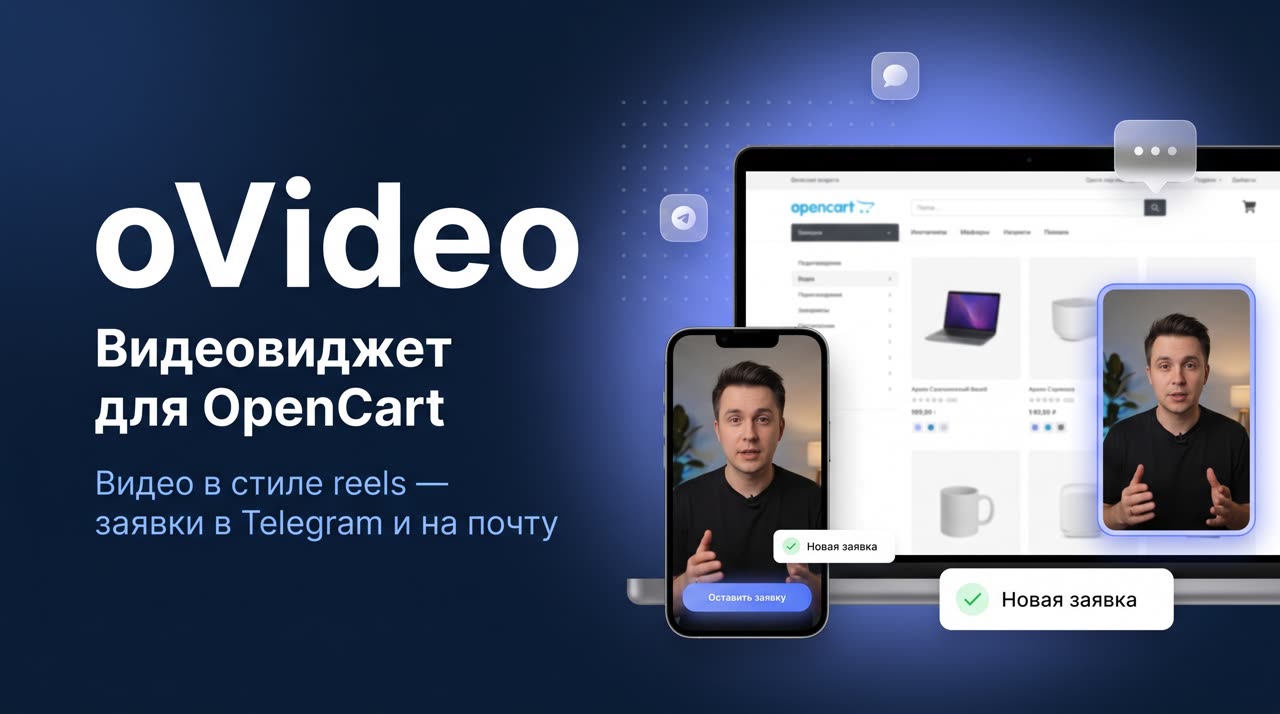
oVideo - video widget for OpenCart: reels-style videos and applications in Telegram and email

Price: 900 ₽ 2 900 ₽

Author: pikitos
Write to the author
Sales: 1 (Average rating 0 на основании 0 отзывов)
Need paid help? Contact the site administration
Opencart version:
Sales: 1 (Average rating 0 на основании 0 отзывов)
Need paid help? Contact the site administration
Opencart version:
LiveStore 3.*OCStore 3.*OpenCart 3.*
* price for the first 5 buyers - 1900 ₽.
oVideo adds a vertical reels-style video to the store window - in the corner of the screen or directly in the product card. The video holds attention, and the built-in button and form turn viewing into an application, which immediately goes to Telegram and e-mail. Instead of a video, you can show an image gallery in the form of a deck of cards.
Briefly about the main thing: native OpenCart 3.x module, without external SaaS embedding. Video (mp4/webm) or image gallery + lead capture with delivery to Telegram and email + flexible display rules, targeting and statistics. The license is tied to the domain, there is a free trial period of 14 days.
=== MODULE DEMO ====== ADMIN DEMO ===
KEY FEATURES
Video, gallery and output
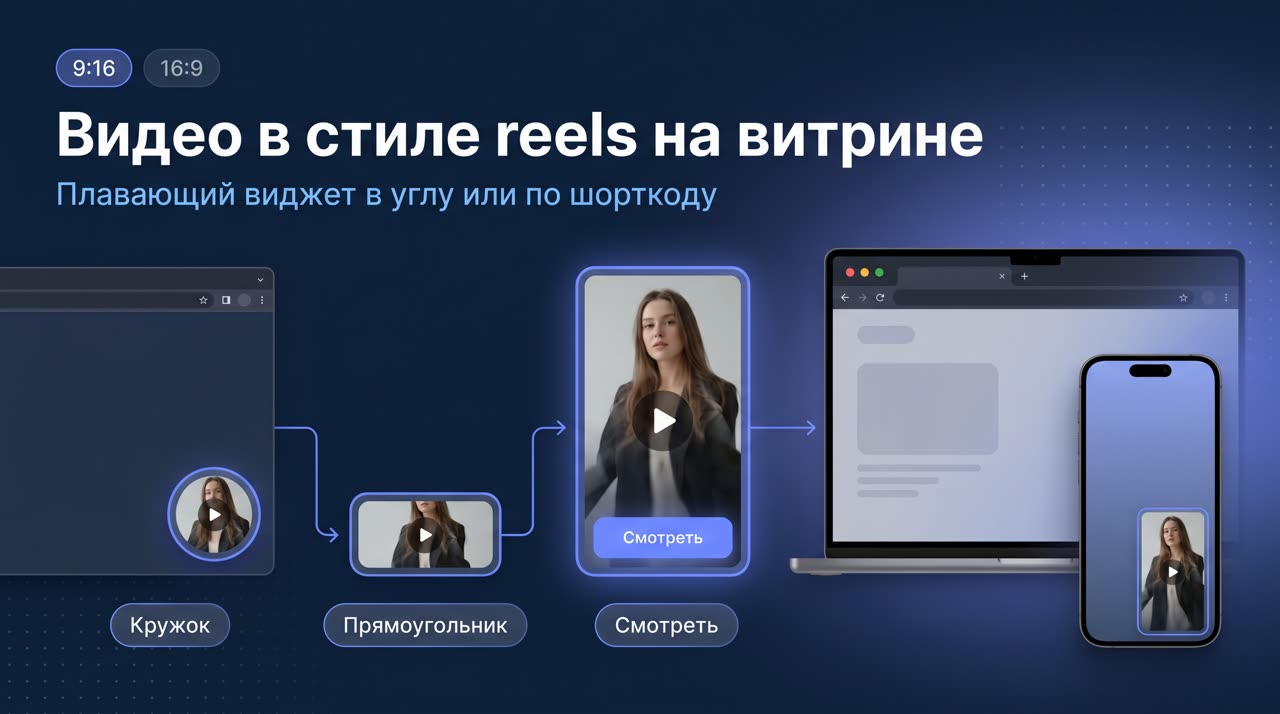
• Vertical video 9:16 in reels style or classic 16:9.
• Instead of a video, there is an image gallery: the collapsed widget looks like a deck of cards; clicking opens a lightbox (large photo + thumbnail strip, scrolling with swipe, arrows and click). Up to 20 images, order by drag and drop.
• Collapsed preview -rectangle or circle - unfolds into a player or lightbox; on mobile it scales automatically.
• Output as a floating widget in the corner of the screen or using the shortcode [ovideo id=N] directly in the content (can be combined). Several independent widgets on the site.
• Video mp4/webm up to 50 MB + poster splash screen, looping as desired. Start at 50% volume; when car audio is blocked, there is no sound until the visitor turns it on.
Branded design
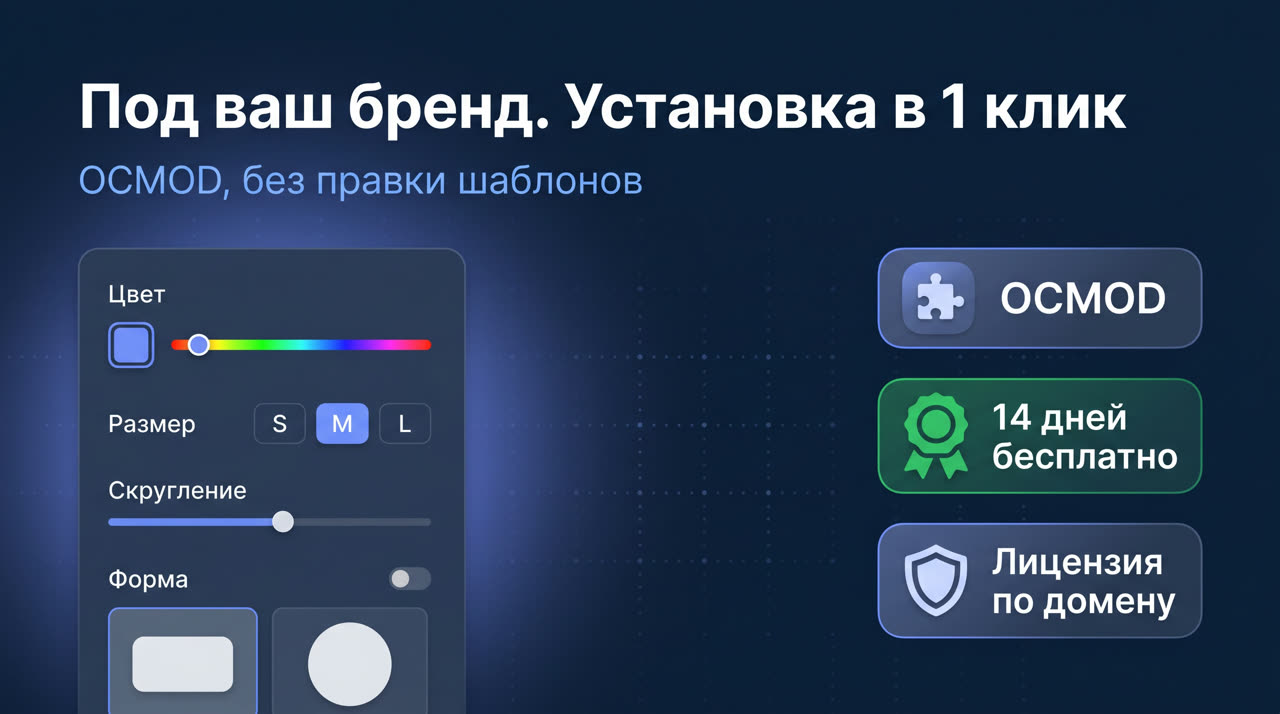
• Brand color, button text color (light/dark), rounded corners, frame in brand color.
• Sizes with presets S / M / L or your own with fixed proportions; position in the corner and separate indents for desktop and mobile.
• “Custom CSS” field for fine-tuning: each widget has its own class.
Action button andcapturing orders
• CTA button on top of the video: follow a link, open a form, call (dial a number, go to messenger or scroll to a block. The button appears at a given percentage of the video.
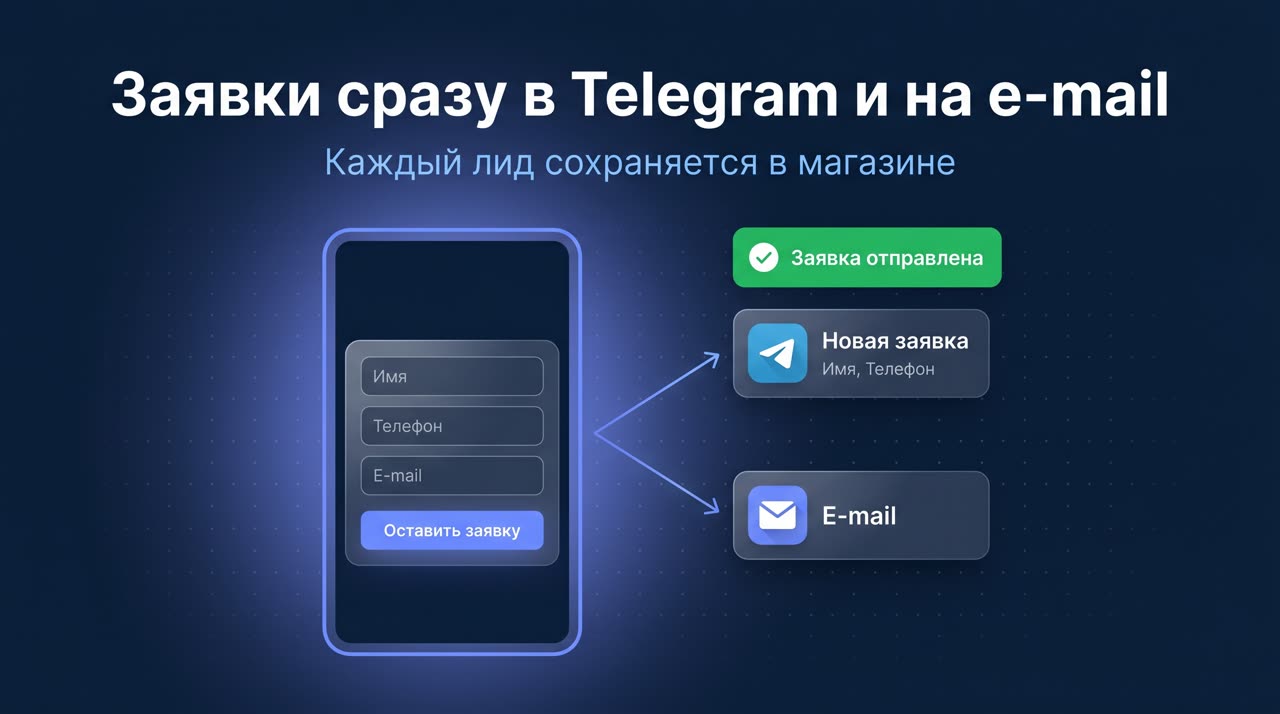
• Application form: fields name / email / phone (disabled, optional or required), consent checkbox, success screen.
• Each lead is saved in the store and instantly sent to a Telegram bot and/or email.
Display rules and targeting
• Launch: automatically, by clicking on the preview or from the code.
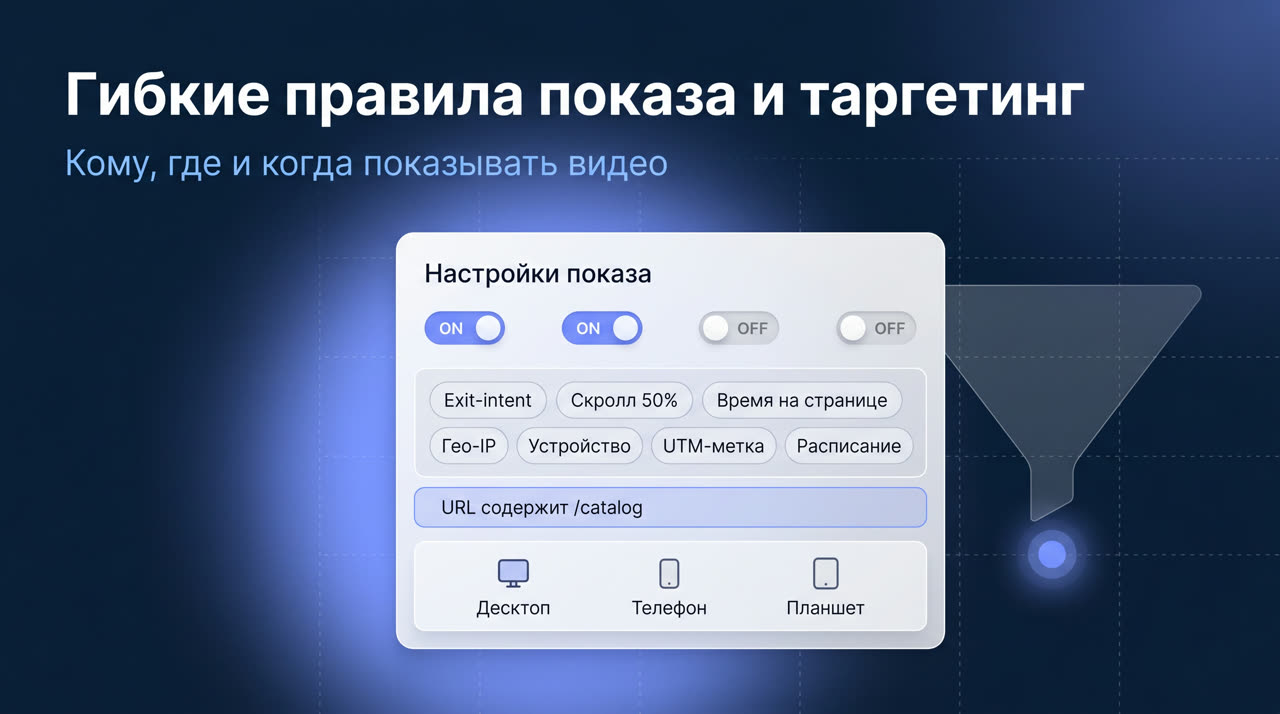
• Triggers: exit-intent (leaving the site), scroll to %, time on page, number of pages viewed.
• Display frequency (every N minutes/hours/days), stop after a click or N impressions, schedule by dates, times and days of the week.
• Targeting by URL (show/hide; contains,equals, begins, regex, masks), by UTM tag, device (desktop/mobile/tablet) and country by geo-IP.
Statistics and analytics
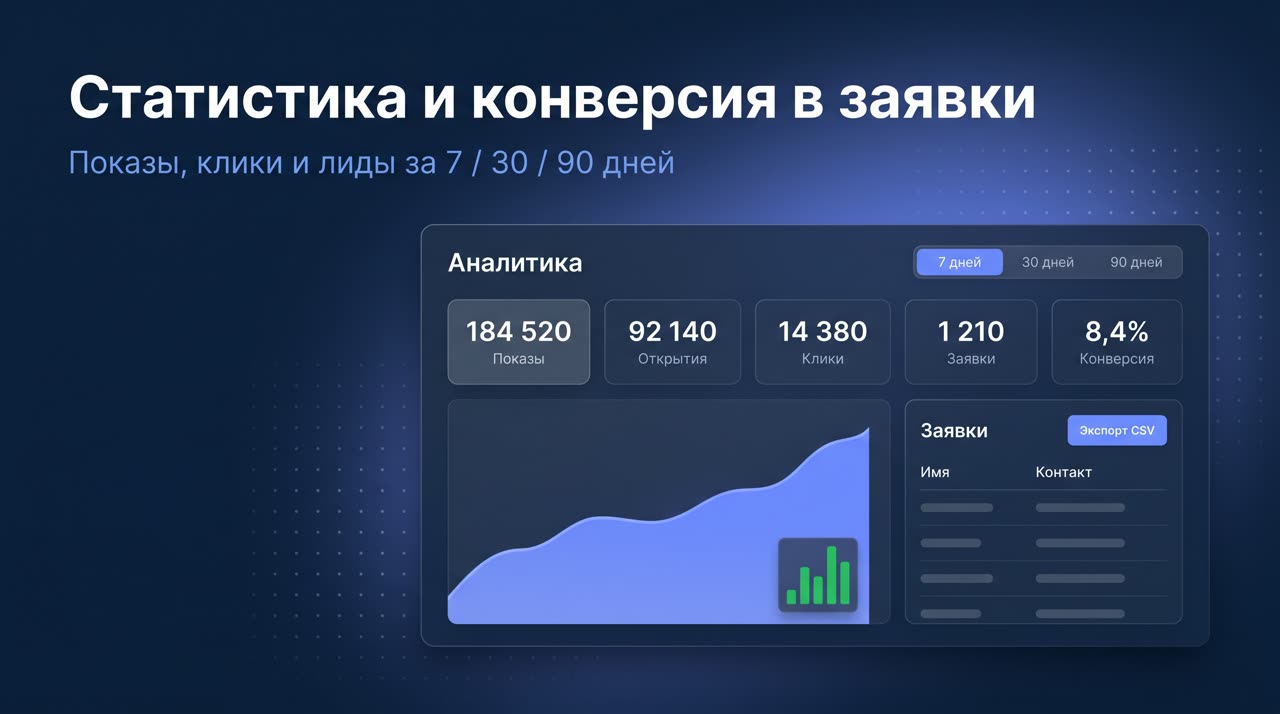
• Impressions, opens, clicks and applications, conversion in 7 / 30 / 90 days, lead table and export to CSV.
• Events in dataLayer and Yandex.Metrica goals (ovideo_display, ovideo_open, ovideo_click, ovideo_lead).
• Built-in “Instructions” tab directly in the widget editor - the client does not need to look for documentation.
SUITABLE FOR
Do-it-yourself stores, internet marketers, web studios and agencies, promotions and promotions. Raise requests without a videographer, accurately target videos by traffic, install a branded widget for clients without custom development, launch promotional videos on a schedule.
REQUIREMENTS ANDINSTALLATION
Platform: OpenCart 3.x (PHP 7.0+, including 8.x)
Installation: standard extension installer (OCMOD), without editing templates
Content: video mp4/webm up to 50 MB + poster, or image gallery (png/jpg/webp up to 1 MB, up to 20 pcs.)
License: binding to a domain and all its subdomains
Trial period: 14 days, all features without restrictions
TRY FREE 14 DAYS
Install the module, upload a video or pictures, set up a display - and receive applications in Telegram and by email. The license is purchased once per domain and includes updates.
Installation in 3 steps:
1. Download the module. In the OpenCart admin: Extensions → Install extensions and upload the ovideo.ocmod.zip file.
2. Install oVideo. Extensions → Extensions → Modules, find “oVideo - Opencart VideoWidget", click "Install" (+), then "Edit" (pencil).
3. Save your settings. Configure the module for yourself and click the button with the floppy disk at the top right.
oVideo adds a vertical reels-style video to the store window - in the corner of the screen or directly in the product card. The video holds attention, and the built-in button and form turn viewing into an application, which immediately goes to Telegram and e-mail. Instead of a video, you can show an image gallery in the form of a deck of cards.
Briefly about the main thing: native OpenCart 3.x module, without external SaaS embedding. Video (mp4/webm) or image gallery + lead capture with delivery to Telegram and email + flexible display rules, targeting and statistics. The license is tied to the domain, there is a free trial period of 14 days.
=== MODULE DEMO ====== ADMIN DEMO ===
KEY FEATURES
Video, gallery and output
• Vertical video 9:16 in reels style or classic 16:9.
• Instead of a video, there is an image gallery: the collapsed widget looks like a deck of cards; clicking opens a lightbox (large photo + thumbnail strip, scrolling with swipe, arrows and click). Up to 20 images, order by drag and drop.
• Collapsed preview -rectangle or circle - unfolds into a player or lightbox; on mobile it scales automatically.
• Output as a floating widget in the corner of the screen or using the shortcode [ovideo id=N] directly in the content (can be combined). Several independent widgets on the site.
• Video mp4/webm up to 50 MB + poster splash screen, looping as desired. Start at 50% volume; when car audio is blocked, there is no sound until the visitor turns it on.
Branded design
• Brand color, button text color (light/dark), rounded corners, frame in brand color.
• Sizes with presets S / M / L or your own with fixed proportions; position in the corner and separate indents for desktop and mobile.
• “Custom CSS” field for fine-tuning: each widget has its own class.
Action button andcapturing orders
• CTA button on top of the video: follow a link, open a form, call (dial a number, go to messenger or scroll to a block. The button appears at a given percentage of the video.
• Application form: fields name / email / phone (disabled, optional or required), consent checkbox, success screen.
• Each lead is saved in the store and instantly sent to a Telegram bot and/or email.
Display rules and targeting
• Launch: automatically, by clicking on the preview or from the code.
• Triggers: exit-intent (leaving the site), scroll to %, time on page, number of pages viewed.
• Display frequency (every N minutes/hours/days), stop after a click or N impressions, schedule by dates, times and days of the week.
• Targeting by URL (show/hide; contains,equals, begins, regex, masks), by UTM tag, device (desktop/mobile/tablet) and country by geo-IP.
Statistics and analytics
• Impressions, opens, clicks and applications, conversion in 7 / 30 / 90 days, lead table and export to CSV.
• Events in dataLayer and Yandex.Metrica goals (ovideo_display, ovideo_open, ovideo_click, ovideo_lead).
• Built-in “Instructions” tab directly in the widget editor - the client does not need to look for documentation.
SUITABLE FOR
Do-it-yourself stores, internet marketers, web studios and agencies, promotions and promotions. Raise requests without a videographer, accurately target videos by traffic, install a branded widget for clients without custom development, launch promotional videos on a schedule.
REQUIREMENTS ANDINSTALLATION
Platform: OpenCart 3.x (PHP 7.0+, including 8.x)
Installation: standard extension installer (OCMOD), without editing templates
Content: video mp4/webm up to 50 MB + poster, or image gallery (png/jpg/webp up to 1 MB, up to 20 pcs.)
License: binding to a domain and all its subdomains
Trial period: 14 days, all features without restrictions
TRY FREE 14 DAYS
Install the module, upload a video or pictures, set up a display - and receive applications in Telegram and by email. The license is purchased once per domain and includes updates.
Installation in 3 steps:
1. Download the module. In the OpenCart admin: Extensions → Install extensions and upload the ovideo.ocmod.zip file.
2. Install oVideo. Extensions → Extensions → Modules, find “oVideo - Opencart VideoWidget", click "Install" (+), then "Edit" (pencil).
3. Save your settings. Configure the module for yourself and click the button with the floppy disk at the top right.
Distribution method:
All
Opencart version:
LiveStore 3.*OCStore 3.*OpenCart 3.*
PHP verision:
PHP 7.0PHP 7.1PHP 7.2PHP 7.3PHP 7.4PHP 8.0PHP 8.1PHP 8.2
Activation:
Automatic
Getting files:
On site, in the personal account
Protection system:
Custom
VQmod:
No
Ocmod:
No
Events:
No
Uploaded:
15.06.2026
Updated:
12.08.2026
Viewed:
1051
Sales:
1
Write a review
Your Name:Your Review: Note: HTML is not translated!
Rating: Bad Good
Enter the code in the box below:

Файлы будут доступны после покупки


