Your shopping cart is empty!

Catalog mode for Unishop 2.
5 sales
Price: 550 ₽
Author: Tom
Write to the author
Sales: 5 (Average rating 0 на основании 0 отзывов)
Need paid help? Contact the site administration
Opencart version:
Sales: 5 (Average rating 0 на основании 0 отзывов)
Need paid help? Contact the site administration
Opencart version:
LiveStore 3.*OCStore 3.*
This extension is exclusively for the Unishop2 template!
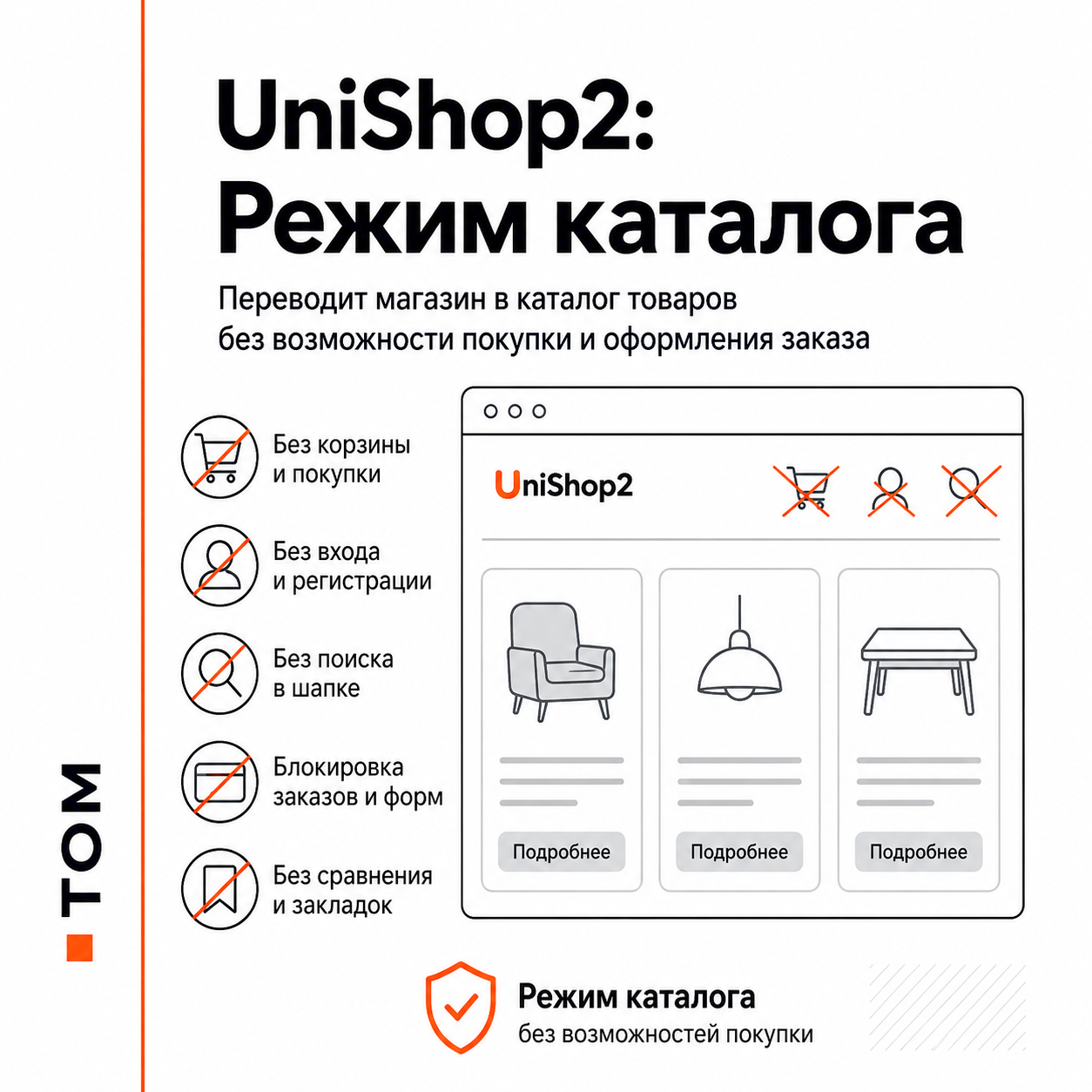
The extension transfers the store from the mode of a full-fledged online store to a catalog of goods without the ability to purchase and place an order.
Main features of :
- enable and disable directory mode;
- hiding the “Add to Cart” button;
- hiding the basket in the header;
- hiding the “Buy in 1 click” button;
- hiding your personal account, login and registration;
- hiding search in the header;
- server prohibition of adding goods to the cart;
- blocking the cart, standard checkout, UniCheckout and Quick Order;
- blocking direct links to comparisons and bookmarks;
- automatic redirection of closed routes to the main page;
- mode status displaydirectory in the list of modules;
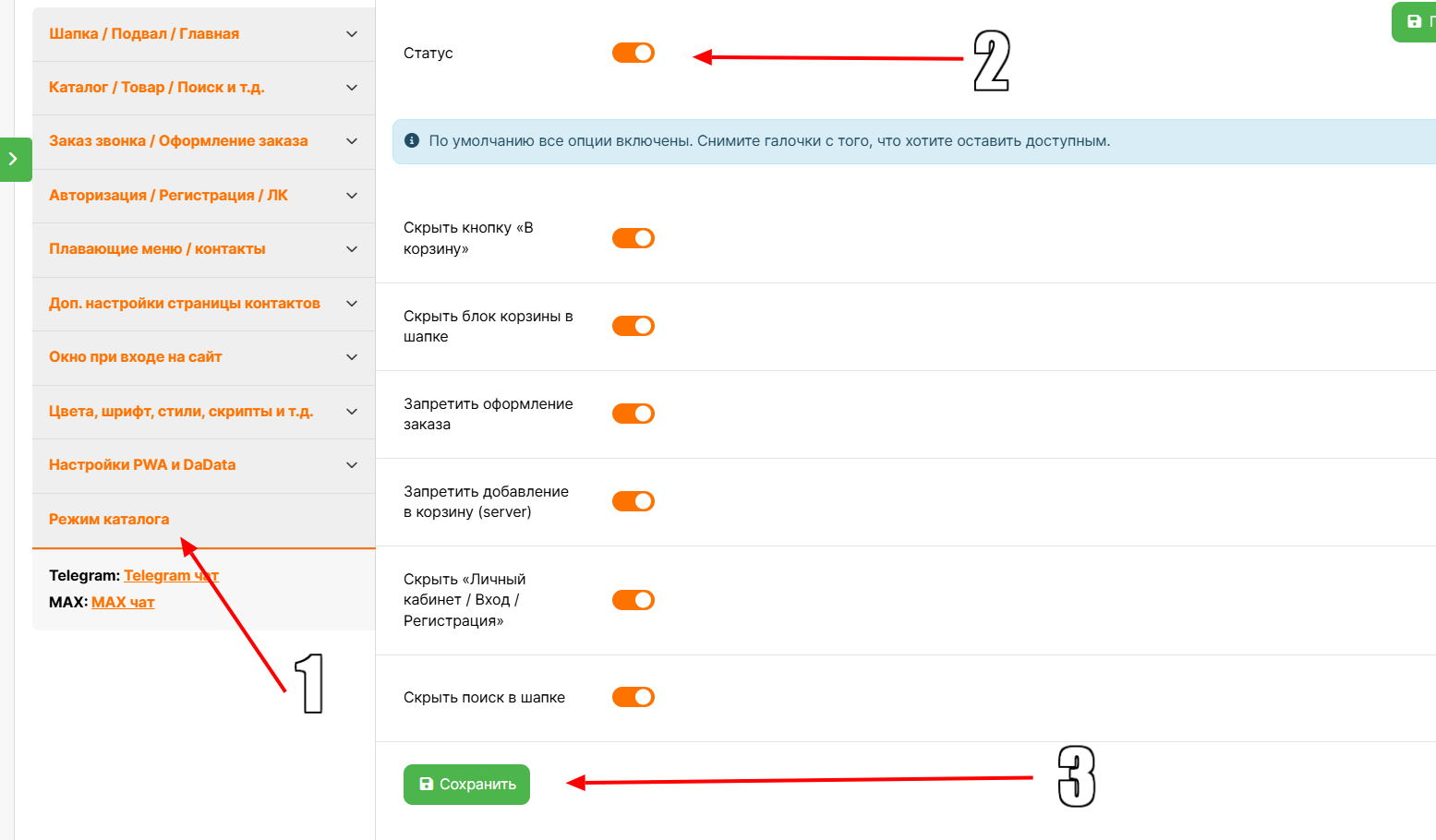
- go to the “Directory Mode” section in the Unishop2 settings;
- checking the readiness of the directory before turning on the mode;
- displaying the status of Unishop2 settings for placing an order, bookmarks, comparison and rating.
The extension does not change UniShop2 settings automatically. Before turning on the mode, check the following parameters:
1. One-page checkout
Template settings → One-page checkout.
2. “Bookmark” button and “Compare” button
Template settings → Buttons "Buy", "Add to bookmarks", "Compare" → Buttons "Add to bookmarks" and "Compare" → Hide the button on pages, modules, etc.
3. Product rating
Template settings → Rating (stars) of products.
4. Availability indicatorgoods
Template settings → Promotion timer, product availability indicator, quantity selection and “live price” → Product availability indicator.
5. Links in the footer
Template settings → Footer → Columns, links in them, colors.
Installation:
1. In the admin panel, open “Extensions” → “Install extensions”.
2. Download the unishop2_catalog_mode.ocmod.zip file. Update your modifier cache.
3. Open “Extensions” → “Modules”.
4. Find “UniShop2: Catalog Mode” and click “Edit”.
5. Open the “Directory Mode” tab in UniShop2 settings.
6. Check the settings and save the settings.
7. If necessary, update the cache in “Extensions” → “Modifiers”.
Removal:
1. Disable directory mode and save the settings.
2. In "Extensions"→ “Modules” disable the module.
3. Click "Delete".
4. In “Extensions” → “Modifiers”, remove “UniShop2: Catalog Mode”.
5. Click Update.
Do not delete extension files manually. If files are manually deleted, events and settings may remain in the database.
The extension transfers the store from the mode of a full-fledged online store to a catalog of goods without the ability to purchase and place an order.
Main features of :
- enable and disable directory mode;
- hiding the “Add to Cart” button;
- hiding the basket in the header;
- hiding the “Buy in 1 click” button;
- hiding your personal account, login and registration;
- hiding search in the header;
- server prohibition of adding goods to the cart;
- blocking the cart, standard checkout, UniCheckout and Quick Order;
- blocking direct links to comparisons and bookmarks;
- automatic redirection of closed routes to the main page;
- mode status displaydirectory in the list of modules;
- go to the “Directory Mode” section in the Unishop2 settings;
- checking the readiness of the directory before turning on the mode;
- displaying the status of Unishop2 settings for placing an order, bookmarks, comparison and rating.
The extension does not change UniShop2 settings automatically. Before turning on the mode, check the following parameters:
1. One-page checkout
Template settings → One-page checkout.
2. “Bookmark” button and “Compare” button
Template settings → Buttons "Buy", "Add to bookmarks", "Compare" → Buttons "Add to bookmarks" and "Compare" → Hide the button on pages, modules, etc.
3. Product rating
Template settings → Rating (stars) of products.
4. Availability indicatorgoods
Template settings → Promotion timer, product availability indicator, quantity selection and “live price” → Product availability indicator.
5. Links in the footer
Template settings → Footer → Columns, links in them, colors.
Installation:
1. In the admin panel, open “Extensions” → “Install extensions”.
2. Download the unishop2_catalog_mode.ocmod.zip file. Update your modifier cache.
3. Open “Extensions” → “Modules”.
4. Find “UniShop2: Catalog Mode” and click “Edit”.
5. Open the “Directory Mode” tab in UniShop2 settings.
6. Check the settings and save the settings.
7. If necessary, update the cache in “Extensions” → “Modifiers”.
Removal:
1. Disable directory mode and save the settings.
2. In "Extensions"→ “Modules” disable the module.
3. Click "Delete".
4. In “Extensions” → “Modifiers”, remove “UniShop2: Catalog Mode”.
5. Click Update.
Do not delete extension files manually. If files are manually deleted, events and settings may remain in the database.
Distribution method:
Paid
Opencart version:
LiveStore 3.*OCStore 3.*
PHP verision:
PHP 7.3PHP 7.4
Activation:
Not required
Getting files:
On author's site, after purchase
Protection system:
No
VQmod:
No
Ocmod:
Yes
Events:
Yes
Uploaded:
29.07.2026
Updated:
01.09.2026
Viewed:
982
Sales:
5
Write a review
Your Name:Your Review: Note: HTML is not translated!
Rating: Bad Good
Enter the code in the box below:

Файлы будут доступны после покупки


