Your shopping cart is empty!

Каталог дополнений
Useful links
- All news
- All articles
- OpenCart 3 handbook
- Marketplace engine for OpenCart
- Gentleman’s set of modules for OpenCart
- Universal adaptive templates for your online store on OpenCart
- Modules for working with the Max messenger
- Working with AI (artificial intelligence) in OpenCart
- Working with marketplaces Ozone, Wildberries, Yandex.Products and others
Error after installing the Simple module in OpenCart 3: Twig_Loader_Array not found
The Simple module is one of the most popular modules for simplifying checkout and registration in OpenCart 3. However, after its installation, a critical error may occur related to an outdated modification of the Twig template engine.
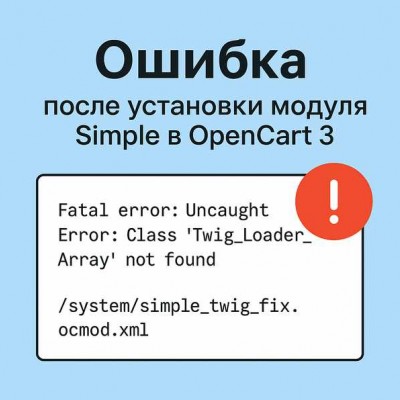
After installing the popular Simple module for simplified registration and checkout in OpenCart 3, some users may encounter an error when updating the modification cache:
Fatal error: Uncaught Error: Class 'Twig_Loader_Array' not found
Cause of the error
This error is caused by an incompatibility of one of the old modifications installed with the Simple module with newer versions of OсStore.
The culprit is the modification file: /system/simple_twig_fix.ocmod.xml
It is intended for older versions of OpenCart (up to 3.0.2.x), but may conflict with current installations.
How to fix the error
To fix the error, you need to delete or rename the file simple_twig_fix.ocmod.xml so that it is not applied when the modification cache is updated.
-
Navigate to the
/system/directory of your site. -
Find the file
simple_twig_fix.ocmod.xml -
Delete the file completely or rename it so it won’t be picked up by the system (for example):
simple_twig_fix.ocmod.xml-disabled -
After that, go to the OpenCart admin panel and update the modification cache:
Go to the Extensions - Modifications section.
Click the “Refresh” button in the top right corner (blue arrows icon).
After deleting or renaming the file and updating the cache, the error Class 'Twig_Loader_Array' not found should disappear. The Simple module will continue to work correctly, since this modification is no longer needed in modern versions of OcStore, such as OcStore Liveopencart.
Recommended to view

Recommended to read



если да просьба знающим отписаться
Версия LiveStore 3.0.4.2 | PHP 8.1.31 | IonCube 14.4 | Server time: 2025-12-21 13:50:47
Странно, что автор не разберется с этой проблемой, в его FAQ ни слова об этом, спасибо вам.
Fatal error: Uncaught Twig\Error\LoaderError: Template "default/template/common/simple_header.twig" is not defined in "default/template/account/simpleregister.twig" at line 3. in O:\OS-ES9\domains\stg_9\vendor\twig\twig\src\Loader\ChainLoader.php:99 Stack trace: #0 O:\OS-ES9\domains\stg_9\vendor\twig\twig\src\Environment.php(264): Twig\Loader\ChainLoader->getCacheKey() #1 O:\OS-ES9\domains\stg_9\vendor\twig\twig\src\Template.php(319): Twig\Environment->getTemplateClass() #2 O:\OS-ES9\domains\stg_9\cache\template\0d\0d8ba51b501657a152888bc83d5f8aefad5120149d95863bcc7b52dec52a0c55.php(41): Twig\Template->loadTemplate() #3 O:\OS-ES9\domains\stg_9\vendor\twig\twig\src\Template.php(394): __TwigTemplate_e55dd3662bb9690553b0fa1b99591155981fc1195436fe3630baf756c8a980b2->doDisplay() #4 O:\OS-ES9\domains\stg_9\vendor\twig\twig\src\Template.php(367): Twig\Template->displayWithErrorHandling() #5 O:\OS-ES9\domains\stg_9\vendor\twig\twig\src\Template.php(379): Twig\Template->display() #6 O:\OS-ES9\domains\stg_9\vendor\twig\twig\src\Tem in O:\OS-ES9\domains\stg_9\vendor\twig\twig\src\Loader\ChainLoader.php on line 99
На более старой ocStore 3039 всё сработало.