Your shopping cart is empty!

Authorization and registration by phone number for OpenCart 3 (Phone Auth)
Price:
₽
Author: KompMAN
Write to the author
Sales: 1 (Average rating 0 на основании 0 отзывов)
Need paid help? Contact the site administration
Opencart version:
Sales: 1 (Average rating 0 на основании 0 отзывов)
Need paid help? Contact the site administration
Opencart version:
LiveStore 3.*OCStore 3.*OpenCart 3.*
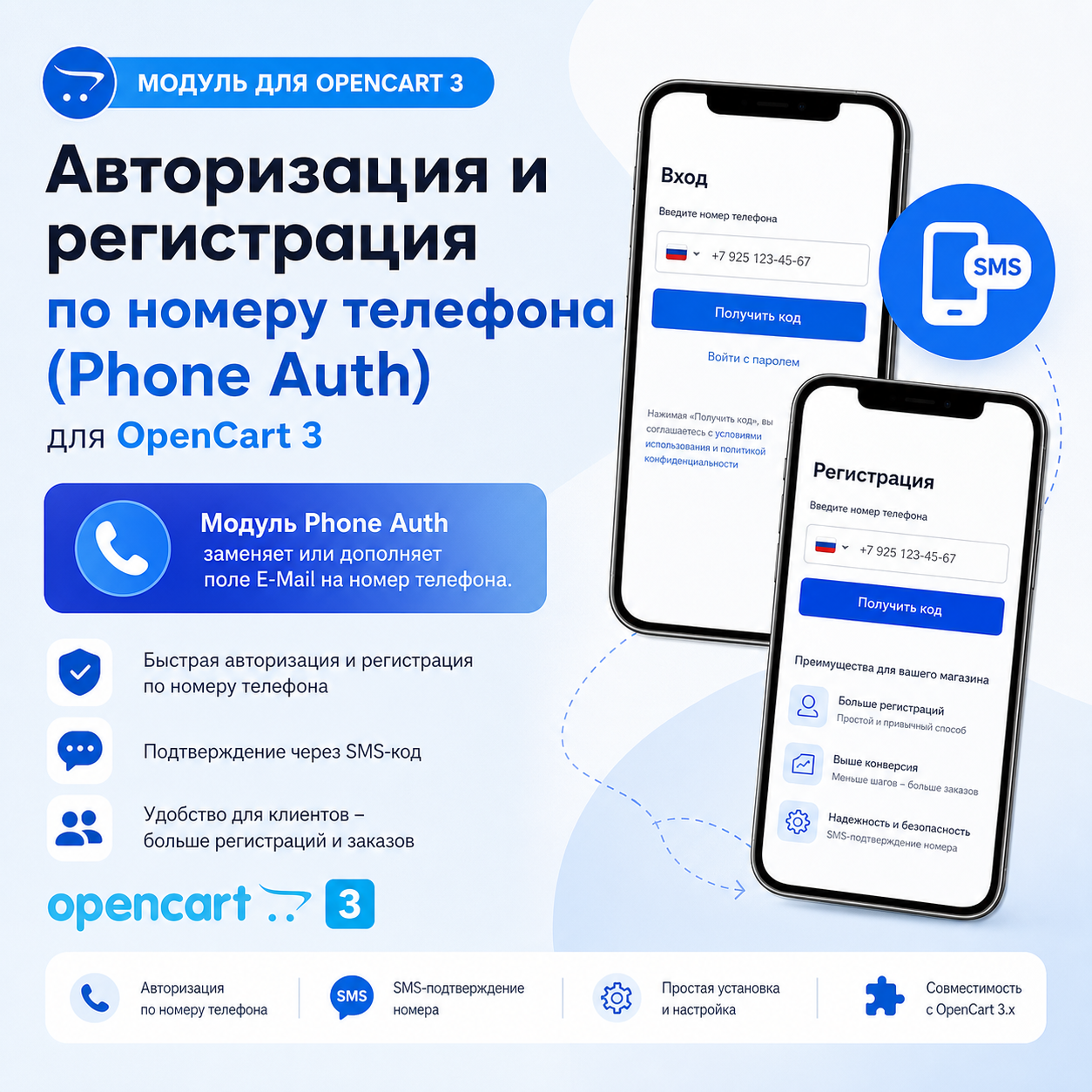
The main pain of online stores and why every site needs this module
Most modern users make purchases from smartphones. No one is comfortable entering long email addresses and confirming them using links in the mail. It is much easier and more common for the buyer to indicate his phone number, which the system will automatically recognize and format.
The Phone Auth module replaces or supplements the E-Mail field with a phone number, maintaining compatibility with all third-party modules, templates and payment gateways.
Will old clients registered by E-Mail be able to log in by phone?
YES, 100%!
The module includes a unique intelligent algorithm for normalizing telephone numbers:
Key features and benefits of the module
Compatible with checkout templates and modules
The module has been tested and is ready for adaptation to most templates and modules (at the time of the module's release)
[li]*** Naturally, adaptation or modification may be required. [/li]
System Requirements
1. Step-by-step installation in 2 minutes
Step 1. Uploading the archive to the system
Step 2. Update the modifier cache (MANDATORY!)
Step 3. Enabling and configuring the module
⚙️ 2. Detailed description of settings
Tab 1: Basic Settings
Most modern users make purchases from smartphones. No one is comfortable entering long email addresses and confirming them using links in the mail. It is much easier and more common for the buyer to indicate his phone number, which the system will automatically recognize and format.
The Phone Auth module replaces or supplements the E-Mail field with a phone number, maintaining compatibility with all third-party modules, templates and payment gateways.
Will old clients registered by E-Mail be able to log in by phone?
YES, 100%!
The module includes a unique intelligent algorithm for normalizing telephone numbers:
- If the client registered in your store a year or three ago using E-mail
alex@mail.ru
and indicated the phone number
+7 (999) 111-22-33
, he will be able to log in:
- By entering your phone number in any format (
+7 (999) 111-22-33
,
89991112233
,
79991112233
or
9991112233
); - Or by entering your usual E-mail
alex@mail.ru
.
- By entering your phone number in any format (
- The algorithm matches the number using the canonical E.164 format and the last 10 digits, so no old customer will lose access to their orders andbonuses!
Key features and benefits of the module
- Universal authorization (Dual Login Mode):
- Single smart login field: the buyer can enter both a phone number and his E-mail.
- The system automatically detects the input type on the fly.
- Registration without mandatory E-mail:
- Ability to completely remove/hide the E-mail field when registering a new account.
- Phonebecomes the main buyer identifier.
- The “Phone is required, E-mail is optional” mode is available.
- 100% protection against failures in third-party modules (Smart Dummy E-mail):
- In the OpenCart database field
email
has a strict limitation
NOT NULL
. If you simply delete your email, payment gateways, 1C, CRM and delivery services will fall off. - Our module automatically creates a valid technical address when registering by phone (for example,
79991234567@phone.site
), which guarantees flawless operation of acquiring (Sberbank, YuKassa, Tinkoff, Robokassa) andsending checks under 54-FZ!
- In the OpenCart database field
- Input Mask:
- Built-in presets for Russia (+7), Ukraine (+380), Belarus (+375), Kazakhstan (+7) and international format.
- Ability to customize any custom mask.
- Automatic initial replacement
8
on
+7
for Russian numbers.
- Checking the uniqueness of the number:
- Protection against repeated registrations for the same phone number.
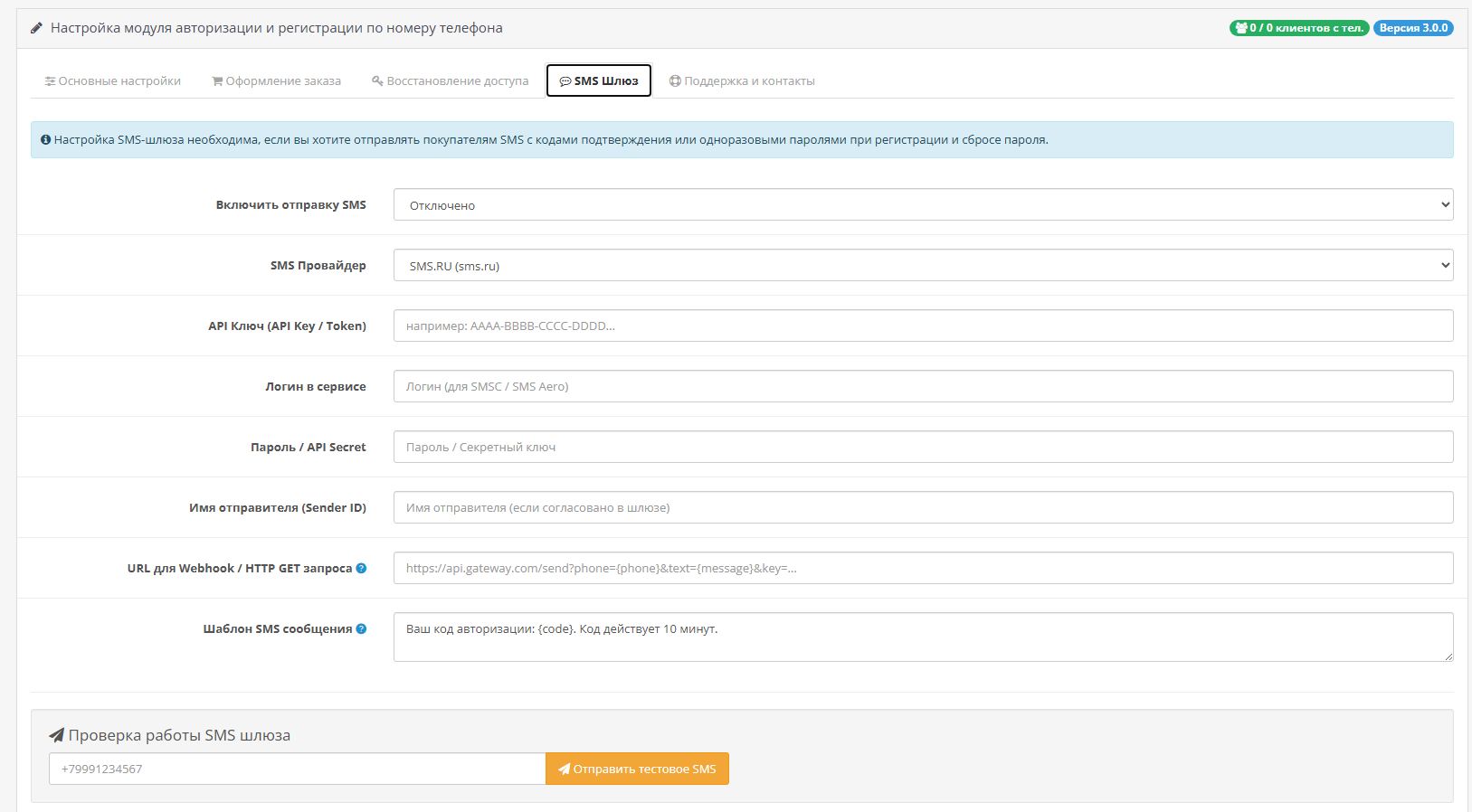
- Built-in SMS gateways for codes and password resets:
- Support for the most popular providers: SMS.RU, SMSC.RU (SMS Center), SMS Aero, TargetSMS.
- Support for any custom HTTP / Webhook API (GET/POST).
- Testing sending SMS directly from the module control panel in 1 click.
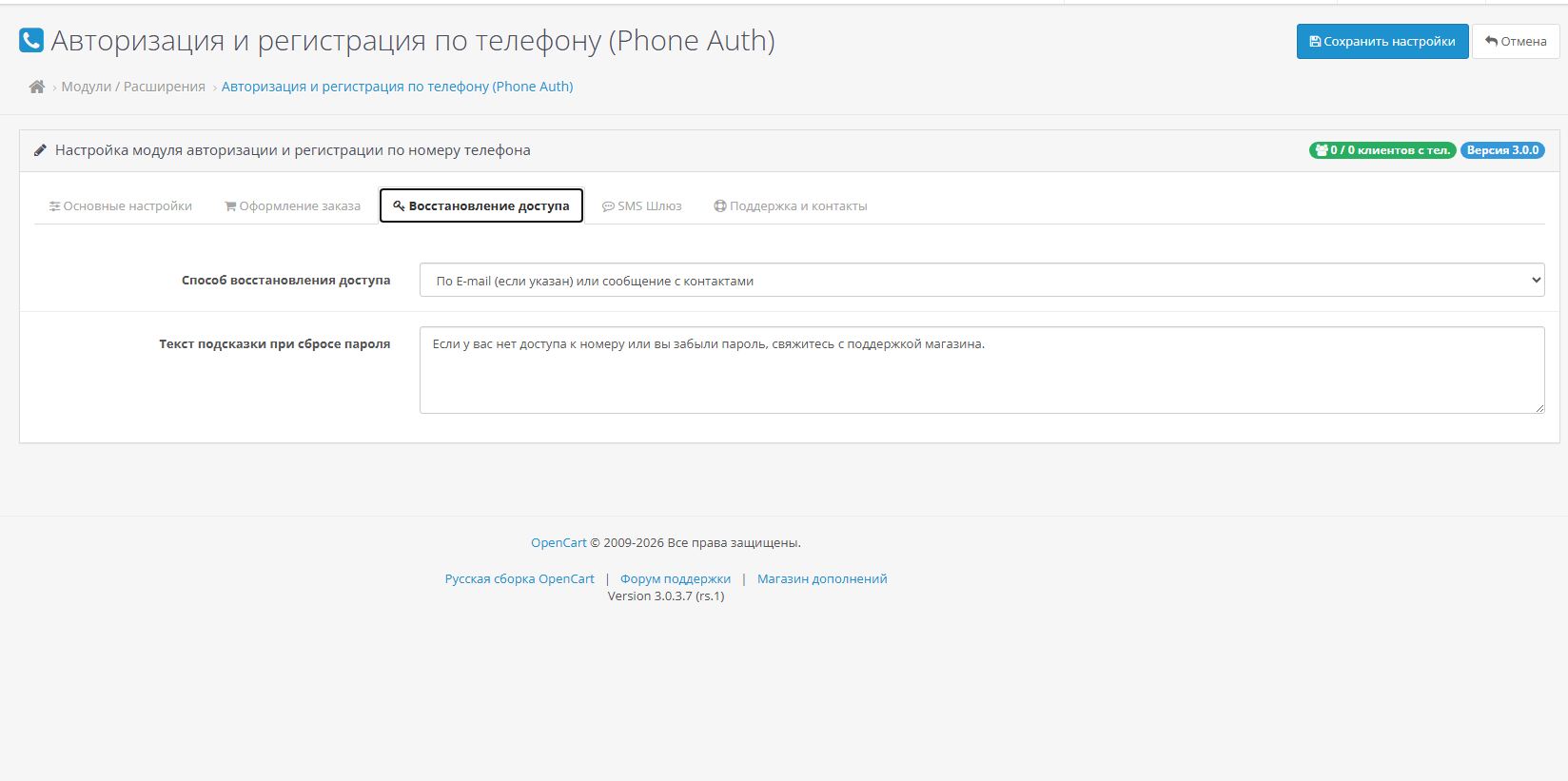
- Password recovery by numberphone:
- Search for an account by number or email with sending a code/password or support instructions.
- Universal authorization (Dual Login Mode):
Compatible with checkout templates and modules
The module has been tested and is ready for adaptation to most templates and modules (at the time of the module's release)
[li]*** Naturally, adaptation or modification may be required. [/li]
System Requirements
- OpenCart: 3.0.0.0, 3.0.1.x, 3.0.2.x,3.0.3.x (including 3.0.3.8, 3.0.3.9).
- ocStore: 3.0.x.
- Opencart.pro: 3.0.x.
- PHP: 7.1, 7.2, 7.3, 7.4, 8.0, 8.1, 8.2.
1. Step-by-step installation in 2 minutes
Step 1. Uploading the archive to the system
- Go to the control panel of your OpenCart 3 site:
your_site.ru/admin
. - Go to the left menu: Modules / Extensions ➔ Installationextensions (
Marketplace -> Installer
). - Click the “Download” button (
Upload
) and select the file . - Wait until the download completes (a green message indicating successful installation will appear).
- Go to the control panel of your OpenCart 3 site:
Step 2. Update the modifier cache (MANDATORY!)
- Go to section: Modules/ Extensions ➔ Modifiers (
Extensions -> Modifications
). - In the upper right corner, click the blue "Update" button (circular arrow icon).
- Go to section: Modules/ Extensions ➔ Modifiers (
Step 3. Enabling and configuring the module
- Go to the section: Modules / Extensions ➔ Modules (
Extensions -> Modules
). - Find the module “Authorization and registration by phone number (Phone Auth)” in the list.
- Click the green button “Install” (icon
+
), then the blue button “Edit” (pencil icon). - Set the desired parameters:
- Module status:
Enabled
; - Login mode (Authorization):
By phone or E-mail
(recommended for saving old entriesclients); - Registration mode:
Only by phone number
or
Phone is required, E-mail is optional
; - Mask template: select your country (Russia, Ukraine, Belarus, Kazakhstan or International);
- Module status:
- Click the "Save" button in the upper right corner.
- Go to the section: Modules / Extensions ➔ Modules (
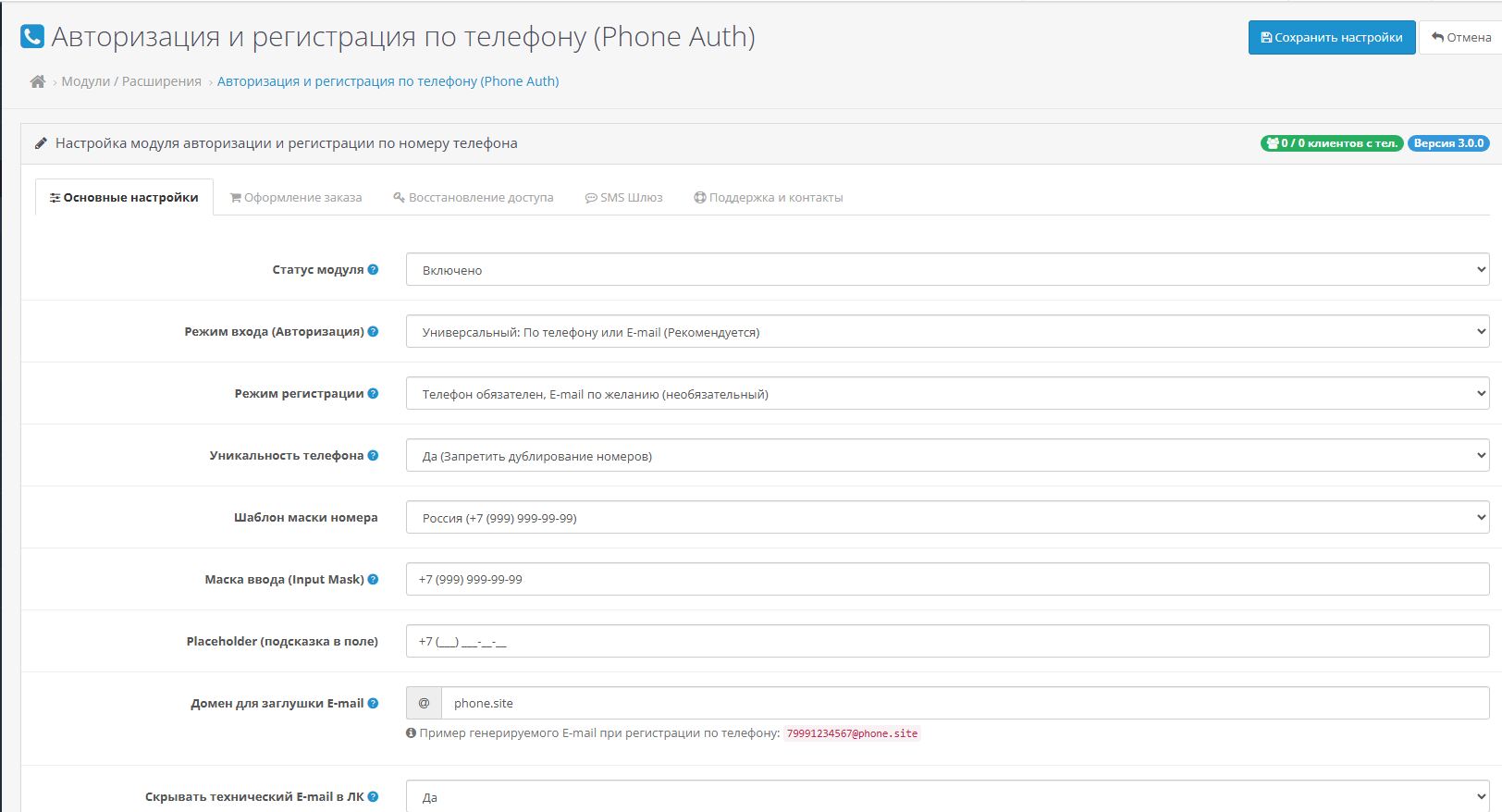
⚙️ 2. Detailed description of settings
Tab 1: Basic Settings
- Input mode:
- By phone or E-mail: Allows the buyer to enter phone or email in one field. Old clients registered by email will be able to log in both by phone number and email!
- Only by phone: The field accepts only telephone numbers.
- Registration mode:
- Only by phone number: The E-mail field is hidden. The buyer provides only name, phone number and password. The module generates a valid technical address for the OpenCart core.
- Telephone is required, E-mail is optional: The email field becomes optional.
- Phone uniqueness: Protects against the creation of two different accounts for the same number.
- Domain for stub E-mail: Domain used to generate technical mail when registering by number (by default
phone.site
-> forms
79991234567@phone.site
).
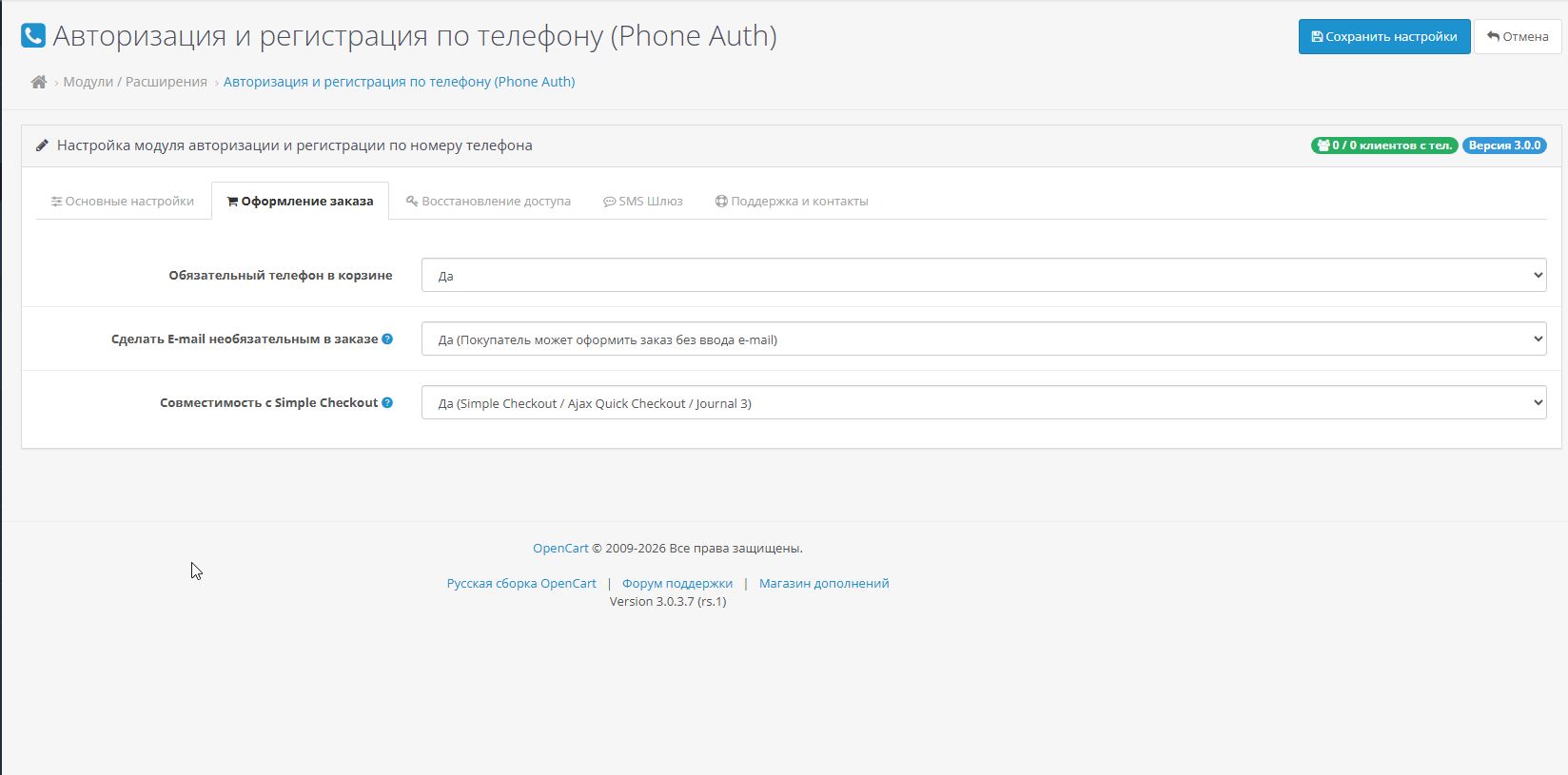
- Required phone number in the cart: Requires filling out the phone number during fastorder.
- Make email optional in the order: Allows you to place an order without entering an email.
- Compatibility with Simple Checkout: Adapts the Simple module (in the Simple settings it is recommended to make the Email field optional).
- Password reset methods: SMS code, standard recovery with a hint or notification to contact the administrator.
- Supported by SMS.RU, SMSC.RU, SMS Aero, TargetSMS andCustom HTTP/Webhook API.
- To test the connection, enter your phone number and click the button “Send test SMS”.
Distribution method:
Free
Opencart version:
LiveStore 3.*OCStore 3.*OpenCart 3.*
PHP verision:
PHP 7.0PHP 7.1PHP 7.2PHP 7.3PHP 7.4PHP 8.0PHP 8.1PHP 8.2PHP 8.3
Activation:
Not required
Getting files:
On site, in the personal account
Protection system:
No
VQmod:
No
Ocmod:
Yes
Events:
No
Uploaded:
08.08.2026
Updated:
19.08.2026
Viewed:
510
Sales:
1
Write a review
Your Name:Your Review: Note: HTML is not translated!
Rating: Bad Good
Enter the code in the box below:

Файлы будут доступны после покупки


