Your shopping cart is empty!

Landing Pro — a landing page and block builder for OpenCart 3
Price: 8 900 ₽ 12 500 ₽

Author: KompMAN
Write to the author
Sales: 3 (Average rating 0 на основании 3 отзывов)
Need paid help? Contact the site administration
Opencart version:
Sales: 3 (Average rating 0 на основании 3 отзывов)
Need paid help? Contact the site administration
Opencart version:
LiveStore 3.*OCStore 3.*OpenCart 3.*
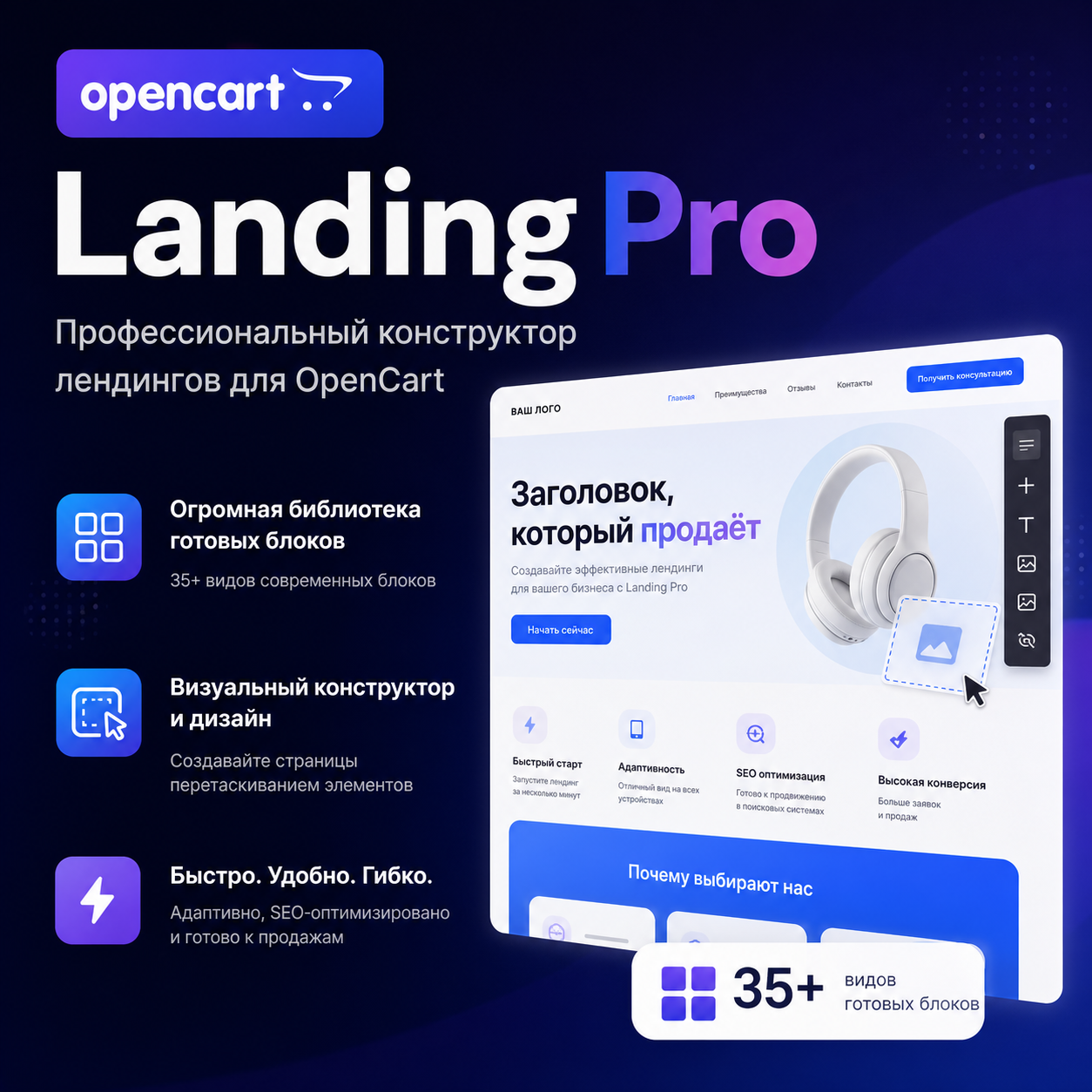
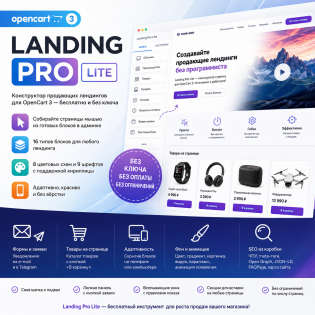
Landing Pro — Landing Page and Block Builder for OpenCart 3
Problem
To create a landing page for advertising, store owners turn to a coder: the standard OpenCart editor is unsuitable. Each new promotion means another task, more waiting, more expenses. And once the page is ready, its blocks live only on it—reusing a banner or form on another store page is usually impossible.
Solution
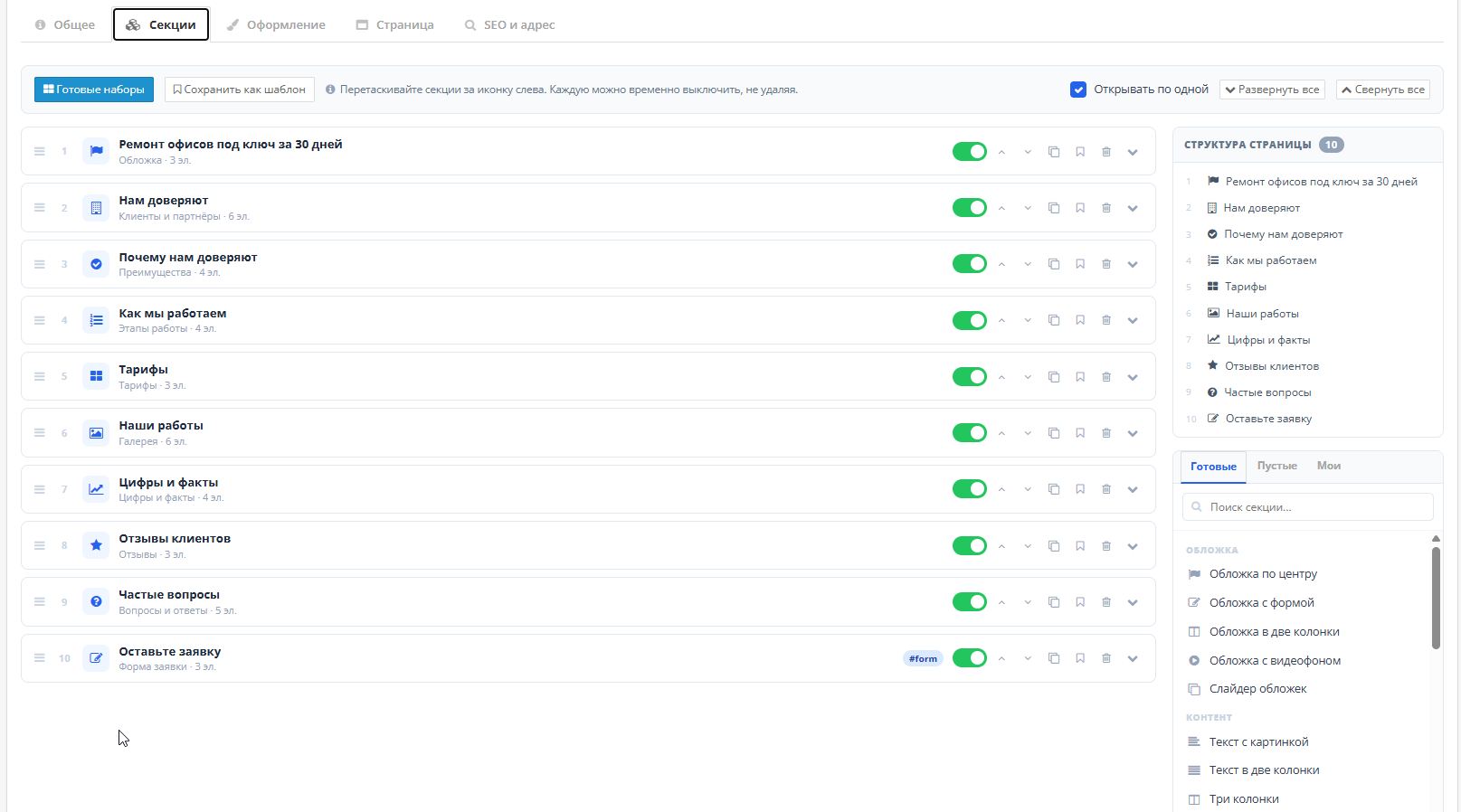
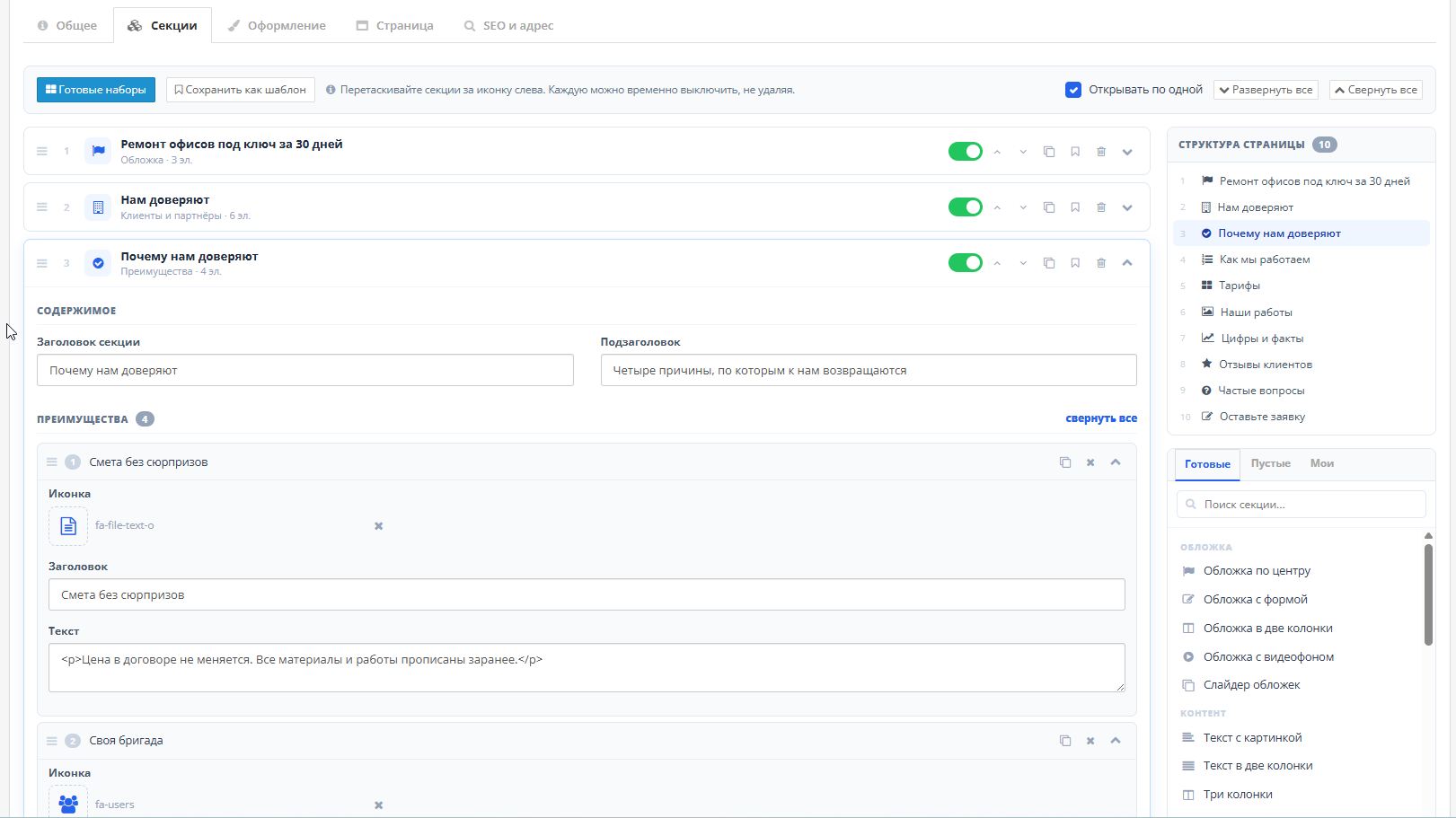
Landing Pro turns page assembly into the work of a content manager. Choose a ready-made set—the page is assembled completely, with sections, text, and a selected design. Replace the text and photos with your own, add the address—and you're done. At the same time, each block remains part of the store: you can display products from the catalog on the page with an "Add to Cart" button, insert any store module, and collect requests into a shared mini-CRM.
—————————————————————————————————————
Not just landing pages — any block on any page
This isn't a "single isolated page" builder. The assembled block works in three directions at once:
And vice versa, the "Insert Module" block inserts any existing store module into the finished page: banner rotation, product comparison, anything from your OpenCart.
——————————————————————————————————
What the buyer gets
—————————————————————————————————————
Full list of blocks - 37 types in seven Groups
Cover— page opening screen
Content— main story
Trust— Why you can be trusted
Media— Visual content
Sales— turning interest into payment
Applications— point of contact
Service— communication with the rest of the store
——————————————————————————————————————
13 pre-made sets Pages
——————————————————————————————————
Nothing is broken
OpenCart core files are not modified. All edits are made through the official OCMOD mechanism, each operation is marked as optional: if your build differs from the default, only one feature is disabled, not the entire update.
——————————————————————————————————
Frequently Asked Questions
Do I need layout skills?
No. Everything is assembled with a mouse in the admin panel. Knowledge of HTML is only useful for the "Custom HTML" block, which is rarely needed.
Will the module break my theme?
No. All layout is isolated, colors and fonts are set by variables on the specific page wrapper. The core files are not modified.
Can I place the block on a regular store page instead of a landing page?
Yes—that's what it's designed for. The layout module can be used to place the block anywhere on any page: homepage, category, product page, or footer. A shortcode can be used directly in the text of the information page.
Can I sell products directly from the page?
Yes. The "Store Products" block displays catalog items with an "Add to Cart" button, while the "Product Card" block displays a single product with options and quantity.
How many pages can I create?
There are no limits.
Can I transfer a finished page to another website?
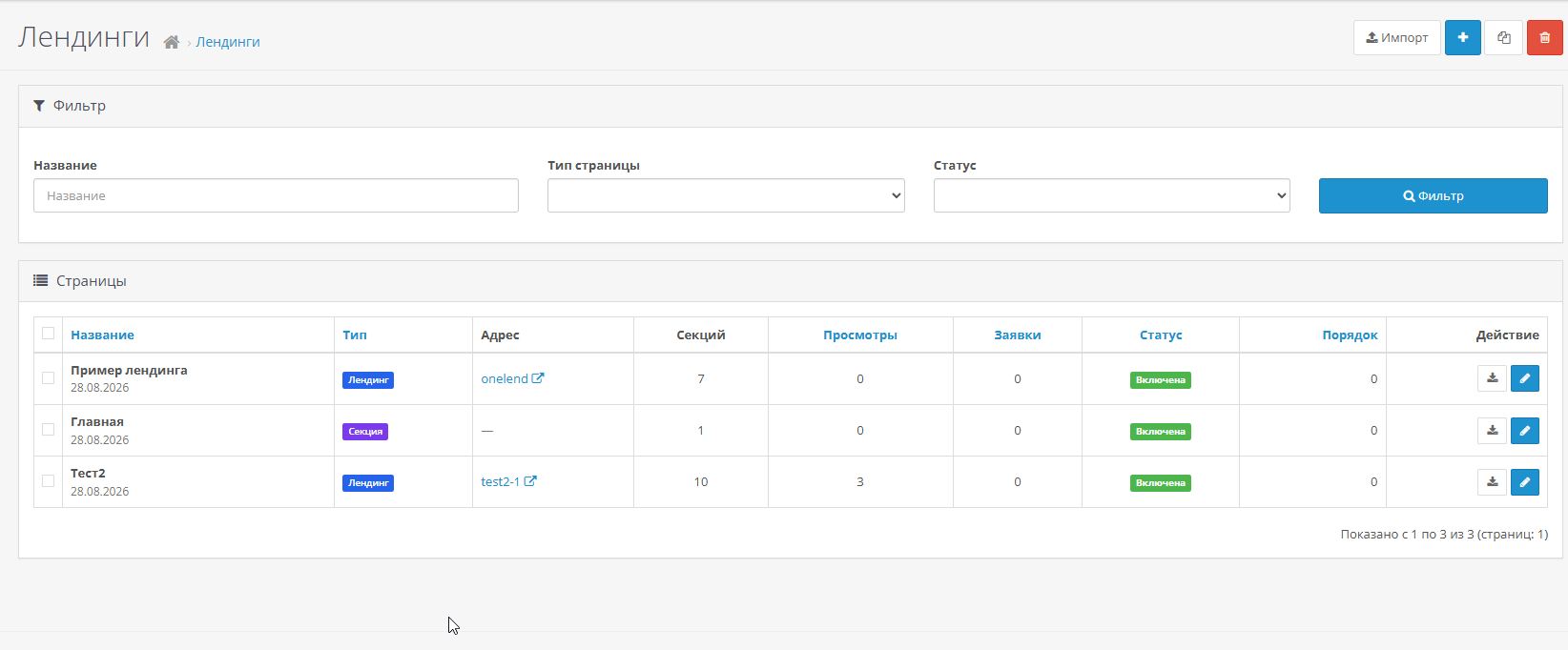
Yes, using the "Export" and "Import" buttons.Sections, texts of all languages, design and settings are transferred.
Problem
To create a landing page for advertising, store owners turn to a coder: the standard OpenCart editor is unsuitable. Each new promotion means another task, more waiting, more expenses. And once the page is ready, its blocks live only on it—reusing a banner or form on another store page is usually impossible.
Solution
Landing Pro turns page assembly into the work of a content manager. Choose a ready-made set—the page is assembled completely, with sections, text, and a selected design. Replace the text and photos with your own, add the address—and you're done. At the same time, each block remains part of the store: you can display products from the catalog on the page with an "Add to Cart" button, insert any store module, and collect requests into a shared mini-CRM.
—————————————————————————————————————
Not just landing pages — any block on any page
This isn't a "single isolated page" builder. The assembled block works in three directions at once:
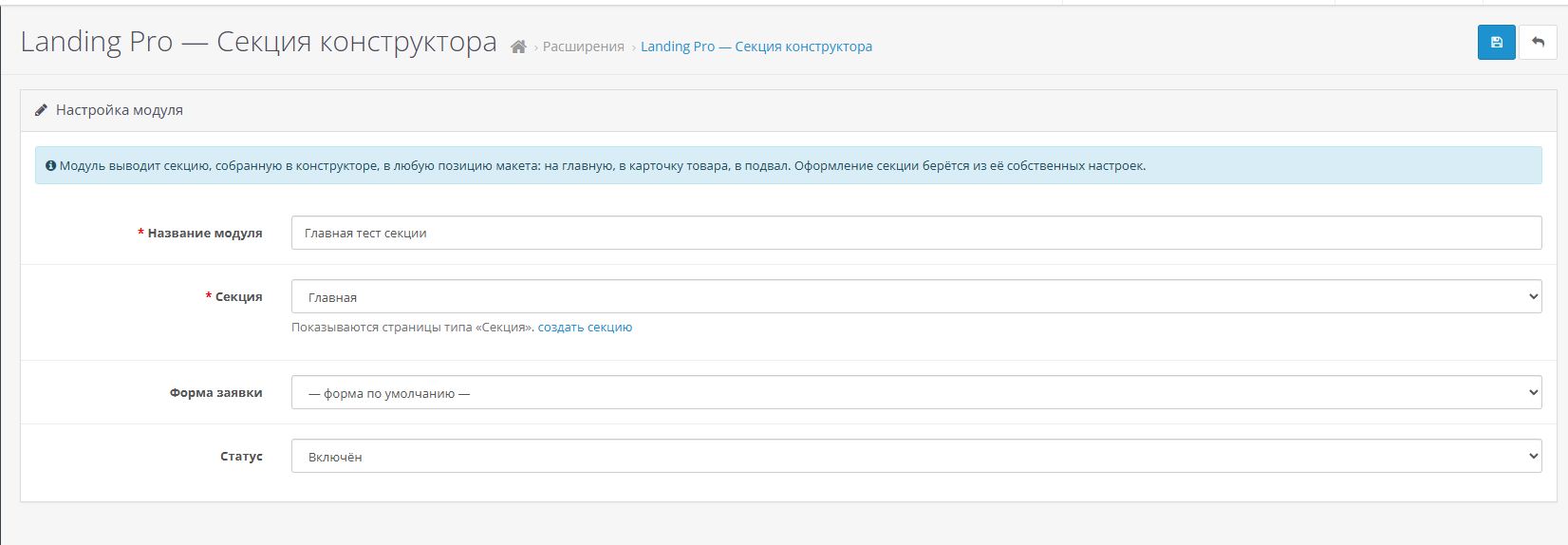
- The "Constructor Section" layout module.Using the standard OpenCart method—via Design → Layouts—any assembled section can be placed in any position on any store page: on the homepage, in the product card, in the footer, or in the category header.
- Shortcodes in information pages.{landing id="5"} inserts a ready-made section directly into the text of the "About Us" or "Delivery" page, while {landing_form id="1"} inserts a pre-made section into the text of the "About Us" or "Delivery" page.
- A ready-made section as a separate type Block.The "Ready Section" block is a link to another section page. Edit it once, and the changes appear immediately on all landing pages where it's inserted.
And vice versa, the "Insert Module" block inserts any existing store module into the finished page: banner rotation, product comparison, anything from your OpenCart.
——————————————————————————————————
What the buyer gets
- 13 ready-made page sets with text in Russian and English
- 49 ready-made sections — inserted one at a time into an already assembled page
- 37 block types in seven groups
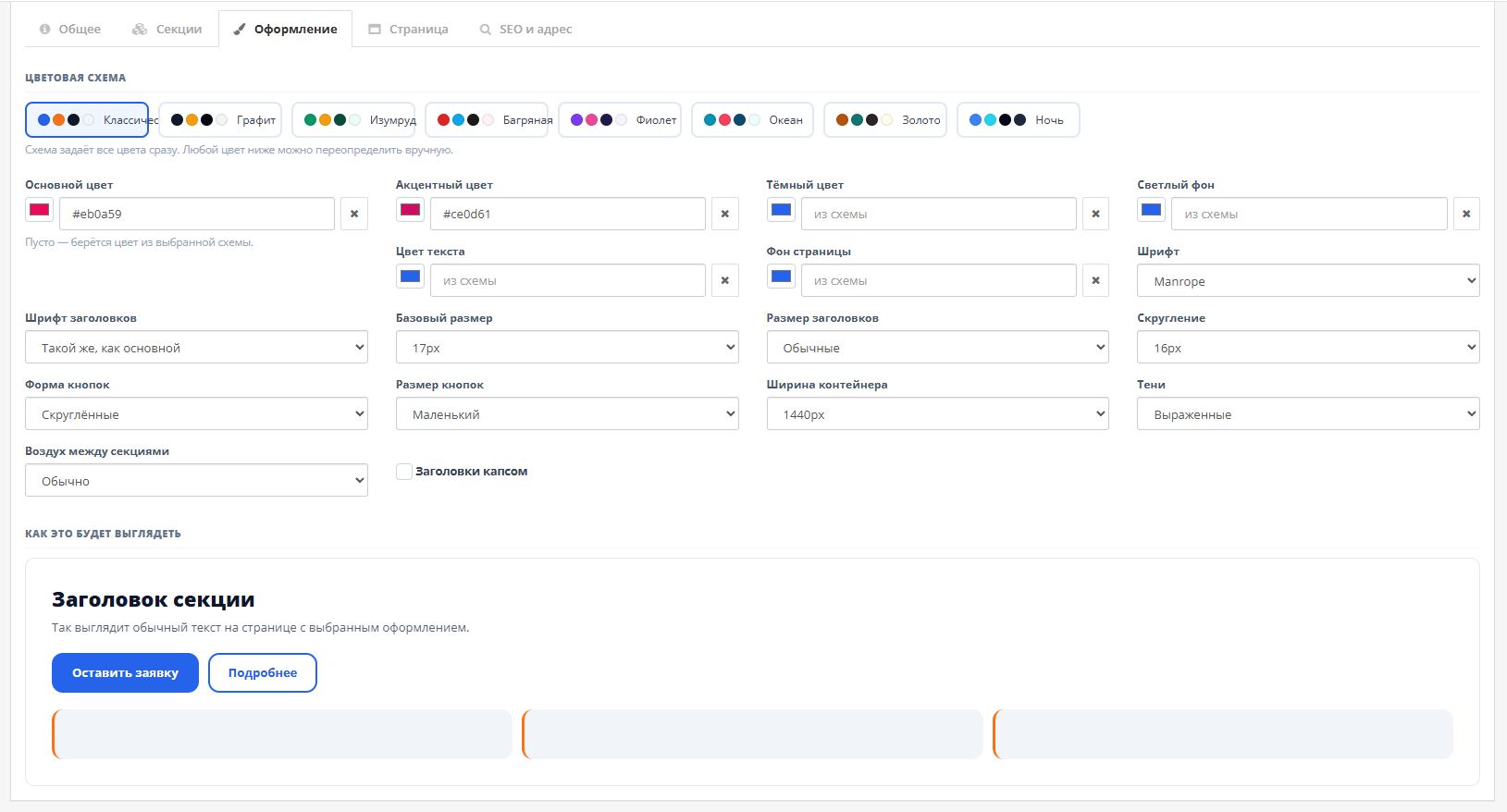
- 8 color schemes and 9 fonts with Cyrillic support
- Each section has its own background: color, gradient, image, video, parallax
- Three Entities: landing page, reusable section, pop-up window
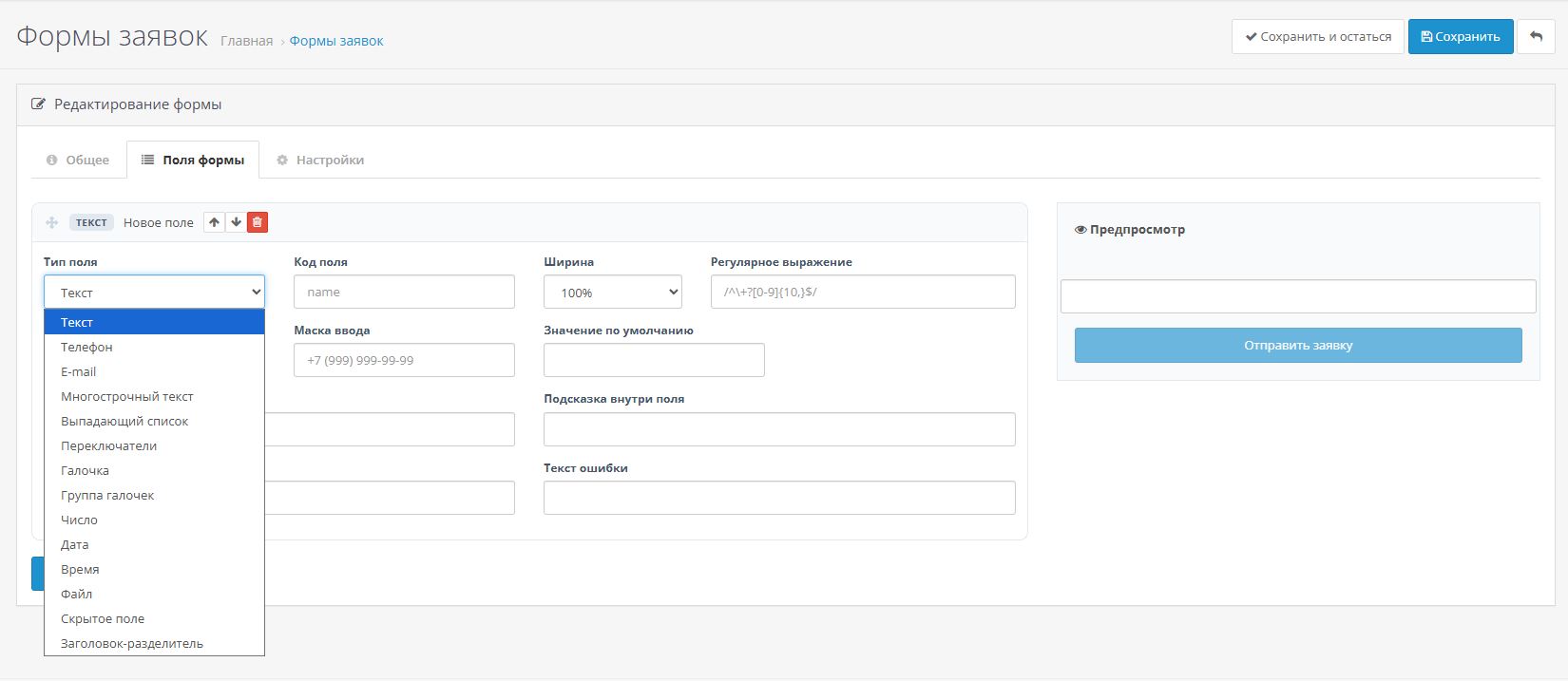
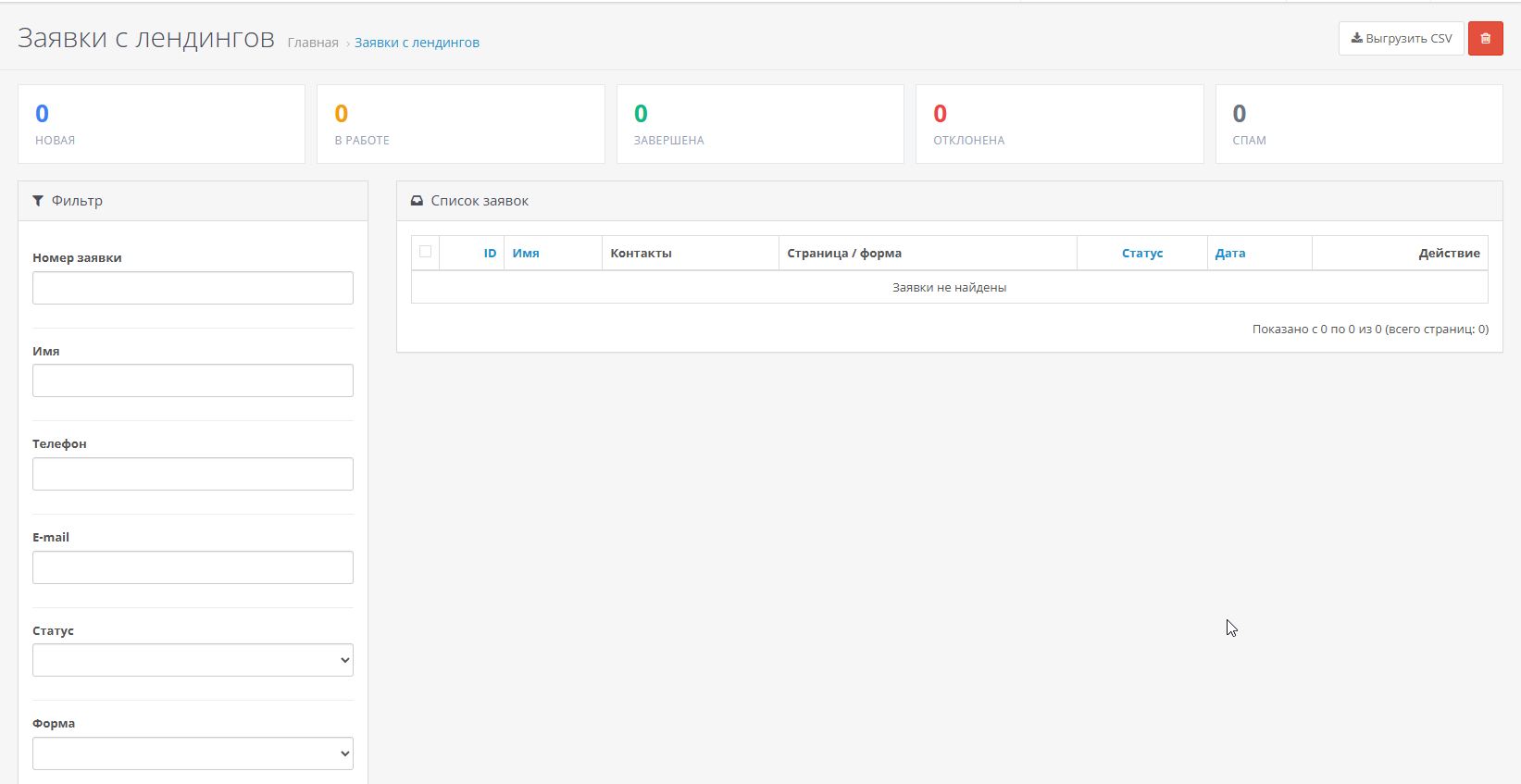
- Order form builder and mini-CRM: statuses, UTM tags, anti-spam
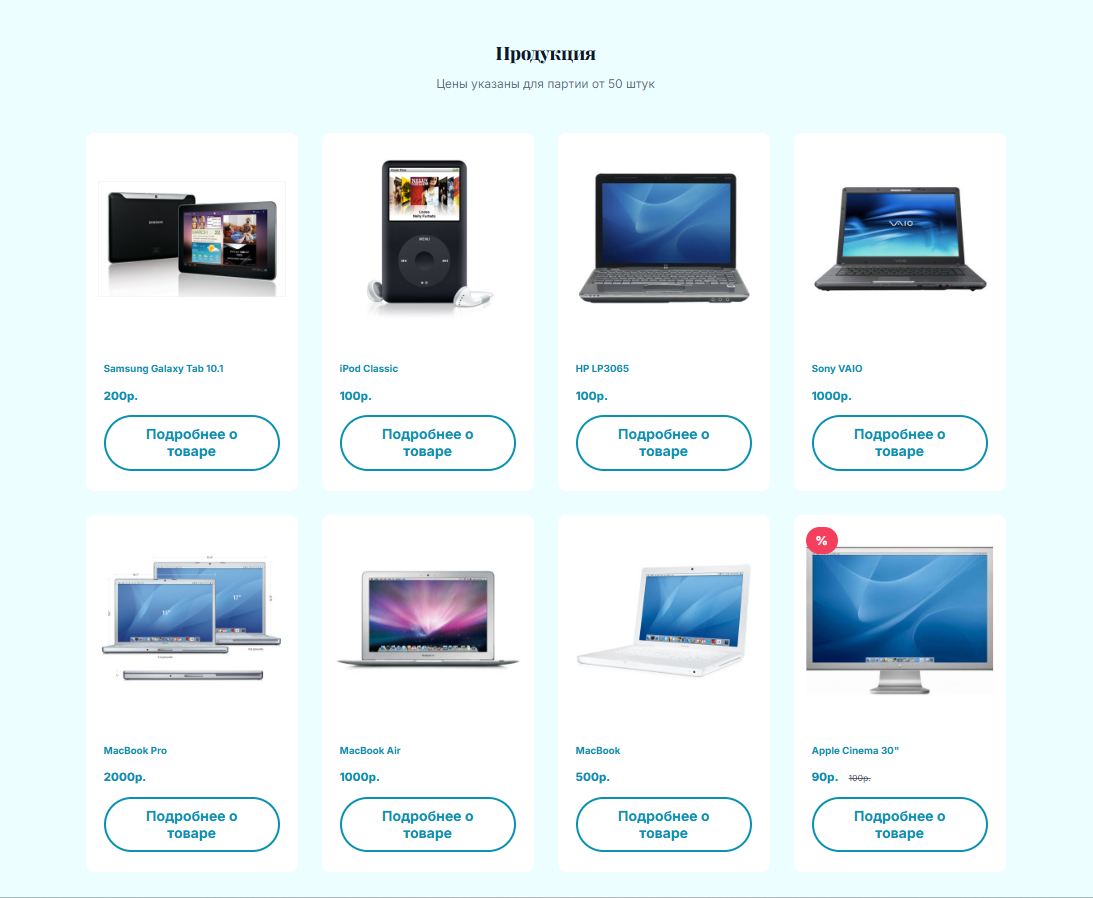
- Catalog products directly on the page, "Add to Cart" button
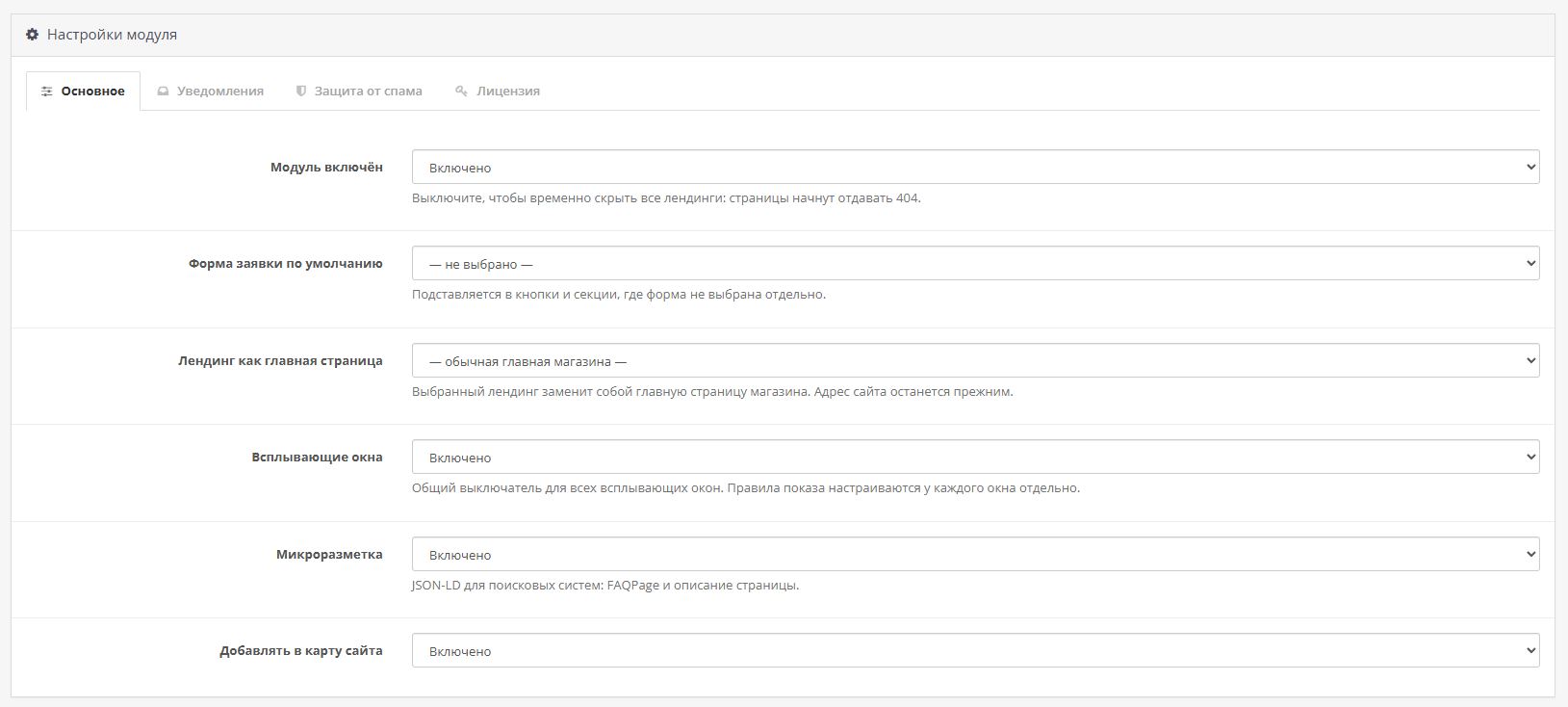
- Out-of-the-box SEO: meta tags, Open Graph, JSON-LD, FAQPage markup
- Export and import pages between stores
—————————————————————————————————————
Full list of blocks - 37 types in seven Groups
Cover— page opening screen
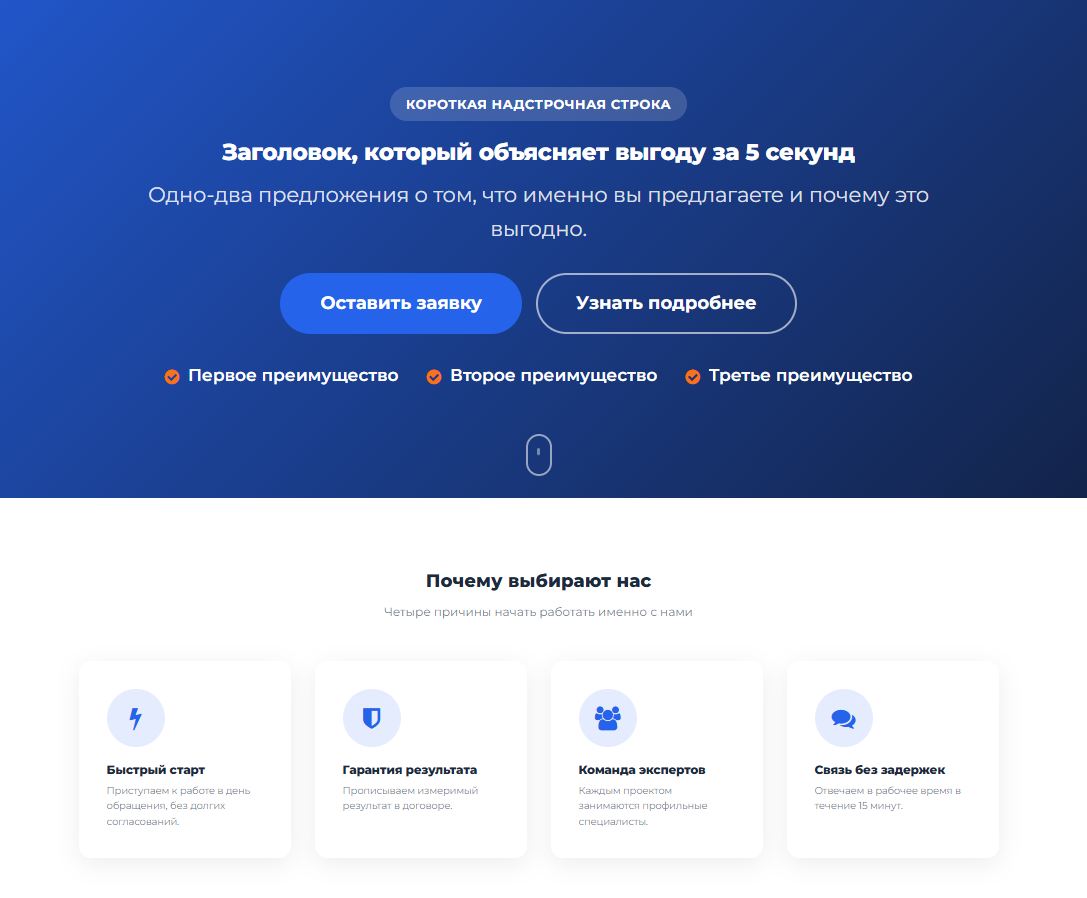
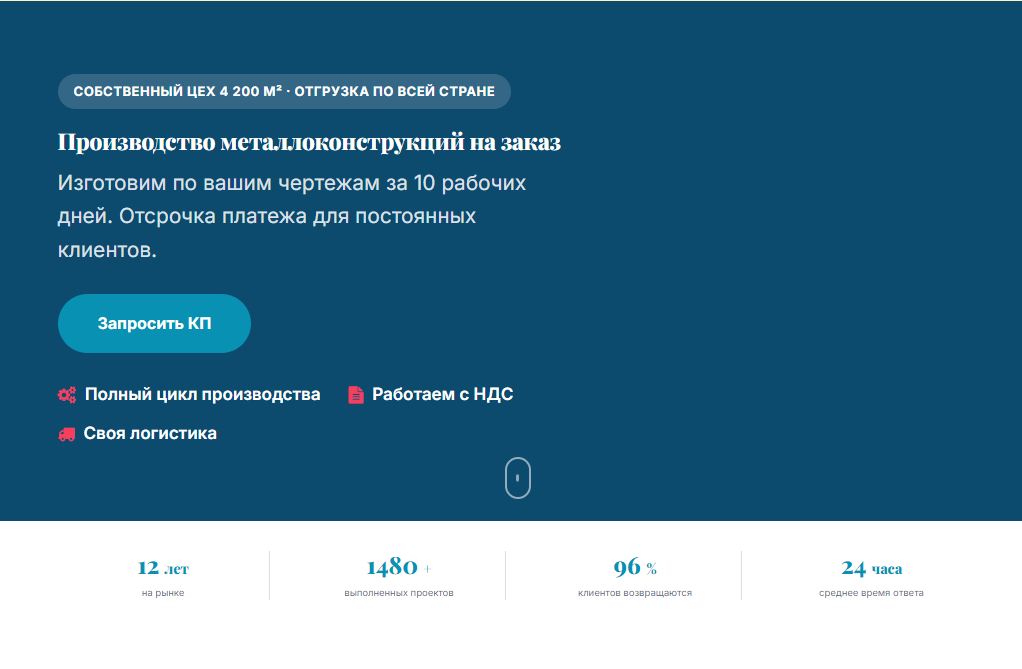
| Cover | Main screen: header, title, text, up to two buttons, application form directly in the block, image on the side or as a background, multiple heights and layouts. |
| Cover slider | Multiple cover screens with timer switching, dots, and arrows — for alternating offers or Announcements. |
Content— main story
| Heading | Section heading with customizable size and decorative textLine — divides the page into semantic sections. |
| Text with image | Text and image on the left, right, or top, up to three columns of text, button — "tell me more." |
| Columns | Any number of columns with text and height alignment — when there is no ready-made block Enough. |
| Benefits | List of benefits with icons, several card styles, custom icon color and shape. |
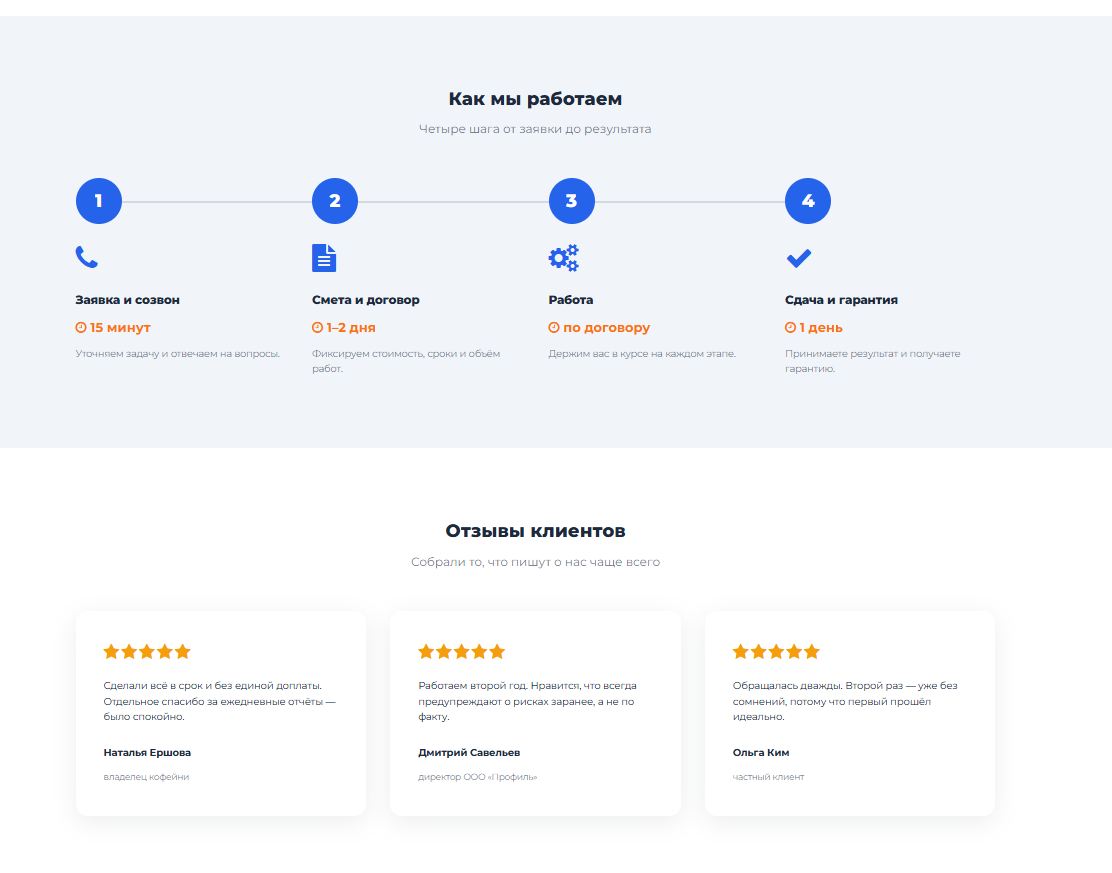
| Stages of work | Numbered process steps - how you work with a client from application to Result. |
| Tabs | Switchable content without long scrolling - comparison of options, service sections. |
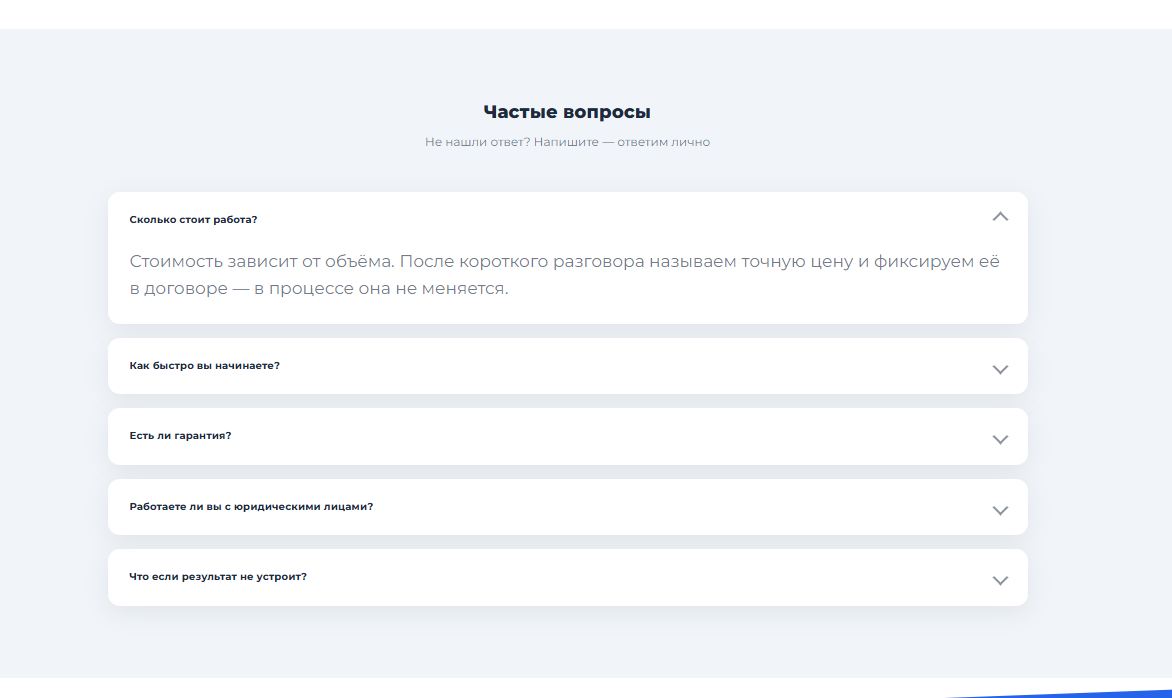
| Questions and Answers | Accordion with FAQPage microdata - questions can appear directly in the search results Search engine. |
| Chronology | Vertical event feed — company history, project stages. |
| Comparison table | "You" versus competitors; The words "yes" and "no" automatically become a checkmark and a cross. |
| Quote | Quote with author, position, and photo—a close-up of the expert's review. |
| SEO text | The expanded text under the "read more" button—keywords for a search engine, doesn't interfere Conversions. |
| Custom HTML | Custom code if the ready-made blocks aren't enough: chat widget, custom layout, third-party script. |
| Separator | Visual border between sections: line, dots, icon, or simply Indent. |
Trust— Why you can be trusted
| Facts and Figures | Company metrics with score animation when scrolling — years on the market, clients, projects. |
| Reviews | Customer reviews with ratings and a link to the source - Yandex.Maps, 2GIS, any review site. |
| Team | Employee cards: photo, name, position. |
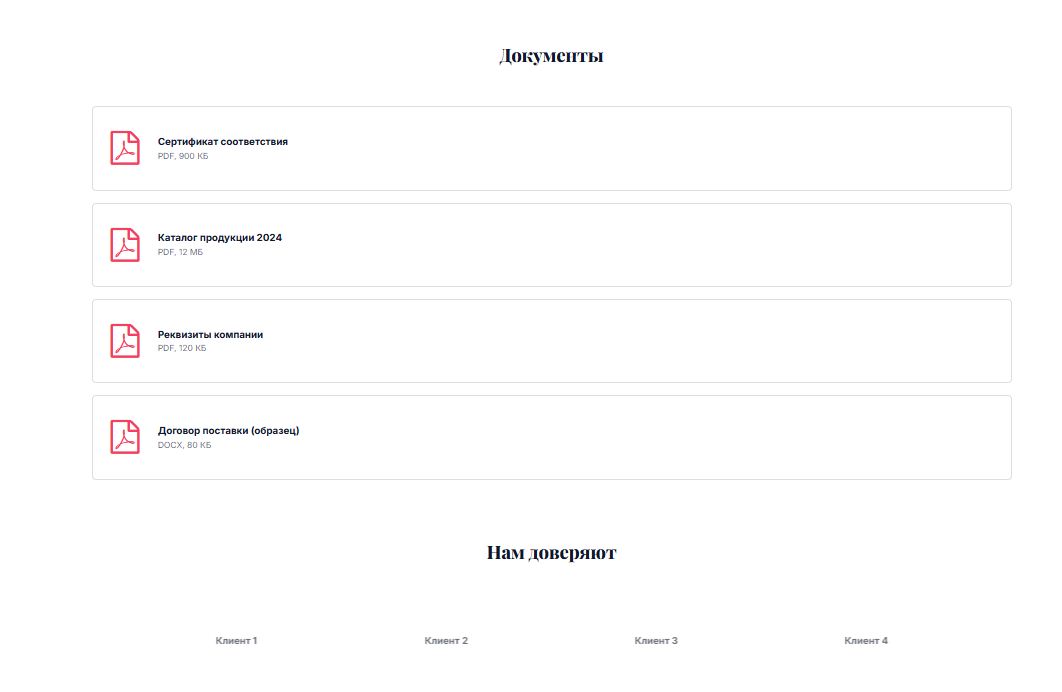
| Clients and partners | A series of logos, discolored or framed - trust through recognizable Brands. |
| Documents | Licenses and Certificates — the file is uploaded directly in the designer and opens full screen. |
| Before and After | Slider with draggable border — renovation, landscape, result work. |
Media— Visual content
| Gallery | Image grid in mosaic or flat grid, full screen. |
| Video | Video from YouTube, RuTube, VK Video, or Vimeo, custom cover Launch. |
| Banner | Full-width image link, separate image for mobile devices. |
| Map and contacts | Directions - Yandex.Maps, 2GIS, or Google Maps - next to Address. |
Sales— turning interest into payment
| Store Products | Catalog Products with an "Add to Cart" button — manually or by category, with a filter and a "View All" link. |
| Card Product | One product in large format, with options and a quantity field — a single product showcase on the landing page. |
| Rates | Rate cards with price and a list of "included items." Selecting a recommended item opens a form with the name. Tariff. |
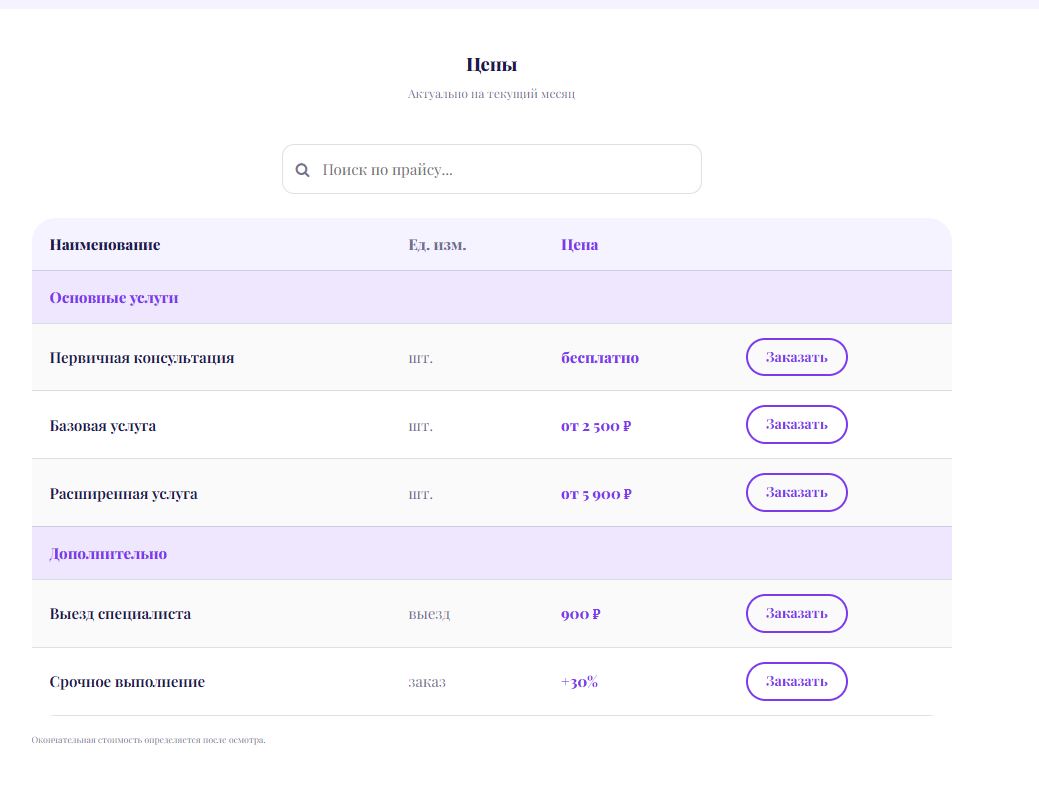
| Price List | Table of services and prices with subheadings, groups, and search — up-to-date price list without table layout. |
| Calculator | Cost calculation using your own fields: numbers, sliders, option selection — the total is immediately included in Application. |
| Promotion timer | Countdown to the date or a personal timer for each visitor encourages them to decide now. |
Applications— point of contact
| Call to action | Accent block with text and button and a "time to act" image in the middle of the page. |
| Application Form | A form from the form builder right in the block, with its own layout and an image next to it. |
| Contacts | Phone, email, address, and application form in one Block. |
| Social networks and messengers | Icon links to WhatsApp, Telegram, VKontakte, and other communication channels. |
Service— communication with the rest of the store
| Module insertion | Any An installed store module within the builder page. |
| Pre-made section | Link to another page/section: edit in one place – it updates everywhere it's inserted. |
——————————————————————————————————————
13 pre-made sets Pages
| Set | Sections | What's Inside |
| Blank Page | 0 | A blank canvas for building from scratch. |
| Basic Landing Page | 7 | Universal Framework: Cover, Benefits, Stages, Reviews, Form. |
| Turnkey service | 10 | Offer with form, benefits, stages of work, rates, cases, application. |
| Product landing page | 9 | Card with "Add to cart" button, benefits, reviews, Timer. |
| Promotion and Sale | 6 | Offer, timer, discounted items, one-screen form. |
| Event and Webinar | 7 | Program, Speakers, Timer, Venue, Form. |
| Online Course | 8 | Module Program, Teachers, Pricing, Student Reviews. |
| Medical Center | 8 | Services, Doctors, Licenses, Appointment Booking. |
| Repair and Construction | 9 | Cost calculator, stages, "before and after", warranties. |
| Legal services | 8 | Services, cases, documents, consultation. |
| Car service | 8 | Price list Jobs, appointments, promotions, reviews. |
| Beauty Salon | 7 | Services with prices, professionals, portfolios, online appointments. |
| Production and Wholesale | 9 | Production, product catalog, documents, request form KP. |
——————————————————————————————————
Nothing is broken
OpenCart core files are not modified. All edits are made through the official OCMOD mechanism, each operation is marked as optional: if your build differs from the default, only one feature is disabled, not the entire update.
——————————————————————————————————
Frequently Asked Questions
Do I need layout skills?
No. Everything is assembled with a mouse in the admin panel. Knowledge of HTML is only useful for the "Custom HTML" block, which is rarely needed.
Will the module break my theme?
No. All layout is isolated, colors and fonts are set by variables on the specific page wrapper. The core files are not modified.
Can I place the block on a regular store page instead of a landing page?
Yes—that's what it's designed for. The layout module can be used to place the block anywhere on any page: homepage, category, product page, or footer. A shortcode can be used directly in the text of the information page.
Can I sell products directly from the page?
Yes. The "Store Products" block displays catalog items with an "Add to Cart" button, while the "Product Card" block displays a single product with options and quantity.
How many pages can I create?
There are no limits.
Can I transfer a finished page to another website?
Yes, using the "Export" and "Import" buttons.Sections, texts of all languages, design and settings are transferred.
Distribution method:
Paid
Opencart version:
LiveStore 3.*OCStore 3.*OpenCart 3.*
PHP verision:
PHP 7.2PHP 7.3PHP 7.4PHP 8.0PHP 8.1
Activation:
Manually, upon request via private messagesManually, via the author's website
Getting files:
On site, in the personal account
Protection system:
IonCube
VQmod:
No
Ocmod:
Yes
Events:
No
Uploaded:
30.08.2026
Updated:
28.10.2026
Viewed:
1839
Sales:
3
Write a review
Your Name:Your Review: Note: HTML is not translated!
Rating: Bad Good
Enter the code in the box below:


Файлы будут доступны после покупки


Исправьте пожалуйста.
А в целом что вы имели ввиду под "не работает корректно" ?
Спасибо что отписались)