Your shopping cart is empty!

Admin Pro: New Admin Panel for OpenCart 3 / ocStore – Themes, Menus, File Manager
Price: 1 350 ₽ 2 000 ₽
Author: KompMAN
Write to the author
Sales: 1 (Average rating 0 на основании 0 buyer ratings)
Need paid help? Contact the site administration
Opencart version:
Sales: 1 (Average rating 0 на основании 0 buyer ratings)
Need paid help? Contact the site administration
Opencart version:
LiveStore 3.*OCStore 3.*OpenCart 3.*
Admin Pro — OpenCart 3 Admin Panel Builder
Problem
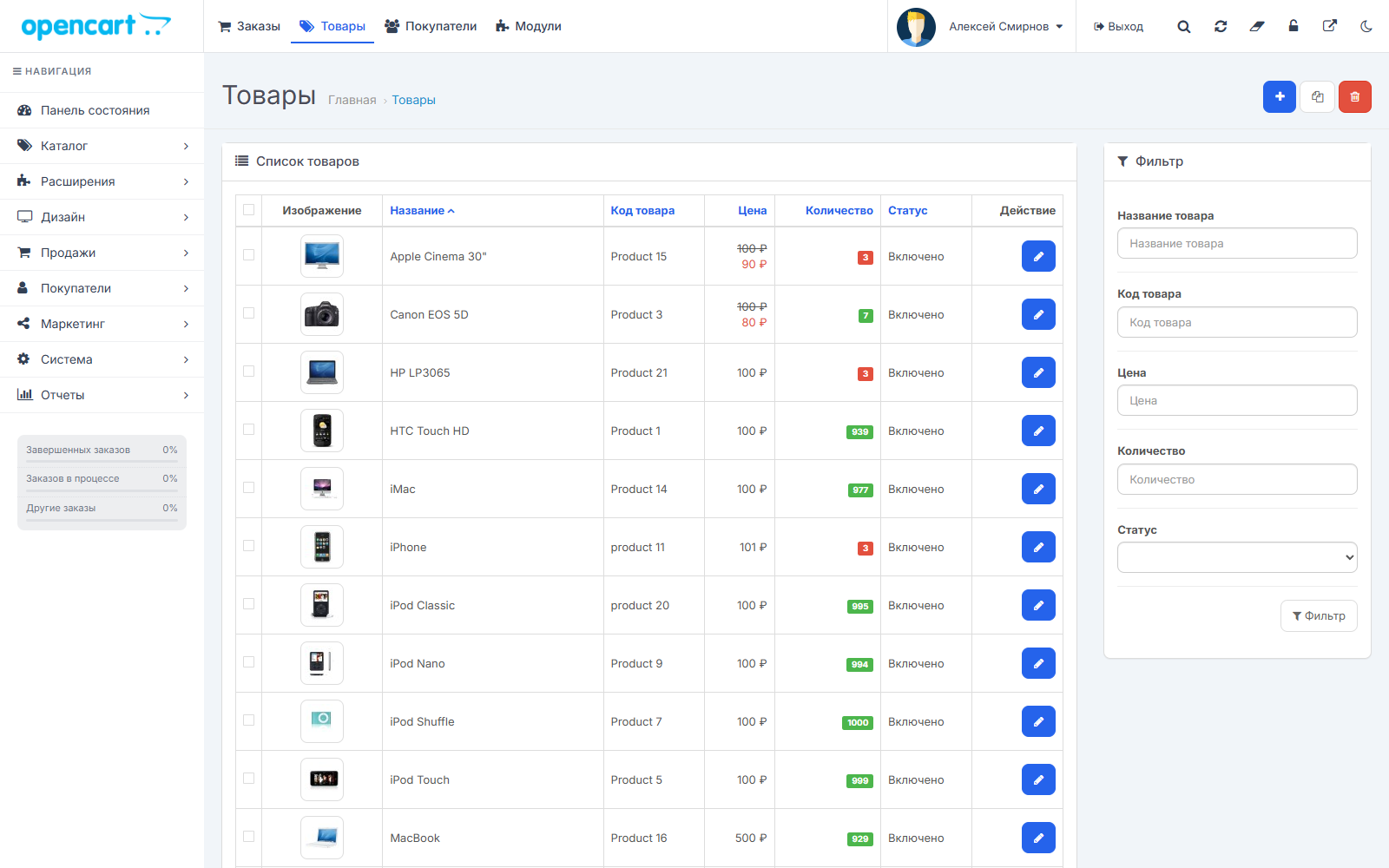
The OpenCart 3 admin panel has remained largely unchanged since 2017. Updating modifiers and resetting the cache requires navigating through three pages. The module list is a long table with no search function. The menu can't be customized. The default image manager displays 16 images at a time, doesn't search through subfolders, overwrites files with the same name, and breaks product images when deleting.
Solution
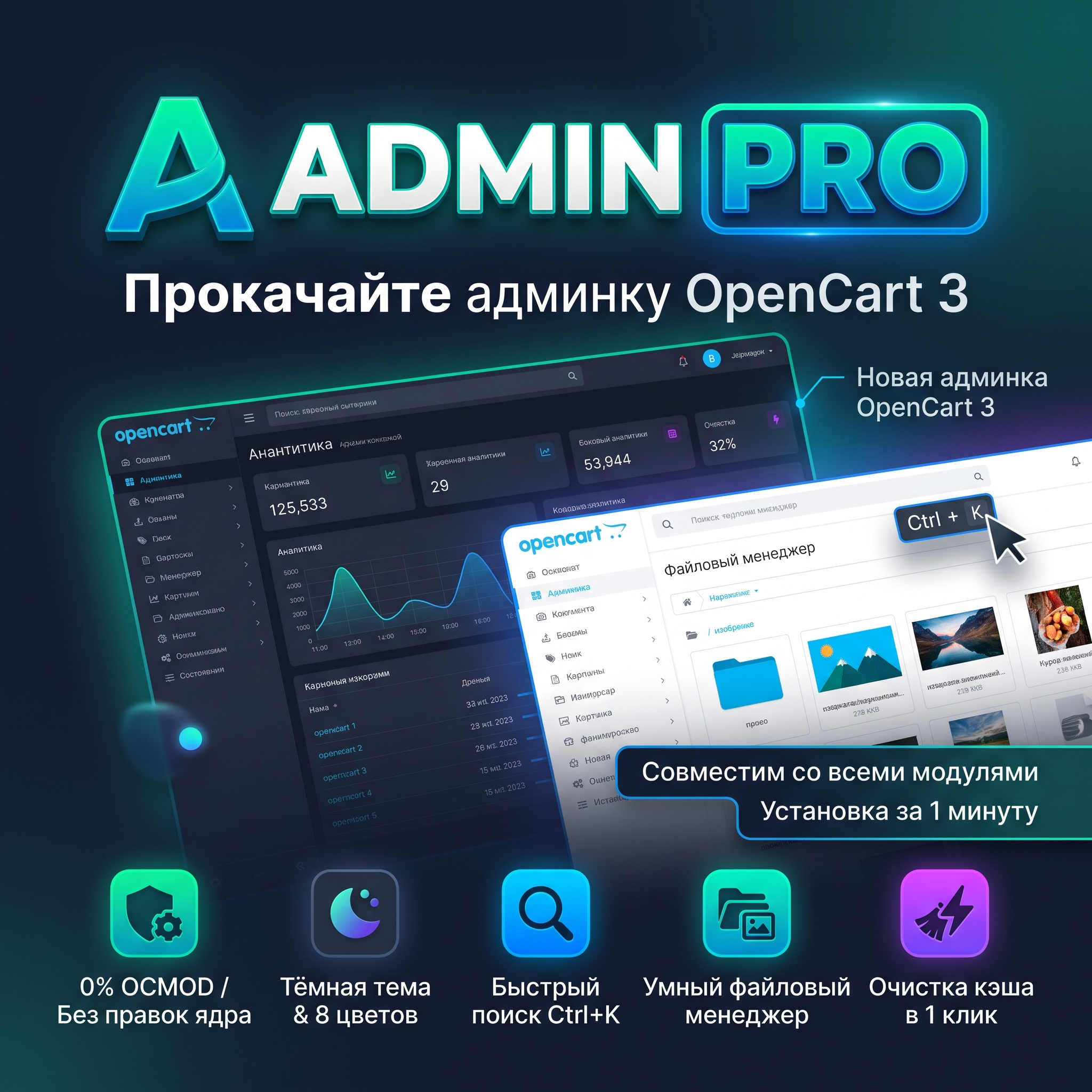
Admin Pro makes the admin panel user-friendly and beautiful without breaking anything. Eight themes and a dark theme, three menu modes, an "Update modifiers and cache" button, Ctrl+K search, a convenient module list, and a new file manager. The module doesn't modify any core files and doesn't contain OCMOD—install it, choose a theme, and you're good to go.
——————————————————————————————————
Why it's compatible with all modules
————————————————————————————————————
Style in a minute
Branding
——————————————————————————————————
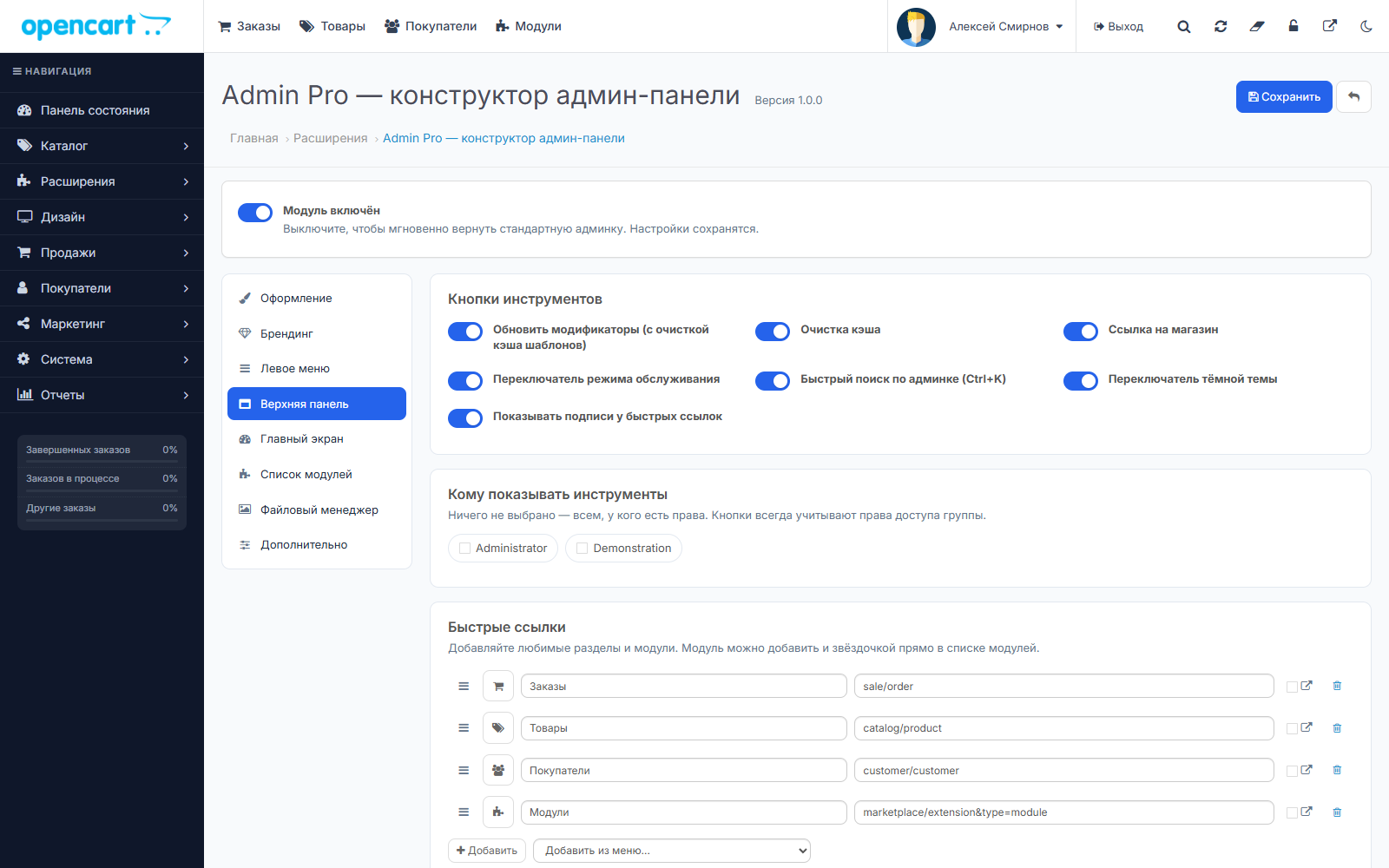
Section Features
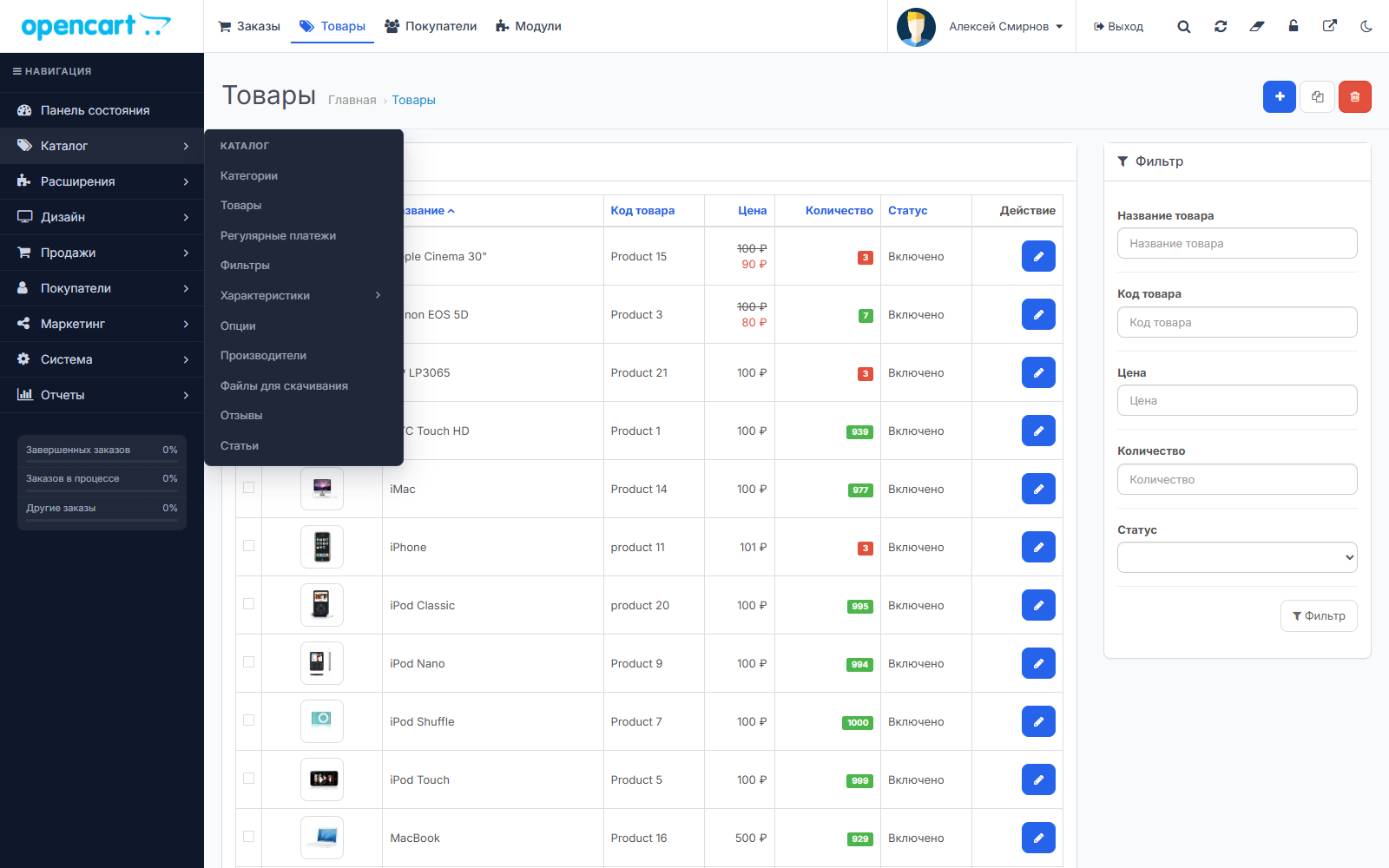
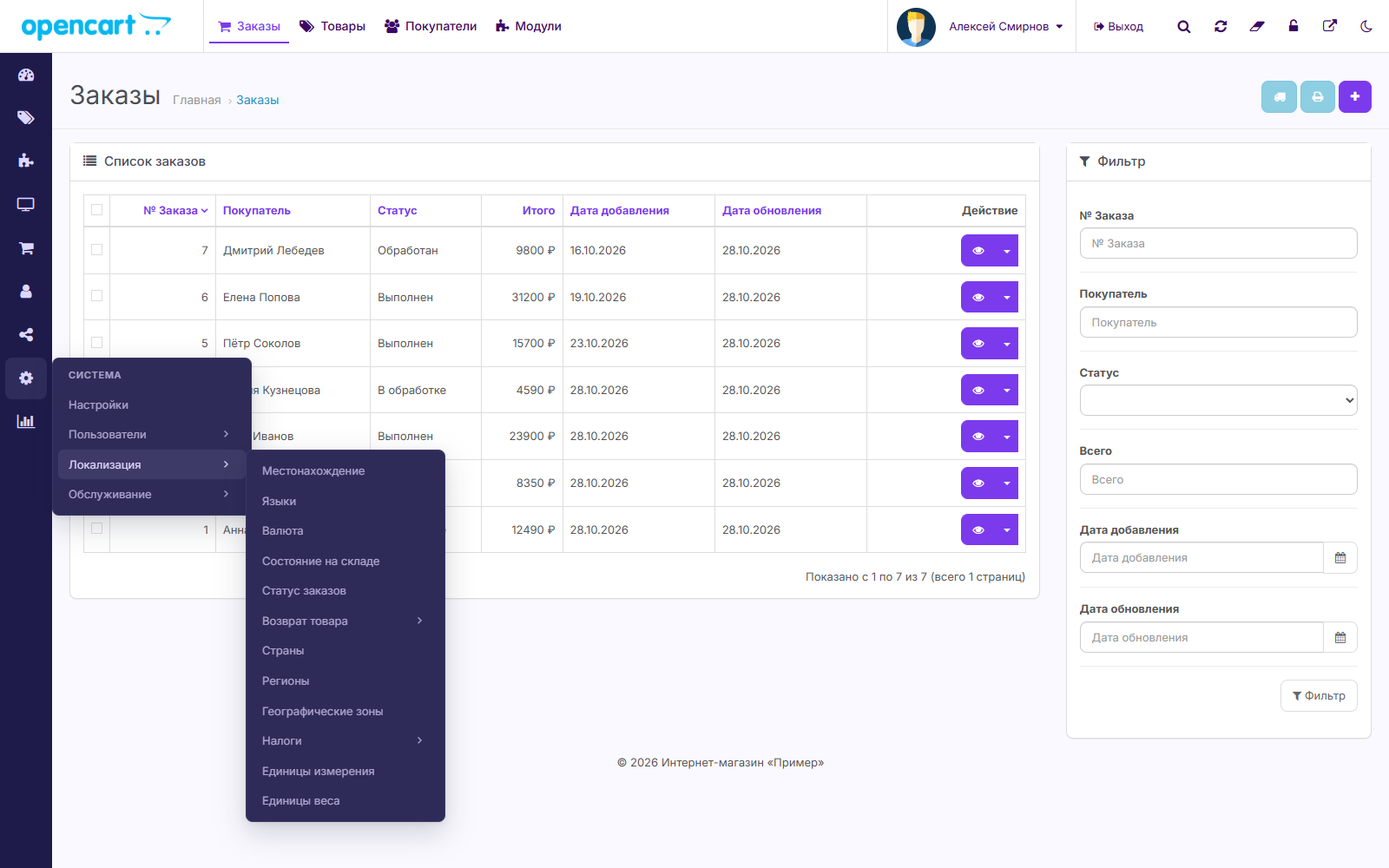
Left Menu
Top Panel
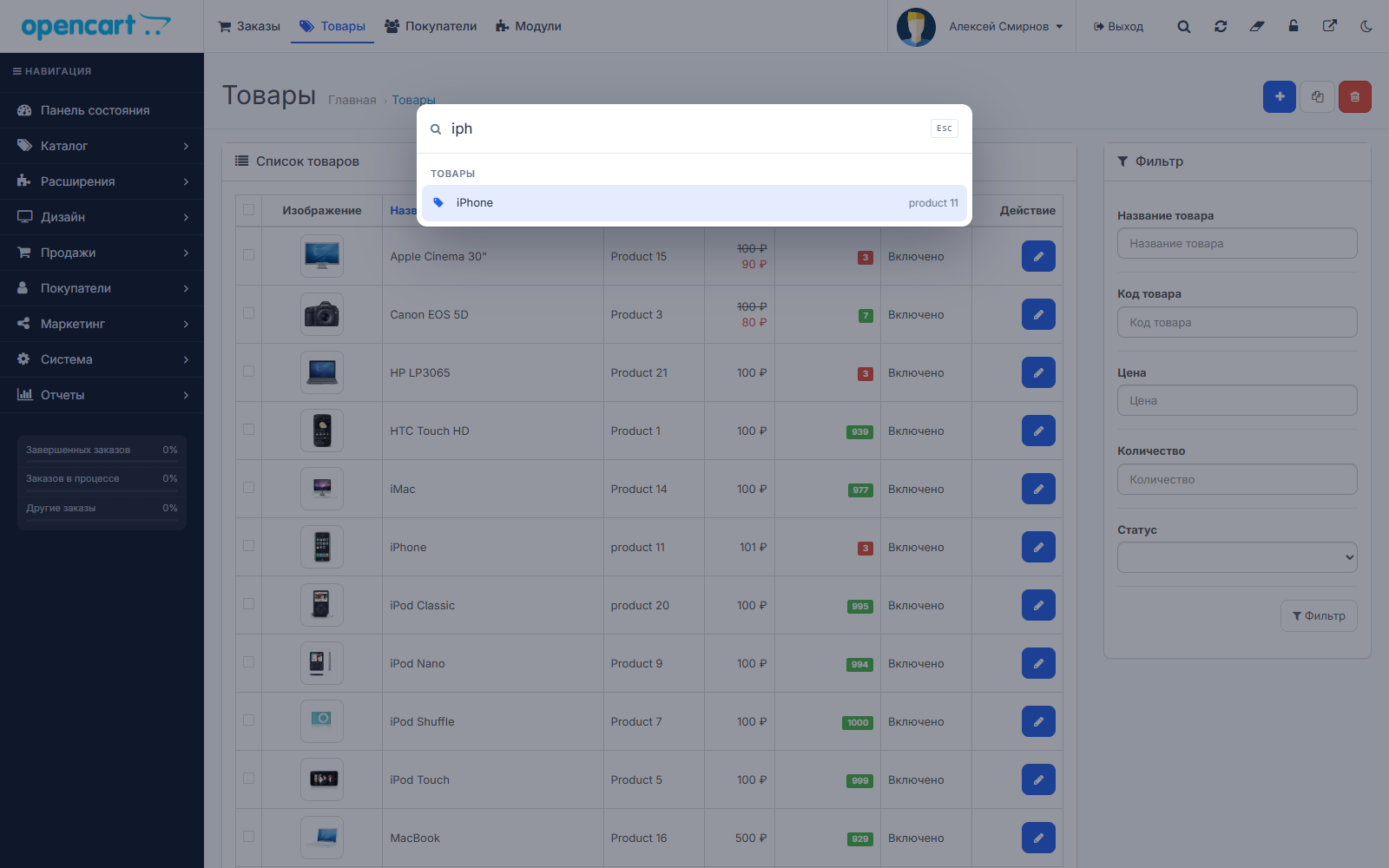
Quick search Ctrl+K
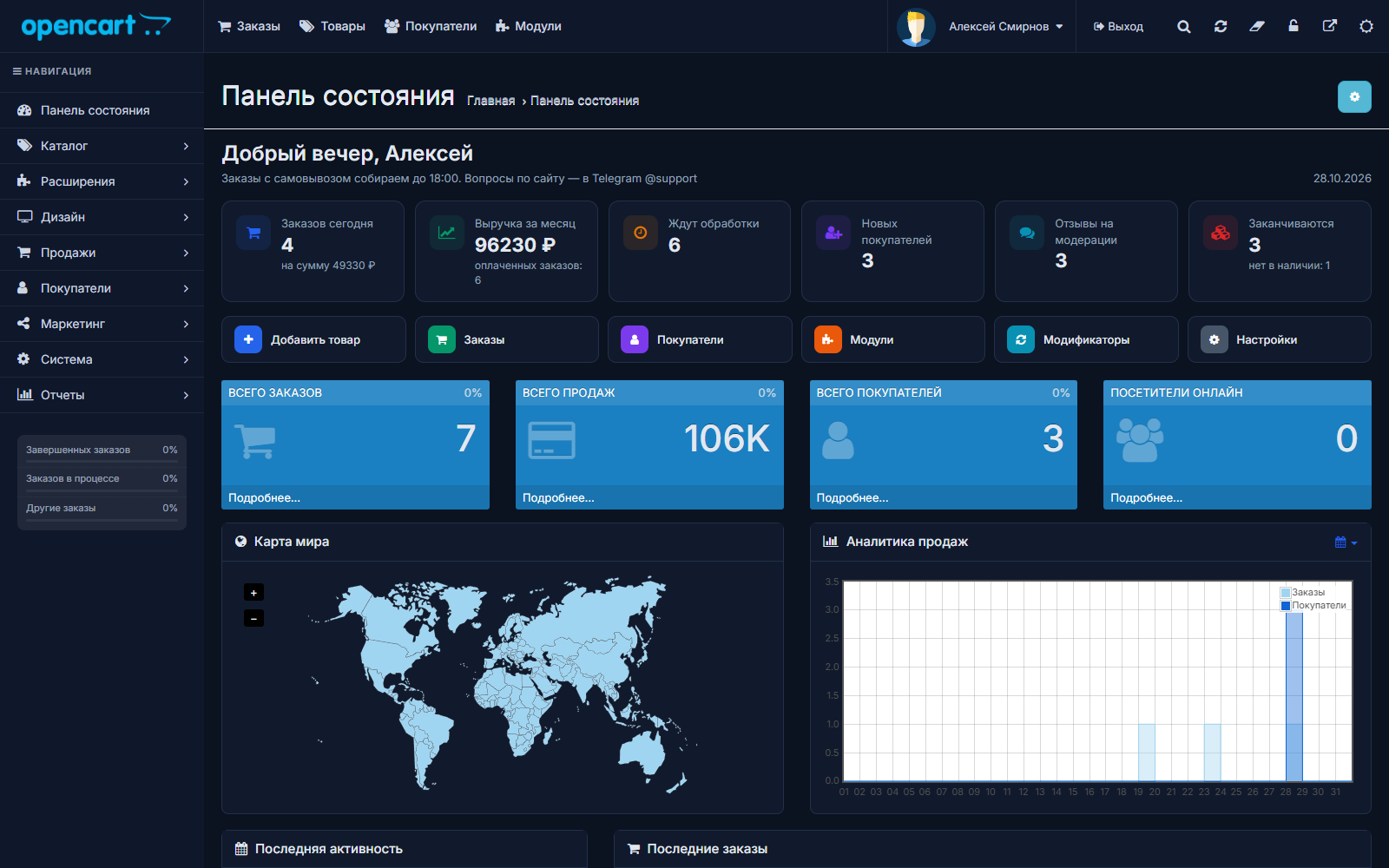
Main Screen
List of modules
—————————————————————————————————————
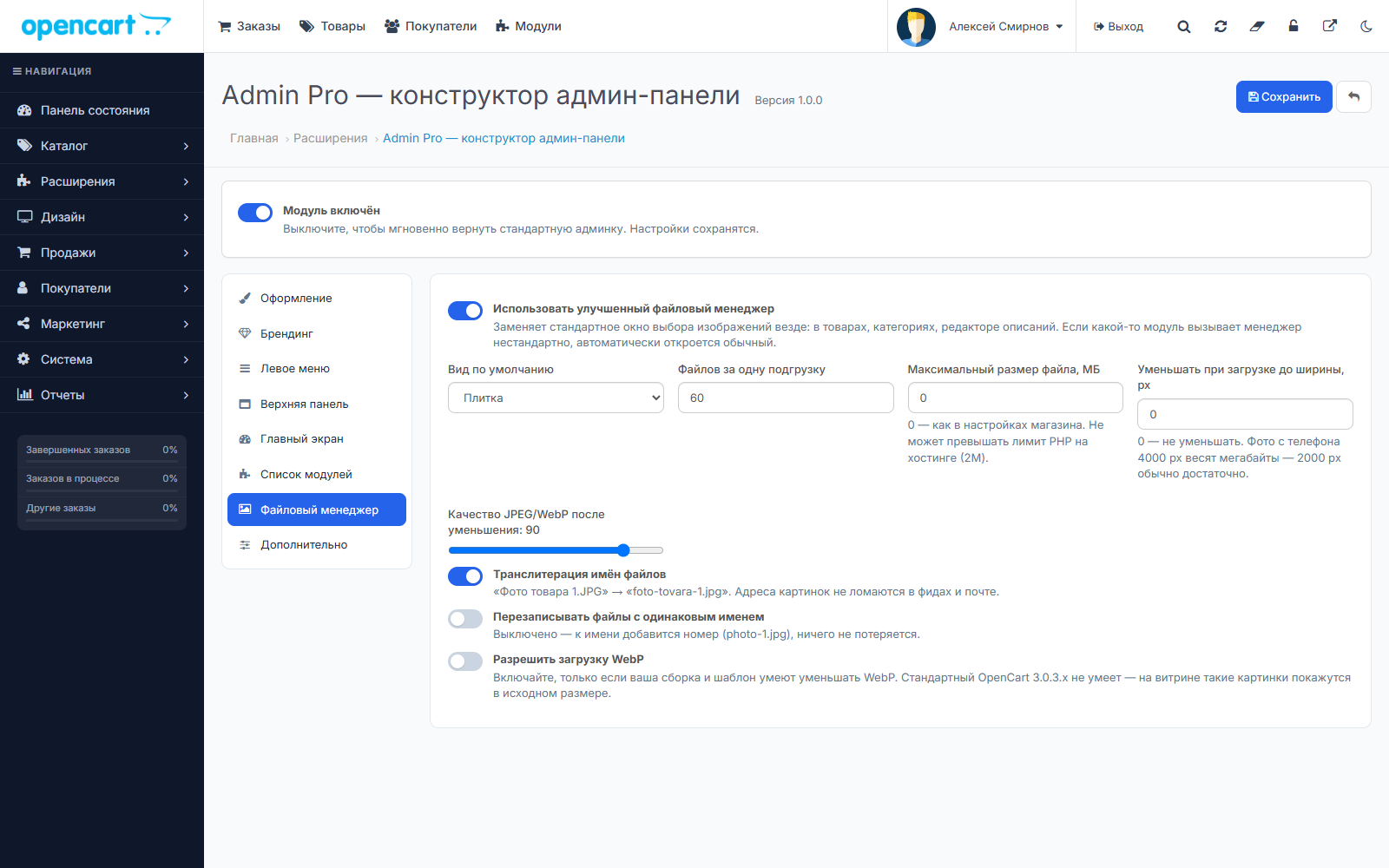
New file manager
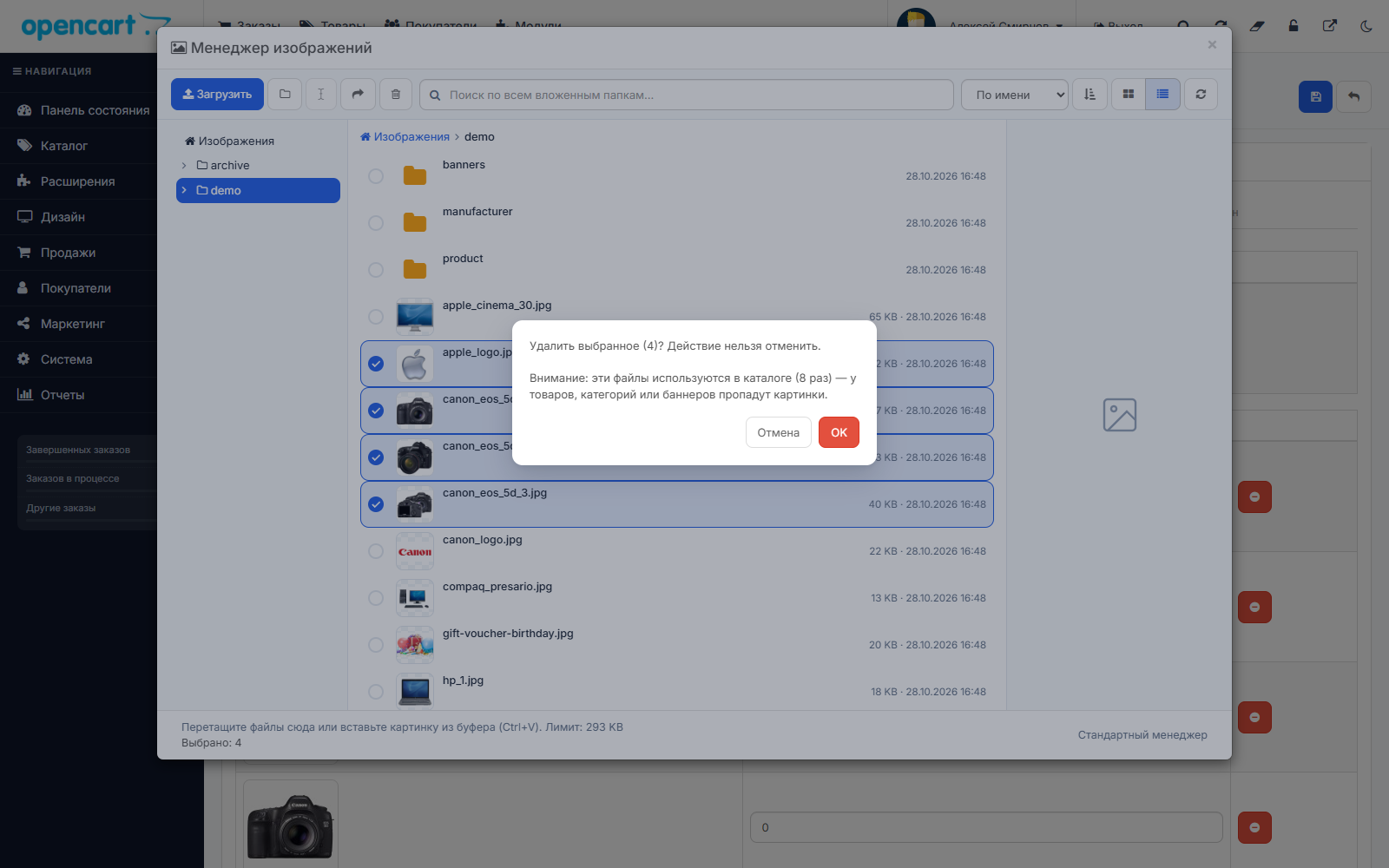
Replaces the standard image selection window everywhere: in products, categories, banners, and the description editor.
—————————————————————————————————————
Convenience for everyone Day
Requirements
Installation
—————————————————————————————————————
FAQ
Will this module break my other modules?
No. Admin Pro doesn't modify OpenCart files or use OCMOD—it only adds design and custom buttons on top of existing pages.
Can I revert to the default admin panel?
Yes, instantly: uncheck "Module enabled." The settings will be saved.
What happens to product images if I rename the file?
Links for products, additional photos, categories, manufacturers, banners, option values, as well as the store logo and icon, will update automatically.
Can I close content manager tools?
Yes. Select user groups that can see the buttons. OpenCart permissions are always respected.
Does a third-party module open the image manager differently?
Then the standard OpenCart manager will open automatically. There's also a "Standard Manager" link in every window.
Does the dark theme work on third-party module pages?
The dark theme recolors all standard elements: tables, forms, panels, tabs, and windows. If a module sets its own fixed colors, its blocks will retain their default colors.
Problem
The OpenCart 3 admin panel has remained largely unchanged since 2017. Updating modifiers and resetting the cache requires navigating through three pages. The module list is a long table with no search function. The menu can't be customized. The default image manager displays 16 images at a time, doesn't search through subfolders, overwrites files with the same name, and breaks product images when deleting.
Solution
Admin Pro makes the admin panel user-friendly and beautiful without breaking anything. Eight themes and a dark theme, three menu modes, an "Update modifiers and cache" button, Ctrl+K search, a convenient module list, and a new file manager. The module doesn't modify any core files and doesn't contain OCMOD—install it, choose a theme, and you're good to go.
——————————————————————————————————
Why it's compatible with all modules
- 0 core edits, 0 OCMOD.The module is integrated only through standard OpenCart 3 events. Your modifications and modifications from other developers do not interfere with it, and there is no need to "Update Modifiers" after installation.
- Add-on on top of existing pages.The module adds design and its own buttons, but doesn't delete or recreate anything—buttons and scripts from other modules continue to work.
- Soft Styles.If a module styles its buttons automatically, its style is preserved.
- Emergency Switch.Uncheck one box—the admin panel will instantly become standard, and all settings will be saved.
————————————————————————————————————
Style in a minute
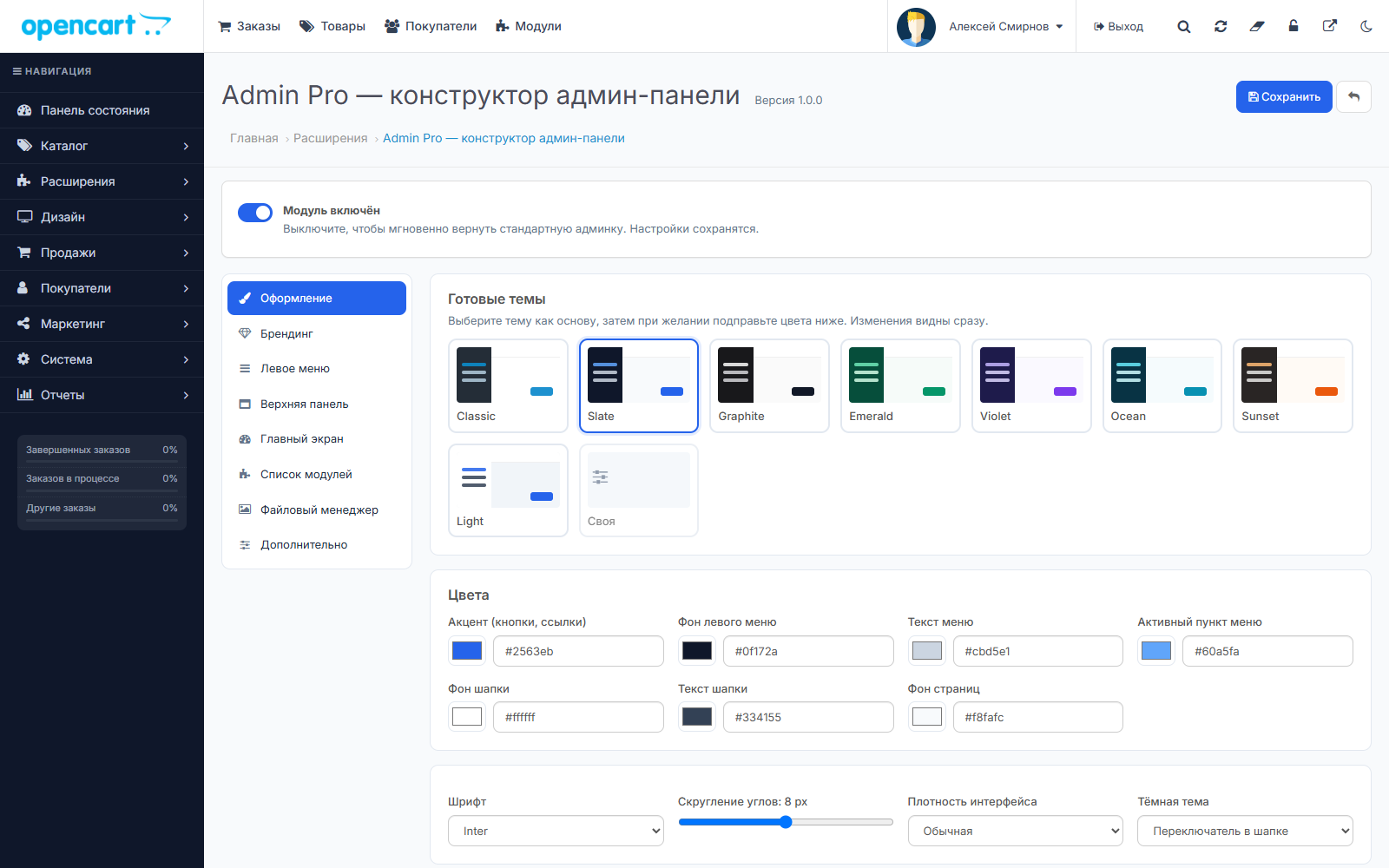
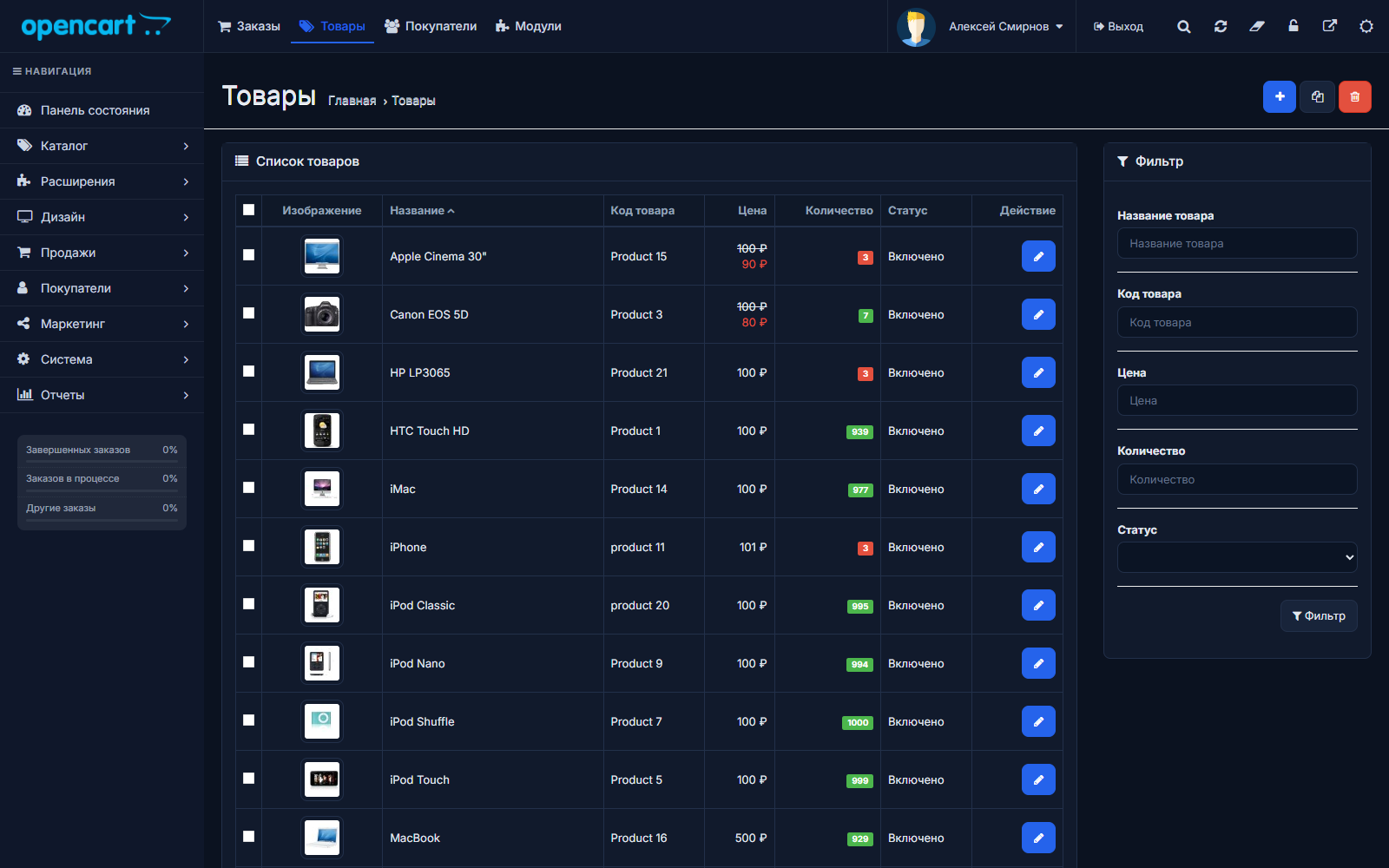
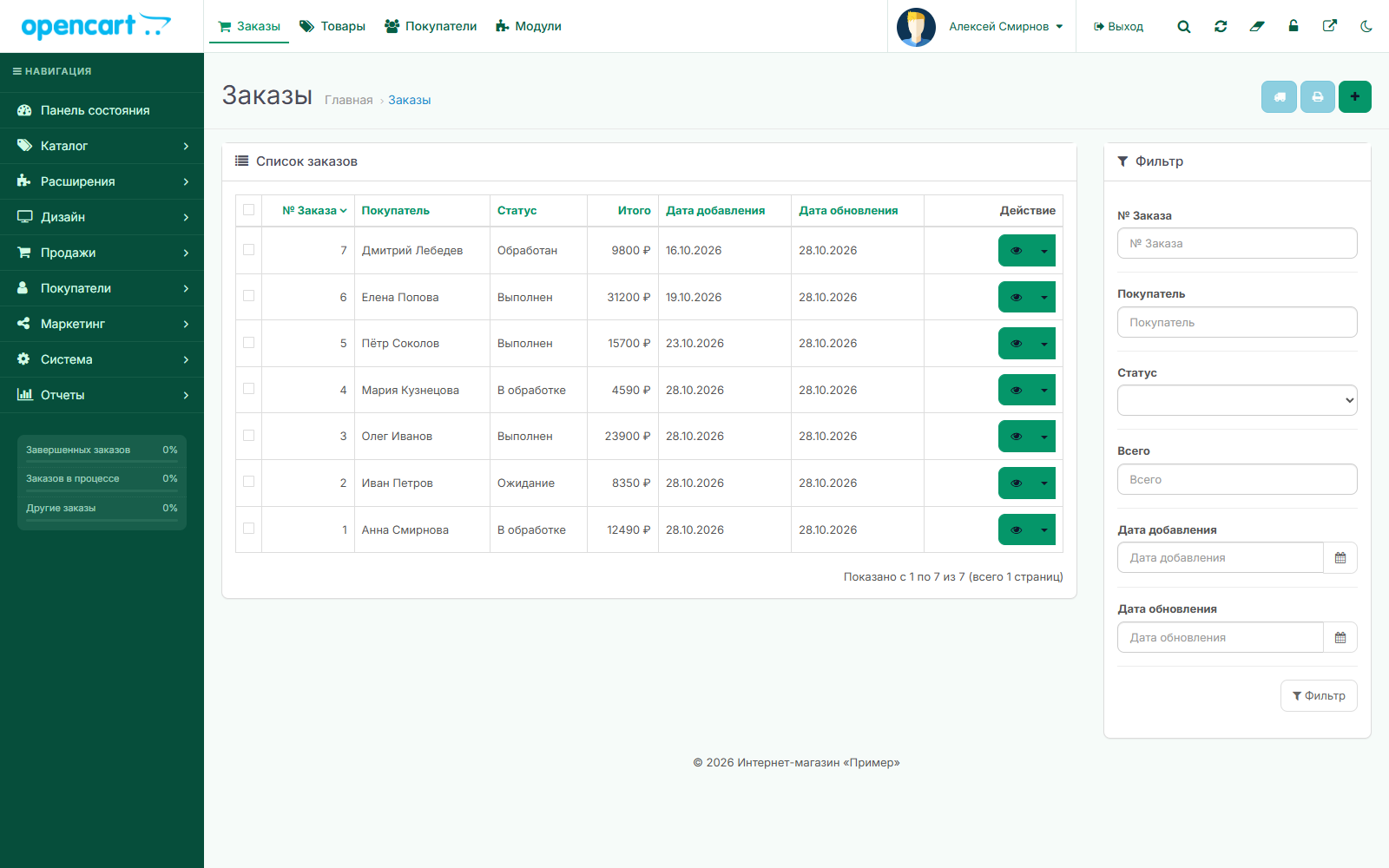
- 8 ready-made themes:Classic, Slate, Graphite, Emerald, Violet, Ocean, Sunset, Light
- Custom colorsfor buttons, menus, header, and background — changes are visible immediately, even before saving
- Cyrillic fonts:Inter, Golos Text, Fira Sans, Roboto, Montserrat, PT Sans, or system font
- Rounded corners andcompact mode— more table rows on the screen
- Dark theme:for everyone or switch in the header — each employee chooses
Branding
- Custom header logo, custom tab icon, tab title add-on
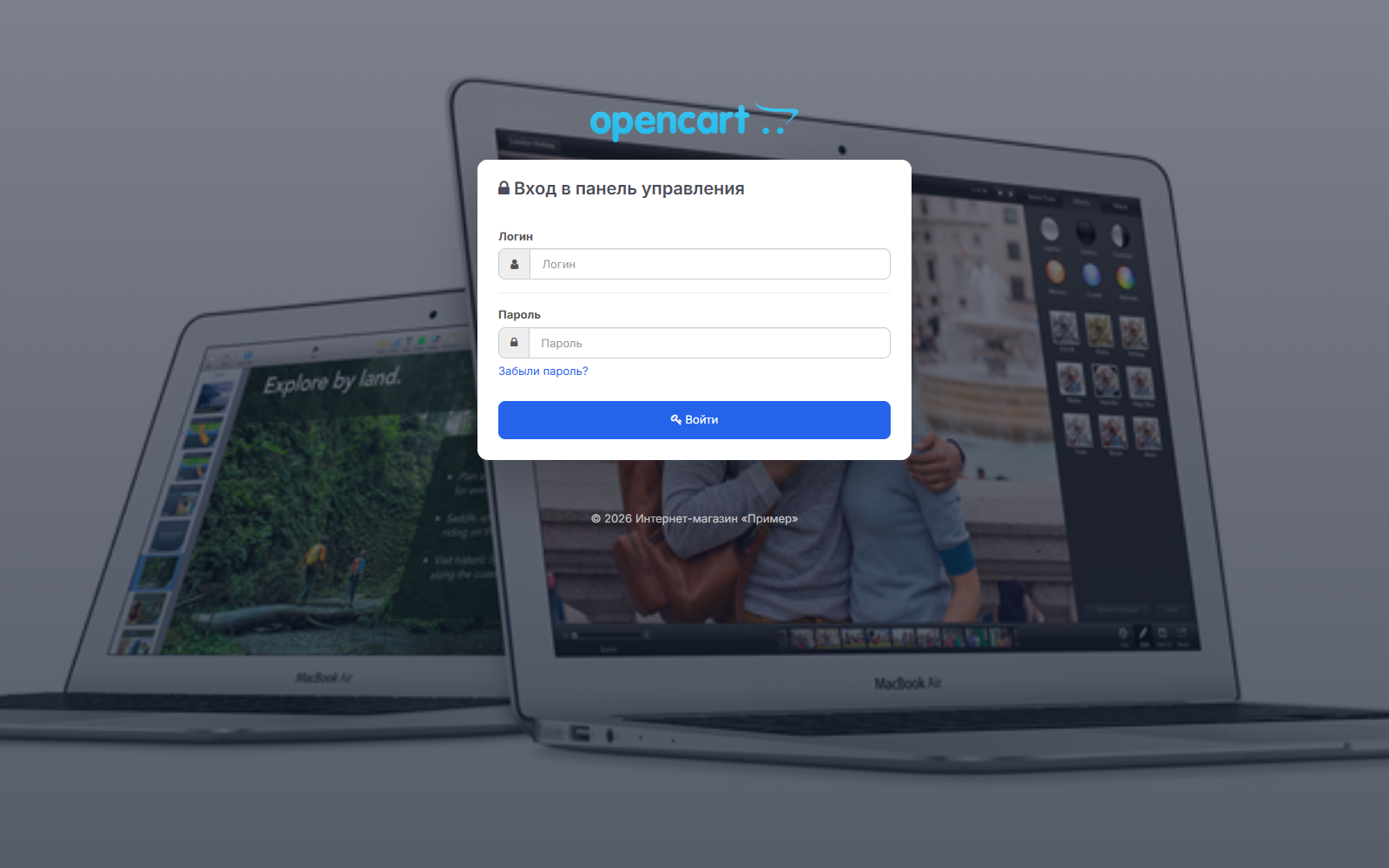
- Login page with your brand:logo, background photo with darkening, color, title
- Custom footer text and hiding the OpenCart version—fewer crawler hints Vulnerabilities
——————————————————————————————————
Section Features
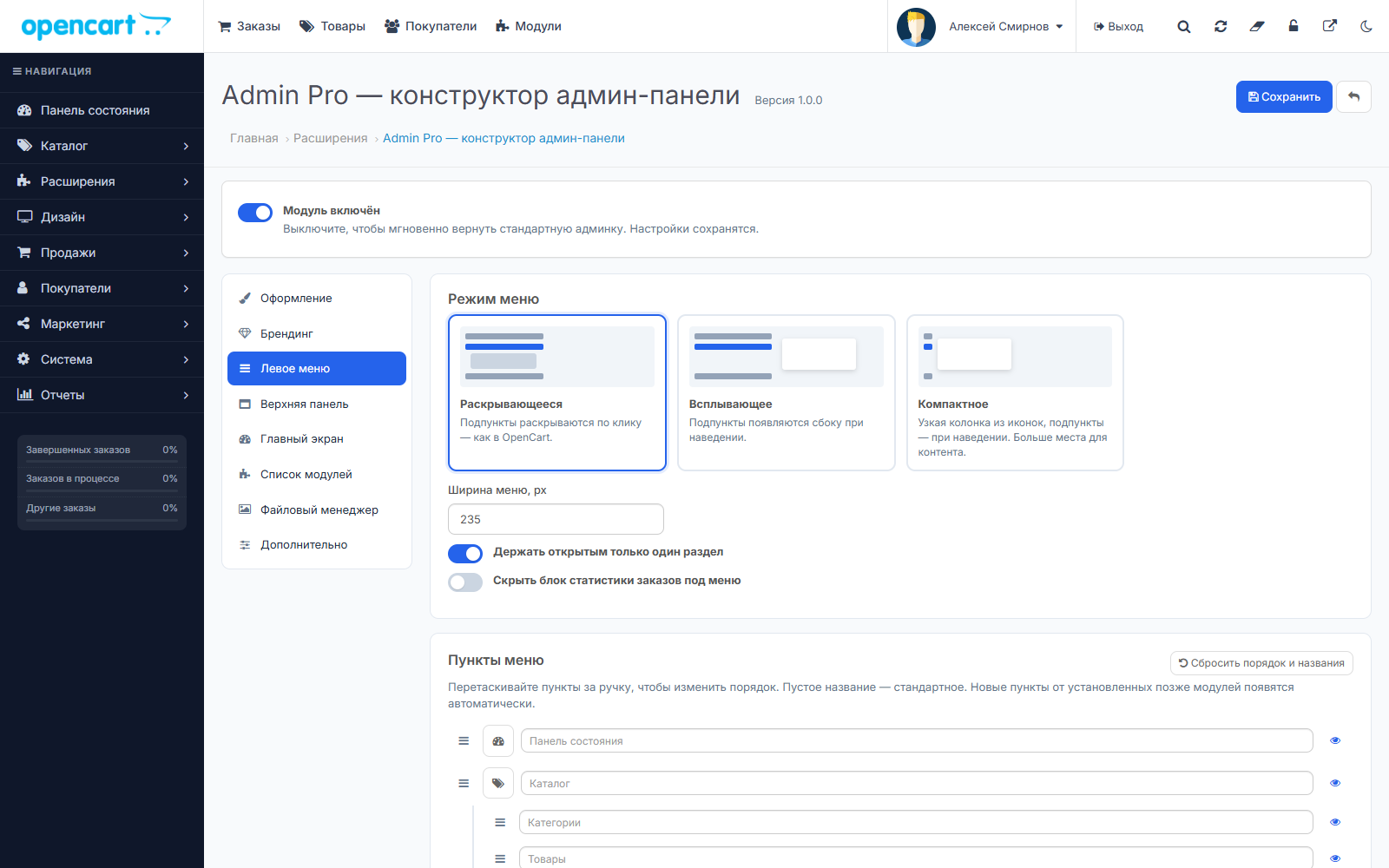
Left Menu
| Three Modes | Drop-down, like in OpenCart; Pop-up - sub-items appear on the side when hovered over; Compact - a narrow column of icons, more space for tables. Nesting at any level. |
| Menu Editor | Item order by dragging and dropping, renaming, custom icons, hiding unnecessary items. |
| Custom Items | Links to any admin panel sections or external services—CRM, analytics, documentation. Can be opened in a new tab. |
| New modules | Items for modules installed later appear in the menuAutomatically. |
Top Panel
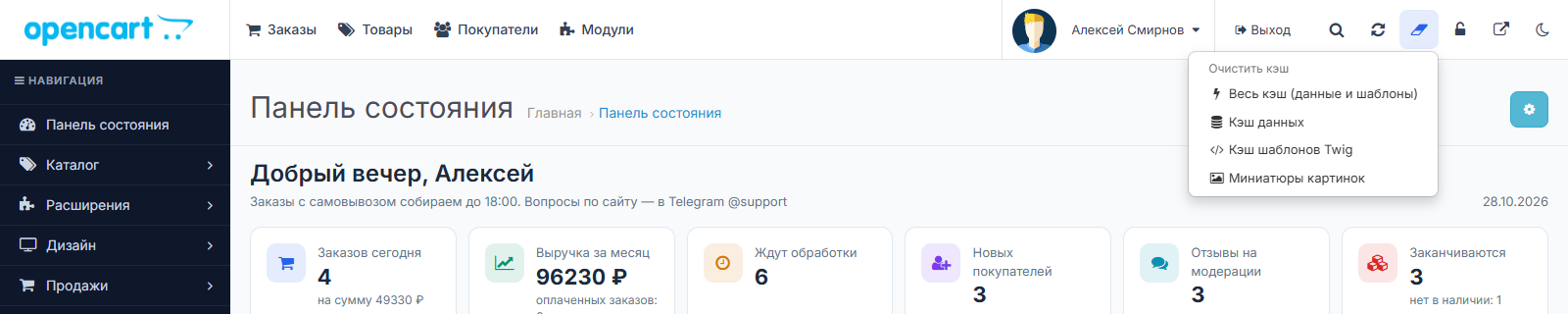
| Update Modifiers | One button instead of three pages — with automatic clearing of template and data cache. |
| Clear Cache | All Cache, Data Only, Only Twig templates or image thumbnails. |
| Maintenance mode | Activated with one button, a red indicator reminds you that the store is closed. |
| Quick links | Favorite sections and modules always at hand. The module is added directly from the module list using an asterisk. |
| Access by groups | Tools are visible only to selected user groups; OpenCart access rights are always respected. |
Quick search Ctrl+K
| What Searching for | Administration sections, products, customers, order by number, and actions: "Clear cache," "Update modifiers." |
| Control | Ctrl+K or "/," arrow keys to select, Enter to go. |
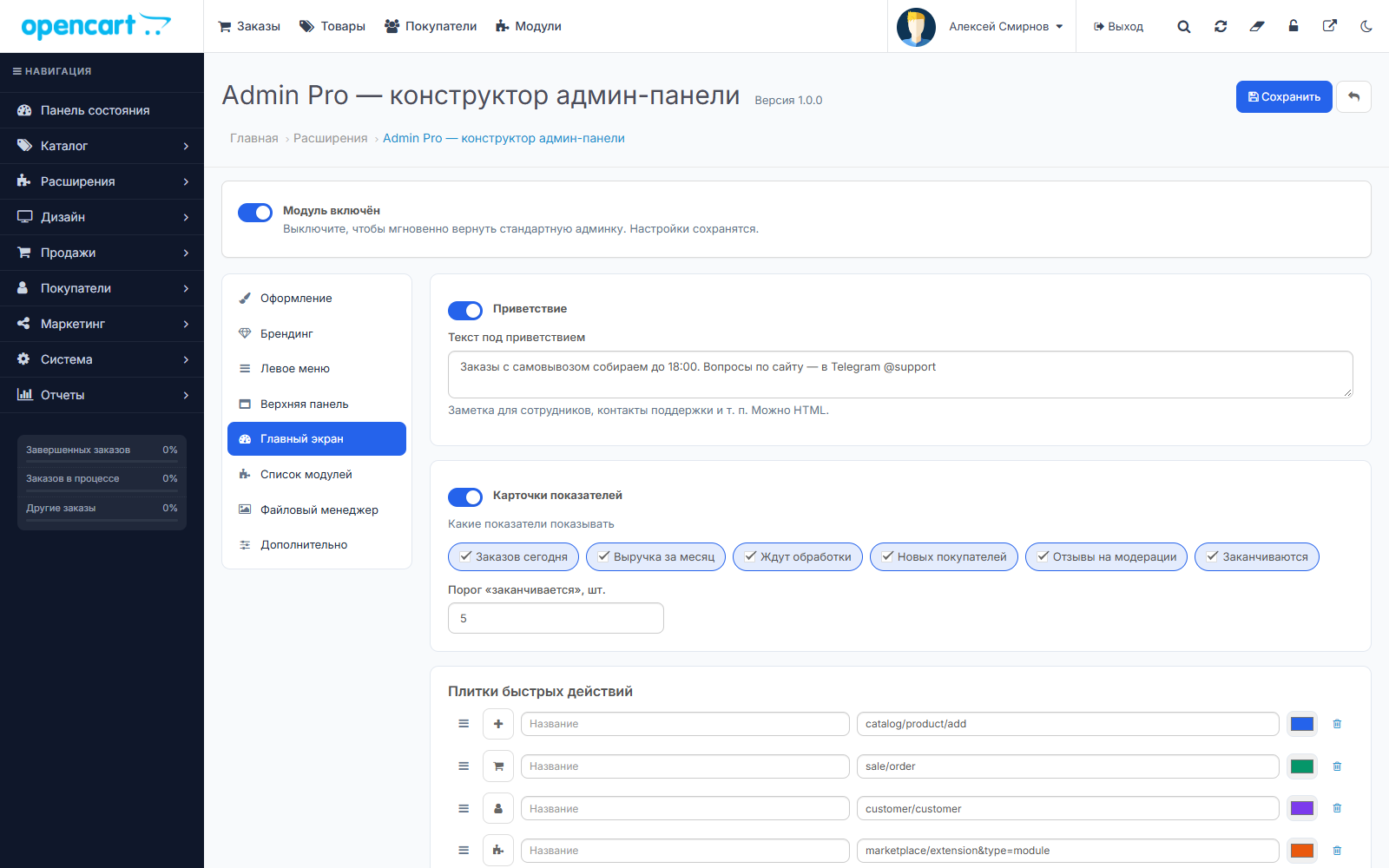
Main Screen
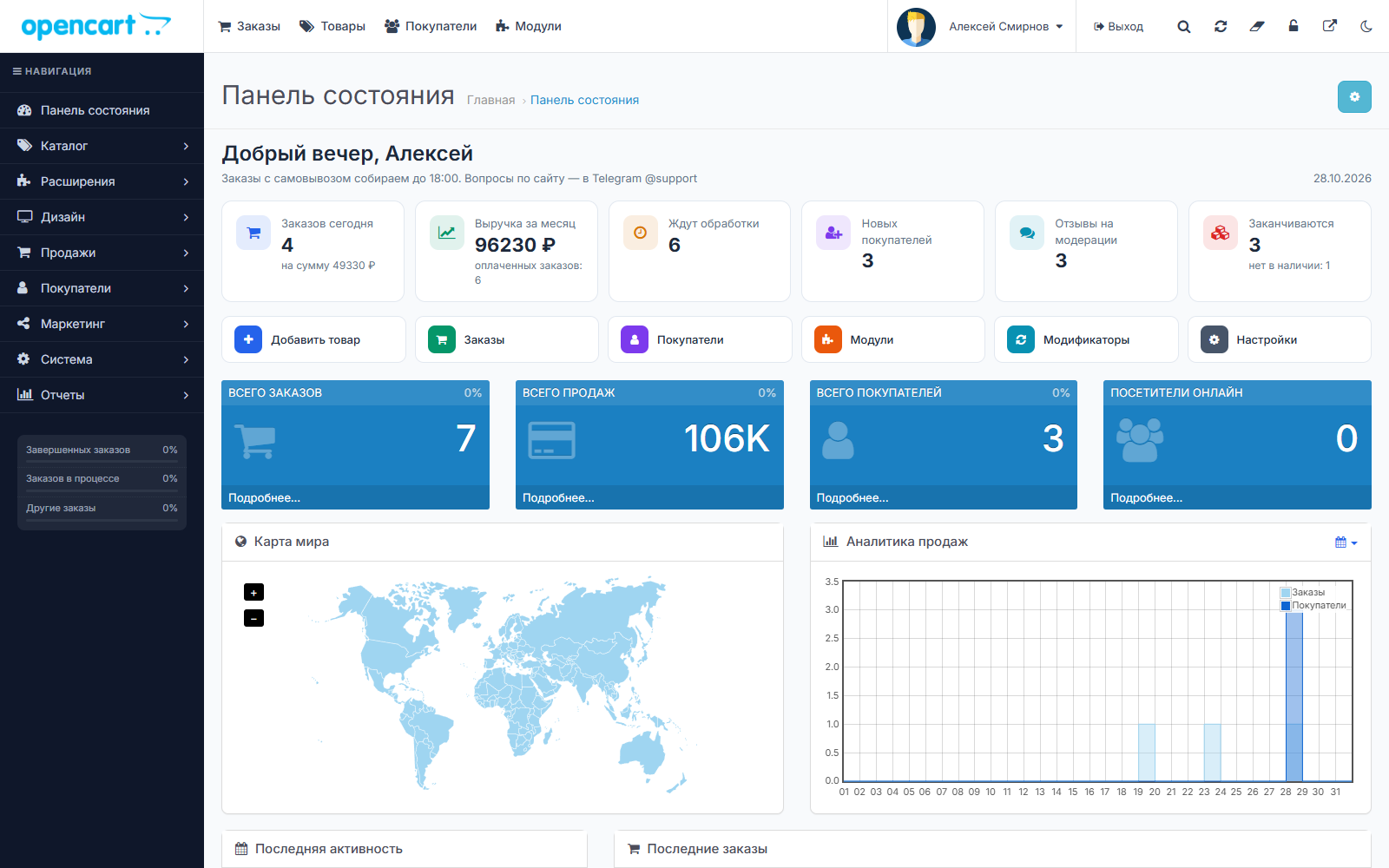
| Greeting | Employee greeting and note for the team — for example, "Pickup until 6:00 PM." |
| Metrics | Orders and total for today, monthly revenue, pending processing, new customers, reviews pending moderation, low-stock items, and out-of-stock items. Each card is a link to the desired section. |
| Quick Actions | Tiles "Add Product", "Orders", "Modules", and any others, with their own colors. |
| Widgets | Standard dashboard widgets can be hidden, their width can be changed, and Order. |
List of modules
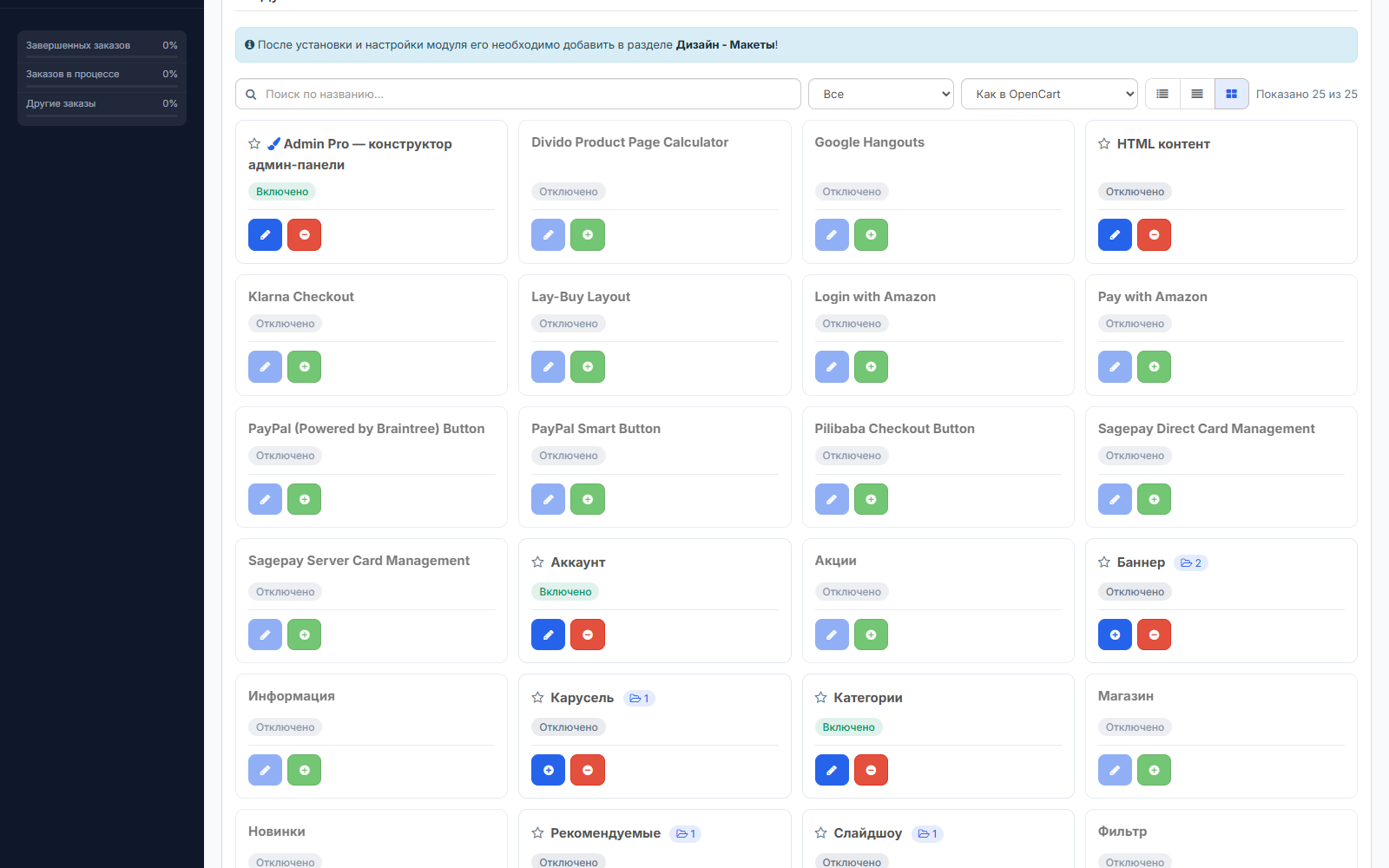
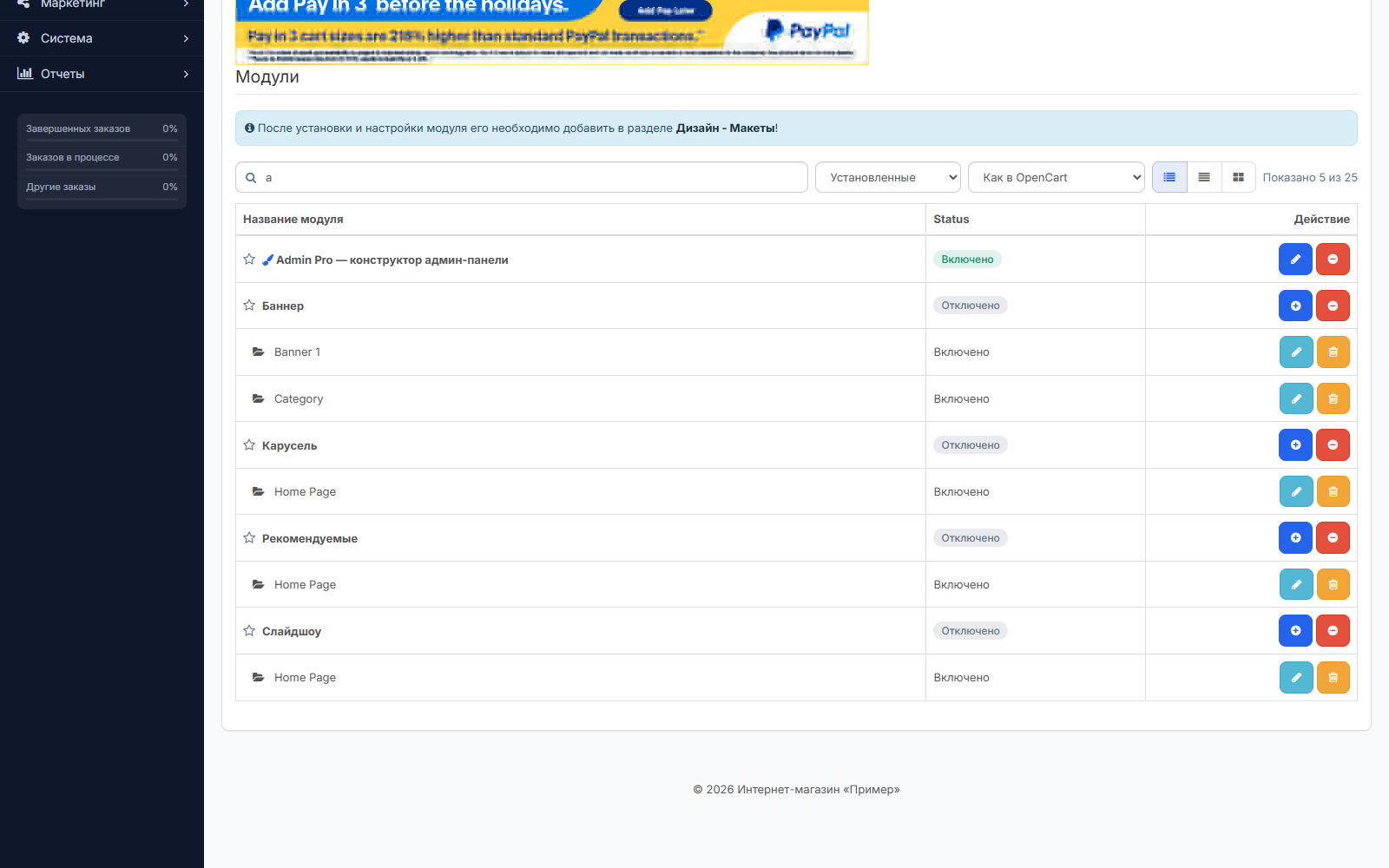
| Search and filter | Search by name, "installed/not installed" filter, sorting. |
| Three types | Table, compact or as cards, color Enabled/Disabled labels. |
| For all extensions | Modules, payment, delivery, totals, feeds. The standard "Install/Uninstall" buttons work as before. |
—————————————————————————————————————
New file manager
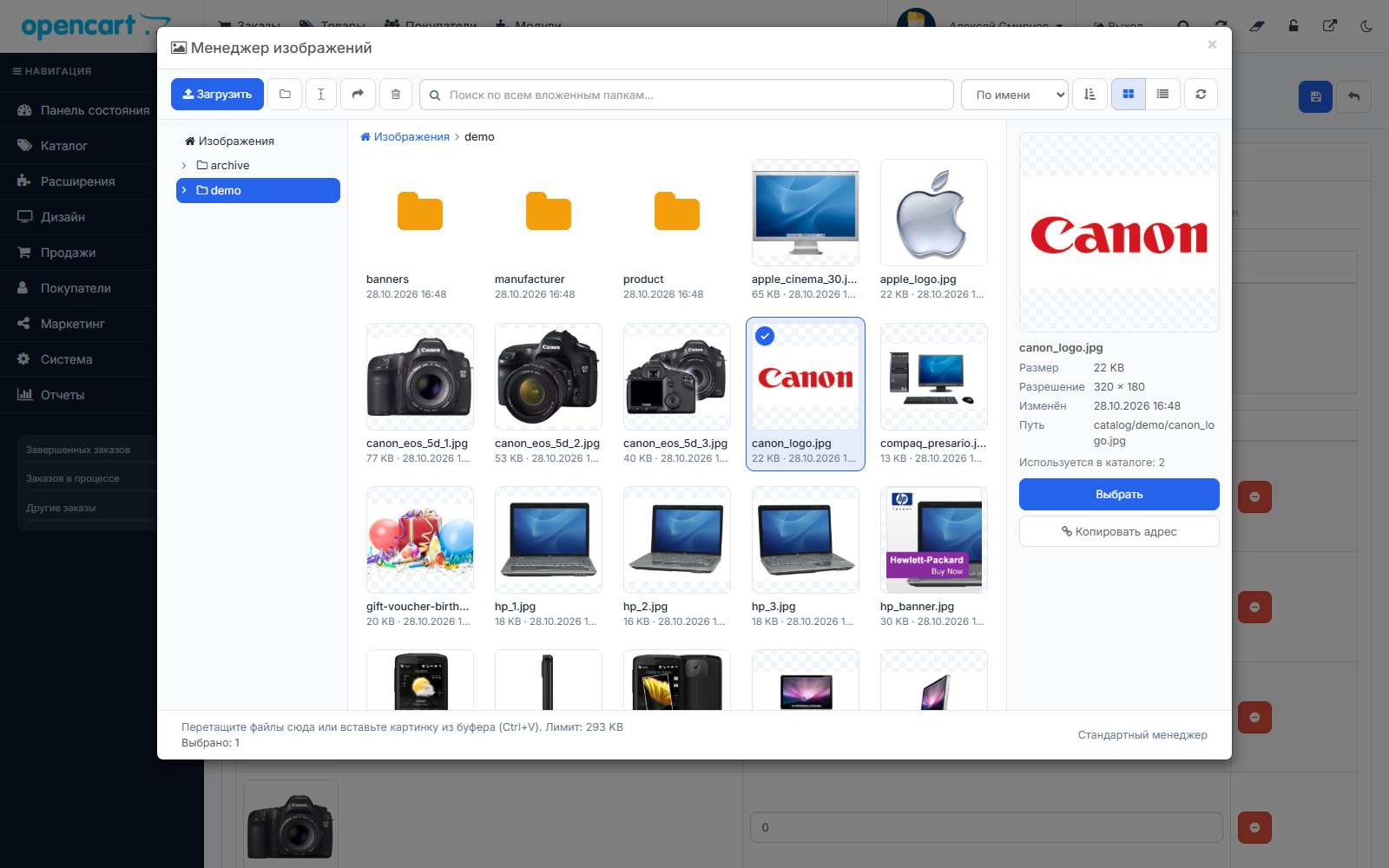
Replaces the standard image selection window everywhere: in products, categories, banners, and the description editor.
- Folder treeand breadcrumb trail
- Search all subfolders, not just the current one
- Tile or list view, sort by name, date, and size
- Batch uploadwith progress,drag and dropfrom Explorer andpasting a screenshot from the clipboard(Ctrl+V)
- Renaming and movingfiles and folders - links for products, categories, manufacturers, and bannersupdated automatically
- "Where used"- before deleting, the manager warns how many times the image appears in directory
- Select with Ctrl and Shift, "Select All", delete with the Delete key
- Panel with preview, size, resolution, path, and the "Copy Address" button
- Name transliteration:"Product photo 1.JPG" → foto-tovara-1.jpg
- Nothing is overwritten:The file with the same name will be numbered
- Photo with Phone:EXIF rotation and resizing to the specified width upon loading
- Thumbnails are lazily loaded - a folder with thousands of files opens instantly
- File type is checked by content: shell.php.jpg won't load
- If a third-party module calls the manager in a non-standard way, the standard one will open automatically
—————————————————————————————————————
Convenience for everyone Day
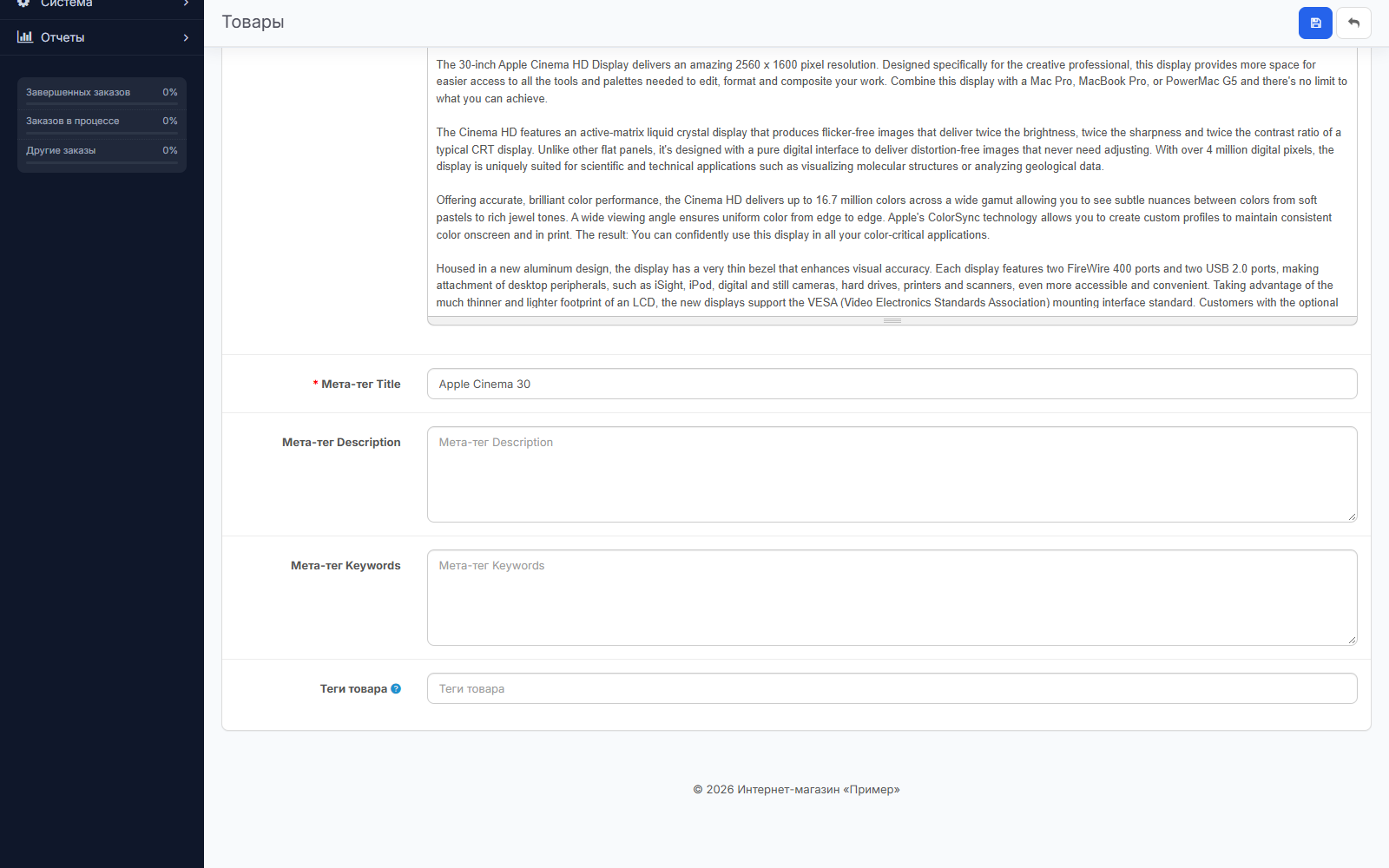
- Stick Header— the "Save" button is always visible on long forms
- "Back to Top" button, custom CSS
- Export and Import Settings— the design can be transferred to another store in a minute
- Russian and English Interface
Requirements
- OpenCart 3.0.x, ocStore 3.x
- PHP 7.1–8.4, ionCube not required
- Any storefront template — the module only changes the admin panel
Installation
- "Extensions → Extension Installer" → Download admin_pro.ocmod.zip
- "Extensions → Extensions → Modules" → Admin Pro → "Install"
- "Edit" → Select Theme and Modes → "Save"
—————————————————————————————————————
FAQ
Will this module break my other modules?
No. Admin Pro doesn't modify OpenCart files or use OCMOD—it only adds design and custom buttons on top of existing pages.
Can I revert to the default admin panel?
Yes, instantly: uncheck "Module enabled." The settings will be saved.
What happens to product images if I rename the file?
Links for products, additional photos, categories, manufacturers, banners, option values, as well as the store logo and icon, will update automatically.
Can I close content manager tools?
Yes. Select user groups that can see the buttons. OpenCart permissions are always respected.
Does a third-party module open the image manager differently?
Then the standard OpenCart manager will open automatically. There's also a "Standard Manager" link in every window.
Does the dark theme work on third-party module pages?
The dark theme recolors all standard elements: tables, forms, panels, tabs, and windows. If a module sets its own fixed colors, its blocks will retain their default colors.
Distribution method:
Paid
Opencart version:
LiveStore 3.*OCStore 3.*OpenCart 3.*
PHP verision:
PHP 7.1PHP 7.2PHP 7.3PHP 7.4PHP 8.0PHP 8.1PHP 8.2PHP 8.3PHP 8.4
Activation:
Automatic
Getting files:
On site, in the personal account
Protection system:
Custom
VQmod:
No
Ocmod:
No
Events:
No
Uploaded:
29.10.2026
Updated:
17.11.2026
Viewed:
786
Sales:
1
Write a comment
Your Name:Your comment: Note: HTML is not translated!
Rating: Bad Good
Enter the code in the box below:







Файлы будут доступны после покупки
Yet, no one has left a comment to the entry.


