Your shopping cart is empty!

Direct image upload
35 sales


Price: 500 ₽
From 2 purchase of this product, the price is: 450 ₽
From 5 purchase of this product, the price is: 375 ₽
From 10 purchase of this product, the price is: 325 ₽

Additional from the author:
Author: SirGrey
Write to the author
Sales: 46 (Average rating 0 на основании 2 отзывов)
Need paid help? Contact the site administration
Opencart version:
Sales: 46 (Average rating 0 на основании 2 отзывов)
Need paid help? Contact the site administration
Opencart version:
OpenCart 4.1LiveStore 3.*OCStore 3.*OpenCart 3.*OCStore 2.3OpenCart 2.3
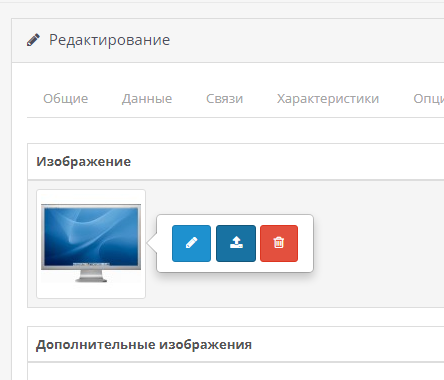
The "Direct image upload" module for OpenCart solves one of the key problems of the standard functionality - the long and inconvenient process of adding images.
Now you no longer need to open the file manager, download files and select them manually.
The module allows you to upload images directly from your computer in one click, which significantly speeds up and simplifies the process of working with product photos.
Main features:
Direct image upload
Add photos directly from your computer, bypassing the standard file manager, with just one click.
Flexible configuration of directories for images:
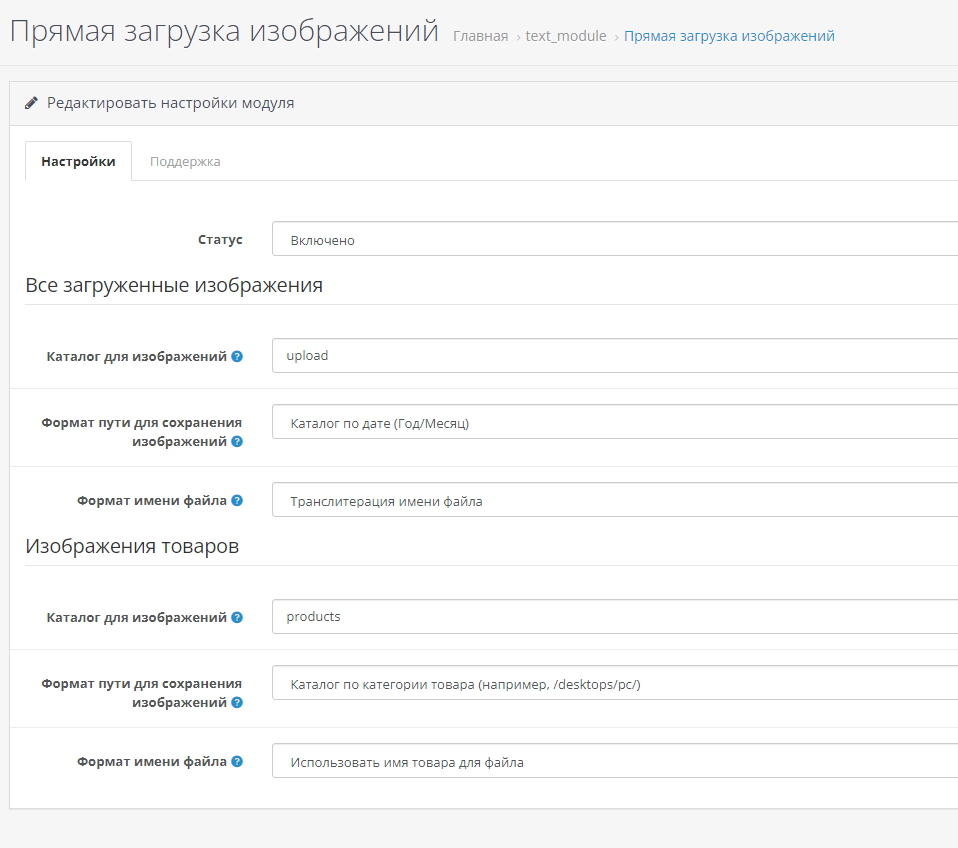
All settings and operations take place in the administrative panel. You can customize the module to suit your needs by setting the file name format and directory structure for images.
Install the "Direct Image Upload" module and forget about the hassles of adding images to your online store!
License
The module operates under a license (one domain + test domain).
Now you no longer need to open the file manager, download files and select them manually.
The module allows you to upload images directly from your computer in one click, which significantly speeds up and simplifies the process of working with product photos.
Main features:
Direct image upload
Add photos directly from your computer, bypassing the standard file manager, with just one click.
Flexible configuration of directories for images:
- Select the directory where the files will be saveduploaded images (default: /image/upload).
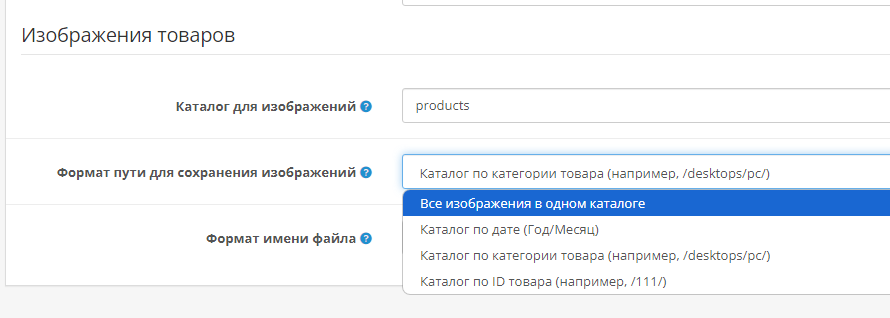
- Define the format of the folder structure for storing files: all images in one folder or organized by date (year/month).
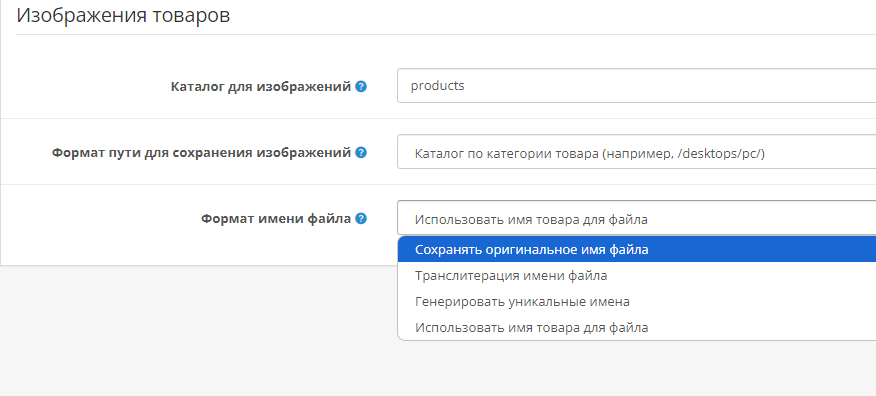
- Ability to save original file names, transliterate names from Cyrillic languages or generate unique names.
- Creating catalogs by date, product category or product ID.
- Ability to generate a file name based on the product name.
- SEO optimization: The module automatically transliterates image names based onproduct names, which contributes to better indexing of the site in search engines.
All settings and operations take place in the administrative panel. You can customize the module to suit your needs by setting the file name format and directory structure for images.
Install the "Direct Image Upload" module and forget about the hassles of adding images to your online store!
License
The module operates under a license (one domain + test domain).
Distribution method:
Paid
Opencart version:
OpenCart 4.1LiveStore 3.*OCStore 3.*OpenCart 3.*OCStore 2.3OpenCart 2.3
PHP verision:
PHP 5.6PHP 7.0PHP 7.1PHP 7.2PHP 7.3PHP 7.4PHP 8.0PHP 8.1PHP 8.2PHP 8.3
Activation:
Not required
Getting files:
On author's site, after purchase
Protection system:
No
VQmod:
No
Ocmod:
Yes
Events:
No
Uploaded:
23.08.2024
Updated:
30.06.2026
Viewed:
5278
Sales:
46
Write a review
Your Name:Your Review: Note: HTML is not translated!
Rating: Bad Good
Enter the code in the box below:












Файлы будут доступны после покупки


Порядок установки:
- Установить расширение
- Обновить модификаторы и кэш шаблона
- Установить и настроить модуль в разделе "Модули"