Your shopping cart is empty!

SimplePhoto - Bulk upload and management of product photos
10 sales
Price: 750 ₽ 1 000 ₽
From 2 purchase of this product, the price is: 675 ₽
From 5 purchase of this product, the price is: 563 ₽
From 10 purchase of this product, the price is: 488 ₽

Additional from the author:
Author: SirGrey
Write to the author
Sales: 13 (Average rating 5 на основании 2 отзывов)
Need paid help? Contact the site administration
Opencart version:
Sales: 13 (Average rating 5 на основании 2 отзывов)
Need paid help? Contact the site administration
Opencart version:
OpenCart 4.1LiveStore 3.*OCStore 3.*OpenCart 3.*OCStore 2.3OpenCart 2.3
SimplePhoto - Bulk upload and management of product photos
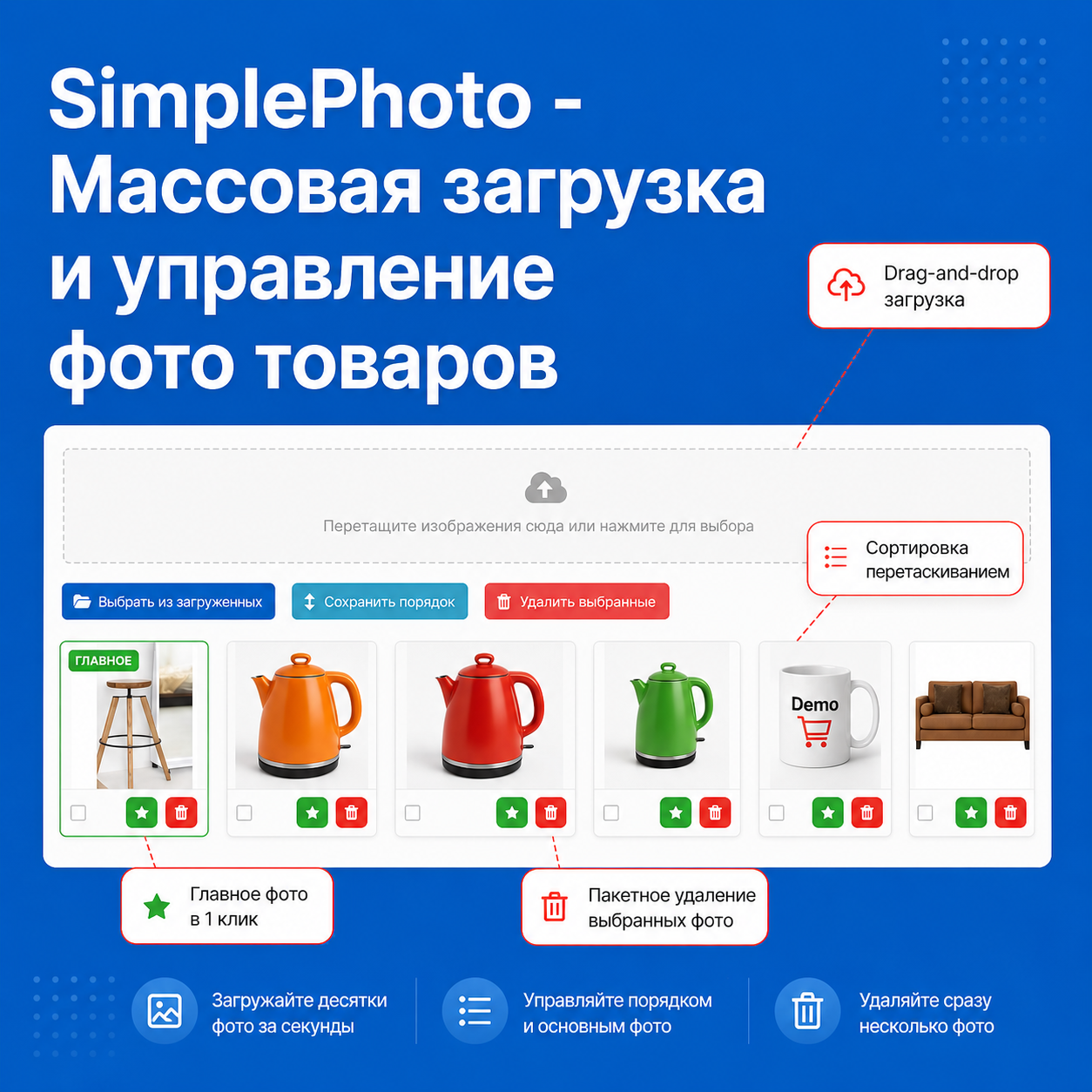
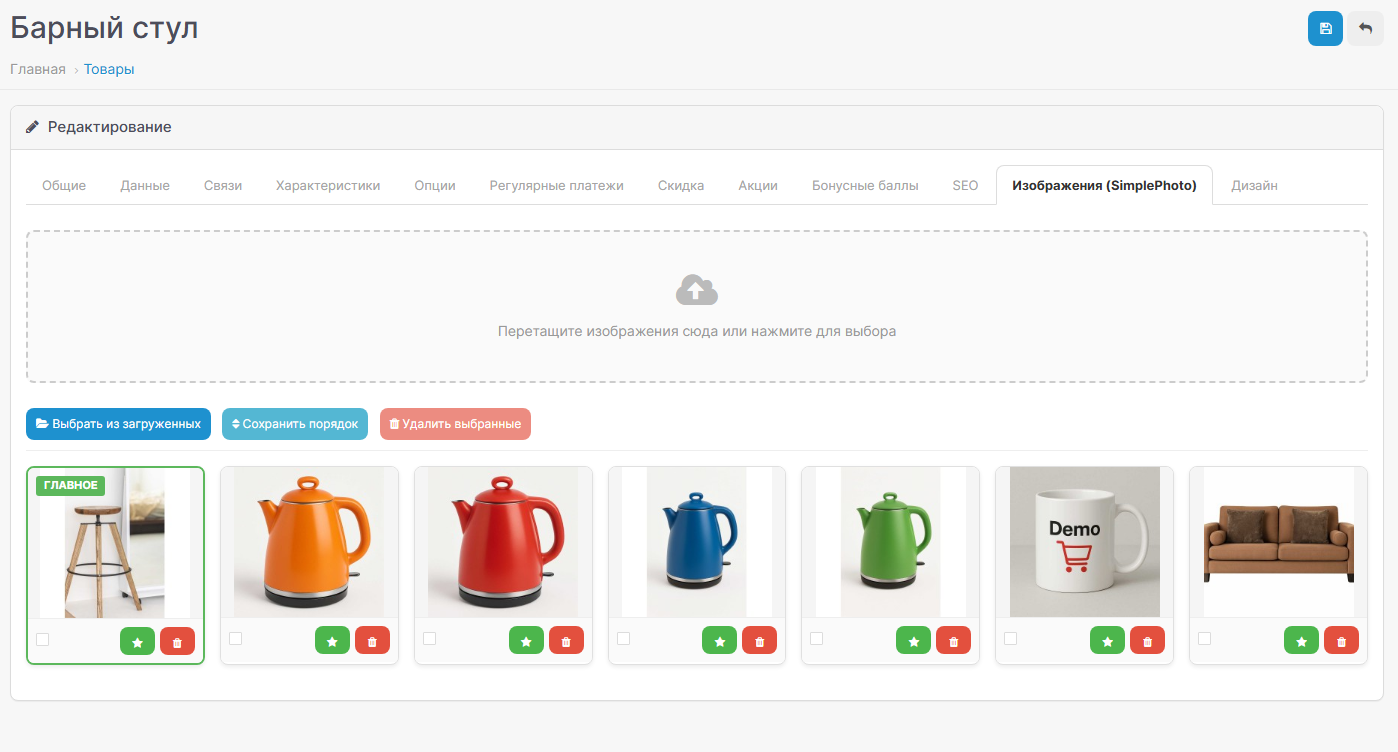
SimplePhoto is a module for OpenCart that completely replaces standard product image management. Instead of an inconvenient interface with pop-ups and manually adding one photo at a time, you get a modern panel with drag-and-drop loading, a card grid and instant actions.
Features
How it differs from standard OpenCart
Standard OC:
SimplePhoto:
Settings
SimplePhoto is a module for OpenCart that completely replaces standard product image management. Instead of an inconvenient interface with pop-ups and manually adding one photo at a time, you get a modern panel with drag-and-drop loading, a card grid and instant actions.
Features
- Bulk upload - drag several files at once into the upload area or select through the dialog
- Select from downloaded ones - add images already uploaded to the server through the standard file manager OpenCart
- Drag-and-drop sorting - change the order of photos by simply dragging cards
- The purpose of the main photo is one click on the star, without reloading the page
- Deleting - one at a time or in batches via checkboxes
- View - click on the thumbnail to open the full-size image in a modal window
- Auto-naming of files - transliteration of the product name, unique names or saving the original
- Flexible folder structure - by product ID, by date or in one folder
- Automatically assign the main one - the first uploaded photo automatically becomes the main one (optional)
- Progress bar - visual display of the loading process
- Full compatibility - correctly saves data when saving a productvia standard form
How it differs from standard OpenCart
Standard OC:
- Upload: One at a time via file manager
- Sorting: Entering numbers manually
- Main photo: Separate field
- Removal: One at a time
- View: No
- Naming: How loaded
SimplePhoto:
- Loading: Drag-and-drop, several at once + selection from the file manager
- Sorting: Drag and Drop
- Main photo: One click on any photo
- Delete: Single or batch
- View: Modal window
- Naming: Auto-transliteration
Settings
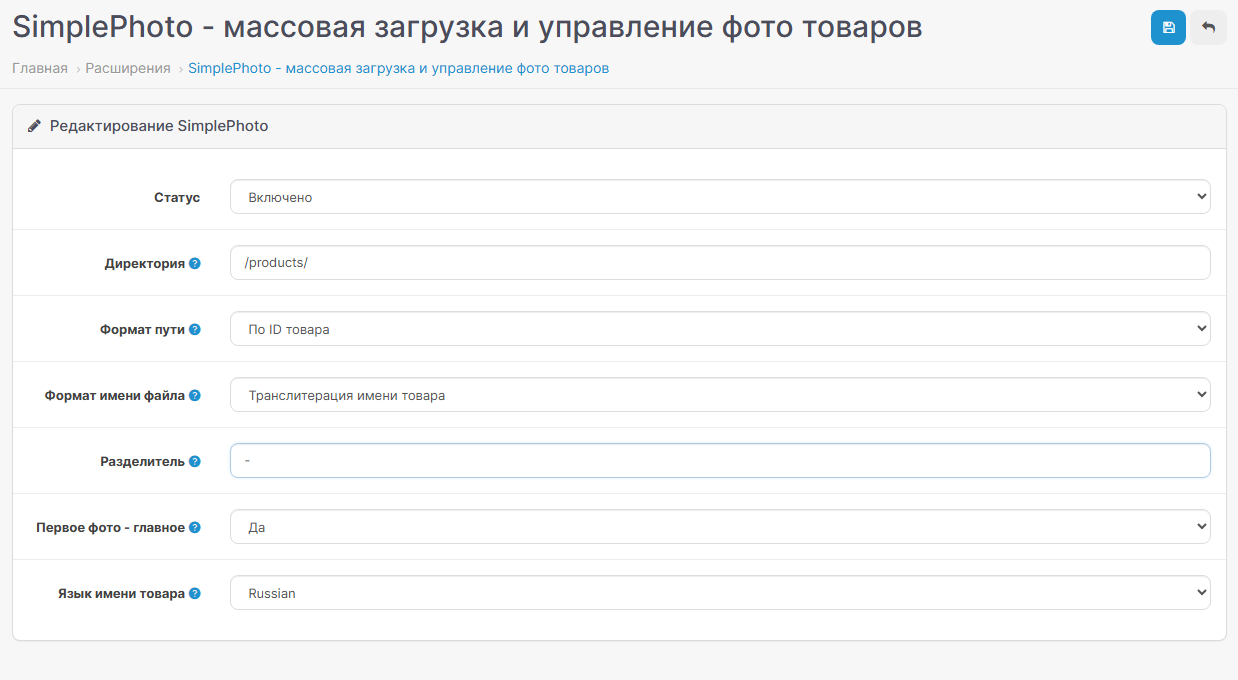
- Status - enable/disable module
- Directory - basic folder for storing photos (inside image/catalog/)
- Path format - organization of subfolders: flat / by product ID / by date
- Name format - how to name files: transliteration of product name / original / unique
- Separator - character between name and number (for duplicates)
- First photo - main - automatic assignment
- Languageproduct name - from which language to take the name for transliteration
Distribution method:
Paid
Opencart version:
OpenCart 4.1LiveStore 3.*OCStore 3.*OpenCart 3.*OCStore 2.3OpenCart 2.3
PHP verision:
PHP 5.6PHP 7.0PHP 7.1PHP 7.2PHP 7.3PHP 7.4PHP 8.1PHP 8.2PHP 8.3
Activation:
Manually, via request in the moduleManually, via the author's website
Getting files:
On author's site, after purchase
Protection system:
IonCube
VQmod:
No
Ocmod:
Yes
Events:
No
Uploaded:
06.05.2026
Updated:
12.09.2026
Viewed:
2051
Sales:
13
Write a review
Your Name:Your Review: Note: HTML is not translated!
Rating: Bad Good
Enter the code in the box below:












Файлы будут доступны после покупки
mawgan / купил товар / 16 June 2026 09:57:36 #
Очень удобный модуль. Интуитивно понятные настройки. Есть поддержка webp.
Войдите, чтобы ответить
OFFFFFFFFFFFFFFF / купил товар / 06 may 2026 16:29:05 #
Отличный модуль, наконец-то появилась замена EasyPhoto, который теперь невозможно купить. Сильно экономит время при добавлении фото к товарам
Войдите, чтобы ответить
Showing 1 to 2 of 2 (1 Pages)


