Your shopping cart is empty!

Synchronization with Kaspi Store
12 месяцев
Price: 4 990 ₽

Additional from the author:
Author: liveopencart
Write to the author
Подписка: 12 месяцев
Sales: 2 (Average rating 0 на основании 0 отзывов)
Need paid help? Contact the site administration
Opencart version:
Подписка: 12 месяцев
Sales: 2 (Average rating 0 на основании 0 отзывов)
Need paid help? Contact the site administration
Opencart version:
LiveStore 3.*OCStore 3.*OpenCart 3.*
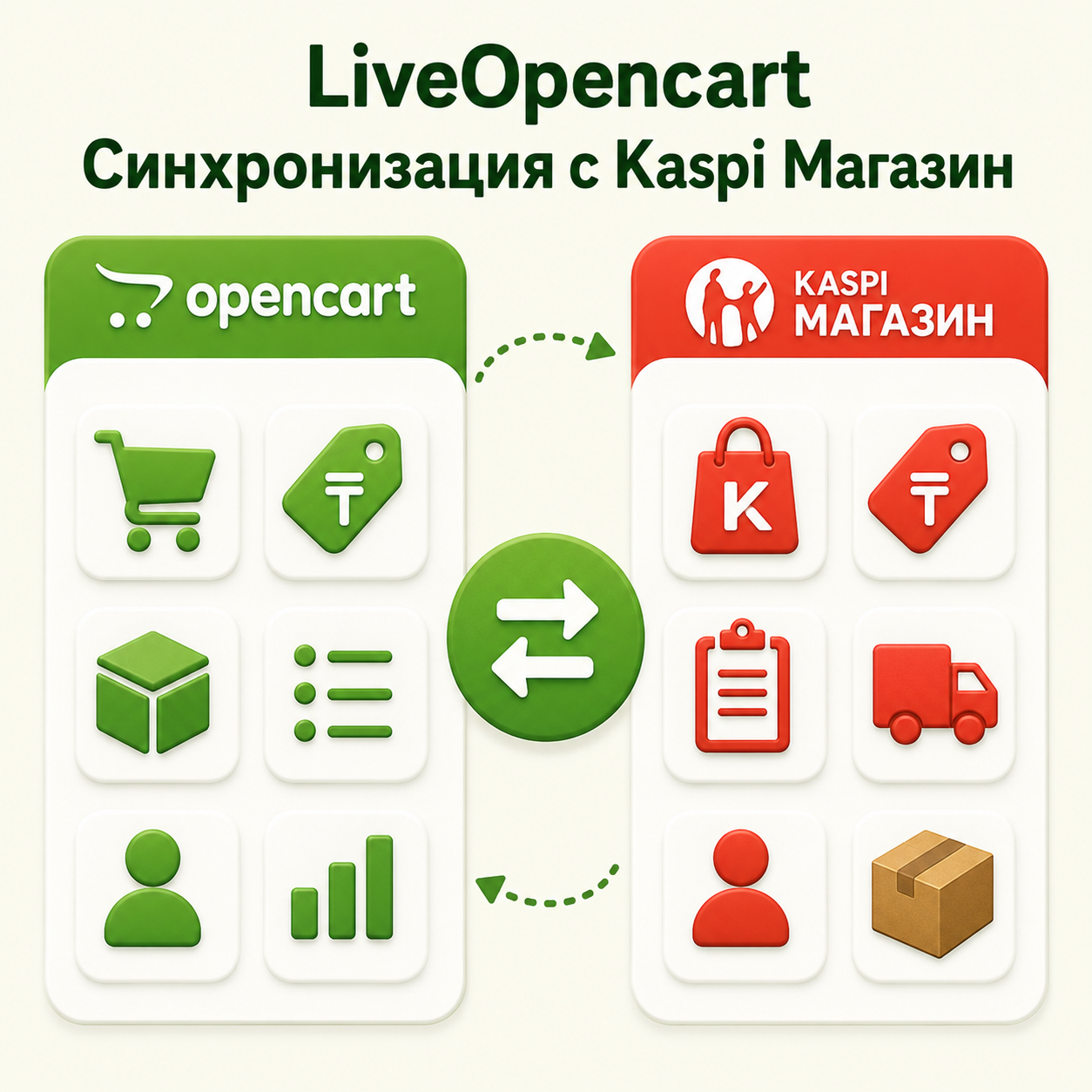
A module for OpenCart 3 that allows you to organize data exchange between the store and Kaspi Store: create product cards, update prices and balances, load Kaspi categories and characteristics, compare them with OpenCart data, as well as import and process orders. The module helps reduce manual work, keep product offers up-to-date, and manage Kaspi orders directly from the OpenCart admin panel. It is possible to pay for this module via transfer to Kaspi.
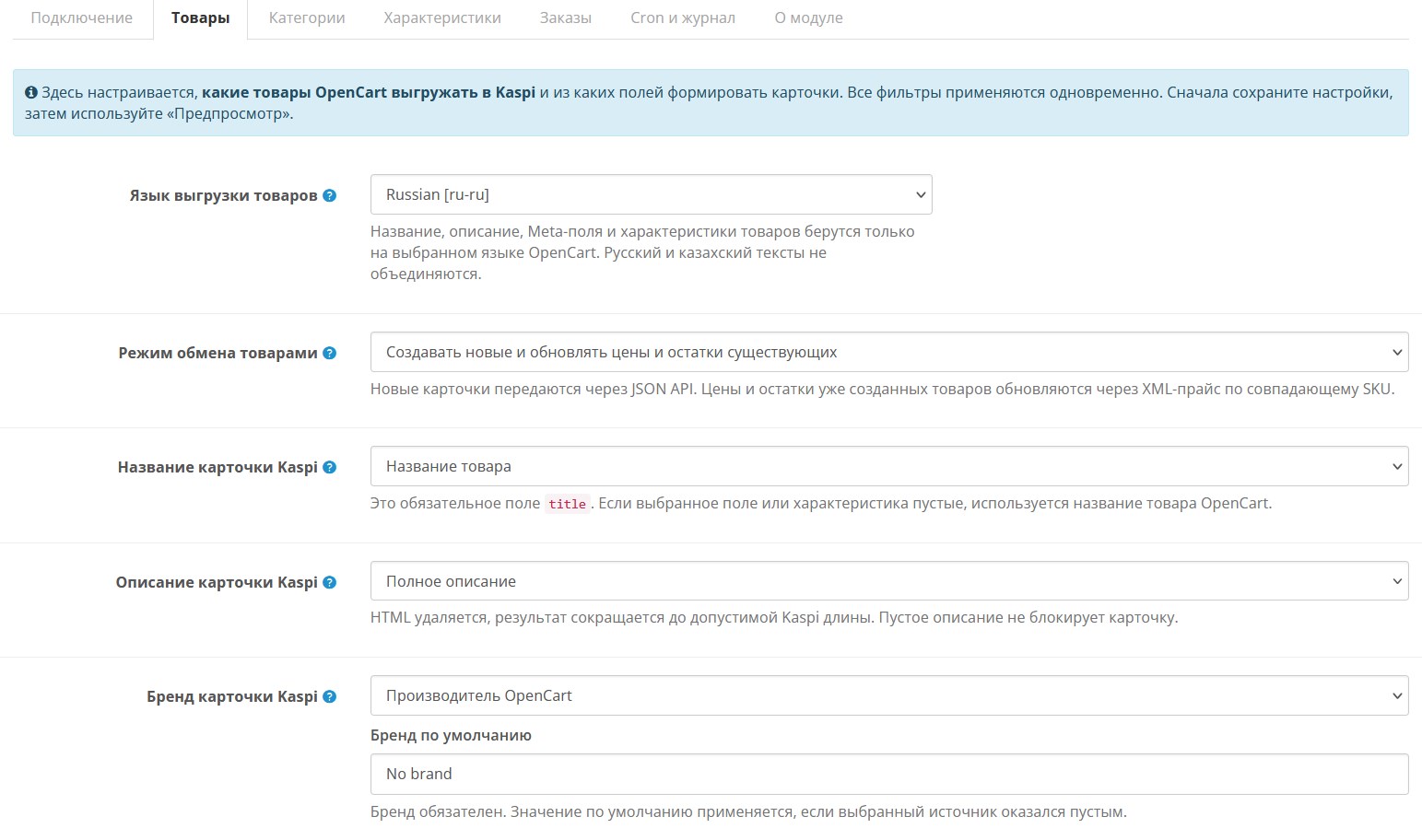
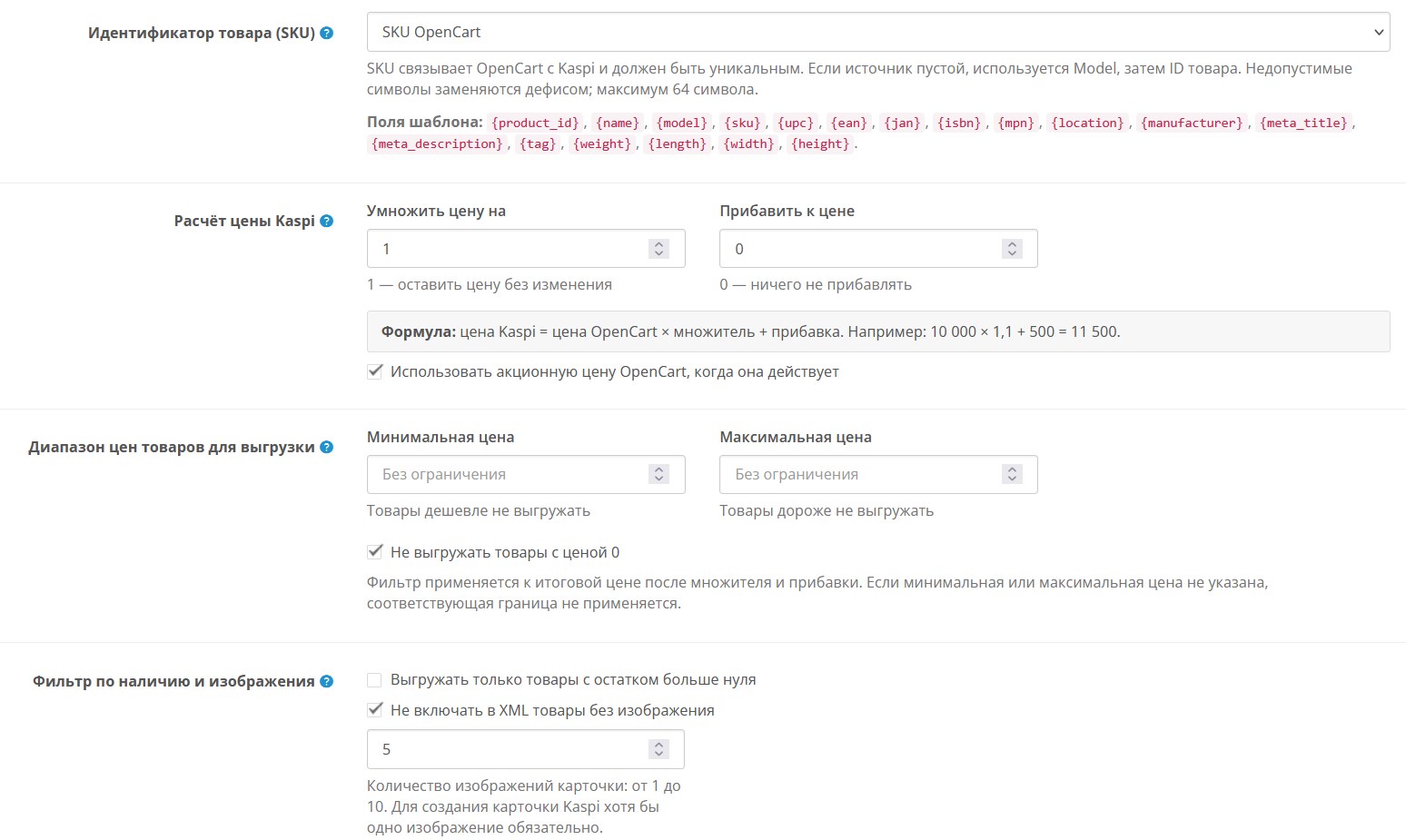
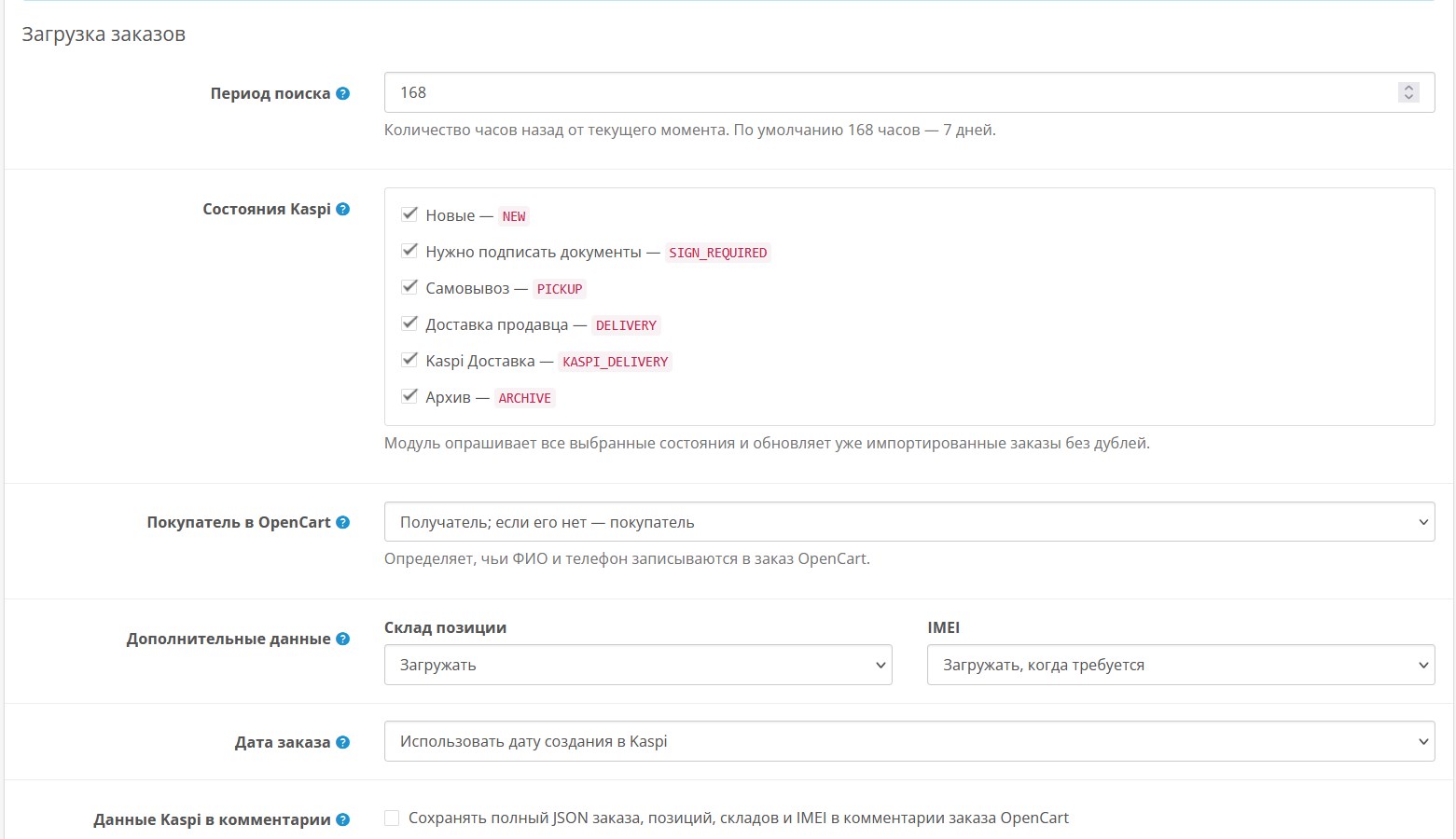
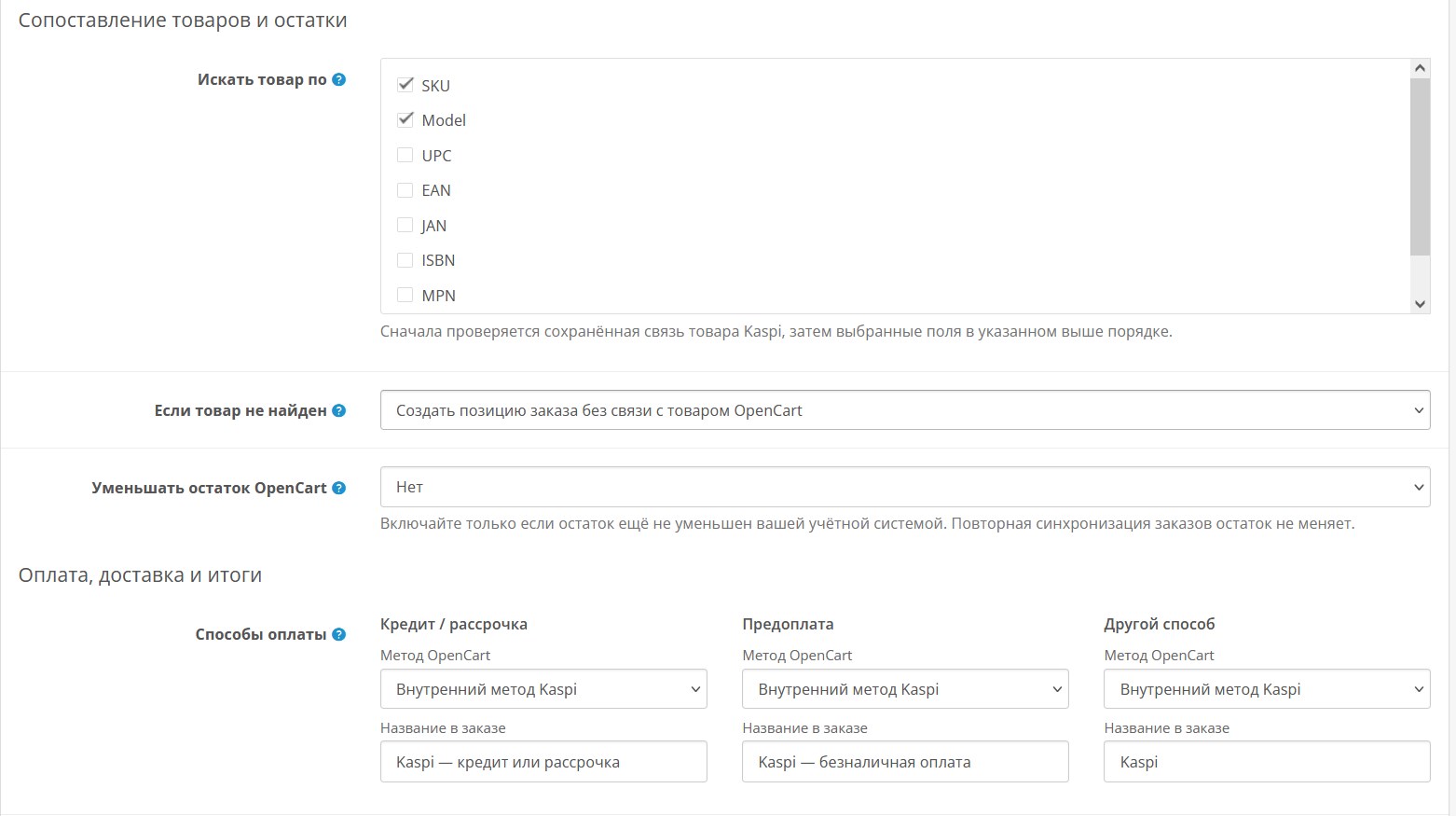
Different modes of working with products are supported: creating new ones and updating existing ones, creating only or updating only. For uploading, you can select the OpenCart language, title, description, brand and SKU sources, set up product filters, prices and images. Work with orders includes downloadingbuyer, delivery, payment, product items, warehouse, invoice, IMEI and other data available in the Kaspi API.
Before purchasing, make sure that you are already connected to the Kaspi Store. The absence of such an opportunity is not a reason for a return.
The “LIVEOPENCART Synchronization with Kaspi Store” module is intended for:
Works on LiveStore 3, OCStore 3, Opencart 3. Standard template. Requires PHP 7.0 or higher, cURL, DOM and SimpleXML. It may conflict with your template, registration, order and order processing modules and will require paid modification.
Before using you must register and go through a connection with Kaspi, obtain the necessary datafor integration and ensure that your business meets the service requirements.
The module is an independent development of LiveOpencart and does not belong to Kaspi.kz / Kaspi, is not an official Kaspi product and is not supported by Kaspi. All trademarks and names are used to indicate compatibility only.
Installation:
Download the ocmod file through the standard add-on installation.
Install the module.
Clear modifier cache.
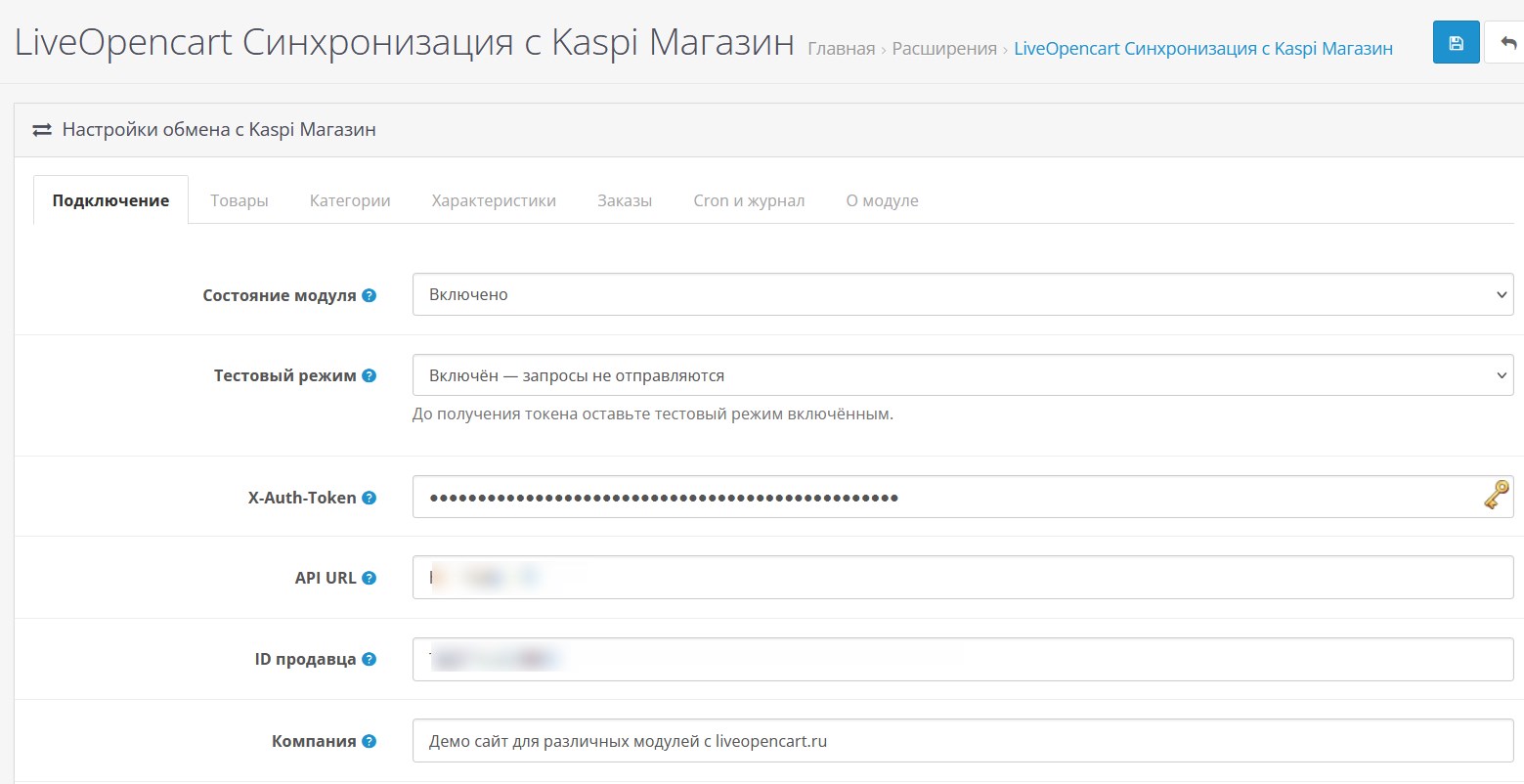
[li]Specify the token, seller, warehouse and other exchange parameters.[/li]
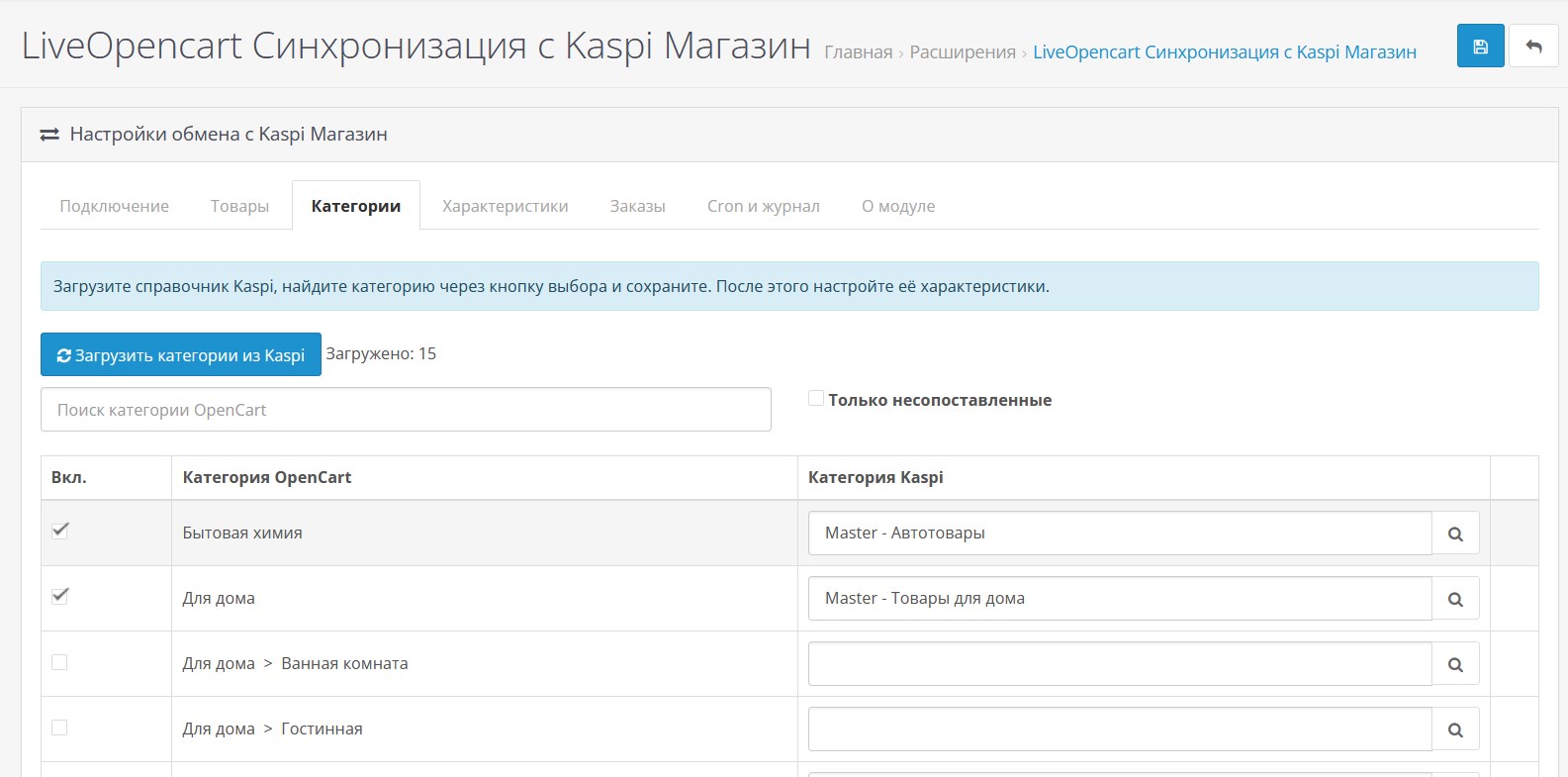
Load Kaspi categories and set up mappings.
Add URL Cron to the server scheduler.
Before connecting the working token, leave the test mode enabled.
To work with Kaspi API you need a valid seller token, identifierstore and warehouse code.
If you want, we can install and help you configure the module on your website. Your template or the modules you have installed may require modifications; this may cost a fee.
Different modes of working with products are supported: creating new ones and updating existing ones, creating only or updating only. For uploading, you can select the OpenCart language, title, description, brand and SKU sources, set up product filters, prices and images. Work with orders includes downloadingbuyer, delivery, payment, product items, warehouse, invoice, IMEI and other data available in the Kaspi API.
Before purchasing, make sure that you are already connected to the Kaspi Store. The absence of such an opportunity is not a reason for a return.
The “LIVEOPENCART Synchronization with Kaspi Store” module is intended for:
- creating new product cards in the Kaspi Store;
- updating prices and balances of existing products;
- loading the Kaspi category directory;
- mapping Kaspi categories to OpenCart categories;
- loading and setting up category characteristics;
- unloading of selected products, categories andmanufacturers;
- import Kaspi orders into OpenCart;
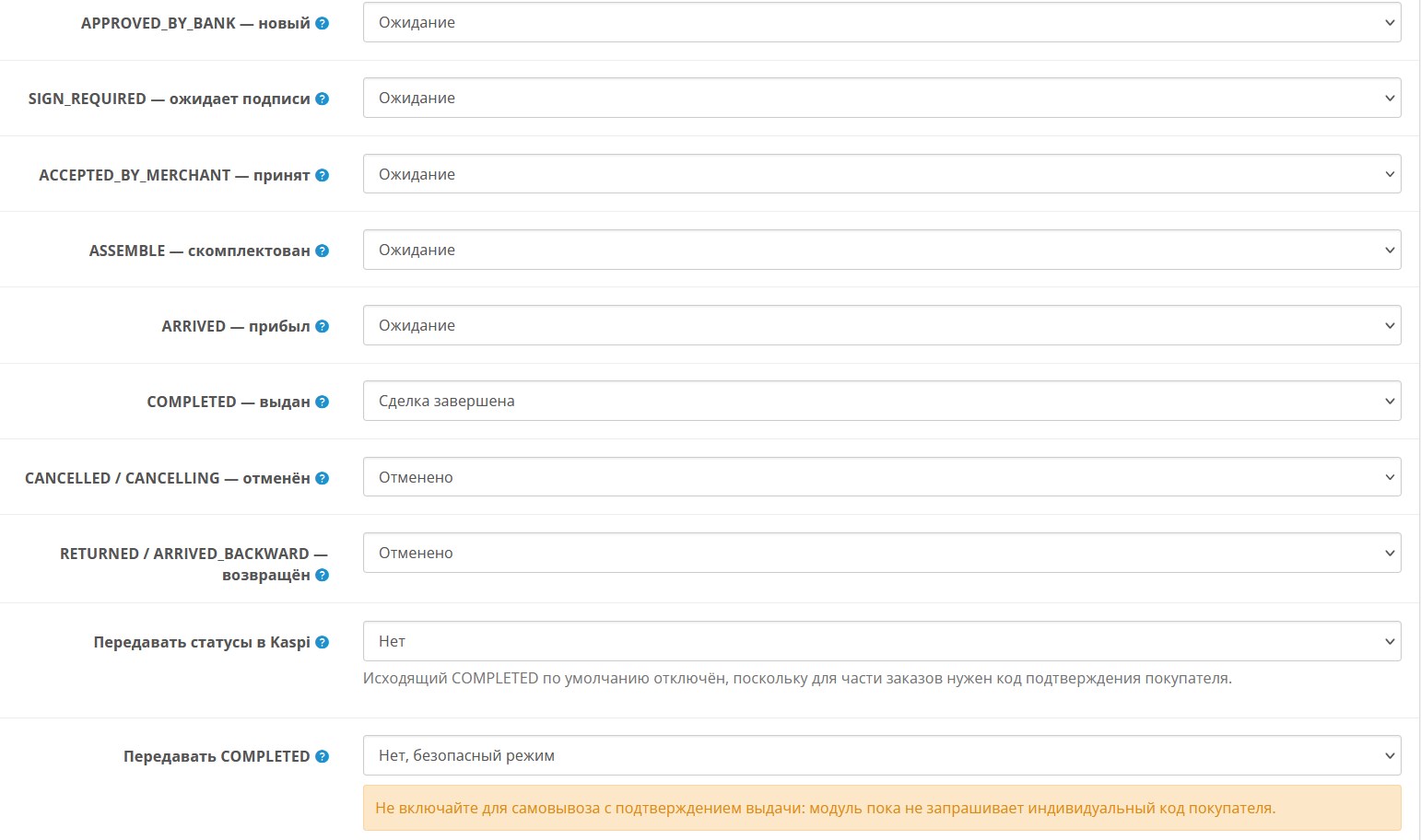
- order status synchronization;
- automatic exchange via Cron;
- monitoring exchange results through the log and status panel.
- multilingual (default languages: Russian, English, Kazakh).
Works on LiveStore 3, OCStore 3, Opencart 3. Standard template. Requires PHP 7.0 or higher, cURL, DOM and SimpleXML. It may conflict with your template, registration, order and order processing modules and will require paid modification.
Before using you must register and go through a connection with Kaspi, obtain the necessary datafor integration and ensure that your business meets the service requirements.
The module is an independent development of LiveOpencart and does not belong to Kaspi.kz / Kaspi, is not an official Kaspi product and is not supported by Kaspi. All trademarks and names are used to indicate compatibility only.
Installation:
Download the ocmod file through the standard add-on installation.
Install the module.
Clear modifier cache.
[li]Specify the token, seller, warehouse and other exchange parameters.[/li]
Load Kaspi categories and set up mappings.
Add URL Cron to the server scheduler.
Before connecting the working token, leave the test mode enabled.
To work with Kaspi API you need a valid seller token, identifierstore and warehouse code.
If you want, we can install and help you configure the module on your website. Your template or the modules you have installed may require modifications; this may cost a fee.
Distribution method:
Paid
Opencart version:
LiveStore 3.*OCStore 3.*OpenCart 3.*
PHP verision:
PHP 7.0PHP 7.1PHP 7.2PHP 7.3PHP 7.4PHP 8.0PHP 8.1PHP 8.2
Activation:
AutomaticManually, upon request via private messagesManually, upon request via email
Getting files:
On site, in the personal account
Protection system:
No
VQmod:
No
Ocmod:
No
Events:
Yes
Uploaded:
22.07.2026
Updated:
09.10.2026
Viewed:
1167
Sales:
2
Write a review
Your Name:Your Review: Note: HTML is not translated!
Rating: Bad Good
Enter the code in the box below:

Файлы будут доступны после покупки
Series:
Articles about the product