Your shopping cart is empty!

LiveOpencart Synchronization with Bitrix24
12 месяцев
Price: 4 990 ₽

Additional from the author:
Author: liveopencart
Write to the author
Подписка: 12 месяцев
Sales: 2 (Average rating 0 на основании 0 отзывов)
Need paid help? Contact the site administration
Opencart version:
Подписка: 12 месяцев
Sales: 2 (Average rating 0 на основании 0 отзывов)
Need paid help? Contact the site administration
Opencart version:
LiveStore 3.*OCStore 3.*OpenCart 3.*
LiveOpencart Synchronization with Bitrix24 for OpenCart 3 automates the exchange of data between the online store and Bitrix24: creates and updates contacts, transactions or leads for orders, transfers products and categories, synchronizes order statuses and CRM stages, supports two-way exchange through secure webhooks.
What the module does:
Demo: https://demo3.19th19th.ru/etc/
Administrator:https://demo3.19th19th.ru/etc/admin/index.php?route=extension/module/live_bitrix24_sync
demo / demo
Works on LiveStore 3, OCStore 3, Opencart 3. Standard template. It may conflict with your template, registration, order and order processing modules and will require paid modification.
The module is an independent development of LiveOpencart and does not belong to Bitrix24, is not an official Bitrix24 product and is not supported by Bitrix. All trademarks and names are used to indicate compatibility only.
Installation:
Download the ocmod file through the standard add-on installation.
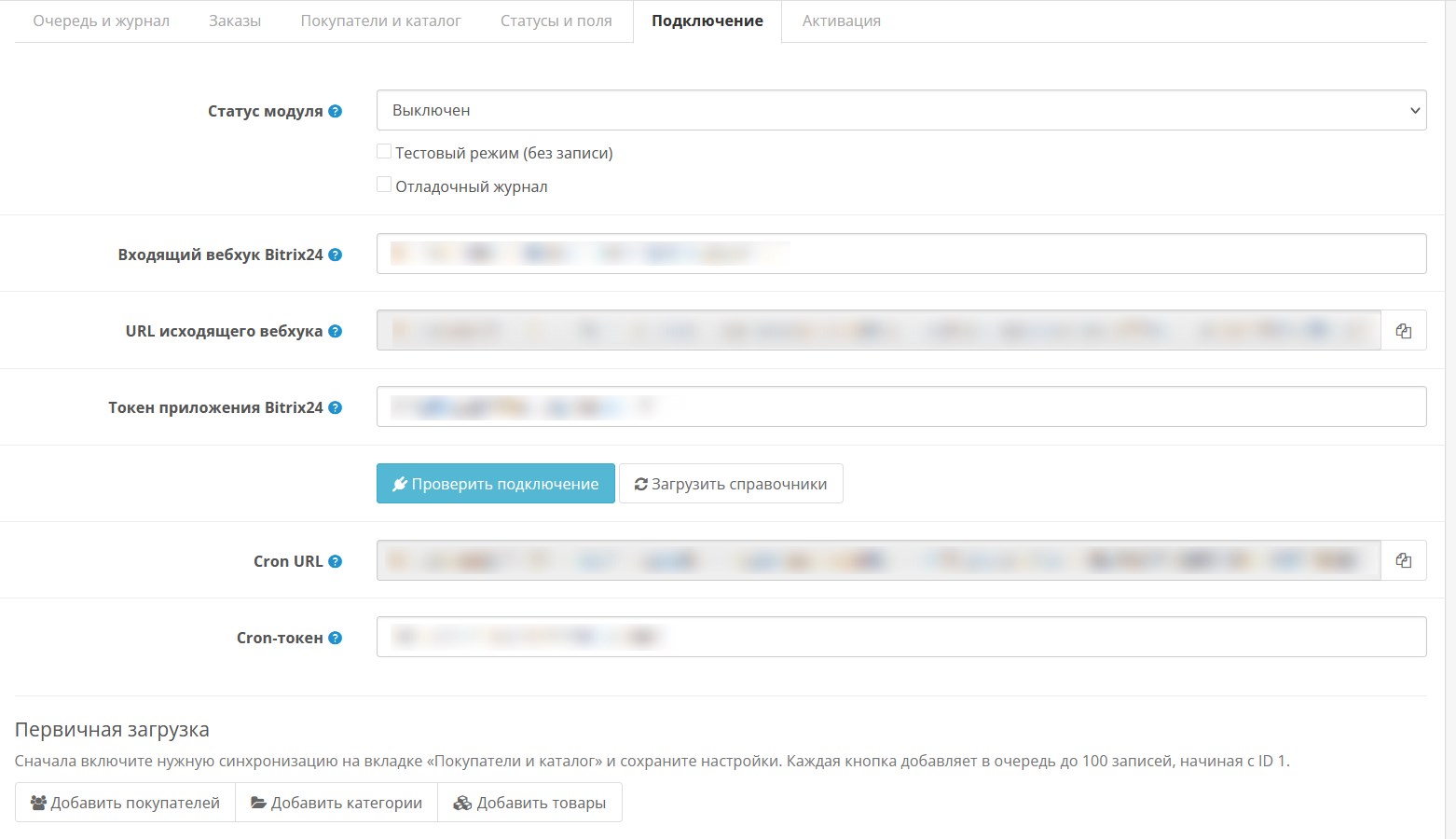
Enable the module in the list of extensions, and then enable it in the module itself.
In Bitrix24:
Developers - Other - Incoming webhook. Required accesses: Tasks, Trade catalogue, CRM, Users, Tasks
Developers - Other - Outgoing webhook. Required accesses: Create a lead (ONCRMLEADADD), Update a lead (ONCRMLEADUPDATE), Delete a lead (ONCRMLEADDELETE), Delete a deal (ONCRMDEALDELETE), Update a deal (ONCRMDEALUPDATE), Create a deal (ONCRMDEALADD), Create a contact (ONCRMCONTACTADD), Update a contact (ONCRMCONTACTUPDATE), Delete a contact (ONCRMCONTACTDELETE), Product creation (ONCRMPRODUCTADD), Product update (ONCRMPRODUCTUPDATE), Product deletion(ONCRMPRODUCTDELETE), Adding a product property (ONCRMPRODUCTPROPERTYADD), Changing a product property (ONCRMPRODUCTPROPERTYUPDATE), Deleting a product property (ONCRMPRODUCTPROPERTYDELETE), Creating a task (ONTASKADD), Updating a task (ONTASKUPDATE), Deleting a task (ONTASKDELETE)
If you want, we can install it for a fee and help you configure the module on your website. Your template or the modules you have installed may require modifications; this may cost a fee.
What the module does:
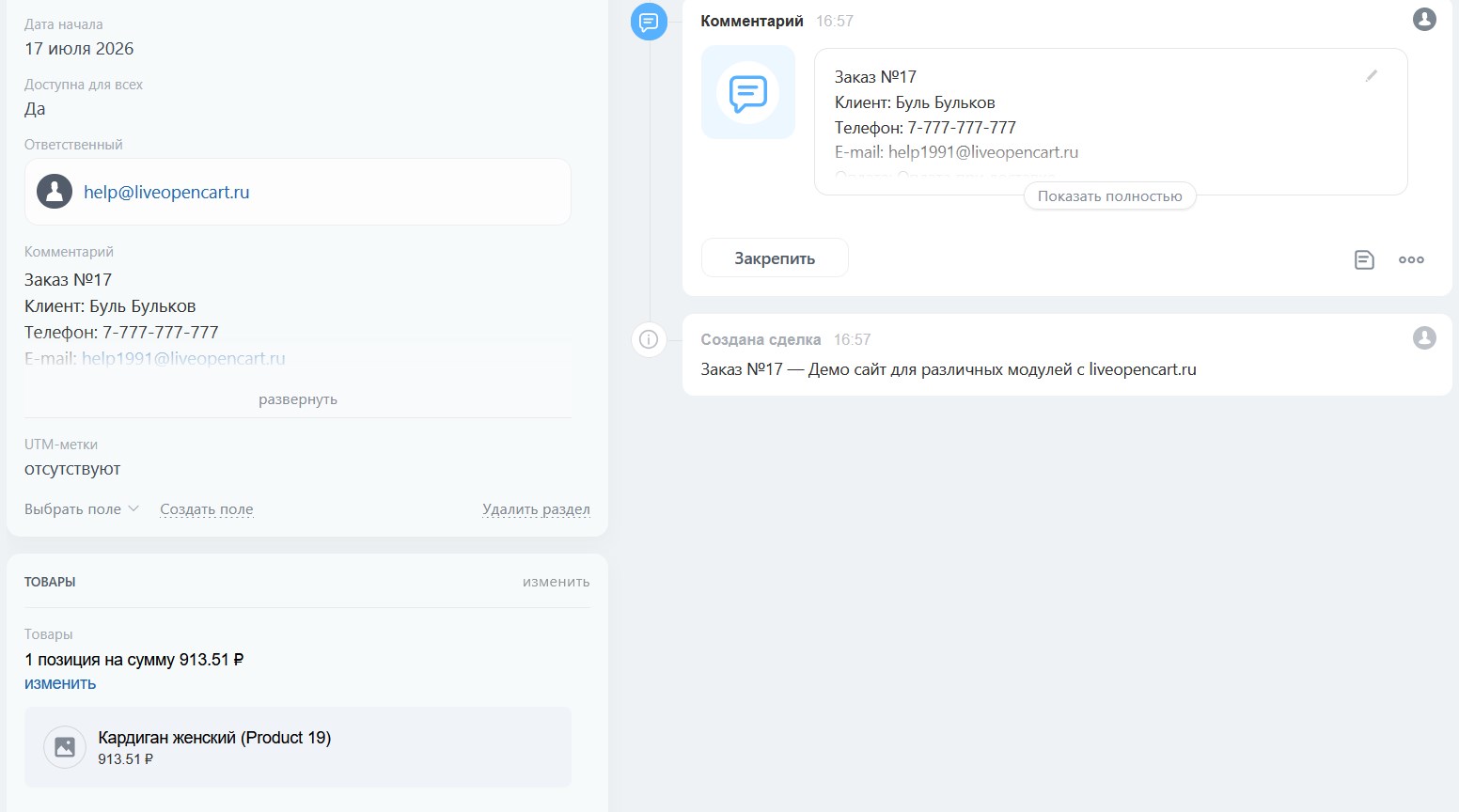
- Automatically transfers new orders from OpenCart to Bitrix24.
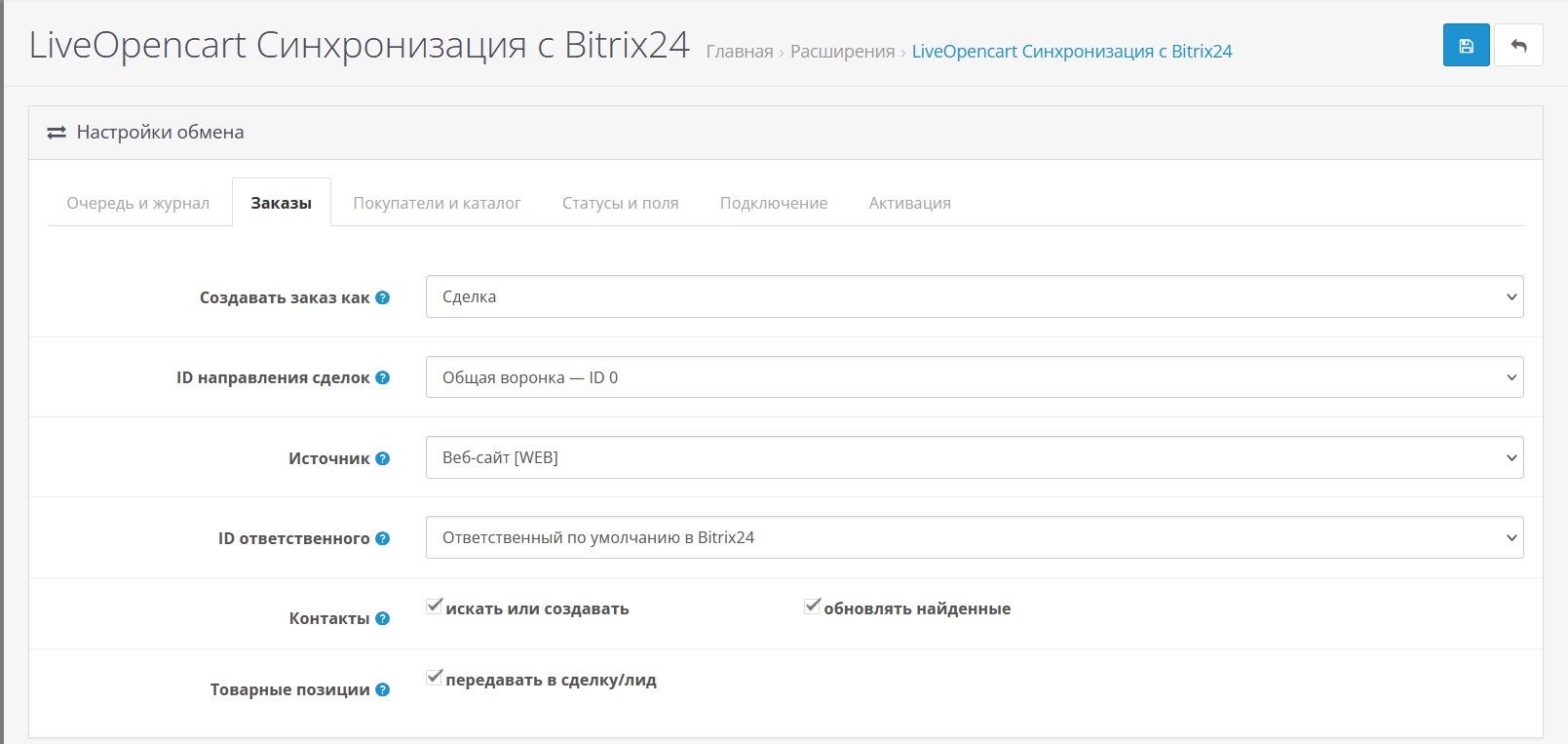
- Creates and updates contacts, deals or leads based on order data (leads can only be created in paid Bitrix24 plans; for the free plan, the order creates a deal).
- Transmits the order contents, cost, currency, payment and delivery methods.
- May add shipping costs as a separate item.
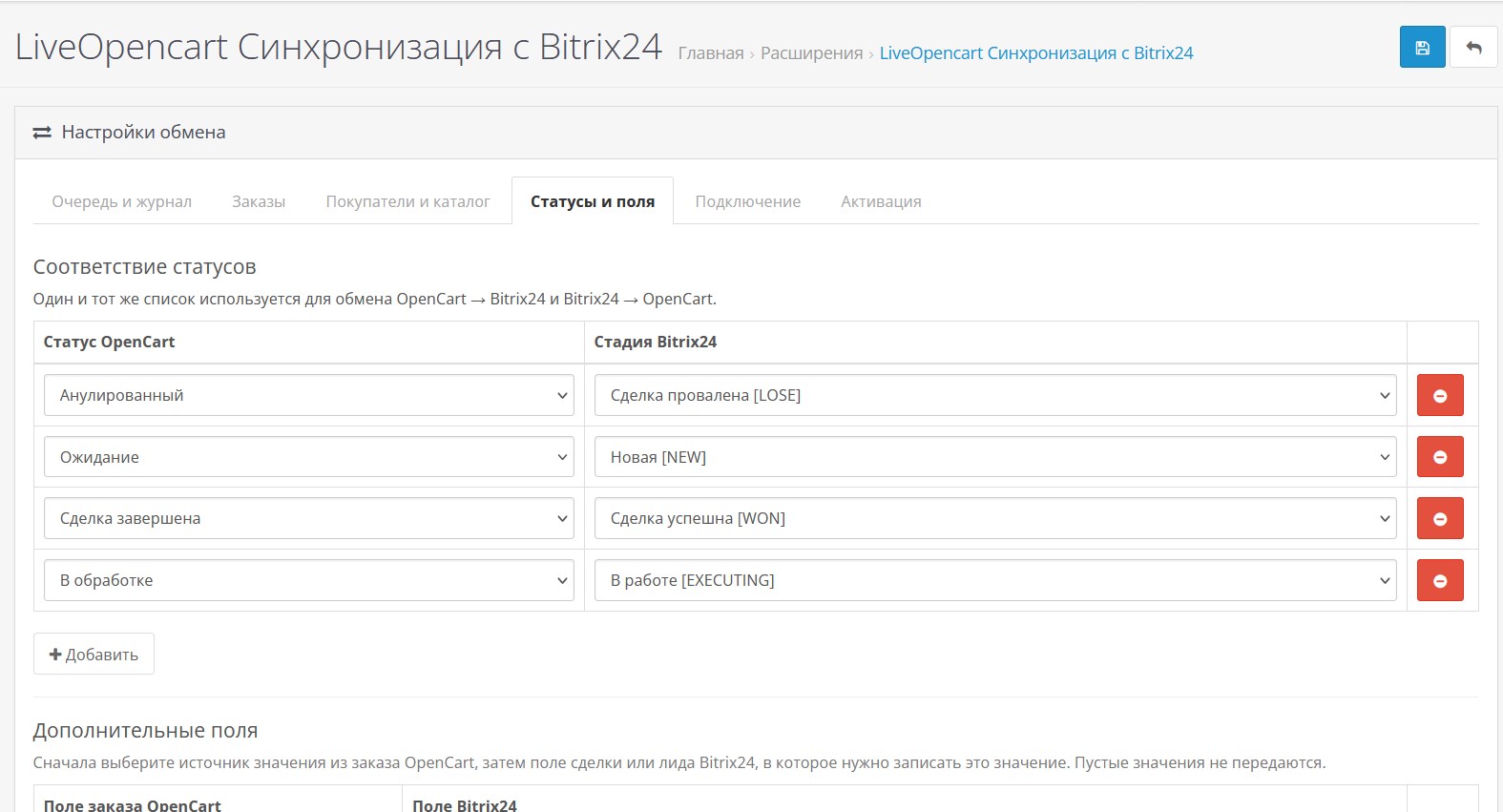
- Synchronizes statuses from OpenCart to Bitrix24 and stages from Bitrix24 to OpenCart.
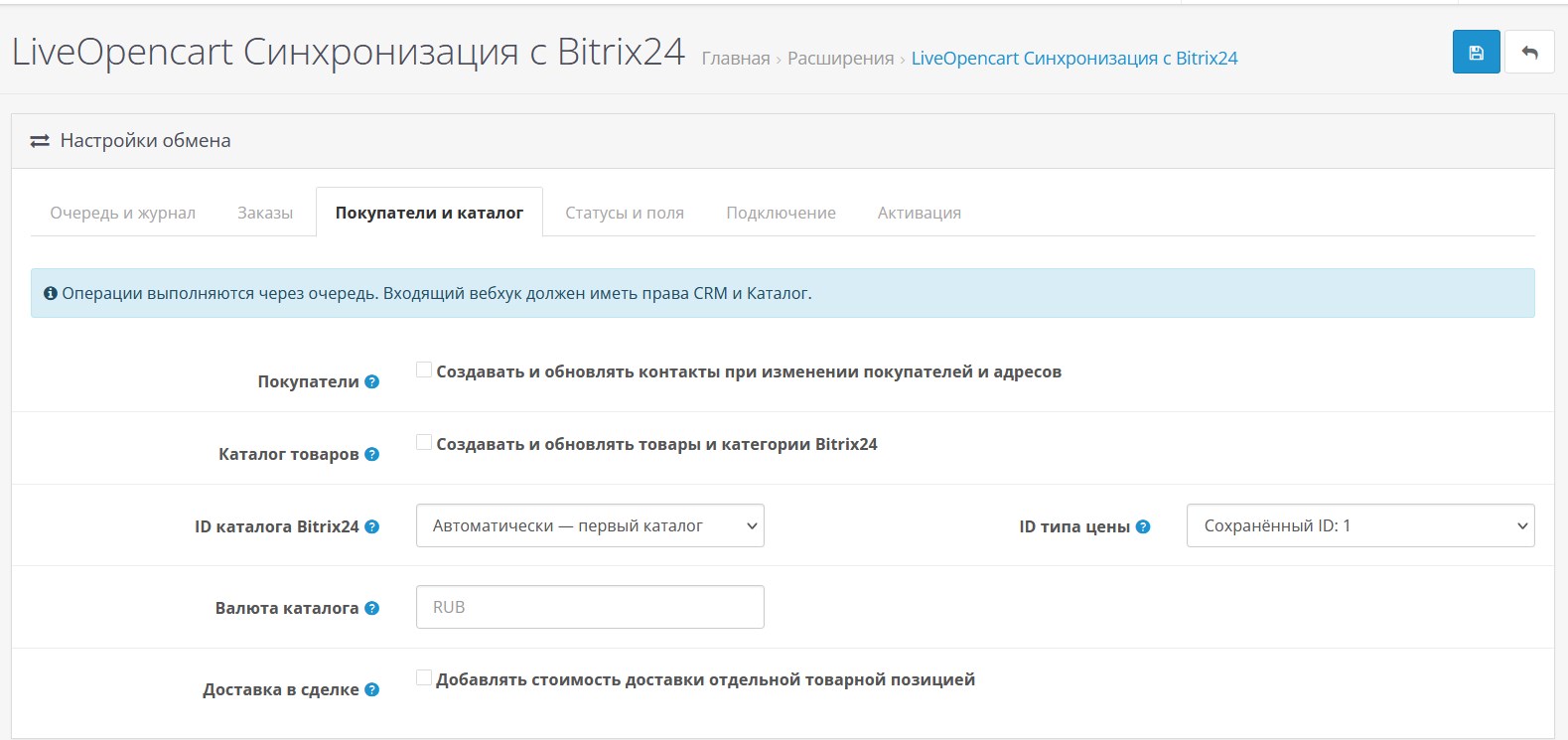
- Creates and updates OpenCart buyers as Bitrix24 contacts.
- Transmits addresses, phone numbers and emails of buyers.
- Uploads OpenCart products to the Bitrix24 catalog.
- Synchronizes names, articles, descriptions, prices, sizes, weight and activity of products.
- Creates OpenCart categories as sections of the Bitrix24 catalog while maintaining the hierarchy.
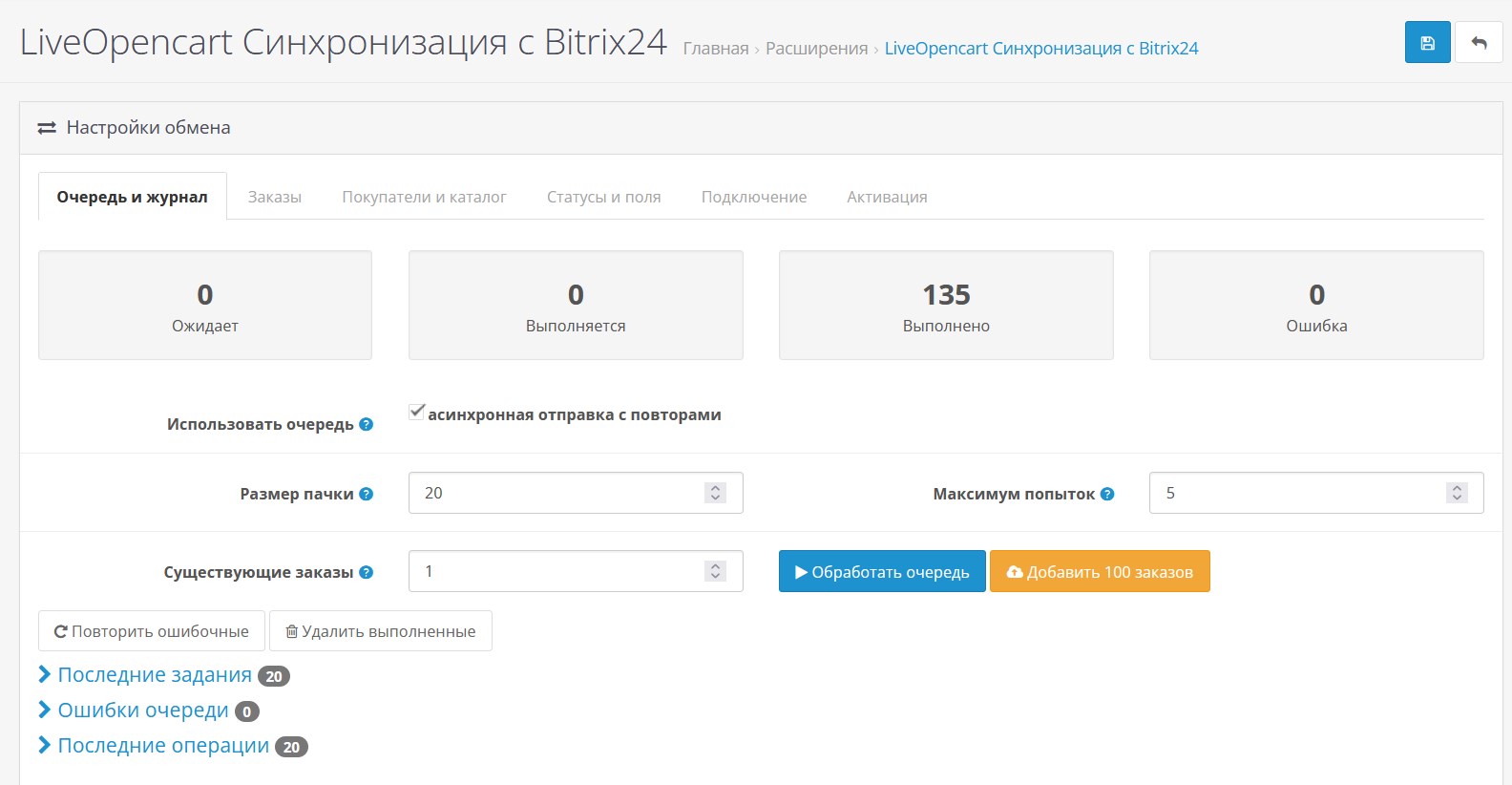
- Supports a task queue with retries on errors.
- Allows you to run processing manually and via cron.
- Has a visual comparison of OpenCart andstages Bitrix24.
- Allows you to map order fields to standard and custom CRM fields.
- Supports bulk synchronization of existing orders, customers, products and categories.
- Provides queue monitoring, errors and transaction log directly in the admin panel.
- Supports custom order fields, including fields added via Simple.
- Has a testing mode without recording data in Bitrix24.
- Works with deals and leads, including choosing the direction of deals and the responsible manager.
- Uses current REST API methods of the Bitrix24 catalog.
- Completely open source.
- Two-way exchange between OpenCart and Bitrix24.
- Less manual work for managers.
- Quick response to changes in order statuses and CRM stages.
- Unified synchronization of orders, customers, products and categories.
- Flexible customization for online store business processes.
- Reliable queue with error control and retries.
- Secure work via incoming and outgoing Bitrix24 webhooks.
- After the subscription expires, the module will continue to work, but updates and technical support are provided only if you have a valid subscription.
- Multilingual: Russian, English, Kazakh and Ukrainian languages.
Demo: https://demo3.19th19th.ru/etc/
Administrator:https://demo3.19th19th.ru/etc/admin/index.php?route=extension/module/live_bitrix24_sync
demo / demo
Works on LiveStore 3, OCStore 3, Opencart 3. Standard template. It may conflict with your template, registration, order and order processing modules and will require paid modification.
The module is an independent development of LiveOpencart and does not belong to Bitrix24, is not an official Bitrix24 product and is not supported by Bitrix. All trademarks and names are used to indicate compatibility only.
Installation:
Download the ocmod file through the standard add-on installation.
Enable the module in the list of extensions, and then enable it in the module itself.
In Bitrix24:
Developers - Other - Incoming webhook. Required accesses: Tasks, Trade catalogue, CRM, Users, Tasks
Developers - Other - Outgoing webhook. Required accesses: Create a lead (ONCRMLEADADD), Update a lead (ONCRMLEADUPDATE), Delete a lead (ONCRMLEADDELETE), Delete a deal (ONCRMDEALDELETE), Update a deal (ONCRMDEALUPDATE), Create a deal (ONCRMDEALADD), Create a contact (ONCRMCONTACTADD), Update a contact (ONCRMCONTACTUPDATE), Delete a contact (ONCRMCONTACTDELETE), Product creation (ONCRMPRODUCTADD), Product update (ONCRMPRODUCTUPDATE), Product deletion(ONCRMPRODUCTDELETE), Adding a product property (ONCRMPRODUCTPROPERTYADD), Changing a product property (ONCRMPRODUCTPROPERTYUPDATE), Deleting a product property (ONCRMPRODUCTPROPERTYDELETE), Creating a task (ONTASKADD), Updating a task (ONTASKUPDATE), Deleting a task (ONTASKDELETE)
If you want, we can install it for a fee and help you configure the module on your website. Your template or the modules you have installed may require modifications; this may cost a fee.
1.1 - automatic loading of reference books, interface fixes, bug fixes
Distribution method:
Paid
Opencart version:
LiveStore 3.*OCStore 3.*OpenCart 3.*
PHP verision:
PHP 7.0PHP 7.1PHP 7.2PHP 7.3PHP 7.4PHP 8.0PHP 8.1PHP 8.2
Activation:
AutomaticManually, upon request via private messagesManually, upon request via emailNot required
Getting files:
On site, in the personal account
Protection system:
No
VQmod:
No
Ocmod:
No
Events:
Yes
Uploaded:
17.07.2026
Updated:
09.10.2026
Viewed:
1471
Sales:
2
Write a review
Your Name:Your Review: Note: HTML is not translated!
Rating: Bad Good
Enter the code in the box below:


Файлы будут доступны после покупки
Series:
Articles about the product