Your shopping cart is empty!

LiveYML export to Yandex.Market, Yandex.Turbo for OpenCart 2, 3 - 1.9.9
1500 sales
12 месяцев




Price: 990 ₽
From 2 purchase of this product, the price is: 743 ₽

Additional from the author:
Author: liveopencart
Write to the author
Подписка: 12 месяцев
Sales: 1782 (Average rating 4.2 на основании 228 отзывов)
Need paid help? Contact the site administration
Opencart version:
Подписка: 12 месяцев
Sales: 1782 (Average rating 4.2 на основании 228 отзывов)
Need paid help? Contact the site administration
Opencart version:
LiveStore 3.*OCStore 3.*OpenCart 3.*OCStore 2.3OpenCart 2.3OpenCart 2.2OCStore 2.1OpenCart 2.1OpenCart 2.0
The former name of the module is “YML export to Yandex.Market, Yandex.Turbo, Prom.ua, Aliexpress.com... for OpenCart 2.x, 3.x”. Since 02/12/2026, the module is supported by liveopencart.ru.
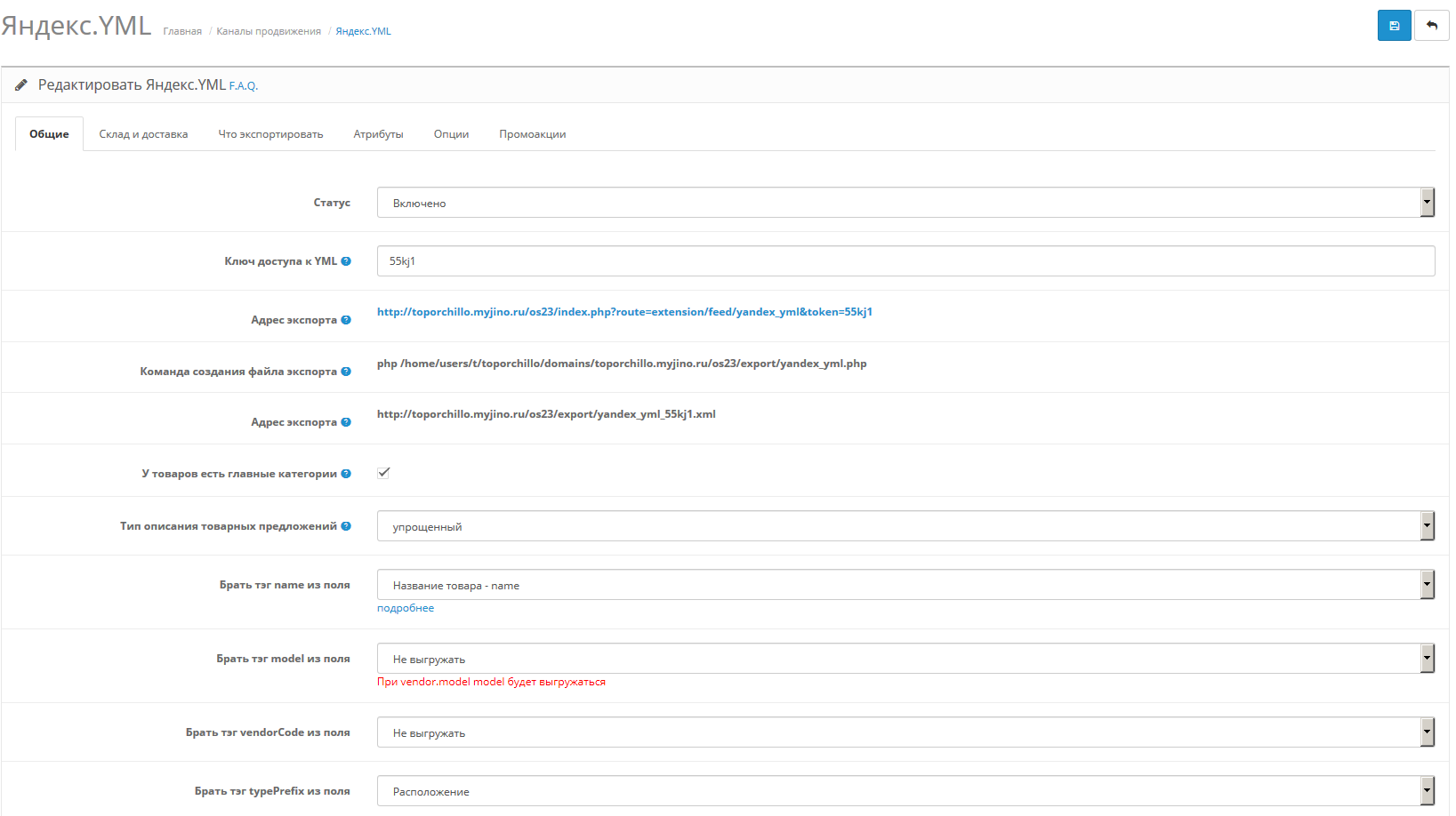
The module generates a YML file for exporting a product catalog to such sites as Yandex.Market, aliexpress.com, beru.ru, torg.mail.ru, price.ru, poisk-podbor.ru, hotprice.ua, nadavi.net, vcene.ua, prom.ua and many others
When purchasing a module, you can use it on no more than one website of the online store. The author reserves the right to refuse technical support to those who use a module purchased once on several sites.
Demo on LiveStore 3 (login: demo password: demo)
Important:
GenerationYML file via PHP-CLI is not guaranteed, but it almost always works. Team:
If it doesn’t work, but you need to generate it through the scheduler (CRON), use wget:
FAQ or Frequently asked questions
Differences from the standard module:
1. Export in UTF-8 encoding
2. All product images are exported in resolution 600x600, as recommended by Yandex
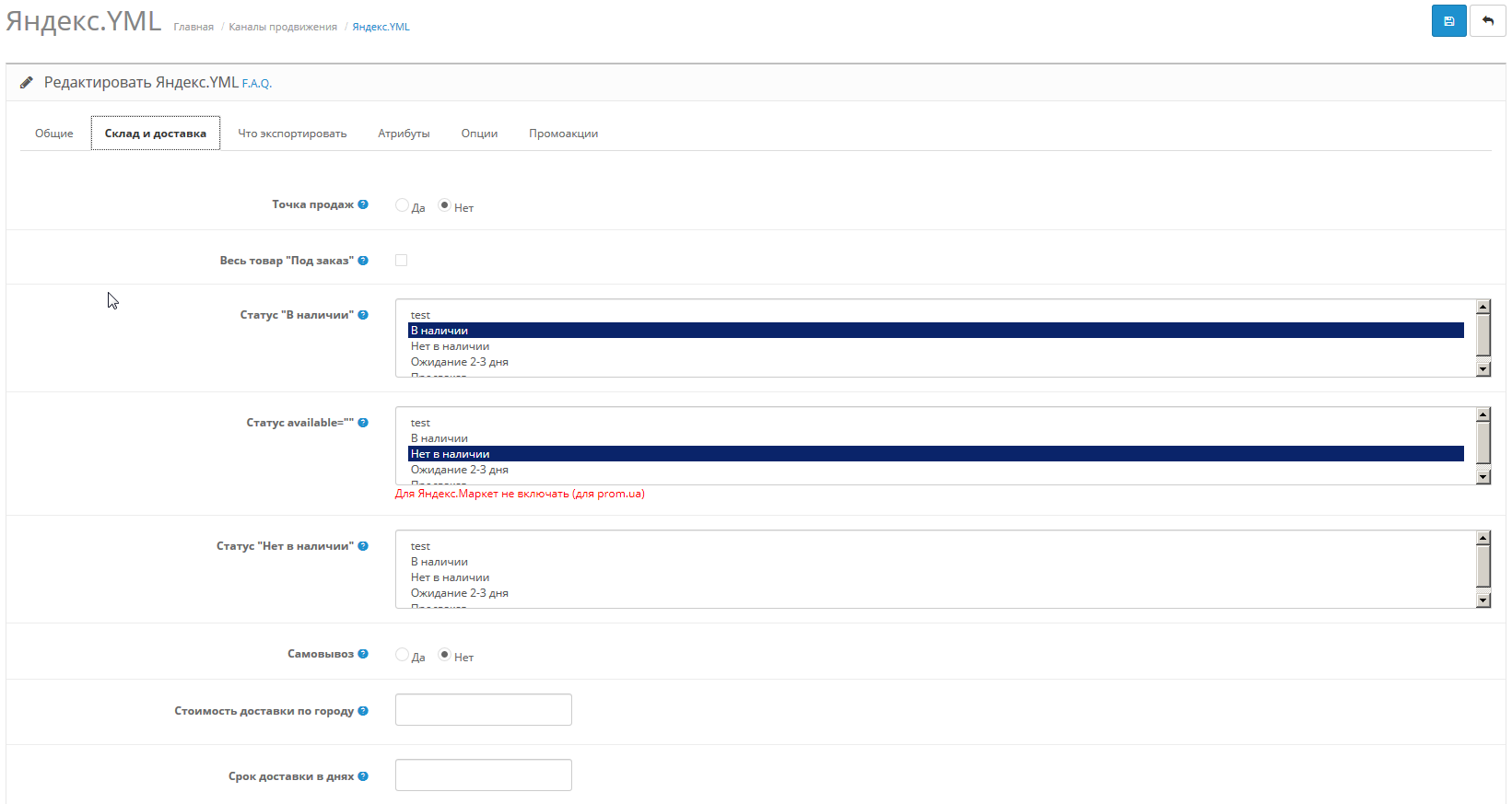
3. The export contains attributes, indicating the possibilitypickup of goods and availability of a point of sale
4. Product attributes are exported
5. Export of goods related to the satisfaction of sexual needs is carried out with the appropriate tag
6. For goods with options responsible for “color” and “size”, several product offers are generated in export. So Yandex recommends to export clothes, shoes, etc. For each color-size create your own product offer
7. It is possible to generate an export file not by Yandex request, but by the scheduler (Cron). This is convenient (and necessary) when the export file takes so long to generate that the Web server closes the connection, and as a result, nothing is exported.
8. Ability to export all goods with the attribute"to order". Yandex requires that all goods with a delivery time of more than two days be exported with the “made to order” sign.
9. The ability to export the market_category tag, which, as it turns out, is required to get into Yandex.Wardrobe
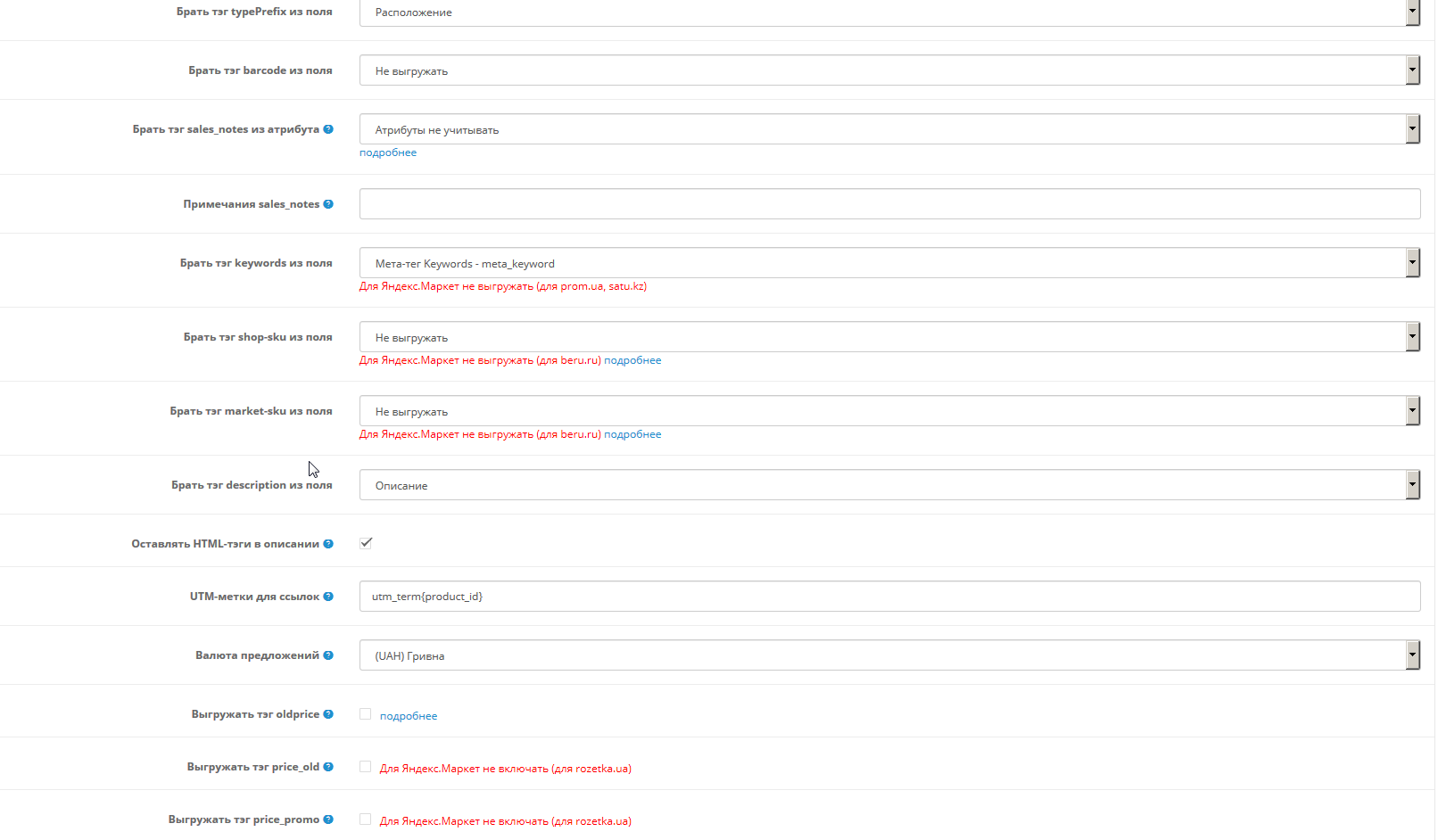
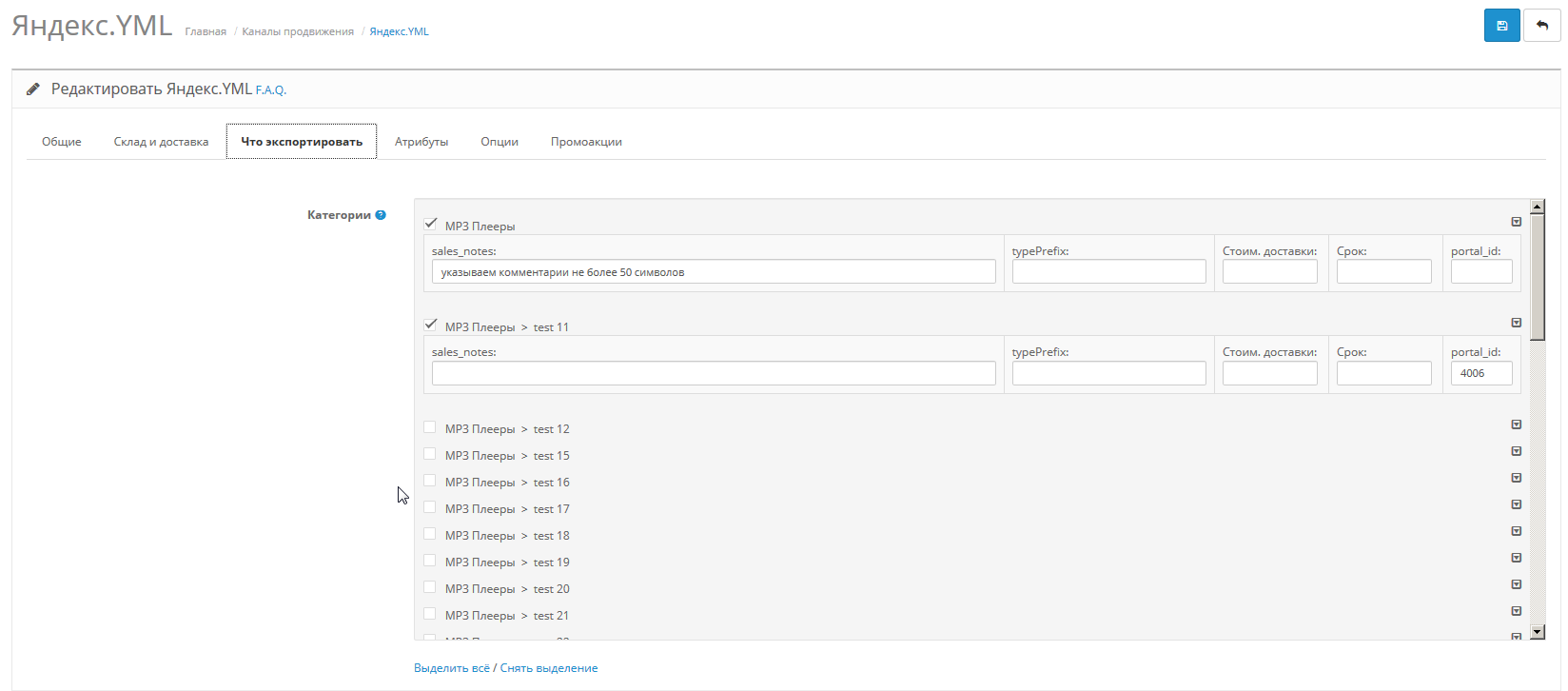
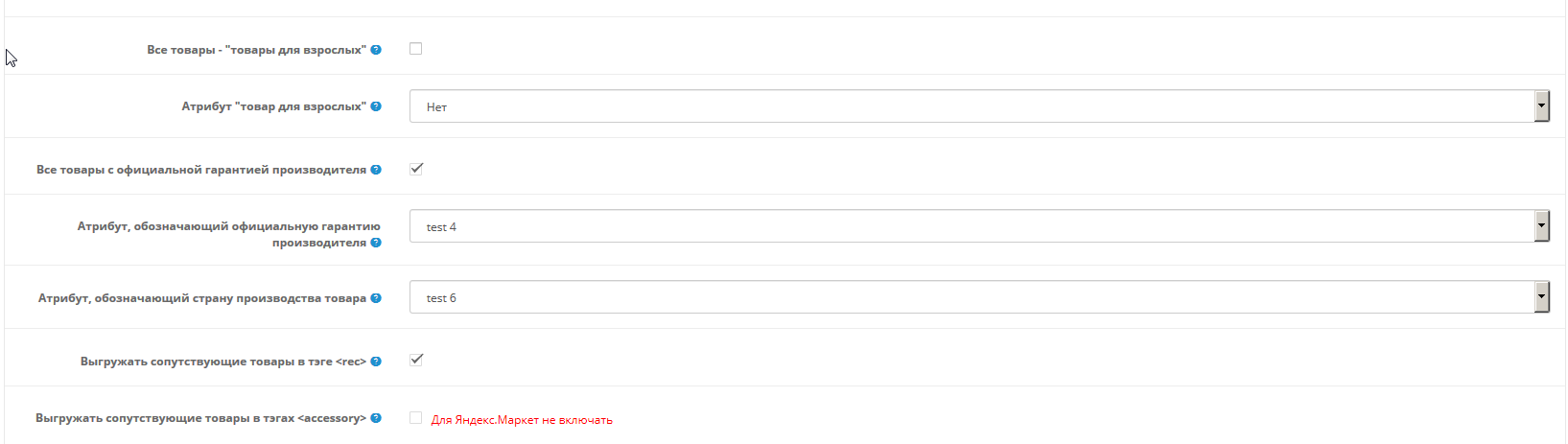
10. Ability to export tags <manufacturer_warranty>, <country_of_origin>, <sales_notes>, <typePrefix>, <barcode>, <cpa>
11. Customizable number of exported images
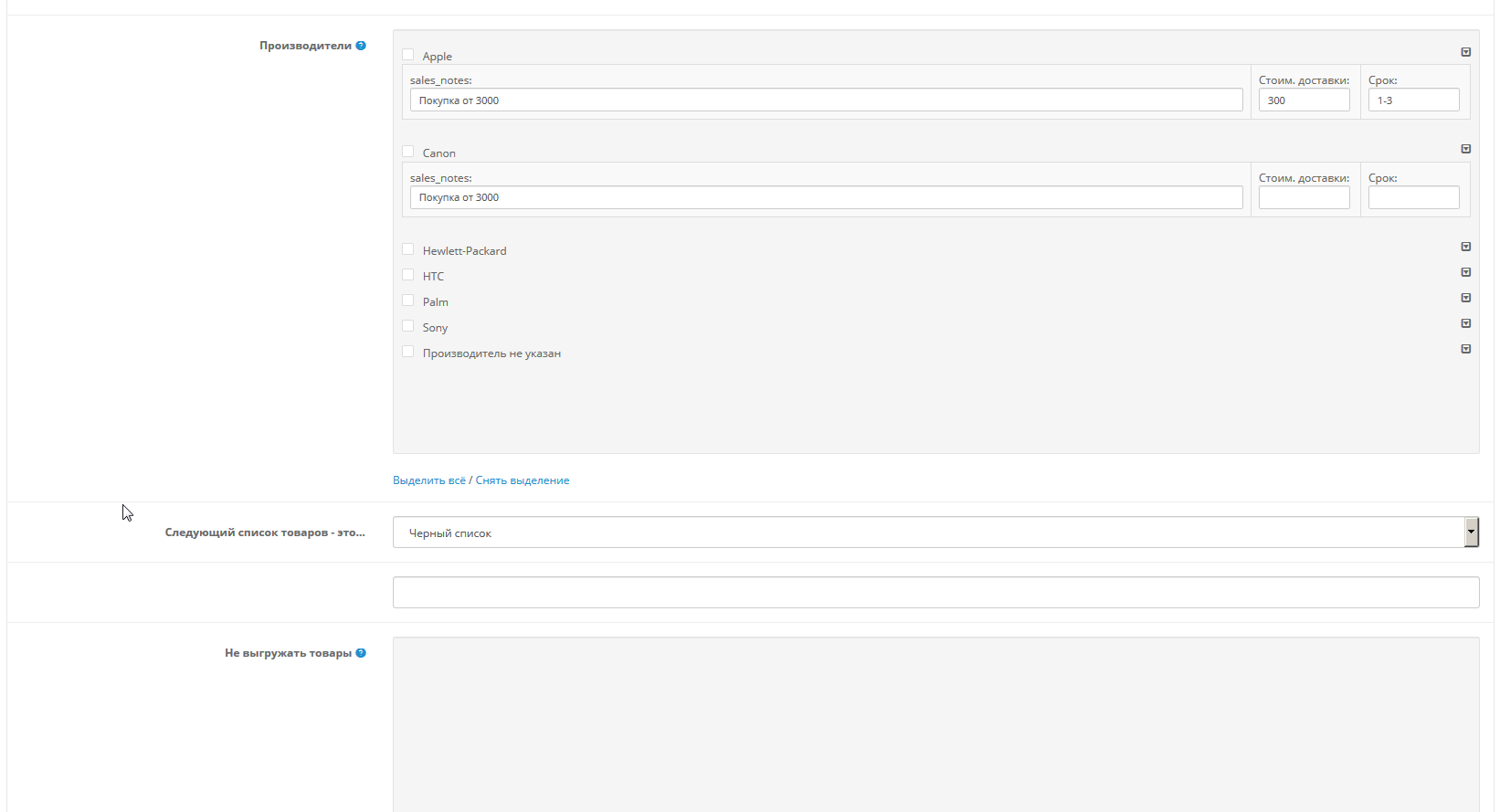
12. Black list of products - you can select specific products that do not need to be uploaded to Yandex.Market
13. Added a module clone that allows you to create a second export with your own settings (this item is in beta)
14. Export the <oldprice> tag, which is needed to calculate the discount percentage by Yandex
15. Exportrelated products in the <rec> tag or <accessory> tags
16. YML generation in blocks, memory consumption reduced
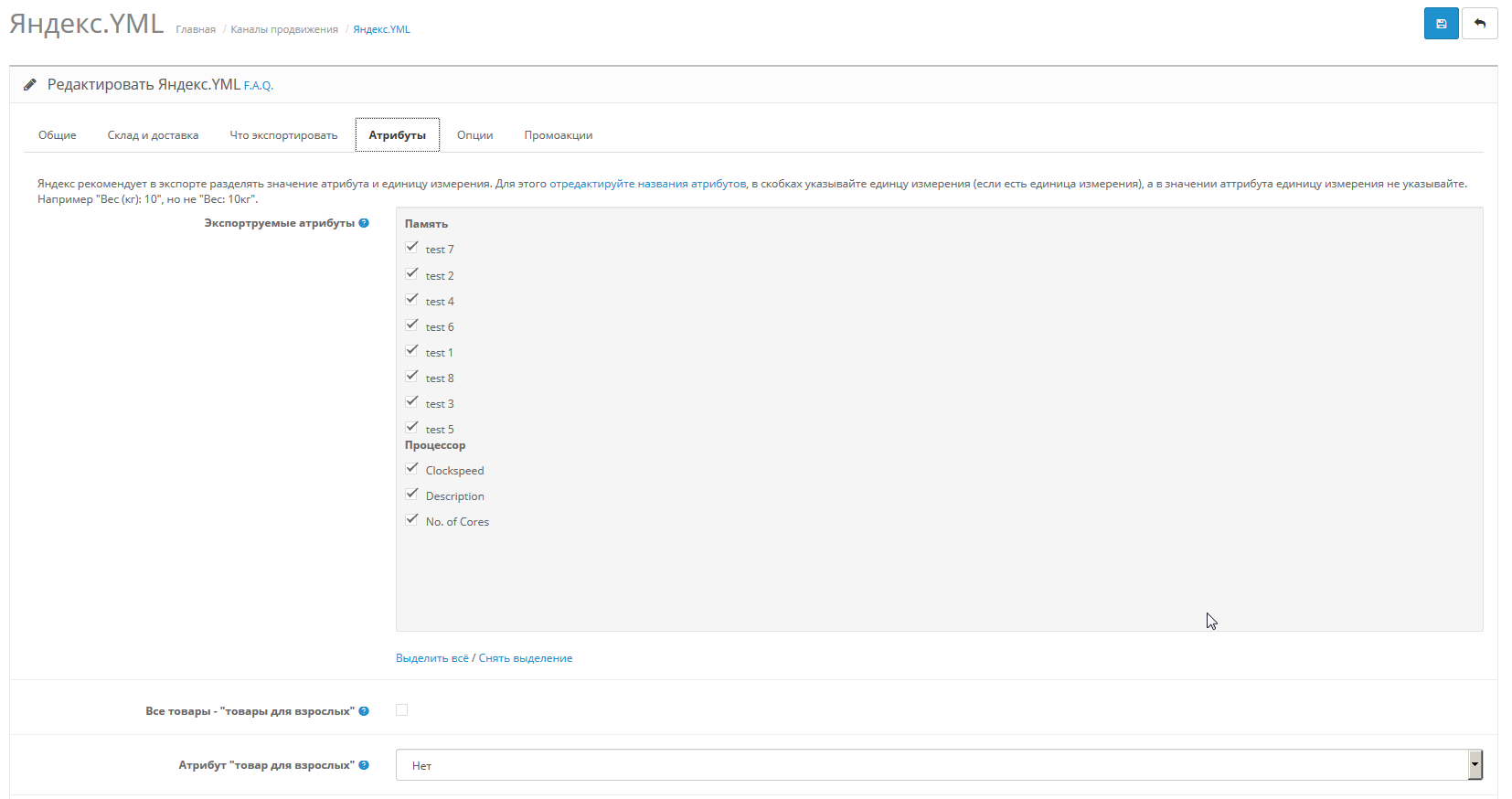
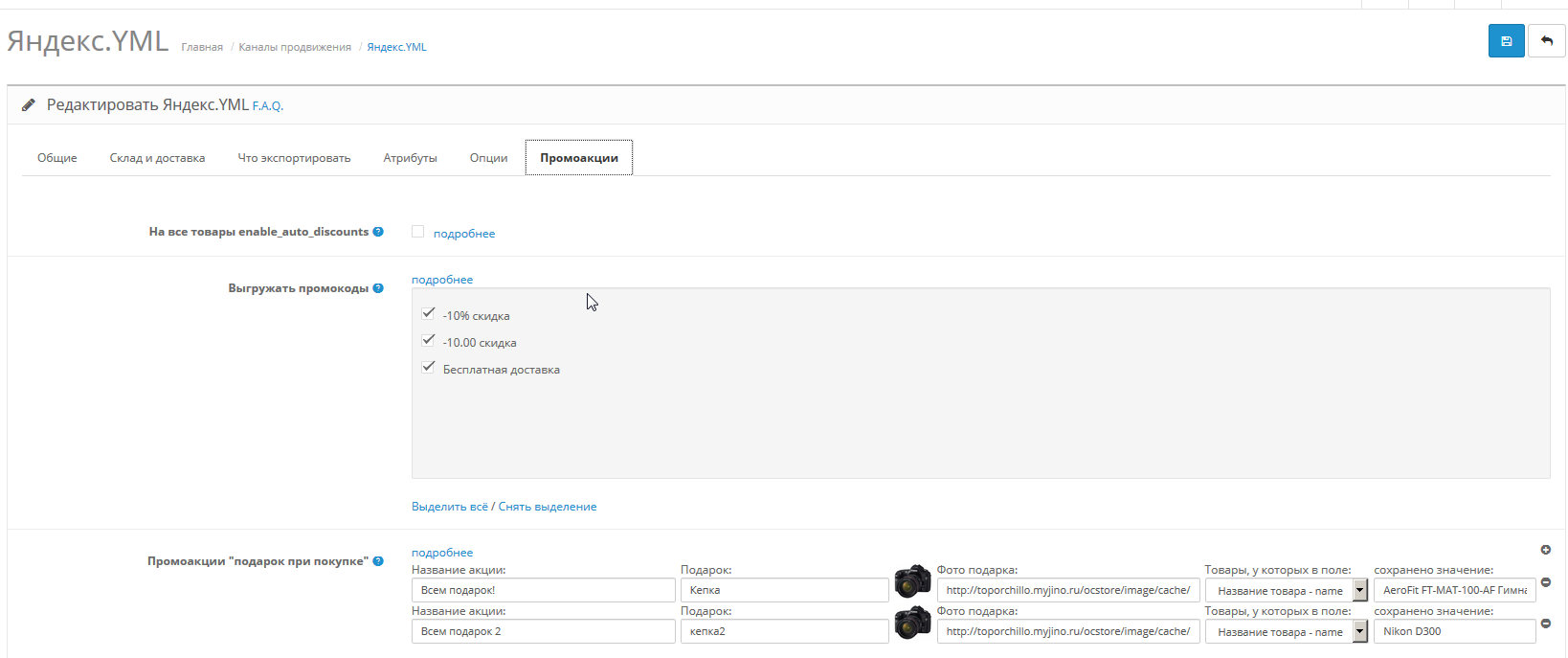
17. Uploading promotions for Yandex.Market
The module generates a YML file for exporting a product catalog to such sites as Yandex.Market, aliexpress.com, beru.ru, torg.mail.ru, price.ru, poisk-podbor.ru, hotprice.ua, nadavi.net, vcene.ua, prom.ua and many others
When purchasing a module, you can use it on no more than one website of the online store. The author reserves the right to refuse technical support to those who use a module purchased once on several sites.
Demo on LiveStore 3 (login: demo password: demo)
Important:
GenerationYML file via PHP-CLI is not guaranteed, but it almost always works. Team:
<full path to php>/php <full path to the site root>/export/yandex_yml.phpIf it doesn’t work, but you need to generate it through the scheduler (CRON), use wget:
wget -P <full path to the site root>/export/yandex_yml.xml http://<site address>/index.php?route=feed/yandex_yml FAQ or Frequently asked questions
Differences from the standard module:
1. Export in UTF-8 encoding
2. All product images are exported in resolution 600x600, as recommended by Yandex
3. The export contains attributes, indicating the possibilitypickup of goods and availability of a point of sale
4. Product attributes are exported
5. Export of goods related to the satisfaction of sexual needs is carried out with the appropriate tag
6. For goods with options responsible for “color” and “size”, several product offers are generated in export. So Yandex recommends to export clothes, shoes, etc. For each color-size create your own product offer
7. It is possible to generate an export file not by Yandex request, but by the scheduler (Cron). This is convenient (and necessary) when the export file takes so long to generate that the Web server closes the connection, and as a result, nothing is exported.
8. Ability to export all goods with the attribute"to order". Yandex requires that all goods with a delivery time of more than two days be exported with the “made to order” sign.
9. The ability to export the market_category tag, which, as it turns out, is required to get into Yandex.Wardrobe
10. Ability to export tags <manufacturer_warranty>, <country_of_origin>, <sales_notes>, <typePrefix>, <barcode>, <cpa>
11. Customizable number of exported images
12. Black list of products - you can select specific products that do not need to be uploaded to Yandex.Market
13. Added a module clone that allows you to create a second export with your own settings (this item is in beta)
14. Export the <oldprice> tag, which is needed to calculate the discount percentage by Yandex
15. Exportrelated products in the <rec> tag or <accessory> tags
16. YML generation in blocks, memory consumption reduced
17. Uploading promotions for Yandex.Market
Демо-сайт для Опенкарт 3:
https://demo3.19th19th.ru/etc/admin/index.php?route=extension/feed/yandex_yml
Логин: demo, пароль: demo
In version 1.9.9 for Opencart 3:
In version 1.9.6:
In version 1.9.2:
In version 1.8.7
In version 1.8.5
In version 1.8.4
- Added compatibility with PHP 8.2, minor bugs fixed.
In version 1.9.6:
- Further adaptation for “Take”: manufacturer, balances in the count tag, disable dimensions tag, correct shop-sku for product options
- Export TN VED from the product attribute to the tag tn-ved-codes
- Selecting a language for php-cli (--language="en-gb")
- Code base has been reduced
- Unloading substandard goods for Yandex.Market
- Export adaptation for Beru.ru
- Export adaptation for Aliexpress
In version 1.9.2:
- Unload/not unload a product can now be specified using the product attribute
- sales_notes from the product attribute
- Support for Yandex promotions (promotional codes, time-based promotions, custom promo tags)
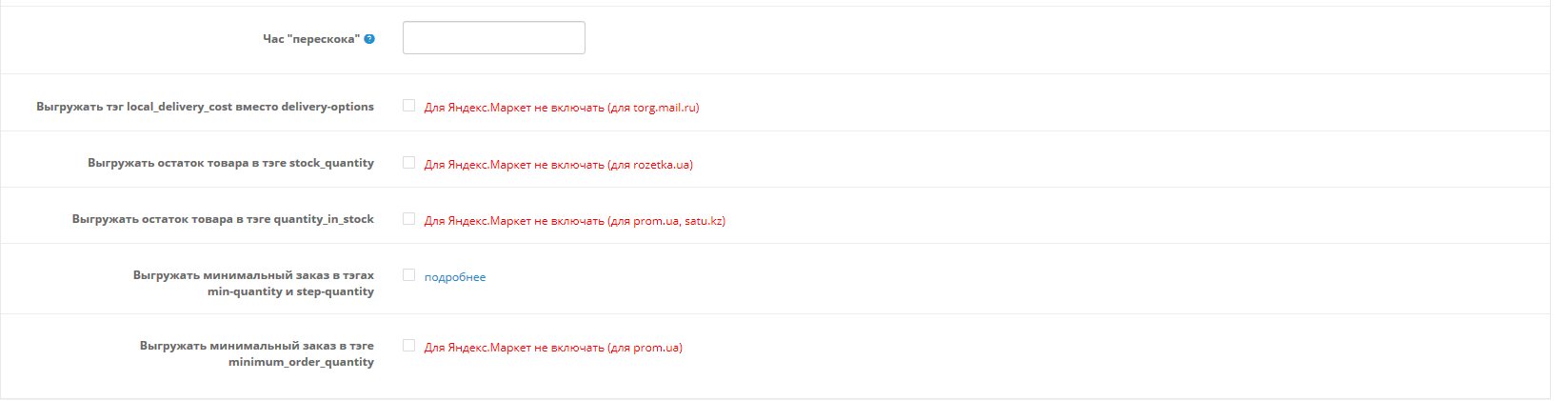
- Tag quantity_in_stock (for prom.ua)
In version 1.8.7
- Removed everything that relates to the closed CPA "Purchase on the Market"
- Export of balances (for rozetka.ua)
- Errors fixed (export local_delivery_cost, double offer id)
- vendorCode is no longer a required tag
In version 1.8.5
- Errors have been fixed (empty barcode tag, duplicate option names in name and model, incorrect list of data source fields)
- Added clones for OpenCart 2.3
- Export tag weight
In version 1.8.4
- Protection of exports from DDoS attacks and downloading of the product database by competitors;
- Works normally with currencies, even when the base currency rate is different from 1;
- Correct export of delivery times (delivery-option) when the product is out of stock;
- Export of self-pickup points (outlets) for participation in the “Book on the Market” program;
- Invalid UTF-8 characters in product descriptionsno longer causes YML handler
- OpenCart 2.3 support
Distribution method:
Paid
Opencart version:
LiveStore 3.*OCStore 3.*OpenCart 3.*OCStore 2.3OpenCart 2.3OpenCart 2.2OCStore 2.1OpenCart 2.1OpenCart 2.0
PHP verision:
PHP 5.6PHP 7.0PHP 7.1PHP 7.2PHP 7.3PHP 7.4PHP 8.0PHP 8.1PHP 8.2
Activation:
AutomaticManually, upon request via private messagesManually, upon request via emailManually, via request in the module
Getting files:
On site, in the personal account
Protection system:
No
VQmod:
No
Ocmod:
No
Events:
Yes
Uploaded:
15.12.2014
Updated:
09.10.2026
Viewed:
112356
Sales:
1782
Write a review
Your Name:Your Review: Note: HTML is not translated!
Rating: Bad Good
Enter the code in the box below:


Файлы будут доступны после покупки
Series:
Articles about the product

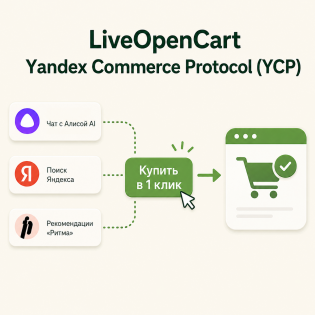
Technology for quick sales from your online store directly in the search results of Yandex or Alice.

Creating an online store might seem challenging, especially on a limited budget. However, with the right tools and platform, it is entirely achievable. In this article, we will explore how to create a free online store using the popular OpenCart platform.

A basic set of proven solutions, without which it is hard to imagine a convenient, stable, and sales-driven online store
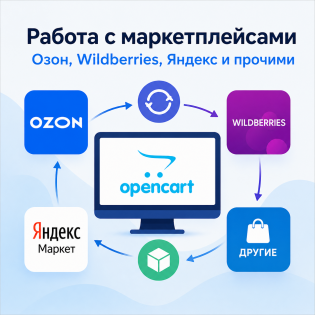
Working with marketplaces from OpenCart.


/opt/php/7.4/bin/php -c /мой путь/php.ini -f /мой путь/export/yandex_yml.php - все отлично с фидом основного магазина
/opt/php/7.4/bin/php -c /мой путь/php.ini -f /мой путь/export/yandex_yml.php --store_id=16 ошибка Error in argument 5, char 2: no argument for option -
баг/фича с мультимагазином
адрес https:// мой адрес /index.php?route=extension/feed/yandex_yml&token=(пароль поддомена) открывает основной магазин, хотя у него другой (пароль)
/opt/php/7.4/bin/php -c /путь/php.ini -f /путь/export/yandex_yml.php -- --store_id=16
адрес https:// мой адрес /index.php?route=extension/feed/yandex_yml&token=(номер) открывает основной магазин, хотя у него без &token=(номер)
срабатывает только https://поддомен.мой адрес /index.php?route=extension/feed/yandex_yml
Проверьте, что URL поддомена точно указан в настройках самого магазина
URL поддомена настроена (поддомены работают), так же используется CityManager Pro 9.
ссылка вида https:// поддомен . мой адрес /index.php?route=extension/feed/yandex_yml&token=(номер) работает
https:// мой адрес /index.php?route=extension/feed/yandex_yml&token=(номер) основной магазин, но это не важно
/opt/php/7.4/bin/php -c /путь/php.ini -f /путь/export/yandex_yml.php -- --store_id=16 заработал но записывает в файл feed_yandex_yml_(пароль основного магазина).xml хотя должен в feed_yandex_yml_(пароль поддомена).xml, да и в теле файла урлы все без поддомена
Огромная благодарность за помощь в интеграции.
- Возможность ссылки на оригинальную картинку вместо кэшированной
- Возможность указания своего количества товаров для генерации за один раз
- Возможность указания своей максимальной длины description
Благодаря таким гибким настройкам стало возможно выгружать все товары даже для слабого хостинга! Еще бы названия клонов можно было бы редактировать, типа "1 категория" или "выгрузка всех категорий! и т.д.)) Но это так, мое пожелание - ведь совершенству нет предела!))