Your shopping cart is empty!

LiveOpencart Synchronization with amoCRM
5 sales
12 месяцев
Price: 4 990 ₽

Additional from the author:
Author: liveopencart
Write to the author
Подписка: 12 месяцев
Sales: 5 (Average rating 0 на основании 0 отзывов)
Need paid help? Contact the site administration
Opencart version:
Подписка: 12 месяцев
Sales: 5 (Average rating 0 на основании 0 отзывов)
Need paid help? Contact the site administration
Opencart version:
LiveStore 3.*OCStore 3.*OpenCart 3.*
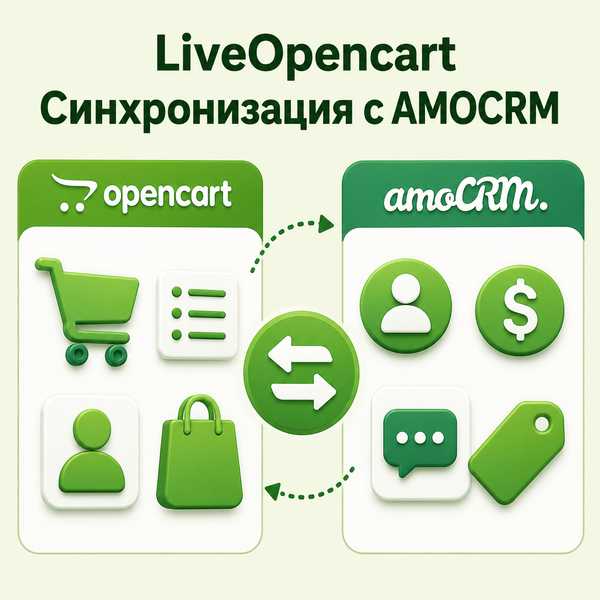
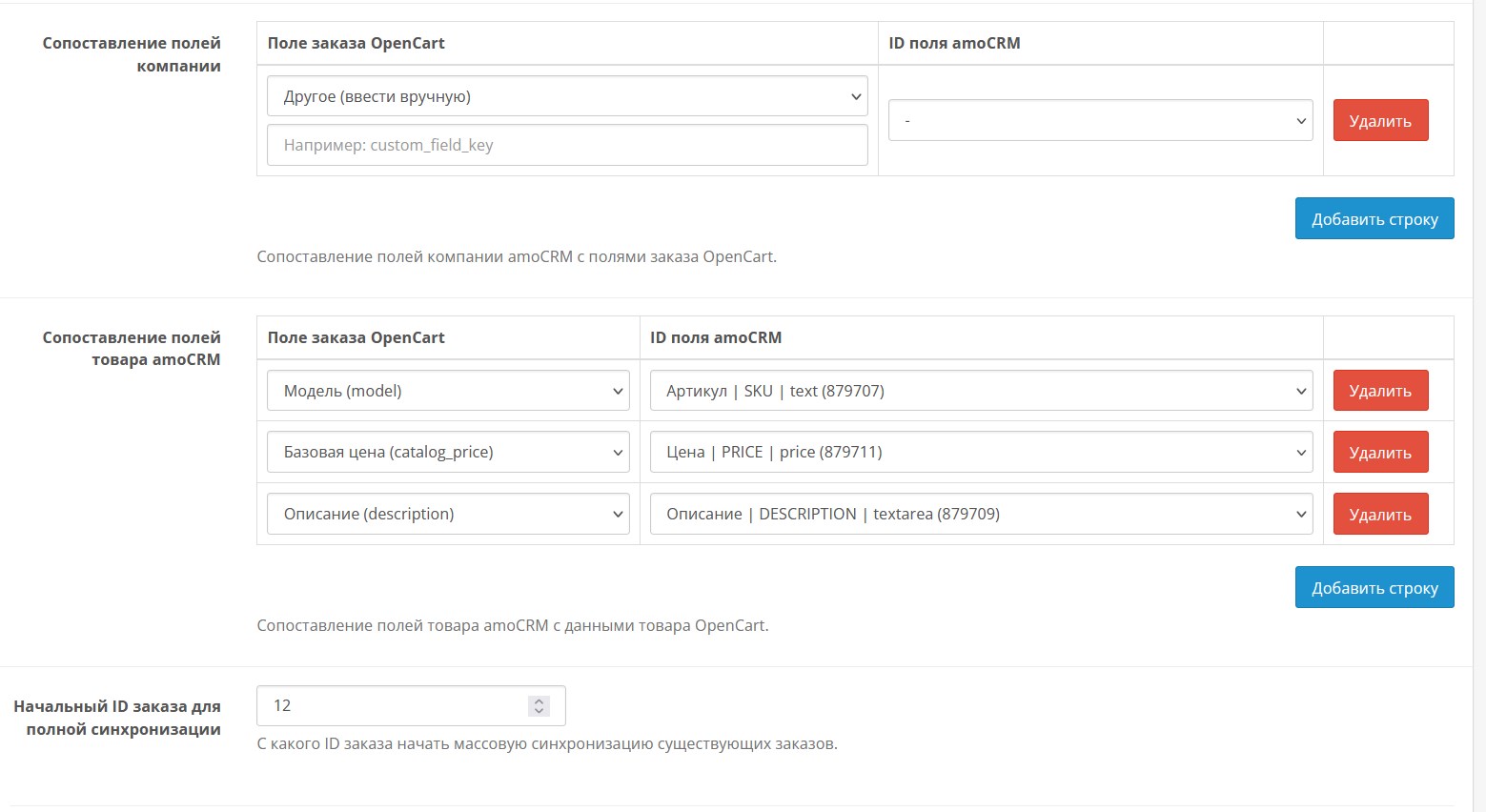
LiveOpencart Synchronization with amoCRM for OpenCart 3 automates data exchange between the online store and amoCRM: creates and updates contacts/transactions for orders, synchronizes order statuses and transaction stages, supports two-way work and secure OAuth2 authorization.
What the module does:
Key benefits:
Demo: https://demo3.19th19th.ru/etc/
Administrator: https://demo3.19th19th.ru/etc/admin/index.php?route=extension/module/live_amocrm_sync
demo / demo
Works on LiveStore 3, OCStore 3, Opencart 3. Standard template. It may conflict with your template, registration, order and order processing modules and will require paid modification.
Installation:
Download the ocmod file through the standard add-on installation.
Enable the module in the list of extensions, and then enable it in the module itself.If you want, we can install it for a fee and help you configure the module on your website. Your template or the modules you have installed may require modifications; this may cost a fee.
What the module does:
- Automatically transfers new orders from OpenCart to amoCRM.
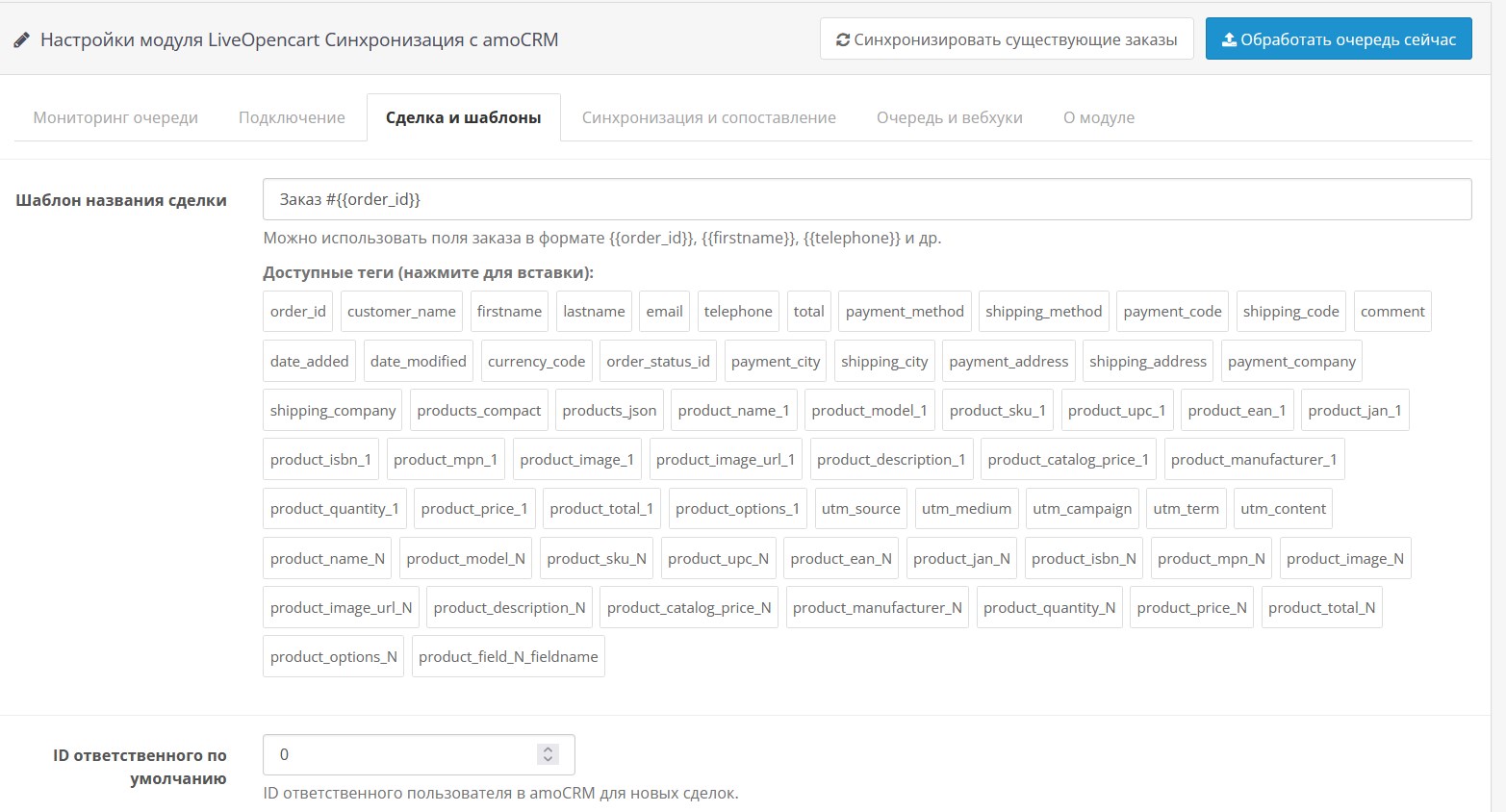
- Creates a contact and deal, adds notes and tags using templates.
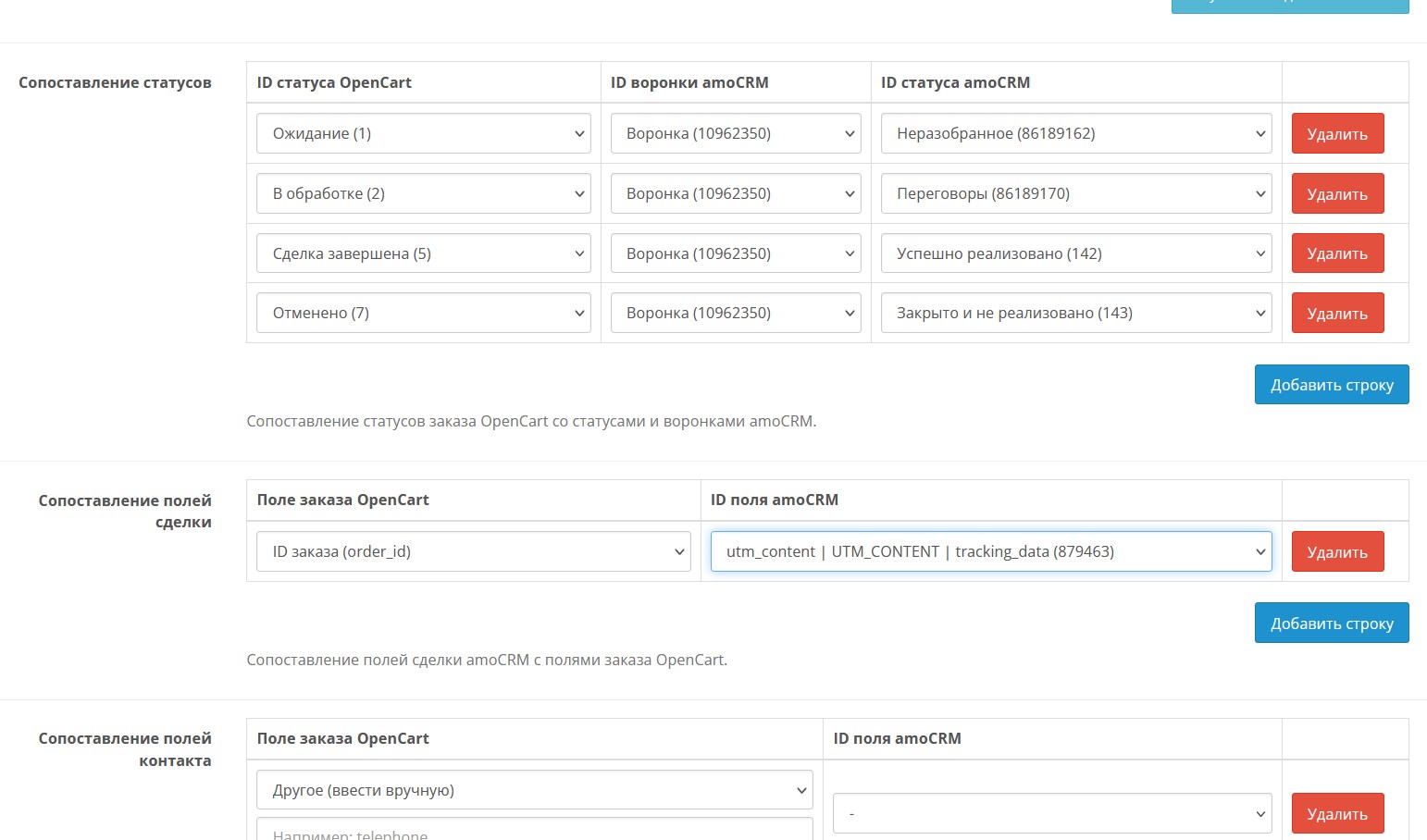
- Synchronizes statuses from OpenCart to amoCRM and from amoCRM to OpenCart.
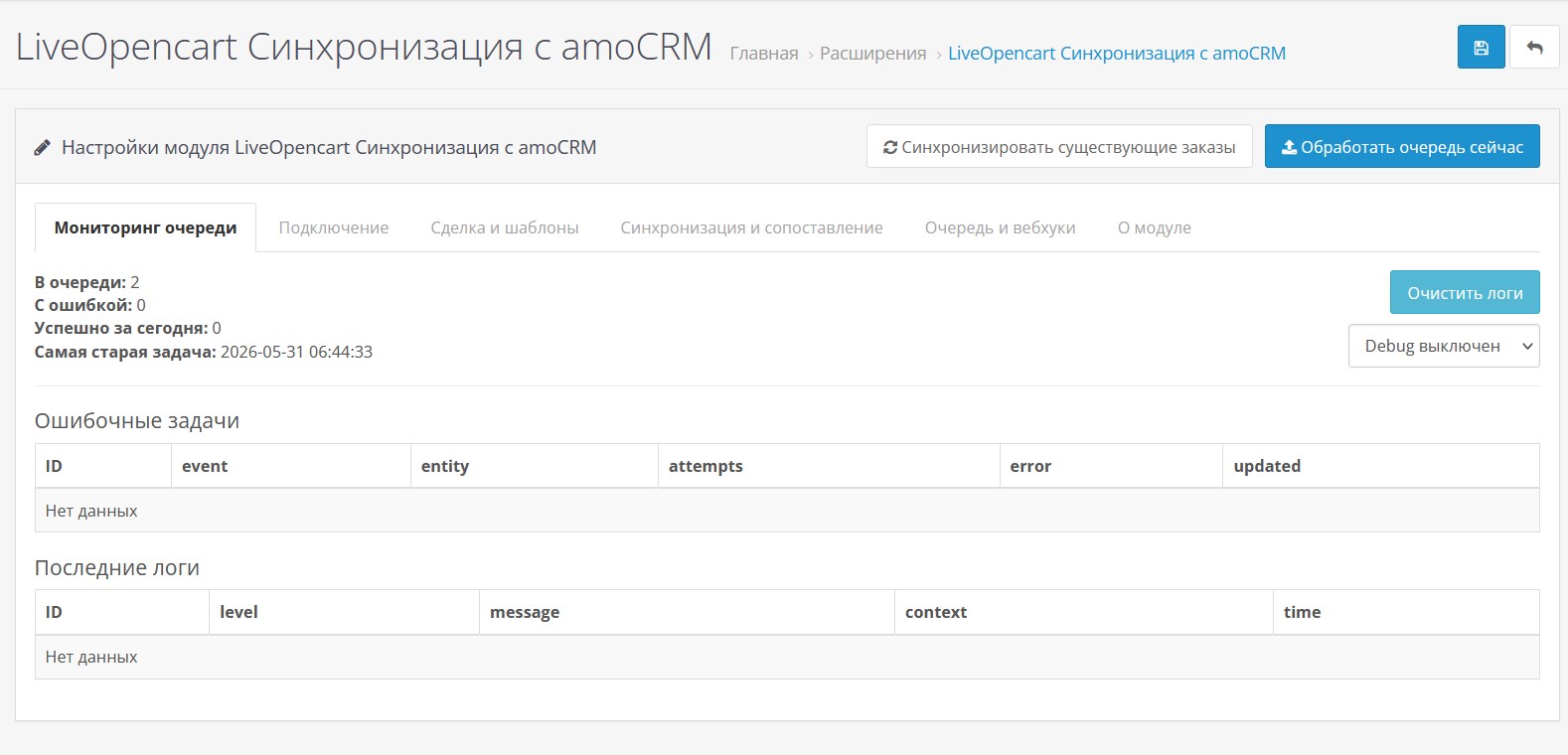
- Supports task queue
- Allows you to run processing manually and via cron.
- Has a visual constructor of statuses and fields.
- Supports bulk synchronization of existing orders.
- Provides protection: token, HMAC signature, IP filter.
- Provides queue monitoring, errors and logs directly in the admin panel.
- There is a testing mode without recording in amoCRM.
Key benefits:
- Completely open source.
- Less manual work for managers.
- Quick response to changes in statuses and stages.
- Flexible customization for store business processes.
- Robust integration with error control and retries.
- After the subscription ends, the module will work, butmodule update and support only if you have a valid subscription.
- Multilingual (default languages: Russian, English, Kazakh, Ukrainian).
Demo: https://demo3.19th19th.ru/etc/
Administrator: https://demo3.19th19th.ru/etc/admin/index.php?route=extension/module/live_amocrm_sync
demo / demo
Works on LiveStore 3, OCStore 3, Opencart 3. Standard template. It may conflict with your template, registration, order and order processing modules and will require paid modification.
Installation:
Download the ocmod file through the standard add-on installation.
Enable the module in the list of extensions, and then enable it in the module itself.If you want, we can install it for a fee and help you configure the module on your website. Your template or the modules you have installed may require modifications; this may cost a fee.
Distribution method:
Paid
Opencart version:
LiveStore 3.*OCStore 3.*OpenCart 3.*
PHP verision:
PHP 7.0PHP 7.1PHP 7.2PHP 7.3PHP 7.4PHP 8.0PHP 8.1PHP 8.2
Activation:
AutomaticManually, upon request via private messagesManually, upon request via emailNot required
Getting files:
On site, in the personal account
Protection system:
No
VQmod:
No
Ocmod:
No
Events:
Yes
Uploaded:
31.05.2026
Updated:
09.10.2026
Viewed:
2168
Sales:
5
Write a review
Your Name:Your Review: Note: HTML is not translated!
Rating: Bad Good
Enter the code in the box below:



Файлы будут доступны после покупки
Series:
Articles about the product

Your own online store of clothes and shoes on OpenCart allows you to: work under your own brand, set your own prices, manage a warehouse, gather a regular audience and not pay a commission to the marketplace on each order.